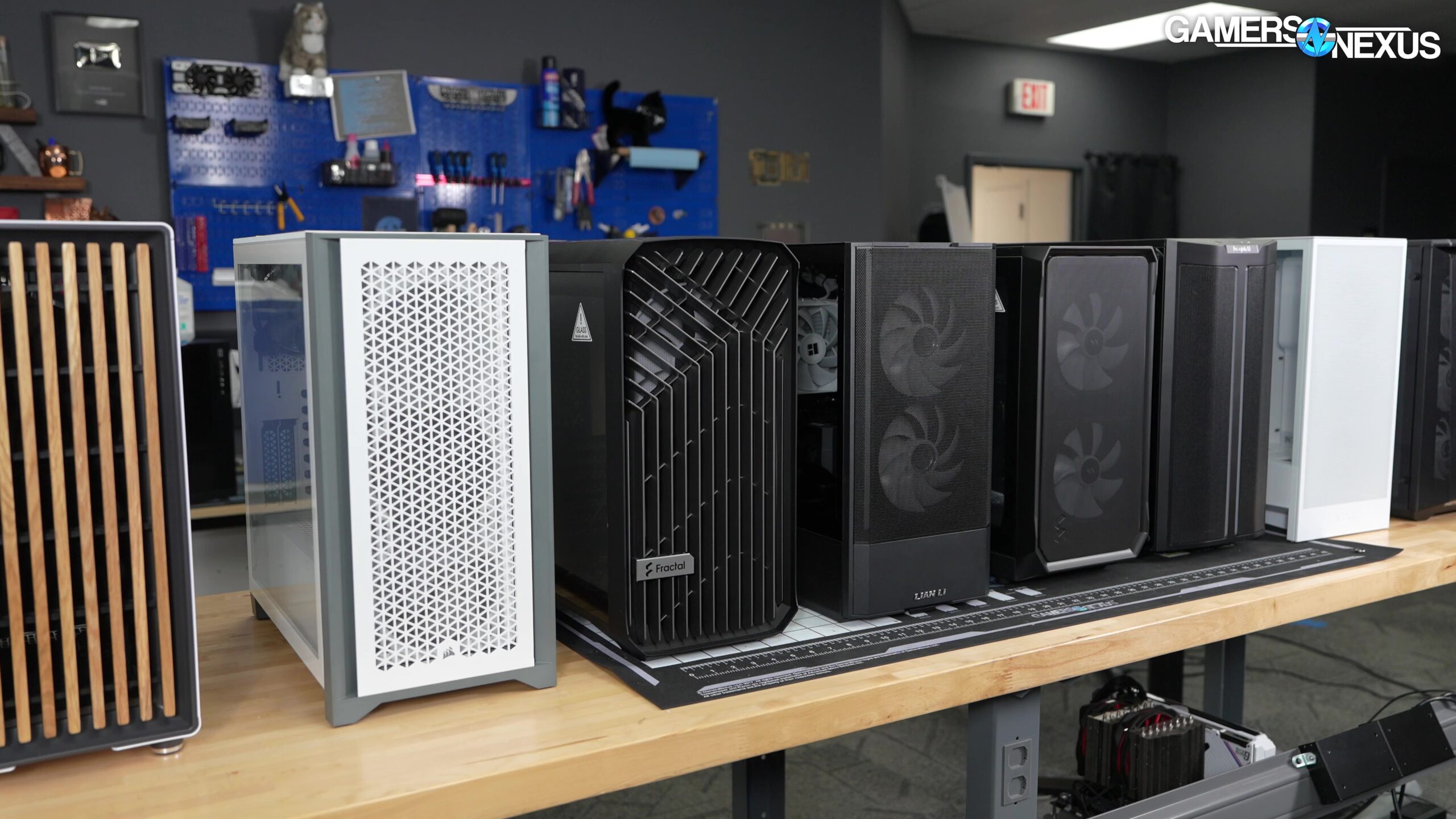

A computer case has to do more than hold components. It needs to fit the motherboard and graphics card, move enough air through the system, provide sensible access for upgrades, and suit the way you actually use the machine. The wrong choice can leave a powerful build cramped, noisy, or awkward to maintain.
The Best computer cases in this roundup include full ATX towers, a compact Micro-ATX chassis, a protective desktop travel bag, and laptop sleeves. That mix reflects how often “computer case” means either a PC enclosure or a way to carry and protect a finished computer.
Our top pick is the MUSETEX Y6, with the DARKROCK EC2, MUSETEX NN8, and several laptop protection options covering the rest of the field.
Comparison table
| # | Product | Award | Motherboard or fit | Cooling and protection | Best for |
|---|---|---|---|---|---|
| 1 | MUSETEX Y6 | Best overall | ATX, Micro-ATX, Mini-ITX | 7 pre-installed 120mm ARGB fans | Showpiece ATX builds |
| 2 | Wigojoy Tower Travel Case | Best desktop travel case | ATX and Micro-ATX towers | 5mm EPE lining, 600D Oxford cloth | Moving a desktop safely |
| 3 | MUSETEX NN8 | Best serviceable ATX case | ATX mid tower | 6 PWM ARGB fans, mesh front | Easy-access gaming builds |
| 4 | Ytonet 16-inch TSA Sleeve | Best TSA laptop sleeve | 15 to 16-inch laptops | Foam padding, water-resistant nylon | Frequent laptop travel |
| 5 | DARKROCK EC2 | Best airflow-focused ATX case | ATX, Micro-ATX, Mini-ITX | Mesh front, magnetic filters | Flexible cooling setups |
| 6 | MOROVOL 621 | Best fixed-lighting ATX case | ATX, Micro-ATX, Mini-ITX | 4 pre-installed 120mm RGB fans | Straightforward gaming PCs |
| 7 | MOROVOL V3 | Best compact panoramic case | Micro-ATX and Mini-ITX | 3 fans, supports up to 7 | Small gaming builds |
| 8 | MOSISO 360 16-inch Sleeve | Best laptop organizer | 15 to 16-inch laptops | Reinforced edges, foam padding | Laptop and accessory storage |
| 9 | MOSISO 16-inch Sleeve | Best slim 16-inch sleeve | 15 to 16-inch laptops | Fleece lining, foam padding | Minimal daily protection |
| 10 | MOSISO 13.3-inch Sleeve | Best compact laptop sleeve | 13 to 13.3-inch laptops | Fleece lining, front pocket | Smaller ultraportables |
1. MUSETEX Y6: Best Overall

Pros
- Seven pre-installed 120mm PWM ARGB fans
- 270-degree dual tempered-glass view
- Supports ATX, Micro-ATX, and Mini-ITX boards
- Type-C connection on the front I/O
- Generous 410mm graphics card clearance
Cons
- The glass-heavy design needs careful handling
- CPU cooler clearance is limited to 160mm
- The lighting-focused layout will not suit understated builds
Best for: builders who want a roomy ATX case that puts the hardware and lighting on display.
The MUSETEX Y6 is the case that makes the most immediate sense for a showcase desktop. Its 270-degree tempered-glass layout exposes the front and side of the build, so the components are visible from more than one angle. That is a meaningful advantage if the machine will sit beside a desk rather than under it. The seven Infinity Mirror fans are already installed, with three reverse fans on the side, three on the bottom, and one forward fan at the rear.
This is not just a lighting shell. The case supports ATX, Micro-ATX, and Mini-ITX motherboards, graphics cards up to 410mm, CPU coolers up to 160mm, and a top-mounted liquid cooler up to 360mm. Those clearances give it room for large modern graphics cards and substantial cooling hardware, though the 160mm CPU cooler limit is worth checking against your chosen heatsink before ordering. The power supply can extend to 230mm.
The front I/O includes Type-C, USB 3.0, USB 2.0, microphone and audio connections, plus power and restart buttons. PWM fan control lets the motherboard adjust cooling speed rather than leaving all seven fans at one fixed setting. That makes the Y6 more adaptable than the fixed-lighting MOROVOL 621, while its 410mm GPU allowance is more generous than the MOROVOL 621's 300mm limit.
The weakness is visual and practical at the same time. A large glass display attracts fingerprints and makes dust more noticeable, and the 14.55-pound chassis is not something most people will want to move often. The case is also a poor match for a quiet, low-key workstation aesthetic. For a build where appearance, cooling options, and component clearance all matter, the Y6 is the one we'd keep.
2. Wigojoy Tower Travel Case: Best Desktop Travel Case

Pros
- 5mm EPE inner lining absorbs impact and vibration
- 600D Oxford cloth outer layer
- Multiple pockets for peripherals and accessories
- Hand carry and backpack carry options
- Chest strap helps stabilize a loaded bag
Cons
- It is a carrier, not a replacement PC enclosure
- A full tower and accessories will still be heavy
- Internal fit should be checked against the desktop dimensions
Best for: anyone who needs to move an assembled desktop tower between homes, offices, or travel locations.
The Wigojoy Tower Travel Case solves a different problem from every enclosure here. It is designed for the awkward moment when a desktop must leave the desk. Instead of carrying a tower by its exposed panels or balancing it in a cardboard box, you get a dedicated compartment with a 5mm EPE lining and a 600D Oxford cloth exterior intended to cushion bumps, vibration, and pressure.
Its stated dimensions are 20.67 by 9.8 by 18.9 inches, with compatibility aimed at mainstream ATX and Micro-ATX desktop towers. That is enough room for the tower plus selected accessories, but users should measure the finished computer rather than assume every ATX case will fit. The bag is especially relevant for large, glass-sided cases such as the MUSETEX Y6, where unprotected transport can be an uncomfortable proposition.
Storage is the strongest feature. Three front zippered pockets divide space for a keyboard, cables, mouse, or power bank, while two side mesh pockets can hold bottles. There is also a zippered mesh pocket inside the top cover. The main bag can be carried by hand or worn on both shoulders, and the releasable chest buckle helps prevent the load from shifting.
The limitation is obvious once the tower is inside: this is still a desktop computer being carried. It cannot make a heavy, component-filled machine feel light, and its dimensions may be too restrictive for an unusually deep enclosure or elaborate external setup. It is a more sensible moving solution than improvising a box, and it belongs on the shortlist for anyone who regularly transports a complete PC.
3. MUSETEX NN8: Best Serviceable ATX Case

Pros
- Six adjustable-speed PWM ARGB fans included
- Opening tempered-glass side panel
- Diamond mesh front supports airflow
- Broad storage support
- Two USB 3.0 ports
Cons
- GPU clearance is not specified
- Requires a compatible 3-pin RGB motherboard header for lighting control
- Glass door adds another part to handle during maintenance
Best for: builders who open, clean, and upgrade their desktop regularly.
The NN8's most useful feature is not its lighting. It is the side door. The tempered-glass panel opens with a pull ring and magnets, so routine access to the graphics card, radiator, and motherboard does not require removing a set of screws. That small change can make a real difference when a build needs dusting or a component needs to be reseated.
Six pre-installed PWM ARGB fans give the case a strong starting point for airflow. Their speed can be adjusted according to system demand, and the diamond-shaped mesh front provides an open path for intake. The lighting uses a 3-pin RGB connection and can be controlled through compatible motherboard software. That is more flexible than the fixed RGB fans in the MOROVOL 621, though it adds one compatibility check during a build.
The NN8 supports ATX, Micro-ATX, and Mini-ITX boards and is designed with room for a top-mounted 280mm liquid cooler without touching the memory area. Storage support is unusually clear for a mid-tower, with capacity for up to five SSDs and one hard drive, or four SSDs and two hard drives. Two USB 3.0 ports sit on the I/O panel for faster peripheral connections.
Compared with the MUSETEX Y6, the NN8 is less dramatic and does not advertise the same 410mm graphics card clearance. The Y6 is the stronger choice for a large display build, while the NN8 is better for someone who expects to work inside the case often. Skip it if your graphics card is particularly long and the manufacturer has not supplied a clearance figure you can verify.
4. Ytonet 16-inch TSA Sleeve: Best TSA Laptop Sleeve

Pros
- 90 to 180-degree opening for airport access
- Water-resistant nylon exterior
- Handle and double zippers
- Separate mesh storage pocket
- Light 0.68-pound design
Cons
- The internal compartment is sized for 15 to 16-inch laptops
- Protection is padded sleeve protection, not a hard shell
- Accessory storage is limited compared with the MOSISO 360
Best for: travelers who want a slim laptop bag that opens conveniently during security checks.
The Ytonet 16-inch TSA Sleeve is shaped around travel convenience rather than maximum storage. Its 15.7 by 11.2 by 2-inch exterior stays relatively slim, and the 0.68-pound weight will not add much to a laptop load. A top handle, double zippers, and a 90 to 180-degree opening make it easy to access a device without fully removing it from the sleeve.
Inside, the laptop compartment measures 14.6 by 10.6 by 1.6 inches. That measurement matters more than the broad “16-inch” label, particularly for thicker gaming laptops. The soft, water-resistant nylon shell and polyester foam padding help guard against dust, dirt, and accidental scratches, but the sleeve should still be treated as soft-sided protection.
A mesh pocket holds items such as cables, a mouse, earphones, a phone, or an iPad. It is useful for a few essentials, but it is not as organized as the MOSISO 360's four front zipper pockets and several raised compartments. The Ytonet is easier to slide into another briefcase or backpack, which is exactly where its slimmer design earns its place.
The buyer who should skip it is anyone carrying a large power brick, several accessories, and paperwork in the same case. The sleeve has one main laptop compartment and a supporting mesh pocket, not a full mobile workstation layout. For business travel, commuting, and airport access with a standard 15 to 16-inch laptop, it is the more travel-focused choice.
5. DARKROCK EC2: Best Airflow-Focused ATX Case

Pros
- Mesh front panel encourages direct intake
- Supports up to eight 120mm fans
- Supports a 360mm front radiator
- Magnetic top and bottom dust filters
- Type-C-ready front connectivity
Cons
- Fans are not listed as included
- GPU clearance is 340mm, below the MUSETEX Y6
- The glass side still needs careful handling
Best for: builders who want to choose their own cooling arrangement around an ATX platform.
The DARKROCK EC2 is the least prescriptive ATX enclosure in this group. Rather than bundling a large set of illuminated fans, it leaves the cooling plan to the builder. The mesh front panel is the right starting point for a performance-oriented system because it gives intake fans a less restricted path than a closed decorative front.
The cooling ceiling is substantial. The EC2 supports up to eight 120mm fans and a 360mm radiator at the front. It also includes separate magnetic dust filters on the top and bottom, which are easy to remove for cleaning and help keep debris away from the interior. That combination makes the case a useful blank canvas for a custom fan layout.
Compatibility covers ATX, Micro-ATX, and Mini-ITX motherboards. The case supports graphics cards up to 340mm and power supplies up to 200mm, with support for 50 series graphics cards listed in the product details. Those limits are workable for many builds, but they leave less room than the MUSETEX Y6 for an especially long card. Type-C-ready connectivity also keeps the front panel current for newer peripherals.
The trade-off is that the case does not arrive with the seven or six fans supplied by the two MUSETEX models. That means the finished system depends more heavily on the fans and radiator you select. Choose the EC2 when you care about shaping the thermal setup yourself, and choose the MUSETEX Y6 when you want a more complete, display-oriented starting point.
6. MOROVOL 621: Best Fixed-Lighting ATX Case

Pros
- Four pre-installed 120mm RGB fans
- Diamond mesh front panel
- Tempered-glass side panel
- Supports all three common motherboard sizes
- Supports four total storage drives
Cons
- RGB lighting is fixed rather than addressable
- GPU clearance is limited to 300mm
- CPU cooler height is limited to 155mm
Best for: a conventional ATX gaming build with included airflow and simple lighting.
The MOROVOL 621 takes a straightforward approach to the gaming tower. Four 120mm RGB fans are already installed, and the diamond-shaped mesh front gives them an open intake surface. The lighting is fixed rather than addressable, so this is a case for someone who wants a consistent glow without spending time coordinating complex lighting effects.
Its tempered-glass side panel is removable, making component installation easier and giving the finished build a clear display window. The case supports ATX, Micro-ATX, and Mini-ITX motherboards, with space for graphics cards up to 300mm, power supplies up to 160mm, and CPU coolers up to 155mm. Those dimensions are adequate for a carefully planned build, but they demand more attention than the Y6's larger GPU allowance.
Storage support includes two 2.5-inch SSDs and two 3.5-inch hard drives. The front I/O has one USB 3.0 port, two USB 2.0 ports, HD audio, microphone, reset, and power buttons. That gives it a familiar desktop layout, although it is less modern than the Type-C-equipped MUSETEX Y6 and DARKROCK EC2.
The 621 is not the right pick for a large graphics card, a tall air cooler, or elaborate lighting control. It does make sense for a conventional ATX or Micro-ATX build where the component dimensions are known and fixed RGB is acceptable. It is simpler than the NN8, but the NN8 offers PWM control and an opening side door.
7. MOROVOL V3: Best Compact Panoramic Case

Pros
- Compact 13.39 by 10.87 by 12.44-inch footprint
- 270-degree panoramic glass
- Supports Micro-ATX and Mini-ITX boards
- Three fans included
- Supports graphics cards up to 320mm
Cons
- Not compatible with full ATX motherboards
- Includes only one USB 3.0 and one USB 2.0 port
- Compact layouts require more careful cable planning
Best for: small-form-factor builders who still want a visible gaming build.
The MOROVOL V3 is the clear choice when desk space matters more than full-tower flexibility. Its 13.39 by 10.87 by 12.44-inch dimensions create a noticeably smaller desktop presence than the ATX towers here, while the 270-degree panoramic glass keeps the interior visible. It is compact without hiding the build.
The important restriction is motherboard support. The V3 accepts Micro-ATX and Mini-ITX boards, not ATX. It supports graphics cards up to 320mm, power supplies up to 160mm, and CPU coolers up to 158mm. Those limits are reasonable for a compact build, but the builder needs to check every component, especially when the graphics card and power supply are both large.
The internal layout separates the power supply and hard-drive area behind the motherboard. Separate mesh openings create cooling channels around those areas, and the case can support up to seven fans in total. Three fans are included, so there is room to add more as the system's heat output requires. A magnetic top dust filter is removable for cleaning.
The front I/O is modest, with one USB 3.0 and one USB 2.0 port. That is enough for basic peripherals, but it trails the Y6 and EC2 for newer front-panel connectivity. Pick the V3 for its footprint and display-friendly glass, not for maximum expansion. It is a better match for a carefully selected Micro-ATX build than for a first-time builder who wants abundant room to improvise.
8. MOSISO 360 16-inch Sleeve: Best Laptop Organizer

Pros
- Reinforced interior edge provides all-around protection
- Four front zipper pockets
- Extendable handle
- Rear trolley suitcase belt
- Padded and softly lined interior
Cons
- More structured than a simple sleeve
- Internal fit is limited to 15 to 16-inch laptops
- The many pockets add bulk compared with the MOSISO 16-inch Sleeve
Best for: business travelers who need a laptop, accessories, and a way to attach the case to luggage.
The MOSISO 360 is the most complete laptop-carry option in the roundup. Its reinforced interior edge is designed to surround the laptop, while foam padding and a fluffy cushion layer help absorb bumps and scratches. The side-opening zipper design also helps prevent the laptop from sliding out when the case is being carried.
The internal dimensions are 15.35 by 10.43 by 0.79 inches, with external dimensions of 15.94 by 11.02 by 0.79 inches. That slim profile lets it fit inside another bag, but buyers should compare the laptop's actual length, width, and thickness with the internal space. The case lists compatibility with a wide range of 15 to 16-inch machines, including MacBook Pro, Surface Book, Lenovo, Acer, HP, and Dell models.
Storage is where this sleeve separates from the Ytonet. Four front zipper pockets divide space for a mouse, earphones, pens, and notepads, while the extendable handle gives it a more traditional briefcase feel. A rear trolley belt is useful when the case is stacked on rolling luggage, and the handle can be tucked away when it is not needed.
That organization comes with a clear drawback: the 360 is less minimal than the MOSISO 16-inch Sleeve. It is also not a hard case, so it should not be treated as crush-proof protection. For a commuter who wants only a thin layer around a laptop, the smaller MOSISO design is easier. For a traveler carrying several small accessories, the 360 is the more useful companion.
9. MOSISO 16-inch Sleeve: Best Slim 16-inch Sleeve

Pros
- Slim 0.79-inch external depth
- Fleece lining and foam padding
- Front pocket for small accessories
- Smooth top-opening zipper
- Light 0.53-pound design
Cons
- Only one external pocket
- No carry handle or trolley strap listed
- Protection is soft-sided
Best for: people who want a light sleeve that can slide into a backpack or briefcase.
The MOSISO 16-inch Sleeve is the uncomplicated option. It has a top-opening zipper, a slim profile, and enough padding to protect a laptop from ordinary bumps and scratches while it travels inside another bag. At 0.53 pounds, it adds less weight than the larger organized sleeves.
Its internal dimensions are 15.55 by 0.79 by 11.42 inches, while the external dimensions are 16.14 by 0.79 by 11.81 inches. The 0.79-inch thickness is particularly useful for a thin laptop, though users should check the laptop's actual shape rather than rely only on the screen-size label. The fleece lining provides a softer contact surface, and the polyester foam layer adds basic shock absorption.
A single front vertical pocket holds a mouse, earphones, pens, and notepads. That is enough for a short commute, but it cannot match the compartment layout of the MOSISO 360 or the separate mesh storage in the Ytonet. There is also no handle or luggage strap listed, so this sleeve is intended to be placed inside a larger carry bag.
The MOSISO 16-inch Sleeve is a good fit when the backpack or briefcase does the carrying work. Skip it if you want a standalone laptop bag or regularly carry a large collection of accessories. Its appeal is the narrow, light format, not maximum organization.
10. MOSISO 13.3-inch Sleeve: Best Compact Laptop Sleeve

Pros
- Sized for 13 to 13.3-inch laptops
- Slim 0.79-inch profile
- Soft fleece lining and foam padding
- Front pocket for small essentials
- Light 0.44-pound design
Cons
- Not suitable for larger 15 or 16-inch laptops
- One accessory pocket limits organization
- No handle or luggage strap listed
Best for: owners of compact laptops who want simple protection without a bulky bag.
The MOSISO 13.3-inch Sleeve brings the same simple idea as the larger MOSISO sleeve to smaller laptops. It is light at 0.44 pounds and slim enough to slide into a backpack, briefcase, or larger computer bag. That makes it a natural match for a compact MacBook, Chromebook, or thin Windows laptop.
The internal dimensions are 13.58 by 0.79 by 10.04 inches, with external dimensions of 14.17 by 0.79 by 10.63 inches. The 13.3-inch category label is only a starting point, so compare those internal measurements with the laptop before buying. The sleeve lists compatibility with several 13 to 13.8-inch MacBook, Surface, Dell, HP, Lenovo, and Acer models.
A polyester foam layer and fluffy fleece lining provide cushioning against bumps, shock, and scratches. The front pocket gives room for a mouse, earphones, pens, and notepads. It is a useful amount of storage for a small laptop setup, but not enough for someone who wants to carry a charger, tablet, and several cables in separate compartments.
This sleeve is narrower in purpose than the Ytonet 16-inch TSA Sleeve and less organized than the MOSISO 360. Its advantage is that it avoids unnecessary size around a small machine. Choose it when the laptop's measurements fit and the sleeve will travel inside another bag.

How to choose best computer cases
The right case starts with the computer you are building or carrying, not the styling on the product page. Check these factors before choosing between a desktop enclosure, a travel carrier, and a laptop sleeve.
Motherboard and device fit
For a desktop enclosure, motherboard support is the first filter. ATX cases such as the MUSETEX Y6, DARKROCK EC2, MOROVOL 621, and MUSETEX NN8 also accept smaller Micro-ATX and Mini-ITX boards. The MOROVOL V3 is limited to Micro-ATX and Mini-ITX, so it cannot house a full ATX board.
Laptop sleeves need the same attention to dimensions. A “16-inch” sleeve can have a different internal length, width, and thickness from another 16-inch sleeve. Measure the laptop itself, including any unusual hinge or chassis shape.
Graphics card and cooler clearance
Graphics card length and CPU cooler height determine whether a desktop build will physically fit. The MUSETEX Y6 supports GPUs up to 410mm, the DARKROCK EC2 supports up to 340mm, and the MOROVOL V3 supports up to 320mm. The MOROVOL 621 is limited to 300mm, so it requires more careful component selection.
CPU cooler height matters just as much. The Y6 allows up to 160mm, the MOROVOL 621 allows 155mm, and the V3 allows 158mm. Compare these figures with the cooler manufacturer's listed height before buying.
Airflow and fan support
Mesh panels help fans move air into and out of the case, but fan placement and radiator support matter too. The DARKROCK EC2 supports up to eight 120mm fans and a 360mm front radiator. The Y6 arrives with seven PWM ARGB fans, while the NN8 includes six adjustable-speed PWM ARGB fans.
A case with included fans is convenient, but check whether those fans are PWM, addressable RGB, or fixed RGB. The MOROVOL 621's four fans use fixed RGB lighting, while the MUSETEX models offer more lighting and speed control.
A case should leave room for the exact GPU, cooler, and radiator you plan to install, not merely the parts you own today.
Access and maintenance
A removable or opening side panel can turn maintenance from a chore into a quick job. The MUSETEX NN8's magnetic opening glass door is especially useful for dusting and component access. Standard removable panels still work well, but they generally require more handling and hardware.
Dust filters are another practical detail. The DARKROCK EC2 has magnetic filters on the top and bottom, and the MOROVOL V3 has a magnetic top filter. Look for filters that can be removed easily, because a filter that is difficult to clean will eventually be ignored.
Carrying protection and storage
A desktop travel bag needs enough internal clearance for the finished tower and enough padding to protect glass and components. The Wigojoy uses a 5mm EPE lining, 600D Oxford cloth, and multiple accessory pockets. A laptop sleeve should match the device's measured dimensions and provide padding around the edges, not just a soft fabric shell.
For airline or business travel, handles, suitcase straps, and zipper access matter. The Ytonet focuses on a slim TSA-friendly opening, while the MOSISO 360 adds an extendable handle, four front pockets, and a rear trolley belt.

Frequently asked questions
Should I choose an ATX or Micro-ATX computer case?
Choose ATX when you want the broadest motherboard and expansion flexibility. Micro-ATX cases such as the MOROVOL V3 take up less desk space, but they require a compatible Micro-ATX or Mini-ITX board and more careful component planning.
How much graphics card clearance do I need?
Check the graphics card's full length, including any front radiator or fan that may share the same space. The MUSETEX Y6 supports up to 410mm, while the MOROVOL 621 supports up to 300mm, so the correct case depends on the exact card.
Are included case fans enough?
Included fans provide a useful starting configuration, but the result depends on their placement, speed control, and the heat produced by your components. PWM fans in the MUSETEX Y6 and NN8 offer more control than the fixed RGB fans in the MOROVOL 621.
Is tempered glass better than a solid side panel?
Tempered glass is useful when you want to display the hardware and lighting. It is heavier and more fragile than a solid panel, so a glass-sided case needs more care during installation and transport.
Can I carry a desktop tower in a laptop bag?
No. A laptop sleeve is designed around a thin portable computer, while a desktop tower needs a much larger padded carrier. The Wigojoy Tower Travel Case is the appropriate option in this list for transporting a complete desktop.
How do I choose the right laptop sleeve size?
Measure the laptop's length, width, and thickness, then compare those figures with the sleeve's internal dimensions. Do not rely on screen size alone, since two laptops with the same diagonal display can have different chassis dimensions.

The bottom line
The Best computer cases pick for a new desktop build is the MUSETEX Y6. It combines ATX compatibility, seven pre-installed PWM ARGB fans, 270-degree glass, a 410mm GPU limit, and Type-C connectivity. The MUSETEX NN8 is the better alternative for builders who care more about easy maintenance and an opening side door.
For a custom cooling layout, choose the DARKROCK EC2. For a compact Micro-ATX build, the MOROVOL V3 keeps the footprint small without giving up a panoramic view. Laptop owners should choose the MOSISO 360 16-inch Sleeve for organized travel, the Ytonet 16-inch TSA Sleeve for airport access, or the smaller MOSISO sleeve that matches the laptop's dimensions.
If you are undecided, measure the components or laptop first, then choose the case that leaves useful room around them.
As an Amazon Associate we earn from qualifying purchases.