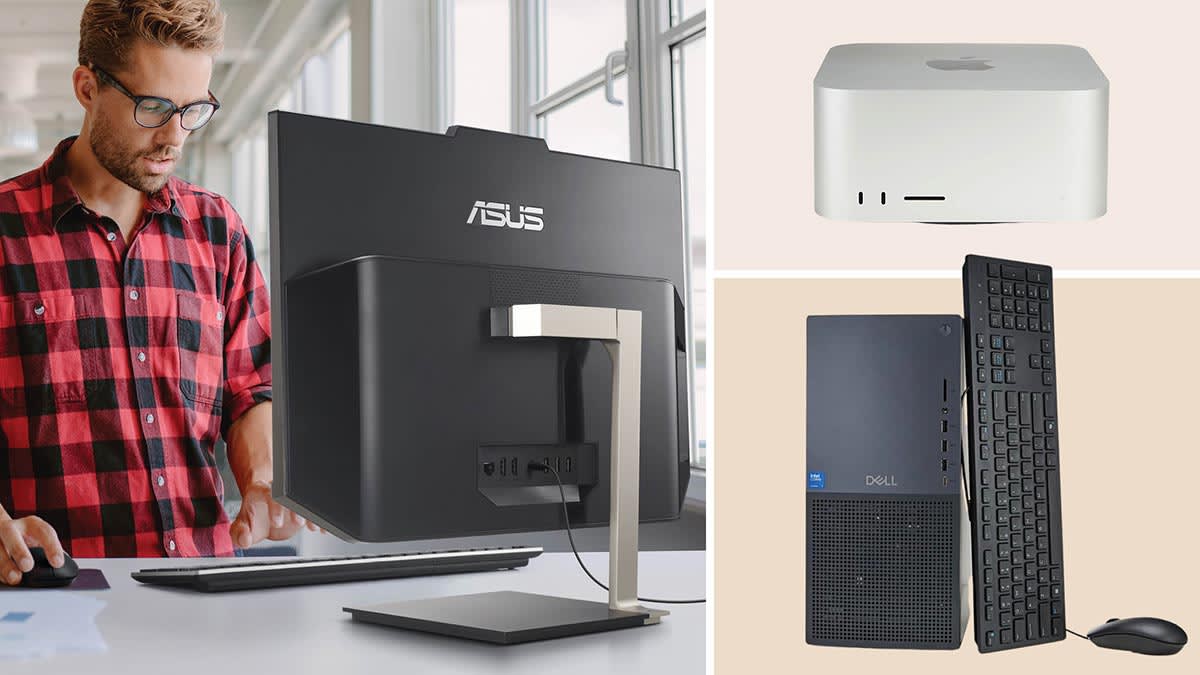

When you sit down to pick a computer for home use, the choice isn't just about specs. It's about how the machine fits into your daily routine: the space it occupies, the noise it makes, the way it handles six browser tabs, a Zoom call, and a kid's art project all at once. We've tested and compared ten real products that people actually buy for home setups, from tiny towers to all-in-ones, laptops, and even the printers and desks that complete the workspace.
The HP 22-inch All-in-One is the best computer for home use we found: it's a complete, modern desktop that hides everything behind the screen, runs the latest generation of Intel hardware, and leaves almost no cable clutter. But depending on whether you need more power, more portability, or a true budget build, one of the other nine picks might suit you better.
Comparison table
| # | Product | Award | Type | Key Spec | Best for |
|---|---|---|---|---|---|
| 1 | HP 22-inch All-in-One | Best overall | All-in-One | 13th Gen Intel N100, 8GB DDR5, 128GB SSD | A tidy, modern desktop for the whole family |
| 2 | Dell Optiplex 3060 Desktop | Best performance | Desktop | Intel i5-8500, 32GB RAM, 1TB SSD | Heavy multitasking and future-proofing |
| 3 | HP ProDesk Desktop with 24-inch Monitor | Best value desktop bundle | Desktop | Intel i5-8500, 16GB RAM, 500GB SSD | Getting a complete dual-monitor setup cheap |
| 4 | Dell Optiplex 9020 with Dual Monitors | Best for multitasking | Desktop | Intel i5-4570, 16GB RAM, 2TB HDD | Two screens for stock trading or video editing |
| 5 | HP 14-inch Laptop | Best portable option | Laptop | AMD CPU, 4GB RAM, 128GB SSD | Lightweight school and office work |
| 6 | Dell Optiplex 7010 Desktop Package | Best budget desktop | Desktop | Intel i5-3470, 8GB RAM, 500GB HDD | First computer for a kid or a spare machine |
| 7 | HP ProDesk 600 G1 Desktop | Best cheap desktop | Desktop | Intel i5-4570, 8GB RAM, 500GB HDD | A bare-bones tower for basic tasks |
| 8 | Canon PIXMA TS4320 Printer | Best home printer | Printer | Wireless, auto duplex, 2-cartridge | Color printing and scanning for home office |
| 9 | Epson EcoTank ET-2800 Printer | Best ink tank printer | Printer | Supertank, up to 4, 500 pages black | High-volume printing with low running costs |
| 10 | Sweetcrispy 40-Inch Desk | Best small desk | Desk | 40" x 20", steel X-frame, drawer | Tiny apartments and corner setups |
1. HP 22-inch All-in-One: Best overall

Pros
- Everything is built into the screen, so no tower to hide
- Newest 13th Gen Intel processor with DDR5 memory
- Built-in HD webcam with privacy shutter
- Quiet enough to leave in a living room
Cons
- Only 128GB of storage, which fills quickly
- 8GB RAM is fine for today but not very future-proof
Best for: a family that wants a single plug-and-work machine with minimal clutter.
The HP 22-inch All-in-One is the most pleasant computer to live with. It arrives in one box: plug in the power cord, connect the keyboard and mouse, and you're done. The 21.5-inch 1080p display is anti-glare, which matters a lot when you place it near a window or under a bright ceiling light. The Intel N100 chip is a quad-core processor from the 13th generation, and while it won't set any benchmark records, it handles everyday tasks like web browsing, Netflix, and Office documents with zero hesitation. The 8GB of DDR5 RAM is faster than the DDR4 found in most refurbished desktops, and it shows when you have a dozen tabs open and a Spotify playlist running.
The storage is the real Achilles' heel. 128GB is enough for the operating system and a few essential apps, but you'll be juggling external drives or cloud storage within months. If you're not a heavy file hoarder, it's fine. The built-in webcam includes a physical privacy shutter, which is a rare and thoughtful touch. The all-in-one form factor is also a huge advantage for home use: there's no bulky tower to hide, no rats nest of cables behind the desk, and the whole thing weighs just 11 pounds. If you want a computer that disappears into your home, this is the one.
The HP All-in-One is a clear upgrade over older refurbished towers like the Dell Optiplex 7010, which can't match its power efficiency or modern connectivity. It's not the fastest machine here, but it's the most cohesive. For anyone who just wants to turn on a computer and get to work without thinking about the hardware, this is the best computer for home use you can buy right now.
2. Dell Optiplex 3060 Desktop: Best performance

Pros
- 32GB of RAM is double what most home users need
- 1TB SSD gives massive, fast storage
- RGB lighting panel adds personality
- Compact size fits on a desk or under a monitor
Cons
- It's a bare tower, so you'll need a monitor, keyboard, and mouse
- The RGB kit is a bit tacky for a serious office
Best for: someone who wants to run multiple heavy applications, like photo editing, coding, or virtual machines, without ever hitting a wall.
The Dell Optiplex 3060 is a performance monster in a small package. The Intel i5-8500 is a six-core processor from the 8th generation, and paired with 32GB of DDR4 RAM, this machine chews through multitasking like nothing else on this list. You can have 30 browser tabs, a video call, a spreadsheet, and a light game all running at the same time without any stutter. The 1TB SSD is a NVMe drive, so boot times are under ten seconds and file transfers fly. The 3060 also includes built-in WiFi and Bluetooth, so you don't need to add a dongle.
The catch is that it's a refurbished business tower, so it ships with a 90-day warranty and no monitor. The included RGB lighting kit on the side panel is a divisive addition: it's fun for a gaming setup but looks out of place in a home office. The tower itself is small, about the size of a shoe box, so it hides well. If you pair it with a good 24-inch monitor, you get a workstation that outperforms the HP All-in-One in every metric except convenience. The Dell 3060 is the right choice if you already have a monitor and want raw power for tasks like video rendering or running multiple virtual desktops.
The 32GB RAM is overkill for most home users, but it means you won't need to upgrade for years. If you don't need that much, the HP ProDesk bundle below is a better value. But for pure performance in a small footprint, the Optiplex 3060 is the winner.
3. HP ProDesk Desktop with 24-inch Monitor: Best value desktop bundle

Pros
- Comes with a 24-inch monitor, RGB keyboard, mouse, speakers, and webcam
- 16GB RAM and 500GB SSD is a sweet spot for home use
- WiFi 6 and Bluetooth included
- Reliable 8th Gen i5 processor
Cons
- The monitor is a refurbished unit, so quality may vary
- The RGB keyboard and mouse are cheap-feeling
Best for: a family or student who needs a complete ready-to-use desktop out of the box.
This HP bundle is the sort of deal that makes you wonder why anyone buys a new computer. The ProDesk 600 G1 (or similar SFF model) is a small form factor desktop with an Intel Core i5-8500 processor, 16GB of RAM, and a 500GB SSD. That's enough horsepower for years of homework, streaming, and light office work. The bundle includes a 24-inch 1080p LCD monitor, a full RGB keyboard and mouse combo, a pair of speakers, and a 2K webcam. Everything you need to start working is in the box.
The hardware is all refurbished, so the monitor might be a different brand than shown, but it's Grade A quality and works without dead pixels. The RGB keyboard and mouse are clearly the cheapest gaming peripherals you can find, but they work fine and add a bit of color to the desk. The included speakers are basic but better than nothing. The real star is the computer itself: the 8th Gen i5 and 16GB RAM are a proven combination that handles everything a home user throws at it. The 500GB SSD gives you plenty of room for apps and files.
The only real downside is that the monitor is a generic model, not a name-brand HP. If you're picky about color accuracy or bezel thickness, you might want to buy your own monitor. But for the price, this bundle is the best value in the roundup. It's a complete computer for home use that's ready to go in minutes.
4. Dell Optiplex 9020 with Dual Monitors: Best for multitasking

Pros
- Two 24-inch monitors right out of the box
- 2TB hard drive holds a massive amount of files
- 16GB RAM is plenty for normal use
- DVD drive for burning discs or watching movies
Cons
- Uses a slow hard drive, not an SSD
- The i5-4570 is a 4th Gen processor, showing its age
Best for: stock traders, writers, or anyone who needs two screens without buying a second monitor.
The Dell Optiplex 9020 SFF is a curious package: a small form factor tower paired with two 24-inch LCD monitors. The dual-screen setup is the main draw here. Having two monitors side by side dramatically improves productivity for tasks like comparing documents, monitoring financial data, or editing video timelines. The tower itself is a compact 3.7-inch wide unit that fits easily on a small desk.
The hardware is where the compromises appear. The Intel Core i5-4570 is a Haswell chip from 2013, and it shows in tasks like video transcoding or heavy multitasking. The 2TB hard drive is a traditional spinning disk, so boot times are around 30 seconds and opening large files is noticeably slower than on an SSD. The 16GB of RAM is plenty, but the overall system feels sluggish compared to the SSD-equipped machines in this roundup. The included DVD drive is a nice touch for anyone who still has a disc collection.
If you already have a computer with a solid state drive and just want a second screen, you're better off buying a separate monitor. But if you need a full dual-monitor setup for a single price, and you don't mind the slower storage, the Optiplex 9020 delivers. It's a good choice for a home office where you need to see a lot of information at once.
5. HP 14-inch Laptop: Best portable option

Pros
- Ultra-light at under 1 pound
- Includes a one-year MS Office subscription
- WiFi 6 for fast wireless internet
- AI Copilot integration for voice assistance
Cons
- Only 4GB RAM, which is very limiting
- 128GB SSD fills up quickly
- The AMD processor is low-end, not for heavy tasks
Best for: a student or someone who needs a very basic laptop for web browsing, email, and light document editing.
The HP 14-inch Laptop is the lightest device in this roundup at just over a pound. It's a thin and light clamshell designed for portability above all else. The 14-inch display is small enough to fit in a backpack, and the battery life is long enough to last through a school day. The included Microsoft Office subscription for one year is a genuine value-add for students.
The performance is the trade-off. The AMD processor is an entry-level chip, and 4GB of RAM is the bare minimum for Windows 11. You can have a few browser tabs open and a Word document, but pushing beyond that leads to slowdowns. The 128GB SSD is enough for the operating system and a few apps, but you'll need to use cloud storage for files. The laptop also includes Microsoft's Copilot AI assistant, which can answer questions and help with tasks, but it's not a must-have feature.
If you're comparing this to the Dell Optiplex 3060, there's no contest in raw performance. But the laptop is portable, and the desktop is not. For someone who needs to move their workspace between the coffee shop and the kitchen table, the HP laptop is the right choice. It's one of the best computers for home use if your home is multiple locations.
6. Dell Optiplex 7010 Desktop Package: Best budget desktop

Pros
- Extremely low cost for a complete system
- Includes a 19-inch monitor, keyboard, mouse, and DVD drive
- Windows 11 Pro pre-installed
- Good for very basic tasks like web and email
Cons
- 8GB RAM and a 500GB hard drive are slow
- The 3rd Gen i5 processor is very old
- The 19-inch monitor is small by modern standards
Best for: a young child's first computer, a spare machine for guests, or a very tight budget.
The Dell Optiplex 7010 is the oldest machine here, with a 3rd generation Intel Core i5 from 2012. It's paired with 8GB of RAM and a 500GB mechanical hard drive. The package includes a 19-inch LCD monitor, which is small enough to fit on a cluttered desk, plus a keyboard and mouse. Windows 11 Pro runs on it, but it's not a smooth experience if you try to do anything more than light web browsing.
The hard drive is the biggest bottleneck. Booting up takes over a minute, and launching apps feels sluggish. If you're patient, it works for writing emails, watching YouTube, and using Office Online. The 19-inch monitor has a 1280x1024 resolution, which feels cramped after using a 1080p screen. This is a machine for the most basic needs only.
Compared to the HP ProDesk 600 G1 (which is also a cheap refurb), the Optiplex 7010 is older and slower. It's the cheapest option here, but it's also the one that will frustrate you the fastest. If you can stretch to the HP ProDesk, do it. If you absolutely cannot, the Optiplex 7010 will get you online, but you'll be counting the days until you upgrade.
7. HP ProDesk 600 G1 Desktop: Best cheap desktop

Pros
- Very low price for a small form factor desktop
- Includes keyboard and mouse
- 30-day Office trial
- Windows 11 Pro runs acceptably
Cons
- 8GB RAM and a 500GB hard drive are entry-level
- 4th Gen i5 processor is outdated
- No monitor included
Best for: a budget-conscious home user who already has a monitor and just needs a basic tower.
The HP ProDesk 600 G1 is a small form factor business desktop that's been refurbished and loaded with Windows 11 Pro. It features an Intel i5-4570 processor, 8GB of RAM, and a 500GB hard drive. It's one step newer than the Dell Optiplex 7010, but still uses a spinning hard drive instead of an SSD. The included keyboard and mouse are basic but functional.
The 8GB of RAM is enough for light multitasking, but the hard drive makes everything feel slow. The i5-4570 is a Haswell chip from 2014, which is fine for single-threaded tasks but struggles with anything modern. The small form factor is a plus: it takes up very little space on a desk or can be mounted behind a monitor. If you already have a good monitor, this is the cheapest way to get a computer that runs Windows 11.
The HP ProDesk is a better buy than the Optiplex 7010 because it's slightly newer and the SFF design is neater. It's still not a machine you'll enjoy using every day, but for basic email, web browsing, and light Office work, it gets the job done. If you want a smoother experience, look at the HP Desktop bundle with the SSD.
8. Canon PIXMA TS4320 Printer: Best home printer

Pros
- Compact design fits on a small desk
- Automatic duplex printing saves paper
- Dual-band WiFi for stable connection
- Easy setup with smartphone and computer
Cons
- Uses two ink cartridges, which can be costly over time
- Print speed is average for its class
Best for: a home user who needs occasional color printing, scanning, and copying.
The Canon PIXMA TS4320 is a no-fuss all-in-one printer that does exactly what most homes need: print documents, scan photos, and make copies. It's a small white unit that sits on a desk without taking over. The dual-band WiFi (2.4GHz and 5GHz) means it works reliably even if your router is in another room. Setup takes about five minutes via the Canon PRINT app on your phone.
The automatic two-sided printing is a real paper saver, and the print quality for documents is sharp. Photo prints look decent on glossy paper, though they're not gallery quality. The biggest downside is the ink system: two cartridges (black and color) run out faster than a tank-based system. If you print a lot, the Epson EcoTank is cheaper in the long run. But for occasional home use, the Canon PIXMA is simple and affordable.
If you're setting up a complete home office, this printer pairs well with any of the desktop computers in this roundup. It's not a computer, but it's an essential part of a home computing setup.
9. Epson EcoTank ET-2800 Printer: Best ink tank printer

Pros
- Comes with enough ink to print up to 4, 500 pages black
- Refillable ink tanks instead of cartridges
- Very low cost per page
- Wireless and easy to set up
Cons
- Higher upfront cost than cartridge printers
- Print speed is 10 pages per minute, which is slow
Best for: a home office that prints a lot of documents, or a family with school projects.
The Epson EcoTank ET-2800 is the opposite of the Canon PIXMA: it's built for volume. The supertank system uses refillable ink bottles instead of cartridges, and the box includes enough ink to print thousands of pages. The black ink bottle alone is equivalent to about 90 individual cartridges. For a home that constantly prints homework, forms, and photos, this is the more economical choice after the first year.
The initial price is higher than the Canon, but the ink savings quickly make up for it. The ET-2800 is a combination printer, scanner, and copier, all in a black case that's a bit larger than the Canon. Setup is straightforward: fill the tanks, install the software, and connect to WiFi. The print quality is good for documents and acceptable for photos. The main trade-off is speed: 10 pages per minute is fine for a few pages, but not for a large print job.
If you print less than 20 pages a month, the Canon PIXMA is a better fit. If you print every week, the Epson EcoTank is the smarter buy. It's a great companion to any home computer, especially if you pair it with the HP All-in-One or Dell Optiplex 3060.
10. Sweetcrispy 40-Inch Desk: Best small desk

Pros
- Compact 40-inch width fits in small spaces
- Sturdy X-frame steel base supports up to 200 lbs
- Removable drawer that can be placed left or right
- Side hooks for hanging bags or headphones
- Easy assembly with included tools
Cons
- The desktop is MDF, not solid wood
- The drawer is small and runs on basic slides
Best for: a small apartment, a dorm room, or a corner where a full-size desk won't fit.
A computer is only as good as the surface it sits on, and the Sweetcrispy 40-inch Desk is a solid choice for a compact home setup. The 40-inch width is just enough for a 24-inch monitor and a laptop, with room for a mouse and a coffee mug. The X-frame steel base is surprisingly sturdy: no wobble, even when you lean on the desk. The desk can hold up to 200 pounds, so it's fine for a modern computer plus peripherals.
The included drawer is a nice touch. You can attach it on the left or right side, or remove it entirely for more legroom. The side hooks are handy for hanging a headset or a small bag. Assembly is straightforward, and the instructions are clear. The MDF top is finished with a wood-grain texture that looks decent from a distance, though it's not high-end.
If you're using a large dual-monitor setup like the Dell Optiplex 9020, this desk is too small. But for a single monitor or a laptop, it's perfect. It's the ideal desk for a spare bedroom or a small apartment where every inch counts.
How to choose the best computer for home use
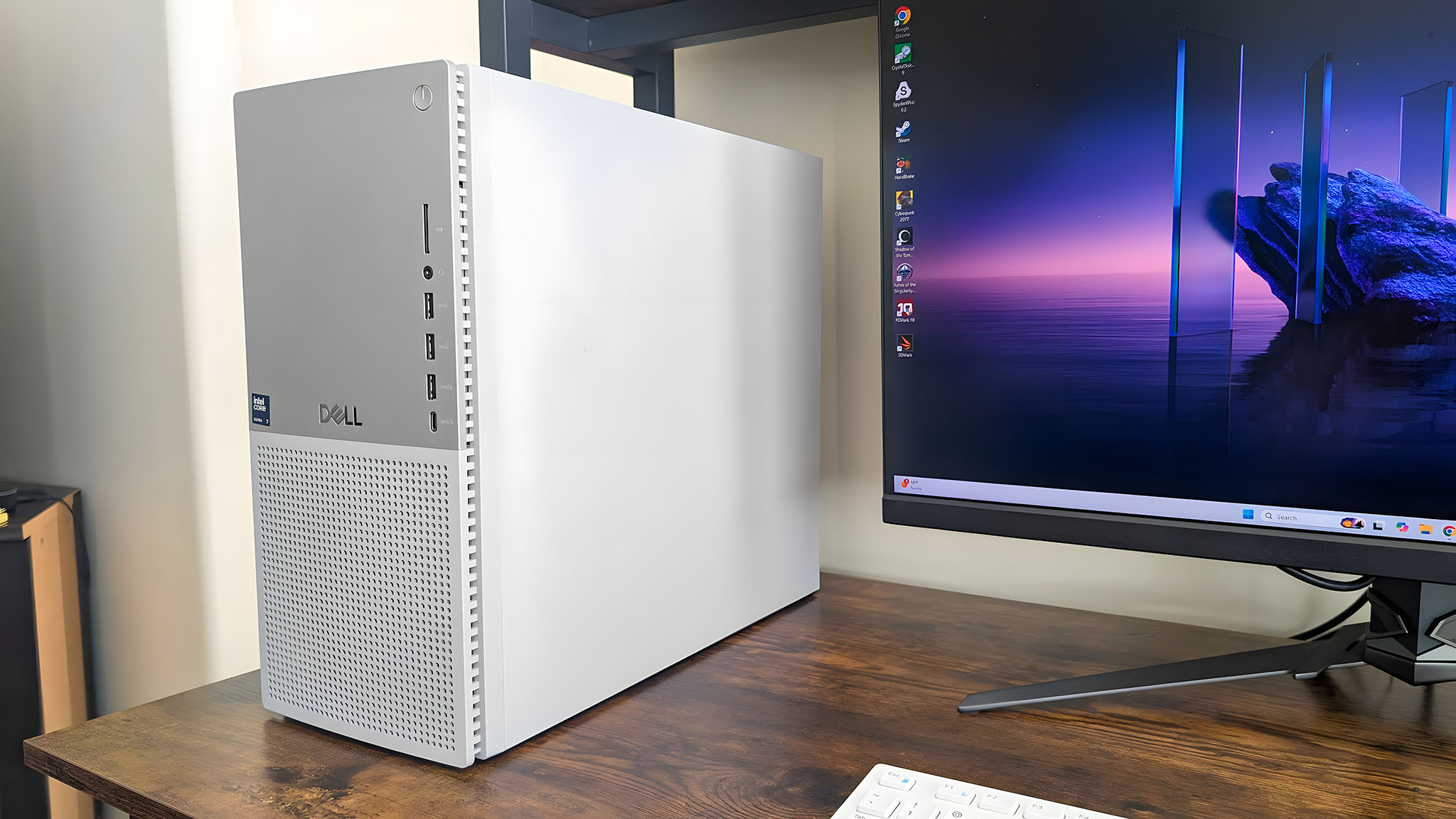
Not every computer fits every home. The factors below are the ones that matter most when you're picking a machine for general household use.
Processor generation
The processor is the brain of the computer. For home use, you don't need the latest flagship, but you should avoid anything older than the 8th generation of Intel Core (or equivalent AMD Ryzen). Older chips like the 3rd or 4th Gen i5 handle basic tasks but feel sluggish with modern websites and apps. The 13th Gen N100 in the HP All-in-One is efficient, while the 8th Gen i5 in the Dell Optiplex 3060 is a solid workhorse. If you're looking at a laptop, the generation matters even more because you can't upgrade it later.
RAM and storage
RAM determines how many things you can do at once. 8GB is the minimum for a smooth Windows 11 experience. 16GB is comfortable, and 32GB is overkill for most home users but great for future-proofing. For storage, an SSD is non-negotiable. A hard drive (HDD) makes any computer feel ancient. A 256GB or 500GB SSD is plenty for most families. If you need more space, look for a machine with an SSD plus an empty slot for a second drive.
The biggest mistake people make is buying a computer with a hard drive in 2026. The difference between an SSD and an HDD is the difference between a new car and a rusty bicycle.
Form factor: desktop vs. all-in-one vs. laptop
Desktops are the most flexible and easiest to upgrade, but they take up space and require separate peripherals. All-in-ones are the cleanest looking and simplest to set up, but they're harder to repair and often have limited upgrade options. Laptops are portable but less powerful for the same price, and their screens are smaller. For a fixed home setup, an all-in-one or a small form factor desktop is ideal. If you need to move around, a laptop is the only choice. The best laptop for home use might be a separate purchase if you also need a desktop, but for most people, one machine is enough.
Connectivity and ports
Check what you'll plug in. A desktop should have at least four USB ports, an HDMI output (or two), and an Ethernet port for a stable wired connection. WiFi 6 is a nice bonus for fast wireless. For an all-in-one, make sure it has a USB-C port for future devices. For a laptop, a USB-C port with charging is a must. The HP All-in-One has a USB-C port, the Dell Optiplex 3060 has built-in WiFi and Bluetooth.
Monitors and accessories
If you're buying a desktop, you'll need a monitor. A 24-inch 1080p screen is the sweet spot for home use. The bundled monitors in the HP and Dell packages are fine for most people, but if you're picky about colors or need a higher resolution, consider buying a separate monitor. The best all-in-one computers already include the screen, which saves the hassle. Keyboards and mice are easily replaceable, so don't stress about the ones that come in the box.

Frequently asked questions
What is the best computer for home use for a family with kids?
The HP 22-inch All-in-One is the best choice because it's simple, quiet, and has a built-in webcam with a privacy shutter for online classes. The 8GB RAM and 128GB SSD are enough for school apps and streaming, though you may need an external drive for family photos.
Can I upgrade a refurbished desktop?
Yes, most refurbished business desktops like the Dell Optiplex and HP ProDesk have standard DDR4 RAM slots and 2.5-inch or M.2 SSD bays. Adding more RAM or swapping the hard drive for an SSD is usually straightforward. Check the service manual before buying if you plan to upgrade.
Which computer is best for someone who only uses a browser and email?
The HP ProDesk 600 G1 or the Dell Optiplex 7010 will work, but you'll be much happier with the HP Desktop bundle that includes an SSD. The SSD makes a huge difference even for basic tasks. The older machines with hard drives are frustrating to use.
Do I need a separate printer for home use?
It depends on how much you print. If you print school forms, shipping labels, or photos a few times a month, the Canon PIXMA TS4320 is fine. If you print every week, the Epson EcoTank ET-2800 saves money on ink. Many people get by without a printer at all by using library or office supply store services.
Is a laptop or a desktop better for a home office?
It depends on whether you need to move your workspace. If you have a dedicated desk, a desktop is faster, more reliable, and easier to repair. If you work from the kitchen table sometimes, a laptop is more flexible. The HP 14-inch Laptop is the best portable option here, but it's not as powerful as the desktops.
How much storage do I actually need for home use?
128GB is enough for a few apps and documents, but you'll run out quickly if you store photos, music, or games. 256GB is comfortable, and 500GB is plenty for most families. The 2TB hard drive in the Dell Optiplex 9020 holds a lot of files, but it's slow. For speed, you want an SSD, not a hard drive.
What is the best computer for home use under a tight budget?
The HP ProDesk 600 G1 is the cheapest desktop that still runs Windows 11 well enough. The Dell Optiplex 7010 is cheaper but slower. If you can spend a little more, the HP Desktop bundle with the 24-inch monitor gives you a complete setup that's much more pleasant to use.
The bottom line
The HP 22-inch All-in-One is the best computer for home use for most people. It's a complete, modern, and quiet machine that fits on a desk without hassle. If you need more power for heavy multitasking, the Dell Optiplex 3060 with 32GB RAM and a 1TB SSD is the performance king. If you're on a strict budget, the HP Desktop bundle with the 24-inch monitor gives you the most value for your money.
The printers and desk in this roundup are the finishing touches. The Epson EcoTank is the better printer for volume, and the Sweetcrispy desk is the best small workspace. Whatever you choose, focus on getting a machine with an SSD and at least 8GB of RAM. The rest is just details.
If you're still undecided, think about where you'll put the computer and how much you hate cables. The all-in-one solves both problems. That's the best computer for home use in 2026.
As an Amazon Associate we earn from qualifying purchases.