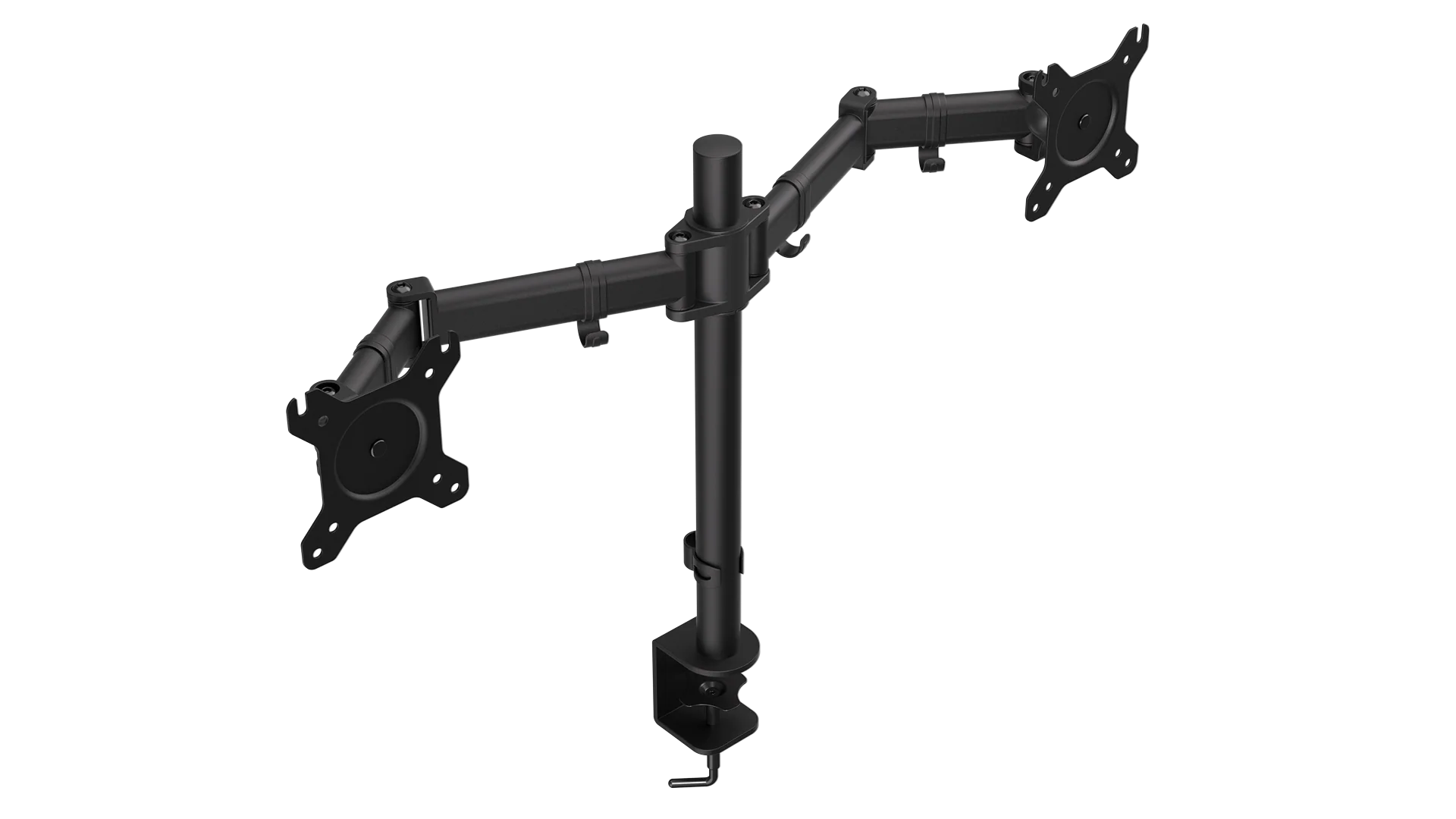

A dual-monitor arm has one job that a desktop stand often cannot manage: keep two screens aligned while giving you back the space beneath them. The wrong model can wobble, run out of height, or simply fail to fit the desk and VESA pattern you already have. The Best dual monitor stand picks below focus on those practical differences, from compact freestanding bases to heavy-duty arms for large displays.
We compared the real compatibility limits, movement ranges, mounting options, and desk requirements for all 10 products. HUANUO FlowLift is our top pick for most people, while the lineup also includes a heavy-duty 40-inch option, two freestanding stands, a vertical mount, and several straightforward C-clamp arms.
Best dual monitor stand comparison
| # | Product | Award | Screen range | Load per arm | Mounting | Best for |
|---|---|---|---|---|---|---|
| 1 | HUANUO FlowLift | Best overall | 13 to 32 inches | 4.4 to 19.8 lbs | C-clamp or grommet | Flexible everyday setups |
| 2 | VIVO STAND-V002 | Best classic desk mount | 13 to 30 inches | Up to 22 lbs | C-clamp or grommet | Straightforward office setups |
| 3 | VIVO STAND-V002FG | Best glass-base stand | 13 to 32 inches | Up to 22 lbs | Freestanding | Desks that cannot be clamped |
| 4 | VIVO STAND-V002F | Best compact freestanding stand | 13 to 27 inches | Up to 22 lbs | Freestanding | Smaller monitors and desks |
| 5 | HUANUO HNDS7 | Best for large monitors | 13 to 40 inches | Up to 26.4 lbs | C-clamp or grommet | Heavy or ultrawide screens |
| 6 | HUANUO White Dual Mount | Best white arm | 13 to 32 inches | 4.4 to 19.8 lbs | C-clamp or grommet | Light-colored workspaces |
| 7 | VIVO STAND-V002O | Best mechanical arm | 17 to 32 inches | 4.4 to 19.8 lbs | C-clamp or grommet | Larger flat or curved screens |
| 8 | HUANUO Vertical Mount | Best stacked layout | 17 to 32 inches | 4.4 to 19.8 lbs | C-clamp or grommet | Coding and portrait workflows |
| 9 | ErGear Dual Arm | Best quick-install arm | 13 to 32 inches | Up to 19.8 lbs | C-clamp or grommet | Easy VESA mounting |
| 10 | WALI GSMP002N | Best reach | 13 to 32 inches | Up to 22 lbs | C-clamp or grommet | Deep desks and broad positioning |
1. HUANUO FlowLift: Best Overall

Pros
- Full-motion positioning with one-hand adjustment
- Dual C-clamp design adds a secure connection
- Supports both clamp and grommet installation
- Raises screens up to 15.75 inches
- Cable management keeps the arms tidy
Cons
- Not suitable for plastic or glass desks
- Monitor compatibility starts at 4.4 lbs
- Screens are limited to 32 inches
Best for: someone who wants a flexible dual-screen arm for a standard wooden desk.
The HUANUO FlowLift is the one that makes the most sense for a typical two-screen workstation. Its arms move freely enough to bring a display closer for focused work, push it back when you need desk depth, or turn one panel into portrait orientation. That flexibility matters more day to day than a long list of adjustment claims, especially when two monitors do not sit at exactly the same height.
Compatibility is sensibly broad. Each arm supports a screen from 13 to 32 inches and from 4.4 to 19.8 pounds, provided the monitor uses a 75 by 75 mm or 100 by 100 mm VESA pattern. The adjustment range includes plus 85 to minus 50 degrees of tilt, 90 degrees of swivel in either direction, and 360-degree rotation. The arms can raise the screens by as much as 15.75 inches, which gives a useful amount of height for a seated desk.
The base is a notable part of the design. HUANUO uses a larger platform with a dual C-clamp structure, and it also includes a grommet option for desks from 0.59 to 3.54 inches thick. That is a wider desk thickness range than the VIVO STAND-V002, and the FlowLift is more adaptable in positioning than the freestanding VIVO STAND-V002F. Built-in cable routing helps keep the result from looking like two monitors simply bolted to the back of the desk.
There are limits, and they are not minor details. The product recommends wooden desks, not plastic or glass, and the underside must be clear of cross beams or panels that could interfere with installation. A monitor below 4.4 pounds also falls outside the stated load range. For a heavier pair of screens or an ultrawide setup, the HUANUO HNDS7 is the more capable choice. For everyone else with a suitable desk, the FlowLift is the arm we would keep because it balances reach, movement, and stability without forcing a particular layout.
2. VIVO STAND-V002: Best Classic Desk Mount

Pros
- Supports up to 22 pounds per arm
- Broad tilt, swivel, and rotation adjustment
- Includes C-clamp and grommet mounting
- Detachable VESA plates simplify installation
- Three-year manufacturer warranty
Cons
- Screen size stops at 30 inches
- Center-pole design is less flexible than spring arms
- Desk must be no more than 3.25 inches thick
Best for: office users who want a familiar steel monitor mount with clear limits.
The VIVO STAND-V002 is a no-nonsense dual monitor mount. It uses a center pole and two adjustable arms, so it looks more traditional than the HUANUO FlowLift, but that straightforward structure can be reassuring on a work desk. The detachable VESA plates are particularly useful during installation because you can attach the plates to the monitors before placing them on the arms.
The stated compatibility covers two 13 to 30-inch screens weighing up to 22 pounds each. Both 75 by 75 mm and 100 by 100 mm mounting patterns are supported. The arms provide plus 90 to minus 90 degrees of tilt, 180 degrees of swivel, and 360-degree rotation, with height adjustment along the center pole. That is enough to switch between landscape and portrait orientation and to line up mismatched displays.
VIVO includes both a heavy-duty C-clamp and an optional grommet mount. The clamp fits desks up to 3.25 inches thick, a little less than the FlowLift's upper limit but still suitable for most solid desktops. Cable clips run along the arms and center pole. They are not as visually hidden as a fully enclosed cable channel, but they keep power and display leads from hanging freely.
The main reason to choose this over the VIVO STAND-V002O is its broader lower screen range and its conventional, easy-to-understand layout. The V002O starts at 17 inches and uses mechanical spring adjustment, while this model accommodates smaller 13-inch panels. It is not the right match for 32-inch displays, and its center-pole design may not offer the same independent reach as newer arms. If you have two ordinary office monitors and want a durable mount with a clear installation path, it remains a sensible pick.
3. VIVO STAND-V002FG: Best Glass-Base Stand

Pros
- No clamp or desk drilling required
- Tempered glass base supports two screens
- Fits monitors up to 32 inches
- Full tilt, swivel, and rotation
- Three-year manufacturer warranty
Cons
- Base occupies significant desk area
- Pulling the monitors too far forward can affect stability
- The stand cannot clear the desktop like a clamp mount
Best for: desks where a C-clamp cannot be used or where a freestanding base is preferred.
The VIVO STAND-V002FG solves a specific installation problem elegantly. Instead of relying on the rear edge of the desk, it places the monitor pole on a tempered glass base. That makes it useful for desks with awkward undersides, limited clamp access, or surfaces where the owner does not want to install a grommet. It also has a cleaner furniture-like appearance than many clamp mounts.
The base measures 42.5 by 26 centimeters and has padding underneath. The pole and arms are steel, while the base supplies the footprint needed for two screens. Each monitor can be up to 32 inches and up to 10 kilograms, which is approximately 22 pounds, with a 75 by 75 mm or 100 by 100 mm VESA pattern. The arms tilt from plus 90 to minus 90 degrees, swivel 360 degrees, and rotate 360 degrees.
That flexibility lets you use two landscape screens, a portrait display beside a landscape panel, or a slightly angled arrangement for a shared desk. Height adjustment runs along the center pole. The removable VESA plates also make mounting less awkward than trying to hold a screen in place while tightening hardware at the back.
A freestanding base always asks for desk space, and this model is no exception. It also needs careful positioning: VIVO warns against pulling the monitors too far forward or backward unless the stand is bolted down. That is the trade-off compared with the HUANUO FlowLift, which transfers its load to the desk edge. If your setup cannot accept a clamp, the V002FG is the more capable freestanding choice. Before choosing it, check that the base will not crowd your keyboard, laptop, or writing area.
4. VIVO STAND-V002F: Best Compact Freestanding Stand
Pros
- Large padded base supports two screens
- No clamp installation required
- Supports up to 22 pounds per arm
- Portrait and landscape positioning
- Detachable VESA plates and cable clips
Cons
- Maximum screen size is 27 inches
- Base still takes up desktop room
- Forward and backward positioning has stability limits
Best for: a smaller two-screen setup that needs a freestanding base.
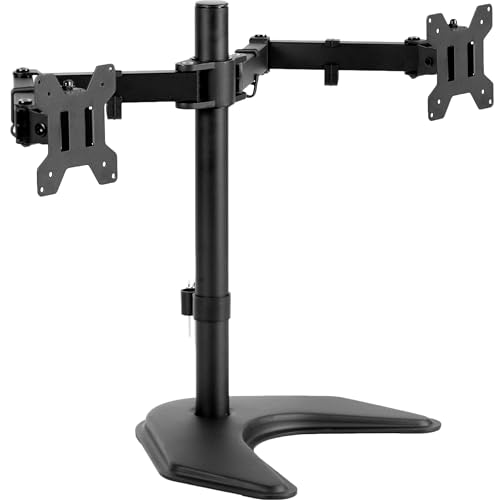
The VIVO STAND-V002F is the practical freestanding alternative for smaller monitors. Its large base measures 13 by 10.5 inches, so it gives the pole a broad platform without requiring a clamp at the desk edge. The padded underside helps protect the surface, which matters when a stand is going to be moved or adjusted over time.
It supports two 13 to 27-inch screens weighing up to 22 pounds each. VESA compatibility covers 75 by 75 mm and 100 by 100 mm patterns. The arms offer plus 90 to minus 90 degrees of tilt, 180 degrees of swivel, 360-degree rotation, and height adjustment along the center pole. Those controls cover the usual office arrangements, including a portrait panel for documents beside a landscape panel for general work.
The detachable VESA plates make assembly more manageable, and cable clips run along the arms and pole. The design is less visually polished than the glass-base VIVO STAND-V002FG, but its 13 by 27-inch limit is easier to match with compact office displays. The base is also a known quantity: 17.5 inches long, 11.4 inches wide, and 4.48 pounds according to the listed product information.
The limitation is the footprint. A clamp arm frees the surface beneath the monitors, while this stand places a large object directly on it. It also should not be pulled too far forward or backward unless bolted down, so it is not ideal for a frequently repositioned workstation. Choose the V002F when your displays are no larger than 27 inches and the desk cannot accept a clamp. If you need 32-inch panels, the glass-base model is the better freestanding option.
5. HUANUO HNDS7: Best for Large Monitors

Pros
- Supports screens up to 40 inches
- Holds up to 26.4 pounds per arm
- Arms rise as high as 21.1 inches
- Extends to 25.59 inches
- Includes two USB ports
Cons
- Larger arms need more desk depth
- More capacity than small monitors require
- Desk must support clamp or grommet installation
Best for: two large, heavy displays or a pair of ultrawide monitors.
The HUANUO HNDS7 is the clear specialist in this group. It is designed for monitors that make ordinary dual arms feel undersized, supporting screens from 13 to 40 inches and up to 26.4 pounds on each arm. That extra capacity is useful for large displays, especially when the screen body and stand hardware would push a smaller arm close to its limit.
Its arms can rise as high as 21.1 inches and extend to 25.59 inches. That long reach is helpful on a deep desk or when two broad displays need to sit farther apart. The full-motion range includes 90 degrees in either swivel direction, tilt from minus 30 to plus 85 degrees, and 360-degree rotation. Those figures give it more vertical and front-to-back flexibility than the HUANUO FlowLift, which tops out at 32-inch screens and 19.8 pounds per arm.
The mounting hardware is built around a dual C-clamp design and a bolt-through grommet option. It supports desks up to 3.54 inches thick, and the grommet hole needs to measure from 0.39 to 1.97 inches in diameter. Two built-in USB ports sit on the stand, connected with a 5.25-foot USB cable. They are useful for charging or keeping a small accessory within reach, though they do not replace a full desktop hub.
The HNDS7 is not the arm to choose simply because bigger numbers look reassuring. Its extended arms can take more room, and smaller monitors may not benefit from the extra reach or capacity. The desk still needs a suitable mounting surface with an unobstructed underside. Readers building around a 34-inch or 40-inch display should also consider how much desk depth a larger screen needs before mounting anything. For heavy dual-screen workstations, though, the HNDS7 is the strongest fit in this lineup.
6. HUANUO White Dual Mount: Best White Arm

Pros
- White finish suits lighter workspaces
- Pneumatic spring arms support smooth positioning
- C-clamp and grommet installation
- Full tilt, swivel, and rotation
- Integrated cable management
Cons
- Screen range starts at 13 inches and stops at 32 inches
- Each arm is limited to 19.8 pounds
- Requires a suitable desk underside
Best for: a full-motion dual arm that matches a white or light-colored desk.
The HUANUO White Dual Mount is the visual outlier here, but it is more than a color variation in practical use. Its pneumatic spring arms are designed for smooth adjustment, so the attraction is the combination of a lighter appearance and a flexible arrangement. It can move the screens into a shared viewing angle, separate them for independent tasks, or rotate one panel for long documents.
Each arm supports a 13 to 32-inch display weighing from 4.4 to 19.8 pounds. The required VESA patterns are 75 by 75 mm or 100 by 100 mm. The listing describes the arm as a full-motion design with tilt, swivel, and rotation, though it does not provide the same detailed angle figures as the FlowLift. That makes it best suited to ordinary repositioning rather than buyers who need to plan around a precise movement envelope.
The mount can attach with a C-clamp or grommet base. HUANUO emphasizes a structural design intended to improve stability, and the cable management route helps keep the white arms from being undermined by a tangle of dark wires. It is also height adjustable, allowing the screens to sit closer to eye level than they would on their original stands.
The compatibility checklist is important. Both monitors must be within the stated size and weight range and must have the correct VESA holes. A desk from 0.39 to 3.54 inches thick can work with the included mounting options, but the underside still needs to be clear. The FlowLift is the better documented choice if exact adjustment angles matter, while the HNDS7 is better for oversized panels. Pick this model when the white finish belongs in the room and your screens fit comfortably within its limits.
7. VIVO STAND-V002O: Best Mechanical Arm

Pros
- Mechanical spring adjustment
- Fits flat and curved screens
- Supports portrait or landscape orientation
- Open-top VESA plates ease installation
- C-clamp and grommet options
Cons
- Does not support screens smaller than 17 inches
- Arms extend past the edge of the desk
- Maximum load is 19.8 pounds per arm
Best for: larger 17 to 32-inch screens on a conventional desk mount.
The VIVO STAND-V002O is aimed at users who want an articulating arm rather than a freestanding pole and base. Its mechanical spring adjustment is intended to counterbalance the screens as they move, which is useful when one display needs to shift closer for a video call or when the pair needs to be angled toward a single seat.
It supports most flat and curved monitors from 17 to 32 inches, with a load range of 4.4 to 19.8 pounds per screen. VESA 75 by 75 mm and 100 by 100 mm mounting patterns are supported. The brackets offer plus 90 to minus 90 degrees of tilt, 180 degrees of swivel, and 360-degree rotation. Those controls cover portrait conversion and the usual dual-screen alignment tasks.
Installation uses an open-top VESA plate, so the monitor can slide onto the arm rather than being held in place throughout the entire fastening process. The mount attaches with a heavy-duty C-clamp to desks up to 3.1 inches thick or a bolt-through grommet mount to tops up to 1.9 inches thick. Cable management is built into the arrangement, although the product warns that the backs of the arms extend beyond the desk edge.
That extension is the key trade-off. It can make the STAND-V002O a poor fit for a desk pushed tightly against a wall, even if the monitors themselves appear to fit. The VIVO STAND-V002 accepts smaller 13-inch panels and the ErGear Dual Arm offers a larger stated height range, but the V002O is a good middle ground for two substantial monitors. Skip it if your displays are compact or your desk has no clearance behind it.
8. HUANUO Vertical Mount: Best Stacked Layout

Pros
- Stacks two monitors vertically
- Adds a 17-inch extension
- Raises screens up to 25.19 inches
- Full tilt, swivel, and rotation
- Clamp and grommet mounting
Cons
- Not suitable for side-by-side layouts
- Screen size starts at 17 inches
- The desk must not be glass
Best for: coding, documents, and other workflows that benefit from vertically stacked screens.
The HUANUO Vertical Mount is for a very different desk layout from the other products here. It places the two monitors one above the other, making use of vertical space instead of spreading screens across the desk. That can be a smart arrangement for coding, long documents, surveillance dashboards, or any workflow where a second display is more useful above than beside the main one.
The mount supports screens up to 32 inches, with each panel weighing between 4.4 and 19.8 pounds. VESA compatibility covers 75 by 75 mm and 100 by 100 mm holes. A 17-inch extension raises the monitors as high as 25.19 inches, giving the upper screen more usable height than a standard side-by-side center pole. The adjustment range includes 90-degree tilt, 180-degree swivel, and 360-degree rotation.
A C-clamp or grommet base fits desks from 0.39 to 3.54 inches thick. HUANUO recommends solid wood or metal desks and specifically excludes glass. The integrated cable management keeps the vertical arrangement from becoming a hanging column of cables, while the mount's stated stability testing is intended to prevent shaking or slipping during normal use.
This is not a general-purpose recommendation for everyone with two monitors. A stacked pair can require more neck movement, and the upper screen needs to be positioned carefully so it is useful rather than merely visible. A conventional arm such as the HUANUO FlowLift is better for side-by-side work, while this one is the pick when vertical organization is the main requirement. Before buying, consider how the two screens should be arranged for your daily tasks, not just whether the desk has enough width.
9. ErGear Dual Arm: Best Quick-Install Arm

Pros
- Tool-free VESA mounting
- Supports flat and curved screens
- Reaches 17.5 inches in height
- Extends 18.1 inches
- Cable clips open without tools
Cons
- Maximum load is 19.8 pounds per arm
- Wooden desks are recommended
- Desk thickness limits vary by mounting method
Best for: a user who wants a fast, uncomplicated monitor installation.
The ErGear Dual Arm stands out because the VESA mounting process is designed to be tool-free. That does not eliminate the need to secure the desk mount properly, but it can make the most awkward part of the setup less frustrating. The upgraded VESA head is described as having a smaller gap and a tighter-fitting panel, which should help keep the screen connection firm.
It fits most 13 to 32-inch flat or curved monitors weighing up to 19.8 pounds, using 75 by 75 mm or 100 by 100 mm VESA patterns. The arms raise up to 17.5 inches and extend up to 18.1 inches. They tilt from plus 80 to minus 50 degrees, swivel 90 degrees in either direction, and rotate 360 degrees. That gives enough range for portrait use, angled viewing, and independent positioning.
The one-piece C-clamp fits desks from 0.39 to 2.56 inches thick, while the optional bolt-through grommet mount supports desks from 0.39 to 2.95 inches thick. ErGear recommends a wooden desk with no underside crossbeam blocking installation. Cable clips open without tools, a small but useful touch when cables need to be rerouted after the monitors are already mounted.
The WALI GSMP002N reaches farther out and supports up to 22 pounds per arm, so it is the better match for heavier screens or deep desks. The HUANUO FlowLift offers a wider stated desk thickness range and a dual C-clamp structure. ErGear makes more sense when the monitor mounting process itself is your priority. It should be skipped by anyone with a glass or obstructed desk, regardless of how convenient the VESA plates appear.
10. WALI GSMP002N: Best Reach

Pros
- Extends screens up to 19.3 inches
- Raises arms up to 17.3 inches
- Supports up to 22 pounds per arm
- Tested through more than 20, 000 cycles
- C-clamp and grommet installation
Cons
- Recommended for wooden desks
- Desk thickness is limited to 2.76 inches
- No special support for screens above 32 inches
Best for: users who need broad front-to-back positioning on a deeper desk.
The WALI GSMP002N is a useful choice when the monitors need to move toward you, not just rise above the desktop. Its arms extend up to 19.3 inches and rise as high as 17.3 inches, giving a deep desk more flexibility. That reach can also help when two screens need to sit at different distances or angle inward toward one chair.
It supports flat or curved screens from 13 to 32 inches, with up to 22 pounds on each arm. The required mounting patterns are 75 by 75 mm or 100 by 100 mm. Adjustment includes plus 90 to minus 90 degrees of swivel, plus 70 to minus 45 degrees of tilt, and 360-degree rotation. The tilt range is not quite as broad as the VIVO STAND-V002's stated plus 90 to minus 90 degrees, but the WALI offers more extension than that classic design.
WALI uses a wider VESA head and a tighter-fitting panel to improve stability. The arm core has been tested through more than 20, 000 cycles, according to the product information. Cable management runs along the arms, and both C-clamp and grommet mounting are supported for desks from 0.39 to 2.76 inches thick.
The desk requirements are narrower than the FlowLift's, and the product recommends a wooden desk without a crossbeam blocking the underside. Its 22-pound limit is useful, but it is not a heavy-monitor mount in the same class as the HUANUO HNDS7. Choose the GSMP002N when reach and positioning are more important than oversized screen support. For help planning the rest of the workstation, the right way to divide tasks across two screens is more useful than simply placing both panels side by side.
How to choose best dual monitor stand
The right arm depends on the monitors, the desk, and the layout you actually want, not just the number of screens.
Monitor size and weight
Start with the limits printed for each arm. A mount rated for 13 to 32 inches and up to 19.8 pounds per arm may fit most office displays, but a large panel can approach that limit once its mounting hardware is included. The HUANUO HNDS7 is the outlier here, supporting screens up to 40 inches and 26.4 pounds per arm.
Do not assume that a smaller screen is automatically compatible. The FlowLift and HUANUO White Dual Mount both specify a lower limit of 4.4 pounds. Check the actual monitor weight without its original stand and compare it with the mount's stated range.
VESA pattern
Most products in this roundup support 75 by 75 mm and 100 by 100 mm VESA patterns. That refers to the horizontal and vertical spacing between the mounting holes on the rear of the display. A monitor without those holes may need a separate adapter, and no product here promises compatibility with every non-VESA screen.
Curved monitors can work with models that explicitly mention them, such as the VIVO STAND-V002O, ErGear Dual Arm, and WALI GSMP002N. Even then, confirm that the rear housing does not obstruct the mounting plate.
Desk mounting
C-clamps attach to the rear edge and generally leave the desktop beneath the monitors open. Grommet mounts pass through a hole in the desk and can provide a more centered installation, but they require a suitable opening. Check the desk thickness range for the exact mounting method, since a product can support a different thickness with its clamp and grommet.
Several products recommend wooden desks and warn against glass. An underside crossbeam, panel, or drawer may also prevent the clamp from sitting correctly. Measure the back edge and look underneath before choosing an arm.
A monitor arm is only as stable as the desk edge beneath it, so measure the underside before comparing adjustment features.
Movement range
Tilt, swivel, rotation, height, and extension each solve a different problem. Rotation is what lets a screen move into portrait orientation. Tilt can reduce reflections and aim the panel toward your eyes. Extension matters on deep desks or when the two displays need to sit at different distances.
For unusually tall setups, the HUANUO Vertical Mount raises its screens as high as 25.19 inches. For front-to-back reach, the HUANUO HNDS7 extends to 25.59 inches, while the WALI GSMP002N extends to 19.3 inches. A freestanding base offers movement too, but the base remains on the desktop and limits how far the monitors should be pulled away from its center.
Side by side or stacked
Most dual arms are designed for side-by-side screens. That layout is usually easier for general office work, gaming, and video editing because both panels stay within a similar horizontal line of sight. A stacked mount uses less width and can be better for code, documents, monitoring tools, or a main display with a secondary screen above it.
The HUANUO Vertical Mount is the only purpose-built stacked option here. If you need to switch between layouts, choose a conventional arm with independent rotation rather than a fixed vertical arrangement.
Frequently asked questions
Do dual monitor stands fit every monitor?
No. The screen must meet the mount's size and weight limits and have a compatible VESA mounting pattern. Most products here use 75 by 75 mm or 100 by 100 mm patterns, but the allowed screen range varies from model to model.
Is a clamp mount more stable than a freestanding stand?
A properly installed clamp mount transfers the monitor load to the desk edge and does not occupy the same desktop area as a freestanding base. A freestanding stand can still be stable, but it needs a suitable footprint and should not be pulled too far forward or backward. The VIVO freestanding models specifically warn about that positioning issue.
Can these stands hold curved monitors?
Some can. The VIVO STAND-V002O, ErGear Dual Arm, and WALI GSMP002N explicitly describe compatibility with flat or curved screens. You still need to confirm the curved display's weight, size, and VESA hole spacing.
Can a dual monitor stand hold one screen vertically?
Many of the arms support 360-degree rotation, so a compatible monitor can be turned into portrait orientation. The HUANUO Vertical Mount is different because it is designed to place two screens one above the other. A standard side-by-side arm does not automatically create a stacked layout.
How much desk space does a freestanding stand need?
The VIVO STAND-V002F has a base measuring 13 by 10.5 inches. The VIVO STAND-V002FG has a rectangular base measuring 42.5 by 26 centimeters. Check those dimensions against your keyboard, laptop, and other desk equipment before selecting a freestanding model.
Are monitor arms suitable for glass desks?
The products in this roundup generally require a wooden desk or another suitable solid surface. HUANUO FlowLift and ErGear specifically recommend wooden desks, while the HUANUO Vertical Mount says it is not for glass desks. A glass surface should not be assumed safe simply because the clamp appears to fit.
The bottom line
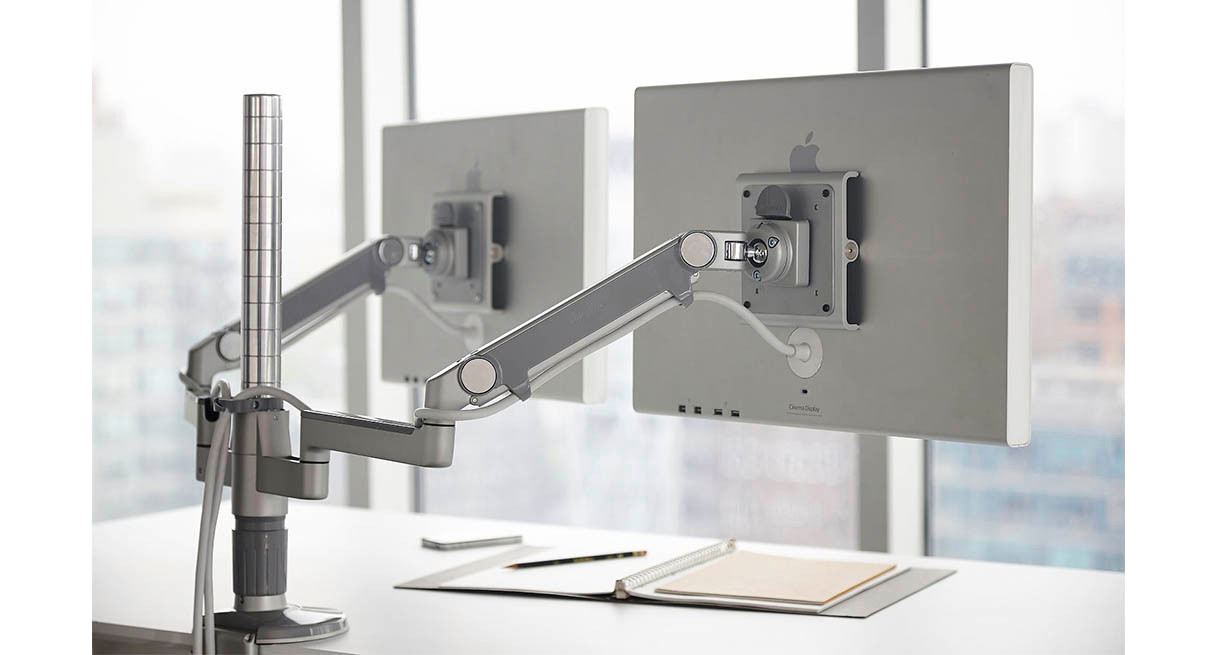
The Best dual monitor stand for most people is the HUANUO FlowLift. It supports common 13 to 32-inch displays, offers both clamp and grommet mounting, raises screens 15.75 inches, and provides a broad full-motion range. The HUANUO HNDS7 is the better choice for two large or heavy monitors, with support for screens up to 40 inches and 26.4 pounds per arm.
Choose the VIVO STAND-V002FG or VIVO STAND-V002F when your desk cannot accept a clamp, and choose the HUANUO Vertical Mount when a stacked arrangement fits your workflow. For an undecided buyer with ordinary monitors and a solid wooden desk, start with the FlowLift and verify the VESA pattern first.
As an Amazon Associate we earn from qualifying purchases.