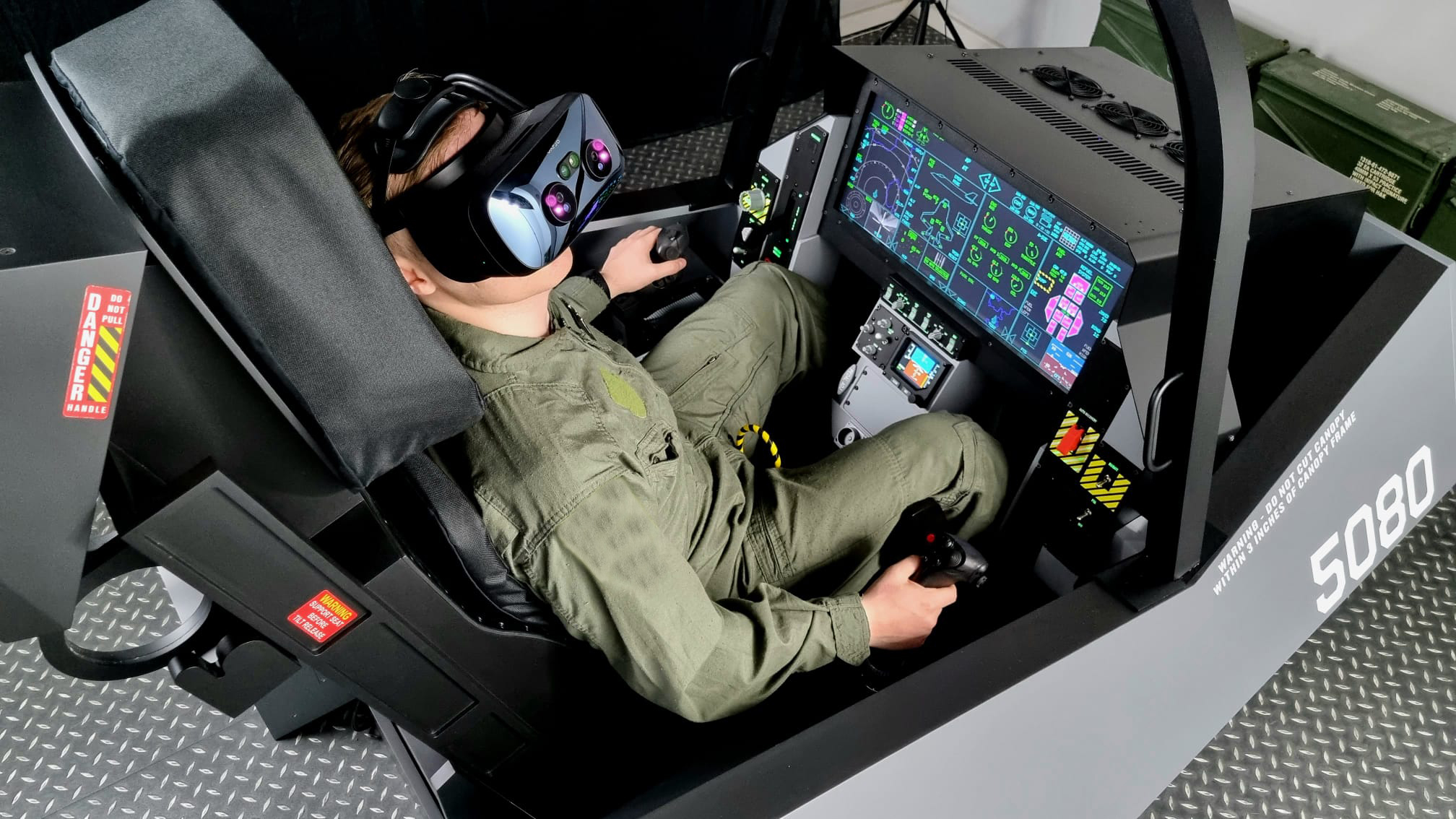

A flight simulator can feel strangely flat when every aircraft is controlled with a small gamepad or keyboard. The right stick, throttle, pedals, cockpit frame, or instrument panel changes the experience by giving each important action a physical place.
This guide to the Best flight simulator setup covers complete control packs, individual flight hardware, cockpit furniture, instrument panels, and software. The products are not interchangeable, so the right pick depends on whether you fly airliners, combat aircraft, RC models, or a console.
Our top pick is the Logitech X56 HOTAS, while the Thrustmaster T16000M FCS is the stronger choice for a complete PC flight-control pack. The rest of the list covers Xbox, PlayStation 5, dedicated cockpits, and specialist add-ons.
Comparison table
| # | Product | Award | Controls or format | Compatibility | Best for |
|---|---|---|---|---|---|
| 1 | Logitech X56 HOTAS | Best overall | Twin throttle, joystick, 16-bit axes | Windows PC | Complex PC flight and space sims |
| 2 | Marada Flight Simulator Cockpit | Best cockpit frame | Adjustable seat and mounting panels | Universal equipment fit | A dedicated home cockpit |
| 3 | Microsoft Flight Simulator 2024 | Best console software | 65-plus aircraft, 150 handcrafted airports | PlayStation 5 | PS5 civilian aviation |
| 4 | Thrustmaster T16000M FCS | Best complete PC pack | Stick, throttle, pedals | Windows PC | Precise PC controls |
| 5 | Thrustmaster T-Flight HOTAS X | Best simple HOTAS | 12 buttons, 5 axes | PC | First desktop HOTAS |
| 6 | Thrustmaster TCA Boeing Pack | Best airliner controls | Yoke, quadrant, 35 buttons | Xbox and PC | Boeing-style flying |
| 7 | Meza Cockpit Panel | Best mounting panel | Aluminum panel, LED strip | Logitech and Honeycomb gear | Organized desk cockpits |
| 8 | REALFLIGHT Evolution | Best RC simulator | InterLink DX controller | RC simulation and VR | RC aircraft practice |
| 9 | AltMot Six Pack Panel | Best integrated instruments | Software and built-in monitor | Windows PC | Analog-style cockpit detail |
| 10 | Thrustmaster T-Flight Full Kit | Best complete console kit | HOTAS and rudder pedals | Xbox and PC | Console pilots needing pedals |
1. Logitech X56 HOTAS: Best Overall

Pros
- Twin throttles with adjustable friction and throttle lock
- 16-bit aileron and elevator axes
- Four spring options for stick resistance
- Large control count for complex aircraft and space games
Cons
- Windows PC only
- Two USB connections are required
- Extensive controls take time to map
Best for: PC pilots who want a serious HOTAS with room to grow.
The X56 is the kind of controller that makes a flight simulator feel like a system rather than a game. The first thing you notice is the division between the stick and the twin-throttle unit. That arrangement gives your left hand a substantial set of engine controls while the right hand stays on pitch and roll. It is a better fit for aircraft with separate engine management, and it also makes sense for space simulators where the extra axes can control strafing or other directional movement.
Logitech specifies 16-bit aileron and elevator axes with Hall-effect sensors. Those details matter because the stick can represent small changes in control input rather than jumping through a short series of crude positions. The four-spring system lets you adjust the feel of the stick, while the mini analog stick adds another way to control pitch, roll, yaw, or movement in a space aircraft. The throttle includes adjustable friction and a lock, so it can be used as either a linked pair or as two separate engine controls.
The X56 also has an unusually broad control surface. Its button placement, different button shapes, and tactile distinctions are especially useful when flying in VR, where looking down to identify a control is awkward. RGB backlighting is less important to flight behavior, but it helps the hardware fit into a wider gaming desk. The 2-meter cable gives some flexibility when placing the stick and throttle apart, although both USB connections need to reach the computer.
Compared with the Thrustmaster T16000M FCS, the X56 offers more controls and a more elaborate twin-throttle arrangement. The T16000M is the more straightforward choice when precision and included pedals matter more than a large button map. The X56 is also more demanding: its many inputs reward careful configuration, but they can overwhelm someone who only wants to fly a small aircraft now and then. It is not compatible with Xbox or PlayStation, either.
The X56 is the one we'd keep for a Windows flight simulator setup built around aircraft with complicated systems. It is also a strong choice for anyone who expects to move between civilian aviation, military aircraft, and space games without replacing the main controls.
2. Marada Flight Simulator Cockpit: Best Cockpit Frame

Pros
- Supports flight and racing layouts
- Five interchangeable mounting panels
- Adjustable seat, pedals, joystick panels, and center support
- Designed around 40 mm square tubes
Cons
- Electronic controls are not included
- Large and heavy for a home desk
- Its universal fit still requires careful equipment placement
Best for: sim pilots who want a dedicated seat and adjustable mounting platform.
The Marada is furniture first and flight hardware second. That is its strength. Instead of asking a desk to hold a yoke, throttle, joystick, pedals, and keyboard at awkward heights, it creates a seated position with mounting points for the equipment you already own. The frame can be used for both flight and racing simulation, which gives it more flexibility than a cockpit designed around one kind of control.
Its construction uses 40 mm thickened square tubes, a column structure, and right-angle welding. The supplied details also describe dual or additional handle bolts at adjustable points and anti-slip pads intended to reduce movement. Those are practical features for a cockpit because even a good control stick feels poor when the platform shifts beneath it. The frame measures 23.8 inches in length, 22.9 inches in width, and 5.1 inches in height according to the listed product information, and its listed weight is 96.45 pounds. That is a substantial piece of equipment, not something most people will move after every session.
Adjustment is the reason to choose this model over a fixed stand. The side joystick panels move forward, backward, left, right, and up or down. The pedal position and angle can be changed, as can the center panel, seat position, and backrest angle. That range should help different body types find a workable posture, especially when the same cockpit is shared by more than one person.
The Marada is compatible with a broad selection of equipment, including the Logitech X56 and X52, Thrustmaster HOTAS products, Honeycomb Alpha and Bravo controls, and other listed devices. It does not include the electronic equipment shown in its product description. That limitation is easy to overlook, and it means the cockpit is not a complete flight simulator by itself. It is also too large for a small room where the controls need to be packed away.
If a permanent or semi-permanent cockpit is the goal, the Marada makes more sense than buying another desktop controller. Pair it with a suitable HOTAS or yoke, and it becomes the physical foundation of a much more convincing setup. Readers who are still experimenting with flight simulation should start with controls before committing to this much furniture.
3. Microsoft Flight Simulator 2024: Best Console Software

Pros
- More than 65 aircraft
- 150 handcrafted airports
- Career missions including rescue and transport work
- Real-time air and ship traffic
Cons
- This is software, not a physical control accessory
- Designed for PlayStation 5 in this listing
- A controller cannot offer the same physical control separation as a HOTAS or yoke
Best for: PlayStation 5 owners who want a broad civilian flight experience.
A physical setup needs software worth building around, and Microsoft Flight Simulator 2024 is the obvious starting point for PlayStation 5 pilots in this group. It offers a large world to explore rather than a short sequence of missions. The product details list more than 65 aircraft and 150 handcrafted airports, giving the simulator enough variety for casual sightseeing, structured routes, and longer-term learning.
The career mode is a useful distinction. Dynamically generated missions include Medevac, Search and Rescue, Aerial Firefighting, and Passenger Transport. Those activities give the flying a purpose beyond taking off and landing at random airports. The game also includes Reno and Red Bull Air Races for a sharper change of pace, so it is not restricted to slow civilian touring.
The simulation layer includes enhanced physics, aircraft systems, and a flight planner. A detailed digital representation of the world includes real-time air and ship traffic along with animals. Those features make the environment feel active, but they also mean that this is better suited to players who want to spend time learning the aircraft and navigating the world. A casual player can enjoy the scenery, while a serious pilot can use the systems and planning features as the main attraction.
This product is different from every hardware pick here, but it is the software that gives a console setup its purpose. The Thrustmaster TCA Boeing Pack is the more natural physical companion for airliner flying, while the Thrustmaster T-Flight Full Kit offers a more conventional stick, throttle, and pedal arrangement. PlayStation 5 users should pay attention to compatibility before assuming a PC HOTAS will work. For a broader look at the physical side of the category, the control types that make a flight simulator feel more authentic can help narrow the choice.
Microsoft Flight Simulator 2024 is the pick for PS5 owners who want a deep civilian aviation world rather than an arcade flying game. It is not a replacement for dedicated controls, but it is the content foundation that makes a console flight setup worthwhile.
4. Thrustmaster T16000M FCS: Best Complete PC Pack

Pros
- Includes joystick, throttle, and pedals
- H.E.A.R.T. technology is designed for lasting precision
- Ambidextrous stick layout
- Sixteen action buttons and four independent axes
Cons
- Windows PC only
- The included control layout is less expansive than the X56
- Requires mapping for more advanced aircraft
Best for: PC pilots who want stick, throttle, and rudder pedals in one pack.
The T16000M FCS is the most balanced hardware pack in this roundup. It gives a new PC pilot the three essential physical control groups in one purchase: a joystick, a throttle, and rudder pedals. That matters because yaw control through a twist stick can work well, but pedals make taxiing, coordinated turns, and landing corrections feel more deliberate.
Thrustmaster uses its H.E.A.R.T. technology in the joystick and describes it as a way to maintain precision over time. The stick has four independent axes, including a twist rudder, along with 16 action buttons and an eight-way point-of-view hat switch. The button identification uses a braille-style physical design, which is a thoughtful touch when the pilot needs to find controls by feel rather than look away from the screen.
The stick is fully ambidextrous. Three removable components allow it to be configured for left or right-handed use, which is more useful than it sounds when a desk layout, throttle position, or physical limitation makes the usual arrangement uncomfortable. The included T.A.R.G.E.T. software supports custom mapping profiles for individual games, so the controller can be adapted rather than treated as a fixed layout.
Against the Logitech X56 HOTAS, the T16000M gives up some buttons, twin-throttle flexibility, and the X56's four-spring stick adjustment. It counters with a more complete out-of-the-box set because the pedals are included. The T-Flight HOTAS X is simpler and easier to place on a desk, but it lacks the same complete pedal-based arrangement. For readers setting up a dedicated PC station, it is also useful to consider how a larger display changes the rest of a gaming desk, particularly if the throttle and pedals will stay connected.
The T16000M FCS is the safe recommendation for someone who knows they want to fly regularly on Windows but does not yet have a preferred aircraft type. It has enough precision for serious practice, enough controls for complex games, and the pedals that prevent the setup from feeling unfinished.
5. Thrustmaster T-Flight HOTAS X: Best Simple HOTAS

Pros
- Detachable full-size throttle
- Twelve programmable buttons and five axes
- Adjustable stick resistance
- Plug-and-play controls with onboard memory
Cons
- No separate rudder pedals
- Fewer controls than the X56
- PC-focused compatibility
Best for: beginners who want a straightforward desktop stick and throttle.
The T-Flight HOTAS X is easy to understand, and that is exactly why it remains appealing. It combines a joystick and a full-size throttle without demanding a cockpit frame or a long setup process. Keep the two units together for a compact desktop arrangement, or detach the throttle when you want to place it separately from the stick.
There are 12 programmable buttons and five axes, giving the controller enough range for civilian flight, combat games, and general space simulation. The joystick has adjustable resistance, so the pilot can choose a lighter or firmer feel. Rudder control is available through handle rotation or a progressive tilting lever, which gives more options than a basic stick but does not provide the same foot control as the pedals included with the T16000M FCS.
The controller is designed for quick setup. Its controls come preconfigured, and the exclusive preset button can switch between profiles while playing. Built-in memory retains custom programming even when the controller is disconnected. A weighted base helps keep the unit in place, while the wide hand rest and shaped throttle are intended to reduce fatigue during longer sessions.
That simplicity is also the main limitation. The Logitech X56 HOTAS offers far more controls and separate engine management, while the T16000M FCS adds a dedicated pedal set and ambidextrous configuration. The T-Flight is the better answer when those features would sit unused. It is also a better fit for a small desk because it can be kept together when not in use.
The T-Flight HOTAS X is the right first step for a player who wants physical throttle control without building an elaborate station. It is less suited to a pilot who already knows they need numerous mapped systems or separate rudder pedals.
6. Thrustmaster TCA Boeing Pack: Best Airliner Controls

Pros
- Official Boeing 787-inspired design
- 8.3-inch yoke movement range
- Adjustable spring tension
- Includes a throttle quadrant with autopilot controls
Cons
- Rudder pedals are sold separately
- Large footprint
- Better suited to airliners than fighter-style aircraft
Best for: Xbox or PC pilots who mainly fly Boeing-style airliners.
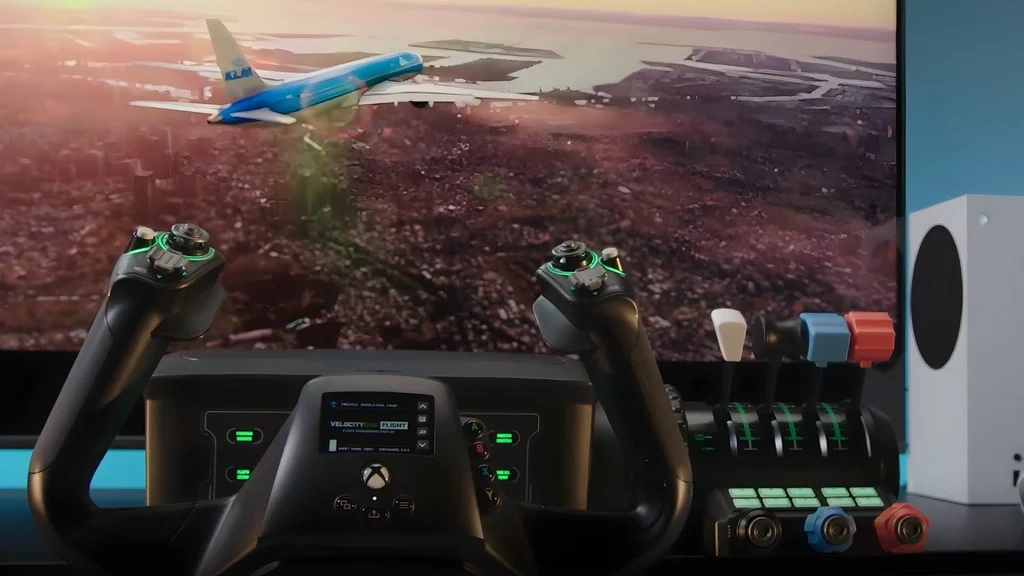
The TCA Boeing Pack is for the pilot who wants a yoke rather than a joystick. Its design is based on the Boeing 787 and uses a 1:1 scale approach, giving the setup a very different character from the X56 or T-Flight products. The suspended mechanism is designed to reproduce the pendular motion of an airliner yoke, which feels more appropriate for large passenger aircraft than a center stick.
The yoke has an 8.3-inch, or 21-centimeter, movement range. That is a meaningful amount of travel because it gives pitch and roll inputs room to develop rather than concentrating every adjustment in a tiny movement. Adjustable spring tension lets the pilot tune the force, while the 100 percent metal internal structure is intended to add weight and durability.
The companion throttle quadrant includes Boeing-style autopilot controls for altitude, airspeed, and heading. The pack also supplies two additional axes and 35 action buttons, so it is not simply a yoke with a few basic switches. Those controls are useful in a simulator where the pilot wants to stay on the physical panel rather than return to the mouse for every adjustment.
It works with Xbox and PC, which gives it a wider console reach than the PC-only X56 and T16000M. The trade-off is focus. A fighter pilot or space-sim player will likely find the T-Flight Full Kit HOTAS more natural, while a civil aviation enthusiast will appreciate the Boeing layout. Compatible Thrustmaster TFRP or TPR rudder pedals are supported but sold separately, so this pack does not provide complete yaw control on its own.
The TCA Boeing Pack is the clearest choice for airliner immersion, especially when paired with Microsoft Flight Simulator. Skip it if you prefer fast jets, helicopters, or a compact desk controller. Choose it when the physical movement and workflow of a large aircraft matter more than universal control.
7. Meza Cockpit Panel: Best Mounting Panel

Pros
- Pre-cut mounting locations for flight hardware
- Supports up to two throttle quadrants
- Dimmable integrated LED lighting
- Aluminum alloy panel with adjustable feet
Cons
- Frame only, with electronic equipment sold separately
- Requires a suitable desk or simulator platform
- Less useful for a basic stick-only setup
Best for: cockpit builders who need a clean mounting surface for existing controls.
The Meza panel solves a problem that becomes obvious once a flight setup grows: the controls need somewhere permanent to go. It is a mounting frame rather than an electronic controller, with pre-drilled positions for Logitech flight yokes, throttle quadrants, Logitech flight panels, and Honeycomb yokes. It can support up to two throttle quadrants, which gives it a useful role in a more involved airliner cockpit.
Its aluminum alloy construction is intended to resist bending and flexing. Rubber-tipped clamps fit desks from 0.5 to 2.2 inches thick, while supporting legs and adjustable feet allow the panel to stand on a desk or simulator platform. The listed dimensions are 30 inches long, 20 inches high, and 4 inches wide, so it creates a broad visual and physical cockpit area without being a full seat frame like the Marada.
The integrated LED strip around the upper edge is dimmable. That is a practical feature rather than just decoration because bright room lighting can wash out panel details, while a dark room can make a collection of controls hard to see. The light bar lets the user set a softer cockpit glow for daytime or nighttime flying.
The crucial limitation is what the Meza does not include. The yoke, throttle quadrants, displays, and other electronic instruments shown in product images are not part of the frame. The Marada Flight Simulator Cockpit is the better choice for someone who needs a seat and adjustable equipment supports, while the Meza is more appropriate for a desk-based build. It also has little to offer a pilot who only wants a single joystick.
For an established setup, the Meza can turn scattered hardware into a more coherent cockpit. It is a specialist purchase, but a sensible one when the goal is to mount several compatible controls at consistent heights.
8. REALFLIGHT Evolution: Best RC Simulator

Pros
- Includes the InterLink DX controller
- More than 100 additional aircraft and dozens of fields
- Includes airplanes and helicopters
- Supports VR headsets and online multiplayer options
Cons
- Focused on RC aircraft rather than full-size aviation
- Additional future content is offered separately
- Not a replacement for a civil flight simulator
Best for: RC pilots who want to practice airplanes and helicopters indoors.
REALFLIGHT Evolution belongs on this list because not every flight simulator setup is built around airliners. It is aimed at RC aircraft and helicopters, and it includes the InterLink DX controller so the user has a purpose-built input device rather than trying to adapt a standard gamepad. That focus makes it a poor substitute for Microsoft Flight Simulator, but a much more relevant tool for RC flying.
The software includes more than a dozen newer and popular aircraft from E-flite, HobbyZone, and Hangar 9, along with multiple Blade helicopters. It also includes more than 100 additional aircraft and dozens of 3D fields and PhotoFields that were previously sold as expansion content. A PhotoField at Triple Tree Aerodrome gives the simulator a specific flying environment connected with RC events.
The controller-centered interface is designed to reduce the need for a mouse or keyboard. That matters in a simulator where the attention should stay on the aircraft and the flight line. VR headset compatibility and online multiplayer options add further ways to use the software, though the central appeal remains practice with RC models and helicopter behavior.
The product also has an ongoing-content angle. New models and fields are described as becoming available quarterly, with options that include individual purchases, content packs, or yearly season passes. Those future additions are separate from the included software, so buyers should treat the included aircraft and environments as the core experience. It is not aimed at someone assembling a Boeing cockpit around the TCA yoke.
REALFLIGHT Evolution is the specialist recommendation here. If the question is how to build a safe place to practice RC flight before taking a model outside, this is far more relevant than a conventional PC HOTAS. Choose it for RC airplanes and helicopters, not for full-size aircraft systems or airline procedure practice.
9. AltMot Six Pack Panel: Best Integrated Instruments

Pros
- Includes software and an integrated monitor
- Works with X-Plane 11, X-Plane 12, FS2020, and FS2024
- Physical knobs and buttons for core instruments
- Can mount over a yoke or use a VESA desktop mount
Cons
- Windows computers only
- Requires one HDMI output and a USB connection
- A specialist panel rather than a complete control system
Best for: PC pilots who want physical six-pack instruments beside the main display.
The AltMot Six Pack Panel adds the visual and tactile layer that a joystick alone cannot provide. It includes software and a built-in monitor, with operational knobs and buttons for airspeed temperature, the altimeter barometer setting, heading deviation, heading direction bug, attitude adjustment, and clock functions. That makes it a cockpit instrument accessory rather than another primary flight controller.
Compatibility is broad within Windows flight simulation. The panel is listed as working with X-Plane 11, X-Plane 12, Microsoft Flight Simulator 2020, and Microsoft Flight Simulator 2024. It requires one HDMI output and one USB connection, and the product description emphasizes plug-and-play setup. Those connections are worth checking before buying because a compact laptop or a crowded desktop may not have the required ports available.
The instrument layout is useful for pilots who want to read and adjust key information without moving to an on-screen panel. The HSI instrument can be selected to replace the gyrocompass, giving the user some flexibility in how the panel supports the aircraft being flown. It can mount directly on top of popular yokes or use a VESA desktop mount, allowing it to become part of a larger cockpit rather than sitting loose beside the monitor.
The Meza Cockpit Panel is a physical mounting solution for several types of hardware, while the AltMot is an active instrument display with its own controls. The Logitech X56 HOTAS remains the better main input device for aircraft with many mapped controls. AltMot makes more sense after the primary stick, yoke, or throttle is already chosen and the pilot wants the cockpit to communicate more like a real instrument panel.
This is a focused upgrade for a Windows pilot who spends enough time in X-Plane or Microsoft Flight Simulator to appreciate physical gauges. It is not the first item to buy for a new setup, but it can be the component that makes an established one feel considerably more deliberate.
10. Thrustmaster T-Flight Full Kit: Best Complete Console Kit

Pros
- Includes HOTAS controls and rudder pedals
- Xbox Guide, View, and Menu buttons
- Five axes and 14 programmable buttons
- Pedals use the S.M.A.R.T. slide rail system
Cons
- Larger than a basic desktop HOTAS
- Fewer controls than the Logitech X56
- Does not provide the airliner-specific feel of the Boeing pack
Best for: Xbox or PC pilots who want stick, throttle, and pedals together.
The T-Flight Full Kit is the most complete console-oriented control package here. It combines a HOTAS with rudder pedals, so the pilot can manage pitch, roll, throttle, and yaw without relying on stick twist or a separate controller. That makes it a more convincing foundation for a console flight setup than a standalone stick.
The throttle is detachable and the system provides five axes, 14 programmable buttons, a rapid-fire trigger, and a multidirectional hat switch. The layout is built to cover both civil aviation and combat flying. On Xbox Series X and Series S, dedicated Guide, View, and Menu buttons allow the user to move through console functions without reaching for another gamepad.
The included pedals use Thrustmaster's S.M.A.R.T. slide rail system. Their full-foot design and removable heel rests are intended to support longer sessions, while the smooth rail is meant to make directional control less abrupt. Pedals are particularly useful during taxiing and landing because yaw becomes a separate foot movement rather than another task for the hand.
Compared with the T-Flight HOTAS X, this kit adds the pedals and broader console integration. The T16000M FCS offers a strong alternative for Windows users, while the TCA Boeing Pack is the better match for players who want the feel and controls of a large airliner. The Full Kit is less specialized than either, but that is precisely why it works for someone who plays several types of flight game.
The kit is a sensible pick for an Xbox owner who wants a complete physical arrangement without assembling each control separately. PC users should compare it with the T16000M FCS, but console pilots who need pedals have a clear reason to start here.
How to choose best flight simulator setup
The right setup starts with the aircraft and platform you plan to use, then works outward to comfort, mounting, and instrument detail.
Platform compatibility
Compatibility is the first filter. The X56, T16000M FCS, T-Flight HOTAS X, and AltMot panel are aimed at Windows PC use, while the TCA Boeing Pack and T-Flight Full Kit support Xbox as well. Microsoft Flight Simulator 2024 is listed here for PlayStation 5. Do not assume a USB flight controller designed for PC will work on a console.
Stick, yoke, and throttle layout
A joystick suits fighter aircraft, helicopters, space games, and general-purpose flying. A yoke is more natural for airliners and many general aviation aircraft. A separate throttle adds control over engine power, while twin throttles such as those on the X56 are useful when managing multiple engines or spacecraft movement.
Buy the control movement your aircraft uses most, not the control panel that looks busiest.
Rudder control
A twist axis can control yaw and is enough for many casual pilots. Separate pedals offer more precise rudder work and make taxiing feel less awkward. The T16000M FCS and T-Flight Full Kit include pedals, while the X56, T-Flight HOTAS X, and TCA Boeing Pack do not. The Boeing pack supports compatible Thrustmaster pedals, but they must be added separately.
Button mapping and axes
Complex aircraft need more than pitch, roll, and throttle. Count the physical buttons, hats, analog axes, and switches that can be mapped to views, trim, landing gear, autopilot, brakes, and engine functions. The X56 leads on control density, while the T-Flight HOTAS X keeps its layout simpler. More buttons help only if the placement is easy to remember.
Mounting and posture
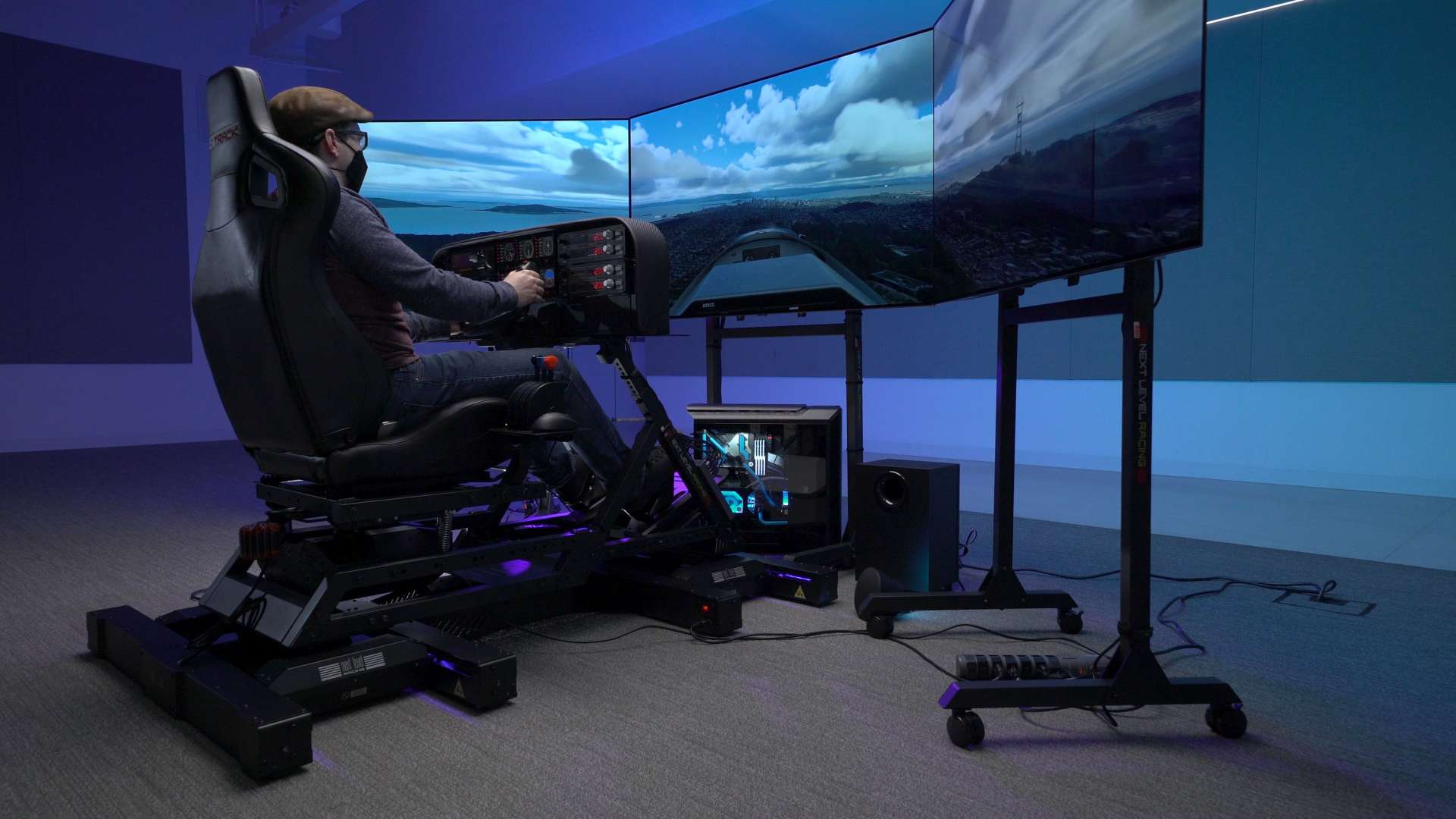
A controller that slides or sits at the wrong height will make precise flying harder. The Marada provides a seat and adjustable equipment supports, while the Meza organizes compatible yokes, quadrants, and panels on a desk. A dedicated frame needs room to stay assembled, so measure the available space before choosing one. For a compact room, a detachable HOTAS is easier to live with.
Instrument displays
An extra instrument panel can make a major difference after the primary controls are settled. The AltMot Six Pack includes a monitor and physical controls for several core instruments, while the Meza is only a mounting frame. Check the required HDMI and USB connections for the AltMot panel, and confirm that the simulator software is supported by the device.
Frequently asked questions
What is the best flight simulator setup for a beginner?
The Thrustmaster T-Flight HOTAS X is the simplest starting point because it combines a stick and throttle with preconfigured controls, programmable buttons, and adjustable resistance. A beginner who already wants rudder pedals should look at the Thrustmaster T16000M FCS instead.
Is a yoke better than a joystick for flight simulation?
Neither is universally better. A yoke is more appropriate for many airliners and general aviation aircraft, while a joystick is more versatile for fighters, helicopters, and space games. The Thrustmaster TCA Boeing Pack is the specialist choice for Boeing-style airliner flying.
Do flight simulator setups include the simulator software?
Most of the hardware products here are controllers, frames, or instrument accessories and do not replace the game or simulator. Microsoft Flight Simulator 2024 is the software product in this list. REALFLIGHT Evolution is also software, but it focuses on RC aircraft and includes its InterLink DX controller.
Are rudder pedals necessary?
No. A twist joystick or another rudder axis can control yaw, especially for casual flying. Pedals become more useful when you want smoother taxiing, coordinated turns, or more precise landing control.
Can the Logitech X56 work with Xbox or PlayStation?
The listed X56 system specifies Windows requirements and two USB 2.0 ports. It should be treated as a Windows PC controller from the information provided. Console users should consider the Thrustmaster TCA Boeing Pack or T-Flight Full Kit instead.
What is the difference between the Meza panel and the Marada cockpit?
The Meza is a mounting panel for compatible flight equipment and includes dimmable LED lighting, but its electronic controls are not included. The Marada is a complete cockpit frame with a seat and adjustable supports, but its joystick, throttle, pedals, and other electronics are also separate.
Can the AltMot panel work with Microsoft Flight Simulator?
The AltMot product details list Microsoft Flight Simulator 2020 and 2024, along with X-Plane 11 and X-Plane 12. It requires a Windows computer, one HDMI output, and a USB connection.
The bottom line
The Best flight simulator setup for most Windows pilots is the Logitech X56 HOTAS because its twin throttles, adjustable stick feel, 16-bit axes, and large control map leave room for complicated aircraft and space games. The Thrustmaster T16000M FCS is the better alternative when included rudder pedals and an ambidextrous stick matter more than having a huge number of controls.
For console pilots, the Thrustmaster T-Flight Full Kit is the most complete general-purpose choice, while the TCA Boeing Pack is the clear specialist option for airliner fans. Add the Marada or Meza only when you are ready for a more permanent cockpit, and choose the AltMot panel when physical instruments are the next missing piece.
If you are undecided, start with the aircraft type and platform, then buy the control layout that matches both rather than building around appearances.
As an Amazon Associate we earn from qualifying purchases.