

A graphics card can look like a simple upgrade until you discover that the cooler blocks three expansion slots, the card is too long for the case, or its memory runs short in the games you actually play. The right choice depends on resolution, ray tracing, power delivery, physical clearance, and how much software-assisted rendering you want to use.
The Best Gaming GPU picks below cover current AMD and NVIDIA options, from compact 1440p cards to oversized 4K models with substantial cooling hardware. We put the GIGABYTE Radeon RX 9070 XT Gaming OC first for its strong combination of memory, cooling, and broad gaming capability, while the ASUS ROG Astral RTX 5080 is the specialist pick for uncompromising high-end performance.
Best Gaming GPU comparison
| # | Product | Award | VRAM | Cooler and size | Best for |
|---|---|---|---|---|---|
| 1 | GIGABYTE Radeon RX 9070 XT Gaming OC | Best overall | 16GB GDDR6 | WINDFORCE, 11.34 inches | High-refresh 1440p and 4K |
| 2 | ASUS Dual RTX 5060 | Best compact NVIDIA pick | 8GB GDDR7 | Dual Axial-tech fans, 9 inches | Smaller gaming PCs |
| 3 | ASUS ROG Astral RTX 5080 | Best extreme cooling | 16GB GDDR7 | Four fans, 3.8 slots | Demanding 4K gaming |
| 4 | ASUS TUF RTX 5080 | Best rugged RTX 5080 | 16GB GDDR7 | Three fans, 3.6 slots | Long-term heavy workloads |
| 5 | GIGABYTE Radeon RX 9060 XT Gaming OC | Best white build option | 16GB GDDR6 | WINDFORCE, 2 slots | 1440p and white PCs |
| 6 | XFX Swift RX 9060 XT | Best triple-fan 9060 XT | 16GB GDDR6 | Triple-fan cooler | Sustained 1440p play |
| 7 | ASUS TUF RTX 5070 | Best balanced RTX option | 12GB GDDR7 | Three fans, 3.125 slots | NVIDIA feature support |
| 8 | PNY RTX 5080 Epic-X | Best creator-friendly RTX 5080 | 16GB GDDR7 | Triple-fan cooler | Gaming and creative work |
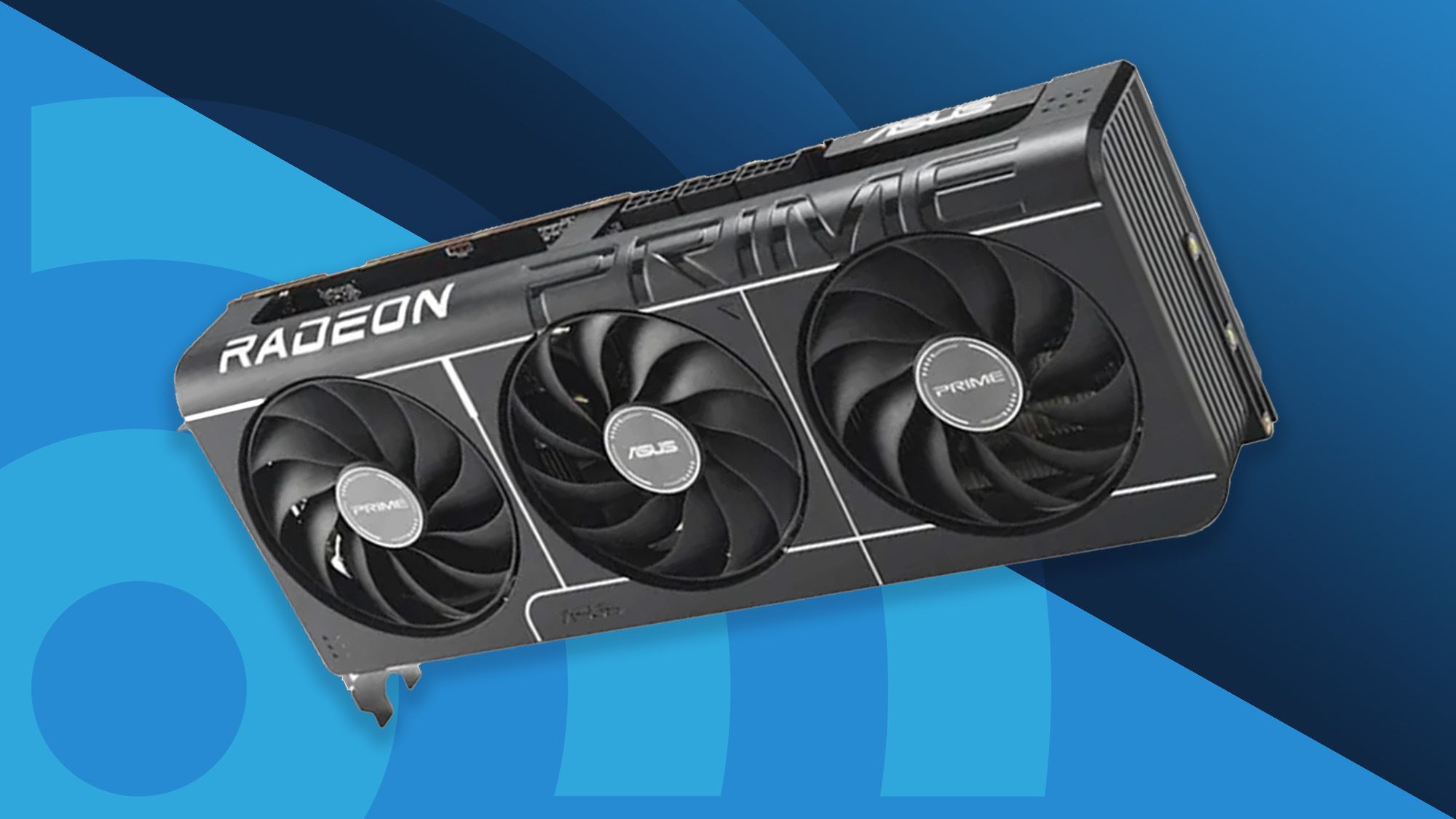
| 9 | ASUS Prime RX 9070 XT | Best quiet RX 9070 XT | 16GB GDDR6 | Dual Axial-tech fans, 2.5 slots | Quiet, flexible builds |
| 10 | ASRock RX 9060 XT Challenger | Best two-slot 9060 XT | 16GB GDDR6 | Dual fans, 2 slots | Compact 1440p systems |
1. GIGABYTE Radeon RX 9070 XT Gaming OC: Best Overall

Pros
- 16GB of GDDR6 memory
- WINDFORCE cooling with Hawk fans
- Server-grade thermal conductive gel
- Reinforced-feeling, substantial construction
Cons
- Long and heavy for compact cases
- Takes more room than the ASUS Prime version
- RGB lighting may not suit every build
Best for: PC gamers who want a capable, well-cooled Radeon card for high-refresh 1440p and serious 4K play.
The GIGABYTE Radeon RX 9070 XT Gaming OC is the card we would start with when the build has room for a full-size graphics card and the goal is strong performance across modern games. It feels like a deliberately overbuilt version of the RX 9070 XT rather than a thin reference-style design. The black cooler, RGB lighting, and broad heatsink give it a substantial presence inside a case.
Its 16GB of GDDR6 memory gives the card useful breathing room for high-resolution textures and demanding games. The PCIe 5.0 interface is current, while the WINDFORCE cooling system combines Hawk fans, server-grade thermal conductive gel, composite copper heat pipes, a copper plate, and active fan airflow. Those details matter because a GPU that can sustain its clocks under long gaming sessions is more useful than one that only looks fast in a short burst.
The physical dimensions deserve attention. At 11.34 inches long, 5.2 inches wide, and 2.2 inches high, this is not a small card, and its 3.92-pound weight makes a supported installation sensible. It is more demanding to fit than the ASUS Prime RX 9070 XT, but the GIGABYTE model gives the cooling system more room to work. The graphics card clearance and airflow questions that shape a gaming build are worth settling before ordering.
The weakness is straightforward: this is a large, heavy component, and the extra cooling hardware works against compact cases. The ASUS Prime card is the easier fit, while the RX 9060 XT models make more sense for less demanding 1440p systems. For the reader who wants one Radeon card to keep relevant across several display upgrades, the GIGABYTE Radeon RX 9070 XT Gaming OC is the most complete pick here.
2. ASUS Dual RTX 5060: Best Compact NVIDIA Pick

Pros
- Compact 9-inch length
- 1.4-pound design is easy to support
- DLSS 4 and Blackwell architecture
- 0dB technology for quieter light use
Cons
- 8GB of GDDR7 is the lowest memory capacity here
- Dual-fan cooling is less substantial than larger cards
- Not the first choice for demanding 4K textures
Best for: compact gaming PCs that need current NVIDIA features without a large, heavy card.
The ASUS Dual RTX 5060 is the easiest card in this group to place in a smaller chassis. It measures 9 inches long, 4.8 inches wide, and 2 inches high, with a listed weight of 1.4 pounds. That combination reduces the clearance and support problems that come with the bigger RTX 5080 and RX 9070 XT models.
This card uses NVIDIA's Blackwell architecture and supports DLSS 4, giving it access to NVIDIA's current frame-generation and image-enhancement features. Its 8GB of GDDR7 is a meaningful distinction from the 16GB cards in this roundup. It can suit mainstream 1080p and 1440p gaming, but buyers who keep texture settings high or plan a long ownership period should think carefully about that smaller memory pool.
ASUS uses two Axial-tech fans, with a smaller hub and barrier ring intended to increase downward air pressure. The card also has 0dB technology, so light gaming and desktop use can be quieter when the fans are not needed. Its OC mode reaches 2, 565MHz, compared with 2, 535MHz in the default mode. Those numbers describe the factory tuning, not a promise that every game will run at the same clock.
The compromise is capacity rather than construction. The ASUS Dual RTX 5060 is much easier to fit than the ASUS TUF RTX 5070, but it is not the right answer for someone building around 4K textures or wanting the largest memory reserve. Choose it when case size, low weight, and NVIDIA software support matter more than maximum headroom.
3. ASUS ROG Astral RTX 5080: Best Extreme Cooling

Pros
- 16GB of GDDR7 memory
- Four-fan cooling design
- Patented vapor chamber
- Phase-change GPU thermal pad
- DLSS 4 support
Cons
- Extremely large 3.8-slot design
- 14.1-inch length limits case compatibility
- Five-pound weight requires careful installation
Best for: enthusiasts building a spacious system around demanding 4K gaming and sustained GPU loads.
The ASUS ROG Astral RTX 5080 is a graphics card for a case that was chosen with the card in mind. Its 14.1-inch length, 5.9-inch width, 3-inch height, and five-pound weight make it the most imposing option in this list. The four-fan design is not a decorative flourish. It is part of a large thermal system intended to move air through a substantial fin array during demanding gaming.
Inside, the card uses NVIDIA's Blackwell architecture and DLSS 4, paired with 16GB of GDDR7 memory. That combination suits high-resolution gaming where both rendering demand and texture data rise together. The PCIe 5.0 interface and HDMI and DisplayPort 2.1 support keep the card aligned with current high-bandwidth displays, though the case and power design still need to be ready for a component of this scale.
ASUS adds a patented vapor chamber with a milled heatspreader and a phase-change GPU thermal pad. Those are more meaningful than a long list of cosmetic features because they address the transfer of heat away from the GPU and into the cooler. ASUS says the quad-fan arrangement can boost airflow and pressure by up to 20 percent, but the physical result is a card that occupies a great deal of internal space.
The obvious reason to skip it is fit. The ASUS TUF RTX 5080 is also huge, but its 3.6-slot design is slightly less demanding, while the PNY RTX 5080 offers another triple-fan approach. The ROG Astral is for the enthusiast who has verified clearance, support, and airflow and wants the most elaborate cooling design in the group.
4. ASUS TUF RTX 5080: Best Rugged RTX 5080

Pros
- 16GB of GDDR7 memory
- Blackwell architecture and DLSS 4
- Protective PCB coating
- Three Axial-tech fans
- Phase-change thermal pad
Cons
- 13.7-inch length needs a roomy case
- 3.6-slot cooler blocks substantial expansion space
- Five-pound weight is difficult in smaller builds
Best for: high-end systems where durable board protection and sustained cooling matter as much as raw GPU capability.
The ASUS TUF RTX 5080 takes a more restrained approach than the ROG Astral, but it remains a very large 4K-focused card. It measures 13.7 inches long, 5.7 inches wide, and 2.8 inches high. At five pounds, it should be installed with care, especially in a case where the card will be mounted horizontally without much support beneath it.
Its core package is familiar and capable: NVIDIA Blackwell architecture, DLSS 4, and 16GB of GDDR7. That memory capacity is appropriate for demanding games and high-resolution assets, while the current NVIDIA feature set gives the card more flexibility than a GPU that relies only on conventional raster rendering. The card also supports the modern display connections identified in its listing, including HDMI and DisplayPort 2.1.
The TUF model's distinguishing feature is its construction. ASUS lists military-grade components, a protective PCB coating that helps guard against moisture, dust, or debris, and a phase-change GPU thermal pad intended to maintain heat transfer over time. Its three Axial-tech fans push air through a 3.6-slot fin array. Compared with the four-fan ROG Astral, this design gives up some cooling hardware while remaining extremely substantial.
The weakness is not performance potential but practicality. The PNY RTX 5080 has a triple-fan design too, while the ROG Astral takes cooling further, so the TUF model wins mainly for its protective build approach. It is the sensible choice for a large, carefully assembled machine that will see long gaming sessions and heavy graphics workloads.
5. GIGABYTE Radeon RX 9060 XT Gaming OC: Best White Build Option

Pros
- 16GB of GDDR6 memory
- Two-slot form factor
- White finish for coordinated builds
- Performance and Silent BIOS modes
- Reinforced metal backplate
Cons
- 11.06-inch length still needs case clearance
- Radeon features differ from NVIDIA's DLSS ecosystem
- Triple-digit width can crowd nearby slots
Best for: 1440p players building a white PC who want generous memory without a thick cooler.
The GIGABYTE Radeon RX 9060 XT Gaming OC is the practical middle ground among the Radeon cards here. It uses 16GB of GDDR6 memory and a 128-bit memory interface, giving modern games more texture capacity than the 8GB ASUS Dual RTX 5060. Its two-slot design is helpful in a gaming PC with other expansion hardware, even though the 11.06-inch length and 4.65-inch width still need checking.
The white finish makes this version particularly easy to place in a light-colored build, but the useful hardware is underneath. GIGABYTE's WINDFORCE cooling system includes Hawk fans with alternate spinning, composite copper heat pipes, a copper plate, 3D active fans, and screen cooling. The server-grade thermal conductive gel is intended to help transfer heat from the card's components into the cooler.
A reinforced metal backplate with a bent edge adds structural support, while dual BIOS gives the owner a choice between Performance and Silent modes. That is a practical feature rather than a headline specification. The Performance setting is the default, while Silent mode is designed for a quieter experience. RGB lighting with customizable colors is available for builders who want the card to participate in the rest of the system's lighting.
The limitation is that this card sits below the RX 9070 XT models in the lineup, so it is not the pick for pushing every setting at 4K. It is more compact than the GIGABYTE RX 9070 XT and has more memory than the ASUS Dual RTX 5060. Pick it for a clean 1440p build where 16GB and a two-slot cooler matter.
6. XFX Swift RX 9060 XT: Best Triple-Fan 9060 XT

Pros
- 16GB of GDDR6 memory
- Triple-fan cooling solution
- Boost clock up to 3320MHz
- Straightforward desktop PC compatibility
Cons
- Longer than compact dual-fan alternatives
- The listing provides few physical specifications
- AMD feature support may not match NVIDIA's software tools
Best for: gamers who want a triple-fan RX 9060 XT for sustained 1440p play.
The XFX Swift RX 9060 XT stands out because it puts a triple-fan cooler on a 16GB Radeon card without making the product difficult to understand. The listing identifies the RX 9060 XT chipset, 16GB of GDDR6 memory, and an XFX SWFT triple-fan cooling solution. That is the core of the product, and it points toward a card designed for steady gaming loads rather than a tiny entry-level build.
Its boost clock is listed at up to 3320MHz. A boost figure is not the same as a fixed operating speed, since actual clocks depend on workload, temperature, power, and the game, but it does show how XFX has tuned the card. The three fans should also spread cooling work across a larger heatsink than a simple dual-fan design, which can help during longer sessions.
The card measures about 11.42 inches long and 4.92 inches wide according to the listed dimensions. That puts it close to the GIGABYTE RX 9060 XT in length, though it is not the best choice for a narrow case or a build where every slot matters. The 16GB memory capacity makes it a more comfortable fit for modern texture-heavy games than the ASUS Dual RTX 5060.
The main drawback is limited detail about the cooler's other construction features. The GIGABYTE model offers dual BIOS, a reinforced structure, and a more fully described thermal system, while the ASRock model is easier to compare by its two-slot design and stated clock figures. The XFX Swift is for the buyer who specifically wants triple-fan cooling and does not need a compact card.
7. ASUS TUF RTX 5070: Best Balanced RTX Option

Pros
- 12GB of GDDR7 memory
- Blackwell architecture and DLSS 4
- Protective PCB coating
- Three Axial-tech fans
- More manageable than the RTX 5080 TUF
Cons
- 3.125-slot design still occupies considerable space
- 13-inch length is not compact
- Less memory than the 16GB cards
Best for: gamers who want NVIDIA's current feature set in a card below the physical scale of the RTX 5080 models.
The ASUS TUF RTX 5070 is the bridge between the compact RTX 5060 and the oversized RTX 5080 cards. It uses 12GB of GDDR7 memory and NVIDIA's Blackwell architecture, with DLSS 4 available for supported games. That makes it a useful option for a player who wants current NVIDIA rendering features but does not need the largest card in this roundup.
ASUS gives it a three-fan Axial-tech cooler and a 3.125-slot design. It is 13 inches long, 5.5 inches wide, and 2.5 inches high, so calling it a compact card would be misleading. It is simply more manageable than the 13.7-inch TUF RTX 5080 and the 14.1-inch ROG Astral. Case clearance remains essential, particularly around the lower expansion slots.
The construction follows the TUF pattern. Military-grade components are paired with a protective PCB coating, and a phase-change GPU thermal pad is intended to maintain effective heat transfer under heavy use. The cooler is built around a large fin array, so the design favors sustained loads over minimal internal volume.
The trade-off is memory. The 12GB capacity sits above the RTX 5060's 8GB, but below every 16GB model listed here. The GIGABYTE RX 9070 XT is the stronger all-round choice when memory capacity and broad resolution flexibility lead the decision, while the ASUS TUF RTX 5070 makes more sense for buyers who specifically want NVIDIA's software ecosystem in a slightly less extreme chassis.
8. PNY RTX 5080 Epic-X: Best Creator-Friendly RTX 5080

Pros
- 16GB of GDDR7 memory
- DLSS 4 and Reflex 2 support
- Triple-fan design
- NVIDIA Studio support for creative applications
- RGB lighting
Cons
- Large 12.94-inch card
- Triple-fan design still needs strong case airflow
- Physical specifications are less complete than competing models
Best for: users combining high-end gaming with video editing, 3D work, or other NVIDIA-accelerated creative applications.
The PNY RTX 5080 Epic-X is the most work-focused card in this group because its listing makes the creator side unusually clear. It combines an RTX 5080 GPU with 16GB of GDDR7 memory, DLSS 4 for gaming, and NVIDIA Studio support for video editing, 3D rendering, and graphic design. That makes it more than a gaming-only recommendation for a workstation that also happens to play games.
For competitive titles, the listing highlights NVIDIA Reflex 2, which is designed to optimize the graphics pipeline and reduce latency. DLSS 4 adds AI-assisted rendering features for supported games. These capabilities are not universal replacements for raw rendering performance, but they can give NVIDIA users useful choices in games and applications that support them.
The card uses a triple-fan design and measures about 12.94 inches long, 5.39 inches wide, and 5.39 inches high in the listed data. The height figure appears unusually close to the width measurement, so builders should confirm the final clearance information before installation rather than relying on a single dimension. Its physical footprint is still clearly much larger than the ASUS Dual RTX 5060.
The ASUS TUF RTX 5080 provides more detailed cooling and board-protection features, while the ROG Astral goes further with four fans and a vapor chamber. The PNY card earns its place through the software mix and its creator appeal. Choose it when gaming, editing, and GPU-accelerated design all need to share one system.
9. ASUS Prime RX 9070 XT: Best Quiet RX 9070 XT

Pros
- 16GB of GDDR6 memory
- 2.5-slot design
- Dual BIOS
- 0dB technology for lighter loads
- Dual-ball fan bearings
Cons
- 12.3-inch length still needs room
- Heavier than many midrange cards
- Dual-fan cooler is less elaborate than the GIGABYTE model
Best for: RX 9070 XT buyers who want a quieter, more flexible card than the largest triple-fan design.
The ASUS Prime RX 9070 XT is the more restrained interpretation of the RX 9070 XT in this roundup. It still carries 16GB of GDDR6 memory and PCIe 5.0 support, but its 2.5-slot design is easier to place than the larger GIGABYTE Gaming OC. The card measures 12.3 inches long, 5.1 inches wide, and 2 inches high, with a listed weight of about 3.31 pounds.
Its dual Axial-tech fans use a smaller hub and barrier ring to support longer blades and increased downward air pressure. ASUS also lists dual-ball fan bearings, which are intended to last longer than conventional sleeve bearings. For a system that spends much of its time at the desktop or in lighter games, 0dB technology can keep the fans off and reduce background noise.
Dual BIOS gives the owner a choice of operating profiles, while the phase-change GPU thermal pad is designed to maintain heat transfer under load. The card also includes a GPU Guard, adding another layer to its physical protection. These features make it a more thoughtful compact alternative than simply cutting down the size of the cooler.
The GIGABYTE RX 9070 XT has a more elaborate WINDFORCE system and a longer, heavier body, so it remains the better pick for maximum cooling hardware. The ASUS Prime is easier to justify when case compatibility and quiet light use matter more. Skip it only if the case can comfortably take the larger GIGABYTE card and sustained thermal headroom is the priority.
10. ASRock RX 9060 XT Challenger: Best Two-Slot 9060 XT

Pros
- Two-slot design
- 16GB of GDDR6 memory
- Boost clock up to 3290MHz
- 0dB Silent cooling mode
- Single 8-pin power connector
Cons
- Listed dimensions are inconsistent with a typical long card
- Dual-fan cooler has less cooling capacity than triple-fan designs
- 128-bit memory bus is narrower than the card's memory capacity suggests
Best for: 1440p systems that need a two-slot card and straightforward power requirements.
The ASRock RX 9060 XT Challenger is the simplest fit for a build that cannot spare more than two slots. It uses AMD's RDNA 4 architecture, 16GB of GDDR6 memory on a 128-bit bus, and a dual-fan cooler. ASRock identifies it as a 1440p-focused card, which is the right context for judging it rather than treating it like a 4K flagship.
The listed boost clock reaches up to 3290MHz, with a game clock of 2700MHz. Those are useful indicators of the factory tuning, but actual gaming behavior depends on temperature, workload, and power conditions. The 16GB capacity gives modern games plenty of room for texture data, while the 128-bit bus is a narrower memory path than some larger cards use.
ASRock lists a single 8-pin power connector and a recommended 550W power supply. That makes the card easier to plan around than the high-end models, provided the system has the appropriate connector and enough chassis clearance. DisplayPort 2.1a and HDMI 2.1b support also make it suitable for current high-refresh displays.
The listing includes a 0dB Silent mode and an LED indicator, so this card has some useful everyday features beyond its two-slot size. The XFX Swift RX 9060 XT has a triple-fan cooler, and the GIGABYTE model offers a more developed thermal system, but both are more demanding physically. Choose the ASRock when slot space and a simple power connection take precedence.

How to choose the Best Gaming GPU
A good graphics card choice starts with the monitor and case, not the product name. These are the factors that separate a genuinely suitable GPU from one that creates clearance, noise, or memory problems.
Resolution and refresh rate
Match the GPU to the display you want to drive. A 1080p screen places less rendering demand on the card, while 1440p is a useful middle ground for the RX 9060 XT and RTX 5070 class. 4K gaming needs substantially more rendering capability, especially when ray tracing and high texture settings are enabled.
Refresh rate matters too. A card that is sufficient for a 60Hz display may not be the right match for a 165Hz monitor. If your setup includes a high-refresh panel, look for a GPU with enough headroom to maintain smooth frame delivery rather than focusing only on maximum resolution.
VRAM capacity
Memory stores textures, frame data, and other assets used by games. The 8GB on the ASUS Dual RTX 5060 is reasonable for a compact mainstream system, but the 12GB on the ASUS TUF RTX 5070 and 16GB found on the Radeon and RTX 5080 cards offer more room for demanding games and future settings.
VRAM is not a substitute for GPU speed. A card with more memory can still be slower overall, but running out of memory can cause stutter or force lower texture settings. Consider 16GB especially if you plan to keep the card through several game releases or use high-resolution texture packs.
Buy enough memory for the games you plan to keep, but do not trade away the cooling and GPU capability needed to use it.
Cooler size and case clearance
Check the card's length, width, height, and slot thickness against the case specifications. The ASUS Dual RTX 5060 is only 9 inches long, while the ROG Astral RTX 5080 reaches 14.1 inches and uses 3.8 slots. Those cards belong in very different systems.
A thick cooler can cover neighboring expansion slots even when the card physically fits. Leave room for airflow around the fans and account for front-mounted radiators, drive cages, and power cables. Heavy cards such as the five-pound ASUS RTX 5080 models may also benefit from a support bracket.
Cooling and noise features
Triple-fan and quad-fan designs move more air through large heatsinks, but they also increase the card's physical footprint. Dual-fan cards can be easier to place and may be quiet when the cooler is well designed. Features such as 0dB technology and Silent BIOS modes are useful for reducing fan activity during light work.
Thermal pads, vapor chambers, copper heat pipes, and reinforced backplates each address a different part of the design. Do not treat a long feature list as proof of better results, but do pay attention to whether the cooler matches the GPU's size and expected workload.
Upscaling and rendering features
NVIDIA cards in this group support DLSS 4, while the Radeon models use AMD's feature ecosystem. Supported games can benefit from AI-assisted upscaling or frame-generation technologies, but results vary by title and settings. Competitive players should also consider latency features such as NVIDIA Reflex 2 on the PNY RTX 5080.
If you use the PC for creative applications, the PNY RTX 5080's stated NVIDIA Studio support is relevant. If you prefer conventional rendering and a larger memory pool in the same general class, the Radeon options may be a better fit.
Frequently asked questions
How much VRAM should a gaming GPU have?
The cards in this roundup range from 8GB to 16GB. Eight gigabytes can suit a compact mainstream gaming system, while 12GB or 16GB gives more room for high-resolution textures and demanding releases. VRAM needs also depend on resolution and the settings you use.
Is a large graphics card always faster?
No. Cooler size affects how a card handles heat and sustained workloads, but it does not by itself determine the GPU's rendering capability. A large RTX 5080 is in a different performance class from a compact RTX 5060, but two versions of the same GPU can have different cooler sizes without a dramatic difference in game performance.
Do these GPUs support PCIe 5.0?
The product listings identify PCIe 5.0 support for the GIGABYTE RX 9070 XT, ASUS Dual RTX 5060, ASUS ROG Astral RTX 5080, GIGABYTE RX 9060 XT, ASUS TUF RTX 5070, and ASUS Prime RX 9070 XT. The ASRock RX 9060 XT also lists PCIe 5.0. Check your motherboard and case layout before installation.
Can an RTX 5060 handle 1440p gaming?
The ASUS Dual RTX 5060 is positioned as a compact current-generation card, and its 8GB of GDDR7 can suit many 1440p setups with sensible settings. The RX 9060 XT cards offer 16GB, which gives them more texture capacity. The best result depends on the individual game, display refresh rate, and use of ray tracing or upscaling.
What power supply does the ASRock RX 9060 XT need?
ASRock lists a recommended 550W power supply and a single 8-pin power connector for the RX 9060 XT Challenger. Confirm that your existing supply has the connector and adequate capacity before installing the card. Other GPUs in this roundup may require a different power setup.
Are triple-fan graphics cards quieter than dual-fan cards?
Not automatically. A triple-fan cooler can spread heat across more hardware and may run its fans at lower speeds under a sustained load, but fan tuning and case airflow matter just as much. The ASUS Prime RX 9070 XT adds 0dB technology to its dual-fan design, while the GIGABYTE RX 9060 XT offers a Silent BIOS mode.
Which graphics card is best for creative work as well as gaming?
The PNY RTX 5080 Epic-X is the clearest fit because its listing specifically identifies NVIDIA Studio support for video editing, 3D rendering, and graphic design. Its 16GB of GDDR7 also gives demanding applications more memory headroom. The right choice still depends on the applications and workflows you use.
The bottom line
The Best Gaming GPU here is the GIGABYTE Radeon RX 9070 XT Gaming OC for most serious gaming builds. Its 16GB of GDDR6, substantial WINDFORCE cooler, and broad high-resolution capability make it a more flexible long-term choice than the smaller RX 9060 XT cards or the 8GB ASUS Dual RTX 5060. It is large and heavy, so the case must be ready for it.
For a high-end NVIDIA system, the ASUS ROG Astral RTX 5080 has the most ambitious cooling design, while the ASUS TUF RTX 5070 is the more manageable choice for buyers who want NVIDIA features without moving to the largest RTX 5080 class. The ASUS Dual RTX 5060 remains the sensible compact pick.
If you are undecided, choose the card that fits your case and display first, then select the memory capacity and rendering features that match the games you actually play.
As an Amazon Associate we earn from qualifying purchases.