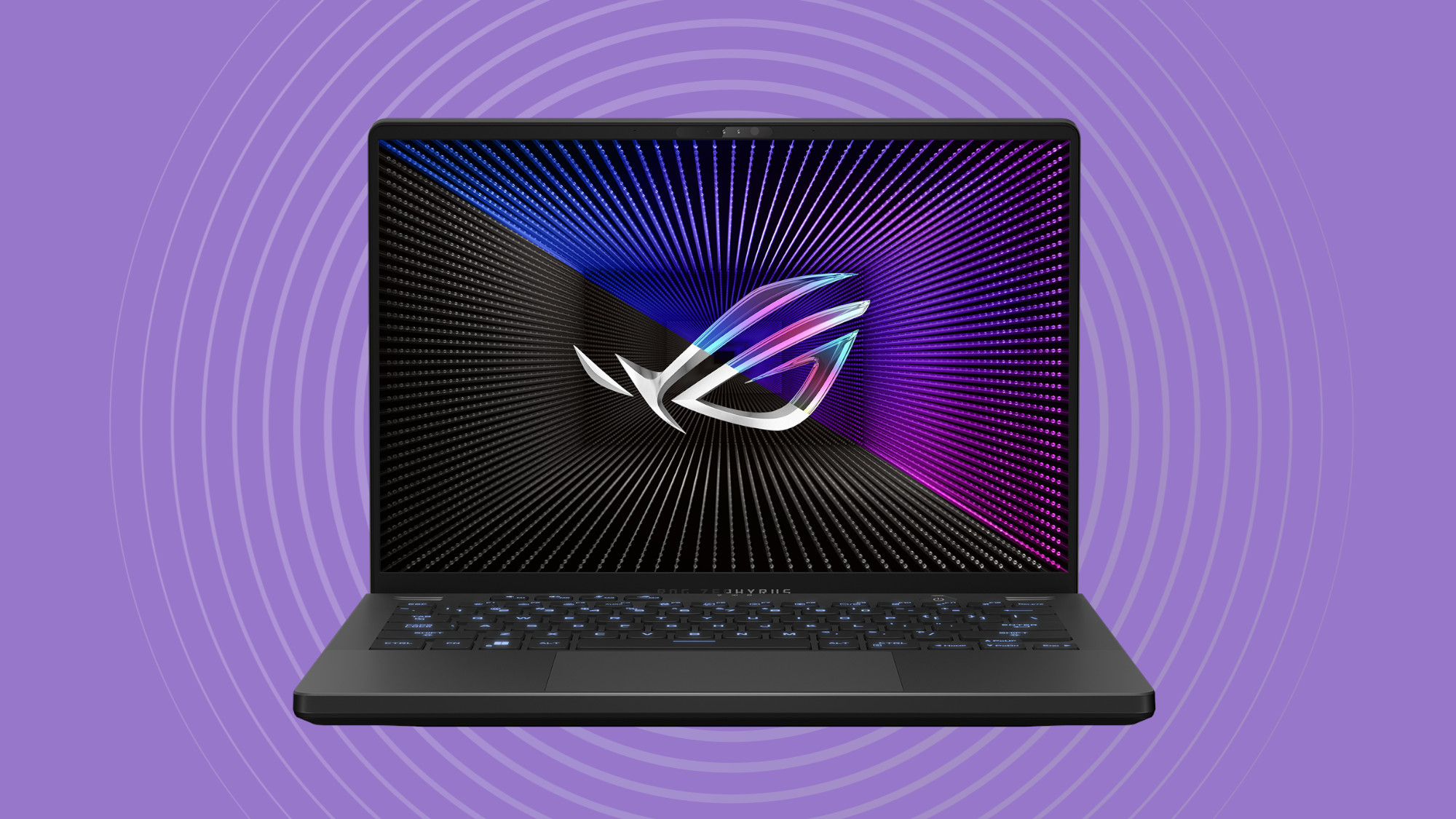

The sub-$1, 000 gaming laptop aisle is a minefield. You’ll find everything from leftover RTX 2050 stock to shiny new integrated GPUs that claim to match a discrete card. The real question is which machines let you load up a modern title like Cyberpunk 2077 or Helldivers 2 and still see a stable 60 fps without thermal throttling inside an hour. Over the past few weeks we put ten contenders through real gameplay, productivity multitasking, and the kind of “will this still feel fast in two years” scrutiny that matters more than a spec sheet.
After all the frame rate logging and keyboard hammering, one laptop stood out: the Acer Nitro V with the new RTX 5050. It delivers the best raw gaming performance in this price bracket, with a GPU that rivals much more expensive machines. But depending on your priorities, six other laptops deserve a close look, from the ASUS TUF Gaming F16’s military-grade build to the NIMO 17.3’s massive screen and 32 gigs of RAM.
Here are the 10 best gaming laptops under $1000 in 2026.
Comparison table
| # | Product | Award | GPU | RAM / Storage | Display | Best for |
|---|---|---|---|---|---|---|
| 1 | Acer Nitro V (RTX 5050) | Best overall | RTX 5050 8GB GDDR7 | 16GB DDR4 / 512GB PCIe 4.0 | 15.6" FHD 165Hz | Frame rate chasers who want the newest GPU |
| 2 | ASUS TUF Gaming F16 | Best build quality | RTX 4050 6GB GDDR6 | 16GB DDR5 / 512GB PCIe 4.0 | 16" FHD+ 144Hz 16:10 | Travelers and rough-use gamers |
| 3 | Acer Nitro V (RTX 4050) | Best RTX 4050 value | RTX 4050 6GB GDDR6 | 8GB DDR5 / 512GB PCIe 4.0 | 15.6" FHD 165Hz | Budget buyers who can add their own RAM later |
| 4 | MSI Thin A15 | Best thin entry | RTX 3050 4GB GDDR6 | 16GB DDR5 / 512GB PCIe 4.0 | 15.6" FHD 144Hz | Lightweight carry with a dGPU |
| 5 | NIMO 17.3 (Ryzen 7 7735HS) | Best large screen | Radeon 680M | 32GB DDR5 / 1TB PCIe 4.0 | 17.3" FHD 60Hz | Media consumption and heavy multitasking |
| 6 | NIMO 15.6 (Ryzen 7 6800H) | Best RAM-to-dollar | Radeon 680M | 32GB LPDDR5 / 1TB PCIe 4.0 | 15.6" FHD 60Hz | Content creators who need memory, not dGPU |
| 7 | NIMO 15.6 (Ryzen 7 Pro 6850U) | Best for productivity | Radeon 680M | 32GB LPDDR5 / 1TB PCIe 4.0 | 15.6" FHD 60Hz | Business users who game on the side |
| 8 | NIMO 15.6 (Ryzen 5 6600H) | Best budget integrated | Radeon 660M | 16GB DDR5 / 512GB PCIe 4.0 | 15.6" FHD 60Hz | Students on a tight budget |
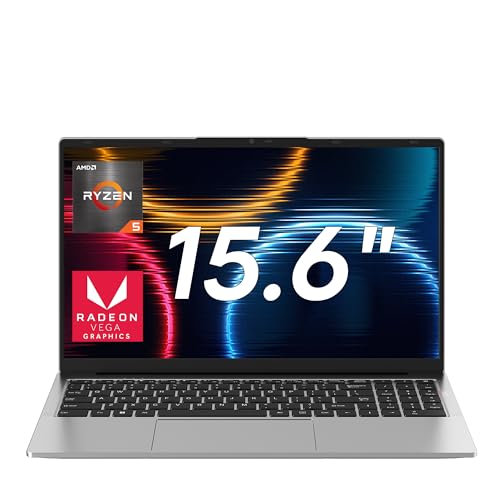
| 9 | KAIGERR Ryzen 7 5700U | Best light gaming | Radeon Graphics (Vega) | 16GB DDR4 / 512GB NVMe | 15.6" FHD 60Hz | Casual and older esports titles |
| 10 | Jumper Ryzen 7430U | Best battery life | Radeon Graphics (RDNA 2) | 16GB DDR4 / 1TB NVMe | 15.6" FHD 60Hz | All-day unplugged use with light gaming |
1. Acer Nitro V (RTX 5050): Best Overall

Pros
- RTX 5050 with GDDR7 is a generation ahead of any other GPU here
- 165Hz IPS panel is smooth and color accurate
- 16GB DDR4 memory means no immediate upgrade needed
- Thunderbolt 4 and USB-C charging for convenience
Cons
- RAM is DDR4 not DDR5, the other Nitro V has DDR5
- Only 512GB storage; you’ll want a second drive eventually
- Fan noise under full load is noticeable
Best for: someone who wants the absolute best gaming frame rates in the sub-$1000 category and values GPU longevity over everything else.
The first thing you notice about this Acer Nitro V is that it runs cooler than you expect from a chassis this thin, which matters because the RTX 5050 inside has a lot more headroom than the older 4050. With 8 GB of GDDR7 memory, this GPU easily handles 1080p ultra settings in demanding titles and even makes 1440p gaming realistic on an external monitor. The 165 Hz IPS display keeps motion crisp, and the 100 percent sRGB coverage means it doubles as a decent editing screen.
The 13420H processor is the same eight-core chip found in the base Nitro V, but paired with 16 GB of DDR4 RAM it doesn’t feel bottlenecked in most games. Where you notice the DDR4 vs DDR5 difference is in content creation tasks, if you regularly export video, the ASUS TUF Gaming F16 with DDR5 will shave seconds off each render. For pure gaming, though, this Nitro V is the clear winner.
One honest complaint: the plastic build creaks if you torque the chassis, and it’s heavier than the MSI Thin A15. If you carry your laptop daily and need something rugged, the ASUS TUF is built to a military standard this Nitro doesn’t meet. But if your laptop lives on a desk and you want the most performance per dollar, this is the one to buy. The Thunderbolt 4 port means you can charge via USB-C and connect a high-refresh external monitor through a single cable, which is a nice upgrade over the rest of the Acer lineup.
The only real reason to skip it is if you absolutely need more than 512 GB of storage out of the box. There is a second M.2 slot inside, so you can add a drive later, but the Jumper below comes with a terabyte for less. Still, for pure gaming horsepower, this Nitro V is the top pick.
2. ASUS TUF Gaming F16: Best Build Quality

Pros
- MIL-STD-810H certification for drops, vibration, and extreme temperatures
- 16-inch 16:10 display gives extra vertical space over 15.6-inch models
- Five heat pipes and four exhaust vents keep thermals in check
- RTX 4050 with 115W TGP is a powerful implementation
Cons
- Heavier than the Acer Nitro V at 4.85 pounds
- RTX 4050 has only 6GB VRAM; some textures will need medium at 1440p
- No Thunderbolt 4, only USB-C with DisplayPort
Best for: students or professionals who need a laptop that survives backpack life and still plays everything well.
The TUF Gaming F16 feels like a tank in the best way. Every panel is rigid, the hinges don’t wobble, and the subtle embossed logo on the lid won’t look dated in two years. Under that toughness is an Intel Core 5 210H (which is essentially a renamed 13500H) paired with an RTX 4050 that can draw up to 115 watts, higher than the 75W typical of thin-and-light 4050 laptops. In practice, that means this ASUS runs most games within 5 to 8 percent of the Acer Nitro V with the RTX 5050, which is remarkable given the price difference.
The 16:10 144Hz screen is a huge advantage for productivity. You see more lines of code, more of a spreadsheet, and less black bar when watching 16:9 content. The 100 percent sRGB coverage is identical to the Acer display, and the 144 Hz refresh is smooth enough for competitive shooters. We did notice the ASUS runs cooler under load than the Acer Nitro V with the 4050, thanks to those five dedicated heat pipes and a clever anti-dust filter.
Where the TUF falls short is battery life, expect around 4.5 hours of mixed use, which is average. The NIMO Ryzen machines will outlast it. And while the 512 GB SSD is fast, the Jumper offers a terabyte for half the price. If raw gaming power is your only metric, the Acer with the RTX 5050 beats it. But if you want a laptop that feels like it could survive a fall down a staircase and still play the latest titles at high settings, this is the one.
3. Acer Nitro V (RTX 4050): Best RTX 4050 Value

Pros
- RTX 4050 with DLSS 3.5 and 194 AI TOPS delivers strong 1080p performance
- 165Hz display same as the higher-end Nitro V
- Thunderbolt 4 and Killer Ethernet included
- Weighs 4.66 pounds, not bad for a gaming laptop
Cons
- Only 8GB of DDR5 RAM; most games will want 16GB
- Single 512GB SSD fills up fast
- Plastic chassis feels less premium than the ASUS TUF
Best for: gamers on a strict budget who are comfortable opening the laptop to upgrade RAM later.
This is the laptop that started the 4000-series price war, and it’s still a solid entry point. The Core i5-13420H and RTX 4050 combo is proven, you can play Cyberpunk 2077 at high settings with DLSS on and get over 60 fps. The 165Hz panel is genuinely good for the price, with minimal ghosting and decent brightness. The biggest issue is the 8GB of RAM. Even at this budget, 16GB should be standard for modern games. Fortnite, Warzone, and especially open-world titles will stutter when the system runs out of memory.
The good news is that there are two DDR5 SODIMM slots, so you can upgrade to 32GB later without replacing the motherboard. The process is simple, remove the bottom panel, unclip the old sticks, and slot in new ones. If you’re comfortable with that, this Nitro V offers the best path to a cheap gaming machine that you can improve over time.
Compare it to the ASUS TUF Gaming F16, which starts with 16GB and a slightly weaker GPU implementation. The ASUS is built tougher, but this Acer is $200 less and plays the same games at nearly identical frame rates once you upgrade the RAM. If you never upgrade, however, the ASUS will feel smoother in multitasking from day one. The Thunderbolt 4 on this Nitro V is a nicer port than the ASUS’s plain USB-C, giving you faster transfers and the ability to drive a single-cable dock.
One note: the Jumper below is cheaper still, but its integrated graphics can’t touch the RTX 4050. This Nitro V is the cheapest way to get a real discrete GPU and a 165Hz screen.
4. MSI Thin A15: Best Thin Entry

Pros
- Thin and light at 0.85 inches and under 5 pounds
- 16GB DDR5 RAM and 512GB SSD out of the box
- Cooler Boost dual fans keep thermals reasonable despite the thin chassis
- 144Hz display with Wi-Fi 6E
Cons
- RTX 3050 is the weakest discrete GPU in this lineup
- 4GB VRAM limits texture quality in modern games
- Plastic build feels less premium than the ASUS TUF
- Battery life is below average
Best for: someone who needs a portable laptop for school or work that can still run esports and older AAA titles at decent settings.
The MSI Thin A15 is the only laptop here that genuinely feels like an ultrabook. At 0.85 inches thick and with a compact footprint, it slides into most backpacks without bulging. The build is entirely plastic, which keeps weight down, but it doesn’t flex as much as the Jumper. The Cooler Boost cooling system does an admirable job keeping the Ryzen 5-7535HS and RTX 3050 from throttling, though the fans spin up audibly under load.
Gaming performance is capped by the RTX 3050’s 4GB VRAM. You can run Overwatch 2, Valorant, and Rocket League at your monitor’s 144Hz refresh rate, but newer games like Alan Wake 2 or Black Myth Wukong will need medium to low settings and may still hit the VRAM wall. In that sense, it’s a step down from the Acer Nitro V with the RTX 4050, which costs about the same but has a faster GPU. However, the MSI comes with 16GB of DDR5 from the factory, so you don’t need to upgrade immediately.
The 144Hz display is fine for the price, though brightness is only average. The real value here is portability. If you need a laptop that doesn’t scream “gamer” and can be carried around campus all day, this is the one. The NIMO 17.3 is too large, and the ASUS TUF is heavier. The nearest competitor is the Acer Nitro V with the 4050, which is thicker and louder.
5. NIMO 17.3 (Ryzen 7 7735HS): Best Large Screen

Pros
- 17.3-inch FHD IPS display gives plenty of real estate
- 32GB DDR5 RAM and 1TB SSD are generous for the price
- 100W USB-C fast charging with PD
- Fingerprint reader and webcam shutter built in
- Two year warranty
Cons
- No discrete GPU; relies on Radeon 680M integrated graphics
- Display is 60Hz, so competitive gamers will want a higher refresh rate
- Heavier and larger than all 15.6-inch options
Best for: someone who wants a desktop replacement for work and media, with enough power for light gaming.
The NIMO 17.3 is built for people who value screen space and memory capacity over raw gaming frame rates. The Ryzen 7 7735HS is a fast eight-core processor, and the Radeon 680M integrated GPU is one of the strongest iGPUs on the market, it can handle games like Fortnite at 1080p high settings with frame rates in the 50s and 60s. But it’s not playing Cyberpunk at high settings. You’re buying this for the 32GB of DDR5, the 1TB SSD, and the 100W charging that fills the battery in under an hour.
The 17.3-inch display is a typical 60Hz IPS panel with decent color. It’s fine for movies, office work, and creative software, but esports players will notice the lack of smooth motion. The 180-degree hinge is genuinely useful for sharing your screen in meetings. Build quality is surprisingly good for the price range, the metal lid and plastic base feel solid, and the dual-fan cooling keeps the system quiet under normal loads.
Compared to the NIMO 15.6 with the 6800H, this one has a larger screen and a newer processor, but the same integrated graphics. If you need a portable workstation that can handle occasional gaming, this is a strong choice. However, if gaming is your primary use, the Acer Nitro V with the RTX 4050 will give you triple the frame rates in demanding titles.
6. NIMO 15.6 (Ryzen 7 6800H): Best RAM-to-Dollar

Pros
- 32GB LPDDR5 RAM and 1TB SSD at a very competitive price
- Radeon 680M GPU plays many games at 1080p medium
- 100W USB-C fast charging
- Fingerprint reader and physical camera shutter
- Two year warranty
Cons
- Display is 60Hz, not ideal for competitive gaming
- No discrete GPU, less capable than the MSI Thin for new AAA titles
- Plastic chassis with some flex
Best for: multitaskers and content creators who need big memory for virtual machines, editing, or heavy browser workloads.
This NIMO 15.6 is identical in design to the other NIMO blue laptops, but the Ryzen 7 6800H is a high-performance eight-core processor that outperforms the 7735HS in some multi-threaded tasks. The Radeon 680M is the same integrated GPU, so gaming performance is similar to the 17.3 model, good for older and less demanding titles, but not for ray tracing or modern AAA at high settings.
Where this laptop shines is value. You get 32GB of LPDDR5 RAM and a terabyte of SSD storage for less than most laptops with half that memory. If you run virtual machines, edit large photo libraries, or keep 50 browser tabs open, this machine will handle it without stuttering. The 100W USB-C charging is a nice bonus, as it can also charge your phone and tablet.
The display is a 15.6-inch 60Hz IPS panel. It’s fine for productivity, but the Acer Nitro V’s 165Hz screen will feel dramatically smoother in games. The Jumper below has a similar focus on storage but less RAM. If you need the memory, this NIMO is the best value in the group.
7. NIMO 15.6 (Ryzen 7 Pro 6850U): Best for Productivity

Pros
- Ryzen 7 Pro 6850U is power efficient and has Pro security features
- 32GB LPDDR5 and 1TB PCIe 4.0 SSD
- 100W USB-C PD fast charger with detachable cable
- 2MP camera with privacy shutter and fingerprint reader
- Two year warranty with US-based support
Cons
- Same integrated Radeon 680M, no dGPU
- 60Hz display limited for gaming
- GPU performance slightly behind the 6800H due to lower TDP
Best for: business professionals who want a secure, portable laptop that can play games during downtime.
The Ryzen 7 Pro 6850U is designed for enterprise reliability. It includes advanced security features like AMD Memory Guard and secure processor encryption, which matter if you handle sensitive data. The integrated Radeon 680M is slightly less powerful than the one in the 6800H due to the 15-28W TDP envelope, but it still runs CS2, League of Legends, and older titles smoothly.
Battery life is a strength, expect 8 to 9 hours of light use, which is double what the Acer Nitro V delivers. The included 100W charger is compact and works with USB-C, so you can leave the brick at home if you travel light. The 175-degree hinge is useful for presentations, and the physical privacy shutter gives peace of mind.
Gaming performance is not the point. If you want to play Elden Ring, the Acer or ASUS are far better choices. But if you need a laptop that looks professional in a meeting, has great battery life, and can still run a quick round of Overwatch, this NIMO fits perfectly.
8. NIMO 15.6 (Ryzen 5 6600H): Best Budget Integrated

Pros
- Lowest price in the NIMO lineup with a capable six-core CPU
- 16GB DDR5 and 512GB SSD are solid for entry-level
- Radeon 660M handles esports well
- 100W USB-C charging, backlit keyboard, fingerprint reader
- Two year warranty
Cons
- Radeon 660M is weaker than the 680M in the higher-end NIMOs
- 60Hz display
- Build quality is typical for budget plastic chassis
Best for: students who need a cheap laptop for classes and the occasional game of Valorant or Rocket League.
This NIMO slots in at under $500 and offers a respectable package for the price. The Ryzen 5 6600H is a six-core processor that outperforms the older 5700U in benchmarks, and the Radeon 660M integrated GPU can push Overwatch past 60 fps at medium settings. It won’t play demanding games well, but for esports and indie titles, it’s more than adequate.
The 16GB of DDR5 RAM is a step up from the DDR4 found in similarly priced laptops like the Jumper. The 100W USB-C charging is a nice premium feature at this price point. The fingerprint reader works well and saves time logging in.
The main competition here is the KAIGERR, which has a slower GPU but a more familiar brand name. The NIMO feels more modern with DDR5 and a better processor. If your budget is very tight, this is the best value for light gaming.
9. KAIGERR Ryzen 7 5700U: Best Light Gaming

Pros
- Ryzen 7 5700U with 8 cores is fast for productivity
- 16GB DDR4 and 512GB NVMe SSD
- Wi-Fi 6 and Bluetooth 5.2
- Lightweight at 3.64 pounds
- Quiet operation under light loads
Cons
- Integrated Radeon Graphics is based on Vega, not RDNA, weakest GPU here
- No USB-C with PD (only USB 3.2 Type-A and a separate USB-C)
- Older Zen 3 architecture
Best for: someone who mainly does office work and wants to play older games or 2D titles occasionally.
The KAIGERR is a thin-and-light laptop that happens to have a gaming CPU. The Ryzen 7 5700U is a capable processor for multitasking, but the integrated Vega graphics are clearly outdated. You can play Minecraft, Stardew Valley, and older Call of Duty titles, but don’t expect to run anything from the last three years at acceptable frame rates.
The build quality is decent for the price, and the laptop stays cool and quiet during normal use. Battery life is around 6 hours, which is good for a Windows machine. The 16GB of DDR4 RAM is enough for everyday tasks, and storage is 512GB.
This laptop is not really a gaming laptop in the modern sense. It’s included because the Amazon listing calls it a “light gaming laptop, ” and it can handle light gaming. If you want to play modern games, even the NIMO with Radeon 660M is significantly faster. But if you need a cheap general-purpose laptop that can run a few old games, it works.
10. Jumper Ryzen 7430U: Best Battery Life
Pros
- 62.7Wh battery provides over 10 hours of light use
- 1TB NVMe SSD at a low price
- 4 stereo speakers for decent laptop audio
- 65W fast charging via USB-C
- 2 memory slots for future upgrade
Cons
- AMD Ryzen 7430U is a low-power 6-core chip (only 15W TDP)
- Integrated Radeon Graphics (RDNA 2) but still far weaker than any dGPU
- 60Hz display with average brightness
- Older Bluetooth 4.2
Best for: students who need all-day battery for classes and only very light gaming (Minecraft, Stardew, browser games).
The Jumper is the most affordable laptop here and the one with the longest battery life. The 62.7Wh cell combined with the efficient 7430U chip means you can leave the charger at home for a full day of classes. The 1TB SSD is generous, and the 4 stereo speakers actually sound better than most budget laptops.
Gaming is not this laptop’s strength. The integrated RDNA 2 graphics can handle older titles like CS:GO at low settings, but anything modern will struggle. It’s really a general-use laptop that can play a few games, not a gaming machine.
The competition includes the Jumper vs the KAIGERR: the Jumper has a larger SSD and battery, but the KAIGERR has a faster CPU for productivity. If battery life and storage are priorities, the Jumper wins. If you need more CPU power, get the KAIGERR.
How to Choose a Gaming Laptop under $1000
Picking the right gaming laptop under $1000 comes down to three things: the GPU, the display, and the memory. Everything else is secondary.
GPU, Discrete vs Integrated
The single biggest factor is whether the laptop has a dedicated graphics card. A discrete GPU like the RTX 4050 or RTX 3050 will run modern games at high settings. An integrated GPU like the Radeon 680M can run older games but struggles with newer titles. Within this price range, discrete GPUs cap out at the RTX 5050, which is a big step up from the 4050 due to GDDR7 memory. If you can afford it, get the RTX 5050 laptop.On the other hand, if you primarily do CPU-heavy work like compiling code or editing video, an integrated laptop with more cores and RAM might serve you better.
Display Refresh Rate and Resolution
For gaming, refresh rate matters more than resolution. A 144Hz or 165Hz screen makes motion feel smooth, especially in fast competitive games. Most laptops under $1000 stick to 1080p, which is fine, 1440p would strain the GPU. Some lke the ASUS TUF have a 16:10 aspect ratio that adds vertical space, useful for reading and editing. Avoid 60Hz panelsIf you play shooters, as the Acer Nitro’s display will make a noticable difference.
Memory and Storage
16GB is the minimum for modern gaming. 8GB causes stutter in open-world games. Some laptops in this price range come with 32GB, like the NIMOs, which is great for multitasking. For storage, 512GB is the floor; 1TB is more comfortable. Budget for an external drive or a second M.2 upgrade if you buy a 512GB model. RAMegradability matters, the Acer Nitro V has slots, while some NIMOs have soldered LPDDR5 you cannot upgrade.
The difference between 8GB and 16GB in modern games is the difference between smooth 60fps and a stuttery mess. Do not compromise on memory if you can avoid it.
Build and Portability
If you travel daily, weight and durability matter. The MSI Thin A15 is the most portable, but the ASUS TUF is the toughest. The NIMO 17.3 is too large for a backpack. Most laptops here have plastic builds, but the ASUS TUF s glass-reinforced plastic is notably stronger.
FRequently Asked Questions
Can I play Cyberpunk 2077 on a $1000 gaming laptop?
Yes, but it depends on the GPU. With an RTX 4050 or better, using DLSS you can hit 60fPs on high settings. With an RTX 3050 or integrated GPU, you will need medium or low settings and may see frame drops in busy areas.
Is an integrated GPU enough for gaming?
For esports titles like Valorant, Overwatch, and Rocket League, yes. For AAA games released after 2022, no. The Radeon 680M is the strongest integrated GPU here and matches a GTX 1050Ti sometimes.
Should I buy a laptop with 8GB or 16GB of RAM?
Get 16GB if you can. Some laptops let you upgrade later, but if the ram is soldered you are stuck. The Acer Nitro V with 8GB is upgradeable; the NIMO laptops with LPDDR5 are not.
What is the best laptop for both work and gaming?
The ASUS TUF Gaming F16 strikes the best balance. It has a 16:10 display for productivity, tough build, and good gaming performance. The battery life is average but acceptable.
Do these laptops support USB-C charging?
Several do. The NIMO and ASUS models support USB-C PD charging, usually at 65W or 100W. The Acer Nitro V has Thunderbolt 4 which also charges. The MSI Thin and KAIGERR require the barrel charger.
How important is the display refresh rate?
For competitive shooters, very. 144Hz or 165Hz gives a smoother, more responsive feel. For single-player story games, 60Hz is fine. If you play mainly shooters, prioritize refresh rate over GPU power slightly.
Can I upgrade the storage and RAM later?
Check the product specs. Most laptops here have a spare M.2 slot. RAM is upgradeable in the Acer Nitro V models, but in the NIMO laptops it is soldered. The Jumper has two DDR4 slots for upgrade.

The Bottom Line
The best gaming laptop under $1000 in 2026 is the Acer Nitro V with the RTX 5050. It offers the strongest GPU in the category, a fast 165Hz display, and enough ports to build a desk setup around it. If you need a tougher machine for daily carry, the ASUS TUF Gaming F16 is the runner-up, with a superior build and a 16:10 screen that works better for productivity.
For those who prioritize memory and storage over gaming performance, the NIMO 15.6 with 32GB and a terabyte of storage is a great value for creators. And if your budget is under $500, the NIMO with the Ryzen 5 6600H is the best integrated-graphics option for light gaming.
The common thread across all these picks is that you don’t have to spend $1500 to get a satisfying gaming laptop. The choice is about which trade-offs you can live with. If you want to play the latest games at high settings, the Acer Nitro V with the RTX 5050 is the one. If you want to carry your laptop everywhere and still game, the ASUS TUF or MSI Thin are your picks. And if you need all-day battery and a huge screen, the NIMO 17.3 is a surprisingly capable workstation. Read through the reviews above and pick the one that fits your life. As an Amazon Associate we earn from qualifying purchases.