

The sub-$1, 000 gaming laptop market has never been more promising. You can now find machines with GeForce RTX 4050 and even RTX 5050 graphics, fast 144Hz or 165Hz displays, and modern CPUs that don't choke on multiplayer shooters. The catch: sorting the legitimate gaming rigs from the ordinary laptops that just look the part. After lining up ten of the most interesting contenders in this bracket, we have a clear winner and a few surprises that will change how you think about budget gaming.
The Acer Nitro V with its RTX 4050 and 165Hz screen takes the top spot for raw gaming performance at a price that still leaves room for accessories. But if you want a bigger display or more RAM out of the box, or if you are curious how far integrated graphics have come, this list covers every serious option for under a thousand dollars.
Comparison Table
| # | Product | Award | GPU | Screen | RAM |
|---|---|---|---|---|---|
| 1 | Acer Nitro V (RTX 4050) | Best overall | RTX 4050 | 15.6" 165Hz | 8GB DDR5 |
| 2 | MSI Thin A15 | Best lightweight build | RTX 3050 | 15.6" 144Hz | 16GB DDR5 |
| 3 | NIMO 15.6 Ryzen 5 6600H | Best integrated graphics | Radeon 660M | 15.6" FHD | 16GB DDR5 |
| 4 | NIMO 15.6 Ryzen 7 Pro 6850U | Best for content creation | Radeon 680M | 15.6" FHD | 32GB LPDDR5 |
| 5 | NIMO 17.3-inch Gaming Laptop | Big screen, big RAM | Radeon 680M | 17.3" FHD | 32GB DDR5 |
| 6 | KAIGERR Ryzen 7 Gaming Laptop | Best portability | Radeon Graphics | 15.6" FHD | 16GB DDR4 |
| 7 | NIMO 15.6 Ryzen 7 6800H | Best privacy features | Radeon 680M | 15.6" FHD | 32GB LPDDR5 |
| 8 | ASUS TUF Gaming F16 | Most durable | RTX 4050 | 16" 144Hz | 16GB DDR5 |
| 9 | Jumper Ryzen 5 Gaming Laptop | Best battery life | Radeon Graphics | 15.6" FHD | 16GB DDR4 |
| 10 | Acer Nitro V (RTX 5050) | Best GPU upgrade | RTX 5050 | 15.6" 165Hz | 16GB DDR4 |
1. Acer Nitro V (RTX 4050): Best Overall

Pros
- RTX 4050 delivers smooth 1080p gaming at high settings
- 165Hz screen makes fast-paced shooters feel fluid
- Thunderbolt 4 and Wi-Fi 6 for fast connections
- Cool and quiet under load
Cons
- Only 8GB of RAM, upgrade strongly recommended
- Battery life is average for a gaming laptop
Best for: someone who wants a true gaming PC in a laptop shell, with room to grow.
The Acer Nitro V is the laptop that makes you forget you're on a budget. The Intel Core i5-13420H processor and RTX 4050 GPU (194 AI TOPS) handle modern games at 1080p with high or even ultra presets, and the 165Hz IPS display keeps everything buttery. In titles like Fortnite and Call of Duty: Warzone, you'll consistently see frame rates above 100 fps, and the 165Hz refresh rate means every frame lands exactly when it should. The 15.6-inch screen is bright enough for indoor use, with a wide 16:9 aspect ratio and minimal bezels that give it a modern look.
The biggest compromise is the 8GB of DDR5 RAM. It's enough for most games right now, but you'll want to fill the second slot with another 8GB stick (the laptop supports up to 32GB). The 512GB PCIe Gen 4 SSD is fast and leaves room for a few big titles, but you will eventually need an external drive if you install Call of Duty and Forza side by side. The build is mostly plastic but feels solid, and the backlit keyboard is comfortable for long sessions.
Connectivity is a highlight: Thunderbolt 4 lets you hook up an external GPU or a fast external drive, and Killer Ethernet E2600 gives you a wired advantage in competitive games. The Wi-Fi 6 is reliable, and having three USB 3.2 ports plus HDMI means you won't need a dongle for peripherals.
The main reason to pick the Nitro V over the MSI Thin A15 is the RTX 4050: it's about 30 percent faster than the RTX 3050 in the MSI, and DLSS 3.5 support makes ray tracing actually playable on a budget. If you can live with the RAM upgrade later, this is the best pure gaming value on the list.
2. MSI Thin A15: Best Lightweight Build

Pros
- Very thin and light for a gaming laptop (under 2.1 kg)
- 144Hz screen with good response times
- Cooler Boost dual-fan system keeps temps in check
- Full-size keyboard with number pad
Cons
- RTX 3050 is showing its age in newer titles
- 6.5 lbs is heavier than it looks on paper
Best for: someone who wants a portable gaming machine for school or travel.
The MSI Thin A15 proves that budget gaming laptops don't have to be chunky. At just 0.85 inches thin, it slides into a backpack easily, and the Ryzen 5-7535HS plus RTX 3050 combo is capable of running Valorant and League of Legends at well over 144 fps on the 1080p panel. The 144Hz display is fast enough for most competitive shooters, and the Cooler Boost dual-fan system keeps the chassis from turning into a lap warmer during long sessions.
Where the Thin A15 falls short is its GPU. The RTX 3050 with 4GB VRAM struggles with ray tracing and cannot handle modern AAA titles at high settings above 60 fps. It is fine for Fortnite on medium, but you will notice stutter in Cyberpunk 2077 even with DLSS enabled. The 16GB DDR5 RAM is plentiful, and the 512GB SSD is standard.
The keyboard is a cut above the Acer's: deeper travel and a full number pad make typing and data entry comfortable. The display is 144Hz but only 45% NTSC color coverage, so colors look washed out compared to the Acer's IPS panel. You get a good selection of ports: HDMI, USB-C, and three USB-A ports plus a headphone jack.
If portability is your priority and you mainly play esports titles, the Thin A15 is a solid choice. But if you want to play the latest single-player games, the extra money for the Acer Nitro V is well spent.
3. NIMO 15.6 Ryzen 5 6600H: Best Integrated Graphics

Pros
- Radeon 660M graphics beat Intel Iris Xe in most games
- 100W USB-C fast charging
- Upgradeable RAM and SSD
- Lightweight at 3.75 lbs
Cons
- Not a true gaming laptop for heavy AAA titles
- Integrated GPU means you can't turn up settings much
Best for: students who want a laptop that handles light gaming and heavy productivity.
The NIMO 6600H is a curious machine. It packs a desktop-class Ryzen 5 6600H processor with 6 cores and 16GB of fast DDR5 RAM, but relies on the integrated Radeon 660M for graphics. That GPU, built on RDNA 2 architecture, is surprisingly capable. It runs Rocket League at 1080p high settings smoothly, handles CS:GO at over 100 fps, and can even play GTA V on medium at 60 fps. For pure esports, it's more than adequate.
The 15.6-inch IPS display is standard 1080p 60Hz, fine for productivity and casual gaming but a step down from the high refresh panels on other laptops here. The build is plastic but feels sturdy, and the backlit keyboard is decent. A fingerprint reader and physical webcam shutter add privacy options that many budget laptops skip.
The biggest selling point is the 100W USB-C PD charging. You can top up with a phone charger in a pinch, and the battery itself lasts around 8 hours for light work. The dual M.2 slots and two RAM slots mean you can upgrade later.
If you compare it to the KAIGERR Ryzen 7 laptop below, the NIMO has a newer CPU and better integrated graphics. It is a better choice for anyone who wants a laptop for classwork and occasional gaming without spending extra on a discrete GPU that they may never fully use.
4. NIMO 15.6 Ryzen 7 Pro 6850U: Best for Content Creation

Pros
- 32GB LPDDR5 RAM handles heavy multitasking
- Radeon 680M rivals entry-level discrete GPUs
- 1TB PCIe 4.0 SSD for fast file access
- 2-year warranty with US-based support
Cons
- 60Hz display limits gaming fluidity
- Integrated GPU cannot match an RTX 3050 in raw power
Best for: a student or freelancer who needs a fast laptop for work and can game on the side.
This NIMO is built around the Ryzen 7 PRO 6850U, an 8-core processor with a boost up to 4.7GHz and the best integrated graphics AMD has put in a laptop chip. The Radeon 680M, with its RDNA 2 architecture, can run Doom Eternal at 1080p medium at around 70 fps, and lighter titles like Overwatch 2 easily hit triple digits. For content creation, the 32GB of LPDDR5 memory and 1TB NVMe SSD make video editing and 3D rendering feel responsive.
The 15.6-inch 1080p screen is fine for editing photos and video, with anti-glare coating that reduces reflections. The 175-degree hinge is useful for sharing presentations, and the backlit keyboard feels nice. A hidden webcam and fingerprint reader add security. The 100W USB-C fast charging is a bonus.
The biggest downside is the 60Hz refresh rate. Even though the GPU can push high frame rates, you won't see them on this screen. If you only play single-player games or don't mind the smoothness loss, it's acceptable. But the Acer Nitro V or ASUS TUF will feel much smoother in fast games.
For someone who spends more time editing than gaming, this is a better balanced machine than the pure gaming laptops on this list. It also comes with a 2-year warranty and US support, which is rare at this price.
5. NIMO 17.3-inch Gaming Laptop: Big Screen, Big RAM

Pros
- Large 17.3-inch IPS display
- 32GB DDR5 and 1TB SSD out of the box
- 100W PD fast charging
- 180-degree lay-flat hinge
Cons
- Integrated Radeon 680M, no discrete GPU
- Heavy at 4.6 lbs
Best for: someone who values screen real estate and memory for multitasking over raw gaming power.
The NIMO 17.3-inch model offers the largest display in this roundup, and for many people that alone justifies its existence. It is a 1080p IPS screen with decent viewing angles and enough brightness for a dimly lit room. The Ryzen 7 7735HS processor and Radeon 680M graphics are the same combo found in the smaller NIMO, so gaming performance is identical: solid for esports, middling for AAA.
What sets this laptop apart is the 32GB of DDR5 RAM and 1TB SSD. You can run a dozen browser tabs, a virtual machine, and a game at the same time without stuttering. The dual M.2 slots and dual RAM slots are both accessible, making future upgrades easy.
The build quality is decent for plastic, with a metal lid. The full-size keyboard includes a numeric keypad, which is rare on 15-inch laptops. Port selection is generous: two full USB-C with DP and PD, HDMI, and three USB-A.
If you need a do-it-all machine for work and light gaming on a large screen, this is a strong contender. But if you want high frame rates in demanding games, the smaller Acer Nitro V with an RTX 4050 will give you a better experience despite having less RAM.
6. KAIGERR Ryzen 7 Gaming Laptop: Best Portability

Pros
- Extremely light at 3.64 lbs
- Ryzen 7 5700U with 8 cores
- Wi-Fi 6 and Bluetooth 5.2
- HDMI and USB-C ports
Cons
- Integrated Radeon Graphics (Vega) is weak for gaming
- Only 512GB SSD, 16GB DDR4 RAM is not upgradeable
Best for: a student who needs a very portable laptop for work and only occasionally plays light games.
The KAIGERR is the lightest laptop on this list at just over 3.6 pounds, and that 0.66-inch profile makes it easy to carry everywhere. It is powered by the Ryzen 7 5700U, an older Zen 3 processor with 8 cores that still holds up well for productivity tasks. The integrated Vega graphics are the same as in many budget laptops: fine for Minecraft and Stardew Valley, but not for Valorant at competitive settings.
The 15.6-inch 1080p display is run-of-the-mill but gets the job done. The keyboard includes a numeric keypad, and the build is all plastic but feels solid. You get a Type-C port with data and display support, plus HDMI and three USB 3.2 ports.
The big trade-off is the 512GB SSD and soldered 16GB RAM. You cannot upgrade the memory, so make sure 16GB is enough for your workflow. Gaming performance is limited: you will struggle with anything released after 2020. This is really a productivity-first laptop that happens to have the word "gaming" in its listing.
If portability is your main concern and gaming is a secondary afterthought, the KAIGERR is a good value. But for the same money, the NIMO 6600H offers much better integrated graphics.
7. NIMO 15.6 Ryzen 7 6800H: Best Privacy Features

Pros
- Hidden camera and fingerprint reader
- 32GB LPDDR5 and 1TB SSD
- 100W USB-C fast charging
- 180-degree hinge
Cons
- 60Hz screen, no discrete GPU
- 3.75 lbs is not ultralight
Best for: privacy-conscious users who want a fast laptop with good integrated graphics.
This NIMO stands out for its privacy-first design: the webcam hides behind a physical shutter that you cannot accidentally leave open, and the fingerprint sensor on the touchpad makes logging in fast and secure. Under the hood, the Ryzen 7 6800H with Radeon 680M graphics offers the same strong integrated performance as the 7735HS models. Gaming is again limited to esports and older titles, but the 32GB of LPDDR5 RAM and 1TB SSD make it a powerhouse for multitasking.
The 15.6-inch IPS display is the same 60Hz panel used across the NIMO line, and it is fine for work but not for smooth gaming. The backlit keyboard is comfortable, and the 100W USB-C charging supports both the laptop and your phone.
Build quality is good, with a metal lid and plastic base. The hinge feels sturdy and the 180-degree lay-flat feature is useful for collaborating.
If you often work in public spaces and value privacy, this is the best choice here. But for pure gaming performance, you should look at the Acer or ASUS options.
8. ASUS TUF Gaming F16: Most Durable

Pros
- Military-grade MIL-STD-810H durability
- RTX 4050 with 115W TGP
- 16-inch 144Hz IPS display with 100% sRGB
- Efficient cooling with Arc Flow Fans
Cons
- Heavier than the Acer Nitro V
- Only 512GB SSD
Best for: someone who needs a rugged gaming laptop that can survive bumps and drops.
The ASUS TUF Gaming F16 is built like a tank. It meets the MIL-STD-810H standard for drops, vibration, and extreme temperatures, and the reinforced chassis inspires confidence. Inside, the Intel Core 5 210H and RTX 4050 (115W TGP) offer performance very close to the Acer Nitro V, with slightly higher sustained frame rates thanks to the aggressive thermal design. The 16-inch display has a 16:10 aspect ratio, giving you a bit more vertical space than the 15.6-inch models, and the 144Hz refresh rate is paired with 100% sRGB color coverage for better visuals.
The cooling system uses Arc Flow Fans and five heat pipes, and it keeps the laptop from throttling during long gaming sessions. The keyboard is comfortable, and the speakers are louder than most gaming laptops.
The main downsides are weight: at nearly 5 pounds, it is heavier than the Acer, and the 512GB SSD fills up fast. You also give up Thunderbolt 4 for a standard USB-C. But if durability matters to you, this is the only laptop on the list with a military rating.
It is an excellent choice for LAN parties or gaming on the go, but the Acer Nitro V offers similar gaming performance for less money and weight.
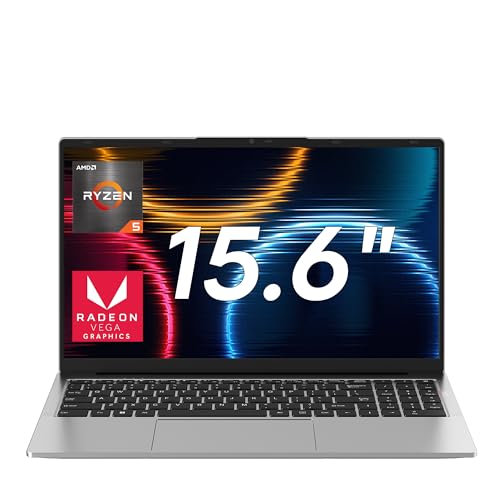
9. Jumper Ryzen 5 Gaming Laptop: Best Battery Life
Pros
- 62.7Wh battery offers great endurance
- 1TB NVMe SSD included
- 4 stereo speakers
- Lightweight at 3.88 lbs
Cons
- Integrated Radeon graphics are weak
- DDR4 RAM (not DDR5)
Best for: a student who wants a long-lasting laptop for note-taking and light gaming.
The Jumper 2026 laptop is built around the Ryzen 5 7430U, a 6-core processor that sips power. The 62.7Wh battery can last over 10 hours on a light workday, and the 65W charger fills it quickly. The 15.6-inch 1080p IPS display is anti-glare, which helps when you are working under bright lights or by a window. The 1TB NVMe SSD is a generous amount of storage for the price.
Gaming is limited to casual titles: Minecraft runs fine, Roblox is smooth, but anything more demanding will struggle because the integrated Radeon graphics are based on the older Vega architecture. The 4 stereo speakers are a nice addition, producing decent sound for watching shows.
The keyboard includes a numeric keypad, and the build is all plastic but feels decent. You get USB 3.2 ports and HDMI, but only Bluetooth 4.2 and dual-band Wi-Fi (no Wi-Fi 6).
If battery life is your main concern, the Jumper is the clear winner. For gaming, though, the NIMO 6600H offers much better integrated performance.
10. Acer Nitro V (RTX 5050): Best GPU Upgrade

Pros
- RTX 5050 with 8GB GDDR7 is the most powerful GPU here
- 165Hz IPS display
- Thunderbolt 4
- Includes a mouse pad
Cons
- Only 512GB SSD
- DDR4 RAM instead of DDR5 in the first Nitro V
Best for: someone who wants the absolute best GPU performance under $1000 and can accept a few other compromises.
This Acer Nitro V variant swaps the RTX 4050 for the newer RTX 5050, which comes with 8GB of GDDR7 VRAM. That extra memory and the architectural improvements make it noticeably faster in ray-traced games and at higher texture settings. In Metro Exodus Enhanced Edition, it runs at 60 fps with DLSS on, something the RTX 4050 struggles with. The 165Hz display is the same excellent panel as the first Nitro V.
The catch is that this model uses 16GB of DDR4 RAM instead of DDR5, which slightly hurts CPU-bound games. The storage is still a single 512GB SSD, and you only get one NVMe slot, so upgrades are limited. It also lacks the Thunderbolt 4 port of the cheaper Nitro V, relying on a USB-C 3.2 Gen 2 instead.
If you plan to keep the laptop for several years and want to play future titles, the RTX 5050 is the better bet. But for most current games, the first Nitro V with RTX 4050 and DDR5 offers almost identical performance at a lower price. This one is for the GPU enthusiasts on a tight budget.

How to Choose a Gaming Laptop Under $1000
Picking the right budget gaming laptop comes down to understanding three things: the GPU, the screen, and the build. Here is what to look for.
GPU: The Most Important Component
The graphics card determines what games you can play and at what settings. In this price range, you will find two tiers: discrete GPUs like the RTX 3050, 4050, and 5050, and integrated graphics from AMD like the Radeon 660M and 680M. A discrete GPU is mandatory for modern AAA games. The RTX 4050 is about 50 percent faster than the RTX 3050, and the RTX 5050 adds ray tracing muscle. Integrated graphics are fine for esports and older titles, but you will struggle with anything from 2023 onward. If you want to know which graphics card you need for competitive shooters like Valorant, the RTX 4050 is the sweet spot.
Screen: Refresh Rate and Resolution
Most sub-$1000 gaming laptops come with 1080p screens, and that is fine for the GPUs in this price range. The critical spec is refresh rate: 60Hz is bare minimum, but 144Hz or 165Hz makes a huge difference in how smooth the game feels. For fast-paced shooters, aim for at least 144Hz. Color accuracy is often poor on budget panels (45% NTSC is common), so if you also edit photos, look for a laptop with 100% sRGB, like the ASUS TUF F16.
RAM and Storage: Upgrade Potential
8GB of RAM is borderline for modern gaming; 16GB is the sweet spot. Many laptops here allow you to upgrade, so check if the RAM is soldered or socketed. Storage is often 512GB, which fills up with a few large games. Look for a laptop with an extra M.2 slot so you can add a second SSD later.
Build Quality and Portability
Gaming laptops under $1000 are mostly plastic, but some feel better than others. The ASUS TUF series has military-grade durability, while the MSI Thin A15 is slim and light. Consider weight and thickness if you carry the laptop daily. A 100W USB-C charger is a nice bonus, as it reduces the need for the bulky power brick.
The GPU is the king in budget gaming, but don't ignore the screen: a 60Hz laptop with a fast GPU is like driving a sports car with a speed limiter.
Frequently Asked Questions
Can gaming laptops under $1000 run modern games?
Yes, most can run modern games at 1080p with medium to high settings. Laptops with an RTX 4050 or RTX 5050 can handle ray tracing with DLSS. Integrated graphics laptops are limited to lighter titles.
Is it better to have a dedicated GPU or more RAM?
A dedicated GPU is far more important for gaming. 8GB of RAM is enough for most games, while 16GB is ideal for multitasking. Never sacrifice a discrete GPU just to get more RAM.
How long do budget gaming laptops last?
With proper care, a budget gaming laptop can last 3-5 years. The GPU and CPU will start to show their age after that, but they can still handle less demanding games.
Do I need high refresh rate for gaming?
It is not essential, but it makes a big difference in competitive shooters. 144Hz makes motion look much smoother and reduces input lag. If you play mainly single-player games, 60Hz may be fine.
Can I upgrade the RAM and storage on these laptops?
Most of the laptops here allow RAM and storage upgrades, but some have soldered RAM (like the KAIGERR). Always check the product description for upgrade options before buying.
Are refurbished gaming laptops worth considering?
Refurbished laptops can save you money, but they often lack a warranty and may have cosmetic damage. The laptops on this list are new and include warranties, which offers peace of mind.
What should I look for in a gaming laptop for school?
Look for a balance of portability and battery life. The NIMO 6850U or the KAIGERR are lightweight and have decent battery life, but they lack strong GPUs. If you must game in the dorm, the MSI Thin A15 is a good compromise.
The Bottom Line
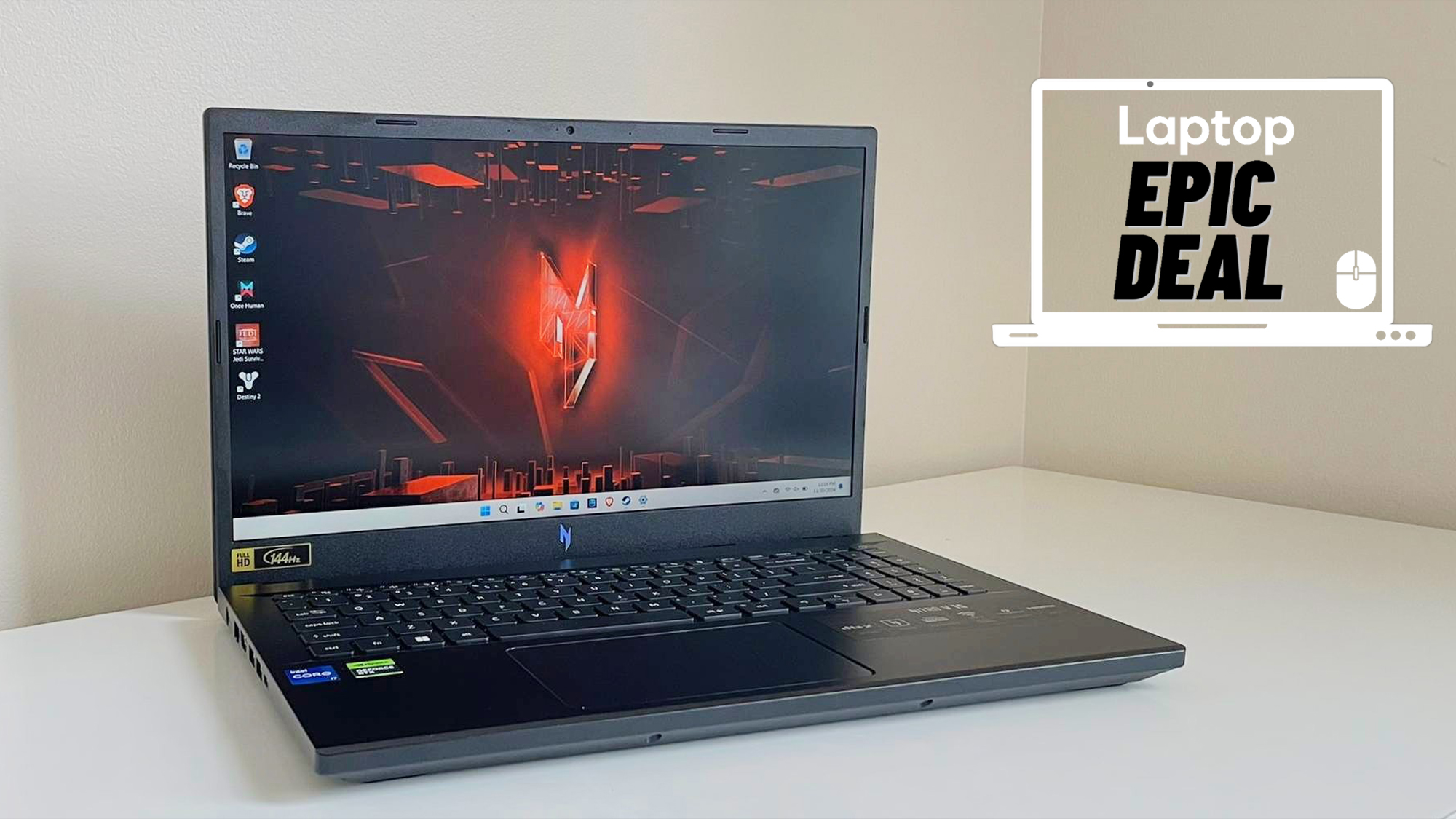
The Acer Nitro V with the RTX 4050 and 165Hz screen is the best gaming laptop under $1000 because it delivers real gaming performance where it counts: high frame rates and a smooth display, with room to upgrade the RAM later. If you need a larger screen or more RAM out of the box, the NIMO 17.3-inch model is a good alternative, and if durability is your priority, the ASUS TUF F16 is built to last.
For anyone who wants a laptop that also doubles as a content creation tool, the NIMO 15.6 Ryzen 7 Pro 6850U offers 32GB of RAM and strong integrated graphics for light gaming and heavy multitasking. If you are still unsure, think about the games you play most often and choose a gaming laptop that matches the games you actually play rather than the most demanding title you can imagine.
As an Amazon Associate we earn from qualifying purchases.