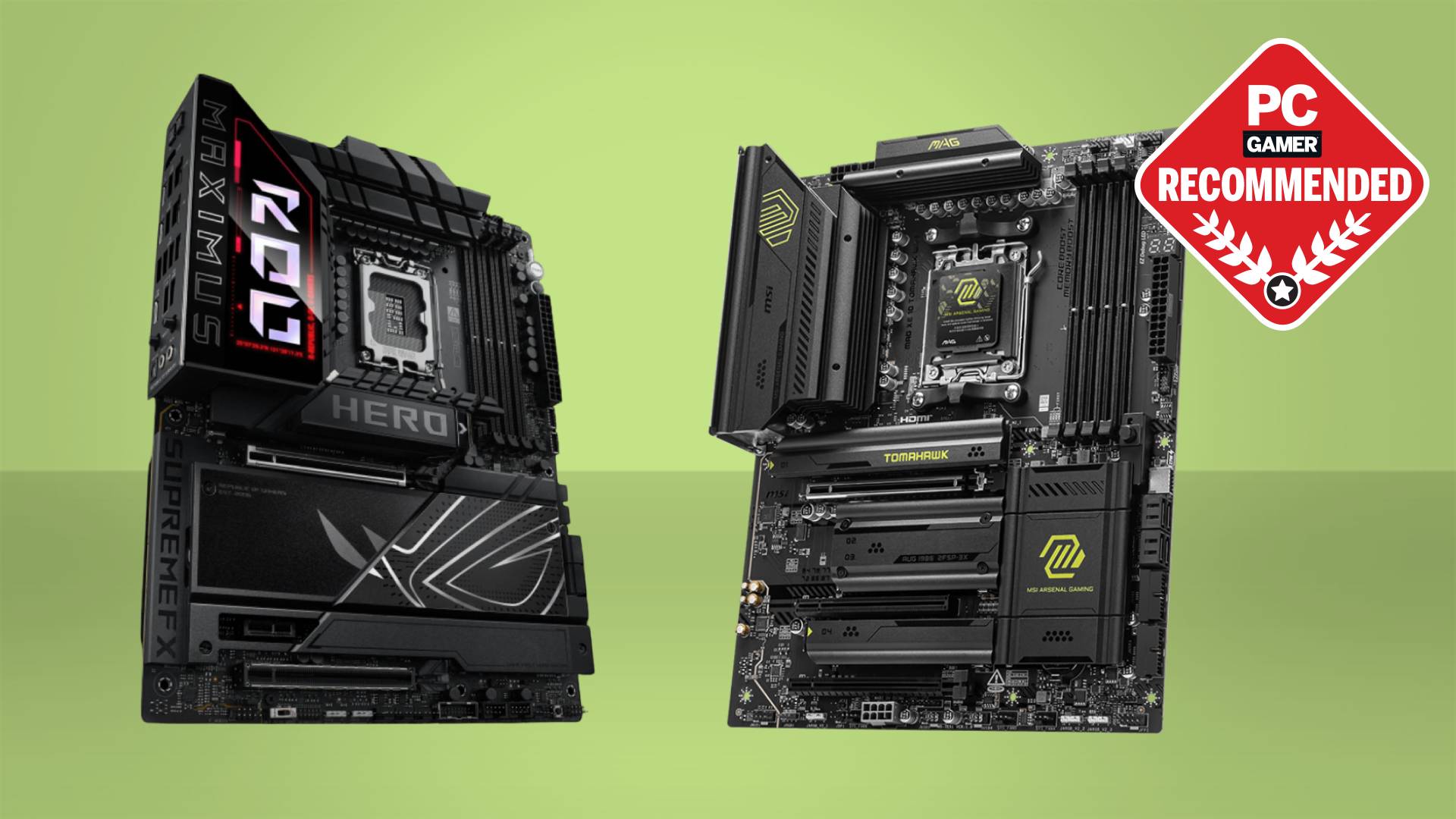

A motherboard can quietly determine how long a gaming PC remains useful. Choose the wrong socket and a future CPU upgrade means rebuilding around it. Choose a board with cramped storage, weak networking, or awkward expansion and the problems appear every time you add a drive or replace a graphics card.
Our Best gaming motherboard picks cover current AM5 platforms, an older but still relevant AM4 option, PCIe 5.0 storage, WiFi 7, and more accessible B-series boards. The ASUS ROG Strix X870E-E is the best overall pick, while the list also includes capable choices for compact upgrade plans, older Ryzen systems, and storage-heavy builds.
Comparison table
| # | Product | Award | Socket | M.2 storage | Networking | Best for |
|---|---|---|---|---|---|---|
| 1 | ASUS ROG Strix X870E-E | Best overall | AM5 | 5 slots, 3 PCIe 5.0 | WiFi 7, 5Gb Ethernet | High-end Ryzen builds |
| 2 | ASUS ROG Strix X870-A | Best white build | AM5 | 4 slots | WiFi 7 | Feature-rich white PCs |
| 3 | MSI MAG X870 Tomahawk | Best connectivity | AM5 | PCIe 5.0 M.2 | WiFi 7, 5Gb LAN | Fast wired networks |
| 4 | ASUS ROG Strix B550-F WiFi II | Best AM4 option | AM4 | Dual M.2 | WiFi 6E, 2.5Gb Ethernet | Existing Ryzen 3000 or 5000 PCs |
| 5 | GIGABYTE B850 AORUS Elite | Best straightforward AM5 board | AM5 | 3 slots | WiFi 7, 2.5GbE | New mainstream AM5 builds |
| 6 | MSI MPG X870E Carbon | Best premium MSI board | AM5 | PCIe 5.0 M.2 | WiFi 7, dual LAN | Enthusiast workstations |
| 7 | ASUS ROG Strix B850-A | Best B850 feature set | AM5 | 4 slots | WiFi 7, 2.5Gb LAN | Flexible Ryzen builds |
| 8 | GIGABYTE B650 AORUS Elite | Best proven platform | AM5 | PCIe 5.0 M.2 | WiFi 6E, 2.5GbE | Practical AM5 upgrades |
| 9 | ASUS TUF X870E-PLUS | Best rugged design | AM5 | 4 slots, 2 PCIe 5.0 | WiFi 7 | Durable high-performance builds |
1. ASUS ROG Strix X870E-E: Best Overall

Pros
- AM5 support covers Ryzen 7000, 8000, and 9000 processors
- Five M.2 slots provide unusually broad storage expansion
- WiFi 7 and 5Gb Ethernet cover fast wireless and wired networks
- USB4, Q-Release Slim, Q-Latch, and diagnostic controls simplify building
Cons
- Its large heatsinks and extensive hardware need a spacious ATX case
- The extra expansion is unnecessary for a simple single-drive build
- The feature set can make setup feel more involved than a basic board
Best for: a high-end Ryzen system that needs serious storage and connectivity headroom.
The ASUS ROG Strix X870E-E feels designed for the builder who would rather have too much motherboard than discover a missing feature six months later. It supports AMD Ryzen 7000, 8000, and 9000 desktop processors on AM5, and its 18+2+2 power design, rated at 110A per stage, gives it substantial electrical headroom for high-core-count chips. That does not automatically make a game run faster, but it creates a more comfortable foundation for sustained CPU loads and manual tuning.
Storage is where this board clearly separates itself from most of the list. It has five onboard M.2 slots, including three PCIe 5.0 slots and two PCIe 4.0 slots, all with dedicated cooling solutions. A gaming PC with one fast boot drive will not need all of that. A system that holds a large game library, scratch files, recordings, and working data can use the expansion without immediately resorting to add-in cards. The M.2 Q-Latch, Q-Release, and Q-Slide features also make drive installation less fiddly.
Connectivity is equally ambitious. Dual USB4 Type-C ports support fast external devices, while the front-panel USB 20Gbps Type-C connection suits a modern case. The board also includes a USB 10Gbps port with up to 30W Power Delivery, nine additional USB 10Gbps ports, WiFi 7, and 5Gb Ethernet. The combination gives the X870E-E a stronger long-term case than the ASUS ROG Strix X870-A, which has four M.2 slots, or the MSI MAG X870 Tomahawk, whose feature set is more focused.
ASUS adds Dynamic OC Switcher, Core Flex, asynchronous clock controls, PBO Enhancement, AI Overclocking, AI Cooling II, and AI Networking. These tools are useful for someone who wants guided tuning rather than a completely manual BIOS routine. The pre-mounted I/O shield, Q-Code, Q-LED, Start button, BIOS FlashBack button, and Clear CMOS button are the sort of details that make troubleshooting less stressful. Builders comparing platform choices may also want to consider how the motherboard affects the rest of a gaming PC build.
The weakness is simple: this is more board than many gamers need. Its substantial heatsinks and 14.4-inch width call for a compatible ATX case and careful cable planning, and its extra slots only matter if you actually plan to use them. Choose it for a Ryzen system that may grow into a demanding workstation, a multi-drive gaming machine, or a heavily tuned enthusiast build.
2. ASUS ROG Strix X870-A: Best White Build

Pros
- AM5 support covers Ryzen 7000, 8000, and 9000 processors
- WiFi 7 and USB4 keep the platform current
- 16+2+2 power delivery is suited to powerful multi-core processors
- White and silver styling fits a coordinated showcase build
Cons
- Four M.2 slots offer less expansion than the X870E-E
- The lighter power specification leaves less headroom than ASUS's flagship
- It remains an ATX board, despite its comparatively restrained expansion
Best for: a white or silver AM5 gaming PC with strong connectivity and a clean visual theme.
The ASUS ROG Strix X870-A is the board to choose when the build has a visual brief as well as a performance one. Its silver-white finish is the obvious distinction, but the underlying platform is not merely decorative. It supports Ryzen 7000, 8000, and 9000 desktop processors, uses DDR5 memory, and includes the same general ROG approach to guided tuning and installation as the darker X870E-E.
Its 16+2+2 power solution is rated for 90A per stage. That is a serious arrangement for a gaming system with a high-end Ryzen processor, though the X870E-E has more electrical headroom with its 18+2+2 design rated at 110A per stage. For a conventional gaming build, the X870-A is unlikely to feel like a compromise. It becomes the less ambitious choice when the PC is also expected to run sustained creator workloads or aggressive overclocking profiles.
The storage layout includes four M.2 slots, enough for a boot drive, game library, and several additional devices without making the system feel boxed in. That is one slot fewer than the X870E-E, but it is still more flexible than the dual M.2 arrangement on the AM4 ASUS ROG Strix B550-F WiFi II. PCIe 5.0 support keeps the primary expansion platform ready for current-generation devices, while DDR5 AEMP helps simplify memory setup.
The board also includes WiFi 7, USB4, AI Overclocking, AI Cooling II, AI Networking, Dynamic OC Switcher, Core Flex, asynchronous clock controls, and PBO Enhancement. Those features give experienced builders room to tune and give less experienced builders useful starting points. Its 13.9-inch width is a little less imposing than the X870E-E's listed 14.4 inches, although case compatibility should still be checked because both are full ATX boards.
The limitation is not a missing core gaming feature. It is the fact that the ASUS ROG Strix X870-A is easier to outgrow if the system turns into a storage-heavy workstation. It also gives up some power delivery margin compared with the top pick. Pick this board when the white finish matters, four M.2 slots are enough, and the appeal of a polished AM5 platform outweighs the need for maximum expansion.
3. MSI MAG X870 Tomahawk: Best Connectivity

Pros
- Supports AMD Ryzen 7000, 8000, and 9000 desktop processors
- USB4 provides a fast connection for compatible external hardware
- 5Gbps LAN is well suited to fast local networks
- WiFi 7 and Bluetooth 5.4 cover current wireless standards
- Extended PWM heatsink design supports demanding processors
Cons
- The listed feature set gives less storage detail than several rivals
- Its network hardware may be excessive for ordinary internet service
- It lacks the extensive onboard controls highlighted on the ASUS ROG boards
Best for: an AM5 gaming PC that needs fast wired networking and modern external connectivity.
The MSI MAG X870 Tomahawk takes a direct approach. Rather than centering the pitch on a long list of automated tuning controls, it emphasizes the parts a connected gaming desk uses every day: a USB4 port, 5Gbps LAN, WiFi 7, Bluetooth 5.4, and both HDMI and DisplayPort outputs. For a PC that connects to a fast home network, a NAS, or several high-speed peripherals, that collection is more meaningful than decorative extras.
It supports AMD Ryzen 7000, 8000, and 9000 desktop processors through the AM5 socket. MSI pairs that compatibility with an extended PWM heatsink and an enhanced circuit design intended to let high-end processors run at full speed. The product information does not specify a phase count, so it would be wrong to compare its power delivery numerically with the ASUS and GIGABYTE boards. The practical takeaway is that the board is aimed at current performance processors, not just entry-level chips.
The storage platform includes PCIe 5.0 M.2 support and SATA 6Gb/s connectivity. The listing does not state the total number of M.2 slots, which makes this a board to investigate more closely if several internal drives are part of the plan. By comparison, the ASUS ROG Strix X870E-E makes its five-slot arrangement explicit, and the ASUS ROG Strix B850-A clearly lists four. The Tomahawk's strengths are easier to identify in networking and I/O than in maximum drive count.
MSI's Audio Boost 5 design uses isolated audio and a high-quality audio processor, a sensible inclusion for anyone using analog headphones or speakers directly from the rear I/O. The 5Gbps network connection is also faster than the 2.5GbE offered by the GIGABYTE B850 AORUS Elite, though the benefit depends on the equipment on the other end. USB 40Gbps is similarly useful only when the external drive, dock, or enclosure supports it.
The weakness is a lack of clarity around some expansion details in the available specifications. A buyer focused on storage capacity should not assume it matches the five-drive flexibility of the X870E-E. The MSI MAG X870 Tomahawk makes the most sense for a gaming system where high-speed networking, USB4, and current wireless standards matter more than an unusually large internal drive array.
4. ASUS ROG Strix B550-F WiFi II: Best AM4 Option

Pros
- Supports Ryzen 3000 and 5000 series processors
- WiFi 6E and 2.5Gb Ethernet provide capable networking
- PCIe 4.0 and dual M.2 slots suit established AM4 systems
- BIOS Flashback helps with processor and firmware updates
- HDMI 2.1, DisplayPort 1.2, and USB 3.2 Gen 2 Type-C add flexibility
Cons
- AM4 and DDR4 limit the forward upgrade path
- PCIe 4.0 is behind the PCIe 5.0 boards here
- Two M.2 slots provide less storage expansion than the AM5 picks
Best for: upgrading an existing Ryzen 3000 or 5000 system without replacing the CPU platform.
The ASUS ROG Strix B550-F WiFi II is the only genuinely different platform in this group, and that is exactly why it remains relevant. It uses the AM4 socket and supports Ryzen 3000 and 5000 series processors, along with 5000 and 4000 G-series desktop chips. If the rest of a PC already uses compatible memory and a Ryzen processor, this board can extend the machine without forcing a complete platform change.
Its PCIe 4.0 support is no longer the newest option, but it remains appropriate for many graphics cards and NVMe drives. The board has dual M.2 slots, USB 3.2 Gen 2 Type-C, HDMI 2.1, and DisplayPort 1.2. That gives an existing AM4 system a useful selection of storage and display connections, though it cannot match the PCIe 5.0 expansion or larger M.2 counts found on the GIGABYTE B850 AORUS Elite and ASUS ROG Strix X870-A.
Networking is handled by WiFi 6E and Intel 2.5Gb Ethernet with ASUS LANGuard, while Bluetooth 5.2 covers nearby wireless accessories. WiFi 6E is still capable for a gaming room with a compatible router, but WiFi 7 on newer boards offers a more current wireless standard. The difference matters most if the rest of the network has already moved forward, not simply because the newer label exists.
The 12+2 teamed power stages, ProCool power connector, alloy chokes, and durable capacitors give the board a solid foundation for supported Ryzen processors. BIOS Flashback is particularly useful on an upgrade board because it can help with firmware updates without requiring a fully working processor setup. The UEFI BIOS dashboard is designed to be approachable, and the board also includes addressable Gen 2 RGB support and Aura Sync.
The unavoidable weakness is the platform's age. AM4 gives up DDR5 and PCIe 5.0, and the two M.2 slots are restrictive for a new workstation-style build. Still, someone building around an existing Ryzen 5000 processor should not dismiss it simply because the newer boards have longer specifications. If you are deciding between retaining an AM4 system and moving to a new processor platform, the CPU and motherboard choices that shape an upgrade deserve attention together.
5. GIGABYTE B850 AORUS Elite: Best Straightforward AM5 Board

Pros
- Supports Ryzen 7000, 8000, and 9000 processors
- WiFi 7 and 2.5GbE provide current network support
- Three M.2 slots balance expansion and simplicity
- PCIe 5.0, USB-C, and M.2 Thermal Guard cover important upgrades
- EZ-Latch simplifies component installation
Cons
- Three M.2 slots are fewer than the ASUS boards with four or five
- The feature list is less extensive than the premium X870E boards
- It does not offer the 5Gb networking found on several MSI and ASUS picks
Best for: a new AM5 gaming PC that needs the essential modern features without an oversized expansion brief.
The GIGABYTE B850 AORUS Elite is easy to understand. It supports Ryzen 7000, 8000, and 9000 processors, uses DDR5 memory, and places the most useful current standards in a conventional ATX layout. There is no need to build the rest of the PC around a specialized feature. It is a sensible starting point for someone who wants AM5 longevity and enough expansion for a typical gaming system.
Its 14+2+2 power design is paired with VRM and M.2 Thermal Guard cooling. The phase count tells only part of the story, but the arrangement is clearly aimed at modern multi-core Ryzen processors rather than low-power office parts. Four DIMM slots support DDR5 memory, giving the builder room to populate or expand memory without immediately replacing the board.
Three M.2 slots provide a useful middle ground. One PCIe 5.0 drive can serve as the fastest storage tier, while the additional slots can hold game libraries or secondary working drives. That is less room than the five M.2 slots on the ASUS ROG Strix X870E-E, but more practical than the dual-slot arrangement of the ASUS ROG Strix B550-F WiFi II. PCIe 5.0 support also gives the primary expansion path a current interface.
Networking includes WiFi 7 and 2.5GbE LAN. The wireless standard is a clear step beyond WiFi 6E, although a compatible router is needed to use its newer capabilities. USB-C connectivity, EZ-Latch, Sensor Panel Link, and the listed five-year warranty add useful ownership details. EZ-Latch is especially welcome when working around a large graphics card or replacing an M.2 drive.
The main limitation is that the board stops short of enthusiast expansion. It does not list the five M.2 slots, 5Gb Ethernet, USB4, or extensive diagnostic controls found on the higher-end picks. That is not a problem for a straightforward gaming system, but it matters if the PC will also serve as a storage server or heavy content workstation. Choose the GIGABYTE B850 AORUS Elite when three drives, 2.5GbE, and a clean AM5 foundation cover the actual plan.
6. MSI MPG X870E Carbon: Best Premium MSI Board

Pros
- Supports Ryzen 7000, 8000, and 9000 processors
- PCIe 5.0 provides a high-bandwidth graphics and storage platform
- Heavy MOSFET heatsink and heat-pipe design target sustained loads
- EZ PCIe Release makes graphics card removal easier
- Dual LAN supports separate local and internet network roles
Cons
- The feature set is aimed at demanding builds rather than simple gaming PCs
- The listing does not specify the total M.2 slot count
- Its 5.49-pound weight and large heatsinks call for careful installation
Best for: an enthusiast AM5 system that combines gaming with demanding storage and network work.
The MSI MPG X870E Carbon is a serious board with a workstation streak. It supports AMD Ryzen 7000, 8000, and 9000 processors, and the premium thermal design is built around a heavy-plated MOSFET heatsink, a heat-pipe connection, 7W/mK MOSFET thermal pads, extra choke thermal pads, and an onboard M.2 Shield Frozr. Those details matter when the processor, storage, and graphics hardware are all producing heat inside a closed case.
PCIe 5.0 is the central expansion feature. MSI describes its Lightning Gen 5 solution as supporting up to 128GB/s of bandwidth, giving current and future compatible devices a high-speed path. The board also includes M.2 Gen5 support and SATA 6Gb/s connections. The listing does not state how many M.2 slots it carries, so anyone planning a large drive array should compare the exact slot layout before buying. The ASUS ROG Strix X870E-E is more transparent and more generous on stated M.2 capacity.
Networking is a strong reason to consider the Carbon. It includes WiFi 7, Bluetooth 5.4, 5Gbps LAN, and dual LAN. Dual network connections can be useful for separating a local storage network from internet traffic, or for a machine that serves more than one role. WiFi 7 and USB 40Gbps also keep the board aligned with current high-speed peripherals. Builders working through the broader system should consider how the supporting hardware fits around a gaming motherboard, particularly when the board will host more than a graphics card and one SSD.
EZ PCIe Release is a small but valuable physical feature. Pressing a button to unlock the graphics slot is easier than reaching under a large cooler or graphics card with a screwdriver or fingertip. The board's 13.46-inch length and 5.49-pound listed weight reflect its substantial construction, so a case with comfortable working room is preferable.
The drawback is that MSI leaves the buyer to verify some of the storage specifics, while ASUS offers a more clearly documented expansion story. The MSI MPG X870E Carbon is also needlessly elaborate for a single-drive gaming PC. It belongs in an enthusiast build where dual networking, robust thermal hardware, PCIe 5.0, and fast external connections will see regular use.
7. ASUS ROG Strix B850-A: Best B850 Feature Set

Pros
- AM5 support covers Ryzen 7000, 8000, and 9000 processors
- Four M.2 slots give a flexible storage layout
- WiFi 7 with Q-Antenna and 2.5Gb LAN cover modern networking
- USB 20Gbps Type-C is useful for fast front-panel devices
- AI Advisor and AI Networking II simplify configuration
Cons
- 80A power stages provide less headroom than the top X870E boards
- It lacks the USB4 called out on the ROG X870 models
- Four M.2 slots may still be excessive for a basic gaming build
Best for: a flexible AM5 gaming PC that needs four M.2 slots without moving to a flagship chipset.
The ASUS ROG Strix B850-A lands in a useful middle position. It supports Ryzen 7000, 8000, and 9000 processors and offers more storage flexibility than many boards that sit below the flagship tier. Its styling is also distinctive, though the practical reasons to choose it are the four M.2 slots, WiFi 7, 2.5Gb LAN, and USB 20Gbps Type-C.
The 14+2+2 power solution uses stages rated for 80A per stage. ASUS pairs that arrangement with an 8+8-pin ProCool power connector, alloy chokes, durable capacitors, and large heatsinks bridged to the VRMs with high-conductivity thermal pads. That is a sensible platform for a multi-core Ryzen processor. The ASUS ROG Strix X870E-E still has more power headroom and more advanced overclocking controls, but most gaming builds do not need the flagship's full electrical reserve.
Four M.2 slots give this board a meaningful advantage over the GIGABYTE B850 AORUS Elite, which has three. The extra slot can separate the operating system, games, recordings, and project files without immediately consuming a PCIe slot. PCIe 5.0 support keeps at least the fastest storage and expansion paths current, while DDR5 AEMP is intended to make memory configuration less tedious.
ASUS also includes AI Advisor, AI Networking II, and a Q-Antenna for WiFi 7. The software features are not a substitute for understanding the build, but they can make first setup less intimidating. USB 20Gbps Type-C gives a fast connection for compatible external storage and front-panel accessories, although the board does not list the USB4 ports found on the X870 ASUS models.
The real compromise is expansion at the very top end. The board uses 80A stages rather than the 90A or 110A designs on the ROG X870 boards, and it lacks their USB4 emphasis. It is a strong fit for a gaming PC with several drives and a current Ryzen processor, but someone planning sustained workstation loads or elaborate tuning should move up to the ASUS ROG Strix X870-A or X870E-E.
8. GIGABYTE B650 AORUS Elite: Best Proven Platform

Pros
- Supports Ryzen 7000, 8000, and 9000 processors
- 14+2+1 power design uses 70A digital VRM stages
- PCIe 5.0 NVMe support provides a modern storage path
- WiFi 6E and 2.5GbE cover common fast-network needs
- EZ-Latch, Q-Flash, and RGB Fusion add practical build features
Cons
- WiFi 6E is behind the WiFi 7 boards in this roundup
- The listed storage arrangement is less expansive than four or five M.2 boards
- The platform offers fewer premium connectivity features than X870 models
Best for: a capable AM5 gaming PC that does not need WiFi 7 or enthusiast I/O.
The GIGABYTE B650 AORUS Elite remains an appealing AM5 foundation because it concentrates on features that have a direct effect on a build. It supports Ryzen 7000, 8000, and 9000 processors, uses DDR5 memory with AMD EXPO and Intel XMP support, and provides PCIe 5.0 NVMe connectivity. It is not trying to be the most elaborate board here, which makes its layout easier to match to a normal gaming system.
Its twin 14+2+1 phase design uses 70A power stages, an 8-layer 2X copper PCB, a 6mm heatpipe, and fully covered MOSFET heatsinks. The M.2 Thermal Guard and PCIe Ultra Durable Armor add protection around the areas that take the most physical and thermal stress. Those details give the board a reassuring base for a modern Ryzen processor without requiring the more involved cooling and expansion planning of the premium X870E choices.
Storage support includes a PCIe 5.0 NVMe x4 M.2 slot, plus front and rear USB-C connections for external devices. The available listing does not give a complete M.2 slot count, so buyers with several internal drives should check the board layout carefully. The ASUS ROG Strix B850-A is a clearer choice if four M.2 slots are a firm requirement, while the B650 AORUS Elite suits a build centered on one fast boot drive and a smaller number of additional devices.
Networking uses WiFi 6E and 2.5GbE. WiFi 6E remains a capable choice for a compatible router, but it does not offer the same current standard as the WiFi 7 hardware on the GIGABYTE B850 AORUS Elite or ASUS TUF X870E-PLUS. Q-Flash can make firmware maintenance easier, EZ-Latch helps with installation, and RGB Fusion handles lighting control for builders who want coordinated case illumination.
The board's weakness is the lack of newer premium connectivity rather than a major flaw in its core design. There is no stated USB4 or 5Gb networking, and its expansion story is not as broad as the X870E boards. Pick the GIGABYTE B650 AORUS Elite when the goal is a sensible AM5 build with strong power delivery, PCIe 5.0 storage, and familiar connectivity rather than a showcase of every current standard.
9. ASUS TUF X870E-PLUS: Best Rugged Design

Pros
- Supports Ryzen 7000, 8000, and 9000 processors
- 16+2+1 power stages are rated for 80A
- Four M.2 slots include two PCIe 5.0 and two PCIe 4.0 slots
- WiFi 7 and Q-Antenna support current wireless networking
- PCIe Slot Q-Release Slim simplifies graphics card removal
Cons
- It has less power headroom than the ROG Strix X870E-E
- The available specifications do not list USB4
- Its four M.2 slots trail the five on ASUS's flagship board
Best for: a durable, high-performance AM5 build with a balanced storage layout.
The ASUS TUF X870E-PLUS puts its emphasis on a sturdy platform and practical expansion. It supports Ryzen 7000, 8000, and 9000 processors, uses an 8-layer PCB, and pairs its 16+2+1 power design with 80A stages, 8+8-pin ProCool connectors, alloy chokes, and durable capacitors. It is the less flashy ASUS alternative to the ROG boards, but its hardware choices make sense for a powerful gaming machine that needs to stay stable under sustained use.
The storage arrangement is particularly clear. There are four M.2 slots, with two PCIe 5.0 slots and two PCIe 4.0 slots. That lets a builder reserve the newest interface for the fastest drives while using the other slots for game storage and secondary files. The ASUS ROG Strix X870E-E still wins on total capacity with five slots, while the ASUS TUF X870E-PLUS offers a more measured layout for someone who does not expect to fill every possible connector.
ASUS includes AI Overclocking, AI Cooling II, AI Networking II, and AEMP for guided configuration. These tools can reduce the amount of trial and error involved in setting up memory, cooling, and network behavior. WiFi 7 with the ASUS WiFi Q-Antenna gives the board current wireless support, and the Q-Antenna design is intended to make antenna connection less awkward during the build.
The PCIe 5.0 x16 slot includes PCIe Slot Q-Release Slim, a useful physical control when a large graphics card covers the usual retention clip. At 12 inches long and 9.6 inches wide, the board has a more compact footprint than the 14.4-inch ROG Strix X870E-E, although it remains an ATX model and still needs a compatible case. The listed 3.4-pound weight also makes it easier to handle during installation than some of the heavier premium boards.
The weakness is that the TUF model does not match the ROG flagship's power delivery, five-slot M.2 arrangement, or stated USB4 connectivity. It is not the board for someone chasing every enthusiast feature. It is the right fit for a builder who wants a robust AM5 base, four well-defined storage slots, WiFi 7, and installation details that make a large graphics card easier to manage.

How to choose best gaming motherboard
Start with the processor and the case, then compare expansion and connectivity. A motherboard cannot improve a graphics card by itself, but it can determine which CPUs, drives, memory, and network hardware the finished PC can support.
CPU socket and platform
The socket must match the processor. AM5 boards in this group support AMD Ryzen 7000, 8000, and 9000 processors, while the ASUS ROG Strix B550-F WiFi II uses AM4 and is intended for Ryzen 3000 and 5000 series chips, plus certain G-series processors.
AM5 is the more forward-looking choice for a new build because it pairs with DDR5 and the newer PCIe 5.0 boards here. AM4 makes more sense when you already own a compatible processor, memory, or other platform hardware. Do not choose a board first and assume the CPU can be changed later without checking the socket.
Power delivery and cooling
Power stages, chokes, capacitors, heatsinks, and CPU power connectors work together to feed the processor. A board such as the ASUS ROG Strix X870E-E uses an 18+2+2 design rated for 110A per stage, while the GIGABYTE B650 AORUS Elite uses 14+2+1 phases with 70A digital stages.
Higher numbers are not a guarantee of higher frame rates. They matter more when using a high-core-count processor, sustained workloads, or manual tuning. Look for substantial VRM heatsinks and a case with good airflow. A basic gaming processor does not need the most elaborate power system in the category.
Buy power delivery for the processor you will actually run, not for an overclocking scenario you never intend to use.
M.2 and PCIe expansion
M.2 count determines how many internal NVMe drives can be installed without add-in cards. The ASUS ROG Strix X870E-E has five M.2 slots, including three PCIe 5.0 and two PCIe 4.0 slots. The ASUS TUF X870E-PLUS has four, split between two PCIe 5.0 and two PCIe 4.0 slots, while the AM4 B550 board has dual M.2 slots.
PCIe 5.0 is useful for compatible storage and future expansion, but it does not make an existing PCIe 4.0 drive load games instantly. Count the drives you expect to install, then check whether large heatsinks interfere with access to the slots or graphics card.
Networking
WiFi 7 appears on many of the newer AM5 boards, including the ASUS X870 and B850 choices, the MSI X870 models, and the GIGABYTE B850 AORUS Elite. WiFi 6E on the GIGABYTE B650 AORUS Elite and ASUS ROG Strix B550-F WiFi II remains useful with compatible equipment.
Wired speed varies from 2.5GbE to 5Gb Ethernet. A 5Gb port matters when the router, switch, storage server, and cabling can use it. For ordinary internet service, a faster port may not change online gaming latency. Check antenna placement too, particularly if the PC will sit under a desk or far from the router.
Rear and internal I/O
USB4 and USB 40Gbps are worthwhile for compatible external SSDs, docks, and other high-speed accessories. USB 20Gbps Type-C is still a useful step above older connections. Display outputs such as HDMI and DisplayPort matter mainly when using integrated graphics or troubleshooting before a graphics card is installed.
Physical controls also affect the build experience. BIOS Flashback helps with firmware maintenance, Q-Release Slim makes graphics card removal easier, and diagnostic LEDs or codes can help identify a failed memory or processor startup. These features do not appear in frame-rate charts, but they matter when building or maintaining the PC.
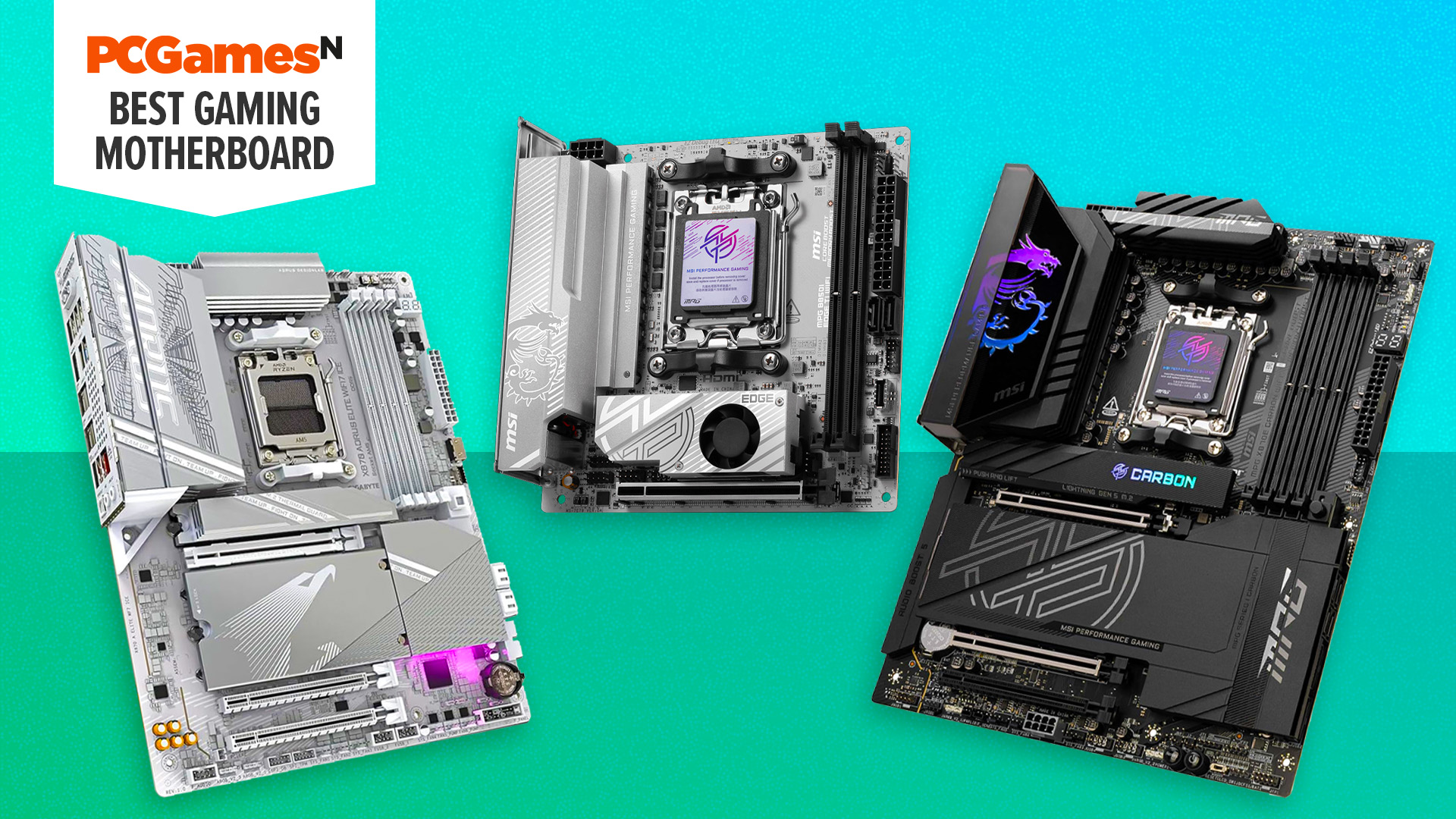
Frequently asked questions
Which socket should a new gaming PC use?
The AM5 socket is the stronger starting point among these products for a new system. It supports Ryzen 7000, 8000, and 9000 processors and appears across the X870, X870E, B850, and B650 boards. The AM4 ASUS ROG Strix B550-F WiFi II is better suited to an existing AM4 system.
Do gaming motherboards improve frame rates?
A motherboard normally does not create a major frame-rate increase by itself. Its job is to provide stable support for the processor, memory, graphics card, storage, and network hardware. A board with the right socket, power delivery, and expansion features prevents the motherboard from becoming the limiting part of the build.
How many M.2 slots does a gaming PC need?
One M.2 slot is enough for a simple boot and game drive arrangement. Two or three slots give more flexibility for separating the operating system, games, recordings, and project files. The ASUS ROG Strix X870E-E and ASUS TUF X870E-PLUS are better suited to storage-heavy systems because they offer five and four slots respectively.
Is PCIe 5.0 necessary for a graphics card?
It is not necessary for every gaming build. PCIe 5.0 gives compatible graphics cards and storage devices a newer, higher-bandwidth interface, but a PCIe 4.0 setup can still be appropriate for many current systems. Choose PCIe 5.0 when you want expansion headroom or plan to use compatible high-speed NVMe storage.
Is WiFi 7 useful for gaming?
WiFi 7 can be useful when paired with a compatible router and a strong wireless environment. It does not automatically reduce internet latency, which is also affected by the service connection, router location, and network congestion. WiFi 6E remains capable for many homes, while WiFi 7 is the more current choice on the newer AM5 boards.
Do I need 5Gb Ethernet?
Most gamers do not need 5Gb Ethernet for ordinary online play. It becomes more useful when transferring large files to a local server, using network storage, or sharing a fast connection across multiple systems. The MSI boards and the ASUS ROG Strix X870E-E offer faster wired networking than the boards limited to 2.5GbE.
Can an AM4 processor work in an AM5 motherboard?
No. AM4 and AM5 are different processor platforms, and the memory support differs as well. The ASUS ROG Strix B550-F WiFi II is the AM4 choice here, while the other boards use AM5 and target newer Ryzen processor families.
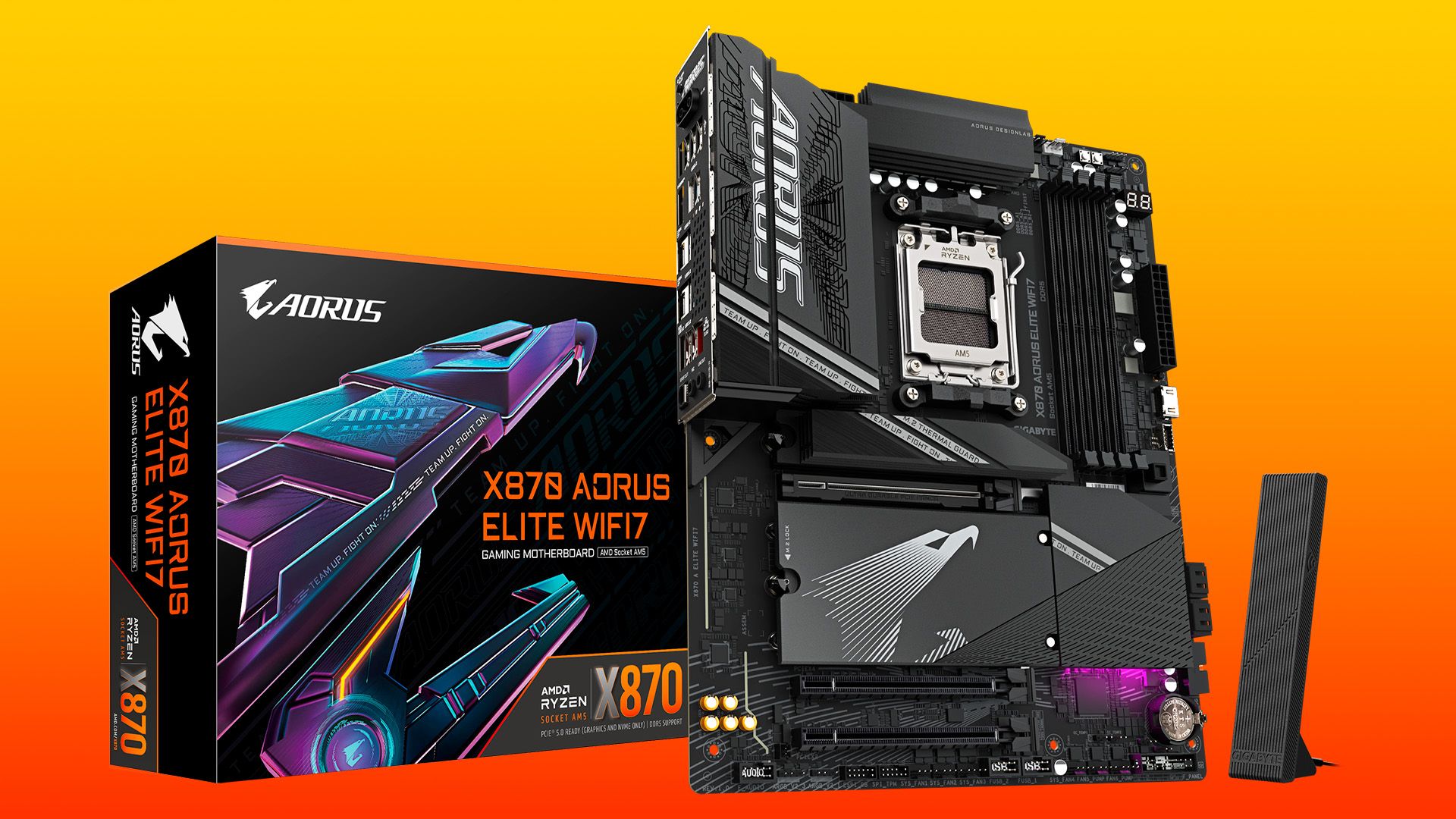
The bottom line
The ASUS ROG Strix X870E-E is our top pick among these Best gaming motherboard options because it combines the broadest stated storage expansion with 110A power stages, WiFi 7, 5Gb Ethernet, USB4, and unusually helpful build controls. It is the board we would keep for a high-end Ryzen PC that may grow beyond a simple gaming setup.
For a more focused build, the GIGABYTE B850 AORUS Elite offers a cleaner AM5 foundation with three M.2 slots, WiFi 7, PCIe 5.0, and 2.5GbE. Existing AM4 owners should choose the ASUS ROG Strix B550-F WiFi II instead of replacing a compatible platform without a clear reason.
If you are undecided, match the socket and number of storage drives first, then choose the board with networking and rear I/O that your actual PC can use.
As an Amazon Associate we earn from qualifying purchases.