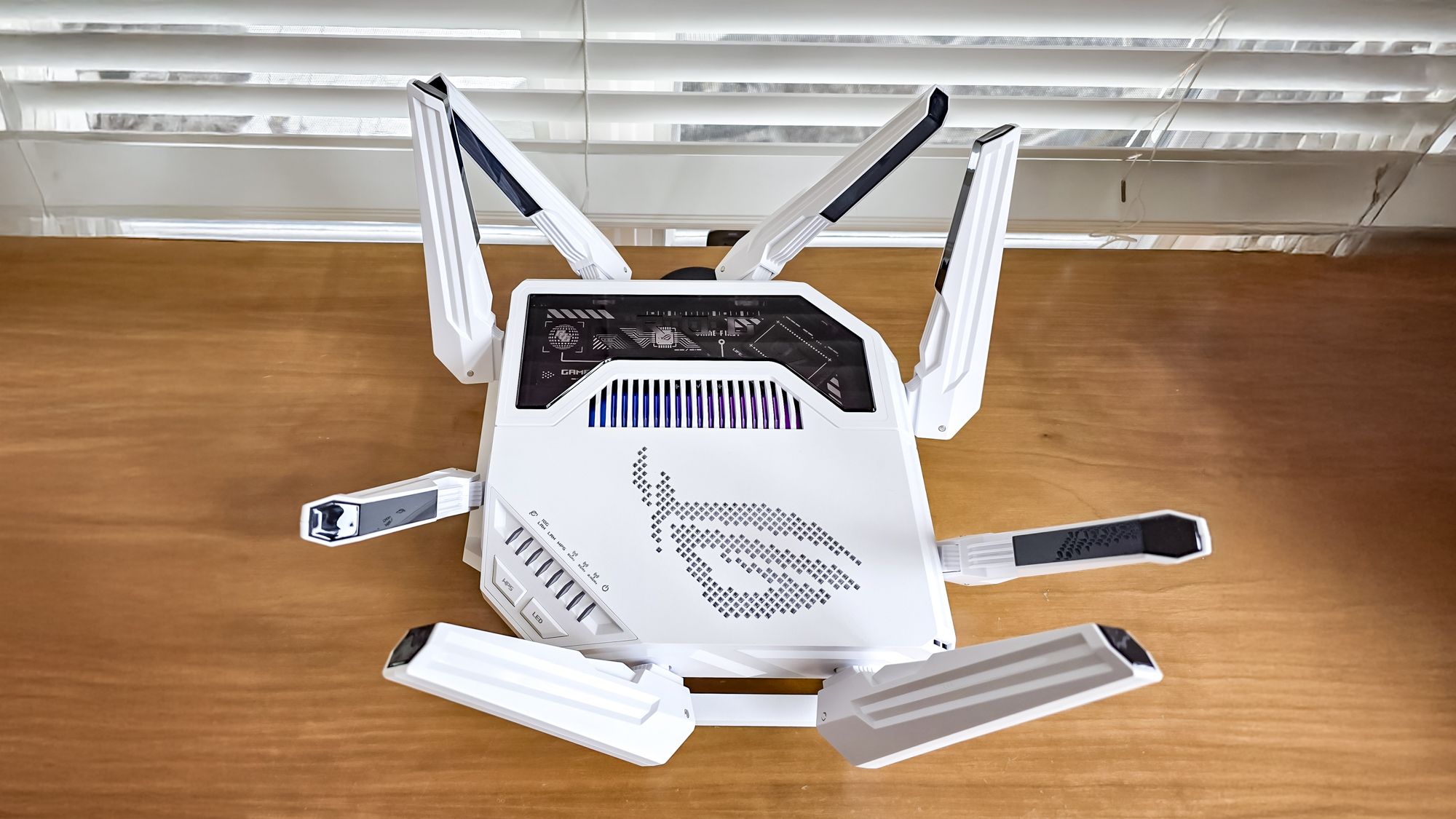

A crowded home network can turn a perfectly capable internet connection into a frustrating gaming session. A console downloading an update, a television streaming 4K video, and a laptop on a video call can all compete with the same wireless airtime.
The Best gaming router choices below separate gaming traffic from the rest of the house in different ways. Some use a clean 6 GHz band, some offer dedicated gaming panels, and others focus on wired multi gigabit connections or advanced VPN controls.
Our top pick is the TP-Link Archer AXE75, with options ranging from straightforward WiFi 6 hardware to extremely powerful WiFi 7 routers built for demanding networks.
| # | Product | Award | Wireless class | Wired connectivity | Best for |
|---|---|---|---|---|---|
| 1 | TP-Link Archer AXE75 | Best overall | Tri-band WiFi 6E, AXE5400 | Gigabit connectivity | Most gaming households |
| 2 | ASUS ROG GT-BE98 Pro | Best for extreme throughput | Quad-band WiFi 7 | Dual 10G, four 2.5G ports | High-end wired and wireless setups |
| 3 | TP-Link Archer GE650 | Best dedicated gaming controls | Tri-band WiFi 7, BE11000 | 5G WAN, 5G LAN, three 2.5G LAN | Gamers who want a dedicated game panel |
| 4 | TP-Link Archer BE400 | Best WiFi 7 coverage | Dual-band WiFi 7, BE6500 | Two 2.5G ports, three gigabit ports | Homes with newer WiFi devices |
| 5 | TP-Link Archer AX21 V5 | Best simple WiFi 6 option | Dual-band WiFi 6, AX1800 | Gigabit connectivity | Smaller networks and basic gaming |
| 6 | ASUS GT-BE19000AI | Best AI networking features | Tri-band WiFi 7 | Dual 10G, four 2.5G ports | Enthusiasts and advanced smart homes |
| 7 | ASUS ROG Strix GS-BE12000 | Best wired expansion | Tri-band WiFi 7 | One 2.5G WAN, seven 2.5G LAN | Multiple wired gaming devices |
| 8 | GL.iNet Flint 2 | Best for VPN control | WiFi 6, eight-stream | Two 2.5G Ethernet ports | VPN users and network tinkerers |
| 9 | MSI Radix AXE6600 | Best gaming-focused WiFi 6E | Tri-band WiFi 6E | Gigabit wireless networking | RGB gaming rooms |
| 10 | TP-Link Archer GE800 | Best multi gigabit gaming hub | Tri-band WiFi 7, BE19000 | Two 10G, four 2.5G ports | High-bandwidth gaming networks |
1. TP-Link Archer AXE75: Best Overall

Pros
- 6 GHz band gives compatible devices a cleaner wireless path
- Tri-band design handles gaming and household traffic well
- OneMesh, VPN, WPA3, and HomeShield support
Cons
- No multi gigabit wired ports
- Older WiFi 6E platform than the WiFi 7 options here
Best for: most households that want a sensible mix of gaming performance, coverage, and controls.
The TP-Link Archer AXE75 is the router we would put in the average gaming home first. It has enough wireless capacity to keep a game session from fighting every other device for the same band, yet it avoids the oversized hardware and complicated feature sets of the top WiFi 7 models. Its tri-band layout includes 2.4 GHz, 5 GHz, and 6 GHz, so a compatible gaming laptop or desktop can use the least crowded band while older devices remain on the others.
The numbers tell a useful story. The 6 GHz and 5 GHz bands are each rated at up to 2402 Mbps, while 2.4 GHz reaches up to 574 Mbps, for an AXE5400 class total. Those are link-rate figures rather than guaranteed internet speeds, but the separate 6 GHz band can mean fewer competing devices and less congestion nearby. The router also uses OFDMA to communicate with multiple devices more efficiently, which matters when someone else is streaming, browsing, or uploading while you play.
A 1.7 GHz quad-core CPU and 512 MB of memory give the AXE75 enough processing headroom for its network features. HomeShield includes basic network security, IoT device identification, parental controls, quality of service, and reports. VPN server and client support add flexibility for remote access or routing selected traffic through a VPN. OneMesh support also gives you a path to extend coverage with a compatible TP-Link extender. For a wider look at how different homes should balance wireless bands and coverage, the trade-offs between dedicated gaming bands and general home WiFi are useful to understand.
The weakness is its gigabit-class wired focus. The TP-Link Archer GE650 and TP-Link Archer GE800 are better fits for a home built around multi gigabit internet, network storage, or several high-speed wired systems. The AXE75 also requires 6 GHz compatible clients to make the most of its newest band. Choose it when you want a capable, understandable router that covers the central gaming needs without turning network management into a hobby.
2. ASUS ROG GT-BE98 Pro: Best for Extreme Throughput

Pros
- Quad-band WiFi 7 design with 320 MHz channels
- Dual 10G ports and four 2.5G ports
- Triple-level game acceleration
Cons
- Large 4.4-pound chassis needs open placement
- Its advanced capacity exceeds what many homes can use
Best for: enthusiasts with multi gigabit service, newer WiFi clients, and several demanding wired devices.
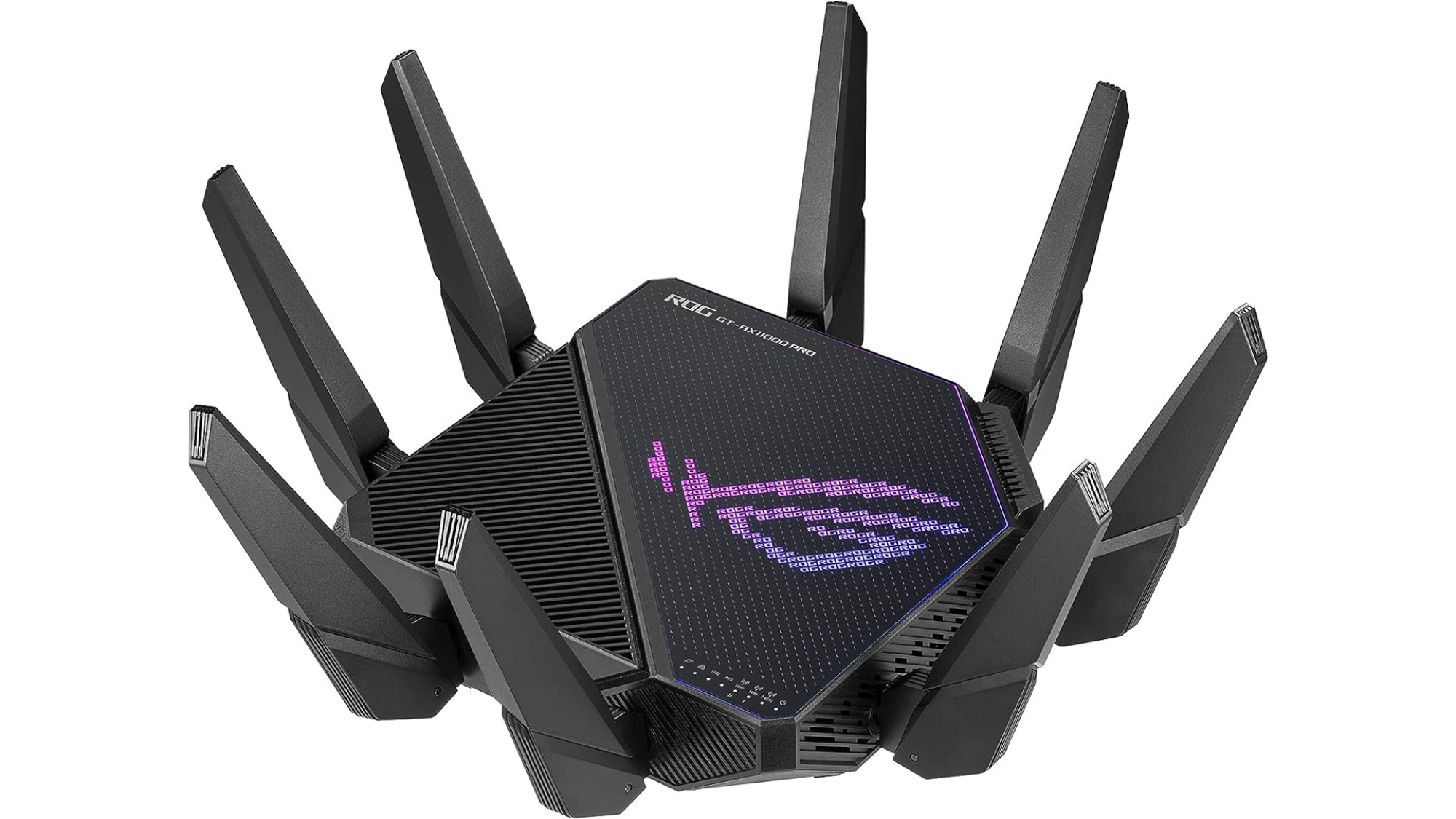
The ASUS ROG GT-BE98 Pro is built for a very different buyer from the Archer AXE75. It is a large, serious piece of networking hardware, measuring 13.7 inches in both height and length and weighing 4.4 pounds. That bulk is not subtle, but it accompanies an unusually flexible connection layout and a feature set aimed at users who want to shape traffic from the game device all the way toward the server.
Its quad-band WiFi 7 design supports 320 MHz channels in the 6 GHz band and 4096-QAM. Those technologies can increase throughput and capacity with compatible clients, while Multi-Link Operation can use multiple bands at once to improve connection stability and data transfers. The advertised combined wireless capacity reaches up to 30 Gbps. That figure should be treated as a ceiling for the entire system, not a promise that one console will download at that speed.
Wired equipment gets unusually generous treatment. There are dual 10G ports and four 2.5G ports, giving a home with a fast modem, desktop, console, access point, and network storage plenty of room to grow. The triple-level game acceleration system is the main reason to choose this ROG model over a generic WiFi 7 router. It is designed to prioritize gaming traffic across the client connection, the router, and the route toward the game server. Mobile Game Mode also targets phone gaming rather than treating it as an afterthought.
The ASUS GT-BE19000AI offers an even more ambitious software and smart-home platform, while the ASUS ROG Strix GS-BE12000 gives you more 2.5G LAN ports in a somewhat different layout. The GT-BE98 Pro remains the stronger choice for a user who wants quad-band WiFi 7 and dual 10G connectivity in one device. Skip it if your clients are mostly older WiFi generations or your internet plan and wired equipment cannot take advantage of the extra capacity.
3. TP-Link Archer GE650: Best Dedicated Gaming Controls

Pros
- Dedicated 5 GHz gaming band
- Game panel exposes traffic and router performance controls
- 5G WAN, 5G LAN, and three 2.5G LAN ports
Cons
- Gaming features add interface complexity
- No 10G port
Best for: players who want visible gaming controls and a fast wired network without moving to the largest routers.
The TP-Link Archer GE650 takes the gaming-router brief literally. Its dedicated 5 GHz gaming band is meant to keep game traffic away from other household activity, and the game panel puts device prioritization, performance information, and RGB controls in one place. That makes it more approachable for someone who wants to see what the router is doing rather than configure every detail through a conventional network menu.
This is a tri-band BE11000 router with up to 5764 Mbps on 6 GHz, 4320 Mbps on 5 GHz, and 574 Mbps on 2.4 GHz. WiFi 7 features include 320 MHz channels and Multi-Link Operation. Compatible devices can use the extra 6 GHz spectrum and combine links across bands, while older devices can continue using 5 GHz or 2.4 GHz. The dedicated gaming band is the most practical distinction, since it addresses the familiar problem of a game competing with streaming and downloads.
The port selection is strong for a midrange gaming setup. It includes one 5 Gbps WAN port, one 5 Gbps LAN port, and three 2.5 Gbps LAN ports, plus USB 3.0. That is enough for a fast modem and several wired gaming systems, though the TP-Link Archer GE800 is the better choice when 10G connections are part of the plan. WTFast support is also listed for accelerating game devices, servers, and applications such as Steam, Twitch, and Origin. HomeShield adds network and IoT protection, while EasyMesh can extend the network with compatible hardware.
The GE650 is less compelling for a quiet living room because its volcano-inspired enclosure and customizable RGB lighting are unmistakably gaming themed. It also has more controls to learn than the straightforward TP-Link Archer BE400. Choose this one if the game panel, dedicated gaming band, and flexible multi gigabit ports are central to how you want to manage the network. If you only need stable wireless for one console, its specialized interface may be more than you need.
4. TP-Link Archer BE400: Best WiFi 7 Coverage

Pros
- WiFi 7 features in a simpler dual-band design
- Rated coverage of up to 2, 400 square feet
- Supports up to 90 devices and EasyMesh expansion
Cons
- No 6 GHz band
- Fewer gaming-specific controls than the GE650
Best for: homes that want WiFi 7 capacity and broad stated coverage without a large quad-band gaming chassis.
The TP-Link Archer BE400 is the practical WiFi 7 option in this group. It does not look or behave like a dedicated gaming centerpiece. Instead, it focuses on supplying a strong central connection for a busy home, with a compact body, six high-performance antennas, and a stated coverage area of up to 2, 400 square feet. The manufacturer also rates it for up to 90 devices, though walls, placement, and client hardware will shape the real result.
This is a dual-band router with up to 5764 Mbps on 5 GHz and 688 Mbps on 2.4 GHz, for a BE6500 class total. There is no 6 GHz band, so it cannot offer the low-congestion 6 GHz path found on the Archer AXE75 or the tri-band WiFi 7 models. Its WiFi 7 tools still include Multi-Link Operation, Multi-RUs, and 4K-QAM, which can improve throughput and reliability when the connected devices support them.
The wired layout includes one 2.5 Gbps WAN/LAN port, one 2.5 Gbps LAN port, and three gigabit LAN ports. That gives a gaming desktop or console a fast wired connection while leaving ordinary devices on the standard ports. USB 3.0 adds another useful connection, and VPN client and server support lets you route selected home devices through a remote VPN or access your network from outside. HomeShield provides network protection, parental controls, and IoT security features.
The TP-Link Archer GE650 is more suitable for a player who wants a dedicated gaming band and game dashboard, while the TP-Link Archer BE400 makes more sense when coverage and a calmer setup matter more. Its biggest limitation is the missing 6 GHz band, especially if you own several 6 GHz clients. Pick it for a broad, busy household that wants WiFi 7 efficiency without needing the most specialized gaming controls.
5. TP-Link Archer AX21 V5: Best Simple WiFi 6 Option

Pros
- Straightforward dual-band WiFi 6 setup
- OFDMA helps multiple devices share wireless capacity
- Beamforming and four high-gain antennas
Cons
- No 6 GHz band
- No multi gigabit port
Best for: smaller homes, older devices, and players who want uncomplicated WiFi 6 networking.
The TP-Link Archer AX21 V5 is the uncomplicated choice. It has none of the dramatic styling or elaborate game dashboards found on several routers above it. That is a strength when the job is simply to replace an aging router and provide a stable wireless connection for a console, PC, and everyday devices without a long setup process.
Its AX1800 rating combines up to 1200 Mbps on 5 GHz with up to 574 Mbps on 2.4 GHz. WiFi 6 and OFDMA help the router communicate with more devices at the same time, reducing the inefficiency of a busy dual-band network. Four high-gain antennas, beamforming, and an advanced front-end module are intended to focus signal toward devices farther away, though large homes with difficult walls may still need an extender or mesh system.
The AX21 supports OpenVPN server and PPTP VPN server functions, and it works with a broad range of internet providers when paired with the required modem. Easy setup and management are handled through the Tether app. The hardware is also relatively easy to place, measuring 10.28 inches long, 5.3 inches wide, and 1.61 inches high. Those dimensions make it less imposing than the ASUS ROG GT-BE98 Pro or TP-Link Archer GE800.
The trade-off is clear. This router has gigabit-class connectivity, no 6 GHz band, and none of the dedicated game acceleration features offered by the ROG and Archer GE models. The TP-Link Archer AXE75 is the better pick for a busier home because its third band creates more separation. Choose the AX21 when the network is modest, the gaming device is reasonably close to the router, and simple WiFi 6 performance matters more than future-facing features.
6. ASUS GT-BE19000AI: Best AI Networking Features

Pros
- Quad-core 2.6 GHz CPU, NPU, 4 GB RAM, and 32 GB flash
- AI Game Boost and adaptive traffic controls
- Dual 10G ports, four 2.5G ports, and 20G link aggregation
Cons
- Very large chassis
- Advanced features may be excessive for a typical gaming setup
Best for: enthusiasts who want powerful traffic management, extensive wired capacity, and smart-home experimentation.
The ASUS GT-BE19000AI is less a conventional home router than a network platform. Its quad-core 2.6 GHz CPU, NPU, 4 GB of DDR4 memory, and 32 GB of eMMC flash give it far more internal hardware than a basic access point needs. That matters when you want to run advanced services, monitor many devices, or build a smart-home network with more structure than a single guest network.
Its tri-band WiFi 7 system supports 320 MHz channels on 6 GHz, 4096-QAM, and Multi-Link Operation, with combined wireless speeds listed up to 19 Gbps. The most useful gaming feature is AI Game Boost, which uses adaptive quality of experience and deep packet inspection to target ping, jitter, and packet loss. Preconfigured modes can prioritize bandwidth with a single action, which is easier than manually hunting through traffic rules.
Wired capacity is even more striking. The router has dual 10G ports, four 2.5G ports, and support for 20G link aggregation. That gives it a compelling role in a home with a multi gigabit connection, a fast desktop, network storage, and several wired access points. Guest Network Pro can create up to five VLAN controls for gaming, IoT, VPN, and related uses. AiMesh support provides a route to expand coverage with compatible ASUS routers.
The ASUS ROG GT-BE98 Pro offers quad-band WiFi 7 and a more established ROG gaming identity, while the ASUS GT-BE19000AI is the stronger fit for users who want AI services and smart-home customization. Its 13.8-inch square footprint and 4.4-pound weight demand careful placement. Skip it if you want a simple router with only the controls needed to connect a console and play.
7. ASUS ROG Strix GS-BE12000: Best Wired Expansion

Pros
- Seven 2.5G LAN ports
- Tri-band WiFi 7 with 320 MHz 6 GHz channels
- Stated coverage up to 3, 000 square feet
Cons
- Only one 2.5G WAN port
- Game-focused settings still require some configuration
Best for: homes with multiple wired consoles, PCs, access points, or network devices.
The ASUS ROG Strix GS-BE12000 stands out because of its LAN port count. Many gaming routers provide one fast port and expect the rest of the home to use wireless connections. This one has seven 2.5G LAN ports alongside a 2.5G WAN port, making it unusually useful for a gaming room with more than one wired system or a home that is gradually moving toward multi gigabit networking.
Wireless performance comes from tri-band WiFi 7, with 320 MHz channels on 6 GHz, Multi-Link Operation, and 4K-QAM. The combined throughput is listed at up to 12, 000 Mbps. Those features are most useful with compatible WiFi 7 clients, but the tri-band arrangement also gives older devices more room to coexist. Eight internal antennas and a stated coverage area of up to 3, 000 square feet make it a candidate for larger homes, although placement remains more important than a coverage figure on a box.
A 2.0 GHz quad-core CPU and 2 GB of RAM support the router's traffic and security functions. ROG's gaming network uses convenient SSIDs to streamline triple-level game acceleration, while Smart Home Master can create separate subnetworks for IoT devices and VPN use. AiProtection Pro supplies triple-level network security, giving the router a stronger security emphasis than a basic gaming model.
The ASUS ROG GT-BE98 Pro is more capable for dual 10G networking, and the TP-Link Archer GE800 is better when a pair of 10G ports is essential. The GS-BE12000 wins when the immediate problem is a shortage of fast LAN ports. Its single 2.5G WAN port limits the connection to the outside world, so choose it for a dense internal network rather than a setup built around several 10G links.
8. GL.iNet Flint 2: Best for VPN Control

Pros
- Two 2.5G Ethernet ports
- WireGuard and OpenVPN support
- AdGuard Home and plugin support
Cons
- Firmware should be updated during initial setup
- Advanced controls suit technical users better than beginners
Best for: gamers who want strong VPN performance and hands-on control over the home network.
The GL.iNet Flint 2 is the outlier here. It is not trying to win with the newest WiFi generation or a wall of gaming-themed controls. Its appeal comes from the freedom to manage VPNs, filtering, and additional network services more directly than many mainstream routers allow. That makes it a particularly interesting choice for a technically confident player who also works from home or wants greater control over connected devices.
This is an eight-stream WiFi 6 router with advertised wireless speeds up to 6 Gbps. The dual 2.5G Ethernet ports support faster wired links than the gigabit ports on the TP-Link Archer AX21 V5, and the router includes 1 GB of DDR4 memory and 8 GB of eMMC storage. GL.iNet lists WireGuard speeds up to 900 Mbps and OpenVPN speeds up to 880 Mbps, while warning that actual results depend on the service, server, network, and internet connection.
The software features are the reason to look closely. AdGuard Home can block unwanted tracking and advertisements through DNS filtering, and the router supports additional plugins for users who want to customize the system. The manufacturer says the router can handle more than 100 devices, which suits a busy home or a DIY network. The initial setup runs through an Ethernet connection and web admin panel, and the product data specifically advises updating firmware at setup.
This is not the right pick for someone who wants one-button gaming prioritization. The TP-Link Archer GE650 has a clearer game panel, while the TP-Link Archer AXE75 offers a more familiar mainstream interface and a dedicated 6 GHz band. The Flint 2 earns its place for VPN users who care about configuration freedom, filtering, and a more open approach to network management.
9. MSI Radix AXE6600: Best Gaming-Focused WiFi 6E

Pros
- Tri-band WiFi 6E includes 6 GHz
- AI QoS can prioritize data automatically
- Game accelerator and Mystic Light RGB
Cons
- Older WiFi generation than the WiFi 7 picks
- Fewer detailed specifications are provided for wired networking
Best for: gamers who want a 6 GHz band, automatic prioritization, and MSI-style RGB lighting.
The MSI Radix AXE6600 brings a gaming aesthetic to a WiFi 6E platform without trying to imitate the enormous WiFi 7 models. Its tri-band design covers 2.4 GHz, 5 GHz, and 6 GHz, allowing a newer laptop or phone to use the extra spectrum while older devices remain connected to the established bands. For a gaming room built around MSI hardware, Mystic Light RGB gives the router a more integrated look than an ordinary black network box.
The router is rated for up to 6.6 Gbps across its three bands and supports eight streams simultaneously. That combined capacity is useful when several people are active on the network, though it is not a direct measurement of one game's latency. The 1.8 GHz quad-core processor handles the router's network tasks, while MU-MIMO helps serve multiple compatible devices at the same time.
AI QoS is the main functional gaming feature. It automatically prioritizes data packets so game traffic can receive attention while other devices are streaming or downloading. The game accelerator is intended to maintain an uninterrupted wireless connection, and the tri-band layout gives the router more room to separate devices than the dual-band TP-Link Archer AX21 V5. The TP-Link Archer AXE75 remains the more balanced WiFi 6E choice because its feature set includes OneMesh and more clearly documented VPN and security tools.
MSI's router is less attractive for a home built around 10G or 2.5G wired links, since the supplied product information emphasizes tri-band gigabit wireless rather than a large multi gigabit port array. It also lacks WiFi 7 features such as Multi-Link Operation and 320 MHz channels. Choose it when 6 GHz access, automatic QoS, and coordinated lighting matter more than the newest wireless standard.
10. TP-Link Archer GE800: Best Multi Gigabit Gaming Hub

Pros
- Two 10G ports and four 2.5G ports
- 12-stream tri-band WiFi 7
- Turbo game acceleration and real-time performance panel
Cons
- Heavy 4.87-pound design
- Large wired capacity is unnecessary for many homes
Best for: high-bandwidth gaming networks with fast internet, multiple wired systems, and newer WiFi clients.
The TP-Link Archer GE800 is a wired networking powerhouse with a strong gaming identity. Its two 10G ports and four 2.5G ports make it a natural centerpiece for a fast gaming desktop, a multi gigabit modem, network storage, and several wired consoles. It weighs 4.87 pounds, so this is equipment to place deliberately rather than hide on a narrow shelf.
Wireless capacity is rated at up to 19 Gbps across three bands and 12 streams. WiFi 7 brings 320 MHz channels and Multi-Link Operation, while eight positioned antennas are intended to improve connection strength and reduce interference. As with every router in this group, the headline total describes combined system capacity. Client compatibility, distance, walls, and the internet connection determine what an individual game actually experiences.
The Turbo Game Acceleration system works with a quad-core processor and 2 GB of RAM to prioritize gaming traffic while other devices use the network. A real-time game panel shows network health, router performance, and the current battle environment, and RGB lighting gives the chassis a distinctly gaming-oriented appearance. Tether handles setup and management, while HomeShield adds basic network and IoT protection. EasyMesh compatibility can help extend coverage with compatible TP-Link devices.
The TP-Link Archer GE650 is easier to justify when one 5G connection and a few 2.5G devices are enough. The ASUS ROG GT-BE98 Pro offers quad-band WiFi 7 and dual 10G connectivity, while the GE800 has the stronger TP-Link gaming dashboard and a very generous mix of ports. Choose the GE800 when the internal wired network is the priority. Skip it if your devices are mostly wireless and your internet service does not approach multi gigabit speeds.
How to choose the best gaming router
The right gaming router is defined less by a dramatic speed number than by how well it handles your clients, wired devices, coverage area, and traffic at the same time.
Wireless bands
Dual-band routers split traffic between 2.4 GHz and 5 GHz. Tri-band models add either a second 5 GHz band or a 6 GHz band, giving newer devices a cleaner place to connect. The Archer AXE75 and MSI Radix AXE6600 use WiFi 6E with 6 GHz, while the WiFi 7 models add newer tools such as Multi-Link Operation.
A 6 GHz band is most useful when your gaming laptop, phone, or other client supports it and is reasonably close to the router. It has less reach through walls than 2.4 GHz, so it is not automatically the best band for every room.
WiFi generation
WiFi 6 remains capable for many gaming homes, especially when the gaming device is wired. WiFi 6E adds 6 GHz, while WiFi 7 brings 320 MHz channels, Multi-Link Operation, and 4K-QAM or 4096-QAM on compatible hardware. These features improve capacity and connection efficiency, but they do not override a slow internet plan or poor router placement.
A newer WiFi label helps only when the gaming device and the busy parts of the network can use it.
Wired ports
A gigabit port is adequate for many connections, but 2.5G and 10G ports matter when the home has multi gigabit internet, network storage, or several wired systems transferring large files. The ASUS ROG Strix GS-BE12000 is unusual because it provides seven 2.5G LAN ports. The ASUS GT-BE19000AI and TP-Link Archer GE800 go further with dual 10G ports.
Count the ports you need today, then consider whether you plan to add a wired access point, desktop, console, or storage device. A router with only one fast LAN port may become restrictive even when its wireless performance remains strong.
Traffic controls
Game acceleration and quality of service can prioritize a console or PC while the rest of the home streams, downloads, and makes calls. The GE650 and GE800 expose these functions through dedicated gaming panels. The ASUS ROG models use multi-level acceleration, while the MSI Radix AXE6600 uses AI QoS.
Controls are useful only when they are easy to configure correctly. A simple QoS mode is often preferable to a deep menu of rules if you do not want to monitor the network regularly.
Coverage and expansion
Router placement still matters more than the coverage claim printed in a listing. Put the router in an open, central position rather than inside a cabinet or at the edge of the home. Larger homes may benefit from OneMesh, EasyMesh, or AiMesh expansion, depending on the brand and compatible hardware.
Coverage should be judged by the rooms that need stable play, not just by the total floor area. A wired access point or mesh node can be more effective than replacing a strong router with an even larger one.
Frequently asked questions
Does a gaming router reduce ping?
A router cannot make a distant game server physically closer, and it cannot fix a poor internet connection. It can reduce local congestion by prioritizing game traffic, separating devices across bands, or using wired connectivity. Those changes may reduce jitter and interruptions when other people are active.
Is WiFi 7 necessary for gaming?
No. WiFi 6 and WiFi 6E can handle gaming well when the router is placed properly and the client connection is stable. WiFi 7 becomes more useful when you have compatible devices, a busy home network, or multi gigabit wired and wireless equipment.
Is 6 GHz better than 5 GHz for gaming?
6 GHz can provide a cleaner connection with less nearby interference, especially in a dense apartment or busy household. Its shorter range and weaker wall penetration mean 5 GHz may remain more reliable at a distance. The best choice depends on the room, the client, and the obstacles between them.
Should a gaming PC use Ethernet?
Ethernet is usually the most consistent option for a stationary gaming PC because it avoids wireless interference and changing signal conditions. A wired connection also makes better use of the fast ports on routers such as the TP-Link Archer GE800 and ASUS ROG Strix GS-BE12000. WiFi remains convenient for laptops, phones, and consoles that cannot be wired easily.
How many Ethernet ports does a gaming router need?
Count your modem connection, gaming PC, consoles, access points, and any network storage. Gigabit ports are sufficient for many homes, while 2.5G or 10G ports matter for faster internet and high-speed local transfers. A router such as the ASUS ROG Strix GS-BE12000 is suited to a home with many wired devices because it has seven 2.5G LAN ports.
Can a gaming router replace a modem?
The routers in this roundup are intended to connect to a separate modem or another compatible internet terminal. The modem translates the service provider's connection, while the router manages wired and wireless devices inside the home. Check your internet provider's equipment requirements before replacing either device.

The bottom line
The TP-Link Archer AXE75 is our leading Best gaming router pick because its tri-band WiFi 6E design, 6 GHz support, VPN features, HomeShield controls, and OneMesh expansion cover the needs of most gaming homes without unnecessary complexity. The TP-Link Archer GE650 is the better specialist choice when a dedicated gaming band, game dashboard, and multi gigabit ports matter more.
For a high-end network, the ASUS ROG GT-BE98 Pro and TP-Link Archer GE800 provide the wired capacity and WiFi 7 features that demanding setups can use. The GL.iNet Flint 2 is the more interesting alternative for VPN control and hands-on customization.
If you are undecided, choose the Archer AXE75 for a balanced home network, then move to a WiFi 7 model only when your clients, internet service, or wired equipment can use its extra capacity.
As an Amazon Associate we earn from qualifying purchases.