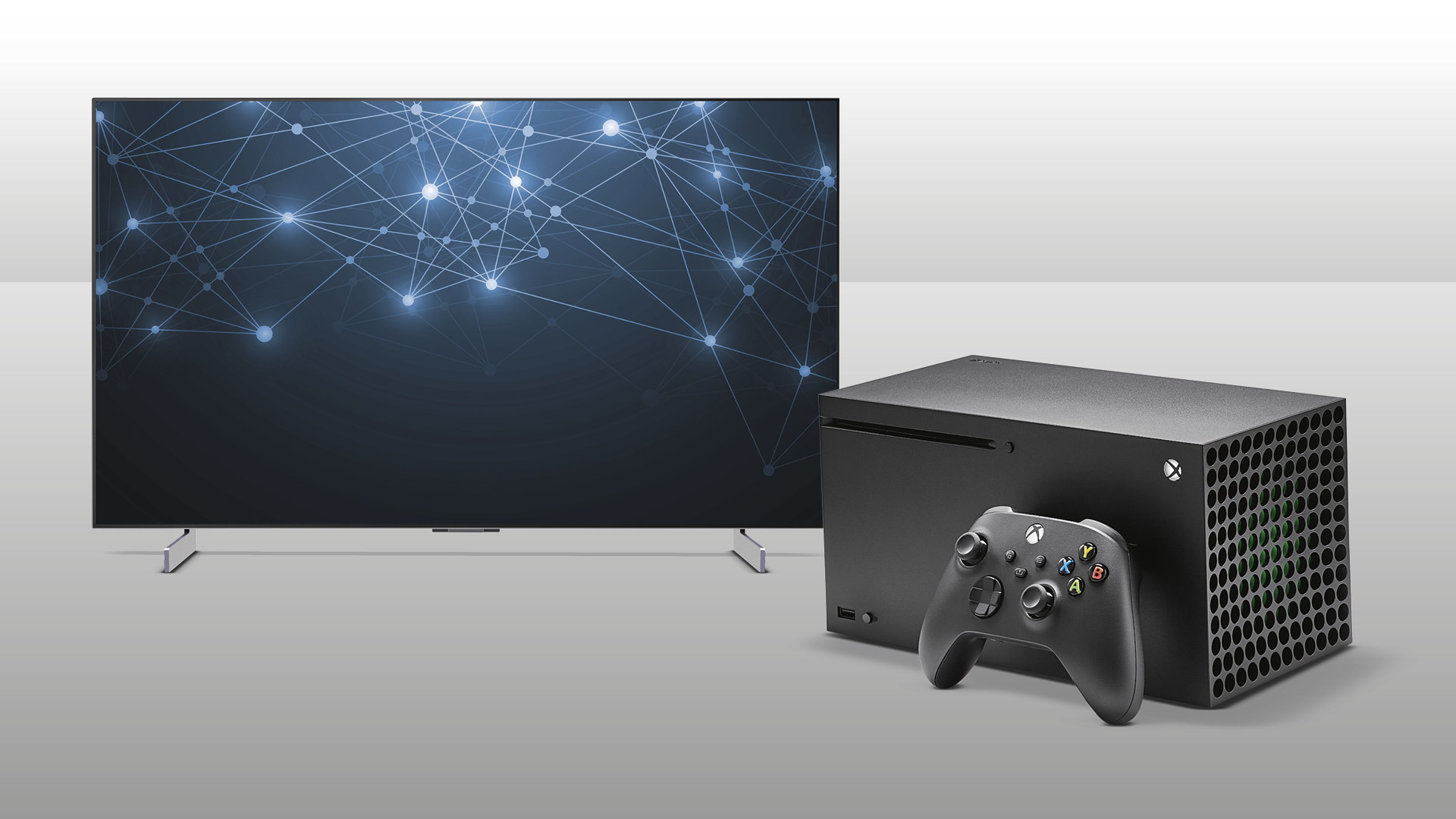

A gaming TV has to do more than make a game look sharp. It needs quick motion, low-latency features, enough HDMI connections for your console and sound system, and a picture that stays visible when sunlight hits the room. The wrong screen can turn a fast match into a blur of trailing movement and missed details.
The Best gaming tv choices below range from compact 43-inch models to large OLED and Mini LED screens. Our top pick is the TCL QM6K 55-Inch, which combines Mini LED contrast, QLED color, a native 144Hz refresh rate, broad HDR support, and a useful Google TV interface. The list also includes a larger 65-inch version, an OLED specialist, and simpler Fire TV options.
Comparison table
| # | Product | Award | Size | Panel | Refresh | Best for |
|---|---|---|---|---|---|---|
| 1 | TCL QM6K 55-Inch | Best overall | 55 inches | QD Mini LED QLED | Native 144Hz | Console and PC gaming |
| 2 | TCL QM6K 65-Inch | Best large-screen Mini LED | 65 inches | QD Mini LED QLED | Native 144Hz | Immersive living-room play |
| 3 | LG C5 OLED 65-Inch | Best OLED gaming picture | 65 inches | OLED evo | Up to 144Hz | Dark-room cinematic gaming |
| 4 | Hisense U6 Pro 55-Inch | Best bright-room Mini LED | 55 inches | Mini LED ULED Hi-QLED | Native 144Hz | Bright rooms and sports |
| 5 | TCL T7 65-Inch | Best big QLED | 65 inches | QLED | 144Hz panel | Large-screen streaming and play |
| 6 | iFFALCON U85 55-Inch | Best HDMI 2.1 flexibility | 55 inches | Mini LED | Native 144Hz | Multiple consoles and PC |
| 7 | TCL Q65 55-Inch | Best straightforward QLED | 55 inches | QLED | Motion Rate 240 | Casual console gaming |
| 8 | Hisense E6 43-Inch | Best compact Fire TV | 43 inches | Hi-QLED | Motion Rate 120 | Bedrooms and small rooms |
| 9 | Insignia F50 55-Inch | Best simple Fire TV | 55 inches | LED | Not specified | Basic gaming and streaming |
1. TCL QM6K 55-Inch: Best Overall

Pros
- Native 144Hz refresh rate
- Mini LED contrast with QLED color
- Supports Dolby Vision, HDR10+, HDR10, and HLG
- Motion Rate 480 processing
- Google TV smart platform
Cons
- 55-inch size may feel small in a large room
- The feature set is more than casual players need
- Built-in audio still benefits from a separate sound system
Best for: console and PC players who want fast motion and strong HDR in a versatile 55-inch screen.
The TCL QM6K 55-Inch is the television we would start with for most gaming rooms. Its 55-inch size is large enough for a sofa setup without dominating a smaller room, while the QD Mini LED design gives it a more convincing contrast range than a conventional LED or QLED panel. Bright game elements stand out, and darker scenes have a better chance of retaining texture instead of becoming a flat gray mass.
The 144Hz native refresh rate is the key gaming specification. It gives compatible games and gaming PCs more room to show fluid motion than a typical 60Hz television. TCL also lists Motion Rate 480, which combines motion enhancement technologies for cleaner movement in games and sports. The native refresh figure matters more than the processing label, but having both gives this screen a strong position against the TCL Q65 55-Inch, whose listed Motion Rate 240 does not amount to the same native refresh capability.
HDR support is unusually broad here. Dolby Vision, HDR10+, HDR10, and HLG cover the major formats, so the screen is not tied to one streaming or console standard. TCL’s Halo Control System is designed to improve local dimming, black depth, and shadow detail while reducing blooming around bright objects. That is useful in games with a bright user interface over a dark environment, where a weaker backlight can make the whole image look hazy.
The Google TV interface gathers apps and live content in one place, and the set includes voice control through the remote. Dolby Atmos processing handles compatible audio content, while the display’s 48.4-inch width and 27.3-pound weight before any stand arrangement make it manageable for a typical media unit. The weakness is that this is still an LCD television, so it cannot produce the pixel-level black control of the LG C5 OLED 65-Inch. Choose the QM6K when you want a balanced screen for gaming, films, sports, and everyday television without making OLED its defining priority.
2. TCL QM6K 65-Inch: Best Large-Screen Mini LED
Pros
- 65-inch screen for a more immersive view
- Native 144Hz refresh rate
- Mini LED backlight with QLED color
- Broad HDR format support
- Motion Rate 480 processing
Cons
- Requires more viewing distance than the 55-inch model
- Larger cabinet needs a sturdy media unit
- LCD blooming remains a possibility in high-contrast scenes
Best for: living rooms where a large screen matters as much as smooth gameplay.
The TCL QM6K 65-Inch takes the same core approach as the top pick and gives it more visual scale. A 65-inch panel makes distant objects, map details, and subtitles easier to see from a sofa. It is especially well suited to games built around exploration, racing, and cinematic set pieces, where the extra screen area makes the environment feel less like a window and more like a room.
Its QD Mini LED system combines small backlight elements with quantum dot color. That pairing is meant to produce stronger contrast and vivid color without giving up the brightness that helps an LCD television work in a room with daylight. The Halo Control System is intended to limit haloing and preserve shadow detail. It cannot change the fact that the panel uses a backlight, but it gives the television a more controlled image than the TCL Q65 55-Inch.
A native 144Hz refresh rate is useful for compatible gaming sources, and TCL adds Motion Rate 480 processing for fast action. The set supports Dolby Vision, HDR10+, HDR10, and HLG, which helps when a household uses several consoles and streaming services with different HDR implementations. Dolby Atmos processing is also included, though players who care about positional audio should plan around a headset or external speaker system rather than rely on television speakers alone.
The 65-inch QM6K is physically 56.9 inches wide and weighs 37.8 pounds according to the listed product information. That footprint deserves attention before buying, particularly if a soundbar or center speaker will sit below it. The TCL T7 65-Inch offers a similar size and 144Hz panel claim, but the QM6K has the more advanced Mini LED backlight and broader HDR description. Skip this model if you sit close to the screen or want OLED’s perfect black. For a larger shared-room display, it is the QM6K version we would pick.
3. LG C5 OLED 65-Inch: Best OLED Gaming Picture

Pros
- Self-lit OLED pixels for deep black
- Up to 144Hz refresh rate
- 0.1ms listed response time
- Four HDMI 2.1 inputs
- VRR, NVIDIA G-Sync, and AMD FreeSync Premium
Cons
- OLED requires sensible care with static images
- Large screen needs careful placement
- Built-in television audio cannot match a dedicated setup
Best for: players who want the cleanest contrast and fastest stated response from a premium 65-inch display.
The LG C5 OLED 65-Inch is the specialist choice for picture quality. OLED pixels are self-lit, so dark areas can turn off individually rather than relying on a backlight that stays behind the entire image. In a dark game level, that difference is immediately meaningful. Black skies, unlit corridors, and shadowed corners can remain black while bright interface elements stay sharply separated.
LG lists a 0.1ms response time and refresh rates up to 144Hz. Those specifications target the two things fast players notice first: how quickly the display changes and how smoothly it presents movement. Variable refresh rate support helps the panel synchronize with changing game frame rates, while NVIDIA G-Sync and AMD FreeSync Premium support broaden its appeal to PC players. Four HDMI 2.1 inputs also make it easier to connect several current-generation devices without constantly swapping cables.
The Alpha 9 AI Processor Gen8 handles picture processing and AI Super Upscaling. That matters when older games or lower-resolution video are displayed on a large 4K screen, although processing cannot turn a low-quality source into native 4K detail. Dolby Vision and HDR10 support the picture side, and Dolby Atmos handles compatible audio. Filmmaker Mode is useful for movies when the TV is not serving as a gaming display.
The C5 is not the automatic answer for a bright room. LG describes it as bright-room ready and glare free under a specified test condition, but a room with direct sunlight still favors a powerful Mini LED model such as the Hisense U6 Pro 55-Inch. OLED also deserves sensible habits around static logos and fixed game interfaces. The way a larger screen changes your viewing distance is worth considering before choosing this 65-inch model. Buy the C5 for deep contrast, rapid response, and a premium gaming image, not simply because it has the longest feature list.
4. Hisense U6 Pro 55-Inch: Best Bright-Room Mini LED

Pros
- Native 144Hz refresh rate
- Mini LED backlight with Hi-QLED color
- Anti-reflection and glare-free display
- Supports Dolby Vision IQ, HDR10+ Adaptive, HDR10, and HLG
- Built-in subwoofer
Cons
- 55-inch size gives less immersion than a 65-inch screen
- The advanced picture features may be unnecessary for casual play
- Fire TV recommendations can feel busy
Best for: gamers in bright rooms who want high refresh motion and a screen designed to reduce reflections.
The Hisense U6 Pro 55-Inch has one unusually practical advantage: its display is built around bright-room visibility. The anti-reflection and glare-free claims address a real problem for living-room gaming, where a window or lamp can put a distracting reflection directly over a dark game scene. A Mini LED backlight and Hi-QLED color give it the hardware foundation for bright highlights and strong color.
Native 144Hz refresh is a better gaming specification than a motion-processing number alone. It can make fast camera movement and competitive play look cleaner when the source supports it. Hisense also lists Motion Rate 480, while the Hi-View AI Engine is designed to adjust the picture for different content types, including gaming, sports, and films. The TV supports Dolby Vision IQ, HDR10+ Adaptive, HDR10, and HLG, giving it a broad HDR toolkit.
This model adds a built-in subwoofer, which should give game effects and music more low-end weight than a thin television speaker system. Dolby Atmos and IMAX Enhanced support extend its home-cinema ambitions. Fire TV supplies the app interface, voice recommendations, and Alexa+ control. It is a more entertainment-focused platform than Google TV, so the right choice depends partly on which ecosystem the rest of your household already uses.
The 55-inch cabinet is 48.3 inches wide and weighs 29.8 pounds according to the listed specifications. That is straightforward to place, though the 65-inch TCL QM6K creates a more imposing image from a distant sofa. The Hisense is the better fit when room reflections are a recurring nuisance and the television will handle sports and streaming as often as games. Players who mainly game in a dark room should look at the LG C5 OLED 65-Inch for more precise black levels.
5. TCL T7 65-Inch: Best Big QLED

Pros
- 65-inch QLED screen
- 144Hz panel refresh rate
- Four HDMI inputs, including eARC
- Dolby Atmos processing
- Google TV with Chromecast and AirPlay 2
Cons
- QLED backlight cannot match OLED pixel control
- Motion Rate 480 is a processing label rather than a native refresh figure
- Large screen needs adequate viewing distance
Best for: players who want a large QLED display with flexible connections and a familiar smart platform.
The TCL T7 65-Inch is a broad-purpose television with gaming credentials rather than a narrowly focused gaming monitor enlarged for the living room. The 65-inch QLED screen gives games vivid color and plenty of room for split-screen play, sports, and films. Its FullView 360 metal bezel-less design keeps the front visually clean, while width-adjustable feet give more flexibility when the TV shares furniture with a soundbar.
TCL lists a 144Hz panel refresh rate, which puts the T7 well ahead of ordinary 60Hz televisions for compatible content. Motion Rate 480 with MEMC frame insertion is intended to improve motion clarity, though buyers should distinguish that processing figure from the panel refresh rate. The AIPQ Pro processor works on color, contrast, and clarity for 4K HDR sources, helping streamed content and older material look more polished.
Connectivity is one of its strongest practical traits. Four high-speed HDMI inputs include one with eARC, leaving room for a console, a second console, a streaming device, and an audio system. That is more convenient than a television that forces the owner to rotate cables. Google TV brings together apps and live channels, while Chromecast, Apple AirPlay 2, Alexa, Google Assistant, and Apple HomeKit support make the set easy to fit into a mixed-device home.
The T7 is 56.9 inches wide and the listed weight is 36.6 pounds. Its weakness is picture control in very dark scenes. The TCL QM6K models use a QD Mini LED approach that should provide more precise contrast, and the LG C5 goes further with self-lit pixels. The T7 makes sense for someone who wants the extra size, four HDMI connections, and a straightforward smart interface, especially when gaming shares equal billing with general television use.
6. iFFALCON U85 55-Inch: Best HDMI 2.1 Flexibility

Pros
- Four HDMI 2.1 inputs
- Native 144Hz panel with VRR
- Two HDMI inputs support 4K at 144Hz
- Dolby Vision Gaming and major HDR formats
- 50W 2.1-channel audio system
Cons
- Two HDMI inputs are limited to 4K at 60Hz
- Hospitality features are unnecessary for many homes
- Lesser-known brand may require more setup research
Best for: households with several consoles, a gaming PC, and an external audio system.
The iFFALCON U85 55-Inch is the connectivity outlier in this group. It has four HDMI 2.1 inputs, with two supporting 4K at 144Hz and the other two handling 4K at 60Hz. That arrangement is important for a busy setup. A PlayStation, Xbox, PC, soundbar, and streaming device can stay connected without making the owner choose which device gets the fastest port.
The panel is a native 144Hz Mini LED display with variable refresh support from 4K at 48Hz to 144Hz, and the feature description lists support up to 240Hz for VRR. FreeSync Premium Pro is included, along with Auto Low Latency Mode. Those features target tearing, latency, and automatic game-mode switching. The listed peak HDR luminance is 1000 nits, and local dimming plus a 6, 000:1 contrast ratio are intended to give the Mini LED backlight stronger separation between bright and dark areas.
HDR compatibility is comprehensive. Dolby Vision IQ, Dolby Vision Gaming, HDR10+, and IMAX Enhanced cover both games and films. The built-in audio system is more substantial than usual, with a 2.1-channel layout, two 15W tweeters, and a 20W woofer for a listed 50W total. Dolby Atmos passthrough, DTS Virtual:X, and eARC allow the set to work with an external soundbar when the built-in system is no longer enough.
The U85 also includes Google TV, Alexa, Google Assistant, AirPlay 2, and Chromecast. Hotel mode, an IR blaster, and IP control are unusual extras that may appeal to an Airbnb owner or commercial installer but add little for a normal bedroom or living room. The TCL QM6K 55-Inch has a stronger all-purpose case, while the iFFALCON wins when port count and connected hardware are the deciding factors. Check the port assignments carefully before installation, since not all four HDMI inputs have the same refresh capability.
7. TCL Q65 55-Inch: Best Straightforward QLED

Pros
- QLED color with High Brightness+ backlight
- Dolby Vision and HDR10+ support
- Auto Low Latency Mode
- Google TV interface
- Dolby Atmos and DTS Virtual:X processing
Cons
- No native gaming refresh rate is specified
- Older model generation than several picks here
- Conventional QLED backlight gives less control than Mini LED
Best for: casual console players who want a colorful 55-inch smart TV with automatic game mode.
The TCL Q65 55-Inch keeps the experience simple. It uses QLED technology and a High Brightness+ LED backlight to produce more vivid color and a brighter image than a basic LED set. The 4K panel is a sensible match for current consoles, and the 55-inch size works well in a bedroom, den, or smaller living room.
Auto Game Mode, also known as ALLM, automatically switches the TV into a lower-latency mode when compatible gaming equipment is detected. That removes a menu step and is more useful than it sounds when different people in the home use the television. TCL lists Motion Rate 240 with MEMC frame insertion, but it does not specify a native 120Hz or 144Hz panel refresh rate, so this is not the pick for someone chasing the smoothest high-frame-rate PC play.
HDR Pro+ supports Dolby Vision, HDR10+, HDR10, and HLG. The AIPQ processor uses deep-learning image processing to adjust color, contrast, and clarity, while enhanced dialogue mode can help with television and film audio. Dolby Atmos and DTS Virtual:X create a wider sound presentation from the built-in speakers, though competitive players will still prefer headphones for precise positional cues.
The Q65 is 48.19 inches wide and weighs 23.15 pounds according to the listed product information. It is easier to place than the 65-inch televisions here, but the TCL QM6K 55-Inch is the more capable gaming display because its native 144Hz specification and Mini LED backlight are explicit. Choose the Q65 when console gaming is occasional, the Google TV platform is appealing, and you want a clean everyday television without paying for features you will not use.
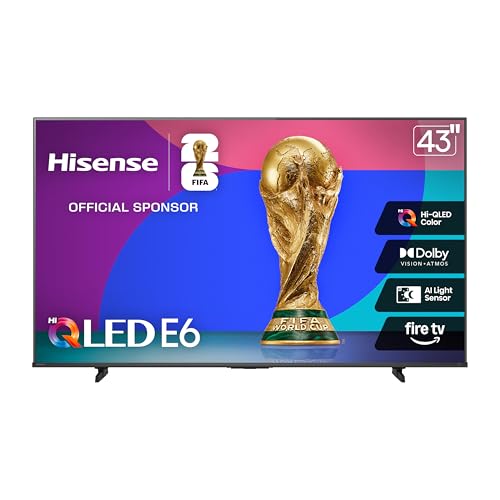
8. Hisense E6 43-Inch: Best Compact Fire TV
Pros
- Compact 43-inch size
- Hi-QLED color
- Dolby Vision and HDR10+ Adaptive
- Game Mode Plus
- Dolby Atmos and Fire TV
Cons
- Smaller screen is less immersive from a sofa
- Motion Rate 120 is not a stated native refresh rate
- Fewer gaming details are specified than on the higher-ranked models
Best for: bedrooms, dorm-style rooms, and desks where a 55-inch screen would be too large.
The Hisense E6 43-Inch solves a space problem. At 43 inches, it can fit on a smaller cabinet or serve as a gaming display in a bedroom without forcing the player to sit far back. It is also light for a television of this type, with a listed weight of 14.9 pounds and a width of 37.9 inches.
Hi-QLED color is designed to make the picture more vibrant, while the total HDR system supports Dolby Vision, HDR10+ Adaptive, HDR10, and HLG. HDR Adaptive formats can be useful when room lighting changes, although the supplied information does not give a peak brightness figure or Mini LED backlight specification. Dolby Vision and Dolby Atmos give the set wider film and game compatibility than its compact dimensions suggest.
Game Mode Plus is the gaming-specific feature called out by Hisense. The title also lists Motion Rate 120, but that should not be read as confirmation of a native 120Hz panel. Players who need 144Hz PC gaming should move up to the Hisense U6 Pro 55-Inch or TCL QM6K 55-Inch. For a current console at ordinary living-room distances, the compact panel can still provide a sharp 4K image and a manageable field of view.
Fire TV places apps, live channels, and recommendations on the home screen, and the Alexa voice remote can search for content or control compatible functions. The main compromise is scale rather than smart functionality. A 43-inch screen does not create the same sense of depth as the TCL T7 65-Inch, and its gaming specifications are less complete. It is the sensible choice when the available room matters more than cinematic immersion.
9. Insignia F50 55-Inch: Best Simple Fire TV

Pros
- 55-inch 4K LED screen
- Fire TV with Alexa voice remote
- Three HDMI ports
- HDMI eARC support
- Ethernet, optical, USB, and headphone connections
Cons
- Native gaming refresh rate is not specified
- Standard LED backlight lacks Mini LED control
- HDR support is listed as HDR10 rather than a broader format set
Best for: straightforward console gaming, streaming, and shared household use.
The Insignia F50 55-Inch is the least complicated television in this roundup. It offers a 55-inch 4K LED display, HDR10, and Fire TV, giving a household the core features needed for console play and streaming without a long list of advanced gaming modes. For games that run at standard frame rates, that basic approach can be perfectly adequate.
The listed connections are more useful than the simple panel description suggests. There are three HDMI ports, along with composite AV inputs, a digital optical output, USB, a headphone jack, coaxial, Ethernet, and Wi-Fi. HDMI eARC can pass a full-resolution audio signal to a compatible soundbar or receiver. That makes the F50 easier to build into an existing entertainment system than a screen with only a couple of HDMI inputs.
The television can upscale current content to Ultra HD-level picture quality, and its high dynamic range presentation is intended to show brighter whites, deeper blacks, and more color detail than standard dynamic range. DTS Virtual:X creates a wider audio effect from the television speakers. The Fire TV platform supports major streaming apps, free ad-supported services, parental controls, AirPlay, and compatible smart-home devices.
The limitation is gaming speed. The supplied product details do not specify a native refresh rate, VRR, ALLM, or HDMI 2.1 support. That puts the F50 behind the TCL Q65 55-Inch even before the Mini LED models enter the comparison. Its 48.35-inch width and listed 28.66-pound weight make placement straightforward, and it is a reasonable pick for a mixed-use family television. Competitive players and PC gamers should choose a model with clearly stated high-refresh support instead.
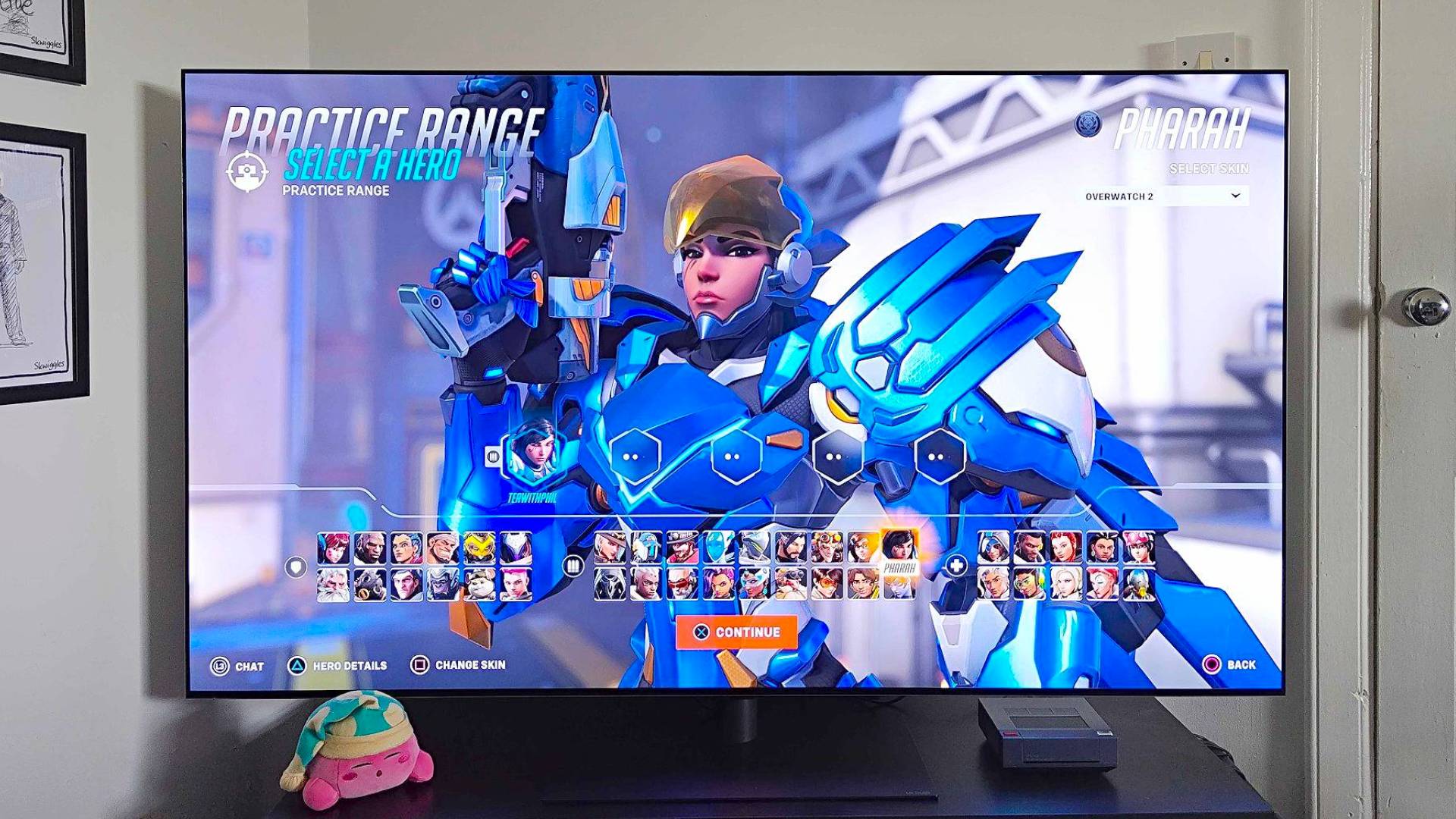
How to choose best gaming tv
The right gaming television depends on the console or PC you use, the room around it, and how much motion performance you expect from the display.
Native refresh rate
A panel’s native refresh rate describes how often it can refresh the image. A 60Hz panel is fine for many console games, but 120Hz, 144Hz, or higher gives compatible games and PCs a smoother presentation. Do not confuse a native refresh figure with marketing terms such as Motion Rate 240 or Motion Rate 480, which can include frame processing and motion enhancement.
For a PlayStation or Xbox, a television with clear 120Hz or 144Hz support is the safer choice when you play fast shooters, racing games, or sports titles. The TCL QM6K models, Hisense U6 Pro, LG C5, and iFFALCON U85 state high-refresh capabilities more clearly than the other models here.
Variable refresh and input latency
Variable refresh rate allows the screen to follow changes in a game’s frame output. That can reduce tearing and make uneven frame rates feel less distracting. Auto Low Latency Mode switches the television into its gaming mode when a compatible device is detected.
Look for VRR, ALLM, FreeSync, or G-Sync when PC gaming is part of the plan. The LG C5 supports VRR, NVIDIA G-Sync, and AMD FreeSync Premium, while the iFFALCON U85 lists FreeSync Premium Pro and ALLM. The TCL Q65 includes ALLM, but its supplied information does not specify VRR.
A high motion number cannot replace a clearly stated native refresh rate and gaming input features.
Backlight and contrast
OLED uses self-lit pixels, giving the LG C5 the most direct control over black areas. Mini LED uses many small backlight elements and local dimming to improve contrast while retaining the brightness associated with LCD televisions. Standard LED and QLED screens can still look colorful and sharp, but they generally offer less precise control in dark scenes.
Choose OLED for dark-room gaming and film-like contrast. Choose Mini LED when the room is bright, you want strong HDR highlights, or you prefer not to make OLED care part of your ownership routine. Conventional QLED, such as the TCL Q65 and T7, is a reasonable middle ground for general viewing.
HDMI connections
Count your devices before choosing a television. A setup with a PlayStation, Xbox, gaming PC, streaming box, soundbar, and Blu-ray player can fill ports quickly. HDMI 2.1 is especially important for high-refresh 4K gaming, but not every HDMI port on every television supports the same features.
The iFFALCON U85 stands out with four HDMI 2.1 inputs, although only two are listed for 4K at 144Hz. The LG C5 has four HDMI 2.1 inputs. The TCL T7 has four HDMI inputs, including one with eARC, while the Insignia F50 has three HDMI ports and eARC.
Screen size and viewing distance
A large screen is not automatically better. A 65-inch television can make a living-room game feel more immersive, but it also requires enough distance for the picture to sit comfortably in your field of view. A 43-inch set can be the smarter option for a bedroom, desk, or narrow room.
Think about where the seating is fixed, then measure the wall or cabinet. If you are also choosing a PC display, the amount of desk space a gaming setup needs can change whether a television belongs in the room at all.
HDR formats and room brightness
HDR can improve highlight detail, color, and contrast, but the result depends on the panel and the room. Dolby Vision, HDR10+, HDR10, and HLG are different formats, and broad support helps when games and streaming services do not all use the same standard.
A bright room calls for strong light output and reflection control. The Hisense U6 Pro specifically lists anti-reflection and glare-free features. The TCL QM6K and Mini LED models are also better suited to bright highlights than a basic LED television, while OLED tends to look most convincing when ambient light is controlled.
Frequently asked questions
Is a 120Hz or 144Hz television better for gaming?
A 120Hz or 144Hz panel can show smoother motion than a 60Hz panel when the game and connected device support a higher frame rate. It is most noticeable in quick shooters, racing games, sports, and PC titles. A high refresh rate does not by itself guarantee low input latency, so check for gaming mode and ALLM as well.
Do PS5 and Xbox Series consoles need HDMI 2.1?
They can play many games through HDMI 2.0, but HDMI 2.1 is useful for compatible 4K high-frame-rate output and advanced console features. It also gives more flexibility for future devices. The LG C5 and iFFALCON U85 are the clearest choices here for several HDMI 2.1 connections.
Is OLED or Mini LED better for gaming?
OLED offers the most precise black levels because each pixel is self-lit, and it can provide exceptionally fast response. Mini LED is often the stronger fit for a bright room because it can produce powerful highlights without using an OLED panel. The LG C5 favors dark-room picture quality, while the TCL QM6K and Hisense U6 Pro favor bright-room versatility.
Does a bigger gaming TV make games better?
A bigger screen can make distant details easier to see and create a more immersive view, but it needs suitable seating distance. A 65-inch television can feel overwhelming when used close up. Measure the room before choosing between a 55-inch model and a larger screen.
Can a gaming TV replace a monitor for PC gaming?
Some can, especially models with a native 120Hz or 144Hz refresh rate, VRR, low-latency mode, and suitable HDMI inputs. A TV usually gives you a larger image and built-in streaming, while a monitor may offer a closer viewing distance and more desktop-focused ergonomics. PC players should confirm the graphics card output and the television’s supported resolutions.
Do I need a soundbar with a gaming TV?
No, but a soundbar or headset can improve dialogue, bass, and positional audio. The iFFALCON U85 has a listed 50W 2.1-channel system, and the Hisense U6 Pro includes a built-in subwoofer, but external audio still gives more control. HDMI eARC is useful when connecting a compatible soundbar.
What is the best screen size for a bedroom gaming setup?
A 43-inch television is usually easier to place in a bedroom or compact gaming room, especially when the seating is close. A 55-inch set works when you have more wall or cabinet space and sit farther away. The Hisense E6 43-Inch is the most compact option here, while the TCL Q65 55-Inch gives a larger image without moving to a 65-inch cabinet.
The bottom line
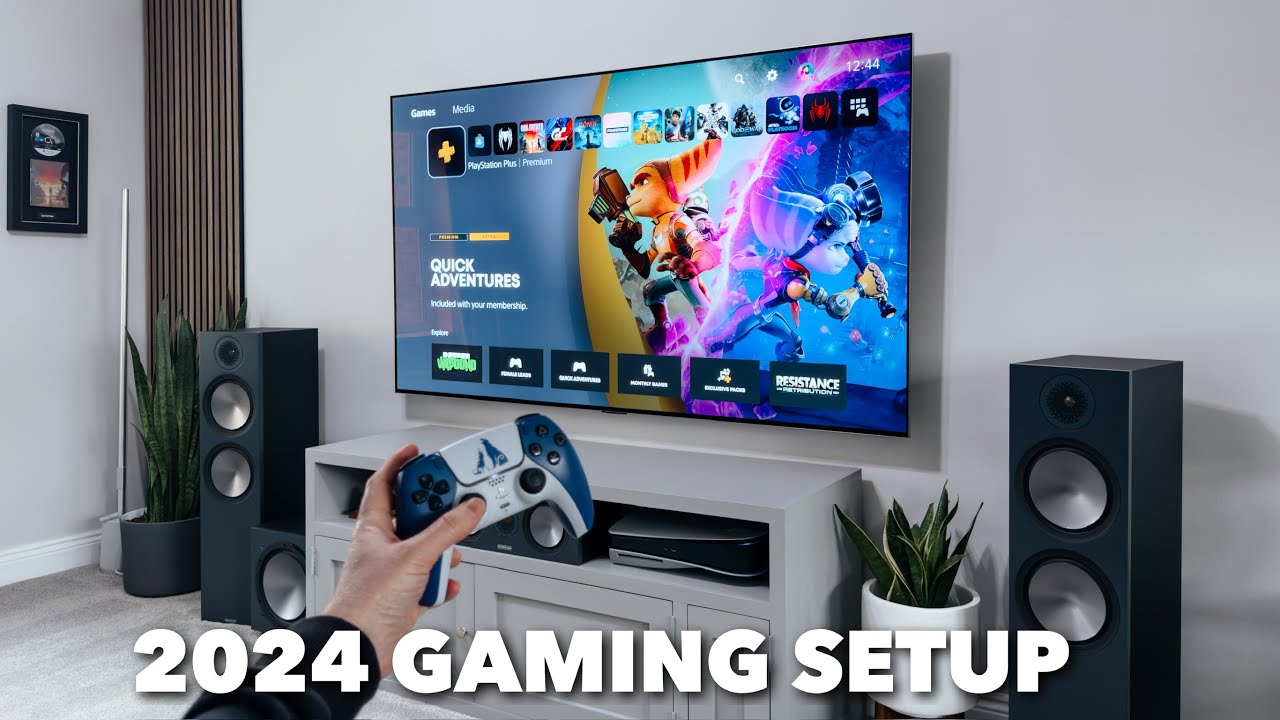
The Best gaming tv for most people is the TCL QM6K 55-Inch. Its native 144Hz refresh rate, Mini LED contrast, QLED color, four major HDR formats, and Google TV platform create the most complete mix for console, PC, streaming, and sports use. Choose the TCL QM6K 65-Inch when the room supports a larger screen and immersion matters more than compact placement.
The LG C5 OLED 65-Inch is the premium alternative for players who want deep black, a 0.1ms listed response time, up to 144Hz, VRR, and four HDMI 2.1 inputs. Bright-room buyers should look at the Hisense U6 Pro 55-Inch, while multi-device households should consider the iFFALCON U85 55-Inch for its four HDMI 2.1 inputs.
If you are undecided, choose the TCL QM6K 55-Inch unless your room, viewing distance, or OLED preference points clearly elsewhere.
As an Amazon Associate we earn from qualifying purchases.