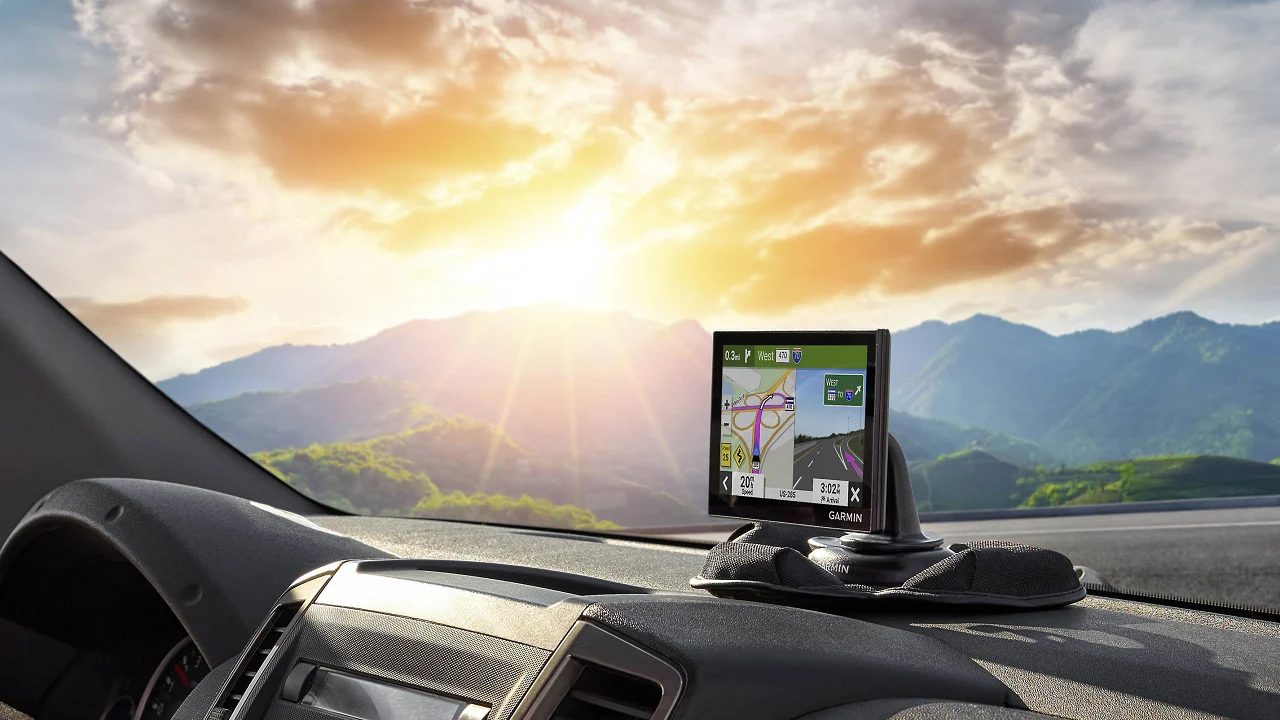

A phone can navigate a familiar commute, but a dedicated navigator is easier to glance at when the route gets complicated, the signal becomes unreliable, or a large vehicle needs to avoid a low bridge. The Best Garmin navigation for cars ranges from compact 5-inch units to truck and RV models with vehicle-specific routing.
The Garmin DriveSmart 76 is our top pick for most drivers, with a readable 7-inch display, Wi-Fi updates, voice assistance, smartphone-connected traffic, and road-trip extras. The rest of the list covers smaller dashboards, giant screens, commercial trucks, RVs, and renewed alternatives.
Comparison table
| # | Product | Award | Screen | Routing and connected features | Best for |
|---|---|---|---|---|---|
| 1 | Garmin DriveSmart 76 | Best overall | 7-inch high-resolution | Voice Assist, Wi-Fi, phone-connected traffic | Most car drivers and road trippers |
| 2 | Garmin Drive 53 | Best simple navigator | 5-inch glass capacitive | North America maps, Real Directions | Drivers who want clear basics |
| 3 | Garmin DriveSmart 66 | Best compact connected model | 6-inch high-resolution | Voice Assist, Wi-Fi, Alexa Built-in | Smaller dashboards |
| 4 | Garmin DriveSmart 86 | Best large display | 8-inch dual-orientation | Voice Assist, Wi-Fi, Alexa Built-in | Drivers who prefer a huge map |
| 5 | Garmin Drive 53 Renewed | Best renewed compact pick | 5-inch glass capacitive | North America maps, Real Directions | Basic navigation in a small package |
| 6 | Garmin dēzl OTR620 | Best truck navigator | 6-inch high-resolution | Custom truck routing, PrePass, CAT Scale | Commercial truck drivers |
| 7 | Garmin dēzl OTR720 | Best large truck screen | 7-inch high-resolution | Custom truck routing, satellite imagery | Long-haul drivers |
| 8 | Garmin RV 795 | Best RV navigator | 7-inch high-resolution | Custom RV routing, RV directories | Motorhomes and trailers |
| 9 | Garmin dēzl OTR620 Bundle | Best truck bundle | 6-inch high-resolution | Custom truck routing, PrePass | Drivers needing the included accessories |
| 10 | Garmin DriveSmart 86 Renewed | Best renewed large screen | 8-inch dual-orientation | Voice Assist, phone-connected traffic | Large-screen navigation shoppers |
1. Garmin DriveSmart 76: Best Overall

Pros
- Clear 7-inch high-resolution display
- Wi-Fi map and software updates
- Voice Assist and hands-free calling
- Useful road-trip directories and alerts
- Extra USB port in the included charger
Cons
- Smartphone pairing is needed for live services
- Larger than the compact Drive 53
- Alexa features require the Garmin Drive app and a compatible phone
Best for: drivers who want a capable dedicated navigator for daily trips and long road journeys.
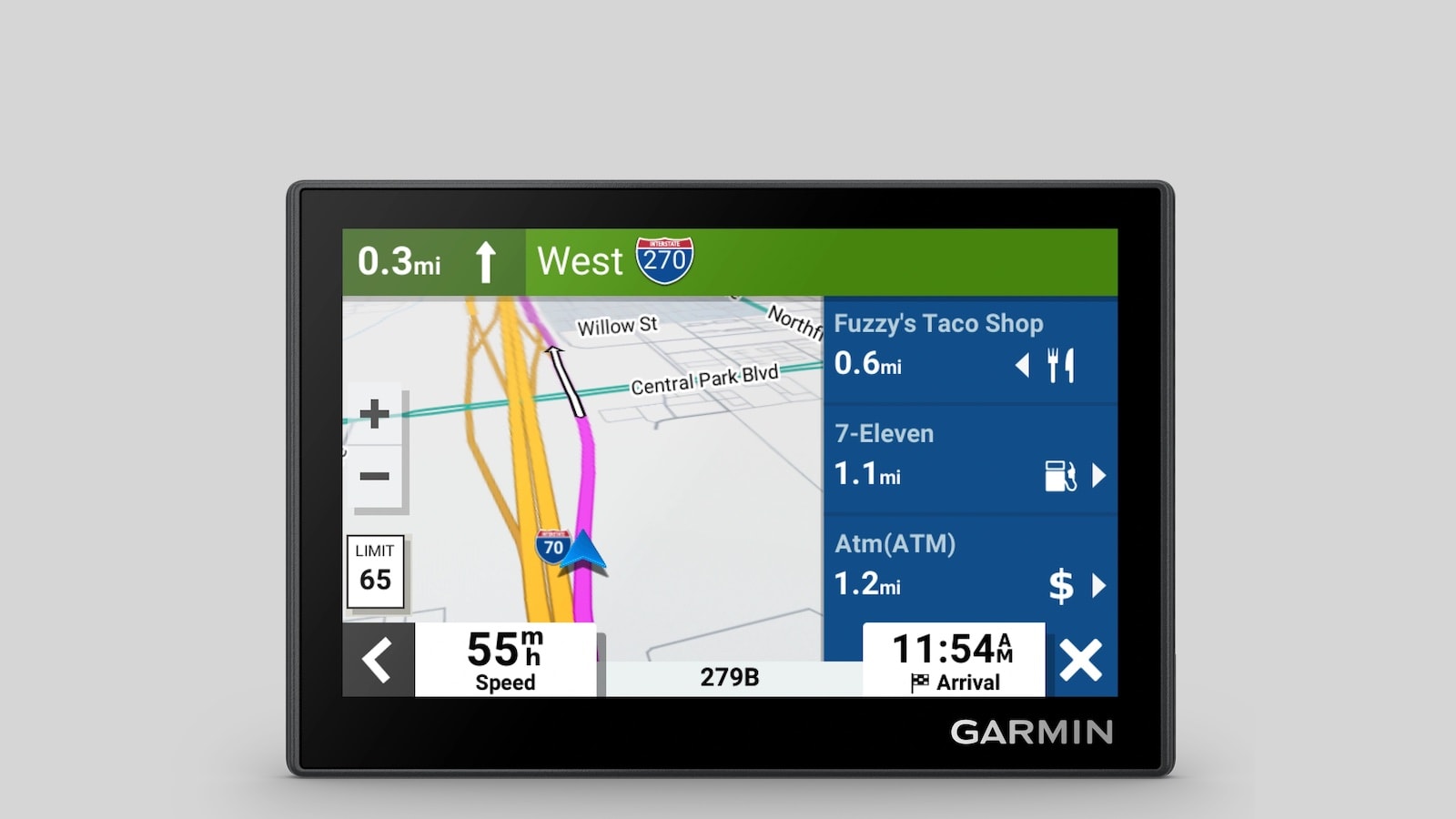
The Garmin DriveSmart 76 gets the important decision right: its 7-inch screen is large enough to read without crowding the dashboard. It feels like the sensible middle ground in this group. The DriveSmart 66 is smaller and easier to place, while the DriveSmart 86 gives you more map area, but the 76 avoids both extremes for an ordinary car.
Its high-resolution display is backed by North America map updates, so the unit is useful beyond places where a phone has a strong data connection. Built-in Wi-Fi makes updates easier because you do not need to connect the navigator to a computer. That is a small ownership detail, but it removes one of the more annoying chores associated with older standalone GPS units.
The connected feature set is unusually broad. Pair it with a compatible smartphone running the Garmin Drive app to access live traffic, weather, fuel information, parking, traffic cameras, and smart notifications. Bluetooth enables hands-free calling, while Garmin Voice Assist lets you ask for directions without repeatedly tapping the screen. Alexa Built-in adds music, audiobooks, and news, though it depends on the phone connection and should only be used when it is safe to do so.
Garmin also gives the 76 useful context for road trips. Tripadvisor ratings, Foursquare points of interest, a U.S. national parks directory, and the HISTORY database can turn a route into a more informed itinerary. Driver alerts for school zones, sharp curves, and speed changes are helpful reminders, not substitutes for attention to road signs. The included dual USB charger is a practical bonus when the navigator and a phone need power together.
The weakness is simple: this is not the smallest or most stripped-back Garmin here. Someone who wants only spoken turns and a compact display should choose the Drive 53. Someone who needs a very large map should move to the DriveSmart 86. For everyone else, the DriveSmart 76 is the most balanced answer to the Best Garmin navigation for cars question.
2. Garmin Drive 53: Best Simple Navigator

Pros
- Compact 5-inch glass capacitive touchscreen
- Simple on-screen menus
- North America map updates included
- Real Directions landmark guidance
- Clear driver alerts
Cons
- Smaller screen than every DriveSmart model here
- No listed Wi-Fi updating
- Connected traffic and weather features are not included in its feature set
Best for: drivers who want straightforward turn-by-turn guidance without a large connected device.
The Garmin Drive 53 is the least distracting choice in the lineup. Its 5-inch glass capacitive touchscreen keeps the unit compact, and the menus are designed around the basic job of getting you from one place to another. It is a particularly sensible fit for a small car, a second vehicle, or a driver who finds oversized displays intrusive.
The screen is bright and high resolution, but the physical footprint is still modest. At about 4.97 inches long, 3.33 inches wide, and 0.67 inches high, the navigator should be easier to position where it does not block the view ahead. It weighs about 0.15 pounds, so it is also the lightest unit in the main car-focused group.
Garmin includes detailed map updates for North America and spoken turn-by-turn directions. Real Directions uses landmarks as guidance, which can be more useful than hearing only street names when several turns arrive close together. The unit also shows food, fuel, and rest areas along an active route, as well as upcoming cities and milestones.
The Drive 53 includes alerts for school zones, speed changes, and sharp curves. Tripadvisor information helps identify restaurants, hotels, and attractions, while the U.S. national parks directory gives road trippers a more direct way to find park entrances, visitor centers, and landmarks. These extras make it more than a bare route screen, though it lacks the richer smartphone-connected layer of the DriveSmart models.
Choose this over the DriveSmart 66 when simplicity and physical size matter more than live traffic, voice interaction, or Alexa. The smaller screen is its real limitation, especially for complex junctions. Drivers who want a dedicated navigator that stays out of the way should find the Drive 53 easy to understand and easy to live with.
3. Garmin DriveSmart 66: Best Compact Connected Model

Pros
- Readable 6-inch high-resolution screen
- Wi-Fi map and software updates
- Garmin Voice Assist and hands-free calling
- Live traffic, weather, parking, and fuel information through a phone
- Road-trip databases and driver alerts
Cons
- Requires a compatible smartphone for connected services
- Less map area than the DriveSmart 76 and 86
- Alexa Built-in is dependent on phone pairing
Best for: drivers who want Smart features without placing a large 7-inch or 8-inch unit on the dashboard.
The Garmin DriveSmart 66 is the compact connected alternative to the DriveSmart 76. Its 6-inch display gives the map more breathing room than the Drive 53, while the smaller size remains easier to place in a car with a tight dashboard. It is the model to consider when a 7-inch screen feels unnecessarily prominent.
The high-resolution navigator includes North America map updates and built-in Wi-Fi for map and software updates without a computer. That makes it better suited to someone who wants a traditional standalone device but does not want to manage it like an old GPS. The screen size is large enough for route context while still keeping the unit from dominating the windshield area.
Pairing with a compatible smartphone and the Garmin Drive app opens live traffic, weather, fuel information, parking details, traffic cameras, and smart notifications. Bluetooth supports hands-free calling, and Garmin Voice Assist can handle destination requests. Alexa Built-in adds access to music, audiobooks, and news, but the phone and app requirements mean this is not a fully independent voice system.
The road-trip features are strong. Tripadvisor ratings, millions of Foursquare points of interest, the HISTORY database, and the U.S. national parks directory help with stops beyond the immediate destination. Driver alerts for school zones, sharp curves, and speed changes add useful context. Garmin also includes a dual USB charger with an extra charging port, which is handy on longer drives.
The DriveSmart 76 remains the better all-purpose recommendation because its screen is more comfortable for complicated routes. The DriveSmart 86 is better when maximum map size is the priority. The 66 wins for drivers who want nearly all of the connected experience in a more restrained form, and it is a strong candidate for the Best Garmin navigation for cars shortlist.
4. Garmin DriveSmart 86: Best Large Display

Pros
- Large 8-inch high-resolution display
- Dual-orientation viewing
- Wi-Fi updates without a computer
- Garmin Voice Assist and Alexa Built-in
- Extensive road-trip information
Cons
- Takes up more dashboard space
- Heavier and more noticeable than the smaller car models
- Connected services depend on a compatible smartphone
Best for: drivers who want the biggest readable map and have room for a larger dashboard device.
The Garmin DriveSmart 86 is for people who do not want to squint at a route. Its 8-inch high-resolution display is the largest screen among the ordinary car navigators here, and the dual-orientation design gives you flexibility in how the map sits. On a large dashboard, that extra screen area can make the next turn and surrounding roads easier to parse.
This unit has the same connected foundation that makes the DriveSmart line attractive. Built-in Wi-Fi handles map and software updates without a computer. Pair the navigator with a compatible smartphone using the Garmin Drive app for live traffic, weather, fuel information, parking, traffic cameras, and notifications. Bluetooth enables hands-free calling, and Garmin Voice Assist lets you request directions.
Alexa Built-in supports music, audiobooks, news, and other voice requests when paired with the app and phone. The safety limitation is important: these features are conveniences for use when appropriate, not an excuse to divert attention from driving. The DriveSmart 86 also includes the dual USB charger found with the 76 and 66, adding a second charging point for another device.
The map is supported by North America updates and Garmin Real Directions landmark guidance. Tripadvisor traveler ratings, Foursquare points of interest, the HISTORY database, and the national parks directory give road trippers useful destination context. Alerts for school zones, sharp curves, and speed changes help maintain awareness, although no alert system replaces posted signs or a driver's judgment.
Compared with the DriveSmart 76, the 86 is easier to read but harder to place discreetly. The 76 is the better fit for most cars, while the 86 makes more sense in a wide vehicle, a motorhome used without RV-specific routing, or for anyone with declining eyesight. Skip it if the screen could obstruct your view or compete for dashboard space.
5. Garmin Drive 53 Renewed: Best Renewed Compact Pick
Pros
- Compact 5-inch glass capacitive touchscreen
- Bright, high-resolution route display
- North America map updates
- Real Directions landmark guidance
- Useful school zone and curve alerts
Cons
- Renewed condition may not suit buyers seeking new hardware
- No listed Wi-Fi updating
- Smaller display than the DriveSmart range
Best for: drivers who want the compact Drive 53 design and are comfortable choosing a renewed unit.
The Garmin Drive 53 Renewed has the same core design and feature description as the new Drive 53, including its bright 5-inch glass capacitive touchscreen. It is a compact navigator for drivers who prefer a physical device over a phone but do not want a large screen occupying the dashboard.
Its map coverage includes North America, and the unit provides spoken turn-by-turn directions with Garmin Real Directions. That landmark guidance is useful when a road name is hard to recognize quickly. The screen is small, but the high-resolution presentation and straightforward menus keep the central navigation task uncomplicated.
The Drive 53 platform also shows food, fuel, and rest areas along an active route, upcoming cities, and route milestones. Tripadvisor ratings help with restaurants, hotels, and attractions, while the national parks directory points drivers toward entrances and landmarks. Alerts for school zones, speed changes, and sharp curves add useful reminders during ordinary driving.
The trade-off is that this version is listed as renewed, so it is aimed at buyers who are comfortable with that condition rather than those who want a new unit without qualification. It also does not have the DriveSmart 66's Wi-Fi updating, phone-connected live traffic, or voice assistant features. Drivers wanting those capabilities should step up to the DriveSmart line.
Against the new Drive 53, this version is functionally familiar but carries a different ownership consideration. Against the DriveSmart 66, it is much simpler and smaller. It makes sense for a second car, an older vehicle, or anyone who values a clean navigation interface more than connected extras.
6. Garmin dēzl OTR620: Best Truck Navigator

Pros
- Bright 6-inch high-resolution touchscreen
- Custom routing based on truck size and weight
- Loading dock, truck entrance, and security gate guidance
- CAT Scale and truck parking information
- PrePass and wind alerts
Cons
- Truck-specific features are unnecessary for ordinary cars
- Some connected functions require the dēzl app
- Custom routing is not available in every area
Best for: commercial drivers who need truck-aware routing and arrival information.
The Garmin dēzl OTR620 is not simply a larger car navigator. Its reason for existing is to account for the realities of commercial driving, where the shortest route can be unusable because of a bridge, road restriction, loading entrance, or unsuitable turn. The 6-inch screen keeps the unit manageable in a truck cab while still providing a bright, high-resolution map.
Custom truck routing uses the vehicle's size and weight, although Garmin says the feature is not available in all areas and drivers must follow posted signs and road conditions. The navigator can show alerts for bridge heights and sharp curves. It also helps plan the last part of a delivery by identifying loading docks, truck entrances, and security gates.
The arrival tools are particularly useful. BirdsEye Direct Satellite Imagery provides high-resolution overhead views of destinations, which can help a driver understand an unfamiliar facility before reaching it. The dēzl community adds shared information about truck parking, loading docks, and truck-friendly locations when paired with a compatible smartphone and the dēzl app.
Other commercial features include nearby CAT Scale locations in the United States and Canada, a Truck and Trailer Services directory, break planning, and popular routes used by fellow truckers. PrePass notifications can show weigh station and bypass information with an active PrePass account and the required phone connection. Wind speed overlays and alerts require the dēzl app as well.
The OTR620 is far more specialized than the DriveSmart 76, so car drivers should skip it. The DriveSmart units are easier for ordinary travel, while the OTR720 is the better choice if a truck driver wants more screen area. For a working driver who needs vehicle-aware routing in a compact format, this is the most focused option in the group.
7. Garmin dēzl OTR720: Best Large Truck Screen

Pros
- Large 7-inch high-resolution touchscreen
- Custom truck routing by vehicle size and weight
- BirdsEye imagery for destination approach
- Truck parking, services, and CAT Scale information
- PrePass and wind condition alerts
Cons
- Larger cab footprint than the OTR620
- Some features require a smartphone and dēzl app
- Truck routing is not available in all areas
Best for: professional drivers who want truck-specific guidance on a larger screen.
The Garmin dēzl OTR720 takes the OTR620 idea and gives it a 7-inch display. That extra inch matters in a busy truck cab, where route details, arrival information, and upcoming warnings need to be readable without leaning toward the navigator. Its bright, high-resolution touchscreen is designed for in-cab viewing.
The routing system is the main reason to choose this model. Drivers can enter truck size and weight information to receive custom routes, along with warnings for bridge heights and sharp curves. Garmin cautions that custom routing is not available everywhere, and the route should always be checked against road signs and conditions. That caveat applies to any device that makes vehicle-specific routing claims.
The OTR720 is also built around the final approach to a destination. BirdsEye Direct Satellite Imagery offers overhead views of loading docks, truck entrances, and security gates. The dēzl community supplies shared information about truck parking and commercial destinations when paired with a compatible smartphone. This is the kind of practical detail that ordinary car navigation does not need to emphasize.
The unit includes truck-friendly parking information, break planning, and a searchable Truck and Trailer Services directory. CAT Scale locations help drivers find places to verify vehicle weight. PrePass notifications require an active account and phone connection, while wind overlays and high-wind alerts rely on the dēzl app. These requirements are manageable, but they mean the navigator works best as part of a connected setup.
The OTR620 is easier to fit and handles the same general class of work on a smaller display. The OTR720 is the one to choose when visibility takes priority and the cab has room. It is excessive for family cars, but it is a persuasive large-screen tool for long-haul drivers.
8. Garmin RV 795: Best RV Navigator

Pros
- Bright 7-inch high-resolution touchscreen
- Custom routing for RV or trailer size and weight
- RV parks and services directory
- BirdsEye imagery for campgrounds
- RV warnings for grades, curves, and weight limits
Cons
- Custom routing is not available in all areas
- RV profiles do not guarantee every characteristic is considered
- Too specialized for a conventional car
Best for: RV owners who need routes and destinations tailored to a motorhome or trailer.
The Garmin RV 795 is the right kind of specialized navigator for a motorhome or trailer. Its 7-inch high-resolution touchscreen is large enough to read from the driver's seat, while the software is organized around roads, stops, and warnings that matter to oversized recreational vehicles.
Enter the size and weight of the RV or trailer to receive custom routing. Garmin says this feature is not available in all areas and that entering vehicle characteristics does not guarantee every characteristic will be accounted for in every suggestion. That warning should be taken seriously. The device can assist planning, but drivers still need to confirm signs, clearances, and conditions.
The RV 795 highlights steep grades, sharp curves, weight limits, and other road warnings. Its preloaded directory includes RV parks and services, KOA, Ultimate Public Campgrounds, PlanRV, the U.S. national parks directory, Tripadvisor content, and Foursquare points of interest. That makes it easier to build a trip around appropriate stops rather than searching through generic map results.
BirdsEye Satellite Imagery gives aerial views that can make approaching a campground less confusing. The unit also suggests trendy places, scenic routes, and local activities. Garmin Voice Assist and hands-free calling are available when paired with a compatible smartphone, while the Garmin Drive app adds live traffic, weather, fuel information, and smart notifications.
The RV 795 is a much better match for a trailer than the DriveSmart 76, even though both have 7-inch displays. The dēzl OTR620 and OTR720 are aimed at commercial trucks, with different directories and routing priorities. Choose the RV 795 when campground access, RV warnings, and travel planning matter more than truck facilities.
9. Garmin dēzl OTR620 Bundle: Best Truck Bundle

Pros
- 6-inch high-resolution OTR620 navigator
- Custom truck routing and commercial alerts
- PrePass, CAT Scale, and truck parking features
- Includes a screen cleaning kit
- Includes a 32GB SanDisk microSD card and adapter
Cons
- Bundle is heavier than the standalone OTR620
- Accessory usefulness varies by driver
- Smartphone pairing is required for some connected features
Best for: truck drivers who want the OTR620 with the listed cleaning and storage accessories.
The Garmin dēzl OTR620 Bundle is built around the same 6-inch OTR620 truck navigator, but it adds a Diginerds LCD screen cleaning kit and a SanDisk 32GB microSD card with an SD adapter. The core navigation experience is therefore familiar, while the bundle makes more sense for someone who has a clear use for the included accessories.
The navigator provides custom truck routing based on vehicle size and load, plus alerts for sharp curves, steep grades, and speed changes. The bundle description also references routing considerations for height, weight, and hazardous materials. Drivers should still verify every route against posted restrictions and current road conditions rather than treating the device as final authority.
Commercial tools include PrePass notifications for weigh stations and bypass decisions, wind speed weather alerts, and community information about truck parking, loading docks, and truck-friendly locations. The dēzl app and a compatible smartphone support hands-free calling, live traffic, weather, and smart notifications. Built-in Wi-Fi handles map and software updates without a computer.
The OTR620 also offers a high-resolution display intended for in-cab clarity. Its directory includes truck services and nearby CAT Scale locations in the United States and Canada. These functions are more relevant to a professional driver than the road-trip databases found on the DriveSmart 76 or DriveSmart 66.
The main question is whether the accessory bundle suits your setup. The standalone OTR620 is the cleaner comparison if you already have storage and screen-care supplies. The OTR720 is better for anyone who needs a larger display. This bundle earns its place for truck drivers who want the OTR620 platform and will use the added card and cleaning kit.
10. Garmin DriveSmart 86 Renewed: Best Renewed Large Screen

Pros
- Large 8-inch high-resolution display
- Dual-orientation layout
- Garmin Voice Assist and hands-free calling
- North America map updates
- Live traffic, weather, parking, and notifications through a phone
Cons
- Renewed condition is not the same as buying new hardware
- Large footprint can be awkward in a smaller car
- Listed features do not include Wi-Fi updates
Best for: drivers who want the DriveSmart 86 screen and are comfortable with a renewed unit.
The Garmin DriveSmart 86 Renewed has the defining feature of the standard DriveSmart 86: an 8-inch high-resolution display that can be used in dual orientation. It is aimed at the driver who wants a large route view but is considering a renewed unit rather than the new version.
The display size gives maps a clear advantage over the DriveSmart 66 and DriveSmart 76. Junctions, surrounding roads, and route information have more room, which can reduce the need to interpret a crowded screen at a glance. The trade-off is physical presence. An 8-inch navigator needs a suitable mounting position and can feel oversized in a compact dashboard.
The feature set includes North America map updates, Garmin Voice Assist, hands-free calling when paired with a compatible phone, and access to live traffic, fuel information, weather, parking, and smart notifications through the Garmin Drive app. The unit also includes driver alerts for school zones, sharp curves, and speed changes, along with Tripadvisor, Foursquare, the HISTORY database, and the national parks directory.
Unlike the standard DriveSmart 86 listing, this product data does not list built-in Wi-Fi, Alexa Built-in, or the dual USB charger. Those omissions matter when comparing the two versions, so buyers should not assume every feature from the new model is present here. The renewed condition is another reason to read the listing details carefully before choosing it.
This version is a practical alternative to the standard DriveSmart 86 for someone focused on screen size and familiar Garmin navigation. The DriveSmart 76 remains the safer all-around recommendation, while the renewed 86 is the more specialized choice for large-map visibility. Skip it if you want new hardware or the fullest connected feature set.

How to choose best garmin navigation for cars
The right Garmin depends less on the logo than on the vehicle, screen placement, and kind of routing you need.
Screen size and placement
A 5-inch screen, like the one on the Drive 53, keeps a small dashboard tidy but shows less surrounding route detail. Six and 7-inch models offer a more comfortable compromise, while the 8-inch DriveSmart 86 is easiest to read at a glance if the vehicle has room.
A large display is not automatically safer if it blocks part of the windshield or forces awkward mounting. Check the available dashboard area and the driver's viewing angle before choosing the biggest unit.
Vehicle-specific routing
Ordinary car navigation does not need to account for bridge height, truck weight, hazardous materials, or trailer dimensions. The dēzl models are designed for commercial trucks, and the RV 795 is designed for motorhomes and trailers.
Enter accurate vehicle information when the device supports it, then verify the route against signs and conditions. Garmin explicitly cautions that custom routing is not available everywhere and cannot account for every characteristic in every suggestion.
A truck or RV navigator earns its place by preventing unsuitable roads, not by showing a larger map.
Map updates and smartphone services
The DriveSmart 66, 76, and 86 list built-in Wi-Fi for map and software updates. The Drive 53 models include North America map updates but do not list Wi-Fi updating. Smartphone pairing expands the connected models with traffic, weather, parking, fuel information, and notifications.
Drivers who want a navigator that works mainly on its own should pay attention to which features require the Garmin Drive or dēzl app. A phone connection is central to many live services, not an optional detail.
Voice guidance and alerts
Garmin Real Directions uses recognizable landmarks alongside spoken turns on the Drive 53 models and DriveSmart units. Voice Assist on the connected models can accept destination requests, while hands-free calling requires a compatible Bluetooth phone.
Alerts for school zones, sharp curves, steep grades, speed changes, bridge heights, and weight limits can improve awareness. They are reminders rather than guarantees, so they should supplement attentive driving and posted road information.
Travel and destination databases
Road trippers may benefit from Tripadvisor, Foursquare, the HISTORY database, national parks information, and scenic route suggestions. Truck drivers should look for loading docks, truck entrances, parking, CAT Scale locations, and Truck and Trailer Services. RV owners should prioritize RV parks, campground information, and routing for their specific dimensions.
If your vehicle is a conventional car, the DriveSmart 76 has the broadest blend of navigation and travel features. For vehicle-specific travel, the dēzl OTR620, dēzl OTR720, or RV 795 is a more appropriate starting point.
Frequently asked questions
Do Garmin car navigators need a phone to provide directions?
No. The Drive 53, DriveSmart models, dēzl units, and RV 795 provide navigation from their stored map data. A compatible smartphone is needed for many live services, such as traffic, weather, notifications, and some voice or community features.
Which Garmin navigator has the largest screen?
The Garmin DriveSmart 86 and Garmin DriveSmart 86 Renewed both have 8-inch dual-orientation displays. The dēzl OTR720 and RV 795 use 7-inch screens, while the DriveSmart 76 uses a 7-inch display.
Is the Garmin Drive 53 suitable for ordinary car use?
Yes. The Drive 53 has a 5-inch glass capacitive touchscreen, North America map updates, spoken directions, Real Directions landmark guidance, and driver alerts. It is a good fit for someone who does not need smartphone-connected traffic or a larger display.
Should truck drivers choose a dēzl instead of a DriveSmart?
Truck drivers should generally choose a dēzl because it supports custom truck routing and commercial tools such as bridge alerts, truck parking information, loading dock guidance, CAT Scale locations, and PrePass notifications. A DriveSmart model is intended for ordinary cars and road trips.
Can the RV 795 route a trailer?
The RV 795 supports custom routing for the size and weight of an RV or trailer. Garmin says the feature is not available in every area and that entering the profile does not guarantee every vehicle characteristic will be considered in all route suggestions.
What is Garmin Real Directions?
Real Directions provides spoken turn guidance using landmarks as well as road information. The feature appears in the Drive 53 and DriveSmart product details and can make an unfamiliar turn easier to recognize.
Are renewed Garmin navigators the same as new models?
A renewed listing may share the same model design and many of the same features, but buyers should check the individual listing carefully. The renewed Drive 53 and DriveSmart 86 have separate product listings, and the DriveSmart 86 Renewed data does not list every feature shown for the new DriveSmart 86.
The bottom line
The Best Garmin navigation for cars is the Garmin DriveSmart 76 for most drivers. Its 7-inch display, Wi-Fi updates, voice features, phone-connected services, road-trip databases, and included dual USB charger make it the most complete general-purpose option without the bulk of the 8-inch model.
Choose the Garmin Drive 53 when you want a smaller, simpler navigator, or the Garmin DriveSmart 66 when you want connected features in a more compact format. Truck drivers should choose the Garmin dēzl OTR620 or OTR720, while RV owners should use the Garmin RV 795 for vehicle-specific routing.
If you are undecided, choose the DriveSmart 76 unless your vehicle specifically needs truck or RV routing.
As an Amazon Associate we earn from qualifying purchases.