

Moving crypto off an exchange is only half the job. The harder part is choosing a device that protects signing keys without making every transaction feel like a technical exercise. The Best best hardware wallet for you depends on the coins you hold, how often you move them, and how comfortable you are with seed phrases, phone apps, and recovery procedures.
This list covers simple tap-to-use cards, compact USB devices, touchscreen wallets, and a Bitcoin-only multisignature system. The strongest all-rounder is Trezor Safe 3, while the other picks make more sense for mobile users, Bitcoin specialists, or anyone who wants a larger screen.
Comparison table
| # | Product | Award | Security | Connection | Best for |
|---|---|---|---|---|---|
| 1 | Trezor Safe 3 | Best overall | EAL6+ secure element, passphrase | USB | Broad asset support and transparent security |
| 2 | TANGEM Wallet Pack of 2 | Best card wallet | EAL6+ chip, encrypted backup cards | NFC | Simple phone-based cold storage |
| 3 | Ledger Nano S Plus | Best wired Ledger | CC EAL6+ secure element | USB-C | Desktop-first crypto management |
| 4 | Ledger Nano X | Best mobile Ledger | Secure element | USB and Bluetooth | Ledger users who need iPhone access |
| 5 | Trezor Safe 7 | Best premium touchscreen | Dual-chip, EAL6+ secure element | Bluetooth, USB-C | Wireless control and on-device clarity |
| 6 | TANGEM Wallet Pack of 3 | Best backup flexibility | EAL6+ chip, three-card backup | NFC | Multiple physical recovery cards |
| 7 | Trezor Safe 5 Black | Best touchscreen value | EAL6+ secure element, multisplit backup | USB | Easy transaction confirmation |
| 8 | Trezor Safe 5 Violet Ore | Best colorful Trezor | EAL6+ secure element, multisplit backup | USB | The Safe 5 experience in a distinctive finish |
| 9 | Bitkey Self Custody Wallet | Best seedless Bitcoin wallet | 2-of-3 multisig | NFC | Bitcoin owners avoiding seed phrases |
| 10 | Bitkey Bitcoin Wallet | Best Bitcoin simplicity | Three-key security | NFC | Straightforward Bitcoin buying and storage |
1. Trezor Safe 3: Best Overall

Pros
- EAL6+ certified secure element
- Passphrase and PIN protection
- Open-source design
- Bright OLED display
- Supports FIDO2 authentication
Cons
- Two-button navigation is less immediate than a touchscreen
- USB connection only
- Requires more setup knowledge than a tap card
Best for: anyone who wants a conventional hardware wallet with strong physical protection and broad software support.
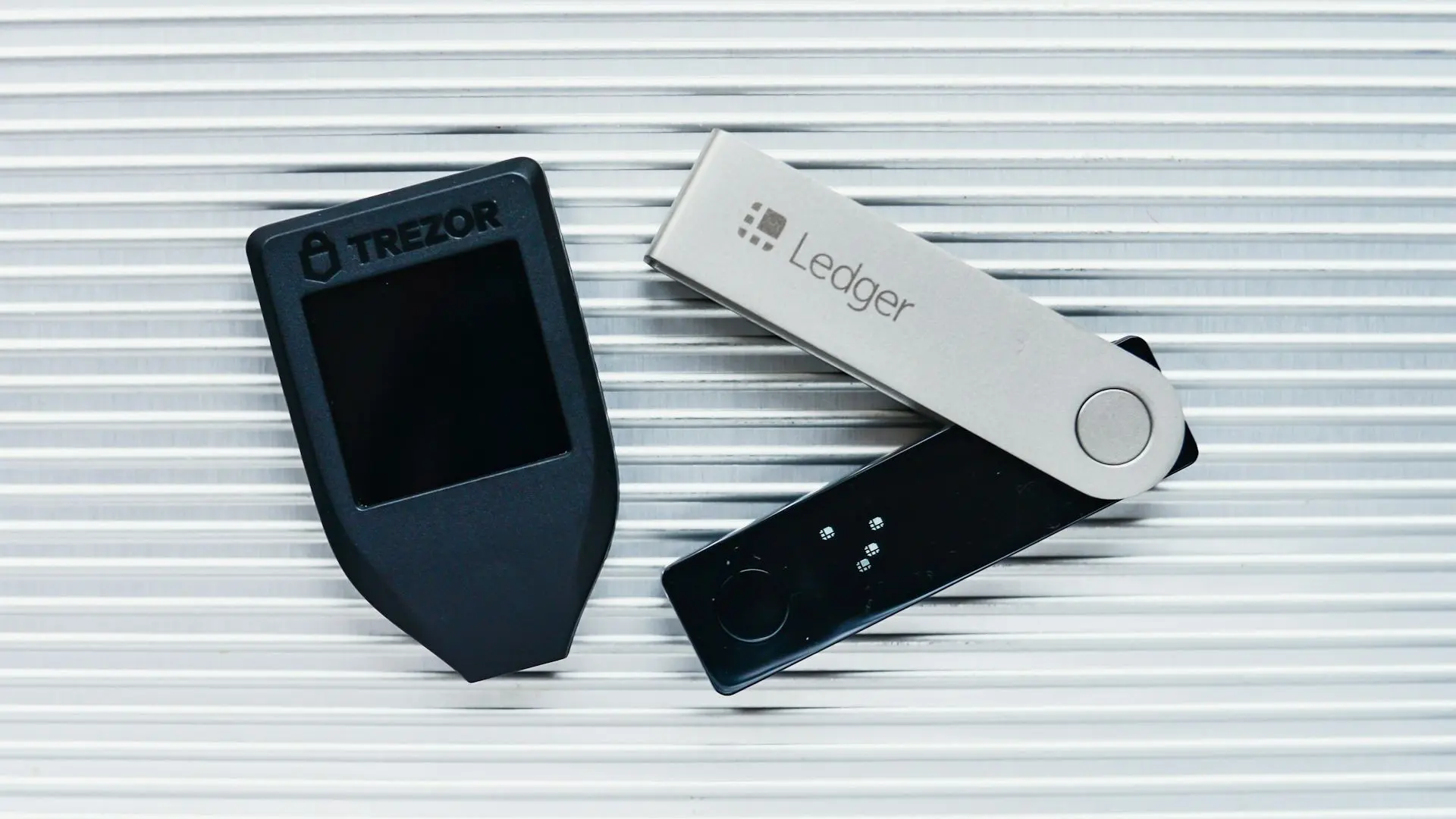
Trezor Safe 3 is the device we'd hand to someone who wants serious protection without turning crypto management into a full-time hobby. It is small enough to store discreetly, but the bright OLED display gives you a clear place to check transaction details before approving them. The two-button interface feels deliberately simple, and that simplicity is useful when the important job is confirming what the device is signing.
Its security package is the reason it leads this group. The EAL6+ certified secure element adds protection against physical attacks, while the PIN keeps casual access away from the device. A passphrase adds a separate layer for users who understand how to store and recover one safely. The design is fully open source, which gives security-minded buyers more visibility into how the wallet works than a closed platform would.
The Safe 3 connects by USB and works with the Trezor Suite application for buying, selling, and trading digital assets. It also supports two-factor authentication and the FIDO2 standard, so it can do more than hold crypto. Those features make it more versatile than TANGEM Wallet Pack of 2, which is designed around phone taps, while the Ledger Nano S Plus offers a similarly compact wired approach with its own app ecosystem.
The weakness is the interface. Trezor Safe 5 and Trezor Safe 7 are more comfortable for anyone who dislikes button-based navigation, especially when reviewing longer transaction details. The Safe 3 also has no Bluetooth, so phone-first users should look at Ledger Nano X or a TANGEM card instead. For a first serious wallet, though, Safe 3 strikes the most convincing balance between transparency, physical security, and manageable controls.
2. TANGEM Wallet Pack of 2: Best Card Wallet

Pros
- Tap-to-use NFC design
- No cable, battery, or Bluetooth
- Encrypted backup card
- Supports 90 blockchains
- IP69K water and dust protection
Cons
- Relies heavily on a smartphone
- Card interface offers less on-device information
- Losing the backup card reduces recovery flexibility
Best for: mobile users who want cold storage in a card format rather than a USB device.
TANGEM Wallet Pack of 2 feels completely different from Trezor Safe 3. There is no small screen, no cable to misplace, and no battery to charge. You tap the card to a compatible phone and manage the wallet through the app. That makes the first interaction unusually approachable, particularly for someone who finds traditional hardware wallets intimidating.
The cards use an EAL6+ security chip to keep private keys inside the device. TANGEM says the cards support 90 blockchains and access to more than 14, 100 coins and tokens, along with DeFi, NFTs, and staking. Those are broad claims, so buyers should still confirm that their particular assets work in the app. The key practical distinction is that the phone acts as the display and control surface, not the card itself.
The second card is intended as an encrypted backup. If one card disappears, the remaining card can restore access, and an optional seed phrase is available for advanced users. The cards are also rated IP69K, described as shockproof, and designed to operate from minus 25 to 50 degrees Celsius. That physical resilience makes them easier to carry than a delicate screen-equipped wallet.
The trade-off is trust in the phone workflow. You cannot independently inspect a transaction on a built-in screen as you can with Trezor Safe 5, and there is no USB or Bluetooth connection to fall back on. The Pack of 2 is the cleaner choice for a phone-centric routine, while TANGEM Wallet Pack of 3 makes more sense if you want another physical backup. Read our discussion of how offline storage differs from app-based crypto access before choosing a card wallet.
3. Ledger Nano S Plus: Best Wired Ledger

Pros
- CC EAL6+ certified secure element
- USB-C connection
- Supports thousands of assets
- Works with Windows, macOS, and Linux
- Supports hardware-backed FIDO2 logins
Cons
- No Bluetooth
- Not compatible with iOS
- Small screen and button controls
Best for: desktop users who want Ledger security and broad asset support without wireless connectivity.
Ledger Nano S Plus is the straightforward Ledger in this group. It is a compact USB-C device intended for use with the Ledger Wallet app on Windows, macOS, and Linux. The physical controls and display keep signing keys away from the computer, while the app provides the wider view for managing a portfolio.
Ledger says the Nano S Plus can manage thousands of digital assets, including Bitcoin, Ethereum, Solana, and Tether, with support for more than 15, 000 coins and tokens through its app environment. Its CC EAL6+ certified secure element is designed to keep private keys offline. The device also supports passwordless, hardware-backed two-factor logins, which gives it a useful role beyond cryptocurrency.
The wired-only approach is both its appeal and its limit. A cable creates a clear connection path and avoids Bluetooth pairing, but the Nano S Plus does not work with iOS. That rules it out for iPhone owners who want to manage assets from a phone. Ledger Nano X fixes that with Bluetooth and iOS access, while Trezor Safe 3 remains the more compelling alternative for buyers who prioritize open-source design.
The small display also means you should expect a more functional than luxurious experience. Trezor Safe 5 is easier to navigate because of its color touchscreen and haptic feedback, and Trezor Safe 7 goes further with wireless control. The Nano S Plus remains a sensible desktop anchor for people who prefer a cable, a mature app, and a familiar hardware wallet shape.
4. Ledger Nano X: Best Mobile Ledger

Pros
- Bluetooth connectivity
- Works with iOS and Android
- Supports the Ledger Wallet app
- USB connection remains available
- Compact design
Cons
- Larger and heavier than Nano S Plus
- Bluetooth adds another connection layer
- Older design than the newest touchscreen wallets
Best for: Ledger users who need wireless phone access, particularly on iPhone.
Ledger Nano X is the obvious step up from the Nano S Plus when mobile access matters. Its Bluetooth connection lets it work with iOS as well as Android, and it can still connect over USB. That flexibility is the whole point: you can leave it paired with a phone for routine management or use a cable when working at a computer.
The Ledger Wallet app supports buying, selling, sending, receiving, swapping, and staking across popular blockchains. Ledger also lists support for more than 15, 000 coins and tokens in its wider software environment. The device includes a secure element and a genuine-device check during setup, useful steps for confirming that the signer is authentic before putting it into regular use.
The Nano X is physically a little larger than the Nano S Plus, measuring 72mm by 18.6mm by 11.75mm according to the listed size. That remains pocket-friendly, but it is not quite as minimal as the smaller wired model. Its Bluetooth and battery-based mobile design also make it a different proposition from TANGEM Wallet Pack of 2, which has no battery or pairing process at all.
Choose the Nano X if you already want Ledger Wallet and your phone is central to your routine. Skip it if you prefer a strictly wired connection, dislike wireless pairing, or want a larger display. Trezor Safe 7 is more ambitious and easier to read, but the Nano X is the more familiar compact option for Ledger users who need iOS support.
5. Trezor Safe 7: Best Premium Touchscreen

Pros
- Large high-resolution color touchscreen
- Dual-chip architecture
- Encrypted Bluetooth
- USB-C connection
- IP54 dust and splash resistance
Cons
- More hardware than many owners need
- Wireless charging and Bluetooth add complexity
- Touchscreen devices need more careful handling than simple cards
Best for: experienced users who want the clearest on-device transaction review and wireless control.
Trezor Safe 7 is the most ambitious device here. Its high-resolution color touchscreen gives transaction review far more room than the small OLED panels on Trezor Safe 3 and Ledger Nano S Plus. That matters when you are checking addresses and amounts, because the device itself becomes a more useful source of confirmation instead of merely a small approval prompt.
The security design uses two chips: a TROPIC01 chip described as fully auditable and NDA-free, alongside an EAL6+ secure element. Trezor also describes the architecture as quantum-ready. Those labels will appeal to security-conscious buyers, although the practical benefit still depends on the full software and recovery process being handled correctly. The larger lesson is that Safe 7 is built for people who want visible, deliberate control.
It connects through encrypted Bluetooth or USB-C and works with Trezor Suite on desktop and mobile, including Android and iOS. Qi2-compatible wireless charging removes the need to keep reaching for a cable, while a LiFePO4 battery supports the wireless design. The anodized aluminum unibody, reinforced glass back, and IP54 dust and splash resistance give it a more substantial physical character than Safe 3.
That sophistication is also the reason not everyone should buy it. If you want a wallet to store away and touch only occasionally, Trezor Safe 3 is simpler. If your priority is Bitcoin-only seedless recovery, Bitkey Self Custody Wallet is more focused. Safe 7 belongs with users who value a premium screen, wireless management, and detailed transaction confirmation enough to justify learning its broader system.
6. TANGEM Wallet Pack of 3: Best Backup Flexibility

Pros
- Three physical cards
- Encrypted backup model
- NFC phone operation
- IP69K protection
- Broad blockchain support
Cons
- No built-in display
- Smartphone required for management
- Card recovery depends on following the backup process correctly
Best for: people who want several physical access cards distributed across safe locations.
TANGEM Wallet Pack of 3 has the same card-first philosophy as the two-card set, but the extra card changes how you can think about recovery. One can be used regularly, another can stay in a home safe, and the third can be kept in a separate secure location. That arrangement reduces the temptation to carry every recovery option together.
Each card uses the same EAL6+ chip and NFC connection, with no USB cable, Bluetooth, battery, or setup process described in the product details. The phone app handles the user interface and supports 90 blockchains, more than 14, 100 coins and tokens, and functions such as staking and NFTs. Those capabilities are broad, but the app remains the place where compatibility and transaction details need to be checked.
TANGEM describes the cards as waterproof, shockproof, and tested from minus 25 to 50 degrees Celsius, with a lifespan of up to 25 years. That is a useful physical profile for a backup device that may spend most of its life stored away. Compared with Trezor Safe 5 Violet Ore, the Pack of 3 gives up the reassuring screen and haptic confirmation in exchange for a much flatter, simpler form.
The main risk is procedural rather than physical. A card system can feel effortless, but the owner still needs to understand which cards are backups and how access is restored if one goes missing. Choose this pack when distributed physical backups matter more than reviewing transactions on a dedicated display. For a broader look at the recovery choices behind offline crypto storage, compare the recovery models before setting one up.
7. Trezor Safe 5 Black: Best Touchscreen Experience

Pros
- Color touchscreen
- EAL6+ secure element
- Haptic transaction confirmation
- Gorilla Glass display
- Multishare backup
Cons
- USB connection only
- Larger than button-based compact wallets
- Touchscreen is unnecessary for infrequent users
Best for: people who want clear, tactile transaction approval without moving to a wireless wallet.
Trezor Safe 5 Black is the practical middle ground in Trezor's lineup here. It replaces the Safe 3's two-button control with a vibrant color touchscreen and a Trezor Touch haptic engine. That combination makes approval feel more deliberate, which is exactly what you want when a transaction deserves a careful pause.
The device measures 2.6 by 1.6 by 0.3 inches and weighs about 0.05 pounds according to the listed specifications. Its EAL6+ secure element protects the device, while the Gorilla Glass display is intended to resist scratches and damage. Trezor says the wallet supports thousands of coins and tokens, including Bitcoin and Ethereum, through Trezor Suite.
Its multishare backup is another meaningful difference from a simple single recovery record. Splitting backup information can reduce the danger of one physical location becoming a single point of failure, but it also adds responsibility. The owner must understand how the shares work and keep them available when recovery is needed. The Safe 5 does not provide the wireless convenience of Safe 7, and it remains a USB-connected device.
The Black version is functionally the same as Trezor Safe 5 Violet Ore, so the choice between them is about finish rather than capability. Compared with Safe 3, this model is easier to operate and better for frequent signing. Compared with Safe 7, it is less elaborate and less convenient for mobile use. It is the model we'd pick for a buyer who wants a screen but has no interest in Bluetooth.
8. Trezor Safe 5 Violet Ore: Best Colorful Trezor

Pros
- Color touchscreen and haptic feedback
- EAL6+ secure element
- Gorilla Glass protection
- Multishare backup
- Supports thousands of assets
Cons
- No Bluetooth
- Same interface limits as the Black model
- Color does not change the hardware capabilities
Best for: buyers who want the Safe 5 interface in a more distinctive finish.
Trezor Safe 5 Violet Ore is not a different wallet architecture from the Black version. It is the same Safe 5 experience in a violet finish, which means the useful features are the color touchscreen, haptic confirmation, and secure element rather than the exterior color. That clarity matters because there is no reason to choose this model for performance differences.
The EAL6+ secure element provides the physical security foundation, while the touchscreen gives you a more legible view of transactions than the OLED display on Trezor Safe 3. Haptic feedback adds a physical confirmation when interacting with the device. For anyone who worries about approving a transaction too quickly, the combination makes the device feel more intentional than a basic button wallet.
Safe 5 supports thousands of coins and tokens, including Bitcoin and Ethereum, and works with Trezor Suite for asset management. The listed dimensions are about 2.6 by 1.6 by 0.3 inches, so it remains compact despite the larger display. Its Gorilla Glass screen and multishare backup give it useful durability and recovery features, but there is no Bluetooth connection.
That leaves the same buying decision as the Black version. Pick Violet Ore if the finish appeals to you, but do not expect a different security or software experience. Trezor Safe 7 is the upgrade for iOS and wireless use, while Safe 3 is the cleaner choice if you prefer fewer controls and a smaller, simpler device.
9. Bitkey Self Custody Wallet: Best Seedless Bitcoin Wallet

Pros
- No seed phrase
- 2-of-3 multisignature security
- NFC transaction verification
- Works with iOS and Android
- Built-in inheritance feature
Cons
- Bitcoin only
- Depends on phone and service components
- Less suitable for multi-asset portfolios
Best for: Bitcoin owners who want self-custody without managing a traditional seed phrase.
Bitkey Self Custody Wallet takes a different position from every Trezor, Ledger, and TANGEM product here. It is designed specifically for Bitcoin and removes the seed phrase, replacing it with a 2-of-3 multisignature setup. The three keys are held across the phone, the hardware device, and a Block server, with multiple approvals required for transactions.
That approach addresses a real source of loss. Seed phrases are powerful, but they can be photographed, misplaced, exposed to phishing, or destroyed in a disaster. Bitkey's recovery tools use encrypted backup and recovery processes instead. The product also includes inheritance, allowing the owner to designate another Bitkey user while safeguards are intended to prevent unauthorized claims.
The hardware uses NFC to verify transactions with a tap, and the app works with iOS and Android. You can buy, send, receive, and track Bitcoin from the app without relying on Bluetooth. That makes the workflow easier to understand than a general-purpose wallet, but it also limits the device to Bitcoin. Trezor Safe 5 is the better fit for Ethereum and other assets, while Bitkey is more focused for a Bitcoin-only household.
The central compromise is dependence on the Bitkey system. Traditional wallets give you a recovery phrase that can work across compatible software, while Bitkey's model depends on its keys, app, and recovery design. Choose it if eliminating seed phrase management is more important than maximum portability. Skip it if your portfolio spans several networks or you want an entirely independent recovery method.
10. Bitkey Bitcoin Wallet: Best Bitcoin Simplicity

Pros
- Bitcoin-focused design
- Three-key security model
- NFC transaction confirmation
- Exchange integrations
- Simple mobile app
Cons
- Bitcoin only
- No traditional seed phrase
- Requires the Bitkey app and supported service ecosystem
Best for: newcomers who want a focused Bitcoin wallet with a straightforward phone workflow.
Bitkey Bitcoin Wallet is the simpler expression of Bitkey's idea. It is built from the ground up for Bitcoin, with a phone app for buying, sending, receiving, and tracking and an NFC device for confirming transactions. There are no extra blockchain menus to navigate, which can be a relief for someone who only intends to hold Bitcoin.
The security model uses three keys instead of a traditional seed phrase. The product details describe this as a way to avoid the complexity and loss risk associated with seed phrases, while still giving the owner a self-custody arrangement. NFC keeps the hardware interaction short and avoids Bluetooth, so the device does not need to remain wirelessly paired to the phone.
Bitkey also integrates exchange partners including Cash App, Coinbase, Robinhood, and MoonPay. That makes the path from purchase to storage more direct, but it ties the experience more closely to the app and its supported partners. Bitkey Self Custody Wallet adds more explicit recovery and inheritance features, so it is the stronger choice for owners thinking about long-term estate planning.
The limitation is decisive: this is not a general-purpose multi-asset wallet. If you hold Ethereum, Solana, or other tokens, choose Trezor Safe 3, Ledger Nano S Plus, or another wallet built for broader support. If Bitcoin is all you need and a phone-guided setup sounds preferable to seed phrase management, this is the cleanest Bitkey starting point.
How to choose best hardware wallet
The right wallet is defined less by its shape than by how its security model fits your habits. Focus on the recovery system first, then check asset support, connection method, and how clearly the device lets you approve transactions.
Asset compatibility
A wallet that cannot hold your assets is the wrong wallet, regardless of its security features. Trezor Safe 3, Trezor Safe 5, Trezor Safe 7, and the Ledger models are designed for broad digital asset support, while both Bitkey products are dedicated to Bitcoin. TANGEM supports many blockchains, but confirm individual coin and token support in the companion app before moving funds.
Recovery design
Recovery is the part people often postpone until something goes wrong. Trezor and Ledger use conventional wallet backup practices, while TANGEM uses additional physical cards and Bitkey replaces the seed phrase with a three-key multisignature system. A complicated recovery process is not automatically safer if you cannot execute it under pressure.
The safest recovery method is the one you can explain clearly without looking it up.
Connection method
USB provides a direct wired path and suits desktop users. Bluetooth makes Ledger Nano X and Trezor Safe 7 more convenient with phones, while NFC keeps TANGEM and Bitkey interactions short and tap-based. Wireless convenience is useful, but it should not replace checking the transaction on the hardware itself.
On-device confirmation
Screens and controls determine how much information you can inspect before signing. Trezor Safe 5 and Safe 7 have color touchscreens, while Safe 3 and the Ledger Nano devices use smaller displays and physical controls. TANGEM and Bitkey rely on the phone app, so they suit owners who are comfortable making the phone the main interface.
Physical durability
A wallet may spend years in a drawer, bag, or safe. TANGEM cards are described as IP69K, shockproof, and rated for a wide temperature range. Trezor Safe 7 has IP54 dust and splash resistance, while Safe 5 uses Gorilla Glass. These details matter most for people who carry a wallet regularly or store backup devices outside the home.
Frequently asked questions
What is the Best best hardware wallet for beginners?
Trezor Safe 3 is the strongest general starting point because it combines a clear display, PIN and passphrase protection, a secure element, and broad support. TANGEM Wallet Pack of 2 is easier if you want a phone-first card design and do not need a dedicated screen.
Should I choose a wallet with a touchscreen?
A touchscreen makes transaction review and menu navigation easier, especially on Trezor Safe 5 and Trezor Safe 7. It also adds a display that must be protected, so a touchscreen is useful rather than essential.
Are TANGEM cards as flexible as USB hardware wallets?
TANGEM cards are highly portable and support many blockchains, but they depend on a phone for the interface. USB wallets such as Trezor Safe 3 and Ledger Nano S Plus provide a dedicated device screen and physical controls, which some users prefer for transaction verification.
Is Bitkey suitable for Ethereum or other tokens?
No. The Bitkey products in this roundup are designed exclusively for Bitcoin. Choose a Trezor, Ledger, or TANGEM device if you need support for multiple blockchain networks.
What is the difference between the two TANGEM packs?
The Pack of 2 includes two cards for the wallet and backup arrangement. The Pack of 3 adds another physical card, which can make it easier to distribute backups across separate secure locations.
Does Ledger Nano S Plus work with iPhone?
The listed product details specify USB-C connectivity and Android support, but not iOS compatibility. Ledger Nano X is the Ledger pick here for iOS users because it includes Bluetooth and mobile access.
Is a seedless wallet easier to recover?
It can remove the need to protect a written seed phrase, but it introduces a different recovery system. Bitkey uses three keys across the phone, hardware device, and Block server, so you should understand that model before transferring Bitcoin.

The bottom line
The Best best hardware wallet for most people is Trezor Safe 3. Its secure element, passphrase support, open-source design, clear OLED display, and broad software support make it a balanced choice for owners who want conventional hardware security without a complicated interface.
Choose Trezor Safe 5 Black if a color touchscreen and haptic feedback matter more than wireless access. Choose TANGEM Wallet Pack of 2 for the simplest phone-based card experience, or Bitkey Self Custody Wallet if you hold only Bitcoin and want to avoid a seed phrase.
If you are undecided, choose the wallet whose recovery process you can confidently secure and explain to someone else.
As an Amazon Associate we earn from qualifying purchases.