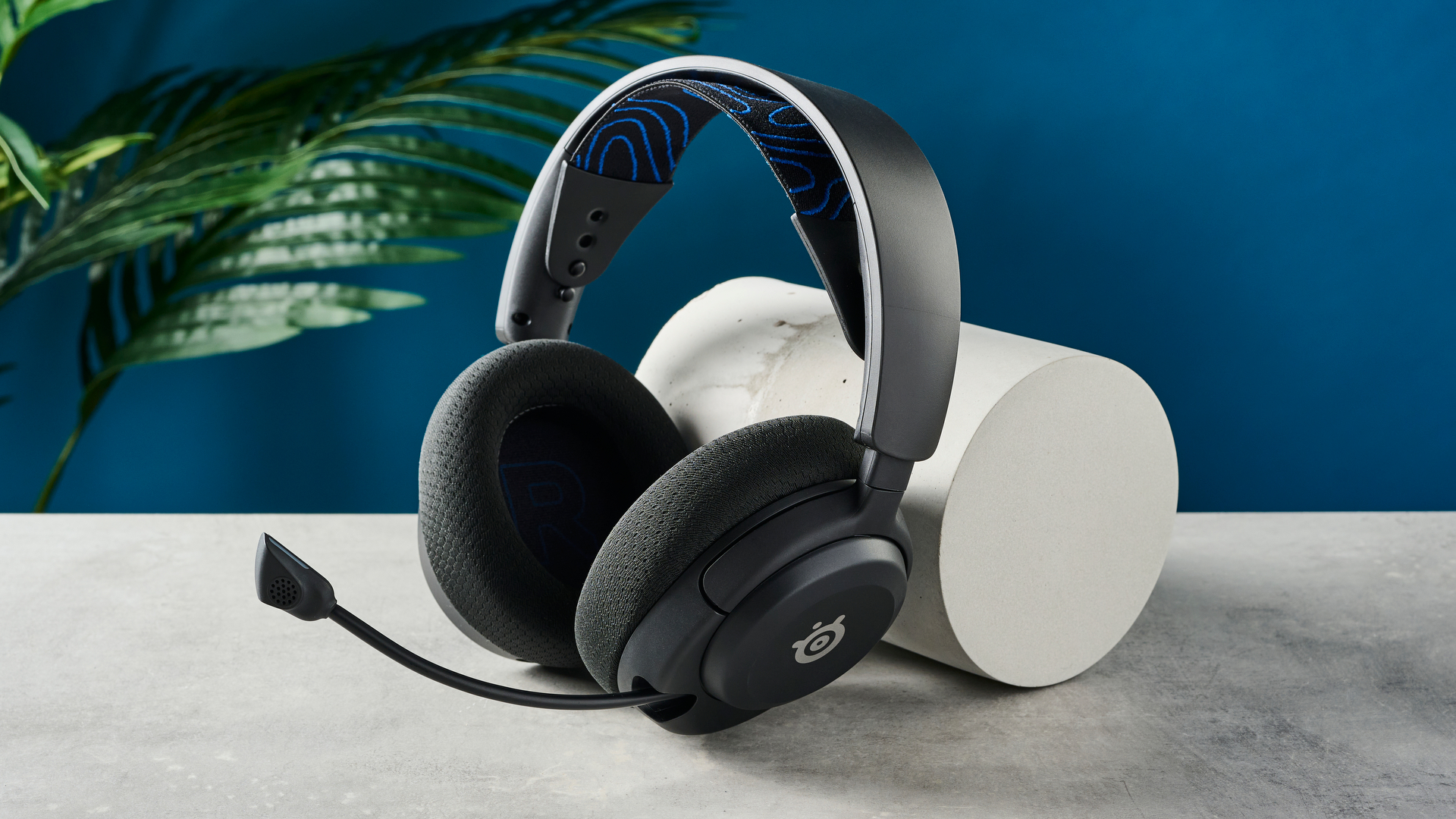

A good gaming headset has to do more than make explosions sound large. It needs to separate footsteps from background noise, keep your voice clear in a busy room, and stay comfortable when a short match becomes an evening session. The wrong choice can leave you fighting cable clutter, weak microphones, or a battery that runs flat at the worst moment.
The Best headphones for gaming in this group range from simple 3.5mm headsets to wireless models with Bluetooth, mobile apps, stored EQ profiles, and platform switching. Our top pick is the Razer BlackShark V2 X, while the rest cover premium multi-system use, long battery life, lightweight comfort, and competitive voice chat.
Comparison table
| # | Product | Award | Connection | Drivers or audio | Weight | Best for |
|---|---|---|---|---|---|---|
| 1 | Razer BlackShark V2 X | Best overall | 3.5mm wired | 50mm TriForce Titanium, software 7.1 on Windows 10 64-bit | 240g | PC and console players who want a light wired headset |
| 2 | Razer BlackShark V3 X | Best wireless value | 2.4GHz, Bluetooth, USB | Gen-2 50mm drivers, 7.1 surround | 270g | Wireless PC gaming with flexible connections |
| 3 | Logitech G Astro A50 | Best for multi-system setups | 24-bit LIGHTSPEED, Bluetooth, USB-C | 40mm PRO-G Graphene | Not stated | Players switching between three systems |
| 4 | HyperX Cloud Alpha | Best wired comfort | 3.5mm wired | Dual chamber drivers, 15Hz to 25, 000Hz | Not stated | Long wired sessions across many platforms |
| 5 | Logitech G522 | Best microphone controls | LIGHTSPEED, Bluetooth, USB | PRO-G, 48kHz/24-bit audio | 280g | Wireless players who stream or chat often |
| 6 | Logitech G733 | Best lightweight wireless | LIGHTSPEED, USB dongle | PRO-G drivers | 278g | Comfortable wireless PlayStation and PC gaming |
| 7 | JBL Quantum 100M2 | Best simple cross-platform pick | 3.5mm wired | JBL QuantumSound | Not stated | Casual players who need an uncomplicated headset |
| 8 | SteelSeries Arctis Nova 5 | Best battery life | 2.4GHz, Bluetooth 5.3 | Neodymium magnetic drivers, 100+ presets | Not stated | Multi-platform players who hate charging |
| 9 | Logitech G PRO X | Best for PC voice chat | 3.5mm, USB sound card | 50mm PRO-G, software 7.1 | Not stated | PC players who want deep mic and EQ control |
| 10 | Logitech G325 | Best lightweight Bluetooth option | LIGHTSPEED, Bluetooth | 24-bit customizable audio | 212g | Handheld and console players who want a light wireless headset |
1. Razer BlackShark V2 X: Best Overall

Pros
- Very light 240g design
- 50mm drivers separate game frequencies clearly
- Good passive isolation from closed earcups
- Cardioid microphone focuses on your voice
- Works with a broad range of consoles and computers
Cons
- Wired connection only
- Surround sound requires Windows 10 64-bit software
- Xbox One may need a separate stereo adapter
Best for: PC and console players who want a light, capable wired headset.
The Razer BlackShark V2 X gets the fundamentals right without turning a headset into a second piece of software to manage. It is light enough to disappear during a long session, and the closed earcups provide useful passive isolation when a fan, television, or conversation is competing with the game. The 3.5mm cable also means there is no battery to maintain and no wireless receiver to find.
Its 50mm TriForce Titanium drivers are divided into separately tuned areas for highs, mids, and lows. That arrangement is useful in games because dialogue, gunfire, and positional cues do not all arrive as one indistinct mass. On Windows 10 64-bit, the software-enabled 7.1 surround mode adds a wider positional presentation. The stereo connection remains the simpler choice for consoles, Mac, Switch, and other compatible devices.
The HyperClear cardioid microphone is aimed at picking up more of your voice and less sound from the rear and sides. It is not detachable, so the boom remains part of the headset even when you are playing alone, but the fixed design is easy to understand and difficult to misplace. Compared with the JBL Quantum 100M2, the Razer has more explicit driver tuning and a lighter listed weight. The Razer BlackShark V3 X is the better fit if wireless freedom matters more than simplicity.
The main limitation is the cable. It can catch on an armrest or pull against a controller, and the Windows-only surround qualification makes the feature less universal than the marketing suggests. Anyone who wants Bluetooth, console wireless support, or an onboard battery should skip this model. For a desktop or controller setup where a 3.5mm lead is acceptable, though, this is the cleanest all-rounder here.
2. Razer BlackShark V3 X: Best Wireless Value

Pros
- Fast 2.4GHz wireless connection
- Bluetooth and USB add flexibility
- Gen-2 50mm drivers emphasize positional detail
- Detachable 9.9mm cardioid microphone
- 270g build stays relatively light
Cons
- Wireless features are focused on PC and compatible devices
- Surround sound depends on software support
- No battery runtime is stated
Best for: PC gamers who want low-latency wireless with Bluetooth as a backup.
The Razer BlackShark V3 X is the natural step up for someone who likes the shape and gaming focus of the V2 X but no longer wants a cable. Its 2.4GHz HyperSpeed connection is designed for low-latency play, so dialogue, shots, and movement should stay aligned with the action. SmartSwitch Dual Wireless lets you move between 2.4GHz and Bluetooth, while USB provides another way to stay connected.
Razer uses Gen-2 50mm TriForce drivers here, with a wider soundstage intended to make footsteps and other audio cues easier to locate. The headset also includes 7.1 surround sound. That combination makes it more suitable for competitive PC play than a generic wireless headset, although the exact benefit will depend on the game and your software settings.
The detachable 9.9mm HyperClear cardioid microphone is a practical improvement over the fixed boom on the BlackShark V2 X. Remove it when you are listening to music or using the headset away from the desk, then reinstall it for team chat. The 270g design is still light, though the listed weight is higher than the V2 X. If you are comparing wireless options, the trade-offs between wired and wireless play are worth considering before you choose.
There is one important gap in the supplied specifications: battery runtime is not stated. That makes it harder to plan charging than with the Logitech G733, Logitech G522, or SteelSeries Arctis Nova 5. The V3 X is the right choice for someone who prioritizes wireless responsiveness and connection options, but readers who need predictable all-day endurance should choose one of those alternatives.
3. Logitech G Astro A50: Best for Multi-System Setups

Pros
- Playsync switches between three systems
- 24-bit LIGHTSPEED wireless audio
- Bluetooth can mix mobile audio with game sound
- 48kHz full-bandwidth microphone
- Magnetic charging base keeps the headset docked
Cons
- 24-hour runtime is shorter than some rivals
- Multi-system features make the setup more involved
- Best controls require Logitech software
Best for: households or players that regularly move between PC, console, and another system.
The Logitech G Astro A50 is built around a specific problem: one player, several systems, and a desk that should not need a tangle of headsets. Playsync lets the headset connect to three platforms at once through USB-C, with switching handled from the on-ear controls. That is a more useful feature than it first appears if your week moves between Xbox, PS5, PC, Mac, or Switch.
Its 40mm PRO-G Graphene drivers use 24-bit LIGHTSPEED wireless audio for an uncompressed presentation. The goal is not just louder effects, but better separation of location and timing. A seven-core DSP provides deeper sound shaping, and the G HUB and G app support a 10-band parametric EQ, microphone settings, noise gate, and stream output mixing. That is far more control than the straightforward JBL Quantum 100M2 or HyperX Cloud Alpha provide.
The microphone is a major reason to consider the A50. Its 48kHz full-bandwidth boom is designed for more articulate voice transmission, while Bluetooth dual-device mixing lets you bring a phone, Discord call, or music into the game audio. The included magnetic base station also gives the headset a clear home and charges it between sessions. It is a polished solution for a fixed gaming space.
The weakness is endurance. The stated runtime is 24 hours at 78 dB, behind the 60 hours listed for the Logitech G522 and SteelSeries Arctis Nova 5. The A50 also makes the most sense when you will use its switching and mixing features. If you play on one PC and do not need a dock, the Logitech G PRO X offers more focused PC voice and EQ tools without the same multi-system emphasis. The A50 is for the player who wants one wireless headset to manage an entire gaming setup.
4. HyperX Cloud Alpha: Best Wired Comfort

Pros
- Dual chamber drivers reduce distortion between frequencies
- Durable aluminum frame
- Detachable braided cable
- Detachable noise cancellation microphone
- Broad 3.5mm platform compatibility
Cons
- No wireless connection
- Older design has fewer software features
- Surround processing is not built in
Best for: players who want a durable wired headset for several consoles and devices.
The HyperX Cloud Alpha remains a sensible wired headset because it concentrates on the parts that matter when you put it on every day. The aluminum frame feels more substantial than the lightest plastic designs, and the expanded headband spreads pressure instead of concentrating it at one narrow point. Its detachable cable is another small but important ownership advantage.
HyperX uses dual chamber drivers to give the bass and mids more separation. That is intended to reduce distortion when a game throws music, dialogue, and low-frequency effects at the headset at the same time. The published frequency response runs from 15Hz to 25, 000Hz, although the audible benefit of that range will depend on the source and your hearing. In practice, the driver architecture matters more than the outer limits printed on a box.
The Cloud Alpha connects through 3.5mm, making it compatible with PC, PS4, PS5, Xbox One, Xbox Series X|S, Mac, mobile devices, Switch, and VR systems with the appropriate jack. Its detachable noise cancellation microphone can be removed when it is not needed, and the inline control keeps basic adjustments close at hand. The Razer BlackShark V2 X is lighter, while the Logitech G PRO X provides much deeper PC software control, but neither makes this headset wireless.
This is an older, less feature-heavy design. There is no Bluetooth, no battery, no app-driven EQ, and no built-in wireless surround mode. The cable also remains a nuisance for anyone who changes position frequently. Choose the Cloud Alpha when comfort, repairable connection hardware, and broad wired compatibility matter more than modern wireless extras.
5. Logitech G522: Best Microphone Controls

Pros
- 48kHz/16-bit microphone
- Blue VO!CE and G HUB control
- Up to 60 hours with lighting off
- LIGHTSPEED, Bluetooth, and wired USB modes
- Washable suspension band
Cons
- RGB lighting reduces the stated maximum runtime
- 280g is heavier than the Logitech G325
- More software than some players need
Best for: wireless players who care about clean team chat, streaming, and adjustable voice sound.
The Logitech G522 is the headset to pick when your teammates hear you as often as you hear the game. Its full-bandwidth microphone is specified at 48kHz and 16-bit, and Blue VO!CE processing gives you tools to shape the voice signal. Noise control, EQ, and other adjustments live in G HUB or the Logitech G mobile app, so the headset can serve both ordinary team chat and more deliberate streaming setups.
The audio side uses PRO-G drivers with 48kHz and 24-bit wireless audio. That gives the headset enough resolution for detailed game effects while keeping the connection wireless. LIGHTSPEED targets busy PC environments, Bluetooth handles mobile devices, and a USB-A to USB-C wired mode provides a fallback for uninterrupted play.
The G522 also stands out for endurance. Logitech lists up to 60 hours with lighting turned off, and the wireless range is listed at up to 30 meters. The washable suspension band and rounded cushion earcups are sensible comfort choices, though the 280g build is heavier than the 212g Logitech G325 and slightly heavier than the G733. The customizable side lighting looks distinctive, but it is not the reason to buy this model.
The G522 is more involved than the Razer BlackShark V3 X, which is easier to recommend when you simply want a wireless connection and a detachable mic. It also lacks the A50's three-system switching focus. Pick the G522 for a PC-centered setup where microphone shaping, wireless modes, and battery endurance matter more than the lightest possible frame.
6. Logitech G733: Best Lightweight Wireless

Pros
- 278g lightweight build
- Dual-layer memory foam cushions
- Reversible suspension headband
- Up to 29 hours of battery life
- LIGHTSPEED wireless for PC and console
Cons
- Console use is stereo through the USB dongle
- No Bluetooth listed
- RGB lighting adds visual flair but not gaming utility
Best for: PC and PlayStation players who want a comfortable wireless headset with a distinctive look.
The Logitech G733 has a softer, more relaxed personality than the G522. Its reversible suspension headband and dual-layer memory foam earcups spread contact over a larger area, while the 278g weight keeps it from feeling cumbersome. That makes it a strong pick for players who notice head pressure before they notice small differences in sound tuning.
Logitech's PRO-G drivers are designed to reduce distortion and reproduce consistent game audio. The G733 uses LIGHTSPEED wireless with a stated range of up to 20 meters and a listed battery life of up to 29 hours. That is enough for several sessions, though it does not approach the 60-hour figures of the G522 or Arctis Nova 5.
The microphone includes software filters that can make speech sound richer and cleaner. G HUB also controls the dual-zone LIGHTSYNC RGB lighting, with a broad color range and preset or custom animations. On PlayStation 5, PlayStation 4, and a docked Switch, the supplied USB wireless dongle provides stereo sound. The connection details are less broad than the Razer BlackShark V3 X, which adds Bluetooth and wired USB modes.
The G733 does not list Bluetooth, so it is not the model to choose for phones or tablets without using another connection method. It also offers less platform mixing than the Astro A50. For PC and PlayStation players who care about low weight, soft padding, and an easy wireless routine, it remains one of the more comfortable choices here.
7. JBL Quantum 100M2: Best Simple Cross-Platform Pick

Pros
- Simple 3.5mm wired connection
- Detachable directional microphone
- Memory foam and breathable fabric cushions
- Windows Sonic spatial sound compatibility
- Works with PC, console, mobile, Mac, and VR
Cons
- No wireless option
- Fewer adjustment tools than the Logitech G PRO X
- No driver size is stated
Best for: casual and multi-platform players who want a straightforward wired headset.
The JBL Quantum 100M2 is refreshingly uncomplicated. Plug its 3.5mm cable into a PC, PlayStation, Xbox, Switch, mobile device, Mac, or VR system, and the headset is ready to go. There is no account setup, wireless pairing, battery warning, or desktop application standing between you and a game.
JBL's QuantumSound branding covers the headset's presentation, which is intended to make quiet footsteps and large effects easier to distinguish. On Windows 10 PCs and Xbox One, it is compatible with Windows Sonic spatial sound. That is a platform feature rather than a special wireless surround mode, but it gives supported systems a way to create a more positional presentation.
The detachable directional microphone is a useful feature at this level. Its voice-focused pickup pattern helps keep speech intelligible, and the mic can be removed for solo listening. Memory foam, breathable fabric ear cushions, and a lightweight build address the comfort side of the design. Compared with the HyperX Cloud Alpha, the JBL is less substantial and offers fewer construction details, but its broad compatibility is easy to use.
The limitations are clear. JBL does not state a driver size, battery life is irrelevant because the headset is wired, and there are no EQ or microphone processing tools in the supplied information. The Razer BlackShark V2 X has more explicit audio hardware and a lighter listed weight. Choose the JBL when you want a basic headset that can move from one device to another without learning a software ecosystem.
8. SteelSeries Arctis Nova 5: Best Battery Life

Pros
- Up to 60 hours of battery life
- Fast charge adds 6 hours in 15 minutes
- 2.4GHz and Bluetooth 5.3
- More than 100 game audio presets
- Retractable ClearCast 2.X microphone
Cons
- Preset library adds app dependence
- No wired audio mode is listed
- Platform support still depends on the USB-C dongle
Best for: players who want long wireless sessions and quick switching between game audio and mobile devices.
The SteelSeries Arctis Nova 5 solves the charging problem better than any other headset in this group. Its battery is rated for up to 60 hours, and a 15-minute USB-C fast charge is said to provide six hours of use. That makes it easier to leave the headset on a desk for days without turning every session into a battery calculation.
Connection flexibility is the other major strength. Quick-Switch Wireless moves between 2.4GHz gaming and Bluetooth 5.3, so you can take a call or listen to mobile audio without fully abandoning the game. The compact USB-C dongle supports PC, PlayStation, Switch, Meta Quest, phones, and tablets. On-ear controls cover power, mute, volume, and the wireless switch.
The neodymium magnetic drivers are tuned for clear highs, defined mids, and deep bass. More than 100 game audio presets in the companion app let you choose a profile for supported games rather than starting every adjustment from scratch. The retractable ClearCast 2.X microphone supports 32kHz and 16-bit audio, which gives it a clear technical advantage over basic chat microphones. Readers comparing different wireless systems may also want to see how mobile Bluetooth use changes gaming headset choices.
The Nova 5 does not list a wired mode, so a flat battery is more disruptive than it would be with the BlackShark V3 X or Logitech G522. Its app and preset system may also feel excessive if you prefer a fixed sound profile. Still, for anyone who moves between platforms and wants long battery life with fast charging, it is an unusually complete option.
9. Logitech G PRO X: Best for PC Voice Chat

Pros
- Blue VO!CE microphone processing
- 50mm PRO-G drivers
- USB sound card stores EQ profiles
- Aluminum fork and steel headband
- Leatherette and breathable velour pad options
Cons
- Best features require a Windows PC
- Wired connection limits movement
- Surround and mic processing need the included USB sound card
Best for: PC players who want detailed microphone and equalizer control.
The Logitech G PRO X is a wired headset for people who consider voice chat part of their competitive setup. Its detachable pro-grade microphone works with Blue VO!CE processing, including a noise reducer, compressor, limiter, and other controls. Those features require the included USB sound card, a Windows PC, and Logitech G HUB, but they give the mic much more flexibility than the fixed processing on simpler headsets.
The 50mm PRO-G drivers are intended to produce clear imaging and stronger bass response, helping footsteps and environmental cues remain distinct. The USB sound card also enables next-generation 7.1 and object-based surround sound on Windows. A five-band EQ can be stored in onboard memory, and downloadable profiles provide a starting point for players who do not want to tune every frequency themselves.
Comfort and construction are thoughtful. Soft memory foam ear pads are supplied in both passive noise-cancelling leatherette and breathable velour, while the aluminum fork and steel headband are designed for durability. The headset has a listed 35-ohm impedance, and the included mobile cable adds a way to use it without the boom microphone. A carrying bag is included as well.
The PC requirements are the catch. On a console or phone, the headset becomes a more ordinary wired model, and its standout surround and Blue VO!CE tools are unavailable. The HyperX Cloud Alpha is easier across many platforms, while the Logitech G522 is a better fit for anyone who wants to remove the cable. Choose the PRO X when your main arena is a Windows PC and clean, adjustable team communication matters.
10. Logitech G325: Best Lightweight Bluetooth Option

Pros
- Very light 212g design
- LIGHTSPEED and Bluetooth connectivity
- 24-bit customizable audio
- Built-in beamforming microphone
- Up to 24 hours of battery life
Cons
- Battery figure is listed as 24 hours or more, not a longer specific rating
- Embedded microphone cannot be removed
- Audio features are less elaborate than the G522
Best for: players who move between PC, console, handhelds, and mobile devices.
At 212g, the Logitech G325 is the lightest headset in this roundup with a stated weight. That matters when you use a headset with a handheld, move between rooms, or dislike the feeling of a heavy frame after several hours. Dual-layer memory foam earcups and a soft knit headband add cushioning without changing the basic lightweight character.
The G325 combines LIGHTSPEED wireless for PC and console gaming with Bluetooth for handhelds, phones, tablets, and laptops. Its audio is specified as 24-bit and customizable, with enhanced bass for a more forceful game presentation. Compatibility covers PC, PS4, PS5, Switch 1 and 2, and the broader Bluetooth device group, giving it a useful range for a portable gaming setup.
The built-in beamforming microphone uses AI-powered noise reduction to reduce keyboard clicks, fan hum, and other background sounds. That is a different approach from the detachable microphones on the BlackShark V3 X, JBL Quantum 100M2, and HyperX Cloud Alpha. It keeps the headset streamlined, but the mic cannot be removed when you want to use the headset just for music or video.
Logitech lists more than 24 hours of battery life, enough for a full day of mixed play, but the specification is less generous than the G522's 60-hour claim or the Nova 5's 60 hours. The G325 also lacks the G522's stated 48kHz/24-bit wireless audio and deeper Blue VO!CE tools. Pick it for lightness and Bluetooth convenience, especially with handhelds. Skip it if microphone customization or maximum endurance is your main concern.
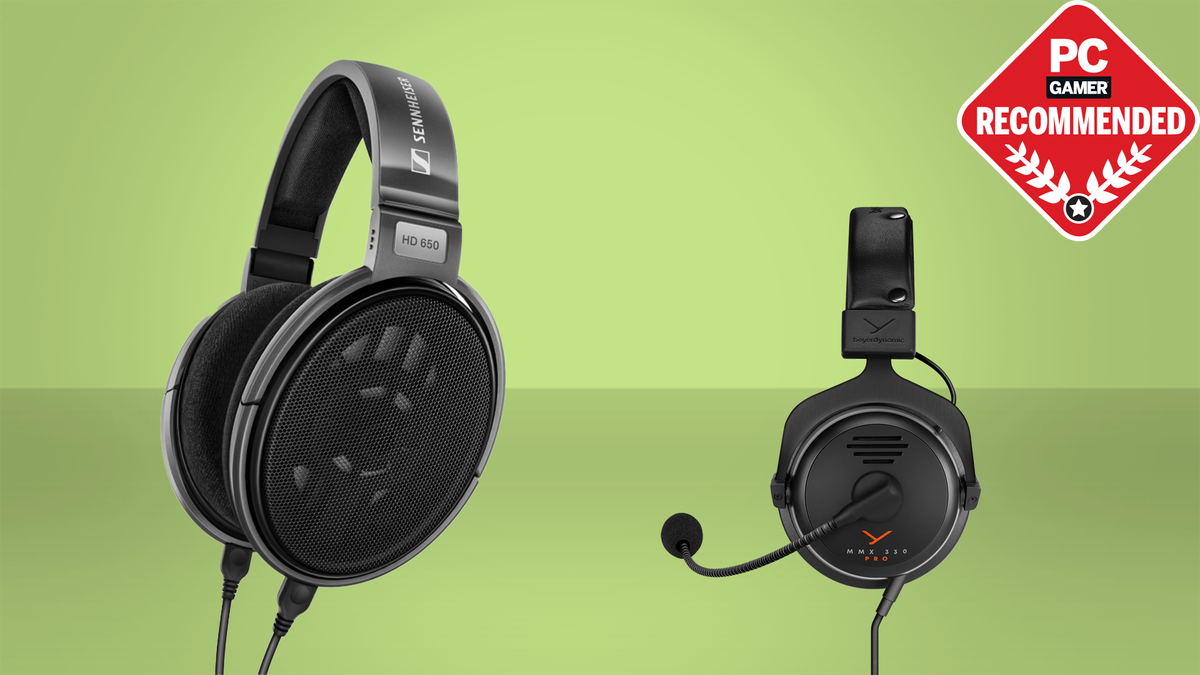
How to choose best headphones for gaming
The right headset depends on how you play, what you connect it to, and how much control you want over sound and voice.
Connection type
A 3.5mm wired headset such as the Razer BlackShark V2 X or JBL Quantum 100M2 works without charging and can connect directly to many controllers, computers, phones, and handhelds. Wireless models are more convenient at a desk, but they require a receiver, Bluetooth pairing, or regular charging. Some, including the Razer BlackShark V3 X and Logitech G522, offer wired USB as a fallback.
For competitive PC play, 2.4GHz wireless is generally the more relevant wireless mode because it is designed for low-latency game audio. Bluetooth is useful for phones, tablets, and casual listening, but it does not replace every gaming connection.
Platform compatibility
Check the actual systems you use rather than assuming that a headset marked multi-platform supports every feature everywhere. The JBL Quantum 100M2 and HyperX Cloud Alpha use a simple 3.5mm connection, while the SteelSeries Arctis Nova 5 uses a USB-C dongle and Bluetooth. The Logitech G733 supports PlayStation and docked Switch through its USB wireless dongle, with stereo sound specified for those consoles.
The best connection is the one that works directly with your controller, console, or handheld without an adapter hunt.
Driver design and positional audio
Driver size alone does not determine sound quality. The Razer models use 50mm drivers, the Logitech G PRO X uses 50mm PRO-G drivers, and the Astro A50 uses 40mm PRO-G Graphene drivers. Their tuning, separation, software, and fit matter just as much.
For games, listen for distinct footsteps, dialogue, and effects rather than simply heavy bass. Dual chamber drivers in the HyperX Cloud Alpha and separately tuned frequency areas in the Razer BlackShark V2 X are designed to keep busy game mixes more organized. Surround and spatial modes can help with positioning, but they are often platform or software dependent.
Microphone design
A detachable boom is useful if you want to use the headset away from gaming. Directional and cardioid patterns focus more on your voice, while beamforming microphones use multiple inputs to reduce background sound. The JBL Quantum 100M2, Razer BlackShark V3 X, and HyperX Cloud Alpha all have detachable microphones.
PC players who want deeper control should look at the Logitech G PRO X or G522. Blue VO!CE on the PRO X and the G522's Blue VO!CE and G HUB tools offer more ways to shape speech than a basic mute switch. The Astro A50's 48kHz microphone is another strong option for players who move between systems.
Comfort and weight
Headset weight, earcup padding, headband pressure, and heat all affect long sessions. The Logitech G325 is listed at 212g, the Razer BlackShark V2 X at 240g, and the Logitech G733 at 278g. The numbers do not tell the whole story, but they help identify the lighter designs.
Memory foam can improve the seal and reduce pressure points, while a suspension band spreads the load across the top of your head. If you wear glasses, pay close attention to clamp and cushion shape. A well-isolated headset can sound more focused, but it may also feel warmer over time.
Battery life and charging
Wireless battery claims vary widely across this list. The Logitech G522 and SteelSeries Arctis Nova 5 list up to 60 hours under stated conditions, while the Logitech G733 lists up to 29 hours and the Astro A50 lists 24 hours at 78 dB. Lighting, volume, connection mode, and software settings can affect real use.
Fast charging changes how disruptive a low battery is. The Nova 5 claims six hours from 15 minutes of USB-C charging, while the Astro A50 uses a magnetic charging dock. If you do not want battery management at all, a wired headset remains the simplest solution.
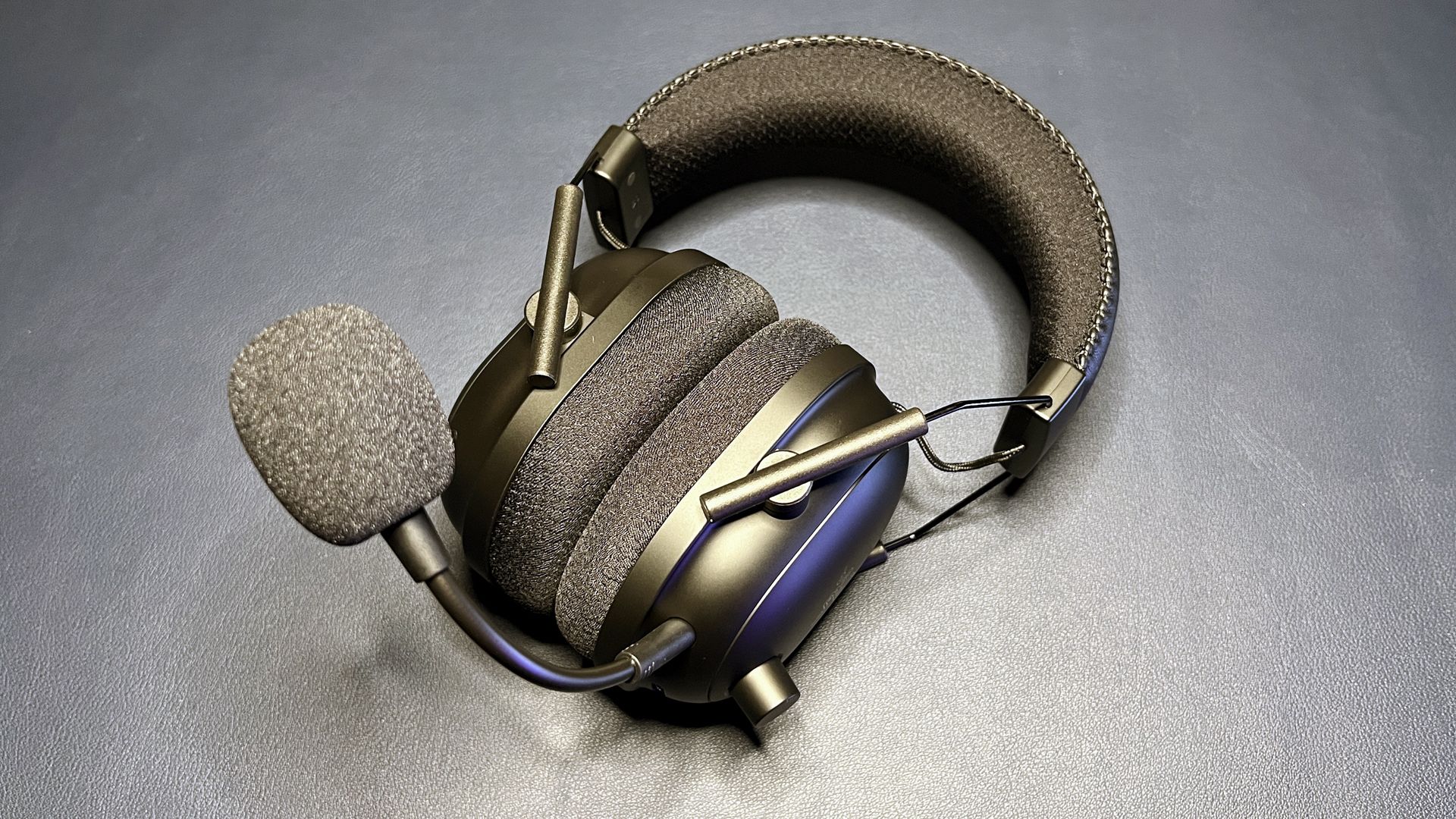
Frequently asked questions
Are wired or wireless headphones better for gaming?
Wired models avoid charging and usually connect directly through 3.5mm. Wireless models make it easier to move around and can offer features such as Bluetooth, platform switching, and mobile audio mixing. Choose based on your setup and tolerance for charging rather than assuming one connection is always superior.
Does surround sound improve gaming?
Surround or spatial processing can make directional cues easier to interpret in some games, but the result depends on the software, platform, and individual listening preferences. The Razer BlackShark V2 X requires Windows 10 64-bit for its software-enabled 7.1 feature, and the Logitech G PRO X needs its USB sound card and Windows software for its advanced surround modes.
Which headset is easiest to use across consoles?
The JBL Quantum 100M2 and HyperX Cloud Alpha are simple choices because their 3.5mm connections work with many listed platforms. Wireless options need more attention to dongle compatibility and console support. The Logitech G Astro A50 is especially useful for people who regularly switch between several systems.
Do larger drivers always sound better?
No. Driver size can affect how a headset presents bass and detail, but tuning and separation are just as important. The 40mm drivers in the Astro A50, for example, are paired with PRO-G Graphene construction and 24-bit wireless audio, while several 50mm headsets use different tuning and processing.
Can I use a gaming headset for music and calls?
Yes. Bluetooth makes this easier on models such as the Razer BlackShark V3 X, SteelSeries Arctis Nova 5, Logitech G522, and Logitech G325. A detachable microphone also helps when you want a cleaner everyday headphone, while a wired 3.5mm model can work with phones and other audio devices that retain the jack.
How important is microphone quality for multiplayer games?
It matters whenever teammates need to understand short instructions quickly. A directional or cardioid mic can reduce unwanted room sound, while software such as Blue VO!CE gives PC users more control over voice tone and noise. If you mainly play solo, microphone features should not outweigh comfort and connection quality.
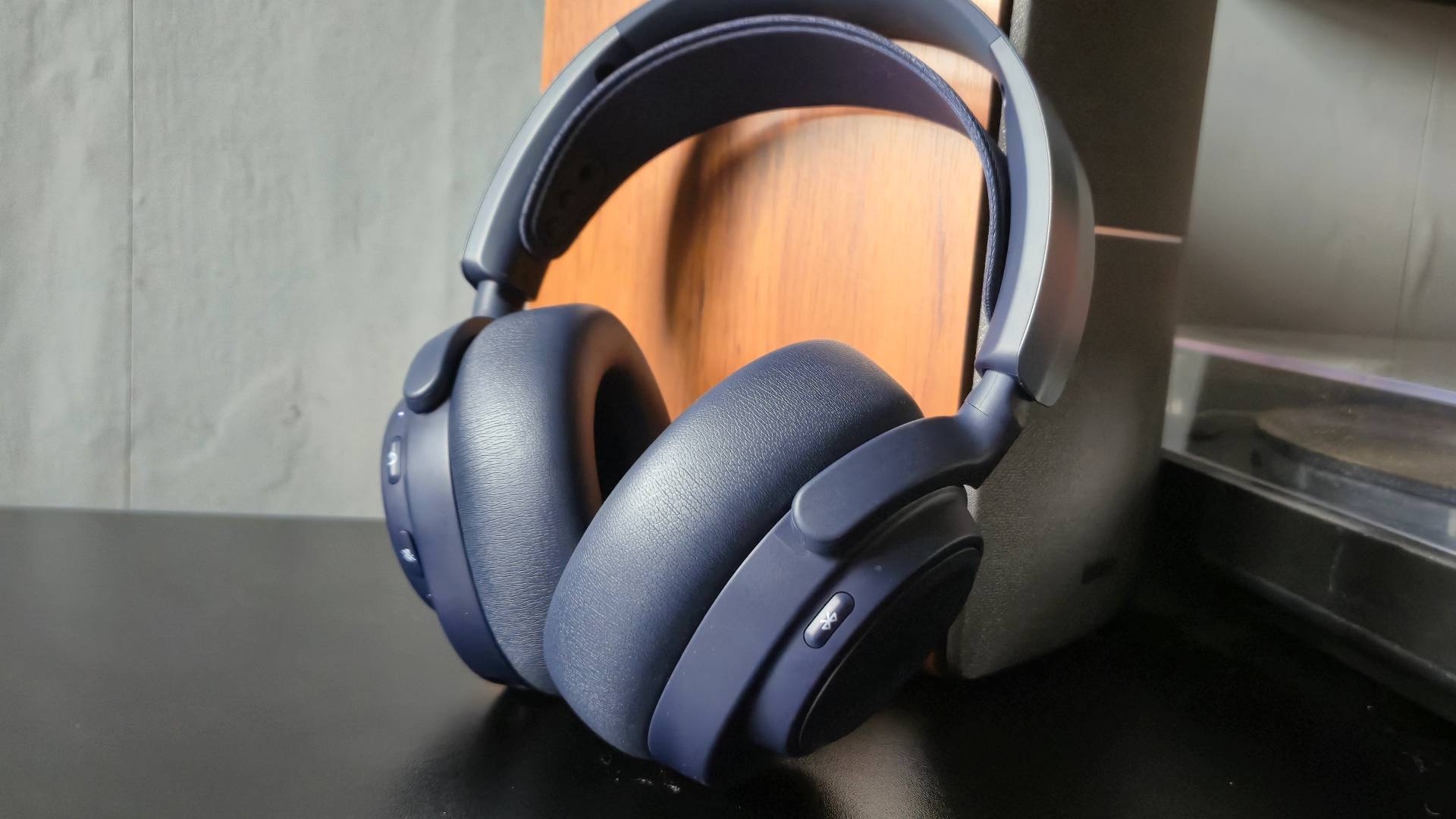
The bottom line
The Best headphones for gaming for most PC and console players are the Razer BlackShark V2 X. Its 240g frame, clear 50mm driver design, passive isolation, cardioid mic, and broad 3.5mm compatibility make it easy to recommend, though it is the wrong fit for anyone who insists on wireless play.
For wireless gaming, the Razer BlackShark V3 X is the most balanced alternative, with 2.4GHz, Bluetooth, USB, a detachable mic, and 270g weight. Choose the Logitech G Astro A50 for three-system switching, the SteelSeries Arctis Nova 5 for long battery life, or the Logitech G PRO X when PC voice processing matters most.
If you are undecided, choose wired simplicity with the BlackShark V2 X, or choose the BlackShark V3 X when cutting the cable is non-negotiable.
As an Amazon Associate we earn from qualifying purchases.