

A laptop for home use has to handle more than email. It may be a family computer in the morning, a video-call desk in the afternoon, and a streaming screen at night. The wrong choice can mean a cramped display, sluggish multitasking, or a machine too heavy to move from the kitchen table to the sofa.
The Best home laptop depends on which compromise you can live with. Our top pick is the Dell 16, while the lineup also includes a powerful gaming machine, large-screen HP models, compact everyday notebooks, and a lightweight alternative.
Comparison table
| # | Product | Award | Screen | Processor | Memory and storage | Best for |
|---|---|---|---|---|---|---|
| 1 | Dell 16 | Best overall | 16-inch FHD+, 16:10 | Intel Core 7 150U | 16GB, 1TB | Home office and entertainment |
| 2 | ASUS ROG Strix G16 | Best for gaming | 16-inch FHD+, 165Hz, 3ms | Intel Core i7-14650HX, RTX 5060 | 16GB DDR5, 1TB Gen 4 SSD | Gaming and creative workloads |
| 3 | HP Essential 15.6-inch | Best for everyday productivity | 15.6-inch FHD | Intel N100 | 8GB, 256GB SSD | Documents, classes, and streaming |
| 4 | Dell 15.6 Core 3 | Best for simple home tasks | 15.6-inch FHD | Intel Core 3 100U | 8GB, 512GB | Browsing and basic office work |
| 5 | Dell 15.6 Core Ultra 5 | Best lightweight Dell | 15-inch, up to 300 nits | Intel Core Ultra 5 225U | 16GB, 512GB SSD | Multitasking and portability |
| 6 | HP Everyday Slim | Best compact option | 14-inch HD, 250 nits | Intel N150 | 128GB SSD | Travel, school, and light work |
| 7 | HP OmniBook 3 17.3-inch | Best large display | 17.3-inch FHD IPS | AMD Ryzen 3 30 | 8GB, 512GB SSD | Desk-based home computing |
| 8 | WIPEMIK P15 | Best for easy carrying | 15.6-inch 1080p IPS | 6500Y processor | 16GB, 256GB SSD | Mobile everyday use |
| 9 | HP 17.3-inch Touchscreen | Best touchscreen | 17.3-inch HD+, touch | Intel N100 quad-core | 8GB, 128GB | Touch navigation and numeric entry |
1. Dell 16: Best Overall

Pros
- Spacious 16-inch 16:10 screen
- 16GB memory and 1TB storage
- ComfortView Plus for long viewing sessions
- Up to FHD camera with noise reduction
Cons
- Heavier than the compact options
- No dedicated graphics processor listed
Best for: families and home workers who want one capable laptop for work, video calls, and entertainment.
The Dell 16 is the laptop we would put at the center of a busy home. Its large screen gives documents, browser tabs, and streaming video more room without jumping to the oversized footprint of a 17.3-inch model. The 16:10 aspect ratio is especially useful for work because it provides more vertical space than a traditional 16:9 panel. You scroll less through long pages and can keep more of a spreadsheet or document visible.
Its Intel Core 7 150U processor and 16GB of memory give it a sensible home-computing profile. That combination is better suited to switching among office applications, browser tabs, video calls, and media than the 8GB systems lower in this list. The 1TB storage capacity also leaves substantially more space for photos, documents, downloaded media, and applications than the 128GB and 256GB options. Dell does not list dedicated graphics here, so this is not the machine to buy for demanding modern games, but it is well matched to ordinary productivity and entertainment.
The display has up to FHD+ resolution, and Dell adds ComfortView Plus to reduce blue-light emissions while preserving color. That feature matters when a laptop stays open for several hours each evening. The up-to-FHD camera includes wide dynamic range and temporal noise reduction, giving this model a stronger video-call brief than many basic laptops. Adaptive thermals can also adjust operation when the system detects a stable surface, a useful touch for a computer that may move between a desk and a table.
Compared with the Dell 15.6 Core Ultra 5, this laptop gives you more screen area and twice the listed storage, while the smaller Dell is lighter and uses a newer Core Ultra platform. The HP OmniBook 3 17.3-inch offers an even larger display, but the Dell 16 is easier to place and has more memory. Its 4.37-pound weight is the main drawback, and shoppers who carry a laptop daily should consider the HP Everyday Slim or WIPEMIK P15 instead.
For a broader look at machines built around household tasks, a laptop that can handle shared home office and entertainment duties is the right comparison point. The Dell 16 remains our first recommendation for someone who wants one dependable Windows laptop rather than a narrowly specialized device.
2. ASUS ROG Strix G16: Best for Gaming

Pros
- RTX 5060 graphics
- 165Hz display with 3ms response time
- 1TB PCIe Gen 4 SSD
- Advanced vapor-chamber and tri-fan cooling
Cons
- Heaviest laptop in this group
- Gaming design is more conspicuous in shared rooms
- Gaming hardware is unnecessary for basic browsing
Best for: households that need a serious gaming and creative-work machine that can also handle everyday computing.
The ASUS ROG Strix G16 is the obvious outlier here, and that is precisely why it earns a place. It is not the sensible pick for email and occasional streaming, but it is the only model in this group built around a dedicated NVIDIA GeForce RTX 5060 Laptop GPU. If a home laptop also needs to run current games, GPU-accelerated creative software, or demanding 3D applications, the ordinary office models cannot compete with it.
The Intel Core i7-14650HX is paired with 16GB of DDR5-5600MHz memory and a 1TB PCIe Gen 4 SSD. Fast memory and a roomy solid-state drive help with large game installations, multitasking, and application loading. The RTX 5060 uses NVIDIA Blackwell architecture and supports DLSS 4 and Max-Q technologies according to the listing. Those features are aimed at keeping demanding games moving smoothly rather than merely displaying a desktop.
The 16-inch FHD+ screen uses a 16:10 ratio, 165Hz refresh rate, and 3ms response time. A high refresh rate makes motion look more fluid in games and can make ordinary scrolling feel more immediate. The 3ms response specification is aimed at reducing visible blur during fast movement. ASUS also adds an ACR film to improve contrast and reduce glare, while the end-to-end vapor chamber, tri-fan design, and Conductonaut Extreme liquid metal cooling are intended to keep performance stable under load.
At 5.84 pounds, the ROG Strix G16 is substantially less convenient to carry than the Dell 16 or Dell 15.6 Core Ultra 5. Its cooling system and graphics hardware also make it a more specialized machine, not a quiet minimalist notebook for a shared living room. The 360-degree RGB light bar can be switched off with Stealth Mode, which helps, but shoppers who only need documents and streaming should skip it.
For people working from a home office, the laptop features that matter during long work sessions are usually the camera, keyboard, display comfort, and battery behavior. The ASUS is strongest when gaming or graphics performance is part of the brief. Choose it when those capabilities are essential, not simply because a faster specification sounds appealing.
3. HP Essential 15.6-inch: Best for Everyday Productivity

Pros
- Full HD anti-glare display
- 256GB PCIe NVMe SSD
- USB-C, two USB-A ports, HDMI, and headphone jack
- Numeric keypad and listed Office applications
Cons
- 8GB memory leaves less headroom for heavy multitasking
- Intel N100 is aimed at everyday work, not demanding applications
- The listing has inconsistent storage details
Best for: students, remote workers, and families who mainly need documents, web browsing, calls, and streaming.
The HP Essential 15.6-inch gets the basics right without trying to be a performance laptop. Its 15.6-inch Full HD display is a comfortable middle ground for a kitchen table or home desk. Narrow bezels keep the chassis from feeling excessively wide, and the anti-glare finish should be more comfortable near a window than a glossy panel.
The Intel four-core N100 processor is listed with speeds up to 3.4GHz, alongside 8GB of DDR4 memory. That is a suitable setup for word processing, online learning, video conferencing, browser research, and streaming. It is not the choice for sustained editing workloads or a large number of demanding applications running together. The 256GB PCIe NVMe SSD should make startup and application launches feel much more responsive than older hard-drive systems.
Connectivity is one of the HP's practical strengths. It includes Wi-Fi 6, Bluetooth 5.3, USB-C, two USB-A ports, HDMI, and a headphone jack, so connecting a printer, mouse, display, or older accessory should not require an immediate hub purchase. The full-size keyboard includes a numeric keypad, which is useful for household budgeting, spreadsheets, and data entry. The listing also says Microsoft Office 365 is included, giving the laptop a more ready-to-work setup.
HP lists more than eight hours of battery life and fast charging support, although real endurance will vary with screen brightness, calls, and applications. At a listed 3.64 pounds, it is easier to move than the Dell 16, though the product information contains conflicting size and storage details, so buyers should verify the configuration before ordering. The Dell 15.6 Core 3 has a similar everyday focus, while the HP OmniBook 3 17.3-inch provides a larger workspace and more storage.
The HP Essential makes sense for a household that wants a conventional 15.6-inch computer and does not need specialized graphics. If the machine will routinely host many tabs and applications, step up to the Dell 15.6 Core Ultra 5 with 16GB of memory. For a simple school, office, or family computer, the HP's screen, ports, and keyboard are the more important advantages.
4. Dell 15.6 Core 3: Best for Simple Home Tasks

Pros
- Full HD 15.6-inch display
- 512GB listed storage
- Separate numeric keypad
- Lifted hinges improve typing angle
- One-year onsite service is listed
Cons
- 8GB memory limits heavier multitasking
- No dedicated graphics
- Heavier than the most portable models
Best for: browsing, email, document work, and household administration.
The Dell 15.6 Core 3 is a straightforward home computer with a familiar layout. It does not chase gaming features or premium display technology. Instead, it focuses on the tasks that make a laptop useful around the house: browsing, writing, calculations, online forms, and video streaming.
Its Intel Core 3 100U processor works with 8GB of memory, a combination that should suit light productivity but leaves less breathing room than the 16GB Dell models. The listed 512GB storage is a useful advantage for keeping documents, photos, and applications locally. Buyers who typically open a few browser tabs and one or two office applications at once should find the configuration sensible. People who regularly edit large media files or run demanding software should look higher in the list.
The 15.6-inch Full HD display gives text and web pages a clear working area. Dell ComfortView is designed to reduce blue-light emissions for extended viewing, and the lifted hinges create a more ergonomic typing angle while helping airflow. The roomy keyboard has a separate numeric keypad and a calculator hotkey, details that matter more than flashy design when the laptop is used for invoices, spreadsheets, or household records.
The 4.19-pound chassis is not especially light, so the Dell 15.6 Core Ultra 5 is the better Dell for moving between rooms or carrying outside the home. The Core Ultra model also has 16GB of memory, a brighter display specification, and a dedicated Copilot key. The HP Essential 15.6-inch offers a similar screen size with a more clearly specified 256GB SSD and broader modern wireless details, while this Dell counters with 512GB listed storage and Dell's one-year onsite service.
This is the model to choose when the laptop's job description is deliberately modest. Skip it if you need a gaming computer, serious photo editing, or frequent heavy multitasking. For a household computer that prioritizes a roomy keyboard and familiar Full HD workspace, it remains an uncomplicated option.
5. Dell 15.6 Core Ultra 5: Best Lightweight Dell

Pros
- 16GB memory and 512GB SSD
- Listed weight of 3.67 pounds
- Display specification reaches 300 nits
- Intel Core Ultra platform with NPU features
- Dedicated Copilot key
Cons
- Smaller display than the Dell 16
- No dedicated graphics listed
- Display resolution is not fully specified
Best for: home users who move between rooms and want stronger multitasking than basic 8GB laptops provide.
The Dell 15.6 Core Ultra 5 is the most balanced portable Dell in this group. It keeps a useful 15-inch screen while trimming the listed weight to 3.67 pounds. That difference is noticeable when a laptop moves from a desk to a couch, a bedroom, or a home office several times a day.
Intel's Core Ultra 5 225U processor is paired with 16GB of memory and a 512GB SSD. For home use, the memory capacity is the key point. It gives browser-heavy work, video calls, spreadsheets, and background utilities more room than the 8GB systems. The processor also includes an NPU for listed AI productivity features, although the benefit depends on which compatible applications are used. The dedicated Copilot key provides quick access to Microsoft's assistant without relying on a keyboard shortcut.
Dell lists a 15-inch display with brightness up to 300 nits and a three-sided narrow bezel. A brighter panel is easier to work with in a sunny room, though the listing does not provide a complete resolution specification. ComfortView is included to reduce blue-light emissions, and lifted hinges provide a more comfortable typing angle while supporting airflow. Those details make this a more work-oriented machine than its slim profile might suggest.
The Dell 16 is the better choice when screen space and 1TB storage matter more than portability. The Dell 15.6 Core 3 is simpler and has a similar overall shape, but this model has twice the memory and a newer Core Ultra platform. It is not a gaming laptop, and shoppers who want a large display should look at the HP OmniBook 3 or HP touchscreen model instead.
Our guide to choosing a laptop for a home office setup is useful when video calls, writing, and multitasking are more important than entertainment features. Pick this Dell when you want a lighter machine with enough headroom to remain comfortable as your daily workload grows.
6. HP Everyday Slim: Best Compact Option

Pros
- Listed weight of 3.24 pounds
- Up to 12 hours of video playback
- Wi-Fi 6 and Bluetooth 5.4
- USB-C, two USB-A, HDMI, and SD card reader
- 720p camera with temporal noise reduction
Cons
- 14-inch HD display is less sharp than Full HD options
- 128GB SSD leaves limited storage space
- Intel N150 is intended for light everyday work
Best for: travel, online classes, basic office tasks, and anyone who wants a smaller laptop around the house.
The HP Everyday Slim is the easiest laptop here to carry from room to room. Its listed 3.24-pound weight and 14-inch screen make it less demanding to handle than the 15.6-inch and 17.3-inch alternatives. That compact shape is useful for a small desk, a student who carries the computer to class, or a household that does not want a large machine taking over the dining table.
The Intel N150 processor and Intel graphics are aimed at browsing, online classes, office tasks, and streaming. HP lists 128GB of SSD storage, which should keep basic startup and application loading responsive, but it is the tightest storage configuration in this roundup. It can work well for documents and cloud-based files, while a user with a large photo library or many downloaded programs will need to manage space carefully.
The 14-inch LED micro-edge display has HD resolution, anti-glare treatment, 250 nits brightness, and listed 62.5 percent sRGB coverage. Those figures describe a functional indoor screen rather than a color-focused creative display. HP's 720p True Vision camera includes temporal noise reduction and dual-array microphones, useful for calls. The keyboard includes a dedicated Copilot key, and the multi-touch ImagePad gives the small chassis familiar navigation controls.
Port selection is unusually useful for a compact machine. HP includes USB-C, two USB-A ports, HDMI 1.4b, an SD card reader, and a combined headphone and microphone jack. Wi-Fi 6 and Bluetooth 5.4 cover current wireless needs. HP claims up to 12 hours of video playback or 7.5 hours of wireless streaming, but those are different workloads and should not be treated as a guarantee for general use.
The WIPEMIK P15 offers a larger Full HD IPS screen and 16GB of memory, while this HP is lighter and lists stronger battery claims. The HP Essential 15.6-inch is a better fit for someone who wants more screen and storage. Choose the HP Everyday Slim when portability is the deciding factor and your files mostly live online.
7. HP OmniBook 3 17.3-inch: Best Large Display

Pros
- Large 17.3-inch Full HD IPS screen
- 178-degree viewing angles
- 512GB PCIe NVMe SSD
- Up to 14 hours and 15 minutes of listed battery life
- FHD camera with HDR auto-switch
Cons
- 4.43-pound weight limits portability
- 8GB memory is modest for heavy multitasking
- Large footprint needs a proper desk
Best for: home users who want a large, clear screen for documents, video, and family use.
The HP OmniBook 3 17.3-inch is built around screen comfort. A 17.3-inch display makes text easier to read from across a desk and gives streaming video a more engaging presentation than a compact 14-inch panel. It is the kind of laptop that can replace a small desktop setup for someone who wants to keep the keyboard and screen together.
The Full HD IPS panel has 178-degree wide viewing angles, which is helpful when two people are looking at the screen or when the laptop is not positioned perfectly in front of one person. AMD Radeon 610M graphics are intended for streaming, everyday applications, and casual gaming rather than demanding modern titles. The AMD Ryzen 3 30 processor and 8GB of LPDDR5 memory form a sensible light-use combination, though heavier multitasking will favor the 16GB systems.
Storage is a strong point. The 512GB PCIe NVMe M.2 SSD provides room for applications, photos, school files, and downloaded media without the tight feeling of a 128GB drive. HP also lists a Full HD camera with HDR auto-switch and advanced AI noise reduction. Those features can help keep video calls clear when backlighting or household noise makes ordinary webcams struggle.
HP lists up to 14 hours and 15 minutes of battery life, with Fast Charge restoring 0 to 50 percent in about 45 minutes. Actual use will vary, but the quick-charge claim is useful for a desk-bound computer that occasionally needs to move. Wi-Fi 6 and Bluetooth 5.4 provide current wireless connectivity, and a dedicated Copilot key is included.
The HP 17.3-inch Touchscreen is the alternative for shoppers who specifically want touch controls, a fingerprint reader, and a backlit keyboard. The OmniBook has the sharper Full HD display and more storage, but it weighs 4.43 pounds and needs more desk depth. It is a strong pick for a stationary home setup, not for frequent commuting.
8. WIPEMIK P15: Best for Easy Carrying

Pros
- 16GB memory
- Full HD IPS display
- Listed weight of 3.5 pounds
- Camera privacy slider
- USB-C, three USB ports, HDMI, and MicroSD
Cons
- Wi-Fi 5 is older than the Wi-Fi 6 options
- 256GB SSD is moderate in capacity
- Brand and long-term support may need closer consideration
Best for: users who want a large screen and 16GB of memory in a relatively light chassis.
The WIPEMIK P15 makes a clear case for itself with the combination of a 15.6-inch screen, 16GB of memory, and a listed 3.5-pound weight. That is a useful mix for a laptop that may travel between home, school, and work. It is not as compact as the HP Everyday Slim, but it gives you more screen area and memory headroom.
Its 15.6-inch 1080p IPS display uses narrow 5mm bezels and is paired with four stereo speakers. Full HD resolution keeps text and streaming content sharper than the HD panel on the HP Everyday Slim. The listed 6500Y processor can reach up to 3.4GHz, while 16GB of memory supports more open browser tabs and applications than the basic 8GB notebooks.
The 256GB SSD should make booting and application launches responsive, but it is not as spacious as the 512GB drives in the Dell 15.6 Core Ultra 5 or HP OmniBook 3. Connectivity is broad: USB-C charging, two USB 3.0 ports, USB 2.0, an HD port, MicroSD, an audio jack, and a Kensington lock are listed. Wi-Fi 5 is functional, although it is an older wireless standard than the Wi-Fi 6 hardware in several competing models.
Privacy is a thoughtful inclusion. The front camera has a physical slider, and the red pattern shows when it is blocked. The laptop is listed as 21mm thick and 1.75kg, or about 3.5 pounds, with a cooling fan and heat pipes. Those details support the portable design, but this is still a relatively unfamiliar brand compared with Dell, ASUS, and HP, so buyers should pay close attention to support and configuration information.
The Dell 15.6 Core Ultra 5 has a stronger established business-laptop profile and a 512GB SSD, while the WIPEMIK offers a Full HD IPS screen, camera shutter, and a slightly lower listed weight. The HP Essential 15.6-inch has more clearly specified modern wireless connectivity. Choose the WIPEMIK when the screen, memory, and built-in privacy slider matter more than brand familiarity.
9. HP 17.3-inch Touchscreen: Best Touchscreen

Pros
- Large 17.3-inch touchscreen
- Fingerprint reader and backlit keyboard
- Numeric keypad
- Webcam privacy shutter
- Microsoft 365 and Copilot key listed
Cons
- 1600 by 900 resolution is lower than Full HD
- 128GB storage is limited
- USB-C does not support charging or external monitors
Best for: home users who prefer touch navigation, a large display, and convenient sign-in features.
The HP 17.3-inch Touchscreen is a large, comfortable home computer with a feature set aimed at convenience. Touch support makes browsing, navigating photos, and selecting onscreen controls more direct, while the 17.3-inch size gives text and menus plenty of physical room. It is particularly appealing to someone who wants a laptop that feels close to an all-in-one desktop.
The display uses 1600 by 900 resolution, a 16:9 ratio, 250 nits brightness, anti-glare treatment, and 60 percent NTSC coverage. That is less detailed than the Full HD screen on the HP OmniBook 3, so the OmniBook is the better pick for sharper text and video. The touchscreen remains a meaningful advantage for users who value direct interaction more than maximum pixel density.
An Intel N100 quad-core processor is paired with 8GB of DDR4 memory and 128GB of eMMC storage in the product information. That configuration is aimed at online learning, documents, browsing, and calls. The smaller storage capacity can fill quickly with large files, so cloud storage or external storage may become part of the routine. Microsoft 365 is listed as included, with subscription activation required.
The feature list is unusually complete for a basic home notebook. There is a full-size backlit keyboard with numeric keypad, a fingerprint reader, a webcam shutter, Wi-Fi 6, Bluetooth 5.4, HDMI 1.4b, two USB-A ports, and USB-C for data transfer. HP says the USB-C port does not support charging or external monitors, so that limitation matters if you want a one-cable desk setup. Fast Charge is listed as restoring 0 to 50 percent in 45 minutes.
At 4.6 pounds, this is a desk laptop rather than a daily carry. The HP OmniBook 3 17.3-inch has a sharper display, more storage, and a better battery claim, while the HP touchscreen counters with touch, fingerprint login, and a backlit numeric keyboard. Skip this model if you need compact portability or high-resolution media. Choose it when a big touchscreen and easy sign-in are the features you will use every day.
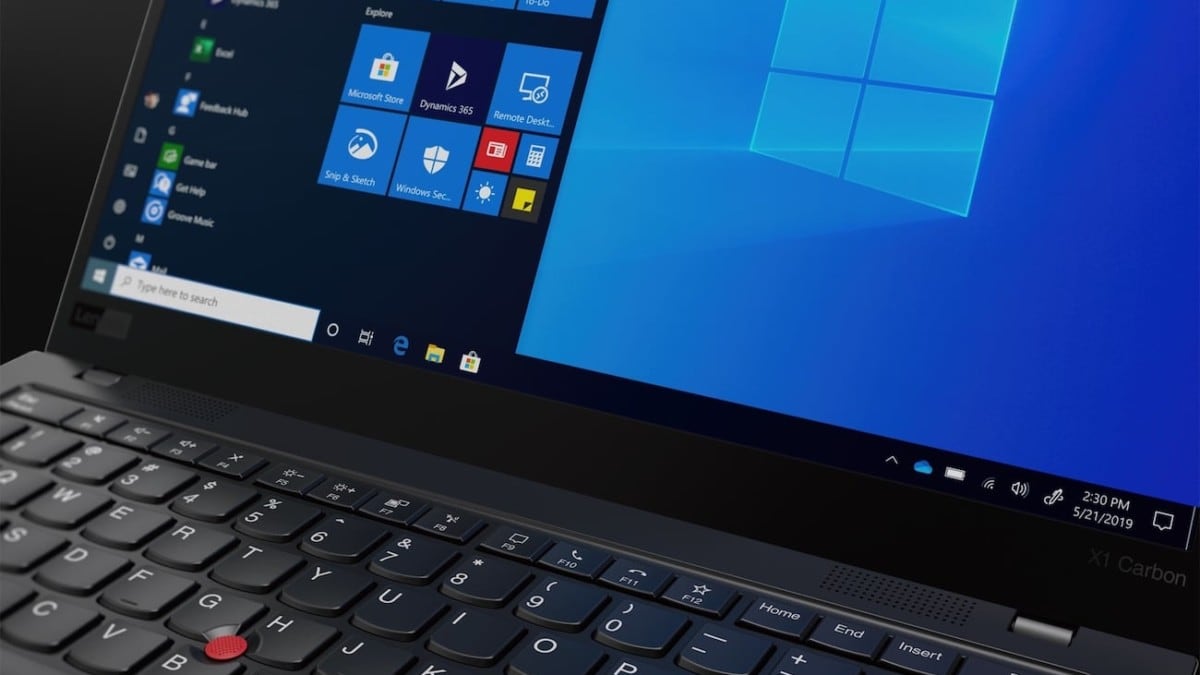
How to choose best home laptop
The right home laptop starts with the way the computer will be used most often, then works backward through screen size, processing power, storage, and comfort.
Screen size and resolution
A 14-inch display is easier to carry and suits smaller tables, but a 15.6-inch screen is a better general-purpose size for documents, browsing, and streaming. The 16-inch Dell adds useful vertical room with its 16:10 aspect ratio. A 17.3-inch model is easier to read from a distance and works well as a desk replacement, but its footprint and weight make it less convenient to move.
Resolution also matters. Full HD or FHD+ gives text and video more detail than a 1600 by 900 or HD panel. The HP OmniBook 3 and WIPEMIK P15 are the strongest large-screen choices for sharpness, while the HP touchscreen trades some detail for touch control.
Processor and multitasking
Intel Core 7, Core Ultra 5, and the ASUS Core i7 are the most capable platforms in this group. They are the better choices for many browser tabs, office applications, video calls, and demanding software. Intel N-series processors and the Core 3 100U are better suited to straightforward browsing, writing, streaming, and online learning.
A processor name alone does not determine the experience. Memory changes how comfortably a laptop handles several applications at once. The 16GB models offer more room for multitasking, while 8GB systems are best kept to lighter workloads.
For a shared family computer, 16GB of memory usually ages more gracefully than a faster processor paired with a cramped multitasking ceiling.
Storage capacity
A 128GB drive can work for documents and cloud-based files, but it leaves little space for downloaded video, large photo collections, and many applications. A 256GB SSD is more workable for basic home use. The 512GB and 1TB options in this roundup are more comfortable for users who keep files locally.
Solid-state storage also affects daily responsiveness. SSD-equipped systems should start applications and Windows more quickly than older mechanical drives. The HP 17.3-inch Touchscreen lists 128GB of eMMC storage, so buyers should plan their file storage before choosing it.
Portability and battery claims
Weight matters when a laptop moves around the home or travels outside it. The HP Everyday Slim is listed at 3.24 pounds, the WIPEMIK P15 at 3.5 pounds, and the Dell 15.6 Core Ultra 5 at 3.67 pounds. The larger 17.3-inch models are more comfortable on a desk but less pleasant to carry.
Battery claims are useful for comparison, but they are workload-specific. HP lists up to 12 hours of video playback for the Everyday Slim and up to 14 hours and 15 minutes for the OmniBook 3. Video calls, high brightness, wireless streaming, and demanding applications can reduce those figures.
Keyboard, camera, and privacy
Home laptops often spend as much time in video calls and document work as they do in entertainment. A numeric keypad helps with spreadsheets and forms, while a backlit keyboard is useful in a dim room. The Dell models emphasize typing comfort, and the HP touchscreen adds both a backlit keyboard and fingerprint reader.
Camera privacy features deserve attention in a shared home. The WIPEMIK P15 has a physical camera slider, and the HP touchscreen has a webcam shutter. The Dell 16 and HP OmniBook 3 list higher-quality FHD camera features, which may matter more to frequent video callers.

Frequently asked questions
What is the best home laptop for general family use?
The Dell 16 is the strongest all-around choice in this group. Its 16-inch 16:10 display, 16GB of memory, 1TB storage, camera features, and comfortable viewing tools cover work, entertainment, and video calls without specializing too narrowly.
Is a 17.3-inch laptop better for home use?
A 17.3-inch laptop is better when the computer will usually stay on a desk and screen size is the priority. The HP OmniBook 3 has a Full HD IPS display and 512GB SSD, while the HP touchscreen adds touch control but uses a lower 1600 by 900 resolution.
How much memory should a home laptop have?
16GB is the more comfortable target for frequent multitasking, many browser tabs, video calls, and larger applications. 8GB can handle documents, browsing, streaming, and online learning, but it offers less room when several demanding tasks are open together.
Is a gaming laptop suitable for ordinary home tasks?
Yes, the ASUS ROG Strix G16 can handle ordinary home tasks easily, but its RTX 5060 graphics, high-refresh display, and advanced cooling are aimed at gaming and demanding applications. It is a sensible choice only when those extra capabilities are part of the household's needs.
Does screen brightness matter indoors?
It matters most in bright rooms or near windows. A display rated up to 300 nits, such as the Dell 15.6 Core Ultra 5 listing, should be easier to see in strong indoor light than a dimmer panel, though viewing angle and anti-glare treatment also affect comfort.
Is 128GB storage enough for a laptop?
It can be enough for cloud documents, email, browsing, and a small application collection. It becomes restrictive if you keep photos, videos, games, or many large programs on the laptop. The 256GB, 512GB, and 1TB options provide progressively more room for local files.
Which home laptop is easiest to carry?
The HP Everyday Slim has the lowest listed weight at 3.24 pounds. The WIPEMIK P15 and Dell 15.6 Core Ultra 5 are also relatively portable while retaining larger screens, but the HP is the most compact option in this group.

The bottom line
The Best home laptop here is the Dell 16 because it combines a spacious 16:10 display, 16GB of memory, 1TB storage, comfortable viewing features, and a capable camera. It is the easiest recommendation for a household that wants one machine to cover work, school, calls, and entertainment.
Choose the ASUS ROG Strix G16 instead when gaming or demanding graphics work matters, or choose the Dell 15.6 Core Ultra 5 when you want a lighter Dell with 16GB of memory. The HP OmniBook 3 is the better desk-based large-screen option, while the HP Everyday Slim is the most convenient for carrying.
If you are undecided, choose the Dell 16 for the broadest mix of home tasks and screen comfort.
As an Amazon Associate we earn from qualifying purchases.