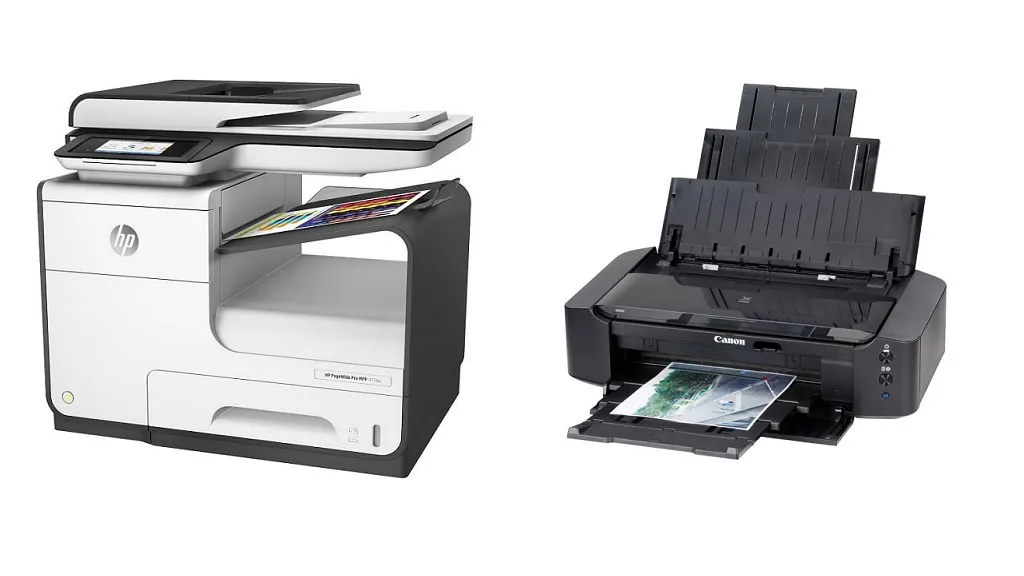

A printer that can scan a signed form, copy a school worksheet, and produce a decent photo should not require a dedicated corner of the house. The trouble is that compact inkjets, refillable tank models, and monochrome laser machines solve very different problems.
We compared the features that matter most for home use, including duplex printing, document feeders, wireless connections, ink systems, controls, and physical size. The Best home printer scanner copier for most households is the Canon PIXMA TS6520, while the other nine picks cover high-volume printing, home office work, monochrome documents, and occasional use.
Comparison table
| # | Product | Award | Print system | Document handling | Best for |
|---|---|---|---|---|---|
| 1 | Canon PIXMA TS6520 | Best overall | Color inkjet | Automatic duplex, flatbed scan and copy | Most homes |
| 2 | Epson EcoTank ET-4800 | Best for home office | Cartridge-free ink tank | ADF, scanner, copier, fax | Mixed home office work |
| 3 | Brother DCP-L2640DW | Best monochrome laser | Black and white laser | 50-sheet ADF, duplex | Fast document printing |
| 4 | Epson EcoTank ET-2800 | Best for high-volume color | Cartridge-free ink tank | Flatbed scan and copy | Frequent color printing |
| 5 | Canon PIXMA TR4720 | Best with fax | Color inkjet | ADF, duplex, fax | Forms and occasional photos |
| 6 | HP OfficeJet Pro 8139 | Best for busy offices | Color inkjet | ADF, duplex, 225-sheet tray | Productive home offices |
| 7 | Brother MFC-J1360DW | Best compact color office printer | Color inkjet | 20-sheet ADF, duplex | Home and schoolwork |
| 8 | HP Smart Tank 5003 | Best refillable HP | Cartridge-free ink tank | Flatbed scan and copy | Long print runs |
| 9 | HP DeskJet 2955 | Best for occasional printing | Color inkjet | Flatbed scan and copy | Basic household documents |
| 10 | HP Envy 6155 | Best for photos and homework | Color inkjet | Automatic duplex | Everyday color printing |
1. Canon PIXMA TS6520: Best Overall

Pros
- Automatic two-sided printing
- Dual-band wireless connectivity
- Compact 14.8 by 14 by 6.7 inch footprint
- OLED status display
- Handles documents and borderless photos
Cons
- No automatic document feeder
- Uses a two-cartridge ink system
- Monochrome display is small
Best for: households that want one compact color printer for documents, copying, scanning, and photos.
The Canon PIXMA TS6520 is the least fussy general-purpose choice here. It fits on a modest desk, starts quickly from a phone or computer, and covers the common household jobs without making the control panel feel like a tiny office machine. The integrated scanner handles copying and scanning, while automatic two-sided printing keeps ordinary documents from turning into unnecessarily large stacks of paper.
Canon uses a two-cartridge hybrid ink system, which is a familiar arrangement for occasional color printing. The company says it produces sharp text and vivid color, and the printer supports documents and borderless photos up to 8.5 by 11 inches. That combination makes it more flexible than the Brother DCP-L2640DW, which is limited to black and white, while the 1.42 inch monochrome OLED gives the TS6520 a clearer status check than the basic icon panels on some smaller models.
Wireless setup is one of its stronger practical features. Dual-band Wi-Fi supports both 2.4 GHz and 5 GHz connections, and mobile printing works through the Canon PRINT app, Apple AirPrint, and Mopria Print Service. A simple display cannot match the 2.7 inch touchscreen on the HP OfficeJet Pro 8139, but it keeps ink levels, printer status, and settings visible without forcing every small task through a phone.
The main limitation is the lack of an automatic document feeder. Copying or scanning a short stack means placing each page on the flatbed by hand, so the Epson EcoTank ET-4800 and Brother DCP-L2640DW are better for forms or multi-page packets. The two-cartridge design also is not aimed at sustained high-volume printing. Choose the TS6520 if your household needs a capable color printer several times a week, but skip it for a busy office that routinely processes stacks of pages.
2. Epson EcoTank ET-4800: Best for Home Office

Pros
- Cartridge-free refillable ink tanks
- Automatic document feeder
- Fax, scan, copy, and print functions
- Ethernet and wireless connectivity
- Micro Piezo heat-free print technology
Cons
- Older design than some newer picks
- Larger footprint than the most compact inkjets
- Not as fast as the Brother laser
Best for: a home office that needs color output, an ADF, fax capability, and flexible network connections.
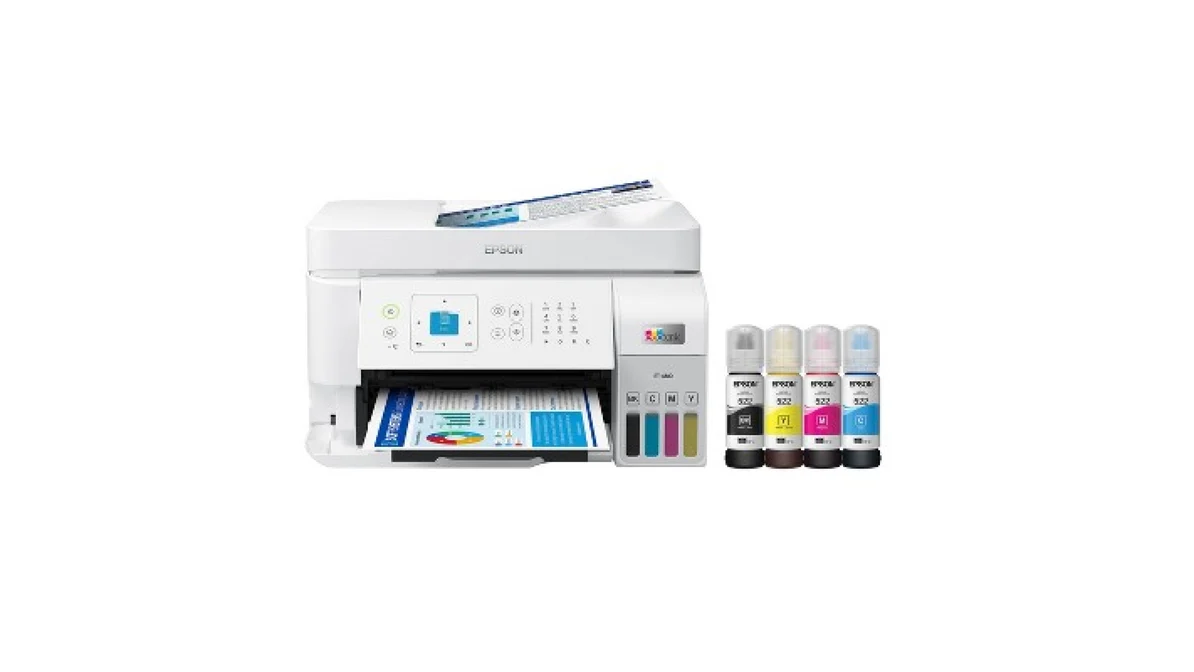
The Epson EcoTank ET-4800 makes the most sense when a home printer has to behave like office equipment. Its defining feature is not a flashy control panel. It is the combination of refillable ink tanks, a flatbed scanner, a copier, a fax, and an automatic document feeder in a relatively manageable body. That ADF is the difference between casually copying one page and processing a small pile without hovering over the machine.
The cartridge-free system uses Epson EcoFit ink bottles and Micro Piezo heat-free technology. The tank arrangement avoids repeatedly swapping small cartridges, and the bottles are designed for easier filling. Epson describes the output as sharp for text and capable with color photos and graphics on a wide range of paper types. It is a more suitable color document tool than the monochrome Brother DCP-L2640DW, though Brother is the clear choice when black and white speed matters more than color.
Connectivity is unusually useful for a home office. The ET-4800 supports wireless printing and includes Ethernet, giving you a wired network option if Wi-Fi is unreliable or the printer will sit near a router. A color display helps with copying and navigation, although it is not presented as a large touchscreen. At 11 pounds, it is lighter than the Canon TS6520 and occupies 14.8 inches of width, 11.8 inches of length, and 6.7 inches of height according to the listed dimensions.
It is not the fastest choice for a deadline-heavy office, and its design feels less streamlined than the newer HP OfficeJet Pro 8139. The ET-4800 is also more printer than a low-use household needs. Still, for users who scan signed forms, copy multi-page documents, send faxes, and print color reports, its ADF and tank system justify choosing it. Readers setting up a dedicated work area may also want to consider the features that matter in a home office printer before deciding how much document handling they need.
3. Brother DCP-L2640DW: Best Monochrome Laser
Pros
- Prints up to 36 pages per minute
- 50-page automatic document feeder
- Automatic duplex printing
- Dual-band Wi-Fi, Ethernet, and USB
- Fast black and white scanning
Cons
- No color printing
- Heavier than the inkjet alternatives
- Less suited to photo work
Best for: families and home offices that mostly print crisp black and white documents quickly.
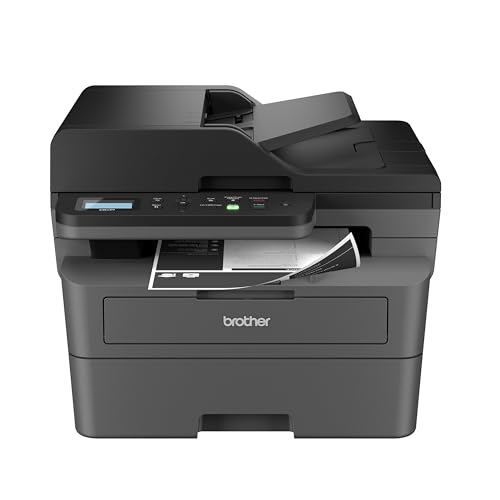
The Brother DCP-L2640DW is the practical outlier in this group, and that is exactly why it ranks so highly. It gives up color to make everyday document work faster and more orderly. If your printer queue is mostly invoices, school forms, shipping labels, drafts, and work documents, a monochrome laser engine is a better fit than a color inkjet that spends much of its time waiting between pages.
Brother lists print speeds up to 36 pages per minute. The 50-page ADF lets you scan or copy a substantial set without feeding every sheet manually, while automatic duplex printing handles two-sided documents. Scan speeds are listed at up to 23.6 images per minute for black and 7.9 images per minute for color. Those figures explain why it feels more office-ready than the Canon PIXMA TS6520, which lacks an ADF altogether.
Connection choices are broad. Dual-band wireless supports 2.4 GHz and 5 GHz networks, Ethernet provides a wired alternative, and USB allows a direct connection to one computer. Brother's Mobile Connect app handles printing, scanning, and device management from a mobile device. Toner usage can also be tracked through the app, and the model supports TN830 and TN830XL genuine toner. These features are more relevant to document-heavy users than the photo-oriented mobile services on Canon's color models.
The obvious weakness is also the deciding factor: this machine cannot print color. It is not the right choice for family photos, colorful charts, or borderless school projects. At 25 pounds and 16.1 inches wide, it is also a substantial piece of equipment compared with the Epson EcoTank ET-2800. Pick it when fast black and white output and multi-page handling are central, and choose a color model instead if your household needs one device for both documents and images.
4. Epson EcoTank ET-2800: Best for High-Volume Color

Pros
- Refillable cartridge-free ink system
- Up to 4, 500 black pages and 7, 500 color pages listed
- Automatic wireless printing
- Micro Piezo heat-free technology
- Compact tank printer design
Cons
- No ADF
- Slower than the Brother laser
- Epson recommends genuine ink
Best for: households that print color documents regularly and want refillable tanks instead of small cartridges.
The Epson EcoTank ET-2800 is built around a simple idea: refill the printer rather than repeatedly replacing cartridges. That makes it a natural fit for a household that prints worksheets, recipes, forms, and color graphics often enough to make frequent cartridge changes irritating. It also keeps the machine relatively light at 11.4 pounds, though its 17 inch length and 16 inch width still call for a reasonably deep surface.
Epson lists yields of up to 4, 500 black pages and 7, 500 color pages, with up to two years of ink included in the box. Those are useful capacity figures, not a promise that every household will get the same result. The important point is that the ET-2800 is designed for sustained color use rather than occasional emergency pages. Micro Piezo heat-free technology is used for documents and vivid, detailed prints, and the listed black document speed is up to 10 ISO pages per minute.
The machine combines printing with flatbed scanning and copying, plus wireless printing. Its flatbed is perfectly sensible for a few pages or a photograph, but it becomes tedious when the job involves a stack. That is where the Epson ET-4800 earns its higher placement, since its ADF is designed for multi-page work. The Canon PIXMA TS6520 is a better compact generalist if your color printing is lighter and you prefer its small OLED control screen.
There is a maintenance consideration here. Epson strongly recommends genuine ink and warns that non-genuine ink could damage the printer in a way not covered by its limited warranty. That does not make the ET-2800 a poor choice, but it is worth understanding before buying a tank model. Choose it for regular color printing and low-interruption refills, not for a cramped desk or an office that scans long documents every day.
5. Canon PIXMA TR4720: Best With Fax

Pros
- Four functions in one machine
- Automatic document feeder
- Automatic two-sided printing
- Built-in fax
- 100-sheet paper capacity
Cons
- Slow color document speed
- Larger footprint than its height suggests
- Cartridge-based ink system
Best for: home users who need a fax and ADF alongside ordinary color printing and copying.
The Canon PIXMA TR4720 is a straightforward home office machine for people who still encounter fax forms or multi-page paperwork. It includes print, copy, scan, and fax functions, then adds an ADF and automatic two-sided printing. That feature mix is more useful for administrative work than the smaller HP DeskJet 2955, even though both are color inkjet all-in-ones.
Canon lists a 100-sheet capacity and support for documents, photos, and borderless prints up to 8.5 by 11 inches. The printer is rated at approximately 8.8 images per minute for black letter documents and 4.4 images per minute for color letter documents. A 4 by 6 inch borderless photo is listed at approximately 65 seconds. Those figures point to a machine for manageable home jobs, not a rapid production tool.
Wireless printing and mobile printing make it easy to send a document from a phone, while Alexa can provide low-ink notifications and place a smart reorder if you enroll in that feature. The control experience is less modern than the color touchscreen on the HP Envy 6155, but the TR4720 keeps the important office functions in one compact-height body. Its listed dimensions are 17.2 inches wide, 11.7 inches long, and 7.5 inches high.
The weak point is speed, especially for color documents. The Brother MFC-J1360DW is quicker on its listed color rate, and the HP OfficeJet Pro 8139 is built for more demanding home office throughput. The TR4720 remains the better fit for someone who needs a fax without moving up to a larger office machine. If fax is not part of your routine, the Canon PIXMA TS6520 offers a more appealing everyday balance.
6. HP OfficeJet Pro 8139: Best for Busy Offices

Pros
- Up to 20 pages per minute in black
- Up to 10 pages per minute in color
- 225-sheet input tray
- ADF, fax, duplex printing, and copying
- 2.7 inch color touchscreen
Cons
- Works only with cartridges using original HP chips or circuitry
- Larger than basic home printers
- More features than occasional users need
Best for: a home office handling frequent color documents, forms, scans, and copies.
The HP OfficeJet Pro 8139 is the most complete traditional inkjet office machine in this lineup. It has the tray capacity and document handling to stay useful when several people share it. A 225-sheet input tray, automatic document feeder, automatic two-sided printing, copying, scanning, and faxing cover the jobs that make a basic home printer feel overwhelmed.
HP lists speeds up to 20 pages per minute in black and 10 pages per minute in color. That is not laser territory, but it is a meaningful step beyond the slower compact inkjets such as the HP DeskJet 2955. The 2.7 inch color touchscreen should also make local navigation easier than a small icon LCD, especially when changing copy settings or checking a job without reaching for a phone.
Dual-band Wi-Fi is designed to detect and resolve connection issues, and the HP app supports printing, scanning, copying, and faxing from a smartphone. HP also includes AI tools intended to improve the formatting of web pages and emails by removing unwanted content. That feature can be useful for cleaning up a messy page before printing, although it should not be the main reason to choose this model. HP Wolf Essential Security and more than 45 percent recycled plastic content round out the feature set.
The biggest restriction is cartridge control. The listing says the printer is intended to work only with cartridges using original HP chips or circuitry, and firmware updates maintain those measures. That is a serious consideration for anyone who wants maximum consumable flexibility. The OfficeJet Pro 8139 is also 18.12 inches wide and weighs 17.6 pounds, so it needs a real workstation. For a serious home office, it is more capable than the Canon TR4720. For occasional household printing, the Canon TS6520 is less machine than you need.
7. Brother MFC-J1360DW: Best Compact Color Office Printer

Pros
- Automatic duplex printing
- 20-sheet automatic document feeder
- 150-sheet paper tray
- 1.8 inch color display
- Cloud app connections
Cons
- ADF is single-sided
- Not as fast as the Brother laser
- No fax listed
Best for: home users who want compact color printing with modest multi-page handling.
The Brother MFC-J1360DW occupies a useful middle ground. It is more organized for schoolwork and home office paperwork than a basic flatbed-only printer, but it avoids the bulk of the Brother DCP-L2640DW. Automatic duplex printing, a 20-sheet single-sided ADF, and a 150-sheet paper tray give it the structure needed for regular household work.
Brother lists print speeds up to 16 pages per minute in black and 9 pages per minute in color. Those figures place it ahead of the HP DeskJet 2955 and close to the Epson ET-2800 on paper, while the color inkjet engine keeps it suitable for graphics and ordinary color pages. It can print, copy, and scan, but the supplied information does not list a fax, so buyers who need that function should look at the Canon PIXMA TR4720 or Epson ET-4800.
The 1.8 inch color display provides basic local control, and Brother's Mobile Connect app supports printing, copying, scanning, and device management. The printer can connect wirelessly or by USB, and cloud connections include Google Drive, Dropbox, Box, and OneDrive. That makes it especially practical for households that move documents between a phone, cloud storage, and a printer rather than using a desktop computer for every job.
The ADF handles only one side at a time, so it is not a substitute for the 50-page feeder on the Brother laser. At 16.8 pounds and 15.4 inches wide, it is compact for an office-oriented model but not tiny. The Brother MFC-J1360DW is the one to choose when color, duplex printing, and simple cloud access matter more than faxing or high-speed black and white output. It is also a sensible model to consider alongside the everyday tasks a home printer needs to handle.
8. HP Smart Tank 5003: Best Refillable HP

Pros
- Cartridge-free refillable tanks
- Up to 6, 000 black or color pages listed
- Up to three years of ink included
- Borderless printing
- Wireless and mobile printing
Cons
- No ADF listed
- New model with limited detail in the supplied data
- No fax listed
Best for: households that print frequently and want an HP tank system instead of cartridges.
The HP Smart Tank 5003 is aimed at the household that has outgrown cartridge interruptions. Its refillable ink tanks are the central feature, and HP lists up to three years of ink included with up to 6, 000 black or color pages available from the included supply. Those capacity claims make it better suited to regular printing than the HP DeskJet 2955, which is designed around basic household documents.
It handles color printing, copying, scanning, borderless output, wireless connections, and mobile printing. HP describes the refill process as mess-free, with bottles that plug into the tank and drain without squeezing. That is a more approachable system for people who have avoided refillable printers because they expect spills or complicated maintenance. The provided information does not list an automatic document feeder, so scanning remains a page-at-a-time flatbed task.
The compact tank body is 17.11 inches wide, 14.23 inches long, and 6.19 inches high, with a listed weight of 11.09 pounds. It is not as shallow as its height suggests, but it remains lighter than office-focused devices. HP also promotes sharper text and richer colors, though the supplied features do not provide a print speed figure. That missing detail matters if you regularly print long documents, and it keeps the Brother DCP-L2640DW ahead for fast black and white work.
This is a better fit for predictable, repeated color printing than for a user who scans large packets or needs faxing. It also lacks the ADF and broader office functions of the Epson ET-4800. Choose the Smart Tank 5003 when refillable color printing is the priority, especially if you already prefer HP's app ecosystem. For a clearer comparison of tank systems, focus on how refillable ink changes routine printing tasks rather than on the feature count alone.
9. HP DeskJet 2955: Best for Occasional Printing

Pros
- Compact and lightweight design
- Wireless print, copy, and scan
- Dual-band Wi-Fi
- Simple icon LCD
- Uses at least 70 percent recycled plastics
Cons
- No duplex printing listed
- No ADF
- Slowest listed print speeds in this group
Best for: occasional color documents, recipes, lists, and simple household copying.
The HP DeskJet 2955 is for the household that prints only when something cannot be handled digitally. Its job list is deliberately basic: color printing, copying, scanning, wireless connections, and mobile control. At 7.55 pounds, it is much easier to move than the 25-pound Brother laser, and its 6.06 inch height helps it fit into a crowded shelf or small desk area.
HP lists a 60-sheet input tray and print speeds up to 7.5 pages per minute in black and 5.5 pages per minute in color. That is enough for a recipe, letter, school form, or short financial document, but not a good match for a household printing packets every week. There is no ADF listed, and automatic duplex printing is not listed either, so multi-page jobs require more hands-on work than on the Canon PIXMA TS6520 or Brother MFC-J1360DW.
The icon LCD keeps basic operations simple, while the HP app handles printing, scanning, copying, and faxing from a smartphone. The listing also describes AI-assisted formatting for web pages and emails, plus dual-band Wi-Fi intended to resolve connection issues automatically. It is a useful set of conveniences for a basic machine, although the printer itself does not list fax hardware among its key functions.
Its compact dimensions are a strength, but the restrictions are clear. The HP Envy 6155 adds duplex printing, a larger color touchscreen, and faster listed output, while the Canon PIXMA TS6520 adds automatic two-sided printing and a more flexible document and photo feature set. Pick the DeskJet 2955 when small size and occasional color pages matter most. Skip it if you routinely print long documents or want a printer that can grow with a home office.
10. HP Envy 6155: Best for Photos and Homework

Pros
- Automatic two-sided printing
- 2.4 inch color touchscreen
- Borderless photo support
- 100-sheet input tray
- Dual-band wireless printing
Cons
- Cartridge restrictions apply
- No ADF listed
- Unusually long body for its height
Best for: households printing color homework, everyday documents, and borderless photos.
The HP Envy 6155 is a more capable everyday color printer than the DeskJet 2955 without crossing into home office territory. It is aimed at homework, ordinary household documents, and borderless photos, with automatic two-sided printing doing useful work in the background. That duplex feature alone makes it easier to live with when compared with the entry-level HP.
HP lists speeds up to 10 pages per minute in black and 7 pages per minute in color. The 100-sheet input tray is adequate for normal household use, and HP's P3 technology is intended to produce documents and photos that look vibrant relative to what appears on screen. The printer can scan and copy, but no ADF is listed, so multi-page scanning still requires placing pages on the flatbed individually.
The 2.4 inch color touchscreen is one of the nicer control panels in this group. Dual-band Wi-Fi and the HP app cover wireless printing and mobile scanning, copying, and faxing through the app. HP also lists AI formatting tools for cleaning unwanted content from web pages and emails. Its body is only 5.35 inches high but 17.05 inches long, so check the available shelf depth rather than judging it by height alone.
Like the OfficeJet Pro 8139, the Envy 6155 is intended to work only with cartridges using original HP chips or circuitry, with firmware updates maintaining that restriction. It also cannot match the OfficeJet's ADF, 225-sheet tray, or faster office workflow. The Envy is the better choice for a family that wants color and duplex printing without an office-sized machine. If your output is mostly black text, the Brother DCP-L2640DW remains the more focused tool.
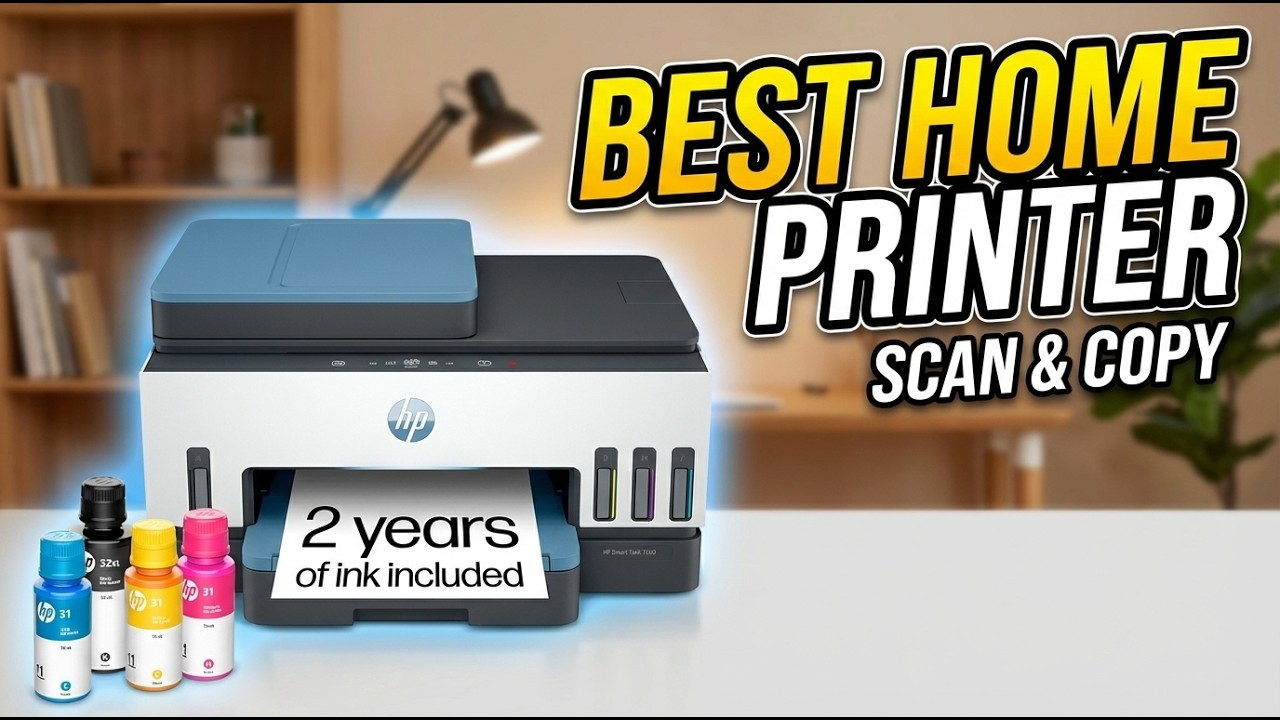
How to choose the Best home printer scanner copier
The right printer depends less on its feature count than on the kind of documents your household actually creates.
Print system
Color inkjet models such as the Canon PIXMA TS6520, Canon PIXMA TR4720, and HP Envy 6155 suit photos, worksheets, charts, and ordinary documents. Monochrome laser is better when nearly everything is black text and speed matters. Refillable tank models are designed for repeated color printing, with visible tanks and bottle refills replacing small cartridges.
Duplex printing
Automatic duplex printing turns two-sided documents into a routine job rather than a manual reshuffling exercise. It is included on the Canon PIXMA TS6520, Canon PIXMA TR4720, Brother DCP-L2640DW, Brother MFC-J1360DW, HP OfficeJet Pro 8139, and HP Envy 6155. If you print school packets or work drafts often, this feature matters more than a decorative control panel.
Automatic document feeder
An ADF is the key feature for scanning or copying several pages. The Brother DCP-L2640DW has a 50-page ADF, the Epson ET-4800 includes an ADF, the Canon TR4720 includes one, the HP OfficeJet Pro 8139 includes one, and the Brother MFC-J1360DW has a 20-sheet single-sided ADF. Flatbed-only models are fine for photos and isolated pages, but they become tedious with forms.
A refillable tank lowers interruptions, but an ADF saves more time every time you copy a stack.
Wireless connections
Dual-band Wi-Fi can make setup more flexible on modern home networks, and several models also support mobile apps or direct USB connections. Ethernet on the Epson ET-4800 and Brother DCP-L2640DW is useful when a printer will stay near a router or needs a wired connection. For phone-heavy households, support for AirPrint, Mopria, cloud apps, or a reliable manufacturer app can matter more than a larger local display.
Size and workspace
Measure the shelf depth, not just the printer's height. The HP Envy 6155 is only 5.35 inches high but 17.05 inches long, while the Brother DCP-L2640DW weighs 25 pounds and needs a sturdy permanent location. Compact models are easier to place, but tank printers and office machines may need space above the paper tray and around refill points.
Frequently asked questions
Do all of these printers scan and copy?
Yes. Every model in this roundup combines printing with scanning and copying. The Epson ET-4800, Canon TR4720, and HP OfficeJet Pro 8139 also list fax capability, while some of the simpler models focus on print, scan, and copy functions.
Which printer is fastest for black and white documents?
The Brother DCP-L2640DW has the fastest listed print rate, up to 36 pages per minute. It is a monochrome laser printer, so it is the strongest fit for text-heavy work but cannot produce color output.
Which models have an automatic document feeder?
The Epson ET-4800, Brother DCP-L2640DW, Canon PIXMA TR4720, HP OfficeJet Pro 8139, and Brother MFC-J1360DW list an ADF. The Brother MFC-J1360DW's feeder is a 20-sheet single-sided design, while the Brother laser lists a 50-page ADF.
Are refillable ink tank printers better for frequent color printing?
They are designed for that use, since the Epson ET-2800, Epson ET-4800, and HP Smart Tank 5003 use refillable tanks rather than standard small cartridges. The ET-2800 lists up to 4, 500 black pages and 7, 500 color pages, while the Smart Tank 5003 lists up to 6, 000 black or color pages from its included supply. Actual results depend on the type of documents and coverage.
Which printer is best for photos?
The Canon PIXMA TS6520 and HP Envy 6155 are the strongest general-purpose photo candidates in this group because both support color output and borderless printing. The Epson ET-2800 and HP Smart Tank 5003 also support regular color printing, but their larger strength is sustained tank-based use.
Do any of these printers include faxing?
The Epson EcoTank ET-4800, Canon PIXMA TR4720, and HP OfficeJet Pro 8139 list fax capability. The other models should not be treated as fax machines based on the supplied product details.
The bottom line
The Best home printer scanner copier for most households is the Canon PIXMA TS6520. It combines color printing, scanning, copying, automatic duplex output, dual-band Wi-Fi, and a compact footprint without narrowing itself to one type of document. Choose the Brother DCP-L2640DW instead when speed, black and white clarity, and a 50-page ADF matter more than color.
For frequent color printing, the Epson EcoTank ET-2800 and HP Smart Tank 5003 offer refillable tank systems, while the Epson ET-4800 is the better home office choice when an ADF, fax, and Ethernet are essential. The HP OfficeJet Pro 8139 is the stronger traditional office inkjet, but its cartridge restrictions and larger body deserve careful consideration.
If you are undecided, choose the Canon PIXMA TS6520 for mixed household tasks, or the Brother DCP-L2640DW for a document-first home office.
As an Amazon Associate we earn from qualifying purchases.