

A thermostat can look like a simple wall control until you discover that your HVAC wiring, heating system, and preferred smart-home platform all matter. The wrong model can leave you hunting for a C-wire adapter, while the right one quietly manages schedules, remote adjustments, and away settings.
This guide compares the Best best home thermostat options across Google Nest, Honeywell Home, Sensi, Amazon, and ecobee. Some are simple programmable controls, while others add app control, geofencing, equipment monitoring, or a separate room sensor.
Our top pick is the Google Nest Thermostat, with options ranging from straightforward battery-powered programming to advanced room-by-room comfort management.
Comparison of the 9 best home thermostats
| # | Product | Award | C-wire | Smart control | Best for |
|---|---|---|---|---|---|
| 1 | Google Nest Thermostat | Best overall | Not required in most homes | Google Home, Matter-certified assistants | Most connected homes |
| 2 | Honeywell Home RTH9585WF | Best touchscreen | Required | Alexa, Google Home, app | Clear wall-mounted control |
| 3 | Sensi ST55 | Best for DIY installation | Not required in most applications | Wi-Fi, Alexa, app | Traditional thermostat users |
| 4 | Amazon Smart Thermostat | Best for Alexa homes | Required | Alexa, Ring, app | Alexa-based routines |
| 5 | ecobee Smart Thermostat Essential | Best for broad HVAC support | Not required with PEK on compatible systems | Alexa, Google Assistant, Apple HomeKit | Multi-platform households |
| 6 | Honeywell Home X2P | Best simple programmable model | Battery powered | None listed | Basic schedules |
| 7 | Honeywell Home T5 | Best for geofencing | C-wire adapter required | Wi-Fi, app, Alexa and Google Home compatibility | Location-based automation |
| 8 | Sensi Lite ST25 | Best compact control | Depends on system | Wi-Fi, Alexa, app | Simple smart scheduling |
| 9 | Google Nest Learning Thermostat | Best advanced sensor system | Not required in most homes | Google Home, Alexa, Siri, Matter | Hot and cold spots |
1. Google Nest Thermostat: Best Overall

Pros
- Works without a C-wire in most homes
- Adjusts schedules through the Google Home app
- Includes away features and HVAC monitoring
- Supports Matter-certified voice assistants
Cons
- Some system types still need a C-wire or power accessory
- No lock feature
- Requires Google Home for scheduling
Best for: households that want a clean smart thermostat with broad app and voice control.
The Google Nest Thermostat is the easiest recommendation here because it handles the daily thermostat chores without asking you to become an HVAC programmer. It turns itself down when you leave, supports schedules in the Google Home app, and lets family members change the temperature remotely from a phone, laptop, or tablet. That combination feels more useful than a wall control that only responds when someone walks past it.
Compatibility is the first thing to check. This model is designed to work without a C-wire in most homes, but Google specifically lists heating-only, cooling-only, zone-controlled, and heat-pump systems among the cases that may need a C-wire or another compatible power accessory. Its Wi-Fi supports both 2.4 GHz and 5 GHz networks, while Bluetooth Low Energy handles the wireless interconnect. Those details are less glamorous than an app, but they determine whether installation is simple or turns into a wiring project.
The software is where it separates itself from the Sensi ST55 and Amazon Smart Thermostat. Savings Finder can suggest schedule changes, and HVAC monitoring can send alerts when something appears unusual or remind you about maintenance. The Amazon model makes more sense for a home built around Alexa, while the Sensi ST55 feels more familiar at the wall. Nest is the better middle ground for people who want automation without an especially complicated control surface.
There are limits. The listed lock feature is not included, and the Google Home app is central to the experience, so this is not the choice for someone who wants a completely standalone thermostat. It also does not include a separate room sensor, which matters in homes where the hallway thermostat never reflects the temperature in a bedroom. For general smart scheduling, remote control, and broad voice-assistant support, though, this is the Best best home thermostat for most homes.
2. Honeywell Home RTH9585WF: Best Touchscreen

Pros
- Bright, easy-to-read touchscreen
- Flexible seven-day programming
- Monthly energy reports and personalized tips
- Supports Alexa, Google Home, and app control
Cons
- C-wire required
- Not compatible with 120 to 240V electric baseboard heat
- Less suitable for heating-only systems without the required wiring
Best for: homeowners who prefer a large color touchscreen and detailed scheduling.
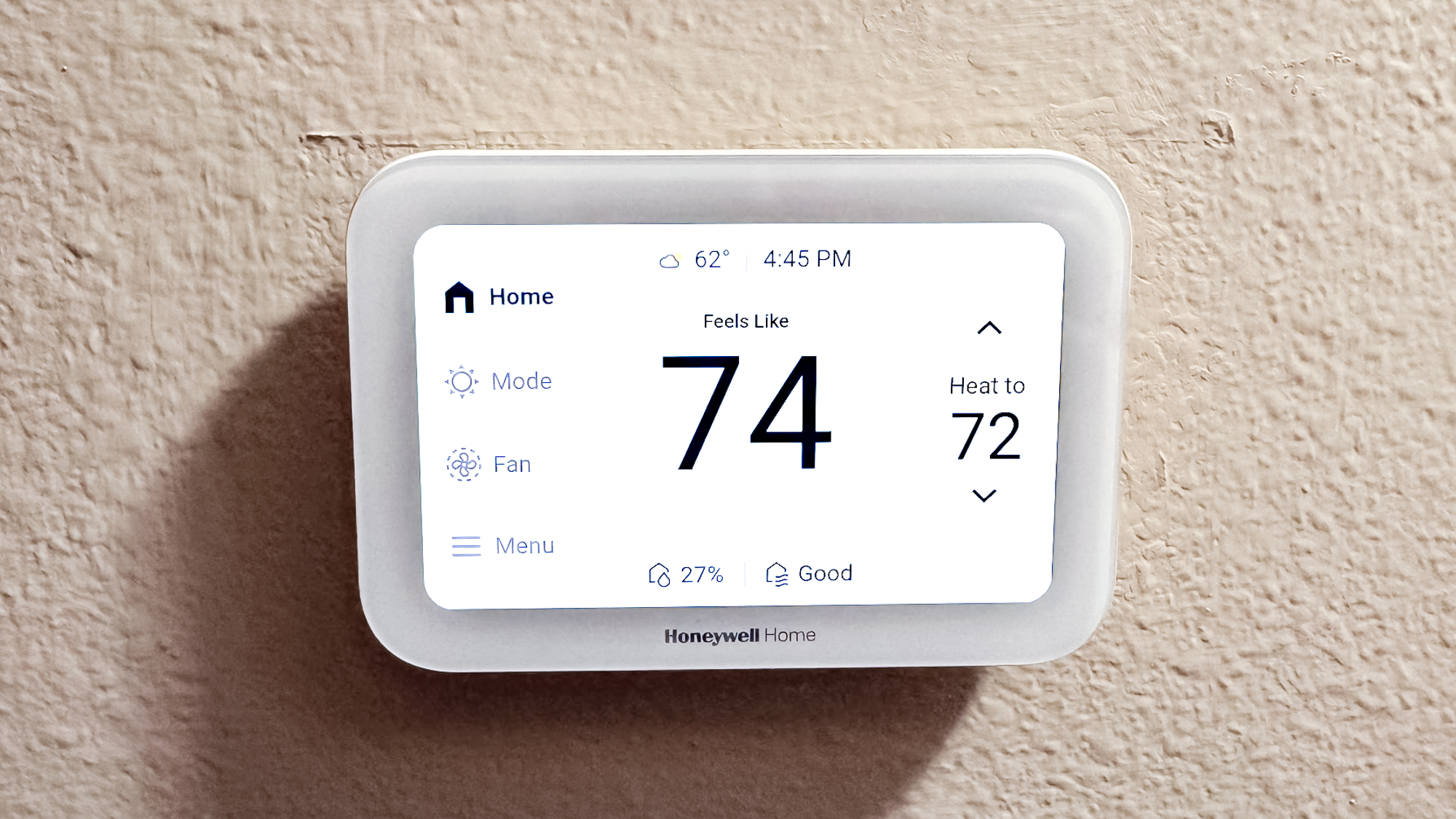
The Honeywell Home RTH9585WF feels more like a small information panel than a minimalist smart-home accessory. Its bright touchscreen and clear controls make temperature changes easy for anyone in the house, including people who would rather tap a visible setting than open a phone app. The display is the reason to choose it, especially if the thermostat sits in a busy hallway.
Its programming is unusually flexible. The seven-day schedule can follow different routines across the week, and the thermostat supports fan settings for On, Automatic, and Circulate. That last option randomly runs the fan about 35% of the time, which can help move air around the home without leaving the fan permanently on. Monthly energy reports and personalized tips also give the schedule some useful feedback instead of leaving you to guess whether it is helping.
The compatibility requirements are stricter than those of the Google Nest Thermostat or Sensi ST55. A C-wire is required, and the thermostat is intended for forced-air gas, oil, or electric systems, hot water and steam systems, and heat pumps with electric backup. It does not work with 120 to 240V electric baseboard heating. Check the wiring and system type before choosing it, since the attractive display cannot compensate for a mismatched HVAC setup.
Smart control works through the Honeywell Home app, Alexa, and Google Home. That makes it more platform-flexible than the Amazon model, though less deeply integrated with any single ecosystem. The RTH9585WF is also physically larger than several of the compact alternatives, measuring 4.5 inches wide and 3.5 inches long. Choose it when at-a-glance control matters more than a subtle wall presence.
3. Sensi ST55: Best for DIY Installation

Pros
- Built-in level and step-by-step app instructions
- C-wire not required in most applications
- Familiar button-based design
- Provides usage reports, alerts, and maintenance reminders
Cons
- Larger wall footprint than some compact smart models
- Its traditional appearance is less sleek
- Compatibility still depends on the HVAC system
Best for: DIY installers who want smart features without abandoning physical buttons.
The Sensi ST55 is the thermostat for people who want the wall control to behave like a thermostat first. It has buttons, fits the same space as a traditional thermostat, and includes a built-in level to make installation less fiddly. The design is intentionally familiar rather than futuristic, which is a strength when multiple people need to adjust it without learning a new interface.
Installation guidance is one of its strongest features. The Sensi app provides step-by-step instructions, and the common wire is not required in most applications. That gives it an advantage over the C-wire-required Honeywell Home RTH9585WF and Amazon Smart Thermostat for compatible homes. The usual warning still applies: HVAC compatibility must be checked before removing the existing thermostat.
The smart side is practical rather than flashy. Flexible scheduling, remote access, usage reports, equipment alerts, and filter replacement reminders cover the features most households actually use. The thermostat is ENERGY STAR certified, and Sensi states that its features can help save about 23% on HVAC energy. That figure is an estimate, not a promise for every house, but the tools make it easier to stop heating or cooling an empty home.
At 5.88 inches wide and 3.75 inches long, the ST55 has a larger footprint than the Amazon Smart Thermostat, which can help cover marks left by an older wall control. It is not the most visually polished option, and people seeking automatic learning may prefer the Google Nest Learning Thermostat. For a straightforward installation and familiar daily operation, the ST55 is the more sensible pick.
4. Amazon Smart Thermostat: Best for Alexa Homes

Pros
- Strong Alexa integration
- Supports home, away, and sleep schedules
- Can use select Alexa devices for comfort zones
- Guided installation through the Alexa app
Cons
- C-wire required
- Best experience depends on Alexa
- The feature set is less platform-neutral than ecobee
Best for: homes already using Alexa and Ring for daily automation.
The Amazon Smart Thermostat makes the most sense when Alexa already runs the household. The Alexa app guides installation, handles remote temperature changes, and supports home, away, and sleep schedules. Select Alexa devices can also help create comfort zones using temperature readings or presence detection, which makes the thermostat more useful than a simple schedule alone.
Its small square body measures 3.56 inches by 3.56 inches and is just 0.84 inches deep. That gives it a discreet presence on the wall, while its light 0.24125-pound design should not make mounting awkward. The physical control is intentionally restrained, so most of the useful setup and automation happens in the Alexa app rather than through a large touchscreen.
The important catch is power. A C-wire is required, which immediately makes the Google Nest Thermostat, Sensi ST55, and ecobee Smart Thermostat Essential more flexible for many existing installations. Amazon says the thermostat is made with Honeywell Home thermostat technology, but that does not remove the need to confirm compatibility and wiring before installation.
The Amazon model is less compelling in a mixed smart-home environment. The ecobee supports Apple HomeKit, Google Assistant, and Alexa, while this thermostat is designed around Alexa and Ring. That is not a problem for an Alexa household. It is a reason to skip it if the home is split across several platforms or if you want the thermostat to stand on its own.
5. ecobee Smart Thermostat Essential: Best for Broad HVAC Support

Pros
- Compatible with 85% of systems
- Works with Alexa, Google Assistant, and Apple HomeKit
- Color touchscreen and remote app control
- Supports optional room sensors
- Built-in humidity and scheduling features
Cons
- Power Extender Kit is sold separately
- SmartSensor is sold separately
- Compatibility still needs to be checked
Best for: households that need broad ecosystem support and room-focused comfort options.
The ecobee Smart Thermostat Essential is the most adaptable pick for a household that has not committed to one voice-assistant platform. It works with Apple HomeKit, Google Assistant, and Alexa, and its color touchscreen makes local changes easy. The ecobee app handles remote adjustments and energy tracking, so the thermostat remains useful when nobody is standing in front of it.
Ecobee lists compatibility with 85% of systems and supports most 24 VAC HVAC equipment. That includes gas, oil, and electric systems, dual-fuel setups, forced-air conventional systems, heat pumps, and boilers. The exact supported configurations listed include conventional 2H/1C or 1H/2C and a 2H/1C heat pump. Those details are important for homes with more complex heating equipment, though the compatibility checker should still get the final say.
Homes without a C-wire can use an ecobee Power Extender Kit, but the kit is sold separately. That makes the installation story less immediate than the Google Nest Thermostat, which is designed to work without a C-wire in most homes. The ecobee does, however, provide a route for compatible systems that might otherwise need a different thermostat, and its trim kit can help keep the wall looking tidy.
The strongest feature is the ability to add a SmartSensor for a room that matters most. The sensor reads temperature and movement, letting the app focus comfort decisions on that room rather than only the hallway. Since the sensor is sold separately, this is not as complete out of the box as the Google Nest Learning Thermostat bundle. Still, the ecobee is the better choice for people who want platform freedom and room-sensor expansion. Homes with uneven temperatures may also benefit from understanding how cleaner air circulation affects comfort across rooms, especially when a thermostat is managing a forced-air system.
6. Honeywell Home X2P: Best Simple Programmable Model

Pros
- 5-2 scheduling
- Large screen with clear font
- Backlit display and filter reminder
- Uses two AA batteries
- Includes a Honeywell Home UWP wall plate
Cons
- No smart app or Wi-Fi features listed
- Batteries are not included
- Does not work with 120 to 240V electric baseboard heat
Best for: anyone replacing a basic programmable thermostat without adding connected features.
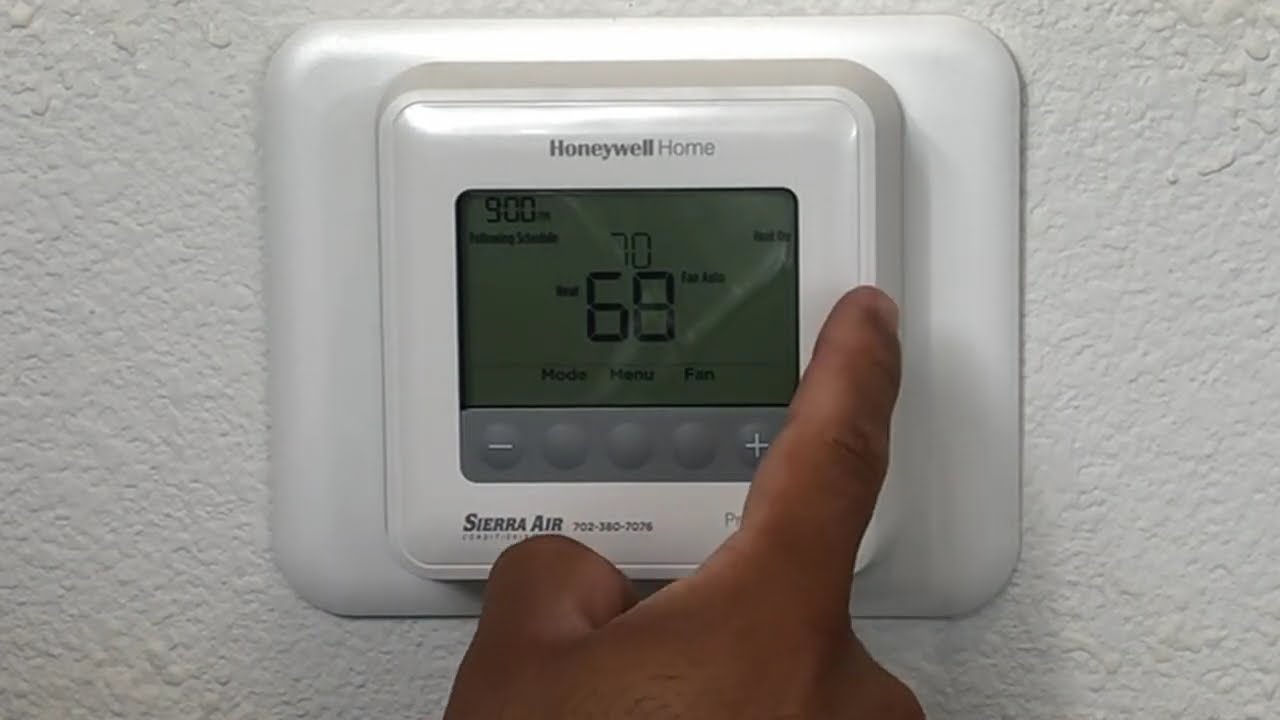
The Honeywell Home X2P is the antidote to unnecessary complexity. It does not try to be a smart-home hub or a remote-control appliance. Instead, it provides a large screen, clear font, backlighting, and a conventional schedule that can be set directly on the thermostat.
Its 5-2 programming lets you use one schedule for weekdays and another for the weekend. There is also a non-programmable option, which is useful for households that prefer a fixed setting or use a separate control strategy. A filter reminder and custom display settings add small but worthwhile conveniences without requiring an account or phone app.
This model runs on two AA batteries, which are not included, and uses Honeywell Home’s UWP wall plate to simplify installation and future upgrades. Compatibility is limited to 1 Heat/1 Cool systems, 750 mV systems, hot water heat, and forced air using gas, oil, or electricity. It does not work with 120 to 240V electric baseboard heat, so it is not a universal replacement.
The X2P gives up remote access, Wi-Fi, geofencing, energy reports, and voice control found on the Sensi Lite ST25 and Honeywell Home T5. That is its defining weakness, but also its appeal. Choose it when you want a readable programmable control and nothing more.
7. Honeywell Home T5: Best for Geofencing
Pros
- Seven-day flexible scheduling
- Geofencing based on smartphone location
- Home and Away automation
- Energy reports and personalized tips
- Works with most heat and cool oil furnace systems
Cons
- C-wire power adapter required
- Heating-only oil furnace systems need a C-wire
- Requires app setup for location automation
Best for: households that want the thermostat to react when people leave and return.
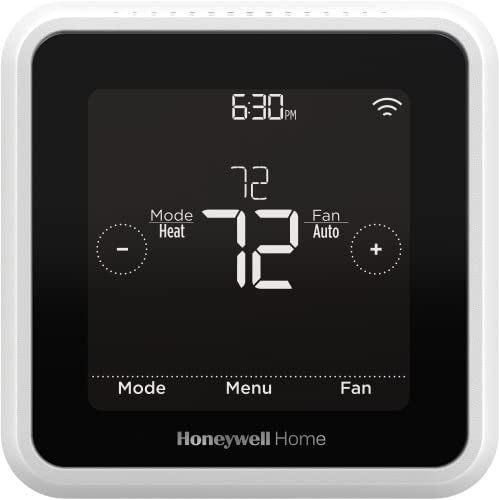
The Honeywell Home T5 is built around the gap that fixed schedules cannot cover. Its geofencing feature uses a smartphone’s location to recognize when you are away and when you return, while Auto Home and Away mode keeps the temperature from following an empty-house routine indefinitely. That is more useful for irregular schedules than programming every weekday by hand.
You can still use a seven-day schedule if your routine is predictable. The T5 also supplies monthly energy reports and personalized tips, giving you a way to see how heating and cooling are being used. Honeywell cites customer savings from heavy scheduling use, but actual results depend on the home, the HVAC system, weather, and existing habits.
The T5 needs a C-wire power adapter, so installation is more demanding than with the Sensi Lite ST25 on most systems and the Google Nest Thermostat in many homes. It works with most heat and cool oil furnace systems, but a heating-only oil furnace requires a C-wire. Those are not minor details. They should be checked before purchase, especially in older homes.
The T5 has a focused feature set. It is not as ecosystem-flexible as the ecobee Smart Thermostat Essential, and it lacks the separate sensor included with the Google Nest Learning Thermostat. Its strength is the simple idea that your thermostat should know when the house is empty. If that is the automation you will actually use, the T5 is a strong fit. Households also making broader comfort upgrades may want to consider how airflow and filtration influence room comfort before relying on temperature changes alone.
8. Sensi Lite ST25: Best Compact Control

Pros
- Built-in level and guided DIY installation
- Remote control through Android and iOS apps
- Supports flexible scheduling and geofencing
- C-wire not required on most systems
- Does not sell thermostat activity data for advertising
Cons
- C-wire required for heat-pump and heat-cool-only systems
- Fewer listed maintenance features than the Sensi ST55
- No separate room sensor included
Best for: DIY installers who want a simple connected thermostat with privacy-minded controls.
The Sensi Lite ST25 trims the thermostat experience down to the essentials while keeping the features that make Wi-Fi useful. Its built-in level and step-by-step instructions are aimed at DIY installation, and the Android and iOS app provides control from anywhere. The result is a practical upgrade for someone who wants remote access without a large touchscreen or elaborate learning system.
Scheduling, geofencing, and usage reports give it more flexibility than the basic Honeywell Home X2P. The Lite can adjust around your routine, and the app can help you manage the thermostat when plans change. Sensi also says it will not sell personal information to third parties or use thermostat activity data for targeting or advertising, which may matter to buyers who prefer a less data-intensive smart-home setup.
Wiring is usually manageable, but not universally simple. The C-wire is not required on most systems, while heat pumps and heat-and-cool-only systems do require one. That puts it between the Google Nest Thermostat and Honeywell Home T5 in installation flexibility. As with every thermostat here, the system type matters more than the product name.
At 5.07 inches wide and 3.13 inches high, the ST25 has a broad wall footprint but remains only 0.88 inches deep. It does not list the ST55’s equipment alerts and filter reminders, and it lacks the ecobee’s multi-platform support. For a smaller smart feature set, DIY-friendly installation, and privacy-conscious controls, it is the cleaner choice.
9. Google Nest Learning Thermostat: Best Advanced Sensor System

Pros
- Includes a second-generation Nest Temperature Sensor
- Works with most 24V systems
- No C-wire required in most homes
- Supports Alexa, Siri, Google Assistant, and Matter
- Large display with Dynamic Farsight
Cons
- More complex than a conventional programmable model
- Advanced features depend on Google Home
- Sensor-based control adds setup decisions
Best for: homes with hot and cold spots that want advanced automatic control.
The Google Nest Learning Thermostat is the most ambitious model here. It is designed to learn how outside conditions affect indoor temperature, recognize how sunlight warms a home, and pause heating or cooling when natural conditions make it unnecessary. It also includes the second-generation Nest Temperature Sensor, so the system can pay attention to a room beyond the thermostat’s location.
That sensor is the major reason to choose it over the standard Google Nest Thermostat. Place it in a bedroom or another problem room, then use the Google Home app to set the temperature that room should reach at a particular time. This approach addresses hot and cold spots directly instead of asking the hallway thermostat to represent the entire house.
Compatibility is broad. Google lists support for most 24V systems, including gas, electric, oil, forced air, heat pump, and radiant systems. A C-wire is not required for installation in most homes, though compatibility should still be checked. The thermostat also works with Alexa, Siri, Google Assistant, and Matter, giving it wider smart-home reach than the standard Nest.
The display is 60% larger than the previous design and uses Dynamic Farsight, so information can be visible from across the room. It can show a clock or weather and adjusts brightness automatically, with manual adjustment available. This is the most capable thermostat in the group, but it is also more than a simple schedule controller. If you do not have uneven rooms or an interest in adaptive automation, the ecobee Smart Thermostat Essential or standard Nest is easier to justify. If you do, this is the pick to keep in mind.
How to choose best home thermostat
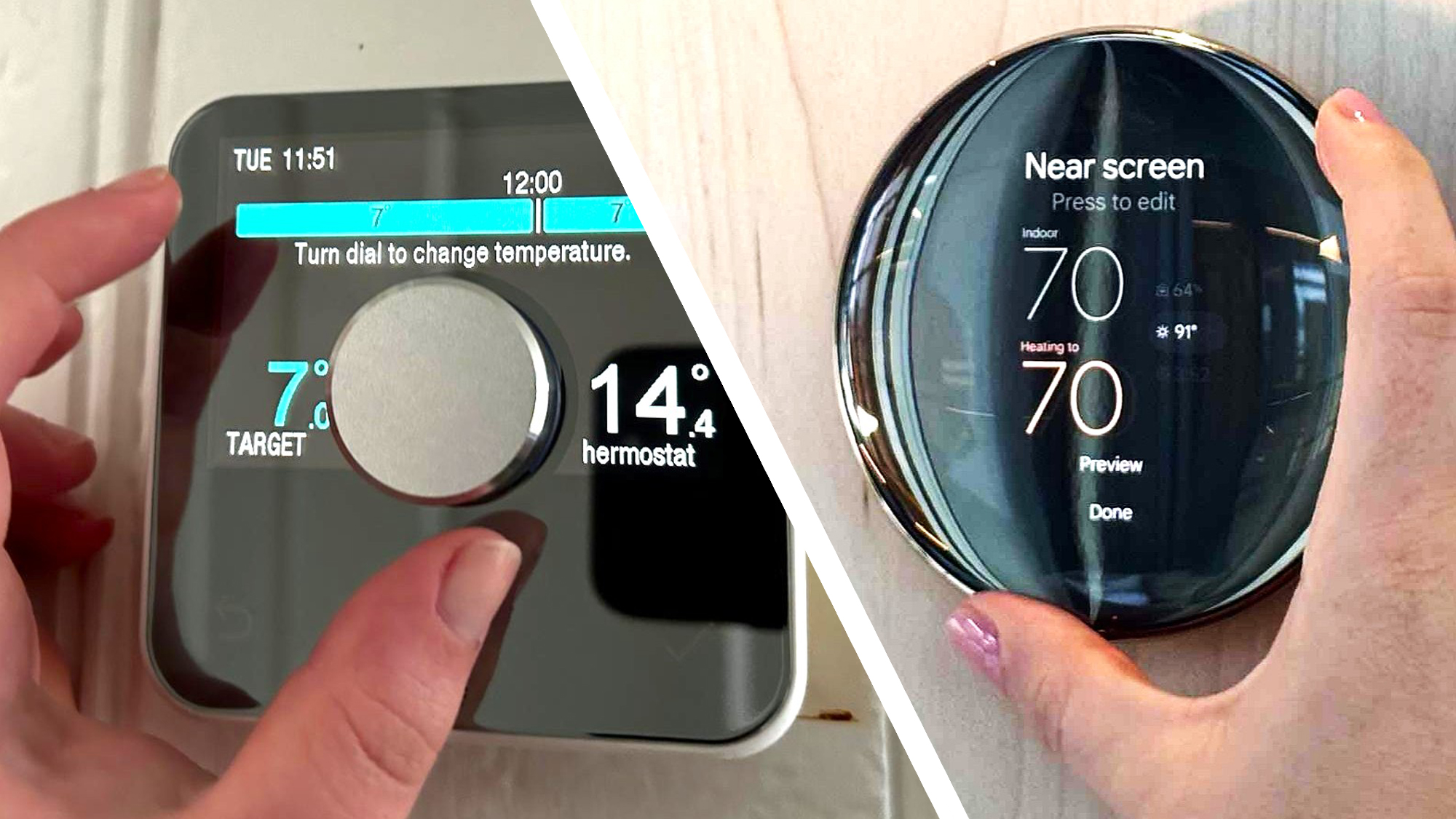
The right thermostat starts with the HVAC system and wiring, then narrows down based on how much automation you actually want.
HVAC compatibility
Thermostats are not interchangeable across every heating and cooling setup. Check whether your system uses gas, oil, electric, hot water, steam, a heat pump, radiant heat, or electric baseboard heating, then compare that with the manufacturer’s compatibility information.
The Honeywell Home RTH9585WF and Honeywell Home T5 have specific restrictions, while the ecobee Smart Thermostat Essential and Google Nest Learning Thermostat list support for broader combinations. A thermostat that cannot control the equipment in your home is not a workable upgrade, regardless of its app features.
C-wire requirements
A C-wire provides continuous power to many smart thermostats. The Google Nest Thermostat, Sensi ST55, Sensi Lite ST25, ecobee Smart Thermostat Essential, and Google Nest Learning Thermostat can work without one in some or most homes, but the exact system matters.
The Amazon Smart Thermostat requires a C-wire, as does the Honeywell Home RTH9585WF. The Honeywell Home T5 requires a C-wire power adapter. If your current wall box does not have a common wire, start with models designed for that situation and confirm the result with a compatibility checker.
Check the HVAC wiring before comparing app features. Compatibility is the decision that comes first.
Scheduling and geofencing
A fixed schedule works well for predictable routines. Seven-day programming lets you set different weekday and weekend patterns, while home, away, and sleep modes simplify the common transitions.
Geofencing goes further by using a smartphone’s location to change settings when people leave or return. The Honeywell Home T5 and Sensi Lite ST25 list geofencing, while the Google Nest and Amazon models use their own forms of away detection and presence-based automation.
Smart-home platform
Choose a thermostat that works with the devices already in your home. Amazon Smart Thermostat is the natural fit for Alexa and Ring households. Google Nest models connect with Google Home and Matter-certified assistants, while the Nest Learning Thermostat also lists Alexa and Siri support.
The ecobee Smart Thermostat Essential is the broadest platform choice in this group, with Apple HomeKit, Google Assistant, and Alexa compatibility. Platform support matters most when you want thermostat changes to trigger routines with lights, sensors, or other connected devices. For households also planning a wider connected setup, how to place security devices around a home can help shape where temperature and presence sensors make sense.
Room sensing
A thermostat measures the air near its wall location, which may not match a bedroom, nursery, or upstairs room. A separate sensor can make the system more representative of the space that matters most.
The Google Nest Learning Thermostat includes a Nest Temperature Sensor, while the ecobee Smart Thermostat Essential supports an optional SmartSensor. The standard Nest, Amazon, Honeywell, and Sensi models in this group do not include a separate room sensor.
Frequently asked questions
Do smart thermostats always need a C-wire?
No. Several models in this roundup work without a C-wire in most homes or applications, including the Google Nest Thermostat, Sensi ST55, Sensi Lite ST25, and Google Nest Learning Thermostat. The exact answer depends on your HVAC system, so check compatibility before installation.
Which thermostat works with heat pumps?
The Google Nest Thermostat, ecobee Smart Thermostat Essential, and Google Nest Learning Thermostat list heat-pump support, with system-specific requirements. The Honeywell Home RTH9585WF supports heat pumps with electric backup. Confirm the exact configuration with the manufacturer before buying.
Can I control these thermostats from my phone?
The connected models support app control. Google uses Google Home, Honeywell uses its mobile app, Sensi provides Android and iOS apps, Amazon uses Alexa, and ecobee provides its own app.
Which model is easiest for a DIY installation?
The Sensi ST55, Sensi Lite ST25, Amazon Smart Thermostat, and ecobee Smart Thermostat Essential all list DIY installation guidance. The Sensi models include a built-in level and step-by-step app instructions. Wiring and HVAC compatibility can still make professional installation the safer choice.
Do any of these thermostats support a separate room sensor?
The Google Nest Learning Thermostat includes a second-generation Nest Temperature Sensor and works with Nest sensors. The ecobee Smart Thermostat Essential supports a SmartSensor, but that sensor is sold separately.
What is the difference between a programmable and smart thermostat?
A programmable thermostat follows schedules entered on the device. A smart thermostat adds features such as remote app control, geofencing, voice control, usage reports, or automatic adjustments based on presence and conditions.
Can these thermostats control electric baseboard heat?
Not all of them. The Honeywell Home RTH9585WF and Honeywell Home X2P specifically do not work with 120 to 240V electric baseboard heat. Check the product’s compatibility information if your home uses baseboard heating.
The bottom line
The Best best home thermostat for most households is the Google Nest Thermostat. It combines remote control, scheduling, away adjustments, HVAC monitoring, and broad smart-assistant support, while avoiding a C-wire in many installations.
Choose the Google Nest Learning Thermostat if hot and cold spots are a recurring problem, since its included room sensor gives it a meaningful advantage. The ecobee Smart Thermostat Essential is the better alternative for households that need Apple HomeKit, Google Assistant, and Alexa support in one thermostat.
If you are undecided, start with your HVAC compatibility and C-wire situation, then choose the simplest model that handles the automation you will actually use.
As an Amazon Associate we earn from qualifying purchases.