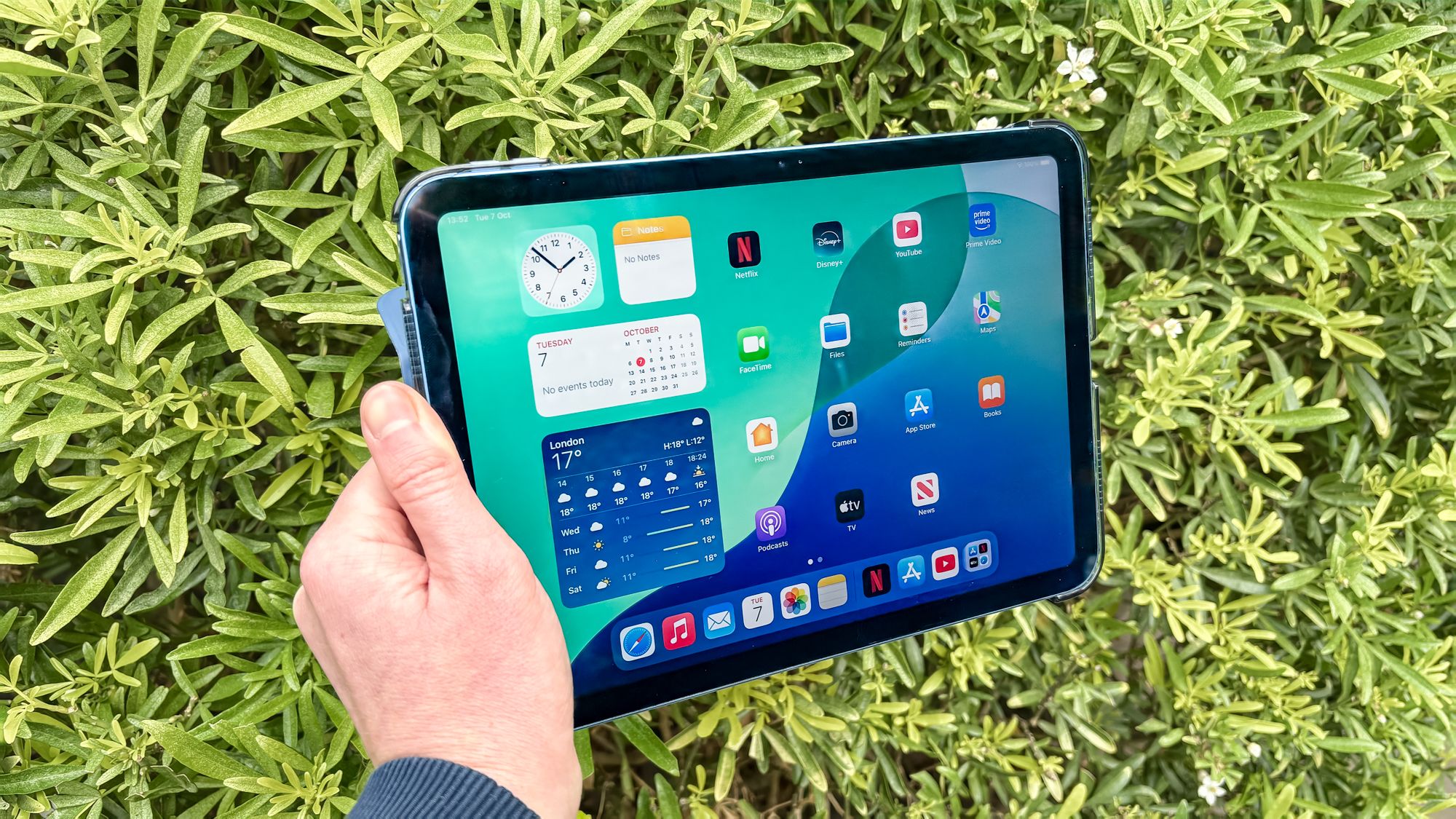

A tablet for a child has to survive more than streaming and games. It needs sensible storage, a screen that is comfortable for longer sessions, parental controls that do not become a daily chore, and enough performance to remain useful after the novelty wears off. That is why the Best iPad for Kids is not automatically the newest or most powerful tablet.
This list includes full-size Apple iPads, refurbished Apple hardware, and dedicated Amazon and Android kids tablets. The right choice depends on the child's age, the apps your family already uses, and how much control you want over the experience.
Our top pick is the Apple iPad 11-inch Blue, with the other picks ranging from capable general-purpose iPads to purpose-built tablets for younger children.
Comparison table
| # | Product | Award | Screen | Storage | Battery or connectivity | Best for |
|---|---|---|---|---|---|---|
| 1 | Apple iPad 11-inch Blue | Best overall | 11-inch Liquid Retina | 128GB | All-day battery, Wi-Fi 6 | Families wanting one tablet for school, games, and media |
| 2 | Apple iPad Air 11-inch | Best for older kids | 11-inch Liquid Retina | 128GB | All-day battery, Wi-Fi 7 | Creative work and demanding apps |
| 3 | Amazon Fire HD 10 Kids | Best kid-focused bundle | 10.1-inch 1080p Full HD | 32GB, expandable to 1TB | Up to 13 hours | Younger children who need a ready-made setup |
| 4 | Amazon Fire HD 8 Kids Pro | Best for ages 6 to 12 | 8-inch HD | 64GB, expandable to 1TB | Up to 13 hours | Independent big kids |
| 5 | Apple iPad 11-inch Pink | Best colorful iPad | 11-inch Liquid Retina | 128GB | All-day battery, Wi-Fi 6 | Families choosing the standard iPad by finish |
| 6 | Apple iPad 10th Generation | Best renewed iPad | 10.9-inch Liquid Retina | 64GB | All-day battery, Wi-Fi 6 | Buyers comfortable with renewed hardware |
| 7 | COLORROOM Android Tablet Blue | Best Android starter | 10.1-inch HD, 1280 by 800 | 64GB, expandable to 1TB | 6000mAh battery | Families wanting Google Kids Space |
| 8 | COLORROOM Android Tablet Pink | Best pink Android starter | 10.1-inch HD, 1280 by 800 | 64GB, expandable to 1TB | 6000mAh battery | Younger Android users who prefer pink |
| 9 | Amazon Fire 7 Kids Purple | Best compact kids tablet | 7-inch display | 16GB, expandable to 1TB | Up to 10 hours | Small hands and travel |
| 10 | Amazon Fire 7 Kids Blue | Best simple hand-me-down | 7-inch display | 16GB, expandable to 1TB | Up to 10 hours | A basic tablet for ages 3 to 7 |
1. Apple iPad 11-inch Blue: Best Overall

Pros
- Fast A16 chip for games, schoolwork, and creative apps
- 11-inch Liquid Retina display with True Tone
- 128GB of starting storage
- Touch ID and capable 12MP cameras
- Supports Apple Pencil and Magic Keyboard Folio
Cons
- General-purpose setup takes more parent configuration
- Larger than a compact tablet for small hands
- Accessories such as Apple Pencil and keyboard are separate products
Best for: families that want a proper iPad capable of serving a child for years.
The Apple iPad 11-inch Blue is the one we would hand to most families because it feels like a real household computer rather than a disposable kids gadget. A child can watch videos and play games, but the same tablet can also handle homework, drawing, video calls, reading, and shared family tasks. The blue finish is the only meaningful difference between this model and the pink version lower down, so choose the color your child prefers.
The A16 chip gives this iPad plenty of headroom for everyday apps and more demanding games. Its 128GB storage is a useful starting point for downloaded apps, photos, videos, and school files. The 11-inch Liquid Retina display is large enough for split-screen work and comfortable video viewing, while True Tone adjusts the display to the room's color temperature. That makes the screen feel less harsh when a child moves from a bright kitchen to a dim bedroom.
Apple's software is the real reason this model stands above the kids-specific alternatives. iPadOS supports multiple apps, Apple Pencil handwriting through Scribble, and a broad App Store selection. The 12MP Center Stage front camera keeps a child in frame during video calls, and the 12MP Wide rear camera can scan documents or record 4K video. Touch ID is built into the top button, which is convenient when a parent and child share the device.
The trade-off is that this is not a fully configured kids tablet out of the box. Parents need to set up the appropriate family controls and decide which apps and content are allowed. The larger body can also be less comfortable for a very young child than the Fire 7 Kids models. Families who want a case, curated content, and age-based controls already bundled should look at the Amazon Fire HD 10 Kids instead.
For a child who will move between entertainment, schoolwork, and creativity, the Apple iPad 11-inch Blue is the strongest all-rounder. It is also a sensible foundation for a keyboard or stylus later, rather than something the child will quickly outgrow.
2. Apple iPad Air 11-inch: Best for Older Kids

Pros
- M4 chip is built for demanding multitasking
- P3 wide color and ultralow reflectivity on the Liquid Retina display
- Wi-Fi 7 with Apple N1
- Works with Apple Pencil Pro and Magic Keyboard
- Lighter and thinner than the standard iPad
Cons
- More capability than a young child usually needs
- Parent controls still require a general iPad setup
- 128GB may feel limiting for large creative projects
Best for: older children who draw, edit video, multitask, or need a tablet that can grow into serious schoolwork.
The Apple iPad Air 11-inch is the specialist pick for a child who already treats a tablet as a creative tool. It is only a little smaller and lighter than the standard iPad, but the M4 chip changes the ceiling for what the device can handle. For an eight-year-old watching cartoons, that power is unnecessary. For an older child working with layered art, large files, complex games, or several apps at once, it makes much more sense.
The 11-inch Liquid Retina display has P3 wide color, True Tone, and ultralow reflectivity. Those details matter when a child is drawing, editing photos, or reading in rooms with changing light. The screen is still not a small laptop replacement by itself, but the optional Magic Keyboard adds a trackpad and haptic feedback, while Apple Pencil Pro and Apple Pencil USB-C support more precise creative work.
Wi-Fi 7 with Apple's N1 chip gives the Air newer wireless capability than the standard iPad's Wi-Fi 6. The 12MP Center Stage front camera is useful for calls and lessons, and the 12MP Wide rear camera handles scanning, photos, and 4K video. Touch ID keeps login simple for a shared family device. The listed 128GB capacity is enough for ordinary apps and school files, but families planning a substantial video library or large art projects should think carefully about storage habits.
Compared with the Apple iPad 11-inch Blue, the Air is thinner, more capable, and better suited to demanding creative work. The standard iPad remains the more sensible choice for most children because it already has a fast A16 chip and the same broad iPadOS ecosystem. The Air's weakness is not performance. It is that its extra capability can be wasted if the child mainly watches downloaded shows and plays light games.
Older students may also appreciate Apple Intelligence features and the flexible windowing system in iPadOS, though the usefulness depends on the child's apps and workflow. Parents looking for a more focused drawing setup can also consider how a child might use an iPad as a drawing canvas before choosing accessories.
Choose the Apple iPad Air 11-inch when the tablet will support serious hobbies or school projects. It is the long-term pick for a child who has outgrown a basic entertainment screen.
3. Amazon Fire HD 10 Kids: Best Kid-Focused Bundle

Pros
- Bright 10.1-inch 1080p Full HD display
- Up to 13 hours of battery life
- Robust parental controls managed from a phone
- Kid-proof case and two-year replacement guarantee
- Includes a year of Amazon Kids+ content
Cons
- Fire OS is less flexible than iPadOS for some apps
- 32GB internal storage is modest before expansion
- Designed around Amazon's content ecosystem
Best for: younger children who need a protected, parent-managed tablet with content ready to use.
The Amazon Fire HD 10 Kids is the easiest recommendation for a parent who does not want to build a kids setup from scratch. It is a full tablet inside a kid-proof case, with Amazon Kids+ content and controls designed around children ages 3 to 7. The Disney Mickey Mouse theme is a visible part of the package, which can make the tablet more appealing to a younger child.
Its 10.1-inch 1080p Full HD screen is larger and sharper than the displays on the Fire 7 models. That extra space helps with picture books, educational games, and split attention between video and an activity. The battery is rated for up to 13 hours, and the 32GB of internal storage can be expanded to 1TB with a compatible card. That gives parents a practical way to keep downloaded content available for travel, though managing external storage still takes a little planning.
The parent controls are the Fire HD 10 Kids' strongest feature. From a phone, an adult can set screen-time limits, pause or resume the device, manage educational content, and approve app store requests. Content filters can be adjusted as a child grows. Amazon Kids+ adds ad-free books, games, videos, and apps from familiar children's brands, including Disney, Nickelodeon, and PBS Kids.
The Apple iPad 11-inch Blue is much faster and more versatile for schoolwork, but it asks the parent to make more decisions about setup and content. The Fire HD 10 Kids is less open, and families that rely on an app outside Amazon's ecosystem may find the selection narrower. It also has less internal storage than the Amazon Fire HD 8 Kids Pro, despite having the larger screen.
The included two-year worry-free guarantee is unusually relevant for a young child's device. A tablet that is protected by a sturdy case and backed by a replacement promise is easier to give to a preschooler than a bare general-purpose tablet. Parents should still expect the case to add bulk.
The Amazon Fire HD 10 Kids is the right answer when parental controls and ready-made content matter more than access to every iPad app. It gives younger children a large screen without making parents supervise every tap.
4. Amazon Fire HD 8 Kids Pro: Best for Ages 6 to 12

Pros
- Built for children ages 6 to 12
- 64GB storage with expansion up to 1TB
- Up to 13 hours of battery life
- Slim case suited to older children
- Web controls and remote parent management
Cons
- Smaller 8-inch screen than the Fire HD 10 Kids
- HD resolution is less detailed than the iPad displays
- Fire OS app selection is more limited than Apple's
Best for: school-age children who want more independence without losing parental guardrails.
The Amazon Fire HD 8 Kids Pro occupies a useful middle ground. It is more mature than the Fire 7 Kids tablets, but less oversized than the Fire HD 10 Kids. The slim case is designed for older children, and the software is aimed at ages 6 to 12, when children often want to browse and choose content with less hands-on help.
The 8-inch HD screen is a comfortable size for reading, games, and video while keeping the tablet easy to carry. It does not provide the broad workspace of the 10.1-inch Fire HD 10 Kids or an 11-inch iPad, but the smaller footprint is helpful on a car trip or in a child's backpack. Up to 13 hours of battery life supports a long day away from a charger.
This model has 64GB of internal storage and can accept up to 1TB of expandable storage. That is a meaningful advantage over the 16GB Fire 7 models when a child downloads games, books, music, and videos. A hexa-core processor and up to 4GB of RAM give it more room for multitasking than the smaller Fire 7, while Alexa-enabled calling supports contact with approved people through Wi-Fi.
The web browser includes filtering tools and lets parents block particular sites. The Parent Dashboard can review activity, manage content, and approve or deny download requests remotely. Those controls are more suited to a child who is beginning to explore independently than the simpler preschool setup on the Amazon Fire HD 10 Kids.
The screen is the main compromise. An 8-inch HD panel is perfectly workable, but children doing detailed creative work or reading dense pages may prefer the larger, sharper display of the Apple iPad 11-inch Blue. Fire OS also remains a consideration for families whose school or communication apps are built primarily for iPadOS.
For a child between the preschool and teen stages, the Amazon Fire HD 8 Kids Pro is a better fit than either extreme. It gives them room to make choices while keeping the important controls in an adult's hands.
5. Apple iPad 11-inch Pink: Best Colorful iPad

Pros
- A16 chip handles demanding everyday apps
- 128GB storage
- 11-inch Liquid Retina display with True Tone
- Center Stage front camera for video calls
- Touch ID and USB-C connectivity
Cons
- Same parent setup requirements as other general iPads
- Larger than a tablet designed for very young children
- Apple Pencil and keyboard accessories are separate
Best for: families who want the standard iPad's capabilities in a pink finish.
The Apple iPad 11-inch Pink is functionally the same tablet as the blue version at the top of this list. That is not a criticism. It means a child gets the same A16 performance, 128GB storage, Liquid Retina display, and iPadOS flexibility regardless of the chosen finish. For some families, color is the deciding detail, and pink gives the child a clearer sense that the device is theirs.
The 11-inch screen uses True Tone to adapt to the room. It is a comfortable canvas for games, drawing, reading, and video, while the A16 chip keeps the tablet responsive as apps become more demanding. Wi-Fi 6 supports streaming and file transfers, and all-day battery life makes it suitable for school days and trips when a charger is not immediately available.
The 12MP Center Stage front camera is useful for video calls because it keeps the child centered in the frame. The 12MP Wide rear camera can scan worksheets and capture photos or 4K video. Touch ID on the top button makes switching between a parent's account and a child's account less cumbersome, although families should still use the available family and content controls before handing it over.
The pink iPad has the same weakness as the blue model: it is not a dedicated children's environment. It does not arrive with the tightly curated experience of the Fire Kids tablets, so the parent must establish limits, select apps, and decide how much web access is appropriate. The Amazon Fire HD 10 Kids is easier for a younger child, while this iPad is better for a family that wants one flexible device.
The tablet also works with Apple Pencil USB-C, the first-generation Apple Pencil, and the Magic Keyboard Folio. That makes it possible to turn a child's entertainment tablet into a drawing or schoolwork device later. Parents comparing accessories may want to think about the keyboard features that matter for a growing student before buying a keyboard case.
Choose the Apple iPad 11-inch Pink when the finish matters and the family wants the same strong general-purpose experience as the blue model. It is a color alternative, not a performance downgrade.
6. Apple iPad 10th Generation: Best Renewed iPad

Pros
- 10.9-inch Liquid Retina display with True Tone
- A14 Bionic chip remains capable for common apps
- USB-C connector
- 12MP cameras with Center Stage support
- Compatible with Apple Pencil and Magic Keyboard Folio
Cons
- Renewed condition requires closer attention to expectations
- 64GB storage is the smallest Apple capacity here
- Older chip than the current standard iPad
Best for: families who want iPadOS and are comfortable choosing a renewed previous-generation model.
The Apple iPad 10th Generation remains a useful family tablet, especially for a child who needs iPadOS but will not be editing large video projects or running the newest demanding games. Its 10.9-inch Liquid Retina display is close in working space to the newer 11-inch models, and True Tone helps the screen feel more natural in changing light.
The A14 Bionic chip has a six-core CPU and four-core GPU. It is older than the A16 in the current standard iPad and far behind the M4 in the iPad Air, but it is still appropriate for streaming, reading, homework, video calls, and ordinary games. The 12MP rear camera and 12MP Ultra Wide front camera with Center Stage cover document scanning and calls, while USB-C simplifies charging and accessory connections.
Storage is the clearest limitation. The 64GB capacity leaves less room for downloaded shows, games, and large school files than the 128GB current iPads. A family that keeps most content online may be fine, but children who travel with a large offline library can fill it quickly. The tablet also supports the first-generation Apple Pencil and Magic Keyboard Folio, giving it a path into schoolwork and drawing.
Because this listing is renewed, condition is part of the buying decision. A renewed device can be a sensible way to get an older iPad model, but buyers should be comfortable with that category rather than expecting the experience of a sealed current-generation product. The Apple iPad 11-inch Pink has the faster A16 chip and double the listed storage, while the renewed model's advantage is its older design and familiar iPadOS experience.
This is still a better fit than a Fire tablet for families whose children need a particular iPad app, Apple Pencil compatibility, or shared access to an Apple household. It is less compelling for a very young child who mainly needs a durable case and tightly controlled content. In that situation, the Amazon Fire 7 Kids Purple is easier to hand over.
The Apple iPad 10th Generation is best treated as a deliberate renewed choice, not as an equal replacement for the current iPad Air. For schoolwork, video calls, and everyday entertainment, it remains capable.
7. COLORROOM Android Tablet Blue: Best Android Starter

Pros
- Android 15 with an octa-core CPU
- Google Kids Space and parental controls
- 10.1-inch screen with automatic brightness adjustment
- 64GB storage expandable to 1TB
- 6000mAh battery
Cons
- 1280 by 800 resolution is less sharp than the iPads
- Parent experience is not as unified as Amazon Kids
- The advertised RAM combines 4GB and 6GB figures
Best for: families seeking a larger Android tablet with Google Kids Space.
The COLORROOM Android Tablet Blue is aimed directly at families who want Android rather than iPadOS or Fire OS. Its main appeal is the combination of a large 10.1-inch screen, Google Kids Space, and parent controls in a tablet designed for children aged 3 and above. The blue finish is simply the distinguishing choice between this and the pink COLORROOM model.
Android 15 and an octa-core CPU are paired with 10GB of advertised memory, described as 4GB plus 6GB, and 64GB of internal storage. The storage can be expanded to 1TB with a microSD card sold separately. That gives a child plenty of room for photos, music, videos, and downloaded learning material, provided a parent is willing to manage the card and the Android storage settings.
The screen is a 10.1-inch fully in-cell panel with a 1280 by 800 resolution. It has automatic brightness adjustment and an anti-blue-light design, while the wide viewing angle helps when a child is sharing the screen with a parent. The dual stereo speakers are intended to reduce distortion for music and video. A 6000mAh battery is listed for 8 to 12 hours of reading or video use, depending on what the child is doing.
Google Kids Space adds educator-endorsed apps and activities such as coloring, crafts, stories, and puzzles. Parent controls can filter content, establish educational goals, and set time restrictions. This is a more open Android experience than the Amazon Kids environment, which can be useful if the family already uses Google services but may take more setup and supervision.
The display is the important compromise. The 1280 by 800 resolution is adequate for cartoons, books, and simple games, but text and images will not look as refined as they do on the Apple iPad 11-inch Blue. The COLORROOM also does not have the same established accessory and app ecosystem. Families who want a straightforward bundled kids experience should consider the Amazon Fire HD 10 Kids instead.
The COLORROOM Android Tablet Blue makes sense when Google Kids Space is the priority and the family wants expandable storage. It is a functional starter tablet, but parents should be prepared to take a more active role in setup.
8. COLORROOM Android Tablet Pink: Best Pink Android Starter

Pros
- Android 15 and octa-core processing
- Google Kids Space included
- 10.1-inch anti-blue-light screen
- 64GB internal storage with up to 1TB expansion
- 6000mAh battery
Cons
- Screen resolution is modest beside the iPads
- More parent setup than a Fire Kids tablet
- Memory specification combines 4GB and 6GB figures
Best for: children who want a pink Android tablet with Google Kids Space.
The COLORROOM Android Tablet Pink is the same tablet as the blue version, with the finish providing the only meaningful distinction. That can be enough for a child who cares about having a device that feels personal. Underneath, it offers Android 15, an octa-core CPU, Google Kids Space, and a 10.1-inch screen.
The advertised 10GB of RAM is presented as 4GB plus 6GB, and the tablet has 64GB of built-in storage. A microSD card can expand capacity to 1TB, which is useful for a family that wants to keep offline videos, music, photos, and books available. The storage expansion is not included in the tablet's listed package, so parents should plan to manage it separately if needed.
The 10.1-inch display uses a 1280 by 800 resolution, automatic brightness adjustment, and an anti-blue-light design. It is a sensible size for two people to view together, and the dual stereo speakers suit cartoons and simple games. The 6000mAh battery is described as supporting 8 to 12 hours of reading or video use, although actual endurance will depend on the activity and screen settings.
Google Kids Space gives younger children a selection of coloring, crafts, stories, and puzzle activities. Parents can filter content, set educational targets, and impose time restrictions. Compared with the COLORROOM Android Tablet Blue, there is no performance difference to weigh, so the decision should come down to finish and the child's preference.
The tablet's limitations are familiar for this class of Android device. Its display is not as detailed as either current Apple iPad, and the parental experience requires more attention than the ready-made setup on the Amazon Fire HD 10 Kids. Families with children who need specialized iPad apps should skip it, even if the pink finish is appealing.
The COLORROOM Android Tablet Pink is a reasonable Android starter for a younger child when Google Kids Space matters. It is best for families that want a simple, expandable screen and are willing to handle the initial configuration.
9. Amazon Fire 7 Kids Purple: Best Compact Kids Tablet

Pros
- Compact 7-inch design for small hands
- Up to 10 hours of battery life
- Kid-proof case included
- Parent Dashboard with content and time controls
- Expandable storage up to 1TB
Cons
- Smaller screen than every other tablet here
- 16GB internal storage is limited
- Less suited to schoolwork and detailed creative tasks
Best for: young children who need a compact tablet for travel, stories, and simple games.
The Amazon Fire 7 Kids Purple is built around portability. Its 7-inch screen and 0.64-pound tablet body are easier for small hands to carry than the larger iPads and 10-inch models. It is aimed at ages 3 to 7, and the purple finish gives it a clear identity without changing how it works.
The smaller screen is useful in a car seat, on a plane tray, or in a child's lap. It is less comfortable for a parent and child to share, and picture books or web pages require more scrolling than they do on the Fire HD 10 Kids. The battery is rated for up to 10 hours, enough for a day of intermittent use, while 16GB of internal storage can be expanded to 1TB with a microSD card.
Amazon Kids+ provides ad-free books, games, videos, and apps, including content from Disney, Nickelodeon, and PBS Kids. The Parent Dashboard lets adults filter material by age, set educational goals, establish time limits, and approve additional content. A sturdy kid-proof case is included, and the two-year worry-free guarantee is a meaningful safeguard for a tablet intended for young children.
The Amazon Fire HD 10 Kids is the better choice for a larger screen and longer battery rating. The Fire 7 is easier to hold and carry, but its compact format also makes it a poor fit for homework, drawing, or extended reading. The Amazon Fire HD 8 Kids Pro is a better bridge to independent use for children approaching the older end of this model's age range.
Storage needs attention. Sixteen gigabytes can fill faster than a child expects once games and downloaded videos accumulate, so parents may need to remove content or add expandable storage. The Fire OS app selection is also narrower than iPadOS, though that restriction can make the device easier to manage.
The Amazon Fire 7 Kids Purple is the compact option for a young child who needs entertainment on the go. Pick it for small hands and travel, not as the family's main school tablet.
10. Amazon Fire 7 Kids Blue: Best Simple Hand-Me-Down
Pros
- Small 7-inch display is easy for young children to hold
- Up to 10 hours of battery life
- Two-year replacement guarantee
- Kid-proof case included
- Expandable storage up to 1TB
Cons
- 16GB internal storage fills quickly
- Small display is not ideal for schoolwork
- Limited compared with a standard iPad
Best for: a younger child who needs a basic, protected tablet for short sessions.
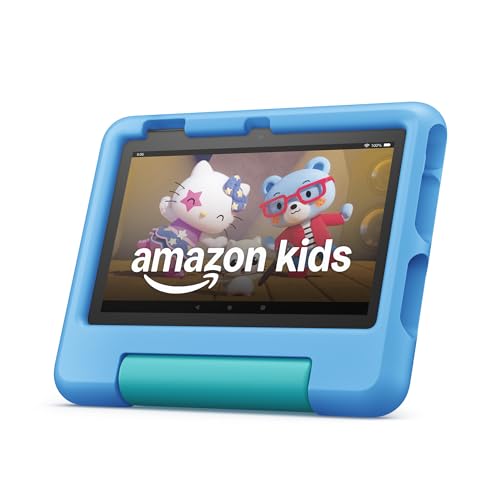
The Amazon Fire 7 Kids Blue is another version of the compact Fire 7 platform, with the blue finish separating it from the purple model above. It is designed for ages 3 to 7 and keeps the experience simple: a small screen, a protective case, curated children's content, and controls that a parent can adjust without taking the tablet away.
Its 7-inch display is the easiest in this roundup for a small child to carry. The tablet weighs 0.64 pounds, and the case is designed to handle drops and bumps. Up to 10 hours of battery life covers a day of short viewing sessions, although longer streaming sessions will naturally use more power.
The 16GB internal capacity is enough for a modest collection of apps and downloads, but it is the first limitation parents will notice. The tablet supports up to 1TB of expandable storage, which provides a path for offline content. Amazon Kids+ supplies books, videos, games, and learning activities, while the Parent Dashboard manages age filters, educational goals, time limits, and access to additional services.
There is no practical performance distinction between the blue and purple Fire 7 models. Choose between them by finish, or use the blue version when it is being passed down between children. The Amazon Fire HD 8 Kids Pro offers more internal storage and a larger screen for older kids, while the Apple iPad 11-inch Pink is in an entirely different class for schoolwork and creative apps.
The small screen also limits the tablet's useful lifespan. A preschooler may find it comfortable, but an older child reading longer passages or attempting school assignments will benefit from more workspace. Parents who want the same controls with a more versatile display should move up to the Fire HD 10 Kids.
The Amazon Fire 7 Kids Blue is a straightforward choice for a young child's first personal tablet. It works best when portability and protection matter more than display size or long-term versatility.
How to choose best ipad for kids
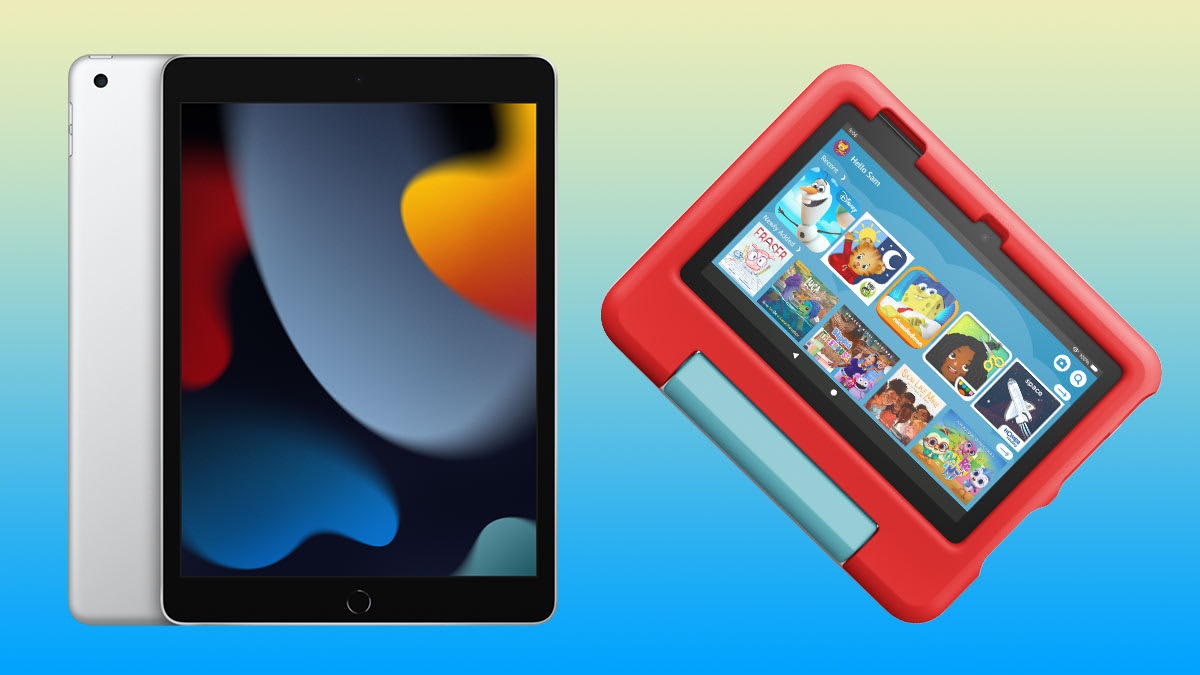
Choosing the Best iPad for Kids means deciding whether you want a general-purpose Apple tablet or a device with children's controls and content already built in.
Age and software controls
Ages 3 to 7 usually call for simple controls, curated content, and a protective case. The Amazon Fire 7 Kids and Fire HD 10 Kids are designed around that use, with Amazon Kids+ and a Parent Dashboard. Older children may benefit from the broader app access of iPadOS or the more independent setup of the Fire HD 8 Kids Pro.
Screen size and resolution
A 7-inch screen is easier for a small child to hold, but it leaves less room for books, schoolwork, and shared viewing. The 10.1-inch Fire HD 10 Kids and 11-inch Apple iPads provide a more comfortable workspace. Resolution also matters: the iPads use Liquid Retina displays, while the Fire HD 10 Kids has a 1080p Full HD display and the COLORROOM tablets use 1280 by 800 panels.
Storage and expansion
Children quickly accumulate games, books, videos, and photos. The Apple iPad models here provide 64GB or 128GB of internal storage, while the Fire and COLORROOM models offer expandable storage up to 1TB through a microSD card. Internal storage is simpler, but expandable storage can be useful for travel and offline content.
A tablet for a child should have enough storage for the content they actually use offline, not just enough space to install the first few apps.
Performance and useful lifespan
The A16 iPad is the strongest general-purpose choice for most children, while the M4 iPad Air is aimed at demanding creative work and older students. The renewed 10th-generation iPad uses an A14 Bionic chip and remains capable for ordinary tasks. Fire and COLORROOM tablets are better matched to streaming, reading, and age-appropriate games than to advanced creative workflows.
Battery and protection
Battery claims vary from up to 10 hours on the Fire 7 models to up to 13 hours on the Fire HD models. The COLORROOM tablets list a 6000mAh battery and 8 to 12 hours of reading or video use. A child-focused case matters just as much as endurance, which is why the Fire Kids bundles stand out for younger users.

Frequently asked questions
Is an iPad a good tablet for kids?
Yes, especially when a child needs school apps, drawing tools, video calls, or a tablet that can serve several roles. The Apple iPad 11-inch Blue has enough performance and storage for a broad range of activities. Parents need to configure family controls because it is a general-purpose tablet rather than a dedicated kids device.
What is the best iPad for a young child?
The Apple iPad 11-inch models are the strongest general-purpose choices, but a young child may be better served by the Amazon Fire HD 10 Kids or Fire 7 Kids. Those models include kid-focused software, a protective case, and parent controls. The Fire HD 10 Kids is easier to share, while the Fire 7 Kids is easier for small hands to hold.
Is the iPad Air too powerful for a child?
For a child who mainly watches shows and plays simple games, the iPad Air's M4 chip is more capability than necessary. It makes more sense for an older child who draws, edits video, runs demanding apps, or needs a device that can support serious schoolwork. The standard Apple iPad is a better fit for most everyday family use.
How much storage should a child's tablet have?
The right amount depends on how much content the child downloads for offline use. The 64GB renewed iPad can work for light use, while 128GB gives more breathing room on the current Apple iPads. Fire and COLORROOM tablets can add up to 1TB with a microSD card, although that requires a separate card and some storage management.
Are Fire tablets better for younger children than iPads?
They are often easier to configure because Amazon Kids+ and age-based parental controls are built into the experience. Fire tablets also include kid-focused cases in these bundles. An iPad is more flexible and supports a wider range of apps, so it is the better choice when the child needs a general-purpose device.
Can children use these tablets for schoolwork?
The Apple iPad models are the strongest choices for schoolwork because of their performance, iPadOS apps, camera features, and support for Apple Pencil and keyboard accessories. The Fire HD 10 Kids and Fire HD 8 Kids Pro can handle reading, educational apps, and web access with guardrails. The Fire 7 models and COLORROOM tablets are better suited to lighter educational activities.
The bottom line
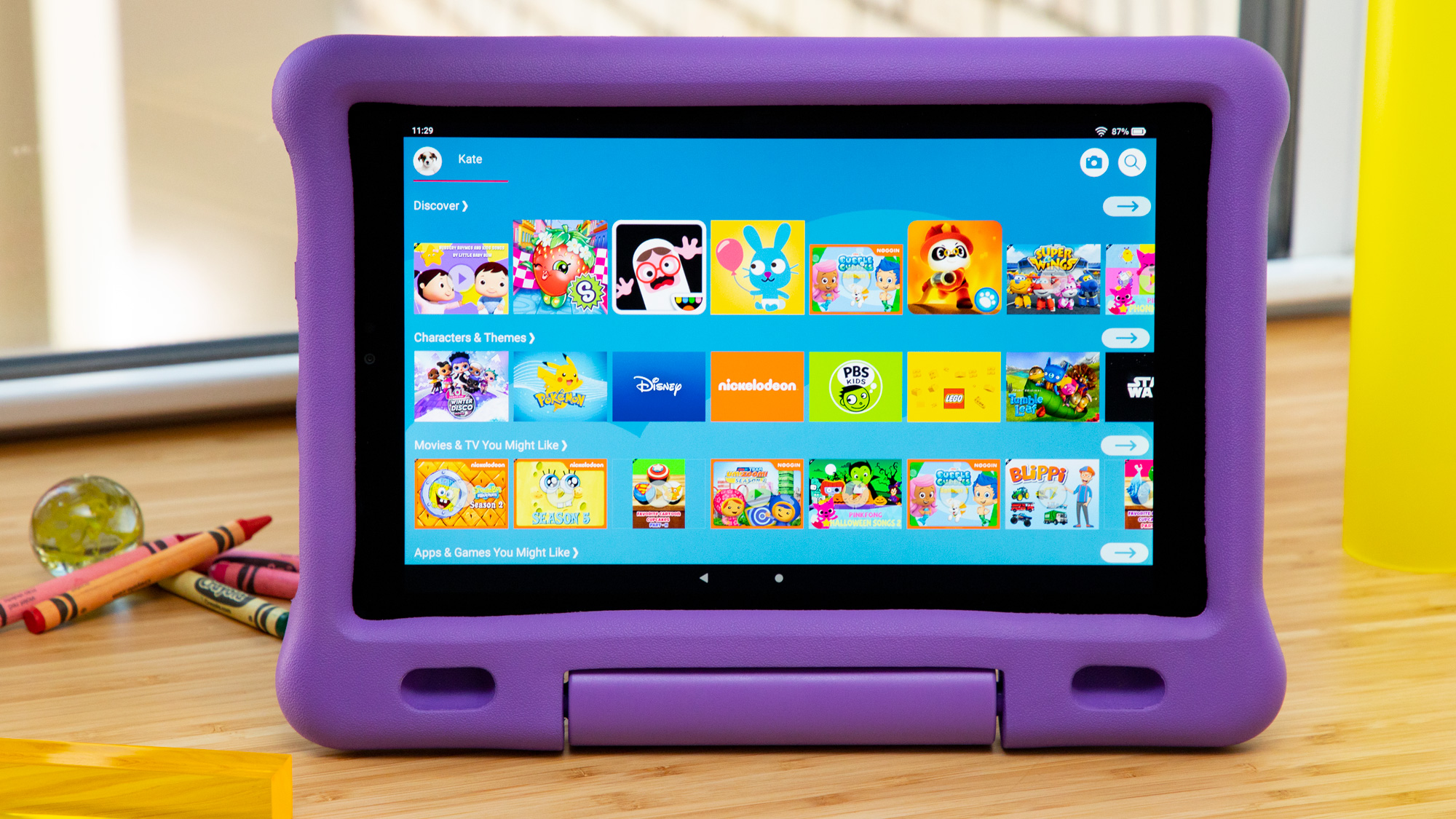
The Best iPad for Kids is the Apple iPad 11-inch Blue for families that want one dependable tablet for games, homework, video calls, reading, and creative work. Its A16 chip, 128GB storage, 11-inch Liquid Retina display, and broad iPadOS ecosystem give it the most room to grow. The Apple iPad Air 11-inch is the stronger specialist pick for older children doing serious drawing, editing, and multitasking.
For younger children who need a protected and tightly managed experience, the Amazon Fire HD 10 Kids is the better fit. It combines a large Full HD display, up to 13 hours of battery life, Amazon Kids+ content, remote parental controls, and a kid-proof case.
If you are still undecided, choose the Apple iPad for flexibility and the Fire HD 10 Kids for simplicity.
As an Amazon Associate we earn from qualifying purchases.