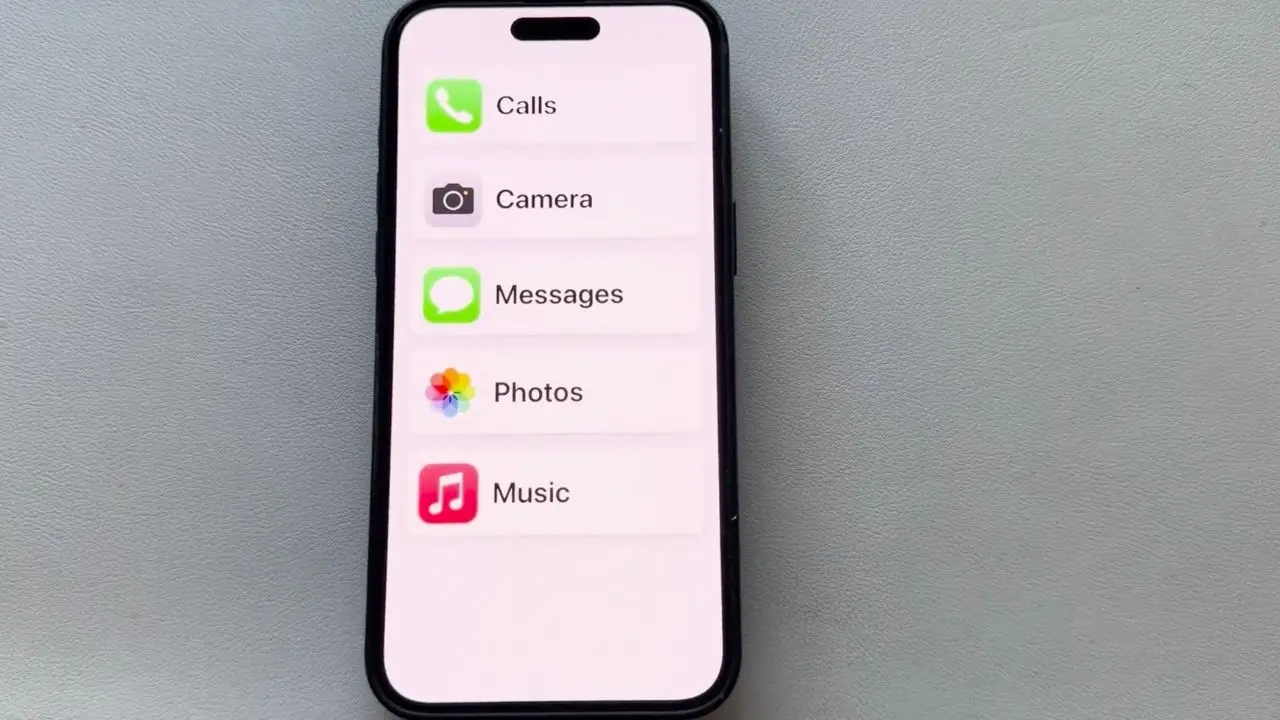

Choosing an iPhone for an older adult is rarely about having the newest camera or the fastest processor. The important questions are simpler: Is the screen easy to read, will it keep working with the family’s carrier, and can someone help with setup without learning a whole new system? This guide to the Best iPhone for Seniors compares ten unlocked, renewed Apple models with those questions in mind.
The iPhone 13 Midnight is our top pick because it combines a readable 6.1-inch OLED display, 128GB of storage, Face ID, 5G, and a familiar design without the compromises of the smaller iPhone SE. The rest of the lineup ranges from the newer iPhone 16e and iPhone 16 to compact older models and the large-screen iPhone 15 Plus.
Quick comparison
| # | Product | Award | Display | Storage | Best for |
|---|---|---|---|---|---|
| 1 | Apple iPhone 13 Midnight | Best overall | 6.1-inch Super Retina XDR | 128GB | Most older adults |
| 2 | Apple iPhone 16e Black | Best newer compact model | 6.1-inch Super Retina XDR OLED | 128GB | Long-term software support |
| 3 | Apple iPhone 16e White | Best simple newer model | 6.1-inch Super Retina XDR OLED | 128GB | Families choosing a light phone |
| 4 | Apple iPhone 16 Pink | Best feature-rich model | 6.1-inch Super Retina XDR OLED | 128GB | Photography and bright rooms |
| 5 | Apple iPhone 14 Purple | Best straightforward upgrade | 6.1-inch Super Retina XDR OLED | 128GB | Familiar everyday use |
| 6 | Apple iPhone 15 Plus Black | Best large-screen model | 6.7-inch Super Retina XDR | 128GB | Large text and video |
| 7 | Apple iPhone 12 Blue | Best basic 5G option | Display size not specified | 64GB | Calls, messages, and light use |
| 8 | Apple iPhone 13 Blue | Best familiar alternative | 6.1-inch Super Retina XDR | 128GB | A second color choice |
| 9 | Apple iPhone 16 Teal | Best modern camera setup | 6.1-inch Super Retina XDR OLED | 128GB | Photos and newer features |
| 10 | Apple iPhone SE 2nd Generation | Best compact button-equipped model | Display size not specified | 64GB | People who prefer a Home button |
1. Apple iPhone 13 Midnight: Best Overall

Pros
- Clear 6.1-inch Super Retina XDR display
- 128GB gives useful room for photos and apps
- Face ID and 5G support
- Ceramic Shield front and aluminum construction
Cons
- Renewed condition can vary between units
- Battery health is not specified
- No details are provided about included accessories
Best for: older adults who want a familiar, capable iPhone without moving to the newest design.
The Apple iPhone 13 Midnight is the one we would buy for most people who want a dependable phone without making the experience feel complicated. It has the basic shape and software experience that make iPhone support easy for family members, while its 6.1-inch Super Retina XDR display gives text, photos, and video enough room to breathe. It is not a huge phone, but it avoids the cramped feel of the iPhone SE 2nd Generation.
The 128GB capacity is a sensible middle ground for an older adult who takes photos, uses messaging apps, and occasionally downloads television shows or podcasts. The feature list also confirms 5G, Face ID, a Ceramic Shield front, and an aerospace-grade aluminum body. Those details matter in everyday use. 5G gives the phone a better fit for current cellular networks, Face ID avoids a small password hurdle, and the protective front glass should offer some reassurance against ordinary mishaps.
The cameras are more capable than a basic calling phone needs to be. The iPhone 13 supports Cinematic mode at 1080p and Dolby Vision HDR video recording up to 4K at 60 frames per second, along with a 2x optical zoom range. Most users will simply point and shoot, but the extra camera capability is useful when grandchildren, pets, or family gatherings become the reason for buying the phone. Its listed video playback figure is up to 19 hours, though the condition of a renewed unit’s battery remains an important unknown.
Compared with the iPhone 12 Blue, the iPhone 13 gives the buyer more storage and a newer feature set. The iPhone 14 Purple is a modest step forward, but its supplied listing gives less technical detail, while the iPhone 16e Black brings newer hardware and a brighter OLED specification. The iPhone 13 remains easier to recommend when the goal is a balanced phone rather than the latest generation.
The weakness is the renewed status. This unit is professionally inspected, tested, and cleaned by an Amazon-qualified supplier, but it is not Apple certified, and it may arrive in a generic box. The listing includes eligibility for a replacement or refund within 90 days of receipt, which helps, but anyone who wants Apple’s own refurbishment process should look elsewhere. For everyone else, this is the most complete combination of screen size, storage, camera ability, and familiar operation in the group.
2. Apple iPhone 16e Black: Best Newer Compact Model

Pros
- A18 chip and 8GB of RAM
- Bright 6.1-inch OLED display
- 128GB storage
- USB-C, Wi-Fi 6, and 5G support
Cons
- Dual eSIM only
- No physical SIM card
- No MagSafe or mmWave 5G
Best for: someone who wants a newer, compact iPhone and is comfortable using eSIM activation.
The Apple iPhone 16e Black is the forward-looking choice in this group. Its 6.1-inch Super Retina XDR OLED screen keeps the physical size manageable, while the A18 six-core CPU and 8GB of RAM give it a newer foundation than the iPhone 13 or iPhone 14. For a senior who keeps a phone for several years, that modern hardware is the main attraction.
The display specification is strong on paper. It has a 2532 by 1170 resolution at 460 pixels per inch, with HDR10 and brightness listed at 800 nits in high-brightness mode and 1200 nits at peak. That should help with legibility in a bright room, although larger text and display zoom will still matter more than raw resolution. The 4005mAh battery figure is also substantial, and the listing states support for wireless charging at 7.5W.
The rear camera uses a 48MP wide sensor with an f/1.6 aperture, while the front camera is a 12MP wide camera with an f/1.9 aperture. Those numbers will mean little to someone who just wants a clear family photo, but they point to a phone that should not feel limited when photography becomes part of daily use. USB-C simplifies cable sharing with newer household electronics, and Wi-Fi 6 gives the phone a current wireless standard.
The important setup caveat is connectivity. This unlocked model works with GSM and CDMA carriers, including AT&T, T-Mobile, Verizon, and other listed networks, but it uses dual eSIM only. There is no physical SIM card slot, no MagSafe, and no mmWave 5G. That is not a problem for a family member who can activate eSIM, but it can turn a simple hand-me-down setup into a call to the carrier.
The iPhone 16e Black is more modern than the Apple iPhone 13 Midnight, but the iPhone 13 is easier for households that want fewer activation surprises. The iPhone 16 Pink adds an ultrawide camera and brighter listed display figures, making it the more flexible model for photos and outdoor use. Choose this iPhone 16e when long-term hardware and a manageable size matter more than camera variety.
3. Apple iPhone 16e White: Best Simple Newer Model

Pros
- New A18 platform
- Bright OLED screen
- 128GB capacity
- Unlocked for GSM and CDMA networks
Cons
- Dual eSIM only
- No physical SIM card
- No MagSafe
Best for: families who want the iPhone 16e hardware in a light-colored finish.
The Apple iPhone 16e White is functionally the same phone as the black version above, so the choice between them is about finish rather than capability. That is useful for an older adult who finds a lighter back easier to spot on a dark table or inside a bag. The phone weighs 0.36 pounds and measures 5.78 inches long by 2.81 inches wide, according to the supplied product information.
Its 6.1-inch Super Retina XDR OLED screen has a 2532 by 1170 resolution and 460 pixels per inch. The display supports HDR10, reaches a listed 800 nits in high-brightness mode, and peaks at 1200 nits. Those figures give the phone a sharp, high-contrast screen for large text, photos, and video. The relevant accessibility advantage is the combination of OLED contrast and iPhone display controls, not simply the number of pixels.
Apple’s A18 six-core processor, 8GB of RAM, four-core Apple GPU, and 16-core Neural Engine are far beyond what is required for calls and messages. That headroom is still helpful because it should keep menus, photo browsing, and updates feeling responsive as the phone ages. The 128GB storage capacity is also more comfortable than the 64GB found in the iPhone 12 Blue and iPhone SE 2nd Generation.
The camera is a 48MP rear wide camera and a 12MP front wide camera. The phone also supports Wi-Fi 6, Bluetooth 5.3, NFC, USB-C, and wireless charging at 7.5W. The listing gives a 4005mAh battery figure, but it does not provide a video playback estimate, so we would not make a precise endurance promise based on the listing alone.
The same connectivity restriction deserves attention here. The phone is unlocked for GSM and CDMA networks, but dual eSIM is the only SIM arrangement. If the recipient is used to moving a physical SIM from one phone to another, the iPhone 13 Midnight or iPhone 14 Purple may create a gentler transition. The white iPhone 16e is the right pick when the buyer wants current hardware, 128GB of storage, and a clearly visible finish.
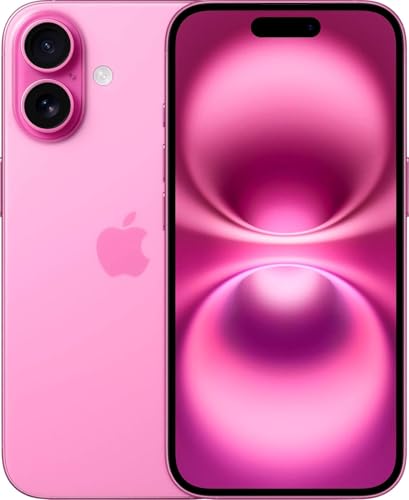
4. Apple iPhone 16 Pink: Best Feature-Rich Model
Pros
- Bright 6.1-inch OLED display
- A18 chip with five-core GPU
- Main and ultrawide rear cameras
- USB-C and emergency satellite features
Cons
- Dual eSIM only
- No physical SIM card
- Compact screen may still feel small for large text
Best for: older adults who want a compact phone with stronger cameras and bright-screen performance.
The Apple iPhone 16 Pink is the most versatile modern phone here. Like the iPhone 16e, it uses the A18 platform and has a 6.1-inch OLED display, but it adds a second rear camera and a more detailed display brightness specification. That makes it a better fit for someone who takes photos often or uses the phone outdoors.
The screen runs at 2556 by 1179 pixels with 460 pixels per inch. The listing specifies HDR10 and Dolby Vision, with 1000 nits of typical brightness and 2000 nits in high-brightness mode. Brightness is especially useful when a phone is used near a window or outside, while OLED contrast helps letters stand out against the background. The display is still only 6.1 inches, so someone who needs very large on-screen controls may prefer the iPhone 15 Plus.
The A18 chip is paired with 8GB of RAM, a five-core GPU, and a 16-core Neural Engine. The rear camera system combines a 48MP wide camera with a 12MP ultrawide camera, and the front camera is a 12MP wide model. That ultrawide lens gives the user more flexibility for group photos and scenery, while the main camera handles ordinary snapshots. It is a meaningful upgrade over the single rear camera details supplied for the iPhone 16e.
The phone includes 128GB of storage, a 3561mAh battery figure, USB-C, Wi-Fi connectivity, NFC, and dual eSIM. It also supports a broad list of 4G LTE and 5G bands and is described as unlocked for GSM and CDMA networks. Emergency SOS via satellite and Crash Detection are listed on the iPhone 15 Plus, not this model, so buyers should not assume every newer iPhone has the same emergency feature set.
The iPhone 16 Pink beats the Apple iPhone 16e Black on camera flexibility and listed screen brightness, while the iPhone 15 Plus beats it for physical screen area. Its real drawback is that dual eSIM can complicate setup for someone who relies on a physical SIM. For a relative who wants a current-looking, fast phone and enjoys taking pictures, this is the stronger modern compact option.
5. Apple iPhone 14 Purple: Best Straightforward Upgrade

Pros
- 6.1-inch Super Retina XDR OLED display
- 128GB storage
- Action mode for smoother handheld video
- Familiar iPhone design
Cons
- The listing provides few technical details
- Renewed battery condition is not specified
- Older than the iPhone 16 models
Best for: someone moving from an older iPhone who wants a familiar, uncomplicated upgrade.
The Apple iPhone 14 Purple is the uncomplicated middle option. Its listing confirms a vibrant 6.1-inch Super Retina XDR display with OLED technology and Action mode for smoother handheld video. That is enough to establish the phone’s everyday identity, even though the supplied listing does not include the detailed processor, battery, camera, or connectivity specifications found for several other models.
A 6.1-inch display is a useful size for an older adult. It provides more room than the iPhone SE 2nd Generation without becoming as wide and heavy as the iPhone 15 Plus. OLED technology should give the screen strong contrast, and iPhone accessibility tools can enlarge text, icons, and interface controls. Those settings are often more important than the generation number when readability is the main concern.
The phone has 128GB of storage, which gives it a comfortable advantage over the 64GB iPhone 12 Blue and iPhone SE 2nd Generation. It is a better match for someone who saves photos and uses several apps, though the listing does not state a specific battery capacity or playback estimate. With a renewed phone, we would ask the seller or check the device’s battery health after setup rather than assume a particular runtime.
The iPhone 14 is easier to place in a family’s existing Apple routine than the iPhone 16e models because it avoids the newer dual-eSIM-only caveat listed for those phones. Still, the supplied data does not explicitly detail its carrier bands or SIM arrangement, so the recipient’s carrier should be checked before ordering. The Apple iPhone 13 Midnight remains the more fully documented all-rounder, while the iPhone 16 Pink is the more capable choice for camera enthusiasts.
The limitation is not necessarily the phone itself, but how little the listing tells us. Buyers get confirmation of the screen, storage, and Action mode, but not the detailed battery or network information available elsewhere in this group. Choose it for its familiar balance and purple finish, not because it offers a clearly documented advantage over the iPhone 13.
6. Apple iPhone 15 Plus Black: Best Large-Screen Model

Pros
- Large 6.7-inch Super Retina XDR display
- 128GB storage
- Up to 26 hours of video playback listed
- Emergency SOS via satellite and Crash Detection
Cons
- Larger and heavier than the other 6.1-inch models
- Dual-camera details may be more than some users need
- Renewed battery condition is not specified
Best for: older adults who benefit from a large screen for text, photos, and video.
The Apple iPhone 15 Plus Black solves the most common physical problem with smartphone interfaces: everything is easier to see when it is larger. Its 6.7-inch Super Retina XDR display gives text, keyboard keys, photos, and video more space than the 6.1-inch screens used by most of the other models here. That extra room can make a greater difference to an older adult than a newer processor.
The tradeoff is size. The phone measures 6.33 inches long and 3.06 inches wide, and its listed weight is 0.443 pounds. It is still a manageable smartphone, but it takes more room in a pocket and can be harder to use one-handed. Someone with limited grip strength or smaller hands may find the iPhone 13 Midnight easier to hold, even if the larger screen looks attractive.
The feature list includes an A16 Bionic chip with a five-core GPU, a 48MP main camera, and an ultrawide camera. It supports 24MP and 48MP high-resolution photos, next-generation portraits with Focus and Depth Control, and a 4x optical zoom range. For family photos, that means more flexibility when the subject is not close or when several people need to fit into the frame.
This is also the only phone in the group with a listed video playback figure of up to 26 hours. The iPhone 15 Plus uses USB-C, supports USB 2, and uses Face ID. Emergency SOS via satellite, Crash Detection, and satellite roadside assistance are listed as well. Those safety features may matter to someone who travels alone, although they should be treated as emergency backups rather than a substitute for ordinary cellular service.
Compared with the Apple iPhone 16 Pink, the iPhone 15 Plus gives up newer A18 hardware and a brighter detailed display specification, but it wins decisively on physical screen area. It also offers more room than the iPhone 16e White for enlarged text. Skip it if the recipient wants a small, light phone. Choose it when readability, video, and comfortable on-screen controls come first.
7. Apple iPhone 12 Blue: Best Basic 5G Option

Pros
- Unlocked for GSM and CDMA networks
- 5G-era iPhone design
- Compact form factor
- Blue finish is easy to identify
Cons
- Only 64GB of storage
- Display size is not specified in the listing
- Battery and camera details are not specified
Best for: basic calling, messaging, and light smartphone use.
The Apple iPhone 12 Blue is a practical choice for someone whose phone is mainly a phone. The listing confirms that it is unlocked and compatible with GSM and CDMA networks, including carriers such as AT&T, T-Mobile, Verizon, US Cellular, Cricket, Metro, Tracfone, and Mint Mobile. That broad carrier description is useful when a family member is setting up service for someone else.
Its 64GB storage is the clearest compromise. It can handle calls, messages, email, a modest collection of apps, and some photos, but it leaves less room for years of video and image storage than the 128GB models. If the recipient frequently records family events or keeps large offline libraries, the iPhone 13 Midnight is a safer fit.
The listing asks the buyer to check carrier compatibility, insert a SIM card from a compatible carrier, connect to Wi-Fi, and follow the on-screen activation prompts. That physical SIM setup can be reassuring for people who have used older phones and do not want to manage eSIM activation. It is one of the reasons this older model can be easier to hand to a relative than a newer dual-eSIM-only iPhone 16e.
The product information lists a 0.41-pound weight and a blue finish, but it does not state the display size, battery capacity, camera hardware, or video playback figure. We cannot fill in those gaps from the listing. That makes this a less informed choice for someone with specific screen or battery needs, though the available details are enough for simple communication duties.
The Apple iPhone 13 Blue is a better choice for photos and storage, while the iPhone SE 2nd Generation is smaller and has a different control experience. The iPhone 12 Blue makes sense when carrier flexibility and straightforward activation matter more than capacity. Before handing it over, set up large text, emergency contacts, and the recipient’s most-used apps.
8. Apple iPhone 13 Blue: Best Familiar Alternative

Pros
- 6.1-inch Super Retina XDR display
- 128GB storage
- 5G and Face ID
- Ceramic Shield front
Cons
- Renewed battery condition is not specified
- Older A15 Bionic platform
- Listing does not detail included accessories
Best for: someone who wants the iPhone 13 experience in a blue finish.
The Apple iPhone 13 Blue is the same practical model as our top pick, with the finish providing the main distinction. That makes it a useful alternative for a recipient who prefers blue or needs a phone that is easy to identify among family members’ devices. Its 6.1-inch Super Retina XDR display is a strong size for reading, navigation, and video without the bulk of the iPhone 15 Plus.
The A15 Bionic chip includes a six-core CPU, four-core GPU, and 16-core Neural Engine. Those specifications are more than enough for ordinary calls, messages, video chats, photos, and accessibility features. The phone supports 5G, Face ID, and a Ceramic Shield front, while the aerospace-grade aluminum construction gives it a familiar premium feel.
The camera system supports Cinematic mode in 1080p at 30 frames per second, Dolby Vision HDR recording up to 4K at 60 frames per second, and a 2x optical zoom range. The listed battery capability is up to 19 hours of video playback. That figure is a useful reference for the original design, but renewed battery condition can vary, so the buyer should check battery health rather than expect a specific result from every unit.
The 128GB capacity is a major advantage over the iPhone 12 Blue and iPhone SE 2nd Generation. It leaves more room for photos, messages, and apps without asking the recipient to manage storage constantly. If you are also considering an Android device for a relative, the software and support differences between phone platforms are worth explaining before you commit to an ecosystem.
The iPhone 13 Blue does not improve on the Apple iPhone 13 Midnight technically. It is lower in this list only because the Midnight version is our default recommendation, not because the blue model has a meaningful performance weakness. Choose this one when the finish matters or when it is the better available listing for the same familiar phone.
9. Apple iPhone 16 Teal: Best Modern Camera Setup

Pros
- A18 chip and five-core GPU
- Main and ultrawide rear cameras
- Bright 6.1-inch OLED display
- USB-C and 128GB storage
Cons
- Dual eSIM only
- No physical SIM card
- Smaller screen than the iPhone 15 Plus
Best for: older adults who want newer hardware and a flexible camera system.
The Apple iPhone 16 Teal is the same phone as the pink iPhone 16 in the list, with the finish as the differentiator. It is aimed at a buyer who wants current hardware in a manageable 6.1-inch body. The teal color also gives the phone a distinctive identity, which can be useful when several people in a household use similar devices.
Its Super Retina XDR OLED display measures 6.1 inches and has a 2556 by 1179 resolution at 460 pixels per inch. The listing specifies HDR10, Dolby Vision, 1000 nits of typical brightness, and 2000 nits in high-brightness mode. That combination should make the screen easier to see in bright conditions, while the high pixel density keeps text and photographs crisp after the interface has been enlarged.
The A18 processor, 8GB of RAM, five-core GPU, and 16-core Neural Engine give this model plenty of headroom. Its rear cameras include a 48MP wide camera and a 12MP ultrawide camera, while the front camera is a 12MP wide model. This is more flexible than the single rear-camera details supplied for the iPhone 16e. The 3561mAh battery figure, USB-C port, Wi-Fi support, NFC, and 128GB storage round out a modern hardware package.
Carrier setup is the detail that can change the buying decision. This unlocked phone is described as compatible with GSM and CDMA carriers and supports a broad list of cellular bands, but it uses dual eSIM and does not include a physical SIM arrangement in the supplied details. A family member who can manage carrier activation will be fine. Someone who expects to move a SIM card between devices may find the iPhone 13 Blue less stressful.
The Apple iPhone 16 Pink is identical in capability, so choose between them by finish and the specific renewed listing. The iPhone 15 Plus Black remains better for large text because its screen is 6.7 inches, while the iPhone 13 Midnight is the simpler recommendation for most households. The iPhone 16 Teal is for the senior who wants a modern camera system and does not mind the newer activation process.
10. Apple iPhone SE 2nd Generation: Best Compact Button-Equipped Model

Pros
- Compact 0.32-pound design
- Familiar Home button
- Unlocked for GSM and CDMA carriers
- Battery tested with a minimum capacity stated
Cons
- Only 64GB of storage
- Display size is not specified
- No headphones or SIM card included
Best for: people who strongly prefer a small phone and a physical Home button.
The Apple iPhone SE 2nd Generation is the specialist pick. Its compact 0.32-pound body is easier to carry than the iPhone 15 Plus, and its familiar Home button can feel more reassuring than Face ID and gesture navigation. For an older adult moving from an older iPhone, that physical control may matter more than having the newest screen design.
The listing provides 64GB of storage but does not specify the display size, camera hardware, battery capacity, or video playback figure. That missing information limits how confidently we can recommend it for someone with vision or endurance concerns. The small body is clear from the product dimensions, but a buyer who needs a large interface should choose a 6.1-inch model or the iPhone 15 Plus instead.
There are some reassuring refurbishment details. The phone is described as tested for battery health with a guaranteed minimum battery capacity of 80 percent. It also passed a full diagnostic test, had prior-user information removed, and is inspected for minimal cosmetic damage that is not noticeable at arm’s length. Those details do not make the battery new, but they give the buyer a clearer condition baseline than several other entries.
The phone is unlocked and compatible with GSM and CDMA carriers, and the listing says it does not include headphones or a SIM card. A generic MFi-certified charging cable is included. The physical SIM compatibility described here may make activation easier than with the iPhone 16e Black or iPhone 16 Teal, but the buyer should still confirm the carrier before ordering.
The Apple iPhone 12 Blue offers a larger and more modern-feeling phone with 5G, while the Apple iPhone 13 Midnight gives the recipient twice the listed storage and a 6.1-inch display. The SE is the right choice only when compact size and the Home button are priorities. Skip it for anyone who needs large text, takes many photos, or wants a phone that feels comfortable for several more years.

How to choose the best iphone for seniors
The right phone depends less on age than on eyesight, hand comfort, carrier setup, and how much help the recipient will have after the purchase.
Screen size and readability
A 6.1-inch display is the useful middle ground in this group. It gives enlarged text and larger touch targets more room than the iPhone SE 2nd Generation, while staying easier to hold than the 6.7-inch iPhone 15 Plus. Someone who regularly struggles to read menus should consider the larger model first.
OLED screens appear on the iPhone 14, iPhone 16e, iPhone 16, and the listings for the iPhone 13 and iPhone 15 Plus. High contrast can make letters easier to distinguish, but brightness and text scaling matter just as much. Set up larger text, Display Zoom, and bold text before deciding that a phone is too difficult to read.
For a senior with weak eyesight, a larger screen and adjusted text usually matter more than a newer processor.
Storage capacity
The 128GB models are the safer choice for people who take regular photos, use video chat, or keep several apps installed. The iPhone 12 and iPhone SE 2nd Generation have 64GB, which can work for calls, messages, and light use but leaves less room for years of photos and videos.
Storage is not something most people want to manage manually. If a family member will be responsible for troubleshooting, choosing 128GB reduces the number of future cleanup conversations.
Carrier and SIM setup
Unlocked phones can work across GSM and CDMA networks, but the exact activation method still matters. The iPhone 12 and iPhone SE listings describe physical SIM activation, while the iPhone 16e listings explicitly state dual eSIM only and no physical SIM card.
Ask the carrier whether it supports the phone’s eSIM process before handing the device to an older adult. If changing a SIM card is part of the family’s normal support routine, an older model may be simpler.
Size, weight, and controls
The iPhone 15 Plus has the largest display, but it is also the widest and heaviest phone here. The iPhone SE 2nd Generation is the smallest and lightest listed model, with a physical Home button. The iPhone 13, iPhone 14, iPhone 16e, and iPhone 16 sit between those extremes.
A phone that is technically easy to read is not useful if it slips from the user’s hand or feels tiring to hold. Think about grip strength, pocket space, and whether the recipient prefers a button or gesture controls.
Battery and renewed condition
Most listings do not provide a battery-health guarantee or a current battery percentage. The iPhone SE 2nd Generation is the exception, with a stated minimum battery capacity of 80 percent and a full diagnostic check. The iPhone 13 and iPhone 15 Plus listings provide video playback figures, but those are not a promise about the battery in a renewed device.
Check battery health after setup and make sure the return terms are understood. A renewed phone can be an excellent fit, but the condition details deserve as much attention as the model name.
Camera and safety features
The iPhone 13, iPhone 15 Plus, iPhone 16e, and iPhone 16 listings provide different levels of camera detail. The iPhone 16 and iPhone 15 Plus stand out for their main and ultrawide camera systems, while the iPhone 13 supports Cinematic mode, Dolby Vision HDR, and a 2x optical zoom range.
The iPhone 15 Plus listing specifically includes Emergency SOS via satellite, Crash Detection, and satellite roadside assistance. These features may be useful for someone who travels alone, but the phone still needs ordinary setup, emergency contacts, and a clear explanation of how the features work.

Frequently asked questions
Which iPhone is easiest for an older adult to use?
The Apple iPhone 13 Midnight is the easiest general recommendation because it has a 6.1-inch display, 128GB of storage, Face ID, and a familiar iPhone interface. Set up larger text, Display Zoom, and emergency contacts before giving it to the recipient.
Is the iPhone SE 2nd Generation a good choice for seniors?
It can be a good choice for someone who prefers a compact phone and a physical Home button. Its 64GB storage and unspecified display size make it less suitable for people who need large text or keep many photos and apps.
Should I choose the iPhone 15 Plus for large text?
The iPhone 15 Plus is the strongest fit in this group for a large viewing area because it has a 6.7-inch display. It is also wider and heavier, so make sure the recipient can hold it comfortably.
Are these iPhones unlocked?
The listings describe each phone as unlocked. Carrier compatibility and activation requirements still vary, and the iPhone 16e and iPhone 16 entries specify dual eSIM only.
Is 64GB enough for an older adult?
64GB can be enough for calls, messages, email, and light app use. Choose a 128GB model if the recipient takes many photos, records video, or is unlikely to manage storage regularly.
Which model has a physical SIM option?
The iPhone 12 and iPhone SE 2nd Generation listings describe activation with a SIM card. The iPhone 16e listings state that there is no physical SIM card and that the phones use dual eSIM, so confirm the carrier’s process before buying.
What should I set up before giving an iPhone to a senior?
Add important contacts, enable larger text and display settings, configure emergency contacts, and install the apps the person already uses. A short written note with charging instructions and the device passcode can prevent many avoidable support calls.
The bottom line
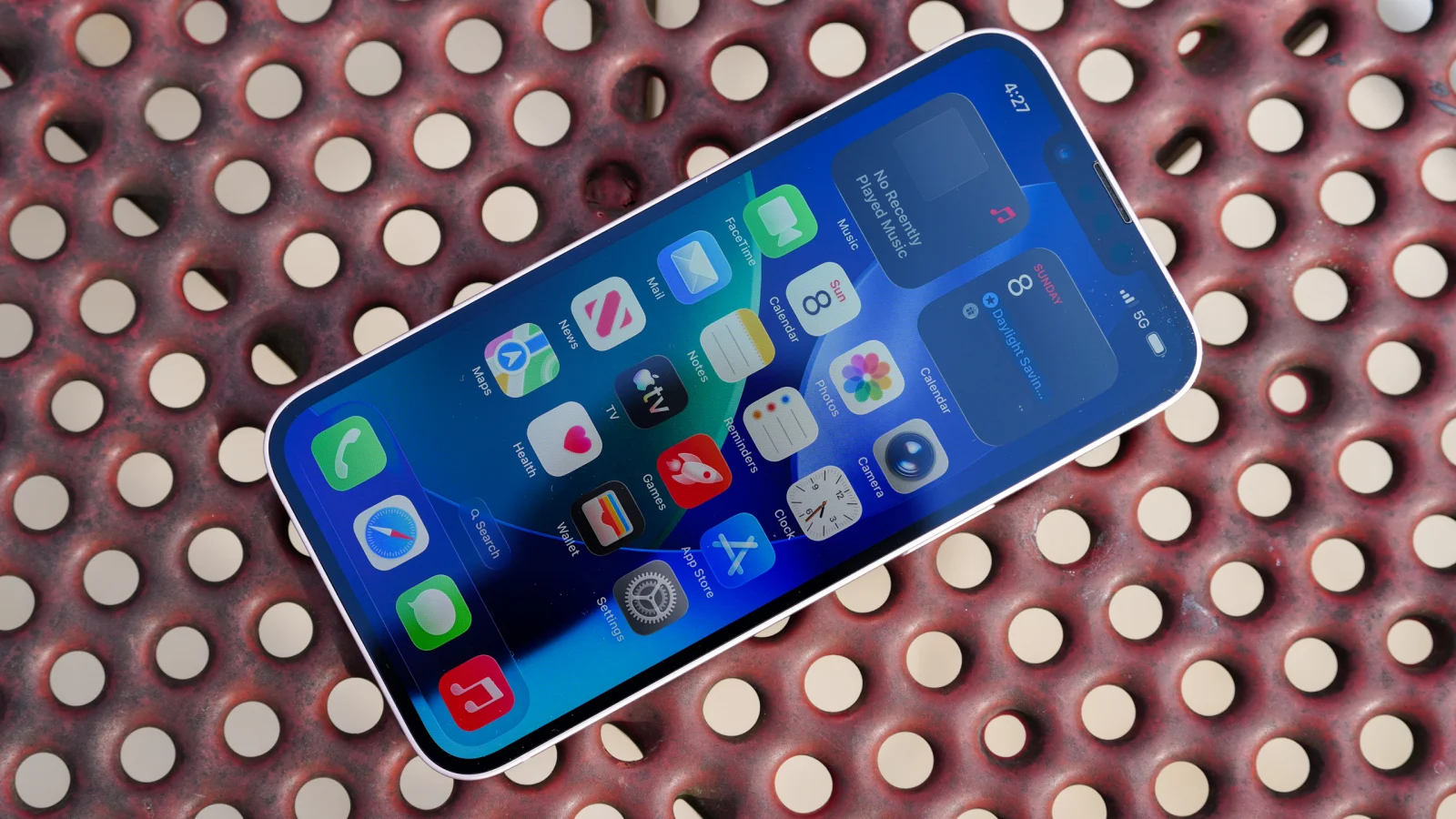
The Best iPhone for Seniors in this group is the Apple iPhone 13 Midnight. Its 6.1-inch OLED display, 128GB storage, 5G, Face ID, and capable camera system give most older adults a comfortable balance without the larger body of the iPhone 15 Plus or the eSIM setup concern of the iPhone 16e.
Choose the Apple iPhone 15 Plus Black when large text and a spacious display matter more than portability. Choose the Apple iPhone 16 Pink or Apple iPhone 16 Teal for newer hardware and a more flexible camera system, provided the recipient or caregiver is comfortable with dual eSIM activation.
If you are undecided, choose the iPhone 13 unless a large screen, a Home button, or newer camera hardware is the clear priority.
As an Amazon Associate we earn from qualifying purchases.