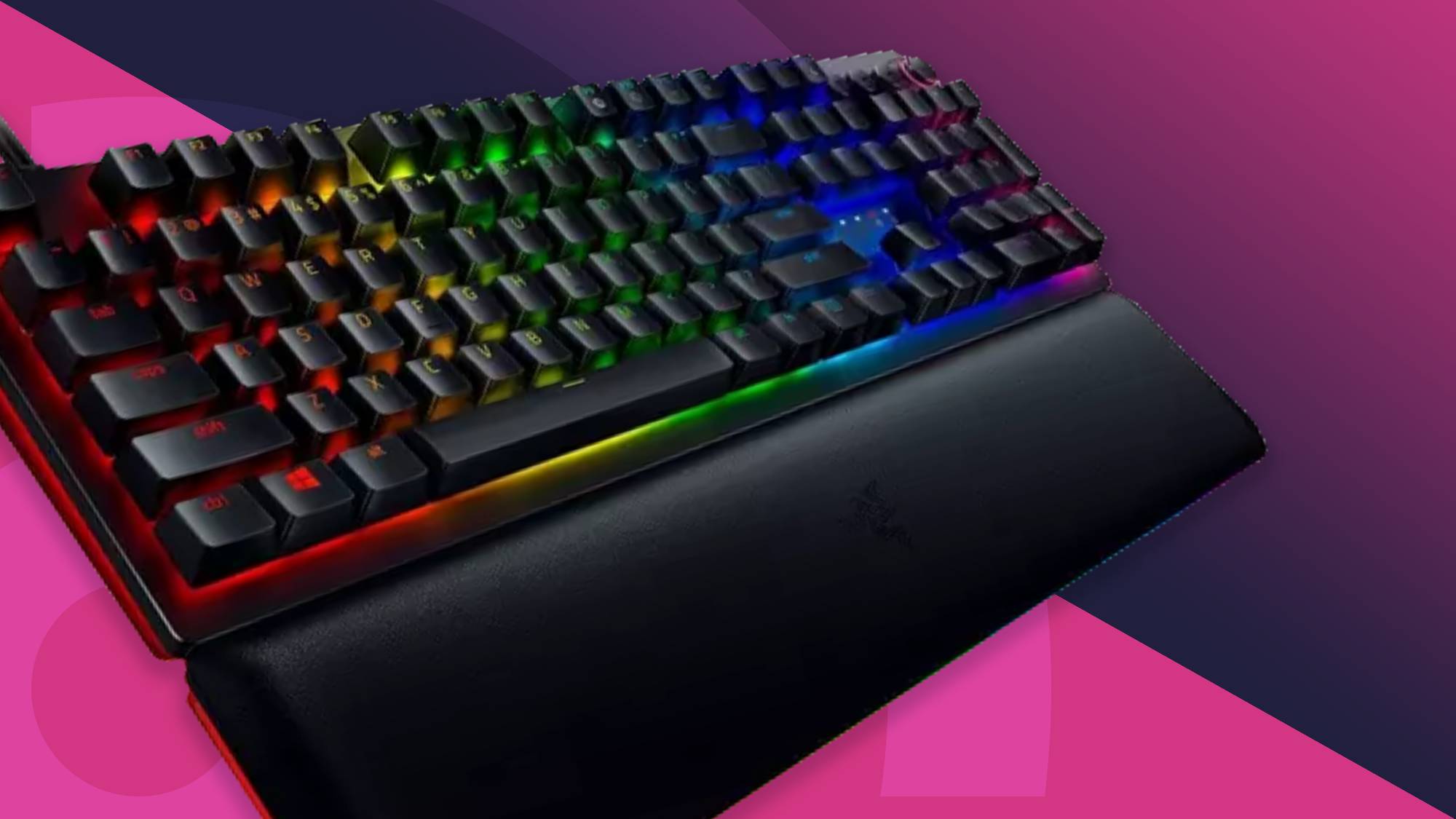

A gaming keyboard has to do more than light up a desk. The right one should make rapid movement feel immediate, keep accidental presses under control, and fit your preferred layout without turning every shortcut into a hunt through the function row. The Best keyboard for gaming depends heavily on whether you want magnetic switches, a compact layout, wireless flexibility, or a quieter board for shared spaces.
We ranked these 10 keyboards by their gaming controls, switch technology, layout, comfort features, and useful extras. The SteelSeries Apex Pro TKL Gen 3 is our top pick, while the list also includes a versatile wireless 75% board, compact Hall Effect models, full-size mechanical options, and quieter membrane-style keyboards.
Comparison table
| # | Product | Award | Layout | Switch or key type | Connectivity | Best for |
|---|---|---|---|---|---|---|
| 1 | SteelSeries Apex Pro TKL Gen 3 | Best overall | TKL | OmniPoint 3.0 Hall Effect, adjustable 0.1 to 4.0 mm | USB-C | Competitive PC gaming |
| 2 | AULA F75 Pro | Best wireless 75% | 75%, 81 keys | Pre-lubed Reaper mechanical switches | 2.4GHz, USB-C, Bluetooth 5.0 | Flexible multi-device setups |
| 3 | Logitech G213 Prodigy | Best full-size membrane | Full-size | Tuned gaming membrane keys | Wired | Gaming and everyday use |
| 4 | Razer Ornata V3 | Best low-profile feel | Full-size | Mecha-membrane | Wired | Quiet, comfortable desk setups |
| 5 | SteelSeries Apex 3 | Best quiet spill-resistant pick | Full-size | Whisper-quiet gaming switches | Wired | Shared rooms and casual play |
| 6 | TECKNET Gaming Keyboard | Best ergonomic budget-free pick | Full-size | Whisper-quiet switches | Wired | Simple desktop gaming |
| 7 | Redragon K580 | Best macro controls | Full-size | Hot-swappable Blue switches | Wired | Macro-heavy games |
| 8 | AULA WIN68 HE | Best compact Hall Effect | 60%, 68 keys | Hall Effect magnetic switches | Wired | Fast competitive play |
| 9 | ASUS ROG Scope II 96 | Best wireless full-size layout | 96% | Pre-lubed ROG NX Snow linear | 2.4GHz, USB, Bluetooth | Wireless play with a number pad |
| 10 | Redragon K671 | Best simple hot-swap board | Full-size | Hot-swappable Red switches | Wired | First mechanical keyboard |
1. SteelSeries Apex Pro TKL Gen 3: Best Overall

Pros
- Highly adjustable Hall Effect actuation
- Rapid Trigger and Rapid Tap features
- OLED display for onboard settings
- Compact TKL layout
- PBT keycaps and USB-C connection
Cons
- Wired only
- Advanced features take time to configure
- No number pad
Best for: competitive PC players who want precise input control and a compact desk footprint.
The SteelSeries Apex Pro TKL Gen 3 is the keyboard we would keep for fast shooters and movement-heavy games. Its TKL layout removes the number pad but keeps the function row, arrows, and navigation cluster, leaving more room for a low-sensitivity mouse. The board feels focused rather than overloaded, even though it has a surprising amount of configuration built in.
Its OmniPoint 3.0 magnetic switches are the main reason to choose it. You can set actuation across 40 levels, from 0.1 mm to 4.0 mm, so a movement key can respond with a very light press while a frequently mistyped key can require more travel. The switches have a listed 45g bottom-out force, and Hall Effect sensing allows Rapid Trigger to reset as soon as you release a key. That can make repeated strafing and direction changes feel more immediate than on a conventional mechanical board.
Rapid Tap is aimed at movement scenarios, while Protection Mode is designed to reduce accidental presses on nearby keys. Quickset Auto-Presets can load configurations when a game starts, which is more useful than it sounds if you switch between games with different actuation preferences. The OLED smart display also lets you change settings directly from the keyboard, and onboard storage means those configurations do not depend on leaving another window open.
The weakness is complexity. The Apex Pro TKL Gen 3 gives you far more control than the Logitech G213 Prodigy or SteelSeries Apex 3, but casual players may never use most of it. It is also wired and lacks the ASUS ROG Scope II 96 Wireless's number pad and tri-mode connection. Choose it when input tuning is central to your games, not simply because magnetic switches sound impressive.
2. AULA F75 Pro: Best Wireless 75%

Pros
- Three connection modes
- 81-key layout retains arrow keys
- Hot-swappable 3-pin and 5-pin support
- 4000mAh rechargeable battery
- Knob for lighting, volume, and media
Cons
- No magnetic switch features
- Driver is needed for deeper customization
- Compact layout takes adjustment
Best for: players who want a compact mechanical keyboard that can move between a gaming PC and other devices.
The AULA F75 Pro is the most adaptable board in this group. Its 75% layout has 81 keys, so it keeps the arrow keys and much of the navigation functionality that disappears on a 60% board. It is compact enough to free desk space for a mouse, yet it does not force every non-gaming command behind an unfamiliar function layer.
Connection options are unusually broad. The F75 Pro supports USB-C, 2.4GHz wireless, and Bluetooth 5.0, with connections for up to five devices and shortcut or side-button switching. Its 4000mAh battery supports the cordless setup, while USB-C gives you a straightforward wired fallback. That makes it a better fit than the wired TECKNET Gaming Keyboard for someone who uses one board with a desktop, laptop, tablet, or phone.
The typing hardware is also more enthusiast-friendly than the typical entry-level gaming board. Pre-lubed Reaper switches and stabilizers are intended to provide a smoother press, while five layers of filling, an integrated silicone pad, and PCB single-key slotting are designed to reduce hollow resonance. The hot-swap base accepts 3-pin or 5-pin switches without soldering, so the board can evolve if the supplied switch feel is not right.
The F75 Pro is not the specialist choice for esports input timing. The SteelSeries Apex Pro TKL Gen 3 and AULA WIN68 HE offer adjustable magnetic actuation, while the AULA is more compact and the SteelSeries has a dedicated OLED display. The F75 Pro wins on versatility, quieter customization, and wireless freedom. It is the one to choose if your gaming keyboard also has to function as your everyday keyboard.
3. Logitech G213 Prodigy: Best Full-Size Membrane

Pros
- Full-size layout with dedicated media controls
- Five customizable lighting zones
- Integrated palm rest
- Adjustable keyboard feet
- Spill and crumb resistant construction
Cons
- Membrane feel lacks mechanical switch customization
- Large full-size footprint
- Wired only
Best for: players who want a familiar full-size layout for games, school, and general computer use.
The Logitech G213 Prodigy is the least demanding keyboard here. It has a conventional full-size arrangement, a built-in palm rest, and adjustable feet, so someone moving from a standard office keyboard will not need to relearn the basics. Dedicated media controls handle play, pause, mute, volume, and track changes without interrupting a game.
Its keys use a tuned membrane design rather than mechanical switches. Logitech says each key is tuned for responsive tactile feedback, and the anti-ghosting gaming matrix is intended to keep simultaneous inputs registered. That is enough for ordinary movement, ability, and shortcut combinations, though it does not provide the per-key actuation control of the Apex Pro TKL Gen 3 or the smooth mechanical feel of the AULA F75 Pro.
Lighting is divided into five customizable zones with more than 16.8 million colors through Logitech G Hub. The same software handles game mode, macro programming, and synchronization with other Logitech G devices. The board is also designed to repel liquids, crumbs, and dirt, which makes it less precious than a heavily customized mechanical keyboard on a busy desk.
The G213 is wide and comparatively plain next to the Redragon K580, which adds dedicated macro keys, or the Razer Ornata V3, which uses low-profile mecha-membrane keys. Its appeal is simplicity. Skip it if you specifically want hot-swappable switches or a smaller layout, but choose it if a complete, familiar board matters more than enthusiast-level tuning.
4. Razer Ornata V3: Best Low-Profile Feel

Pros
- Slim low-profile keycaps and switches
- Mecha-membrane tactile response
- Dedicated media keys
- Magnetic soft-touch wrist rest
- UV-coated keycaps
Cons
- Full-size footprint
- Wired only
- Not a hot-swappable mechanical board
Best for: long gaming and typing sessions where a lower key profile and wrist support matter.
The Razer Ornata V3 feels different from the other full-size boards here from the first few key presses. Its slimmer keycaps and shorter switches create a lower profile that can feel more natural for users who dislike tall mechanical keycaps. The integrated magnetic soft-touch wrist rest gives the board a comfortable place to anchor the palms during longer sessions.
Razer uses mecha-membrane switches, combining the familiar cushioned feel of a membrane keyboard with a more pronounced mechanical-style response. The result is not as customizable as the Redragon K671 or as precise as either Hall Effect AULA, but it gives ordinary game commands a defined press without requiring a fully mechanical setup.
The Ornata V3 also has dedicated backlit media keys that can control playback, brightness, and volume. UV-coated keycaps are designed to resist fading and wear, which matters on a board that is likely to see both daily typing and repeated gaming sessions. Its full-size arrangement preserves the number pad and standard navigation keys, but it occupies considerably more horizontal space than the AULA F75 Pro.
The trade-off is that the low-profile design does not turn the Ornata V3 into a competitive rapid-trigger board. The Apex Pro TKL Gen 3 responds to adjustable magnetic actuation, and the AULA WIN68 HE is smaller and built around fast trigger settings. The Ornata makes more sense for someone who values a familiar full-size board, quieter-feeling keys, and a comfortable wrist rest over switch experimentation.
5. SteelSeries Apex 3: Best Quiet Spill-Resistant Pick

Pros
- Whisper-quiet switches
- IP32 water resistance
- Magnetic wrist rest
- Dedicated multimedia controls
- Works with PC, Mac, Xbox, and PlayStation
Cons
- Membrane-style feel
- Full-size layout takes desk space
- Less switch customization than mechanical models
Best for: shared rooms, late-night gaming, and players who want a quiet full-size keyboard.
The SteelSeries Apex 3 is built around restraint. Its whisper-quiet gaming switches avoid the sharp click of the Redragon K580 and should be far less intrusive in a bedroom or shared office. The full-size layout is conventional, and the magnetic wrist rest adds useful palm support without a complicated attachment system.
The most practical feature is IP32 water resistance, which is intended to help prevent damage from accidental liquid spills. It is not a reason to treat the keyboard as waterproof, but it does provide a layer of protection that the more enthusiast-oriented AULA boards do not list. The switches are rated for 20 million low-friction keypresses, giving the board a stated durability target for regular use.
Ten-zone RGB illumination provides separate lighting areas and reactive effects rather than per-key customization. Dedicated multimedia controls make volume and other settings easy to reach. Compatibility includes Windows, Mac OS X, Xbox Series S and X, PS4, and PS5, so the Apex 3 is more flexible across platforms than a Windows-only configuration tool.
The Apex 3 cannot compete with the Apex Pro TKL Gen 3 for adjustable actuation, and it feels less lively than the AULA F75 Pro's pre-lubed mechanical switches. Its strengths are quiet operation, spill resistance, and comfort. This is the sensible pick for a family room or shared space, while competitive players should look higher in the list.
6. TECKNET Gaming Keyboard: Best Ergonomic Wired Pick

Pros
- Metal base panel
- Seven-degree typing angle
- Integrated wrist rest
- 25-key anti-ghosting
- Quiet switches and spill resistance
Cons
- Multimedia controls do not work with Mac
- Rainbow lighting is less flexible than per-key RGB
- Full-size design is wide
Best for: a straightforward wired setup with quiet keys, wrist support, and a sturdy base.
The TECKNET Gaming Keyboard focuses on the physical basics. Its seven-degree input angle and stepped key layout are intended to keep the hands in a more natural position, while the integrated wrist rest supports the palms. The metal panel gives the board a more substantial foundation than a lightweight plastic office keyboard.
Its switches are designed for near-silent operation and are rated for 50 million keystrokes. That combination suits a desk where game sounds, voice chat, or other people matter more than a pronounced mechanical click. The IP32 spill-resistant construction and four drainage holes in the wrist rest add practical protection, and the removable key cover makes cleaning easier.
The board offers 15-zone rainbow backlighting, seven illumination modes, four brightness levels, and an automatic sleep mode after 30 minutes of inactivity. It also includes 25 anti-ghosting keys and 12 multimedia keys for quick playback and system controls. The multimedia keys are not compatible with Mac, a limitation to keep in mind if this is a shared PC and Mac keyboard.
The TECKNET is less flexible than the AULA F75 Pro and lacks the full anti-ghosting claim and dedicated macro bank of the Redragon K580. It is also not the choice for anyone seeking per-key color control or mechanical switch swapping. For a quiet, uncomplicated wired board with ergonomic touches, though, it covers the essentials well.
7. Redragon K580: Best Macro Controls

Pros
- Five dedicated G1 to G5 macro keys
- Media controls and volume wheel
- Hot-swappable switch socket
- Full anti-ghosting across 104 keys
- Double-shot keycaps
Cons
- Blue switches are loud and clicky
- Full-size layout needs substantial desk space
- More basic wired design
Best for: MMO and strategy players who need accessible macros and many dedicated controls.
The Redragon K580 makes a strong case for keeping extra controls physically separate from the main key field. Five G1 to G5 macro keys sit alongside dedicated media controls and a media wheel, giving MMO abilities, repeated commands, and playback controls their own locations. You can record combinations directly on the board without software, which is useful when you want a quick setup.
This is a conventional full-size mechanical keyboard with 104-key anti-ghosting. The supplied Blue switches provide a tactile bump and audible click, so the board has a pronounced mechanical character. That feedback can be satisfying for deliberate commands, but it will not be ideal in a shared room or for anyone who prefers the muted operation of the SteelSeries Apex 3.
The switch socket accepts replacement switches without soldering, and the double-shot keycaps are designed to resist fading. Optional software adds deeper macro profiles and RGB effects, while everyday macro recording does not require it. Compared with the Redragon K671, the K580 offers more dedicated controls and a volume wheel, but the K671 uses smoother linear Red switches and has a more restrained feature set.
The K580 is not compact, wireless, or magnetic. The AULA WIN68 HE leaves far more room for mouse movement, and the Apex Pro TKL Gen 3 offers more control over actuation. Pick the K580 when physical macro keys are central to how you play. For ordinary shooters, those extra keys may simply make an already wide board feel busier.
8. AULA WIN68 HE: Best Compact Hall Effect

Pros
- 8, 000Hz polling rate
- Adjustable Hall Effect actuation
- Fast Trigger, SOCD, DKS, and macro support
- 68-key compact layout
- Detachable USB cable
Cons
- Wired only
- Configuration driver supports Windows, not Mac
- Function combinations take practice
Best for: competitive players who want magnetic switch controls in a small wired board.
The AULA WIN68 HE is the most aggressively competitive design in the lineup after the SteelSeries Apex Pro TKL Gen 3. Its 68-key layout keeps arrow keys and basic function access while reducing the board's footprint. That gives a mouse more lateral room, although anyone used to a full-size layout will need time to adjust to the compact arrangement.
The Hall Effect switches allow actuation adjustment from 0.02 mm to 3.44 mm in 0.1 mm steps. Each key can be tuned separately, and press and reset sensitivity can be set through the software. In practice, that means movement keys can be configured for very early response while less frequently used keys can be given more deliberate travel.
A stated 8, 000Hz polling rate and 0.3ms latency target the narrow margins that matter most in fast competitive games. The web driver also supports Rapid Trigger, SOCD, DKS, MT, TGL, key mapping, macros, and RGB controls. Fourteen preset lighting effects and 16.8 million colors cover the visual side, while the detachable USB cable makes the wired board easier to transport.
The main limitation is the Windows-only driver. The AULA WIN68 HE also lacks the wireless options and more spacious 75% arrangement of the AULA F75 Pro. Between it and the Apex Pro TKL Gen 3, the AULA is the smaller and more technically aggressive option, while the SteelSeries offers a more polished TKL layout and OLED controls. This is the right pick for players who understand why they want adjustable magnetic input.
9. ASUS ROG Scope II 96: Best Wireless Full-Size Layout

Pros
- 96% layout keeps the number pad
- Tri-mode connectivity
- Up to 1, 500 hours in 2.4GHz mode
- Hot-swappable pre-lubed switches
- Multi-function wheel and detachable wrist rest
Cons
- Wider than a TKL or 75% board
- No Hall Effect actuation
- Compact 96% spacing can take adjustment
Best for: gamers who need a number pad but still want a compact wireless mechanical keyboard.
The ASUS ROG Scope II 96 solves a specific layout problem. It keeps the number pad and full-size functionality while using a 96% arrangement that is only 1 cm wider than a standard 80% keyboard, according to the product information. For streamers, productivity users, and gamers who use numbers often, that is a more practical compromise than giving up the pad entirely.
It connects through USB, Bluetooth for up to three devices, or low-latency 2.4GHz wireless using ROG SpeedNova. The listed battery life reaches up to 1, 500 hours in 2.4GHz mode, giving it a major endurance advantage over a keyboard that needs to remain tethered. PC and Mac support also makes it more useful in a mixed-device workspace.
The supplied ROG NX Snow linear switches are pre-lubed, and the board is hot-swappable. Sound-dampening foam and switch-dampening pads are intended to absorb ping and echo, while per-key RGB handles illumination. A multi-function wheel controls media and lighting, and fully programmable keys allow deeper customization. Three tilt positions and a detachable wrist rest help with longer sessions.
The Scope II 96 does not provide adjustable Hall Effect actuation, so the Apex Pro TKL Gen 3 and AULA WIN68 HE remain better for rapid-trigger specialists. It is also less spacious around the main keys than the Logitech G213 Prodigy. Choose ASUS when wireless freedom, a number pad, and a quieter mechanical build matter more than the smallest possible footprint.
10. Redragon K671: Best Simple Hot-Swap Board
Pros
- Hot-swappable Red switches
- Four spare switches included
- Full-key anti-ghosting
- Double-shot keycaps
- 12 multimedia shortcuts
Cons
- Wired only
- Backlight color cannot be changed
- Full-size design lacks a dedicated control wheel
Best for: newcomers who want a straightforward mechanical board with linear switches and easy replacement.
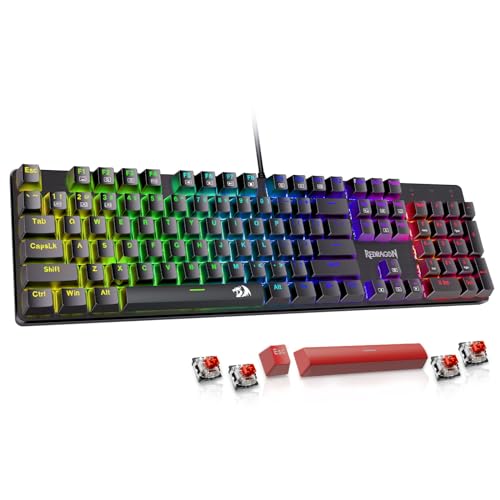
The Redragon K671 is the uncomplicated mechanical option in this roundup. It uses linear Red switches that require less force and feel smoother than clicky Blue switches, making it a natural fit for repeated movement and MMO inputs. The full-size layout keeps the number pad and familiar navigation keys intact.
Its hot-swap design is the key feature for anyone starting to explore mechanical keyboards. You can replace compatible switches without soldering, and four spare switches are included for straightforward repairs or experimentation. The double-shot keycaps are designed to keep their legends clear through regular use.
All keys support anti-ghosting, so simultaneous combinations should register without conflicts. Twelve multimedia shortcuts provide quick access to volume, media, calculator, and email functions. The keyboard also supports macro editing and remapping through software, while 11 backlight modes provide lighting variation. The limitation is that the backlight color itself cannot be changed.
The K671 is less feature-rich than the macro-focused Redragon K580 and less compact than the AULA WIN68 HE. It also lacks wireless connectivity and the adjustable actuation that makes the SteelSeries Apex Pro TKL Gen 3 stand out. For a first mechanical gaming keyboard, though, its linear switches, full-key anti-ghosting, and accessible switch replacement make the K671 easy to understand.
How to choose best keyboard for gaming
The right gaming keyboard comes down to the interaction between switch behavior, layout, connection type, and the controls you actually use.
Switch response
Mechanical, membrane, mecha-membrane, and Hall Effect keyboards do not feel alike. Mechanical switches generally provide a clearer actuation point, while membrane boards such as the Logitech G213 Prodigy favor a softer, familiar press. Hall Effect models such as the SteelSeries Apex Pro TKL Gen 3 and AULA WIN68 HE add adjustable actuation and rapid reset behavior.
For fast competitive games, look for adjustable magnetic sensing or a switch that resets quickly with little effort. For mixed gaming and office use, quiet membrane or low-profile mecha-membrane keys may be easier to live with.
Layout and desk space
A full-size board includes the number pad but occupies the most horizontal space. TKL removes the number pad, 75% keeps arrow keys in a smaller footprint, and 60% or 68-key layouts shift more commands onto function combinations.
A smaller keyboard only helps if you can reach its missing keys without breaking concentration.
Measure the available desk area beside the mouse before choosing a layout. The AULA WIN68 HE gives you the most room for mouse movement, while the ASUS ROG Scope II 96 is better for players who need number-pad access.
Connectivity
Wired USB keyboards provide a simple connection and avoid battery management. Wireless boards add flexibility, especially when they support both low-latency 2.4GHz and Bluetooth. The AULA F75 Pro and ASUS ROG Scope II 96 can switch between multiple connection methods, while the wired models are more direct.
If you use the keyboard with several devices, tri-mode connectivity matters more than RGB customization. If the board stays at a desktop, wired operation is usually the least complicated arrangement.
Anti-ghosting and polling behavior
Anti-ghosting helps multiple keys register during combinations, which matters for movement, modifiers, and ability shortcuts. The Redragon K580 and Redragon K671 claim full-key anti-ghosting, while the Logitech G213 Prodigy uses an anti-ghosting gaming matrix and the TECKNET board supports 25 anti-ghosting keys.
Polling rate and latency claims are most relevant to competitive players. The AULA WIN68 HE lists an 8, 000Hz polling rate and 0.3ms latency, but those figures do not replace a good switch, stable software, or a layout that suits your hands.
Macros and media controls
Dedicated macro keys are useful for games with many abilities or repeated commands. The Redragon K580 has five dedicated G keys, while the AULA F75 Pro and ASUS ROG Scope II 96 offer programmable controls and multifunction knobs or wheels.
Media controls are more valuable for a mixed-use desk than for a pure competitive setup. A volume wheel, dedicated playback keys, or onboard controls can save time, but they often increase the keyboard's width.
Comfort and durability
A wrist rest can reduce strain when it supports the palms without forcing the wrists sharply upward. The Razer Ornata V3, SteelSeries Apex 3, Logitech G213 Prodigy, and ASUS ROG Scope II 96 include wrist-support features. Low-profile keys may also feel more comfortable for users who prefer shorter key travel.
Spill resistance is useful protection, not permission to expose a keyboard to liquid. The SteelSeries Apex 3 and TECKNET Gaming Keyboard list IP32 resistance, while the Logitech G213 Prodigy is designed to repel liquids, crumbs, and dirt.
Frequently asked questions
Are Hall Effect keyboards better for gaming?
Hall Effect keyboards can provide adjustable actuation and rapid reset behavior, which is useful in movement-heavy competitive games. They are not automatically better for every player, since many games work perfectly well with conventional mechanical or membrane keys. The SteelSeries Apex Pro TKL Gen 3 and AULA WIN68 HE are the Hall Effect choices here.
Is a 60% keyboard suitable for gaming?
A 60% keyboard can be excellent for gaming if you are comfortable using function combinations. The AULA WIN68 HE is listed as a 68-key board that retains arrow keys and basic function access, but it removes the dedicated navigation space found on larger layouts. It is especially useful when you need more room for a mouse.
Are wireless gaming keyboards responsive enough?
A wireless keyboard with a low-latency 2.4GHz connection can be responsive enough for gaming. Bluetooth is more convenient for multiple devices but is not usually the first choice for competitive play. The AULA F75 Pro and ASUS ROG Scope II 96 both offer 2.4GHz alongside wired connectivity.
Should I choose mechanical or membrane keys?
Mechanical keys offer more distinct switch characteristics and, on some models, easier customization. Membrane boards such as the Logitech G213 Prodigy and SteelSeries Apex 3 tend to feel softer and quieter. Choose based on the feel, noise level, and controls you want rather than assuming one type suits every game.
Do gaming keyboards need RGB lighting?
No. RGB lighting can help identify keys in a dark room and personalize a setup, but it does not improve input response. Every keyboard in this roundup includes some form of backlighting or illumination, with more advanced customization on the AULA F75 Pro, ASUS ROG Scope II 96, and SteelSeries Apex Pro TKL Gen 3.
What layout is best for gaming and typing?
A 75% or TKL layout is a strong middle ground because it leaves more mouse room while keeping important navigation keys. A full-size board is better if you use a number pad often, and a 60% board is best when compactness takes priority. The AULA F75 Pro is the most balanced compact option here, while the ASUS ROG Scope II 96 preserves number-pad access.
The bottom line
The Best keyboard for gaming in this group is the SteelSeries Apex Pro TKL Gen 3 because its adjustable OmniPoint 3.0 switches, Rapid Trigger, Rapid Tap, Protection Mode, and compact TKL layout address the parts of gaming where a keyboard can make the clearest difference. The AULA WIN68 HE is the sharper compact alternative for players who want Hall Effect controls and an 8, 000Hz polling rate.
For a broader everyday setup, the AULA F75 Pro is the most flexible choice, thanks to its 75% layout, hot-swap support, 2.4GHz, USB-C, and Bluetooth connections. The ASUS ROG Scope II 96 is the better wireless pick if you need a number pad, while the SteelSeries Apex 3 makes more sense when quiet keys and spill resistance matter.
If you are undecided, choose a TKL or 75% board first, then move to Hall Effect switches only if you know you need adjustable actuation.
As an Amazon Associate we earn from qualifying purchases.