

A work keyboard can make a long day feel either smooth and quiet or strangely tiring. The differences are not limited to key feel. Layout, wrist position, device switching, backlighting, and whether you need a number pad all shape how well a keyboard fits your desk.
Our Best keyboards for work picks range from low-profile office boards to ergonomic split designs and mechanical models with programmable controls. Logitech MX Keys S is the top pick for most people, while the rest cover specific needs such as wrist support, a bundled mouse, compact mechanical typing, or a full-size Windows layout.
Comparison table
| # | Product | Award | Layout | Connection | Best for |
|---|---|---|---|---|---|
| 1 | Logitech MX Keys S | Best overall | Full-size | Bluetooth, Logi Bolt, USB-C charging | Quiet, polished office typing |
| 2 | Logitech MK345 Combo | Best keyboard and mouse set | Full-size with number pad | 2.4 GHz USB receiver | A simple complete workstation |
| 3 | AULA F99 | Best mechanical flexibility | 96%, 99 keys | Bluetooth, 2.4 GHz, USB-C | Work and gaming in one board |
| 4 | Logitech Ergo K860 | Best split ergonomic design | Full-size split | Bluetooth, USB receiver | Reducing wrist and forearm strain |
| 5 | Logitech K270 | Best straightforward Windows keyboard | Full-size with number pad | 2.4 GHz USB receiver | Familiar, spill-resistant office use |
| 6 | AULA S99 | Best retro-style office keyboard | 96% with number pad | Bluetooth, 2.4 GHz, USB-C | A distinctive desk setup |
| 7 | Logitech Signature Slim K950 | Best slim multi-device keyboard | Full-size | Bluetooth, Logi Bolt | Laptop-style typing across devices |
| 8 | Logitech MX Keys S Combo | Best keyboard and mouse upgrade | Full-size | Bluetooth, Logi Bolt, USB-C charging | A matched premium desk setup |
| 9 | Logitech Alto Keys K98M | Best mechanical Logitech option | 98-key compact with number pad | Bluetooth, Logi Bolt, USB-C | Clicky typing with office controls |
| 10 | Logitech Wave Keys | Best gentle ergonomic layout | Compact wavy layout | Bluetooth, Logi Bolt | Cushioned palm support without a split |
1. Logitech MX Keys S: Best Overall

Pros
- Quiet, fluid low-profile typing
- Backlighting responds to approaching hands
- Connects to up to three devices
- USB-C charging and Logi Bolt support
- Smart Actions add useful shortcuts
Cons
- No included mouse
- Full-size footprint takes substantial desk space
- Backlighting reduces the stated battery runtime
Best for: someone who wants a refined, quiet keyboard for daily writing, spreadsheets, and multi-device work.
The Logitech MX Keys S is the keyboard we would put in front of most office workers. It has the restrained, stable feel that makes a keyboard disappear into the workday. The low-profile design feels closer to a good laptop keyboard than a tall mechanical board, but the spherically dished keycaps give the fingertips a more deliberate landing place. It is quiet enough for shared spaces and precise enough for long stretches of writing.
Its strongest practical feature is flexibility. You can pair it with up to three devices using Bluetooth Low Energy or the included Logi Bolt USB receiver, then move between them with the keyboard controls. That is useful for someone who keeps a desktop, laptop, and tablet in the same workspace. The Logi Options+ app also supports Smart Actions, which can turn a single keystroke into a sequence of actions. That feature is more useful for repetitive work than decorative shortcut keys because it can remove several small steps from a routine.
The backlight is handled thoughtfully. The keys illuminate as your hands approach and adjust to the environment, so the board remains readable in a dim room without forcing bright lighting all day. Logitech states up to 10 days of use on a full charge, or up to five months with backlighting switched off. USB-C charging is a welcome detail because it fits the charging setup many people already keep on a desk.
The weakness is its size and fixed typing character. It is an 18-inch-long full-size keyboard, so it does not leave much room for a mouse on a narrow desk. People who want the crisp feedback and customization of a mechanical board should look at the AULA F99 or Logitech Alto Keys K98M instead. Those keyboards are more expressive, while the MX Keys S is the calmer and more predictable tool.
Choose the MX Keys S if your work involves a lot of typing, frequent device switching, or a shared office where loud switches would become irritating. It is not the most ergonomic design here, but its balance of comfort, quietness, lighting, and software support makes it the easiest recommendation.
2. Logitech MK345 Combo: Best Keyboard and Mouse Set

Pros
- Includes a full-size keyboard and mouse
- Familiar layout with number pad
- Palm rest and media keys
- Spill-resistant keyboard design
- Long stated keyboard and mouse battery life
Cons
- Right-handed mouse design limits flexibility
- Uses a USB receiver rather than Bluetooth
- Less compact than slim keyboard options
Best for: a home or office workstation that needs a keyboard and mouse together with minimal setup.
The Logitech MK345 Combo makes sense when the goal is to replace two tired peripherals at once. The keyboard uses a familiar full-size layout, complete with number pad, palm rest, and media keys. It does not try to reinvent office typing. That is precisely why it suits shared workstations, reception desks, and home offices where anyone should be able to sit down and use it.
The 2.4 GHz wireless connection reaches up to 10 meters according to Logitech, giving the set enough range for a desk connected to a computer across the room. Setup is the classic plug-and-play arrangement through a USB receiver. It works with Windows, macOS, and ChromeOS, although the dedicated Windows focus of the layout will feel most natural on a Windows computer.
Battery life is the main reason to choose it over more elaborate boards. Logitech states up to three years for the keyboard and 18 months for the mouse, with batteries included. That means fewer charging interruptions and no cable crossing the desk. The keyboard is also spill-resistant, a useful bit of protection for an office where coffee and water are never far from the documents being typed.
The included mouse is contoured for right-handed use and designed for ordinary tracking and scrolling. It is a sensible companion, but left-handed users should think carefully before choosing this set. The Logitech K270 offers the same familiar full-size approach without bundling a mouse, while the Logitech Signature Slim K950 is better for someone who wants Bluetooth and a slimmer laptop-like profile.
The MK345 is not a board for people chasing refined key feel or multi-device shortcuts. It is a practical workstation replacement that avoids unnecessary complexity. Pick it when the keyboard, mouse, receiver, and long battery intervals matter more than customization.
3. AULA F99: Best Mechanical Flexibility

Pros
- Three connection modes
- Hot-swappable three-pin and five-pin switches
- Compact 96% layout keeps a number pad
- Pre-lubed linear switches
- PBT keycaps and gasket structure
Cons
- Heavier and deeper than office-style keyboards
- RGB and macro features may be unnecessary for work
- Mechanical sound will not suit every shared office
Best for: someone who wants a customizable mechanical keyboard that can handle both office work and gaming.
The AULA F99 is the most enthusiast-oriented keyboard in this group, but it is not limited to gaming. Its 96% layout uses 99 keys, keeping the number area and arrow keys while trimming some of the unused space around a traditional full-size board. That is a smart compromise for spreadsheet work when you want a more compact footprint without giving up the number pad.
Typing has a softer, more tuned character than a basic office membrane keyboard. The board uses pre-lubed linear switches, a gasket structure, an extended silicone pad, and five layers of filling intended to reduce cavity noise. Those details matter because they shape the bottom-out feel and the resonance of each keystroke. It will still sound and feel more mechanical than the Logitech MX Keys S, but the construction is aimed at making that sound less hollow and the action less harsh.
The F99 offers Bluetooth 5.0, 2.4 GHz wireless, and USB wired modes. It can connect to up to five devices and switch between them with key combinations, which gives it a useful work setup even though the controls are less office-focused than Logitech's Easy-Switch approach. The 8, 000mAh battery is another unusual feature for this category. RGB lighting supports 16 effects and 16.8 million colors, while the driver adds macro and key-function customization.
Hot-swapping is the long-term attraction. The included puller lets you replace compatible three-pin or five-pin switches without soldering. That gives a curious typist room to change the feel later, something none of the ordinary Logitech office boards offer. The double-shot PBT keycaps are also designed to keep their legends clear rather than relying on a thin printed surface.
The trade-off is bulk. The F99 weighs about 3.3 pounds and is nearly six inches wide in the listed dimensions, so it is not a keyboard to move between a desk and a small travel setup casually. It may also be too lively for a quiet office, and its gaming features can become clutter rather than help. Readers focused on mechanical typing can also compare the switch and layout choices that shape a mechanical board before committing.
Choose the F99 when customization matters as much as office comfort. It beats the AULA S99 for switch flexibility and beats the MX Keys S for enthusiast appeal, but the MX Keys S remains the easier pick for silent, uncomplicated productivity.
4. Logitech Ergo K860: Best Split Ergonomic Design

Pros
- Curved split keyframe encourages a natural hand position
- Large cushioned wrist rest
- Three palm-lift angles
- Quiet keys and full-size layout
- Bluetooth and USB receiver support
Cons
- Wide shape needs careful desk positioning
- Split layout has a learning curve
- Not as easy to carry as a conventional keyboard
Best for: someone whose wrists and forearms need more support during a long typing day.
The Logitech Ergo K860 is the most serious ergonomic design here. Its curved, split keyframe asks the hands to sit differently from the start, with the two halves rising toward the center. That can feel unusual for the first few sessions, but the point is to keep the wrists and forearms in a more natural position rather than forcing both hands onto a flat rectangle.
The built-in wrist rest is a major part of the design, not an accessory added as an afterthought. Logitech describes it as a pillowed rest with a memory foam layer and says it provides 54 percent more wrist support than a standard keyboard without a palm rest. The rest sits close to the keys, allowing the hands to remain supported while moving across the full-size layout. It is particularly helpful for people who tend to hover their wrists or press them against the desk edge.
The keyboard gives you three tilt positions: 0, -4, and -7 degrees using its adjustable palm lift. That range allows a seated or standing workstation to be tuned without adding a separate stand. The keys are scooped to match the fingertips, and the typing action is quiet rather than mechanical. Bluetooth and the USB receiver provide connection options, while Logitech Options lets you customize function keys and create shortcuts.
This design needs more desk width than the Logitech Wave Keys, and the learning curve is more pronounced than with the low-profile Logitech MX Keys S. It is also not a solution for every kind of discomfort. A keyboard cannot compensate for a desk that is too high, a chair that does not support the user, or long sessions without breaks. Still, the K860 makes the most meaningful physical change to hand position in this roundup.
The main weakness is commitment. Its split layout is not ideal for someone who regularly moves between different computers or needs to pack a keyboard away. If wrist comfort is the priority, it is worth comparing the hand position changes that matter in an ergonomic keyboard before choosing between this and the less radical Wave Keys.
Buy the K860 when you want a full-size board that actively changes how your hands sit. It is the best fit for a dedicated workstation and a poor fit for anyone who wants a conventional layout with no adjustment period.
5. Logitech K270: Best Straightforward Windows Keyboard

Pros
- Full-size layout with number pad
- Eight dedicated hotkeys
- Spill-resistant construction
- UV-coated keys
- Up to 33 feet of wireless range
Cons
- Designed primarily around Windows
- No Bluetooth or USB-C charging
- Plain typing feel and basic construction
Best for: a Windows desk that needs a familiar full-size keyboard with simple wireless operation.
The Logitech K270 is the least complicated recommendation in this list. It has a conventional full-size layout, a number pad, and eight hotkeys for common functions. Anyone moving from a standard office keyboard should be able to start typing without learning a new arrangement or adapting to a compact layer.
Its 2.4 GHz wireless connection is rated for a signal distance of up to 33 feet. In a normal office, that is more range than most people need, but it gives flexibility when the computer is tucked under a desk or connected to a larger display. The Unifying receiver can also connect additional compatible devices, which may help keep a laptop or desktop setup from collecting several USB receivers.
The K270 is built for ordinary office hazards. Its spill-resistant design gives a little more protection around drinks, and the UV-coated keys are intended to keep the markings readable. Those are modest details, but they matter more to a public workstation or a busy family office than elaborate lighting does.
Compared with the Logitech MK345 Combo, the K270 gives up the bundled mouse and palm rest, but its standalone format is cleaner for someone who already has a pointer they like. Compared with the Logitech Signature Slim K950, it feels more traditional and less refined, with no Bluetooth option and no stated multi-device switching through the keyboard itself. It is also not the right board for macOS-first users who want platform-specific controls.
The K270's weakness is that it does not offer much room to grow. There is no backlight, rechargeable battery, low-profile key design, or enthusiast customization. That is exactly why some buyers will prefer it. Choose it for a straightforward Windows desk where a dependable layout matters more than a premium typing experience.
6. AULA S99: Best Retro-Style Office Keyboard

Pros
- 96% layout retains a number pad
- Bluetooth, 2.4 GHz, and USB-C modes
- Volume, audio, and lighting knob
- Three programmable shortcut keys
- Adjustable two-stage stand
Cons
- Membrane design is not hot-swappable
- Large, deep body takes desk space
- Retro styling will not suit every office
Best for: someone who wants a colorful, distinctive keyboard with practical office shortcuts.
The AULA S99 looks more like a statement piece than standard office equipment. Its green and beige retro styling gives a desk more personality, while the 96% layout keeps the number pad and familiar navigation controls. That balance is useful for office work because it saves some space without forcing spreadsheet users to abandon dedicated number keys.
The S99 uses a membrane design, not mechanical switches. That distinction is important because its product features mention a typewriter-inspired appearance and clicky presentation, but the board does not offer the switch replacement flexibility of the AULA F99. It is better understood as a conventional membrane keyboard with a distinctive shape and programmable controls, rather than a mechanical board for switch enthusiasts.
Connectivity is flexible. Bluetooth 5.0, 2.4 GHz wireless, and USB-C wired modes cover a desktop, laptop, tablet, and backup cable connection. A dual-mode rotary knob adjusts volume, audio, and lighting effects, while three programmable M1, M2, and M3 keys provide quick access to functions you choose. Full-key macro programming is available as well, though that feature is more compelling for users who want custom workflows than for someone who only types documents.
The foldable two-stage stand offers two angle settings, which lets you adjust the raised profile to suit the desk. The keyboard is about 17.4 inches long and 7.28 inches wide in the listed dimensions, so it is not especially small despite the 96% layout. That depth, plus the retro case, makes it a better permanent desk keyboard than a portable companion.
The obvious limitation is the membrane mechanism. Anyone specifically seeking the controlled feel of the F99 or the clicky gasket-mounted Logitech Alto Keys K98M should skip this one. The S99 is a more approachable option for someone who wants color, a number pad, and customization without committing to mechanical switches.
Pick it when the desk itself is part of your working environment. The S99 is more expressive than the Logitech boards and more office-friendly than many gaming keyboards, but its unconventional look and larger body need to be deliberate choices.
7. Logitech Signature Slim K950: Best Slim Multi-Device Keyboard
Pros
- Slim laptop-style typing
- Switches among three devices
- Works across Windows, macOS, ChromeOS, Linux, iPadOS, iOS, and Android
- Quiet key action
- Customizable shortcuts through Logi Options+
Cons
- No backlighting listed
- Not an ergonomic or mechanical design
- Full-size layout still uses considerable space
Best for: a multi-device user who wants a quiet, familiar keyboard with a slim profile.
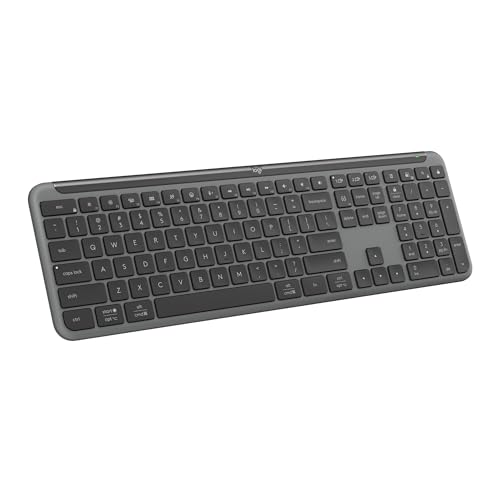
The Logitech Signature Slim K950 is the easy transition for someone who likes laptop keyboards but wants a full-size desktop layout. Its keys have a slim, familiar feel and the board stays quiet around colleagues or housemates. The full-size arrangement includes the number pad, so it remains useful for finance work and data entry rather than feeling like a stretched compact board.
The best feature is the ability to switch between three devices with a single tap. It supports Bluetooth and Logi Bolt, and Logitech lists compatibility with Windows, macOS, ChromeOS, Linux, iPadOS, iOS, and Android. That broad platform support is a strong reason to choose it over the Windows-focused Logitech K270. It can sit between a work computer, a personal laptop, and a tablet without requiring a second keyboard.
The function row is aimed at daily work and home use. There are controls for music, mute, the snipping tool, and volume, while the Logi Options+ app allows customizable keys on Windows and macOS. That software layer makes the K950 more adaptable than a generic slim keyboard, though it does not offer the deeper Smart Actions approach of the MX Keys S.
The design is solid and uses at least 48 percent certified post-consumer recycled plastic according to the product information. It is also a relatively light keyboard at about 1.51 pounds. The lack of listed backlighting is the notable compromise. If you routinely work in a dim room, the illuminated MX Keys S is a better match.
The K950 is not for people who want a soft wrist angle, split keys, or switch customization. The Logitech Ergo K860 is more purposeful for ergonomic comfort, and the AULA F99 is more engaging for mechanical typing. Choose the K950 for quiet, laptop-like simplicity across several operating systems.
8. Logitech MX Keys S Combo: Best Keyboard and Mouse Upgrade

Pros
- Combines the MX Keys S with an MX Master 3S mouse
- Backlit low-profile keyboard
- Mouse has an 8, 000 DPI sensor
- MagSpeed wheel scrolls up to 1, 000 lines per second
- Keyboard and mouse support up to three devices
Cons
- Larger and heavier than a keyboard alone
- Keyboard remains a flat, non-split design
- Extra mouse features can be unnecessary for basic work
Best for: someone building a high-control workstation around a matched keyboard and mouse.
The Logitech MX Keys S Combo is the complete version of the top pick. The keyboard has the same low-profile, laptop-like key shape, hand-activated backlighting, Smart Actions, and multi-device support. The difference is the included MX Master 3S mouse, which turns the package into a coordinated workstation rather than leaving the user to select a pointer separately.
The mouse is the more distinctive half of the set. Its 8, 000 DPI sensor is designed to track across a range of surfaces, including glass according to Logitech, while the MagSpeed wheel can scroll up to 1, 000 lines per second. That combination is useful for long documents, large spreadsheets, and web pages where a standard wheel becomes repetitive. The sculpted shape is intended for extended use, though its right-handed design will not suit everyone.
Both devices can pair with up to three computers through Bluetooth Low Energy or the included Logi Bolt receiver. That makes the combo particularly capable for people who move between a desktop and laptop throughout the day. The keyboard can also work with Smart Actions in Logi Options+, so recurring tasks can be assigned to a single key rather than repeated manually.
The keyboard remains the same 18-inch-long full-size board as the standalone MX Keys S, while the combo is listed at about 3.57 pounds in total dimensions and weight. It needs a reasonably settled desk, and the mouse's advanced scrolling and gesture controls take time to become second nature. Someone who already owns a good mouse will get less from this package than someone starting from scratch.
Compared with the MK345 Combo, this set is quieter, more customizable, and more capable across several devices. Compared with the standalone MX Keys S, it adds useful control at the desk but also adds weight and a more pronounced right-handed mouse commitment. Readers also comparing pointer options can look at the shape and scrolling features that affect long work sessions.
Choose the MX Keys S Combo when keyboard and mouse quality need to feel like one system. It is the strongest complete desk setup here, while the standalone MX Keys S is the cleaner choice if you already have a mouse you prefer.
9. Logitech Alto Keys K98M: Best Mechanical Logitech Option

Pros
- Mechanical clicky typing with gasket mounting
- Hot-swappable Marble switches
- 98-key layout keeps the number pad
- White backlighting
- Up to 12 months of wireless use
Cons
- Clicky sound can be disruptive in shared spaces
- Limited to white backlighting
- Compatible with Windows and macOS rather than a wider platform range
Best for: someone who wants a compact number-pad keyboard with mechanical feedback and Logitech software controls.
The Logitech Alto Keys K98M takes a different route from the MX Keys S. It is a 98-key mechanical keyboard with a number pad, but the layout is more compact than a traditional 104-key full-size board. The result preserves the keys spreadsheet users need while reducing some of the empty space around them.
Its typing character is clicky and deliberate. The UniCushion gasket mount is designed to absorb vibration, while the pre-installed Marble switches use concave keys to give the fingertips a stable target. This is not a silent office keyboard. The clicks can make typing feel more engaging, but they can also travel across a shared room, so the Logitech Signature Slim K950 is a safer choice for a quiet workplace.
The switches are hot-swappable, which gives the K98M more flexibility than most Logitech office keyboards. Logitech states that compatible switches can be changed, letting an owner adjust the sound or resistance later. The board also has white backlighting rather than RGB. That keeps the lighting restrained and useful for visibility, although buyers wanting colorful effects should consider the AULA models.
Productivity controls are not an afterthought. The Action Keys can be programmed through Logi Options+ for shortcuts, including one-click access to AI-enhanced features. Wireless use through Bluetooth Low Energy or Logi Bolt is stated for up to 12 months, and USB-C recharging lets you keep typing while connected. It works with Windows and macOS, giving it a narrower platform range than the K950.
At about 15.8 inches long and 5.8 inches wide, the K98M is compact for a board with a number pad, though its 2.4-pound weight gives it a more substantial desk presence than a slim keyboard. Its main weakness is the click. People who share a room or prefer a soft, quiet keystroke should skip it.
Choose the K98M when the physical pleasure of mechanical typing matters, but you still need number-pad access and Logitech's productivity software. It is more refined for office shortcuts than the AULA F99, while the F99 offers more connection options and deeper customization.
10. Logitech Wave Keys: Best Gentle Ergonomic Layout

Pros
- Wavy shape encourages a natural hand position
- Cushioned memory foam palm rest
- Bluetooth and Logi Bolt support
- Switches among up to three devices
- Up to three years of battery life
Cons
- Less corrective than a split ergonomic keyboard
- Palm rest is integrated and not removable
- Wide shape takes more depth than a slim board
Best for: someone who wants extra wrist support without learning a fully split keyboard.
The Logitech Wave Keys is the approachable ergonomic option. Instead of separating the keys into two distinct halves like the Ergo K860, it uses a wave-shaped layout that gently changes the height and position of the key groups. The result feels closer to a conventional keyboard, which makes the transition easier for people who want more support without relearning every familiar key.
The cushioned palm rest is the feature you notice first. It uses memory foam to support the wrists while the hands move across the board, and the curved shape is intended to reduce pressure at the front edge of the desk. Logitech says the keyboard was designed and tested against leading ergonomist criteria and approved by United States Ergonomics. That is useful context, but comfort remains personal, especially for users with very specific wrist or forearm issues.
Connectivity is well suited to home offices. Bluetooth and Logi Bolt are available, Easy-Switch handles up to three devices, and the keyboard works with Windows, macOS, iPadOS, and ChromeOS. Logitech states up to three years of battery life. The Logi Options+ app adds shortcut customization, so the Wave Keys can do more than simply provide a changed key shape.
The Wave Keys is listed at about 14.8 inches long, 8.6 inches wide, and 2.16 pounds. That width is the cost of its wave profile and integrated palm support. It is not as compact as the Logitech MX Keys S, and the fixed rest means you cannot remove it when desk space becomes tight. The shape is also gentler than the K860, so users seeking a substantial change in wrist angle should choose the split model instead.
This keyboard works best as a gradual move toward ergonomic typing. It preserves a familiar flow, adds a soft place for the palms, and switches cleanly among several devices. Choose it over the Ergo K860 if you want less disruption, and over the K950 if wrist support matters more than a slim silhouette.
How to choose best keyboards for work
The right work keyboard depends on how you type, what your hands need, and how many devices share your desk.
Layout and number pad
A full-size layout includes the number pad, function row, navigation keys, and standard letter area. It is the safest choice for spreadsheets, accounting, inventory, and any job that involves frequent numeric entry. The K270, MK345, and MX Keys S use this familiar approach.
A 96% or 98% keyboard keeps most of those keys while reducing some spacing around them. The AULA F99, AULA S99, and Alto Keys K98M save desk room without removing the number pad. Compact keyboards that drop the number pad can leave more room for a mouse, but none of the products in this group take that more extreme route.
Key feel and noise
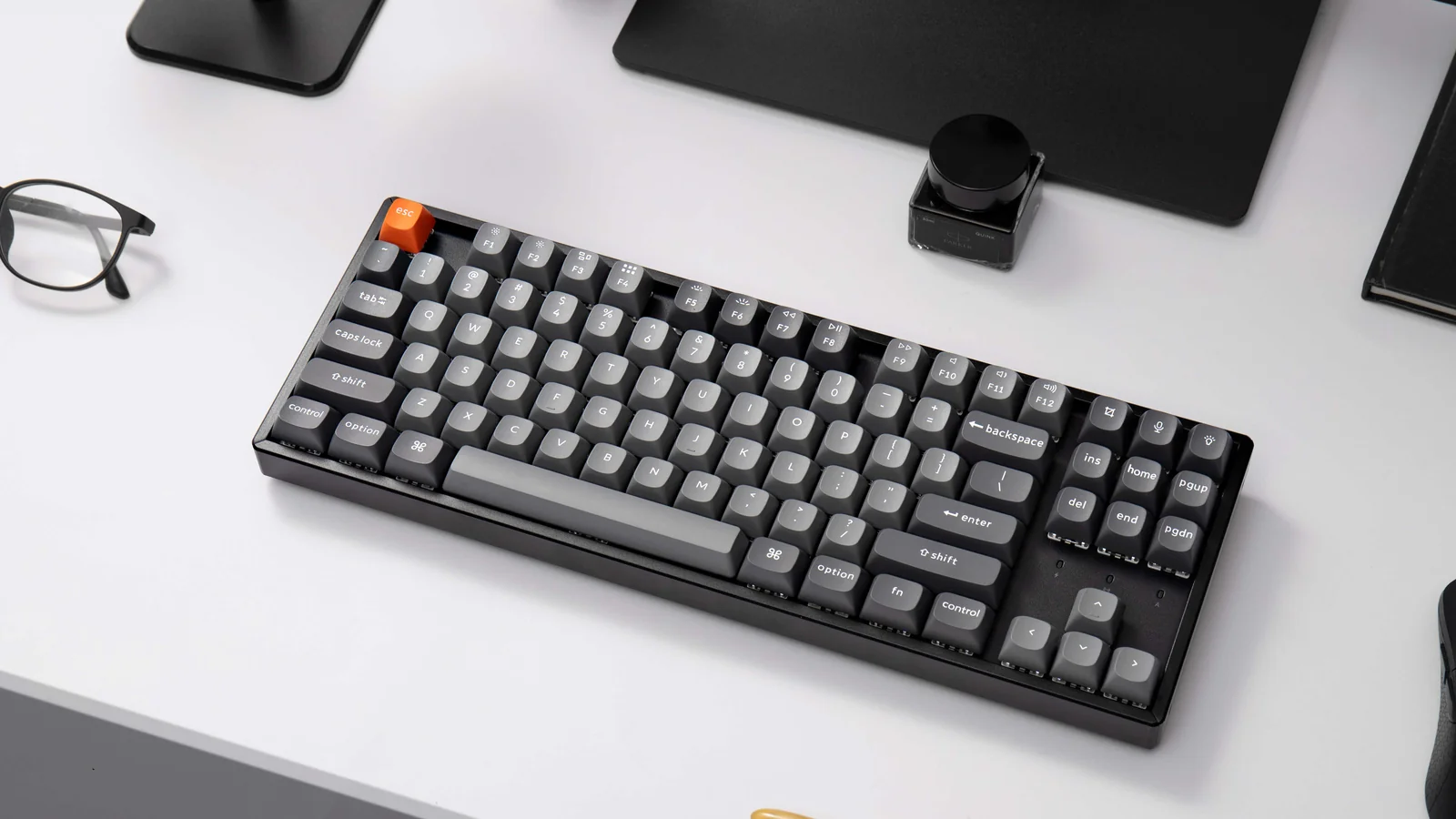
Low-profile membrane or scissor-style keys tend to feel familiar to laptop users and are usually easier to keep quiet. The MX Keys S and Signature Slim K950 are the strongest fits for shared spaces. Mechanical keyboards provide more distinct feedback, but their sound varies widely. The F99 uses pre-lubed linear switches, while the Alto Keys K98M is intentionally clicky.
The AULA S99 is a membrane keyboard despite its mechanical-looking styling. That matters if you expect to replace switches or want the sharper response of a mechanical board. Before choosing, decide whether you want quiet consistency or a more physical typing experience. The differences between quiet and tactile typing setups can help clarify that choice.
Ergonomic shape and wrist support
A keyboard can change the angle and spacing of your hands, but it cannot fix every workstation problem. The Ergo K860 makes the largest change with its curved split frame and adjustable palm lift. The Wave Keys takes a softer approach with a wavy layout and cushioned palm rest.
Look at the available desk width as well as the keyboard itself. Ergonomic boards often need more room, and an integrated palm rest can make a narrow desk feel crowded. If you already experience hand or forearm discomfort, a more substantial ergonomic change may be useful, but it also deserves a longer adjustment period.
The best ergonomic layout is the one that keeps your wrists neutral without forcing your shoulders forward.
Wireless connections
Bluetooth is useful when you want to connect directly to a laptop, tablet, or phone without occupying a USB port. A dedicated 2.4 GHz receiver can offer simple desktop setup and reliable range. Some keyboards, including the MX Keys S and F99, provide both approaches along with a wired USB-C mode.
Multi-device switching is valuable for hybrid work. The MX Keys S, K950, Wave Keys, and Ergo K860 can move among multiple devices, while the AULA F99 supports up to five simultaneous connections. A keyboard that only uses one receiver is perfectly adequate for a single Windows desktop, but it becomes limiting when your workflow moves between computers.
Charging and battery behavior
Rechargeable keyboards need occasional cable time, but USB-C makes that easy to fit into a modern desk. The MX Keys S states up to 10 days with backlighting on and up to five months with it off. The F99 uses an 8, 000mAh battery, while the Alto Keys K98M states up to 12 months of wireless use.
Battery-powered options such as the K270 and MK345 avoid charging cables altogether. The Wave Keys states up to three years of battery life. Consider whether you prefer remembering a charging cable or replacing batteries only occasionally, then check whether backlighting changes the expected runtime.
Software and shortcut controls
Shortcut customization can have a real impact when your work repeats the same actions all day. Logitech's Options+ software supports custom keys on several models, and the MX Keys S adds Smart Actions for multi-step routines. The AULA boards offer macros and programmable controls, with the S99 adding three dedicated M keys.
Software support may depend on the operating system. The K950 lists customization through Logi Options+ on Windows and macOS, while the AULA models offer broader device compatibility but a more gaming-oriented control scheme. Choose the system that matches your actual workflow rather than the keyboard with the longest feature list.

Frequently asked questions
Which keyboard is best for long hours of office typing?
The Logitech MX Keys S is the most balanced choice for long typing sessions because it combines low-profile keys, a stable angle, quiet operation, and adaptive backlighting. If wrist position is the main concern, the Logitech Ergo K860 or Logitech Wave Keys is a better fit.
Is a mechanical keyboard suitable for office work?
Yes, provided its sound and layout suit the workplace. The AULA F99 uses linear switches and sound-dampening construction, while the Logitech Alto Keys K98M has a louder clicky feel that may be disruptive in a shared room.
Do I need a number pad for work?
You need one if you frequently enter numbers, use spreadsheets, or rely on accounting and data-entry shortcuts. The K270, MK345, MX Keys S, K950, Ergo K860, and Wave Keys all use full or near-full layouts with number-pad access.
Which keyboard works with several computers?
The Logitech MX Keys S, MX Keys S Combo, Signature Slim K950, Ergo K860, and Wave Keys can switch among multiple devices. The AULA F99 goes further by supporting up to five connected devices and three connection modes.
Are ergonomic keyboards difficult to learn?
A fully split design such as the Ergo K860 usually takes more adjustment than a conventional keyboard because the hand positions and center gap change. The Wave Keys is a gentler transition because its wavy shape keeps the overall typing arrangement familiar.
Is the AULA S99 mechanical?
No. The product information identifies the AULA S99 as a membrane keyboard and states that it does not support hot-swapping. The AULA F99 is the mechanical, hot-swappable model in this roundup.
Can a wireless keyboard be used while charging?
The MX Keys S and Alto Keys K98M support USB-C recharging, and the product information for the Alto Keys K98M says you can continue typing as it charges. A wired connection is also one of the F99's three connection modes.
The bottom line
The Best keyboards for work pick is the Logitech MX Keys S because it handles the widest range of desks without asking the user to adapt to a split layout or loud mechanical switches. It is quiet, comfortable, backlit, and capable of switching among three devices. The Logitech Ergo K860 is the better choice when wrist and forearm position matter more than compactness.
For a complete desk setup, the Logitech MX Keys S Combo adds the excellent MX Master 3S mouse and makes the most sense for someone starting with no established peripherals. The AULA F99 is the more interesting alternative for a buyer who wants mechanical typing, switch replacement, and work-to-gaming flexibility.
If you are undecided, choose the MX Keys S for general office work, the Ergo K860 for ergonomic support, or the F99 if mechanical customization is the feature you will use every day.
As an Amazon Associate we earn from qualifying purchases.