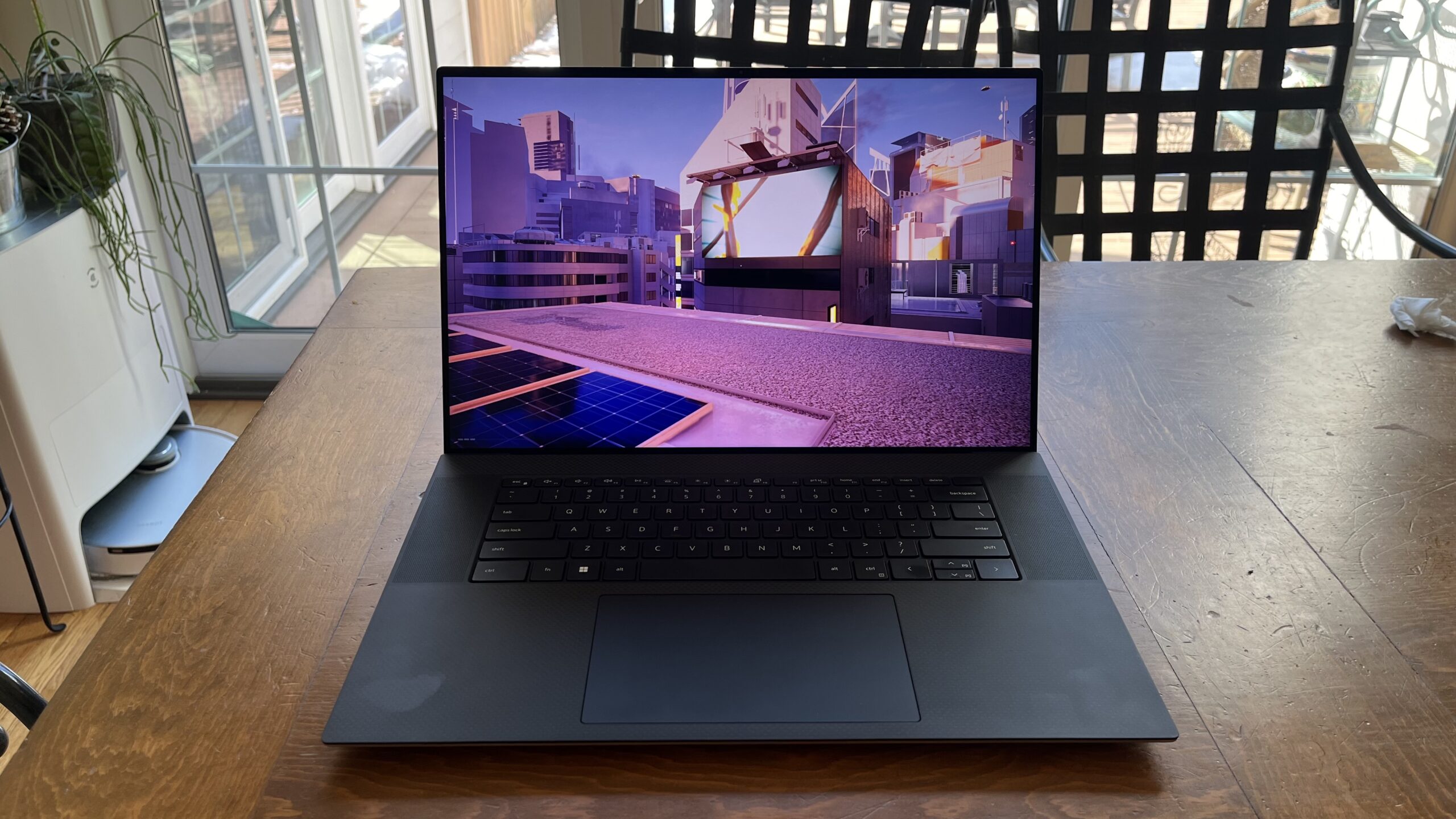

A writing laptop has a deceptively difficult job. It needs a keyboard that stays comfortable through a long draft, a screen that does not punish your eyes, and enough memory to keep research, documents, and browser tabs open together. Portability matters too, since the ideal writing desk is often a kitchen table, library corner, or coffee shop.
The Best laptop for writers is not automatically the fastest computer in the group. A large, sharp display can be more useful than extra graphics power, while a lightweight chassis and reliable wireless connection can matter more than a long list of ports. We compared this set for writing, editing, research, calls, and general office work.
The HP 14 Ultrabook is our top pick, while the other eight cover large-screen typing, longer battery claims, extra memory, portability, and straightforward everyday use.
| # | Product | Award | Display | Memory and storage | Weight | Best for |
|---|---|---|---|---|---|---|
| 1 | HP 14 Ultrabook | Best overall | 14-inch HD anti-glare | 16GB, 128GB UFS plus 500GB external drive | 3.24 lb | Writers who want strong multitasking and a compact setup |
| 2 | SAGAWHALE 15.6-inch Pro Laptop | Best large display | 15.6-inch FHD IPS | 16GB, 256GB SSD | 3.5 lb | Full-time drafting at a desk |
| 3 | HP 17.3-inch Ryzen 5 Laptop | Best big-screen HP | 17.3-inch HD+ anti-glare | 16GB, 512GB SSD | 4.58 lb | Writers who want a spacious workspace |
| 4 | HP 14 N150 Productivity Laptop | Best compact Windows Pro option | 14-inch HD anti-glare | 4GB, 128GB UFS plus 500GB external drive | 3.24 lb | Light writing and office work |
| 5 | HP Everyday Slim 14 Laptop | Best battery claim | 14-inch HD, 250 nits | 128GB SSD | 3.24 lb | Mobile writers and frequent travelers |
| 6 | NIAKUN 15.6-inch Pentium Laptop | Best flexible hinge | 15.6-inch FHD IPS | 8GB, 256GB SSD | 3.53 lb | Students and writers sharing a screen |
| 7 | Lenovo V15 G6 Laptop | Best connectivity | 15.6-inch FHD anti-glare | 8GB, 256GB NVMe SSD | 3.33 lb | Desk-based writers with peripherals |
| 8 | INHONLAP 15.6-inch 6500Y Laptop | Best memory at this size | 15.6-inch FHD IPS | 16GB, 256GB SSD | 3.4 lb | Multitaskers who want more RAM |
| 9 | HP 15.6-inch N100 Laptop | Best simple HP setup | 15.6-inch HD | 8GB, 128GB UFS plus 512GB card | 3.8 lb | Basic documents and web research |
1. HP 14 Ultrabook: Best Overall

Pros
- 16GB of memory for documents, research, and many browser tabs
- Compact 3.24-pound design
- Windows 11 Pro and included Microsoft Office
- Wi-Fi 6 and a 720p camera
- Includes a 500GB external drive and useful accessories
Cons
- HD resolution is less spacious than the FHD screens here
- The 128GB internal UFS storage is modest
- The included accessories add convenience but also create a less streamlined setup
Best for: writers who want a small, capable Windows laptop with generous memory and bundled extras.
The first thing to understand about the HP 14 Ultrabook is that its strongest feature is not one isolated component. It is the combination of a manageable 14-inch body, 16GB of DDR4 RAM, Windows 11 Pro, and an included Office suite. That is a sensible arrangement for writers who move between a word processor, a research-heavy browser session, cloud storage, and a video call without wanting to close everything down.
Its 13th Gen Intel N150 processor has four cores, four threads, a boost speed of up to 3.6GHz, and 6MB of L3 cache. Those numbers point to a machine intended for everyday productivity rather than demanding creative workloads. For writing, that is the right emphasis. The 16GB memory matters more than flashy graphics, because it gives the laptop breathing room when a long document, reference PDFs, email, and several dozen tabs are open together.
The 14-inch anti-glare display shows high-definition content at roughly 1 million pixels. It is not as roomy or detailed as the 15.6-inch Full HD screen on the SAGAWHALE 15.6-inch Pro Laptop, but the smaller panel keeps the chassis easier to carry. The anti-glare finish is useful near windows and under overhead lighting. HP also includes a 720p True Vision camera with dual-array microphones, so remote interviews, meetings, and writing-group calls are covered without an external webcam.
Storage requires a closer look. The laptop has 128GB of UFS storage, accompanied by a 500GB external drive. That gives a writer plenty of room for a document archive, but it is not the same experience as having one large internal SSD. Keep active files and applications organized, and the arrangement is workable. If you want one fast internal drive with no accessory to manage, the HP 17.3-inch Ryzen 5 Laptop is more straightforward with its 512GB PCIe NVMe SSD.
The weakness is the display resolution and storage design, not the basic writing experience. Writers who spend most of the day in one document may prefer the larger canvas of the HP 17.3-inch Ryzen 5 Laptop, while those who want a lighter travel machine should consider the HP Everyday Slim 14 Laptop. The HP 14 Ultrabook is the pick we'd keep for a mixed routine of drafting, research, calls, and office work.
2. SAGAWHALE 15.6-inch Pro Laptop: Best Large Display

Pros
- 15.6-inch Full HD IPS display
- 16GB of RAM
- 256GB SSD for quick file access
- 3.5-pound carrying weight
- Windows 11 Pro and Office 365 included
Cons
- Claimed battery life is up to 4 hours
- The 4425Y processor is aimed at everyday work
- Larger body takes up more desk space than the 14-inch picks
Best for: writers who prefer a spacious Full HD screen without moving to a heavy desktop replacement.
The SAGAWHALE 15.6-inch Pro Laptop is built around a useful writing advantage: more room for the document and its supporting material. Its 15.6-inch 1920 by 1080 IPS panel can show a full page at a comfortable scale while leaving space for a second window. That is helpful when checking a source, comparing edits, or keeping notes visible beside a draft.
The display is also a practical upgrade over the HD panels on the HP 14 Ultrabook and HP 14 N150 Productivity Laptop. Full HD does not make the writing itself better, but it reduces the need to zoom and gives menus, sidebars, and web pages more usable room. IPS viewing angles are helpful when the screen is tilted or when another person is looking over a passage.
Sixteen gigabytes of RAM gives this model a healthy multitasking margin. The 4425Y processor is described for daily computing, office applications, browsing, and entertainment, so it fits a writer's normal workload rather than heavier editing or gaming. The 256GB SSD should also make booting and opening documents feel more immediate than a system relying mainly on slower removable storage.
At 3.5 pounds, it is not an ultra-light machine, but it remains reasonable for a commute. The tradeoff is battery life. The listing specifies up to 4 hours, which makes this a better fit near a power outlet than for an entire day of writing away from one. Its Windows 11 Pro installation and Office 365 setup make it ready for standard documents without requiring a separate configuration session.
Support is a notable part of the package, with a stated 2-year warranty and 6-month return policy. That does not change the hardware, but it can matter when choosing an unfamiliar laptop brand. The NIAKUN 15.6-inch Pentium Laptop offers a similar screen size with a 180-degree hinge and a longer stated battery figure, while the SAGAWHALE counters with 16GB of RAM and a slightly lighter body.
Writers who want a large drafting area and mostly work at home will appreciate this model. Writers who regularly work in libraries, on trains, or outdoors should look harder at the HP Everyday Slim 14 Laptop, whose stated battery figures are much more ambitious.
3. HP 17.3-inch Ryzen 5 Laptop: Best Big-Screen HP

Pros
- Spacious 17.3-inch HD+ display
- Ryzen 5 7520U processor
- 16GB LPDDR5 RAM
- 512GB PCIe NVMe SSD
- Physical camera shutter and AI noise reduction
Cons
- Heaviest laptop in this group at 4.58 pounds
- HD+ resolution is less dense than the 15.6-inch FHD panels
- Windows 11 Home rather than Windows 11 Pro
Best for: writers who want a large, comfortable screen and substantial internal storage.
The HP 17.3-inch Ryzen 5 Laptop is the closest thing here to a portable writing desk. Its large screen gives a manuscript, a research window, or a split view more breathing room than any of the compact models. If your laptop spends most of its time on a desk and you often increase text size, the extra diagonal space can be more useful than a thinner profile.
The panel is HD+ and renders about 1.4 million pixels, with an anti-glare, low-gloss surface. It is not as crisp as the 1920 by 1080 screens on the SAGAWHALE 15.6-inch Pro Laptop and Lenovo V15 G6 Laptop, but the physical size remains a strong advantage for reading and editing. The anti-glare treatment should help in bright rooms, and the lift-hinge design raises the keyboard slightly for a more natural typing position.
Inside, the Ryzen 5 7520U works with 16GB of LPDDR5 memory and a 512GB PCIe NVMe M.2 SSD. That is one of the cleanest storage configurations in this roundup. There is enough internal space for a sizable writing archive, research material, and ordinary applications without relying on an external drive or card. The 16GB memory also puts it ahead of the 8GB systems when heavy browser use and document work happen at the same time.
HP adds useful details for remote work. The True Vision HD camera has a physical shutter, while AI noise reduction is designed to filter background sound during calls. A dedicated Copilot key provides one-touch access to Microsoft's assistant. These features do not matter to every novelist or journalist, but they are useful for editors, students, and writers who combine drafting with interviews and meetings.
The obvious weakness is mobility. At 4.58 pounds, this is considerably heavier than the 3.24-pound HP 14 models and the 3.33-pound Lenovo. Its Windows 11 Home installation also lacks the Pro label found on several competitors. The SAGAWHALE 15.6-inch Pro Laptop is easier to carry and has a sharper display, but the HP has more internal storage and a much larger workspace.
Choose this model if comfortable screen size is your first concern and the laptop will usually live in one or two familiar locations. Skip it if your writing schedule involves frequent travel or if you want the sharpest text at a 15-inch size.
4. HP 14 N150 Productivity Laptop: Best Compact Windows Pro Option

Pros
- Compact 3.24-pound design
- Four-core Intel N150 processor
- Windows 11 Pro and included Microsoft Office
- Wi-Fi 6
- Bundled external drive and accessories
Cons
- Only 4GB of RAM
- HD display gives less workspace than Full HD rivals
- Internal 128GB UFS storage is limited
Best for: writers handling light documents, web research, and office tasks on a compact machine.
The HP 14 N150 Productivity Laptop looks similar to the top-ranked HP 14 Ultrabook, but the difference in memory changes who should buy it. This is a small, easy-to-carry Windows laptop with a familiar 14-inch layout, and it makes sense for focused writing, email, online classes, and ordinary office documents.
Its four-core Intel N150 processor reaches up to 3.6GHz with Turbo Boost and includes 6MB of cache. That is enough for the tasks HP lists, including web applications and light photo or video work. For a writer, it means the system is aimed at responsive everyday use rather than demanding production software. The important caution is the 4GB of LPDDR5 RAM. It can handle a simple writing session, but a large collection of browser tabs and multiple applications will reach its limit sooner than the 16GB HP 14 Ultrabook.
The 14-inch anti-glare HD screen is easy to position in a small space and should be more comfortable near a window than a glossy panel. Its 720p camera and dual-array microphones support online classes, interviews, and meetings. Windows 11 Pro adds features such as hardware-based isolation, encryption, and malware protection, though the benefits depend on how the laptop is used and managed.
Storage follows the same pattern as the first HP. There is 128GB of UFS storage plus a 500GB portable external drive. That is a useful amount of total capacity for a document library, but writers need to remember that the external drive must be carried and connected when older work is needed. The bundle also includes wireless earbuds, a mouse, a mouse pad, a USB extension cord, and an HDMI cable.
The HP 14 Ultrabook is the clear upgrade for writers who keep many sources and tabs open. The HP Everyday Slim 14 Laptop is the better alternative for someone prioritizing battery life and modern connectivity. This model instead makes the most sense for a focused writing routine where 4GB of RAM will not be stretched.
Its real weakness is easy to identify, which is useful. The compact design is appealing, but the low memory ceiling makes it a poor fit for researchers who work with many web apps, large PDFs, and video calls at once. Buy it for simple writing and study tasks, not as a general-purpose workstation.
5. HP Everyday Slim 14 Laptop: Best Battery Claim

Pros
- Stated battery life of up to 12 hours of video playback
- Up to 7.5 hours of wireless streaming
- 3.24-pound design
- Wi-Fi 6 and Bluetooth 5.4
- Useful selection of built-in ports
Cons
- 128GB SSD leaves less storage headroom
- 14-inch HD display is not Full HD
- Processor and memory details are less complete than on several rivals
Best for: mobile writers who place battery endurance and easy carrying ahead of display resolution.
The HP Everyday Slim 14 Laptop is the most travel-minded design in the group. Its 3.24-pound chassis and 14-inch screen are easy to fit into a smaller bag, while the stated battery figures make it attractive for writers who work away from a desk. HP lists up to 12 hours of video playback or 7.5 hours of wireless streaming. Those are usage-specific claims rather than a guarantee for continuous word processing, but they still put this model in a different conversation from the 4-hour claim on the SAGAWHALE.
The 14-inch LED micro-edge display has 250 nits of brightness, anti-glare treatment, and 62.5 percent sRGB coverage. It is designed for clear indoor viewing rather than color-critical work. For writing, the anti-glare finish is the more relevant feature, especially when moving between home, school, and public spaces. The HD resolution gives less room for a document and reference window than the Full HD panel on the NIAKUN 15.6-inch Pentium Laptop.
Connectivity is one of its strongest practical features. The laptop includes USB-C, two USB-A ports, HDMI 1.4b, an SD card reader, and a headphone and microphone combo jack. Wi-Fi 6 and Bluetooth 5.4 are also specified. That gives a writer several ways to connect a mouse, headphones, external storage, or a larger display without immediately reaching for a hub.
The full-size keyboard has a dedicated Microsoft Copilot key, and the HP Imagepad supports multitouch navigation. The 720p True Vision camera uses temporal noise reduction, while dual-array microphones are intended to improve calls. Windows 11 is installed, and the listing says Microsoft Office 365 is included. The Intel N150 processor is described for browsing, online classes, office tasks, and streaming, which is the right performance category for ordinary writing.
The limitation is storage. The listed 128GB SSD can hold documents and applications, but writers with years of photos, recordings, PDFs, and project folders will need a storage plan. The HP 14 Ultrabook offers 16GB of RAM and a 500GB external drive, while the HP 17.3-inch Ryzen 5 Laptop offers a 512GB internal SSD. Both are better suited to large local archives.
Pick the Everyday Slim when the laptop will move often and power outlets are uncertain. It is not the sharpest-screen option, and the available memory specification is less generous than the leaders, but the light body, port selection, and stated endurance make it a sensible mobile writing companion.
6. NIAKUN 15.6-inch Pentium Laptop: Best Flexible Hinge

Pros
- Full HD 1920 by 1080 IPS screen
- 180-degree hinge
- Up to 6 hours of mixed-use battery life
- 8GB RAM and 256GB SSD
- Mini HDMI and Micro TF card slot
Cons
- Intel Pentium processor is aimed at everyday tasks
- Battery claim is shorter than the HP Everyday Slim's stated figures
- Mini HDMI may require an adapter or suitable cable
Best for: writers who want a roomy screen that can lie flat for sharing or presentations.
The NIAKUN 15.6-inch Pentium Laptop has a feature that sounds minor until it is useful: the hinge opens to 180 degrees. That lets the screen lie flat for showing a draft to another person, sharing a presentation across a table, or finding a comfortable viewing angle in a cramped workspace. It is not a convertible, but the hinge adds flexibility that the fixed-angle designs do not offer.
The 15.6-inch IPS display runs at 1920 by 1080, giving it the same broad workspace advantage as the SAGAWHALE and Lenovo. Full HD is helpful for writers because a document can stay at a readable zoom while research sits beside it. IPS viewing angles also make collaboration easier. The screen is a better fit for side-by-side work than the HD panels on the two 14-inch HP models.
An Intel Pentium processor handles everyday apps, browsing, and office tasks according to the listing. That is a realistic role for this machine. It has 8GB of RAM and a 256GB SSD, enough for ordinary writing software, web research, and cloud-based work, though the 16GB models leave more room for heavy multitasking. The SSD should help with quick starts and file access, while the processor is not intended for demanding video production.
Battery life is listed at up to 6 hours of mixed use from a 5000mAh battery. That is more useful for several classes or meetings than a short commuter session, although it does not match the higher claims attached to the HP Everyday Slim 14 Laptop. The laptop weighs 3.53 pounds and measures 0.8 inches thick, so it remains portable despite the larger display.
Its ports include two USB 3.0 connections, Mini HDMI, a headphone and microphone jack, and a Micro TF card slot. The 180-degree hinge, integrated webcam, microphone, and speakers make it suitable for calls and shared work. Windows 11 Pro and Office 365 are included, and the listing states a 2-year warranty and 6-month return policy.
The SAGAWHALE 15.6-inch Pro Laptop has the same memory capacity as the NIAKUN but doubles it to 16GB, while the Lenovo V15 G6 Laptop offers a more extensive modern port selection. The NIAKUN wins on its flexible hinge and stated battery duration. Choose it when sharing the screen is part of your routine, and skip it if you need the strongest multitasking margin.
7. Lenovo V15 G6 Laptop: Best Connectivity

Pros
- Full HD anti-glare display
- Wi-Fi 6, Ethernet, and Bluetooth 5.2
- Two USB-C ports with power delivery and DisplayPort
- Full-size keyboard with numeric keypad
- Privacy shutter and firmware TPM 2.0
Cons
- Only 8GB of RAM
- Windows 11 Home
- No backlight listed for the keyboard
Best for: desk-based writers who connect displays, wired networks, drives, and other accessories.
The Lenovo V15 G6 Laptop is the most office-oriented machine here. It is not the lightest or the most compact, but it treats a laptop as the center of a desk setup. Writers who use an external monitor, wired network, USB storage, or a full collection of peripherals will appreciate that the necessary connections are built in.
Its 15.6-inch Full HD anti-glare screen runs at 1920 by 1080, with 250 nits of brightness and an 87 percent screen-to-body ratio. That is a strong arrangement for editing a long manuscript or keeping a reference window open beside a draft. The anti-glare finish suits office lighting, though 250 nits is more appropriate for indoor work than bright outdoor use.
The Intel N100 processor has four cores, four threads, a maximum turbo speed of 3.4GHz, and 6MB of Smart Cache. Paired with 8GB of DDR5-4800 memory, it is designed for office productivity, browsing, video conferencing, and everyday computing. That is sufficient for most writing software, but the 16GB HP 14 Ultrabook and INHONLAP 15.6-inch 6500Y Laptop are better choices for very heavy browser multitasking.
Storage is a 256GB PCIe 4.0 x4 NVMe SSD. It should make booting, launching applications, and opening active documents quick, while leaving a reasonable amount of room for a local project library. Lenovo also includes two USB-A 3.2 Gen 1 ports and two USB-C 3.2 Gen 1 ports with USB Power Delivery and DisplayPort 1.2. HDMI 1.4b, Ethernet, a headphone and microphone jack, and a Kensington Nano Security Slot complete the unusually useful connection set.
The full-size keyboard includes a numeric keypad, which is handy for writers who also handle invoices, spreadsheets, or research data. The 720p webcam has a privacy shutter, and firmware TPM 2.0 supports data protection. Lenovo also describes the chassis as MIL-STD-810H tested, though that does not make it indestructible. Its 1.51kg listed starting weight is about 3.33 pounds, keeping it manageable for occasional travel.
The missing keyboard backlight may bother anyone who writes in dim rooms. Windows 11 Home is also less feature-rich than the Pro installations on the SAGAWHALE and NIAKUN. If your priority is a clean, well-connected desk setup, Lenovo is the stronger pick. If you want more memory for browser-heavy research, the HP 14 Ultrabook is better suited.
Writers building a semi-permanent workstation should look closely at this model. It is a practical choice for people who need ports more than bundled accessories or a particularly small chassis.
8. INHONLAP 15.6-inch 6500Y Laptop: Best Memory at This Size

Pros
- 16GB RAM
- 15.6-inch 1080p IPS display
- 256GB SSD
- 3.4-pound body
- HDMI, USB 3.0, and TF card connectivity
Cons
- Wi-Fi 5 rather than Wi-Fi 6
- Battery capacity is specified, but runtime is not
- Processor information is less familiar than the Intel and AMD options
Best for: writers who want 16GB of memory and a large Full HD display in a relatively light chassis.
The INHONLAP 15.6-inch 6500Y Laptop is an interesting middle ground. It combines the large, useful 15.6-inch format with 16GB of RAM, yet the listed weight is 3.4 pounds. That makes it easier to carry than the 17.3-inch HP while preserving the broad writing area that small laptops cannot provide.
The 6500Y processor is listed with speeds up to 3.4GHz, and the product description positions it ahead of several older low-power chips, including the 5205U and 4425Y. That comparison is supplied by the manufacturer, so it should be treated as a positioning claim rather than a substitute for independent testing. For writing, the more dependable takeaway is that this is intended for everyday school, business, and entertainment tasks.
Sixteen gigabytes of memory is the standout specification. It gives the system more room for a word processor, browser research, email, cloud tools, and communications software than the 8GB Lenovo or NIAKUN. The 256GB SSD should provide quick booting and file access, though writers who store large media libraries will eventually need external storage.
The display is a 15.6-inch IPS panel with 1080p resolution. Text should have more workspace than on an HD screen, and the IPS construction helps maintain consistent viewing when the screen is tilted. The laptop also supports 4K at 60Hz according to the listing, which may be useful for an external display, although no specific external-monitor setup is included.
Connectivity includes Wi-Fi 5, Bluetooth 5.0, USB 3.0, a TF-card slot, and HDMI. Wi-Fi 5 is still suitable for ordinary writing and cloud work, but the Lenovo V15 G6 Laptop has Wi-Fi 6, Bluetooth 5.2, Ethernet, and two USB-C ports. Lenovo is the more complete desk machine, while INHONLAP offers more memory at a similar screen size and a simpler portable layout.
The battery is rated at 38Wh, but the listing does not provide a specific runtime. That makes it harder to place for long days away from a power outlet. The laptop is 0.39 inches high according to the listed dimensions, though the practical carrying weight of 3.4 pounds is the more useful number.
Choose this model if your writing involves many open tabs and you want a Full HD screen without carrying a 17-inch laptop. Skip it if newer wireless standards, a privacy shutter, or a clearly stated endurance figure matters more than the extra RAM.
9. HP 15.6-inch N100 Laptop: Best Simple HP Setup

Pros
- 15.6-inch display
- Four-core Intel N100 processor
- 8GB RAM
- 128GB UFS plus 512GB card storage
- Windows 11 and Microsoft Office included
Cons
- Display is HD rather than Full HD
- Storage is split between UFS and a card
- Heavier than the smaller HP models
Best for: writers who want a familiar HP system for documents, browsing, and basic productivity.
The HP 15.6-inch N100 Laptop takes a straightforward approach. It pairs a traditional 15.6-inch body with Windows 11, Microsoft Office, and enough memory for ordinary documents and browsing. It is a sensible shape for writers who do not need a tiny travel laptop but also do not want the size of a 17.3-inch model.
The four-core Intel N100 processor is aimed at everyday tasks. Its role here is opening documents, handling browser research, running office software, and supporting video calls rather than powering demanding creative applications. The 8GB of RAM is adequate for a focused writing session, though the 16GB HP 14 Ultrabook and SAGAWHALE 15.6-inch Pro Laptop are safer choices for heavy multitasking.
Storage is divided between 128GB of UFS storage and a 512GB card. That provides room for documents, photos, and other files, but the split arrangement is worth understanding. The internal UFS space handles the operating system and applications, while the card can carry an archive or larger folders. Writers who prefer one fast internal drive should choose the Lenovo's 256GB NVMe SSD or the HP 17.3-inch model's 512GB NVMe SSD instead.
The 15.6-inch HD screen gives a larger physical page than the 14-inch HP models, but it does not provide the 1920 by 1080 workspace found on the NIAKUN, SAGAWHALE, and Lenovo. For a manuscript, that means more frequent zoom adjustments and less room for side-by-side research. The advantage is familiar, uncomplicated sizing for a home office.
The listed weight is 3.8 pounds, which is manageable but heavier than the 3.24-pound HP 14 options. Windows 11 comes pre-installed, and the listing says Microsoft Office is included. Copilot AI is also mentioned in the title. There is no detailed port list in the supplied information, so buyers who need specific connections should confirm the configuration before ordering.
This model is best for a writer whose work is mostly documents, email, and web research. It is less compelling for people who want a high-resolution display, extensive connectivity, or the strongest multitasking performance. The HP Everyday Slim 14 Laptop is a better mobile choice, while the HP 17.3-inch Ryzen 5 Laptop is better for a large local archive and spacious editing.
How to choose best laptop for writers
Choosing the Best laptop for writers starts with the way you write, not with the longest processor description. Focus on the screen, keyboard, memory, storage, portability, and connections that shape a normal drafting day.
Keyboard and typing position
A comfortable keyboard matters more to a writer than gaming-class graphics. Look for a full-size layout with sensible key spacing, a stable deck, and a position that does not force your wrists upward. The Lenovo V15 G6 includes a full-size keyboard with a numeric keypad, while the HP 17.3-inch model uses a lift-hinge design intended to create a more natural typing angle.
A numeric keypad is useful for spreadsheet work but takes space away from the main keyboard area. Writers who mostly draft prose may prefer a centered layout, while people who also manage invoices, budgets, or research data may welcome the extra number keys.
Screen size and resolution
A 14-inch screen keeps the laptop compact, but a 15.6-inch panel is easier to use for split-screen research. A 17.3-inch display provides the most physical room and can reduce zooming, though it adds weight and takes more desk space.
Full HD resolution at 1920 by 1080 is preferable when you want a document and reference material visible together. HD screens can still work well for focused writing, especially when text size is adjusted, but they offer less usable workspace. Anti-glare treatment is valuable near windows and overhead lights, while 250 nits is mainly suited to indoor conditions.
For long writing sessions, a sharp 15.6-inch screen and a stable keyboard usually matter more than a faster processor you will rarely push.
Memory and processor
Eight gigabytes of RAM is a reasonable floor for documents, browsing, and calls. Sixteen gigabytes is more comfortable when research involves many tabs, PDFs, cloud tools, and communication apps. The HP 14 N150 Productivity Laptop has only 4GB, so it should be reserved for lighter routines.
The Intel N150, Intel N100, Intel Pentium, AMD Ryzen 5 7520U, and 6500Y processor in this group occupy different performance positions, but none should be selected primarily for demanding gaming or professional video production. For writing, responsive storage and adequate memory often produce a more noticeable benefit than a higher processor specification.
Storage arrangement
A 256GB SSD is a practical starting point for documents and applications. A 512GB internal SSD gives more room for research archives, photos, recordings, and multiple projects without relying on accessories. The HP 17.3-inch Ryzen 5 Laptop is the cleanest example here because its 512GB PCIe NVMe SSD is internal.
Some models divide capacity between UFS storage, an external drive, or a memory card. That can work, but it requires a filing routine. Keep current projects on the internal drive and archive completed work elsewhere. Writers who want the simplest setup should favor one internal SSD.
Portability and battery
A 3.24-pound 14-inch laptop is easier to carry than a 4.58-pound 17.3-inch model, but screen comfort goes in the opposite direction. Decide whether the machine will spend most of its life in a bag or on a desk.
Battery figures should be read as stated use cases, not universal guarantees. The HP Everyday Slim lists up to 12 hours of video playback and 7.5 hours of wireless streaming, while the SAGAWHALE lists up to 4 hours and the NIAKUN lists up to 6 hours of mixed use. Brightness, browser activity, calls, and battery age can all change actual results.
Ports and wireless connections
Wi-Fi 6 is useful in busy networks and newer home setups, while Wi-Fi 5 remains suitable for ordinary cloud writing. USB-C is increasingly convenient for charging, displays, and accessories. The Lenovo V15 G6 is the most flexible here, with USB-C ports supporting power delivery and DisplayPort, HDMI, Ethernet, USB-A, and Bluetooth 5.2.
A camera privacy shutter is helpful for writers who regularly take calls. The Lenovo and HP 17.3-inch models include one. If you use an external display, SD card, wired network, or audio equipment, check the exact port list before choosing a laptop.
Frequently asked questions
How much RAM does a writer need?
Eight gigabytes is enough for a word processor, ordinary web browsing, email, and light calls. Sixteen gigabytes is more comfortable for research-heavy writing with many tabs, PDFs, cloud tools, and documents open together. Four gigabytes, as found in the HP 14 N150 Productivity Laptop, is best reserved for simpler workloads.
Is a 14-inch or 15.6-inch laptop better for writing?
A 14-inch laptop is easier to carry and fits smaller desks. A 15.6-inch model gives more room for a document and research window, especially when it has a 1920 by 1080 display. The right size depends on whether portability or side-by-side editing matters more to you.
Is Full HD important for writing?
Full HD is not essential for typing, but it provides more usable workspace and sharper text at common viewing sizes. The 15.6-inch FHD models in this roundup are better suited to split-screen research. An HD screen can still be comfortable for a single document, particularly when its anti-glare surface is good.
Do writers need a powerful processor?
Most writers do not need a high-end processor. Modern entry-level chips such as the Intel N100 and N150 can handle word processing, browsing, email, and video calls. More memory and an SSD often matter more to the feel of a research-heavy writing session.
Is Windows 11 Pro necessary for writers?
Windows 11 Home is sufficient for most personal writing, school, and freelance work. Windows 11 Pro adds management, security, and business-oriented features that can matter on an organization-owned laptop. Choose Pro when you know you need those features rather than treating the label as a requirement.
How much storage should a writing laptop have?
A 256GB SSD is a comfortable starting point for documents and applications. A 512GB internal SSD is better for writers who keep photos, recordings, PDFs, and several projects locally. Systems that combine smaller internal storage with an external drive or card can work, but they require more file management.
Can these laptops handle video calls?
The listed models include cameras and microphones intended for calls, though the specifications vary. The HP 14 models have 720p cameras and dual-array microphones, while the HP 17.3-inch model adds AI noise reduction and a physical camera shutter. Call quality will also depend on room lighting, network conditions, and the meeting software.
The bottom line
The Best laptop for writers in this group is the HP 14 Ultrabook. Its 16GB of RAM, compact 3.24-pound body, Windows 11 Pro, anti-glare screen, Wi-Fi 6, and included external storage create the most balanced setup for drafting, research, and everyday work. Its HD display and split storage arrangement are real limitations, but they are easier to live with than the low memory on the smaller HP 14 N150 model.
Choose the HP 17.3-inch Ryzen 5 Laptop if you write mostly at a desk and want the largest display and a 512GB internal SSD. The SAGAWHALE 15.6-inch Pro Laptop is the better fit for a large Full HD screen in a more portable body, while the HP Everyday Slim 14 Laptop is the one to consider for frequent travel and its stated battery figures.
If you are undecided, choose the HP 14 Ultrabook for the best balance of writing comfort, memory, and portability.
As an Amazon Associate we earn from qualifying purchases.