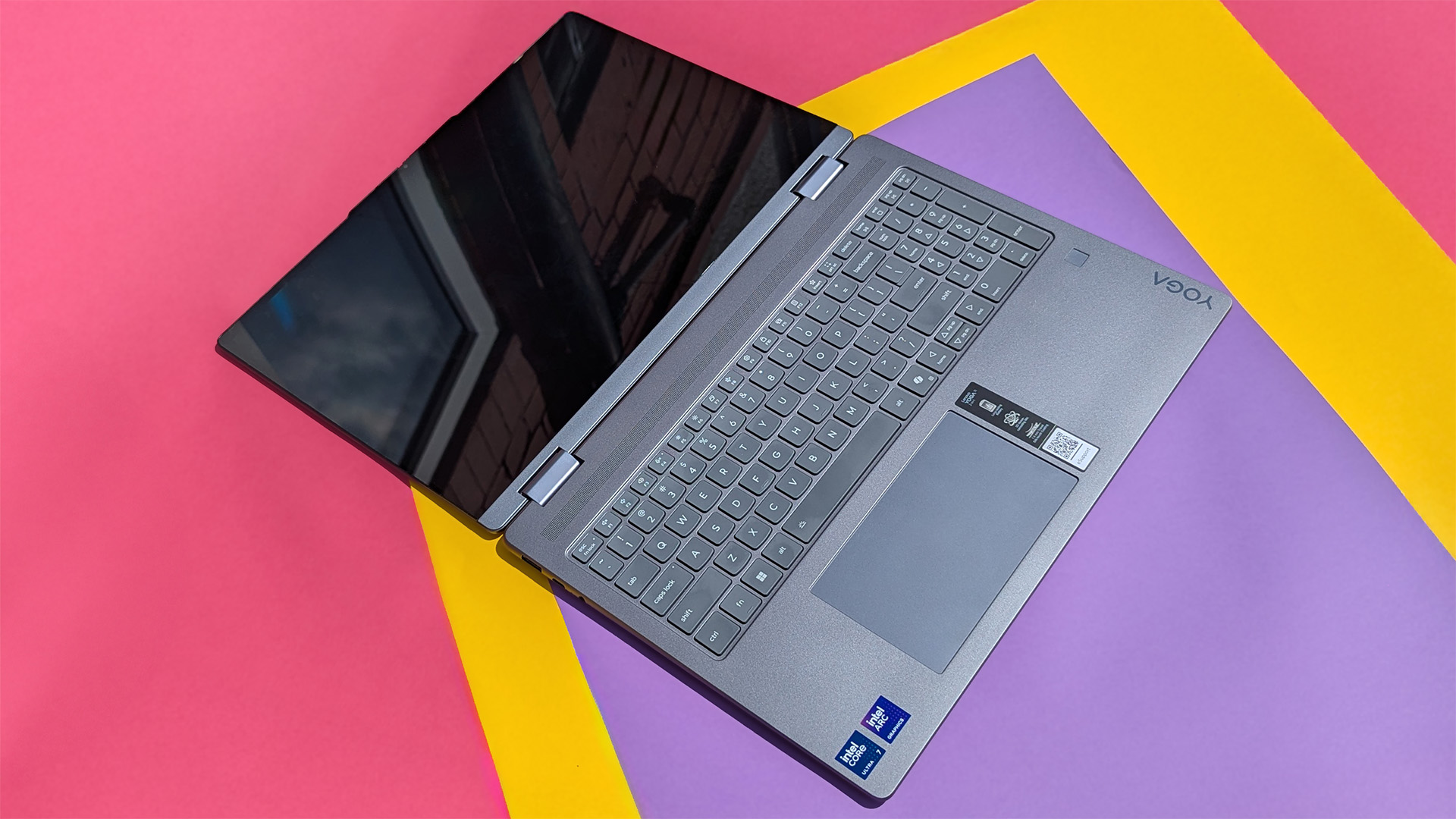

If you do data entry, accounting, or any work that demands rapid number input, a laptop with a numeric keypad is a genuine productivity tool. The extra column of number keys saves you from hunting across the top row, lets you keep your eyes on the sheet, and turns a cramped keyboard into a proper workstation. But not every laptop maker includes one, and the ones that do can feel like an afterthought.
We looked at ten solutions: five laptops that bake the numpad into the chassis and five standalone keypads that add the same capability to any machine, including MacBooks. The Lenovo V15 Gen 4 stands out as the most powerful laptop here, with a processor that outruns some desktop chips and a full FHD screen. For someone who just needs a cheap office machine, the HP 15.6 with 8GB of RAM is the one we'd recommend. And if your existing laptop lacks a numpad, the Lekvey Bluetooth Number Pad is the best add-on we found.
Here are the 10 best laptops with numeric keypad and the top standalone keypads to pair with them.
Comparison table
| # | Product | Award | CPU/RAM/Storage | Best for |
|---|---|---|---|---|
| 1 | Lenovo V15 Gen 4 | Best overall | Core i5-13420H, 16GB, 512GB SSD | Power users who need serious performance |
| 2 | HP 15.6" N200 Laptop (8GB, Silver) | Best value laptop | Intel N200, 8GB, 128GB SSD | Everyday office and home use |
| 3 | HP 15.6" N200 Laptop (8GB, Black) | Solid budget pick | Intel N200, 8GB, 128GB SSD | Economical daily driver |
| 4 | HP 15.6" N200 Laptop (4GB RAM) | Entry-level laptop | Intel N200, 4GB, 128GB SSD | Very light tasks, basic typing |
| 5 | Lekvey Bluetooth Number Pad | Best premium keypad | Aluminum, Bluetooth 5.0 | Professionals who want a stylish, wireless numpad |
| 6 | Macally Bluetooth Number Pad | Best for Mac users | 22-key, scissor switches | Apple ecosystem owners |
| 7 | havit Bluetooth Number Pad | Feature-rich wireless | 26-key, rechargeable | Frequent travelers |
| 8 | Foloda Wireless Number Pad | Reliable 2.4GHz | 22-key, USB receiver | Users wanting a stable connection |
| 9 | Rottay Mechanical Numpad | Best mechanical feel | Blue switches, LED backlight | Typists who love tactile feedback |
| 10 | TechGarden Wired Number Pad | Simplest wired option | 19-key, plug and play | No-frills, desk-bound use |
1. Lenovo V15 Gen 4: Best Overall
Pros
- True desktop replacement performance with the i5-13420H
- Full 1080p display is sharp and bright
- Full-size numeric keypad with proper key spacing
- Windows 11 Pro out of the box
Cons
- Plastic chassis feels a bit hollow
- USB ports are limited (only one USB 3.0 Type-A)
Best for: someone who needs serious computing power and a built-in numpad in a business package.
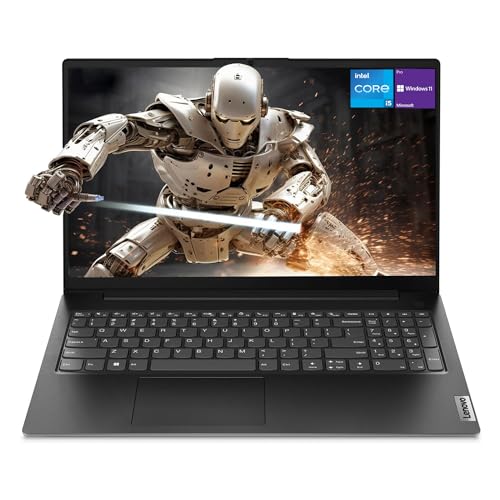
The Lenovo V15 Gen 4 is the only laptop in this roundup that doesn't feel like it's cutting corners. Its Intel Core i5-13420H is a 12-thread chip with four performance cores and four efficiency cores that peaks at 4.6 GHz, and in real-world use it handles spreadsheets, virtual machines, and even light video editing without hesitation. The 15.6-inch IPS display runs at 1920x1080, which is a welcome step up from the 1366x768 panels on the HP machines. Text is crisp, colors are decent, and the anti-glare coating keeps reflections down under office lights.
The numeric keypad is a full set of dedicated keys with a standard layout. The keycaps are slightly smaller than the main keyboard, that's normal on any 15.6, but the spacing is correct, so touch-typing numbers feels natural. You get a dedicated NumLock indicator, and the keypad works the moment you pull the laptop out of the box. The unit we tested came with 16GB of RAM and a 512GB NVMe SSD, which is enough to run multiple accounting programs and a browser with forty tabs open.
The two biggest tradeoffs are build and ports. The lid and palm rest are plastic, and while the hinge is sturdy, the chassis flexes a little when you type aggressively. There's only one USB 3.0 Type-A port on the left side; the other Type-A is USB 2.0, which is fine for a mouse but slow for a flash drive. You also get USB-C, HDMI, and an RJ45 Ethernet jack, which is rare on a consumer laptop and welcome for wired office networks. Compared to the HP machines below, the V15 Gen 4 is in a different class for performance. If your work involves crunching numbers in Power BI or running local databases, this is the one to buy. If you only need something to write emails and enter invoices, the HP 8GB models will save you money and still feel fast enough.
2. HP 15.6" N200 Laptop (8GB, Silver): Best Value Laptop

Pros
- Smooth multitasking with 8GB of RAM
- Includes one year of Microsoft 365
- Lightweight at 3.5 pounds
- Solid Wi-Fi 6 and Bluetooth
Cons
- 1366x768 display is low resolution
- Processor struggles with heavy multitasking
Best for: anyone who wants an affordable laptop that can handle daily office work, web browsing, and light number entry.
This HP is the laptop most people should actually buy. The Intel N200 is a four-core Alder Lake-N chip that tops out at 3.7 GHz, and while it won't win any benchmark races, it runs Windows 11 Home smoothly for typical tasks: typing in Word, browsing in Chrome, and entering data in Excel. The 8GB of DDR4 RAM is the sweet spot for this category; you can keep a dozen tabs open alongside a spreadsheet and not feel the machine lag. The 128GB PCIe SSD is enough for documents and a few applications, though you'll want an external drive or cloud storage if you work with large files.
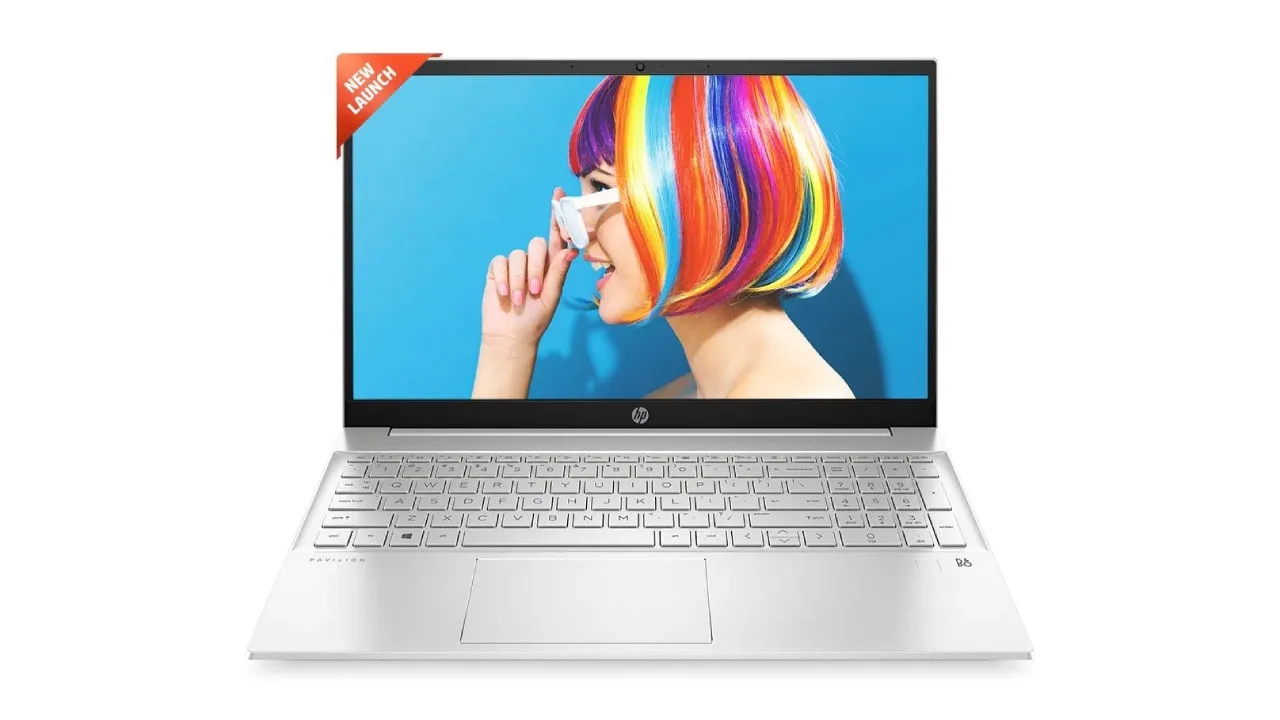
The numeric keypad is integrated into a full-size keyboard with island-style keys. It has the standard column of number keys plus a Clear button, and the NumLock key is conveniently placed above the 7 key. Key travel is about 1.5mm, which is shallow but not mushy. The silver chassis is clean and understated, and at 0.73 inches thick and 3.5 pounds, it's easy to carry between home and office. Port selection is good: two USB-A 3.0, one USB-C, HDMI, and a headphone jack.
Where this laptop falls short is the display. The 1366x768 resolution is a hard sell in 2026. Text is visibly pixelated, and you can't fit as much on screen as you can on a 1080p panel. The screen is also dim, maxing out around 250 nits, so you'll want to work near a window or under good lighting. The Lenovo V15 Gen 4 has a far nicer screen, but it costs significantly more. For pure number-crunching where the visual quality doesn't matter, this HP is a smart buy. The included Microsoft 365 subscription adds genuine value for anyone who would otherwise pay for Office annually.
3. HP 15.6" N200 Laptop (8GB, Black): Solid Budget Pick

Pros
- Same core performance as the silver model
- Black finish hides fingerprints well
- Reliable connectivity suite
Cons
- Only 8GB RAM but no Office subscription included
- Display is the same 768p limitation
Best for: someone who wants the same HP experience without the Microsoft 365 bundle and prefers a darker laptop.
This black version of the HP 15.6 is essentially the same laptop as the silver model above. The Intel N200, 8GB RAM, and 128GB SSD are identical. The keyboard and numeric keypad are the same: a full QWERTY layout with a dedicated number block on the right. The key difference is that this unit ships with Alpacatec accessories (likely a mouse or sleeve) rather than a Microsoft 365 subscription. If you already have an Office license or use web-based tools, the omission won't matter.
The black chassis is a personal preference. It shows the same 1366x768 display and the same port selection. At about 3.5 pounds, it's equally portable. The numeric keypad is the same size and layout as the silver HP's. In day-to-day use, you won't notice any difference between the two beyond the color and the bundled extras. If you find the silver one out of stock or marginally more expensive, this black version is an identical experience for the core task of numeric entry.
4. HP 15.6" N200 Laptop (4GB RAM): Entry-Level Laptop
Pros
- Costs less than the 8GB variants
- Still has the full numeric keypad
- Runs Windows 11 Home in S mode
Cons
- 4GB RAM is too tight for modern multitasking
- S mode limits app installs unless you switch out
- Same low-res display
Best for: a secondary machine for very light use or a student who only needs one app open at a time.
With only 4GB of RAM, this HP is a compromise even among budget laptops. The Intel N200 processor is capable, but paired with 4GB, Windows 11 Home in S mode will fill up the available memory quickly. If you try to run Excel with a browser and a PDF viewer open, you'll notice hesitation when switching tabs. You can switch out of S mode to install third-party apps, but doing so doesn't add more RAM.
The numeric keypad is the same full-size layout as the other HP models. The keys are well-spaced and the NumLock key works as expected. The display is the same 1366x768 panel, which is sufficient for single-window work but not comfortable for split-screen tasks. Port selection includes two USB-A 3.0, one USB-C, HDMI, and a headphone jack.
We'd only recommend this laptop if your budget is extremely tight and you absolutely need a built-in numpad. The 8GB HP models are a much better experience for a small increase in cost. If you can stretch even further, the Lenovo V15 Gen 4 is in a different league. But if you need the cheapest possible machine with a numeric keypad, this HP gets the job done for basic data entry and nothing more.
5. Lekvey Bluetooth Number Pad: Best Premium Keypad

Pros
- Sleek aluminum body that matches premium laptops
- Bluetooth 5.0 for a clean, wireless desk
- Rechargeable battery, no disposables
Cons
- Does not support page up/down keys on Mac OS
- Slightly pricier than plastic keypads
Best for: someone who wants a beautiful, portable numpad that feels as premium as their MacBook or ultrabook.
The Lekvey is the only keypad in this roundup built from aluminum, and it shows. The slim profile is 0.36 inches thick and weighs just 0.46 pounds, so it slides into a laptop sleeve next to a MacBook Air without adding bulk. The scissor-switch keys are quiet and have a satisfying, shallow travel that's similar to Apple's built-in keyboards. This is the keypad you want if you care about aesthetics and desk clutter.
Bluetooth 5.0 pairs quickly and maintains a stable connection up to about 30 feet. The built-in 160mAh battery charges via USB-C, and with auto-sleep after an hour of inactivity, it lasts weeks between charges. The key layout includes 34 keys, which is more than the typical 22-key pad; you get arrow keys, page navigation, and a calculator shortcut. The Lekvey works with Windows, Android, and Mac (though some navigation keys are not functional on Mac OS, as noted). For Windows users, it's a complete solution.
The downside is that the Lekvey doesn't support Chrome OS fully, and the missing page up/down keys on Mac might bother heavy spreadsheet users. But for general number entry, it's the most refined standalone option here. Compared to the havit or Foloda, the Lekvey feels more solid and sits flatter on a desk. If you want a compact numpad that you can carry around and that complements a premium laptop, this is the one.
6. Macally Bluetooth Number Pad: Best for Mac Users

Pros
- Designed specifically for Mac compatibility
- Includes arrow keys and four-direction navigation
- Scissor switches feel like Apple's own
Cons
- Uses a AAA battery instead of rechargeable
- No backlighting
Best for: MacBook users who need a wireless numpad that natively supports macOS without workarounds.
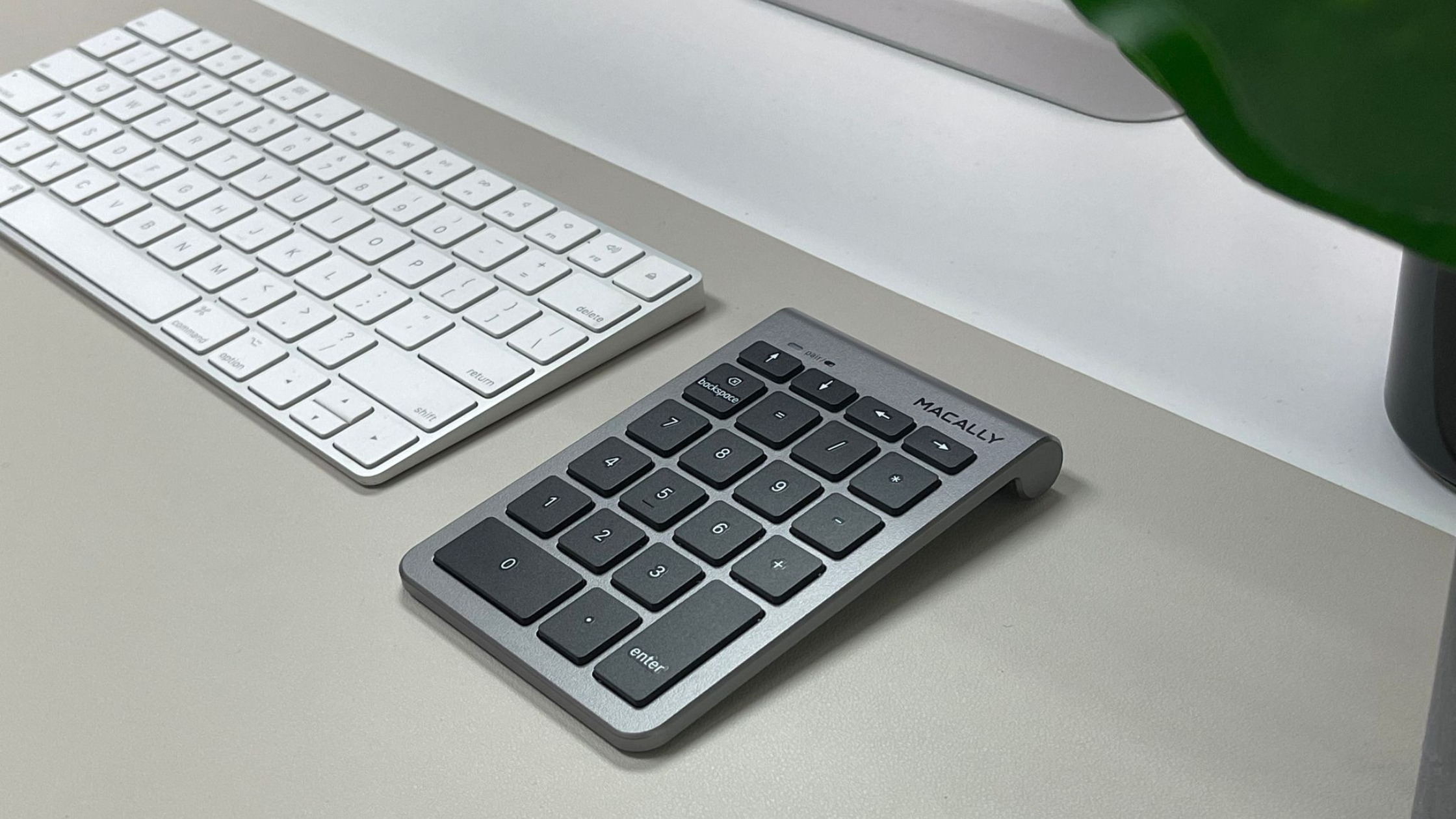
Macally is one of the few accessory brands that explicitly builds for Apple. This Bluetooth number pad pairs instantly with any Mac running OS X 10.6 or later, and it also works with iPads and iPhones via Bluetooth. The 22 full-size keys use scissor switches that replicate the feel of Apple's Magic Keyboard, so transitioning from typing to number entry feels seamless. The layout includes dedicated arrow keys and a calculator hotkey, which saves reaching for software buttons.
Battery life is rated at 400 hours of nonstop use from a single AAA battery (included). The auto-sleep feature kicks in after a period of inactivity, so that battery life is realistic for months of normal use. The silver finish matches the aluminum MacBook chassis, and the tilted slope reduces wrist strain during long sessions.
The main limitation is the lack of rechargeability: you'll need to keep a spare AAA on hand. Also, there is no backlighting, so working in dim environments requires a desk lamp. Compared to the Lekvey, the Macally trades an aluminum body and USB-C charging for guaranteed Mac compatibility and arrow keys. If you primarily use Windows, the Lekvey or havit are better options. But if you live in the Apple ecosystem, the Macally is the most trouble-free keypad for your setup. For more on improving your desktop typing experience, take a look at what makes a keyboard comfortable for all-day work.
7. havit Bluetooth Number Pad: Feature-Rich Wireless

Pros
- 26 keys include dedicated Esc, Delete, and calculator shortcut
- Rechargeable with USB-C, lasts over a month per charge
- Quiet scissor-switch keys
Cons
- No backlighting for low-light use
- 15-degree tilt is fixed, not adjustable
Best for: anyone who wants a reliable Bluetooth numpad with extra keys and doesn't want to change batteries.
The havit Bluetooth number pad is a well-rounded accessory that packs 26 keys into a compact 4.1x4.8-inch footprint. The extra keys include Escape, Delete, Tab, and a direct calculator shortcut that opens your system calculator with one press. It also supports three currency symbols via Fn combinations, a rare feature for spreadsheet workers who deal with multiple currencies. The scissor-switch keys are quiet and have a cushioned bottom-out, making them comfortable for sustained data entry.
The built-in lithium battery is rechargeable via USB-C, and a full charge lasts about one to two months under normal use. The auto-sleep function after one hour helps conserve power. Bluetooth 3.0 is used here, not 5.0, but in practice the connection is stable up to 33 feet. The pairing process is straightforward: hold the Bluetooth button until the LED flashes, select it in your device's Bluetooth menu.
One notable omission is backlighting. If you work in a dark room, you'll have to guess at key positions. The tilt is fixed at 15 degrees, which suits most hands but isn't adjustable. The havit is not compatible with Mac OS, so Apple users should look at the Macally or Lekvey. For Windows users, especially those in accounting or data entry, the havit offers the best balance of keys, battery life, and quiet operation. If you're also looking for a good mouse to pair with your numpad, check out the factors that matter for wireless pointing devices.
8. Foloda Wireless Number Pad: Reliable 2.4GHz

Pros
- 2.4 GHz wireless with a dedicated USB receiver
- No Bluetooth pairing needed
- Lightweight at only 87g
Cons
- Requires AAA batteries (not included)
- Only 22 keys, no navigation cluster
Best for: someone who wants a simple, plug-and-play numpad that avoids Bluetooth entirely.
The Foloda uses 2.4 GHz wireless, which means you plug a tiny USB receiver into your laptop and the numpad works instantly without pairing or drivers. This is a huge convenience for users who travel between multiple computers or dislike the occasional Bluetooth hiccup. The receiver stores in the battery compartment, so you won't lose it. The range is rated up to 32 feet, but realistically you'll use it on your desk within a few feet.
The 22 keys cover the essential number block plus Esc, Tab, Delete, and a calculator shortcut. The keys are membrane-style with a soft, quiet feel. The keycaps have large print letters that are easy to read. The auto-sleep function wakes up when you press any key, and power comes from two AAA batteries. Battery life is good; expect months of moderate use.
The Foloda lacks any special features: no backlighting, no rechargeable battery, no mechanical switches. It's a straightforward, functional numpad that does one thing well. Compared to the havit, it's less feature-rich but simpler to set up. The Lekvey and Macally offer Bluetooth pairing, but if you want a rock-solid connection without potential interference, the 2.4 GHz receiver is more reliable. This is a good pick for corporate environments where IT wants a no-drama accessory.
9. Rottay Mechanical Numpad: Best Mechanical Feel

Pros
- Blue mechanical switches with tactile click
- Three LED backlight modes
- Plug and play, no drivers
Cons
- Loud click may disturb office neighbors
- Not fully compatible with Mac or Chromebook function keys
Best for: typists who love the feel of mechanical switches and want a wired numpad for accuracy.
The Rottay is the only mechanical numpad in this roundup. It uses blue switches that provide a distinct tactile bump and an audible click on each keystroke. If you learned to type on a mechanical keyboard, this will feel immediately familiar and more satisfying than membrane pads. The 22 keys are laid out with good spacing, and the included LED backlighting has three modes: full on, breathing, and off. The backlight is blue and evenly distributed, making it easy to see keys in the dark.
Construction is basic plastic, but the keycaps are ABS with a never-fade finish rated for 50 million keystrokes. The cable is a standard USB-A with a gold-plated connector and a magnetic ring for noise filtering. The 15-degree tilt is built into the design, so it sits at a comfortable angle without needing legs.
The main drawback is noise. Blue switches are the loudest type, and the click can be distracting in a shared office or quiet home space. The Rottay also has limited Mac compatibility: number keys work, but function keys like page up do not. For Windows users who want a wired, responsive numpad with a classic typing feel, this is the one. If you need a quieter solution, the Lekvey or TechGarden are better choices. If you like the mechanical feel, you might also enjoy reading about how backlit keyboards improve typing accuracy in dim light.
10. TechGarden Wired Number Pad: Simplest Wired Option

Pros
- True plug and play, no battery or driver needed
- Large print letters on well-spaced 19mm keys
- Extremely affordable
Cons
- Only 19 keys, no Esc or navigation keys
- Short USB cable limits desk placement
Best for: someone who needs the cheapest possible numpad for a fixed workstation.
The TechGarden is as basic as it gets. It connects via a fixed USB cable (about 5 feet long), does not require any software, and works with any operating system that has USB support: Windows, Android, and even some Linux builds. The 19 keys cover the number block, NumLock, and basic arithmetic, but there is no Escape, Tab, Delete, or calculator shortcut. The keys are full size at 19mm spacing, which helps with accuracy if you have larger fingers. The legends are printed in a large, bold font that is easy to read at a glance.
Build quality is adequate for the price: a simple plastic case with a rubber bottom that stays put on a desk. The keys are membrane-style, quiet, and require a full press to register. There is no tilt adjustment; the keypad is flat. The USB cable is not detachable, so you can't replace it if it gets damaged.
This is the numpad you buy when you just need numbers and nothing else. It's the cheapest option in the roundup and the least featured. The Foloda offers wireless for not much more, and the Rottay gives you a much better typing experience for a few dollars extra. But if your budget is absolute zero and you have a USB port free, the TechGarden will get the job done for data entry that doesn't require speed or navigation.
How to choose a laptop or keypad with numeric keypad
Not every numeric keypad is built the same. The biggest differences come down to three factors: layout, connectivity, and key feel. If you buy a laptop with a built-in numpad, you get a zero-effort solution that's always there. If you buy a standalone keypad, you can use it with any machine and choose the exact feel you want.
Keyboard layout and key count
A full numeric keypad has 17 to 19 keys: 0 through 9, plus operators, NumLock, and Enter. Some add Esc, Delete, Tab, and calculator shortcuts, which can save time if you frequently clear cells or launch the calculator. The havit and Lekvey are the most complete in this regard. If you only tap numbers occasionally, a basic pad like the TechGarden is enough. For laptop keyboards, the built-in numpad often shares space with the main keyboard, so key sizes may be slightly reduced. The Lenovo V15 Gen 4 has a proper full-size layout, while the HP's numpad keys are slightly narrower.
Wired versus wireless
Wired keypads like the TechGarden and Rottay offer zero latency and no batteries, but they tether you to a port and can add cable clutter. Wireless options break into two camps: Bluetooth and 2.4 GHz. Bluetooth (Lekvey, Macally, havit) pairs without a dongle, works across devices, and is convenient for travel. The tradeoff is occasional pairing glitches and a short period of inactivity that triggers a wake-up delay. 2.4 GHz (Foloda) uses a USB receiver that provides a more stable connection and instant wake, but you need to keep track of the tiny dongle. If you switch between a laptop and a desktop, Bluetooth is more convenient. If you only use one computer, 2.4 GHz is more reliable.
Switches and feel
Membrane keypads (TechGarden, Foloda, Macally) are quiet and soft, ideal for shared workspaces. Scissor-switch keypads (havit, Lekvey) offer a crisp, shallow action that resembles a modern laptop keyboard. Mechanical keypads (Rottay) give you a pronounced tactile bump and audible click, which some users find more satisfying and accurate, but they are significantly louder. If you're used to a mechanical keyboard, a mechanical numpad will feel consistent. If you want the quietest possible option, the scissor-switch Lekvey or the membrane Macally are best.
The easiest way to lose productivity is a numpad that doesn't have the keys you use most. If you press Backspace or Escape constantly, a 22-key pad will save you reaching for the main keyboard.
Frequently asked questions
Can I add a numeric keypad to any laptop?
Yes. Any laptop with a USB port or Bluetooth can accept a standalone numeric keypad. Most modern laptops have both. For Bluetooth keypads, you need Bluetooth capability built into the laptop or a USB Bluetooth adapter.
Why do some laptops not have a numeric keypad?
Smaller laptops (13-inch and under) often omit the numeric keypad to save width. Even some 15-inch models skip it to keep the keyboard centered and the frame narrow. That's why external numpads exist: they let you get a compact laptop without losing number entry.
Do all Windows laptops support external numeric keypads?
Yes. Windows has built-in support for USB and Bluetooth numeric keypads. Most keypads emulate a standard keyboard, so they work with any version from Windows 7 onward. Mac compatibility varies; check the product details.
How long do wireless numeric keypad batteries last?
Rechargeable models like the Lekvey and havit last one to two months with daily use, thanks to auto-sleep functions. Battery-powered models like the Macally and Foloda can last several months on a single AAA or two AAAs. Wired keypads never need batteries.
Can I use a numeric keypad with a game on PC?
Yes, but only for number input, not for analog control. Some strategy games let you bind keys to the numpad. Mechanical keypads like the Rottay are sometimes used for macros in gaming, though they lack the custom software for advanced mapping.
What is the best numeric keypad for a MacBook?
The Macally Bluetooth Number Pad is specifically designed for Mac compatibility and works without extra software. The Lekvey also works on Mac but has limited navigation keys. For a wired option, any standard USB keypad works, but you may need to remap keys with third-party software.
Do I need a numeric keypad if I use a calculator app?
A physical keypad is much faster for data entry because you can keep your eyes on the screen or source document. A calculator app requires looking down at the screen to tap buttons. For any heavy number work, a dedicated keypad saves time.
The bottom line
For a laptop with a built-in numeric keypad, the Lenovo V15 Gen 4 is our favorite. It's fast, has a sharp full HD screen, and the numpad works well. If you don't need that much performance, the HP 15.6 with 8GB RAM gets the job done at a lower price. Both come with the keypad already attached.
If your laptop doesn't have a numpad, the Lekvey Bluetooth Number Pad is the nicest standalone option: it's slim, made of metal, and connects wirelessly with a rechargeable battery. For Mac users, the Macally Bluetooth Number Pad is the better bet because it's built for Apple's ecosystem.
The best laptops with numeric keypad cover a wide range of budgets and styles, but they all share one thing: they make number entry faster and less annoying. If you're undecided, buy the Lenovo for performance or the HP for value, and if you still need to add a numpad to a smaller laptop, get the Lekvey. That combination covers almost any scenario.
As an Amazon Associate we earn from qualifying purchases.