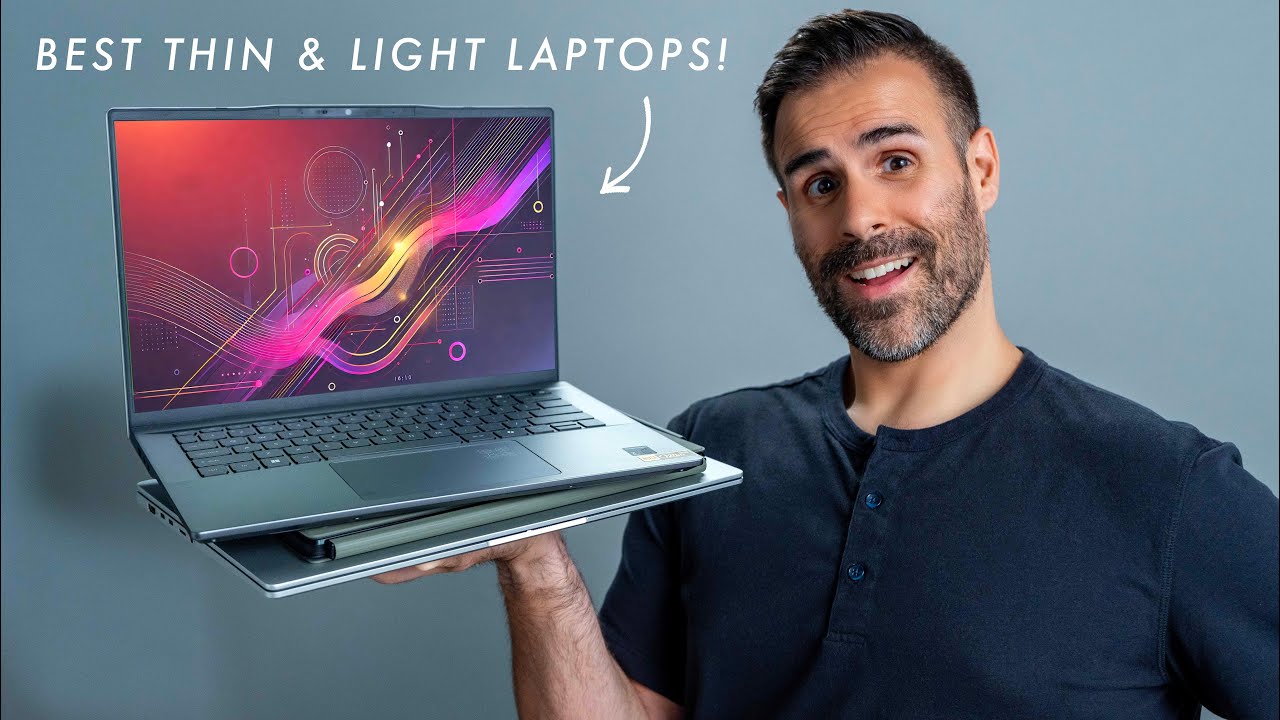

A laptop can be technically portable and still feel like a burden after a day of classes, meetings, or airport transfers. The real challenge is finding a machine that cuts weight without also cutting the screen, keyboard, battery, or everyday speed you rely on.
We compared eight very different Windows laptops and Macs, from a 2.7-pound Apple model to a full-power ASUS gaming machine. The Best lightweight laptop for most people is the Apple MacBook Neo 13-inch 512GB, while the Dell 15-inch Ultra 5 is the strongest Windows alternative. The rest cover large-screen portability, basic office work, student use, and gaming.
| # | Product | Award | Weight | Display | Best for |
|---|---|---|---|---|---|
| 1 | Apple MacBook Neo 13-inch 512GB | Best overall | 2.71 lb | 13-inch Liquid Retina | Long battery life and portability |
| 2 | Dell 15-inch Ultra 5 Laptop | Best Windows laptop | 3.67 lb | 15-inch FHD, up to 300 nits | Windows productivity |
| 3 | Apple MacBook Neo 13-inch 256GB | Best compact Mac | 2.71 lb | 13-inch Liquid Retina | Students and Apple users |
| 4 | SAGAWHALE 15.6-inch Windows Pro Laptop | Best large-screen portable | 3.5 lb | 15.6-inch FHD IPS | Office and school work |
| 5 | HP 14-inch N150 Laptop | Best small Windows laptop | 1 lb listed | 14-inch HD, 250 nits | Light everyday computing |
| 6 | Dell 15-inch Core 3 Laptop | Best straightforward Dell | 4.19 lb | 15.6-inch FHD | Home and office basics |
| 7 | QSXQSX 15.6-inch Laptop | Best expandable storage | 3.68 lb | 15.6-inch FHD | Basic work with storage upgrades |
| 8 | ASUS ROG Strix G16 | Best for gaming | 5.84 lb | 16-inch FHD+, 165Hz | PC gaming and creation |
1. Apple MacBook Neo 13-inch 512GB: Best Overall

Pros
- 2.71-pound aluminum design
- Up to 16 hours of battery life
- A18 Pro chip and Apple Intelligence support
- 512GB SSD
- Touch ID security
Cons
- macOS may not suit Windows-only software
- Smaller 13-inch screen than the Dell alternatives
- 8GB unified memory is not generous for demanding work
Best for: people who want the lightest polished laptop here without giving up a full day of battery life.
The Apple MacBook Neo 13-inch 512GB is the laptop we would keep for daily travel. Its 2.71-pound aluminum body is noticeably easier to carry than the 3.67-pound Dell 15-inch Ultra 5, and the compact shape takes up less room on a café table or classroom desk. It still feels like a proper computer rather than a stripped-down tablet, with a Liquid Retina display, a 1080p FaceTime HD camera, dual microphones, and side-firing speakers.
The A18 Pro chip is the key to the experience. Apple positions it for everyday assignments, presentations, Apple Intelligence, and Apple Arcade games, which is the right lane for this machine. The 8GB of unified memory is enough for ordinary browsing, documents, video calls, and media, but it leaves less room for heavy creative applications than the 16GB Windows options. The 512GB SSD, however, gives this version much more breathing room for documents, photos, apps, and downloaded media than the 256GB model.
Battery life is the standout specification. Apple claims up to 16 hours, a figure that makes the MacBook Neo particularly appealing to commuters and students who do not want to carry a charger everywhere. The 13-inch Liquid Retina panel supports 1 billion colors, so photos and video should look lively while text remains crisp. Its smaller size is a strength for portability, but anyone who regularly works with wide spreadsheets will have an easier time on a 15-inch Dell.
The other meaningful difference from the matching Apple model is Touch ID. It handles unlocking, payments, and app or website sign-ins, adding convenience without compromising the clean design. The aluminum enclosure is also described as durable and made with recycled content, though the compact screen can feel restrictive beside the SAGAWHALE's 15.6-inch panel.
Skip this Mac if your work depends on Windows-only programs, or if you need gaming graphics comparable to the ASUS ROG Strix G16. For everyone else, the combination of low weight, long claimed battery life, capable everyday performance, and 512GB storage makes it the strongest Best lightweight laptop pick in this group.
2. Dell 15-inch Ultra 5 Laptop: Best Windows Laptop

Pros
- 3.67-pound weight for a 15-inch laptop
- Intel Core Ultra 5 225U processor
- 16GB RAM and 512GB SSD
- Up to 300 nits brightness
- Dedicated Copilot key
Cons
- Larger and heavier than either MacBook Neo
- No stated battery runtime
- The display is not as compact or portable as a 13-inch Mac
Best for: Windows users who want a large display and modern productivity features in a manageable carry weight.
The Dell 15-inch Ultra 5 Laptop is the sensible Windows choice when a 13-inch screen feels cramped. At 3.67 pounds, it is not the lightest machine in this roundup, but it undercuts the larger Dell Core 3 model and stays well below the ASUS gaming laptop. The three-sided narrow bezel helps the 15-inch display feel more current without turning the chassis into an unwieldy desktop replacement.
Its Intel Core Ultra 5 225U processor and 16GB of RAM give it a stronger productivity foundation than the basic machines here. That matters when a workday means many browser tabs, office documents, video calls, and background utilities running together. The 512GB SSD also gives it a useful amount of working space, while the MacBook Neo 512GB offers the same storage in a much smaller body and a different operating system.
The display reaches up to 300 nits, which should be more comfortable near a bright window than the HP's 250-nit panel. Dell's ComfortView software is intended to reduce blue-light emissions, and the lifted hinge creates a more ergonomic typing angle while supporting airflow. A dedicated Copilot key provides quick access to Microsoft's assistant, a feature that will be useful to some people and easy to ignore for others.
This Dell does not have a stated battery runtime in the supplied details, so we would not choose it for long stretches away from an outlet based on battery claims alone. It also lacks the extreme portability of the MacBook Neo. The 15-inch format is a deliberate trade, giving you more workspace at the cost of a larger bag footprint.
Compared with the SAGAWHALE 15.6-inch Windows Pro Laptop, the Dell has a more clearly specified modern processor, a brighter stated display, and a lighter body. Compared with the MacBook Neo, it wins on Windows compatibility and screen area but loses on weight and claimed battery life. It is the right choice for anyone who wants a conventional Windows work machine that still travels reasonably well.
3. Apple MacBook Neo 13-inch 256GB: Best Compact Mac

Pros
- 2.71-pound aluminum construction
- Up to 16 hours of battery life
- A18 Pro chip
- 1080p camera and dual microphones
- Liquid Retina display with 1 billion colors
Cons
- 256GB SSD provides less storage
- 8GB unified memory limits demanding multitasking
- macOS is not compatible with every Windows application
Best for: students and travelers who want a small Mac for writing, browsing, calls, and entertainment.
The Apple MacBook Neo 13-inch 256GB has the same compact physical design as the 512GB version, including a 2.71-pound weight and 0.5-inch height. It is an easy laptop to live with when portability matters more than a large working area. The aluminum enclosure should also feel more substantial than the lightest plastic Windows machines, and the 13-inch format leaves plenty of room in a backpack.
The A18 Pro chip is designed for everyday assignments, presentations, Apple Intelligence features, and Apple Arcade games. In practical terms, that makes this a strong fit for browser-based work, writing, streaming, video calls, and normal school software. The 8GB unified memory is a limitation for heavier workloads, but it is less concerning for the kind of light computing that makes a 13-inch laptop attractive in the first place.
The Liquid Retina display supports 1 billion colors, and the 1080p FaceTime HD camera is a welcome step up from the basic HD cameras found on several Windows alternatives. Dual microphones help keep voices focused, while the side-firing speakers are intended to create a more immersive sound field. Apple also claims up to 16 hours of battery life, giving this Mac a much stronger travel story than the SAGAWHALE, whose listed battery figure is up to 4 hours.
The main compromise is storage. The 256GB SSD is suitable for documents, web work, and a modest application library, but it will fill sooner if you keep large photo libraries, video projects, or games on the laptop. The 512GB MacBook Neo is the better long-term configuration for people who can use the extra space. Touch ID is specifically listed on that version, so this model does not offer the same stated fingerprint convenience.
Apple's integration with iPhone is another reason to choose it. The supplied features describe moving between devices, controlling an iPhone from the Mac, and seeing photos appear across the two. Buyers who already use an iPhone will get more from that ecosystem than someone moving from a Windows phone and Windows software. If you want a compact Mac and mostly work online, this is an elegant fit. If storage matters more than color or the smallest footprint, choose its 512GB sibling.
4. SAGAWHALE 15.6-inch Windows Pro Laptop: Best Large-Screen Portable

Pros
- 3.5-pound listed weight
- 15.6-inch FHD IPS display
- 16GB RAM
- Windows 11 Pro and Office 365 included
- 256GB SSD
Cons
- Listed battery life is up to 4 hours
- The 4425Y processor is aimed at basic computing
- Storage is less generous than the larger SSD options
Best for: students and office users who want a full-size display without carrying a traditional heavy laptop.
The SAGAWHALE 15.6-inch Windows Pro Laptop makes a persuasive portability argument with a 3.5-pound listed weight and a large screen. That combination is its reason to exist. It is much easier to carry than the 4.19-pound Dell Core 3 Laptop, yet it gives documents, spreadsheets, and split-screen browsing more room than either MacBook Neo.
The 15.6-inch FHD IPS display has a 1920 by 1080 resolution and wide viewing angles, according to the supplied features. FHD is a useful baseline at this size because text and interface elements have more room than on the HP's 1366 by 768 screen. The 16GB of RAM is also a strong point for having multiple browser tabs and office programs open, even though the 4425Y processor is clearly intended for daily computing rather than demanding creative or gaming work.
Windows 11 Pro and Office 365 come pre-installed, so the machine is aimed squarely at work and school users who want to start writing documents, building presentations, or working with spreadsheets immediately. Its 256GB SSD should make booting and file access responsive, but it is not a spacious drive for large media collections. The MacBook Neo 512GB and both current Dell configurations provide a clearer path for people who routinely store large files.
The battery specification is the biggest caution. Up to 4 hours is modest for a portable laptop, and it changes how we would use this machine. It makes sense for a class, meeting, or short trip where an outlet is nearby, but it is not the right companion for a full day of travel. The supplied details also include a two-year warranty and six-month return policy, which may reassure buyers who want a defined support window.
Compared with the QSXQSX 15.6-inch Laptop, the SAGAWHALE gives you twice the RAM and Windows 11 Pro, but the QSXQSX offers expandable storage. Compared with the Dell Ultra 5, the SAGAWHALE is lighter and includes Office 365, while the Dell has a more modern processor and a brighter stated display. Choose this laptop for its screen and carry weight, not for demanding performance or all-day battery endurance.
For students balancing a large screen with a lighter backpack, the computing features that help students work away from a desk provide useful context before choosing a 15.6-inch model.
5. HP 14-inch N150 Laptop: Best Small Windows Laptop

Pros
- Compact 14-inch format
- Intel N150 quad-core processor
- 256GB SSD plus 128GB UFS storage
- Wi-Fi 6 and Bluetooth 5.4
- 720p camera with privacy shutter
Cons
- Listed weight and physical dimensions are inconsistent
- HD resolution is lower than the other main 15-inch displays
- Windows 11 Home is supplied in S Mode
Best for: basic browsing, documents, streaming, and schoolwork in a compact Windows format.
The HP 14-inch N150 Laptop is designed for people who want a smaller Windows machine without moving to a Mac. Its 14-inch display is easier to fit on a small desk than the 15.6-inch screens, and the anti-glare coating should help when overhead lights or windows reflect across the panel. HP lists a 250-nit brightness level, which is serviceable indoors but not especially strong for bright rooms.
The Intel N150 is a quad-core processor with a stated maximum turbo speed of 3.6GHz. It is intended for browsing, document editing, video streaming, online learning, and other everyday tasks. Integrated Intel UHD Graphics keep the scope clear: this is not a gaming or demanding editing machine, but it should handle ordinary Windows use. The 8GB of DDR4 RAM is adequate for light multitasking, while the 256GB SSD is paired with 128GB of UFS storage for additional files.
Connectivity is unusually well covered for a small basic laptop. The HP includes Wi-Fi 6, Bluetooth 5.4, one USB-C port, two USB-A ports, HDMI 1.4, and a combined headphone and microphone jack. The 720p camera includes a privacy shutter, and the dual microphones use AI noise reduction for calls. A Copilot key is included on the keyboard, along with a full-size layout.
The display resolution is the weak point. Its 1366 by 768 HD panel is less detailed than the 1080p screens on the Dell and SAGAWHALE laptops, and it gives you less room for dense documents. Windows 11 Home in S Mode may also require adjustment if you need applications outside its more restricted software environment. These are not fatal flaws, but they should be part of the decision.
There is also a data inconsistency worth flagging: the supplied product information lists the weight as 1 pound, while the dimensions and category make that figure difficult to interpret as a normal complete laptop weight. We would verify the current listing before buying if carry weight is your main reason for choosing it. The HP remains a practical small Windows option, but readers who want the clearest display or the most predictable portability should look closely at the MacBook Neo.
6. Dell 15-inch Core 3 Laptop: Best Straightforward Dell

Pros
- FHD display
- Separate numeric keypad
- Lifted hinge for typing comfort
- ComfortView software
- One-year onsite service
Cons
- Heaviest conventional 15-inch laptop here at 4.19 pounds
- Only 8GB RAM
- Core 3 processor is less capable than the Ultra 5 option
Best for: home and office users who prefer a familiar full-size keyboard and Dell support.
The Dell 15-inch Core 3 Laptop is a conventional work machine rather than a portability showcase. At 4.19 pounds, it is heavier than every non-gaming laptop here, including the newer Dell Ultra 5 model. Still, a 15.6-inch FHD screen and a roomy keyboard can be more useful than a very small chassis for people who spend most of the day typing at a desk.
Dell emphasizes the Intel Core 3 processor for everyday computing, and that is the sensible expectation. It should suit documents, browsing, email, streaming, and ordinary home tasks, but the 8GB of RAM leaves less headroom than the SAGAWHALE's 16GB or the Ultra 5 Dell's 16GB. The supplied product information lists 512GB storage, giving this model a useful amount of space for standard files and applications.
The keyboard has a separate numeric keypad and a calculator hotkey, details that matter to anyone working with figures or office forms. Lifted hinges create a more comfortable typing angle and may improve airflow below the chassis. Dell's ComfortView software is intended to reduce blue-light emissions during long sessions, although it cannot change the fact that the laptop is relatively heavy to carry.
The strongest reason to choose this Dell is support. The supplied details include one-year onsite service, with Dell coming to a home, office, or another location if a covered hardware issue cannot be resolved remotely. That kind of service can matter more to a small business or family user than an extra processor tier. It is a clearer support proposition than the QSXQSX model, whose listing does not provide a comparable service detail.
The newer Dell 15-inch Ultra 5 Laptop is the better pick for multitasking and portability, with 16GB RAM and a 3.67-pound body. The Core 3 model makes more sense when the numeric keypad, established support arrangement, and straightforward layout are the priorities. It is not the laptop we would choose for frequent travel, but it is a reasonable desk-to-room computer for basic Windows work.
7. QSXQSX 15.6-inch Laptop: Best Expandable Storage

Pros
- 3.68-pound listed weight
- 15.6-inch FHD display
- Storage expandable to 512GB
- Type-C, HDMI, and SD card reader
- Windows 11 and one-year Office 365 included
Cons
- Only 4GB RAM
- Intel 5205U is suited to basic workloads
- Wi-Fi 5 and Bluetooth 4.2 are older standards
Best for: light office work and browsing when a large display and future storage expansion matter.
The QSXQSX 15.6-inch Laptop is a basic large-screen Windows machine with one especially useful feature: its storage can be expanded to 512GB. The laptop itself weighs 3.6 pounds in the feature description, while the product information lists 1.67 kilograms, or about 3.68 pounds. Either way, it is lighter than the larger Dell Core 3 and much lighter than the ASUS ROG Strix G16.
The 15.6-inch FHD display gives everyday documents, web pages, and streaming more room than the HP's HD panel. Windows 11 comes pre-installed, and the listing includes a one-year Office 365 subscription for Word, Excel, PowerPoint, and related tools. That makes the intended use clear: school assignments, basic office paperwork, browsing, and video streaming rather than demanding creation.
The Intel 5205U processor has a 1.9GHz base frequency and is presented for stable everyday multitasking. The 4GB of RAM is the more important limitation. It can handle simple tasks, but large numbers of browser tabs or several substantial programs at once will put more pressure on the system than on the 16GB Dell or SAGAWHALE. Buyers should keep expectations modest and avoid treating this as a general-purpose performance laptop.
The port selection is useful. Type-C, HDMI, and an SD card reader make it easier to connect a monitor, projector, camera card, or other peripheral without immediately reaching for an adapter. Wireless connectivity is less current, with dual-band Wi-Fi 5 and Bluetooth 4.2. Those standards remain usable for ordinary home networks and accessories, but the HP offers newer Wi-Fi 6 and Bluetooth 5.4.
Storage expansion is the reason to pick this model over the HP or the smaller 256GB MacBook Neo. It gives the laptop a way to grow as documents and media accumulate, though the 4GB RAM still limits the machine's useful lifespan for heavier software. Readers comparing the entry-level end of this category may also want to consider how storage and memory change daily laptop use before settling on a basic configuration.
Choose the QSXQSX if you want a full-size screen, familiar Windows tools, useful ports, and expandable storage for light work. Skip it if smooth heavy multitasking, newer wireless standards, or long-term performance headroom matter more than the ability to add storage.
8. ASUS ROG Strix G16: Best for Gaming

Pros
- RTX 5060 laptop GPU
- Intel Core i7 14650HX processor
- 165Hz, 3ms FHD+ display
- 16GB DDR5 memory and 1TB Gen 4 SSD
- Vapor chamber and tri-fan cooling
Cons
- 5.84-pound weight is not genuinely light
- Gaming hardware makes it much larger than the other picks
- RGB lighting may not suit every workspace
Best for: gamers and creators who need high performance more than minimum carry weight.
The ASUS ROG Strix G16 is included because some buyers use “lightweight laptop” to mean a machine they can move between rooms, not one that belongs in a small shoulder bag. At 5.84 pounds, it is plainly the heaviest laptop here, so it should not be confused with the MacBook Neo or either of the lighter Dell options. Its place in this roundup comes from the performance it packs into a portable gaming form.
The Intel Core i7 14650HX processor and NVIDIA GeForce RTX 5060 laptop GPU are in a different class from the integrated graphics and everyday processors elsewhere in the list. The RTX 5060 uses NVIDIA's Blackwell architecture and supports DLSS 4 and Max-Q technologies, according to the supplied features. That hardware is aimed at modern games, 3D work, and demanding creative applications, areas where the MacBook Neo and basic Windows laptops are not direct substitutes.
The 16-inch FHD+ display uses a 16:10 aspect ratio, a 165Hz refresh rate, and a 3ms response time. The taller aspect ratio provides more vertical workspace, while 165Hz can make compatible games look much smoother than standard office panels. ASUS also describes an ACR film intended to improve contrast and reduce glare. The 16GB of DDR5 memory and 1TB PCIe Gen 4 SSD round out a configuration that is ready for a substantial game library and demanding multitasking.
Cooling is central to this model. ASUS lists an end-to-end vapor chamber, tri-fan technology, and Conductonaut Extreme liquid metal applied to the chipset. Those components are intended to keep performance stable under sustained loads, though more cooling hardware contributes to the weight and thickness. The full-surround RGB light bar adds gaming personality, and Stealth Mode can turn the lighting off for a quieter look in professional settings.
The ROG Strix G16 loses every portability comparison in this group, but it wins decisively on graphics performance and display speed. The Dell Ultra 5 is the better Windows work laptop, and the MacBook Neo is vastly easier to carry. Choose ASUS only if you actually need gaming-class hardware. If you do, it is the one product here that does not ask you to settle for integrated graphics.
How to choose best lightweight laptop
The right lightweight laptop is defined by the compromises you notice every day. Start with carry weight, then check whether the screen, processor, memory, storage, and operating system fit the work you actually do.
Carry weight and chassis size
Weight determines how pleasant a laptop is to move between home, school, work, and travel. The MacBook Neo models are the lightest clearly specified laptops here at 2.71 pounds, while the Dell Ultra 5 and SAGAWHALE stay below 4 pounds despite their larger displays. A 15-inch laptop gives you more workspace, but a 13-inch machine usually fits better on cramped tables and in smaller bags.
Be careful with inconsistent listings. The HP's supplied data lists a 1-pound weight that does not clearly align with the rest of its physical information, so portability should be verified before purchase. A laptop that is light on paper is not helpful if the listing has confused product or shipping measurements.
Processor and memory
The processor sets the ceiling for responsiveness, while memory affects how many applications and browser tabs can remain open comfortably. The 16GB models from Dell and SAGAWHALE are better suited to multitasking than the QSXQSX's 4GB configuration. The ASUS Core i7 14650HX is designed for much heavier work, while the Intel N150, Intel 5205U, and Core 3 systems are aimed at everyday computing.
Do not choose a gaming processor simply because it sounds faster. The ASUS is substantially heavier because it includes powerful graphics and a more elaborate cooling system. For writing, browsing, calls, and office work, the MacBook Neo's A18 Pro chip and the Dell Ultra 5 are better balanced around portability.
Display size and resolution
A 13-inch display is easier to carry, but a 15-inch panel is more comfortable for spreadsheets and side-by-side windows. FHD resolution is a useful target on larger screens. The Dell and SAGAWHALE offer FHD panels, while the HP's 1366 by 768 display gives you less detail and less usable workspace.
Brightness also matters. The Dell Ultra 5 lists up to 300 nits, compared with 250 nits for the HP. For indoor work, both can be serviceable, but brighter screens are easier to read near windows. Gamers should also consider refresh rate and response time, which is why the ASUS's 165Hz and 3ms panel belongs to a different class.
A laptop is only lightweight in practice if its charger, screen size, and battery routine still fit the way you travel.
Battery life
Battery claims need careful interpretation because the supplied data is not equally detailed across all models. Apple claims up to 16 hours for both MacBook Neo versions, while the SAGAWHALE lists up to 4 hours. The Dell Ultra 5 and several other Windows laptops do not provide a runtime in the supplied information, so do not assume they match Apple's claim.
If you spend full days away from outlets, the MacBook Neo is the clearest choice from this list. If you mostly work at a desk, battery life may matter less than display size, keyboard layout, or Windows compatibility.
Storage and upgrade room
Storage affects how many applications, projects, photos, and videos you can keep locally. The QSXQSX is unusual here because its 128GB storage can be expanded to 512GB. The ASUS includes a 1TB Gen 4 SSD, and the Dell Ultra 5 and Dell Core 3 listings identify 512GB storage.
The 256GB MacBook Neo, HP, and SAGAWHALE are more suitable for documents and normal applications than large media collections. The HP adds 128GB of UFS storage, while the SAGAWHALE has 16GB RAM to offset some of its basic processor limitations. Decide whether you need more working space now or an expansion path later.
Frequently asked questions
What is the lightest laptop in this roundup?
The Apple MacBook Neo models are both listed at 2.71 pounds. The HP listing states 1 pound, but that figure is inconsistent with the rest of its supplied physical information, so it should be verified before treating the HP as the lightest option.
Which lightweight laptop has the longest stated battery life?
Both Apple MacBook Neo models claim up to 16 hours of battery life. The SAGAWHALE lists up to 4 hours, and the supplied details for the other products do not state a comparable runtime.
Is a 13-inch laptop large enough for school?
A 13-inch laptop can be comfortable for writing, browsing, video calls, and presentations, especially when portability is important. Students who work with large spreadsheets or frequently use split-screen windows may prefer the 15-inch Dell or the 15.6-inch SAGAWHALE.
Which model is best for Windows software?
The Dell 15-inch Ultra 5 Laptop is the strongest Windows choice in this group because it combines a Core Ultra 5 225U processor, 16GB RAM, a 512GB SSD, and a 15-inch display. The SAGAWHALE also comes with Windows 11 Pro and is lighter, but its 4425Y processor and four-hour battery claim make it better for basic work.
Can any of these laptops handle gaming?
The ASUS ROG Strix G16 is the clear gaming model. Its RTX 5060 laptop GPU, Core i7 14650HX processor, 16GB DDR5 memory, and 165Hz display are designed for gaming, while the other laptops are intended mainly for everyday computing.
Is 8GB of memory enough for a lightweight laptop?
8GB can be enough for browsing, documents, streaming, and video calls. It gives less headroom for heavy multitasking than the 16GB Dell Ultra 5 and SAGAWHALE, and the 4GB QSXQSX is more restricted.
Should I choose 256GB or 512GB storage?
Choose 512GB if you keep large photo libraries, games, videos, or many applications on the laptop. A 256GB drive is more suitable for documents, web work, and a smaller application collection. The QSXQSX is the most flexible option if you want a stated storage expansion path.
The bottom line
The Best lightweight laptop here is the Apple MacBook Neo 13-inch 512GB. It combines a 2.71-pound aluminum body, up to 16 hours of claimed battery life, a capable A18 Pro chip, a vivid Liquid Retina display, and enough storage for a more comfortable long-term setup. Choose the 256GB version if your files mostly live in the cloud and you want the same compact design.
For Windows, the Dell 15-inch Ultra 5 Laptop is the pick. Its 3.67-pound body is manageable for a 15-inch machine, while 16GB RAM, a 512GB SSD, a stated brightness of up to 300 nits, and a Core Ultra 5 processor make it a better all-round work computer than the lighter basic models. The ASUS ROG Strix G16 is the specialist choice for gaming, but its 5.84-pound weight makes it unsuitable for anyone prioritizing true portability.
If you are undecided, choose the MacBook Neo for minimum carry weight and battery life, or the Dell Ultra 5 for Windows compatibility and a larger workspace.
As an Amazon Associate we earn from qualifying purchases.