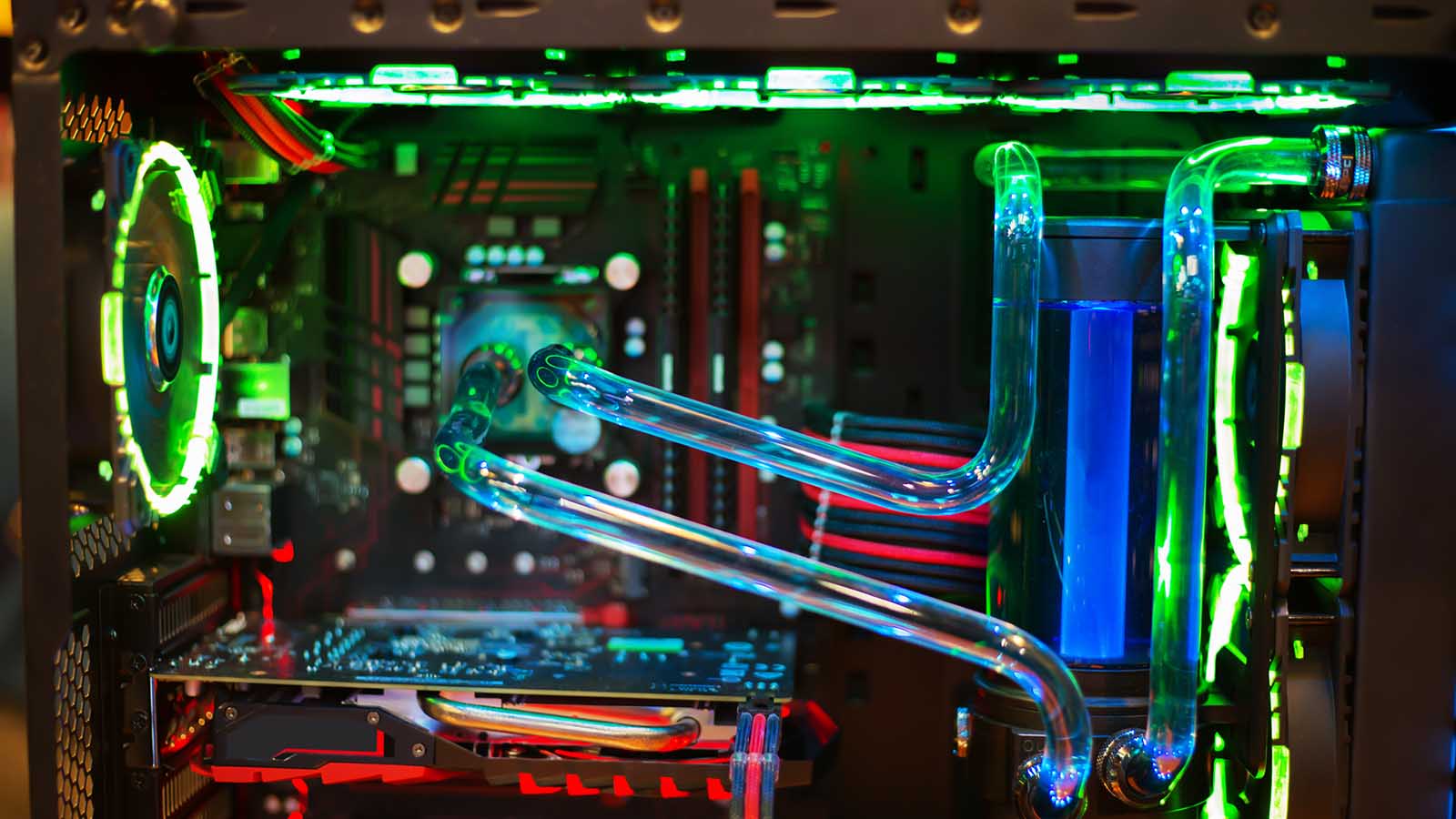

A hot processor can turn a quiet desktop into a constant rush of fan noise, especially when a demanding game or creative workload keeps all cores busy. The Best liquid cooling for CPU setups below focus on radiator size, mounting design, noise control, and the practical details that make an AIO easier to live with.
Most of these coolers use a 360 mm radiator, but they are not interchangeable. ARCTIC brings a hotspot-focused cold plate and integrated VRM fan, CORSAIR emphasizes quiet operation and tidy daisy-chained wiring, while Cooler Master offers a smaller 240 mm design with strong lighting appeal.
Our top pick is the ARCTIC Liquid Freezer III Pro 360, with the other five covering RGB builds, quieter cable layouts, white systems, and cases that cannot fit a 360 mm radiator.
Comparison table
| # | Product | Award | Radiator | Compatibility | Best for |
|---|---|---|---|---|---|
| 1 | ARCTIC Liquid Freezer III Pro 360 | Best overall | 360 mm | Intel LGA1851/LGA1700, AMD | High sustained loads |
| 2 | ARCTIC Liquid Freezer III Pro 360 ARGB | Best RGB performance | 360 mm | Intel LGA1851/LGA1700, AMD | Performance-focused RGB builds |
| 3 | CORSAIR Nautilus 360 RS | Best for quiet wiring | 360 mm | Intel LGA1851/LGA1700, AMD AM5/AM4 | Low-noise builds |
| 4 | ARCTIC Liquid Freezer III Pro White | Best white cooler | 360 mm | Intel LGA1851/LGA1700, AMD | White-themed systems |
| 5 | CORSAIR Nautilus 360 RS ARGB White | Best white RGB design | 360 mm | Intel LGA1851/LGA1700, AMD AM5/AM4 | Coordinated white RGB builds |
| 6 | Cooler Master Elite Liquid 240 | Best compact option | 240 mm | Not specified | Smaller compatible cases |
1. ARCTIC Liquid Freezer III Pro 360: Best Overall

Pros
- Native offset mounting targets the CPU hotspot
- Integrated VRM fan adds airflow around the socket
- P12 Pro fans are designed for high airflow and lower noise
- Fan cables are integrated into the hose sheathing
Cons
- A 360 mm radiator needs a compatible case
- No lighting for builders who want visible RGB
- Heavier than the CORSAIR Nautilus models
Best for: a performance-focused PC that has room for a 360 mm radiator.
The ARCTIC Liquid Freezer III Pro 360 is the cooler we would choose when thermal headroom matters more than lighting. Its defining feature is not a decorative pump cover or a long software feature list. It is the way ARCTIC aims the cold plate toward the processor hotspot, which gives the heat transfer design a more deliberate purpose than a generic centered mount.
The 360 mm radiator gives this AIO plenty of surface area for sustained processor loads, while the three 120 mm P12 Pro fans are built to push air through that radiator. ARCTIC says the fans are more powerful and quieter than its P12 design, particularly at lower speeds, and they have a higher maximum speed for heavier loads. That combination should suit a workstation or gaming system that spends long periods under CPU demand rather than short bursts only.
The integrated VRM fan is another useful distinction. It is PWM controlled and sits around the pump area, helping move air across the motherboard voltage converters. That does not replace a sensible case fan layout, so anyone planning a powerful build should still consider how to arrange airflow around the CPU and graphics card. The cable management is unusually clean for an AIO too, since the radiator fan cables run through the hose sheathing and leave a single visible connection to the motherboard.
Compared with the CORSAIR Nautilus 360 RS, the ARCTIC has the more elaborate thermal design, with offset mounting and the extra VRM fan. The CORSAIR is lighter and highlights a quiet 20 dBA pump, so it is a more appealing alternative when acoustic behavior and simple fan connections lead the decision. The ARCTIC's weakness is its size and weight, listed at about 4.45 pounds with dimensions of 15.7 by 4.7 by 2.9 inches. Skip it if your case cannot accept a 360 mm radiator or if you specifically want RGB illumination.
For anyone building around a compatible Intel or AMD platform and wanting a serious cooler without visual distractions, this is the strongest all-around fit. It is the pick for high sustained loads, especially when the integrated hotspot and VRM details matter more than a glowing pump block.
2. ARCTIC Liquid Freezer III Pro 360 ARGB: Best RGB Performance
Pros
- Keeps the offset cold plate and integrated VRM fan
- 360 mm radiator supports sustained cooling workloads
- P12 Pro fan design targets airflow through the radiator
- Integrated fan wiring reduces visible cable clutter
Cons
- Requires room for a 360 mm radiator
- Lighting adds another consideration during installation
- The pump and radiator assembly is relatively heavy
Best for: an RGB performance build that still prioritizes ARCTIC's cooling design.
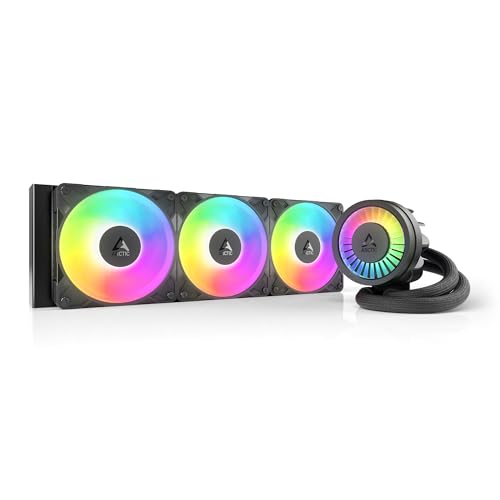
The ARCTIC Liquid Freezer III Pro 360 ARGB is the obvious choice for a builder who likes the first pick's engineering but does not want a completely dark interior. It retains the same core layout as the non-ARGB version, so the reason to buy it is not a different radiator class. The attraction is the combination of a large cooler and an illuminated system theme.
Its 360 mm radiator is paired with three 120 mm P12 Pro fans. Those fans are intended to maintain strong airflow through the radiator, with extra speed available when the CPU is under a heavy load. At lower speeds, the design is meant to be quieter than the standard P12, which is important because a large radiator is most useful when the fans can remain controlled rather than constantly running at full speed.
ARCTIC's native offset mounting shifts the cold plate toward the hotspot on both Intel and AMD platforms. On Intel LGA1851 and LGA1700 systems, the included contact frame is designed to distribute mounting pressure more evenly. The integrated VRM fan adds a small but thoughtful layer of airflow around the socket, while the fan cables remain tucked into the hose sheathing. That last detail matters when the glass side panel shows every stray wire.
The standard ARCTIC Liquid Freezer III Pro 360 is the cleaner choice for a stealth build, and its simpler appearance may also suit a system where lighting is controlled elsewhere. The CORSAIR Nautilus 360 RS ARGB White offers a lighter assembly and a more straightforward connection arrangement, but the ARCTIC has the more distinctive hotspot and VRM features. This model's real drawback is that the lighting does not make a 360 mm radiator easier to install. At roughly 15.7 inches long and 4.7 inches wide, it still demands a case with the right radiator clearance.
Choose this model when the cooling architecture of the first ARCTIC matters, but the build also needs visual coordination. It makes particular sense for a high-performance system with a transparent side panel and a motherboard that can accommodate the required connections and radiator space.
3. CORSAIR Nautilus 360 RS: Best for Quiet Wiring

Pros
- Pump is specified at a quiet 20 dBA
- Fans can be daisy-chained to one 4-pin PWM header
- Thermal paste comes pre-applied
- Supports Intel LGA1851 and LGA1700 plus AMD AM5 and AM4
Cons
- Lacks RGB lighting
- Does not include ARCTIC's integrated VRM fan
- 360 mm radiator limits case compatibility
Best for: a clean, quiet build where easy wiring matters as much as cooling capacity.
The CORSAIR Nautilus 360 RS takes a more straightforward approach than the ARCTIC coolers. Its strongest ownership advantage is how little fuss the fan wiring creates. The three RS120 fans can be daisy-chained and connected through one 4-pin PWM fan header, which is a small feature that becomes valuable when a motherboard is already crowded with case fans and accessories.
The 360 mm radiator gives the Nautilus the same broad radiator class as the top two picks. CORSAIR pairs it with a convex cold plate, with thermal paste already applied in an optimized pattern. The slightly convex shape is intended to maximize contact with the processor's integrated heat spreader, while the pre-applied compound speeds up installation and removes one messy step from a first build.
Noise is a central part of the design. CORSAIR specifies the pump at 20 dBA, and the RS120 fans use high static pressure to move air through the radiator. AirGuide technology and Magnetic Dome bearings are also named as part of the fan design. Those details do not guarantee silence in every case, since fan curves, radiator placement, and other components all contribute, but they give this model a clear acoustic focus.
The ARCTIC Liquid Freezer III Pro 360 is more ambitious around the CPU socket because it adds offset mounting and an integrated VRM fan. The Nautilus counters with a lighter listed weight of 3.51 pounds and a simpler installation story. Its 15.59 inch length, 4.72 inch width, and roughly 1.06 inch height still mean that a 360 mm radiator must fit your case. Builders choosing between this model and the CORSAIR Nautilus 360 RS ARGB White should focus on lighting and finish rather than cooling layout, since the ARGB version uses the same basic cooler family.
This is the sensible CORSAIR for a system that needs a tidy interior, direct motherboard connections, and a pump with a published 20 dBA figure. It is not the pick for a showpiece build, but it is a strong match for someone who wants the radiator to do its job without creating a wiring project.
4. ARCTIC Liquid Freezer III Pro White: Best White Cooler

Pros
- White finish suits coordinated PC interiors
- Offset mounting targets the processor hotspot
- Integrated VRM fan supports airflow around the socket
- Cable management keeps the radiator wiring contained
Cons
- Needs a case that supports a 360 mm radiator
- The assembly weighs about 4.42 pounds
- No separate cooling advantage over the black ARCTIC Pro design
Best for: a white PC build that wants ARCTIC's thermal layout.
The ARCTIC Liquid Freezer III Pro White is for the builder who has already committed to a light-colored interior and does not want to trade away the Pro series design. Its white finish is the visible difference, but the important hardware remains familiar: a 360 mm radiator, P12 Pro fans, offset mounting, and a small integrated VRM fan.
The cold plate is shifted toward the CPU hotspot for both Intel and AMD mounting arrangements. Intel LGA1851 and LGA1700 users also get the contact-frame approach that ARCTIC says improves pressure distribution. These are meaningful design choices because they address how heat is spread across the processor, rather than simply adding more fan speed. The integrated VRM fan is PWM controlled, so motherboard power components can receive airflow without tying the system to one fixed speed.
This cooler measures about 15.67 inches long, 4.72 inches wide, and 2.6 inches high, with a listed weight of about 4.42 pounds. The dimensions are close to the black versions, but white builds deserve extra care during installation because the radiator and hoses often sit against other light components where routing is easy to see. ARCTIC's integrated cable management helps here. The radiator fan cables are contained in the hose sheathing, leaving only one visible motherboard connection.
The ARCTIC Liquid Freezer III Pro 360 ARGB is the better match if the white interior is less important than lighting, while the CORSAIR Nautilus 360 RS ARGB White is lighter and offers daisy-chained ARGB fan wiring. The ARCTIC wins on its distinctive offset and VRM features, but it is not a different performance class from the black non-RGB model. Skip it if your case cannot accommodate a full 360 mm radiator or if you prefer a simpler, lighter assembly.
For a white workstation or gaming PC where the cooler must look intentional through a side panel, this is the most coherent ARCTIC option. It keeps the engineering that makes the family interesting while matching a carefully coordinated build.
5. CORSAIR Nautilus 360 RS ARGB White: Best White RGB Design

Pros
- White finish and ARGB fans suit a themed system
- Pump is specified at 20 dBA
- Fans use high static pressure for radiator airflow
- Fan and lighting connections can be daisy-chained
Cons
- Needs both a 4-pin PWM header and a 5V ARGB header
- No integrated VRM fan
- 360 mm radiator support is required
Best for: a white RGB system that needs a clean-looking 360 mm AIO.
The CORSAIR Nautilus 360 RS ARGB White is the most visually specific cooler in this lineup. It combines a white exterior with ARGB fans, so it belongs in a system where the cooler is part of the design rather than hidden at the top of a dark case. Its underlying cooling arrangement remains practical, with a 360 mm radiator and three fans built for the resistance of radiator fins.
The RS ARGB fans use CORSAIR AirGuide technology and Magnetic Dome bearings, and the company describes them as providing strong airflow and high static pressure. The pump is specified at 20 dBA, matching the black Nautilus version. That gives this model a clear advantage for builders who want illumination without giving up the family's focus on controlled noise.
The installation details are useful but require planning. The fans can be daisy-chained to one 4-pin PWM fan header, while the lighting uses one 5V ARGB header. That is tidier than running separate fan leads across the motherboard, although a compatible board and suitable header placement still matter. The convex cold plate comes with thermal paste pre-applied, which removes one preparation step before mounting.
The CORSAIR Nautilus 360 RS is the better fit for a black or unlit system, while the ARCTIC Liquid Freezer III Pro White offers more unusual thermal features through offset mounting and the integrated VRM fan. This CORSAIR is also listed at about 3.53 pounds, lighter than the white ARCTIC, and measures about 15.59 inches long, 4.72 inches wide, and 1.06 inches high. Its weakness is not the cooling format, but the need to plan around both PWM and ARGB connections.
Pick this model when the visual brief is specific: white components, visible lighting, and a large radiator. If your case supports the 360 mm format and your motherboard has the necessary headers, it is the cleanest way to make the cooler part of the build's color scheme.
6. Cooler Master Elite Liquid 240: Best Compact Option

Pros
- 240 mm radiator fits more cases than the 360 mm models
- ARGB translucent dome creates a visible lighting feature
- Wider radiator channels increase dissipation surface area
- EPDM sealing is designed for leak prevention and longevity
Cons
- Smaller radiator than the other five picks
- Compatibility details are less fully specified
- Product dimensions and radiator size should be checked carefully against the case
Best for: a case that cannot accept a 360 mm radiator but still has room for a 240 mm AIO.
The Cooler Master Elite Liquid 240 is the practical outlier here. Rather than competing directly with five 360 mm units, it targets a different installation problem: finding liquid cooling for a case with less radiator space. Its 240 mm radiator is smaller, but that can be the deciding advantage when a longer radiator simply will not fit.
Cooler Master highlights widened water channels for a larger dissipation surface area. That is a sensible way to make the most of a shorter radiator, although the available product information does not provide the same platform compatibility detail as the ARCTIC and CORSAIR models. Check the motherboard socket support and case mounting instructions before buying, rather than assuming it will fit every modern CPU platform.
The lighting is a major part of this model's identity. Its translucent dome is designed for customizable lighting through compatible software, making the pump area more visible in a windowed case. Cooler Master also lists industrial-grade EPDM sealing materials, intended to reinforce the seal and help prevent leaks over time. Those are reassuring construction details, but they do not change the need to inspect the tubing and pump placement during installation.
Against the ARCTIC Liquid Freezer III Pro 360, the Cooler Master gives up radiator area and the ARCTIC's offset cold plate and integrated VRM fan. Against the CORSAIR Nautilus 360 RS, it also lacks the published 20 dBA pump specification and the clearly described daisy-chain arrangement. Its listed weight is about 2.87 pounds, and the product information identifies the radiator as 240 mm. The main weakness is therefore capability rather than design: it is not the first choice for the highest sustained CPU loads when a 360 mm installation is available.
Choose it when case compatibility comes first. For a compact or mid-sized build with a supported 240 mm mount, this is the model that avoids forcing a larger radiator into the wrong chassis while still adding ARGB lighting and a sealed liquid cooling loop.
How to choose best liquid cooling for cpu
The right AIO is determined less by the word “liquid” on the box than by radiator clearance, socket support, pump behavior, and how the cooler fits the rest of the system.
Radiator size
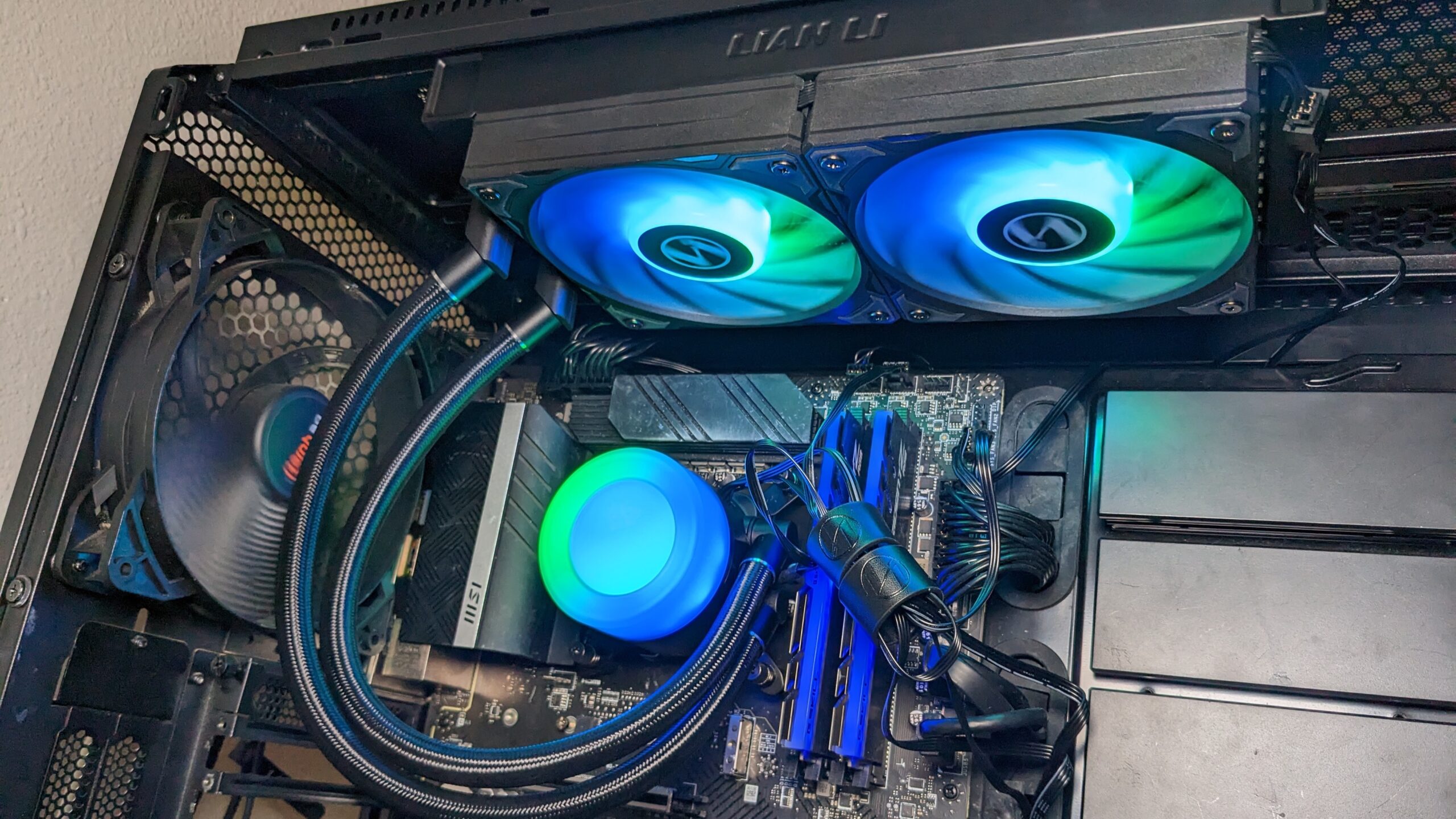
A 360 mm radiator gives the system more surface area and normally pairs with three 120 mm fans. That makes the format a strong fit for sustained CPU loads, but it requires a case with a compatible top or front mount and enough room for the full assembly. A 240 mm radiator, such as the one in the Cooler Master Elite Liquid 240, is easier to place in smaller cases but has less radiator area.
Socket compatibility
The ARCTIC models specify support for Intel LGA1851 and LGA1700, with native offset mounting for Intel and AMD. The CORSAIR Nautilus models explicitly support Intel LGA1851, Intel LGA1700, AMD AM5, and AMD AM4. Confirm the socket and mounting hardware before installation, especially when reusing an older motherboard or moving an AIO between builds.
Cold plate design
A cold plate is the part that contacts the processor's heat spreader. ARCTIC uses native offset mounting to move the plate toward the hotspot, while CORSAIR uses a slightly convex plate and supplies thermal paste already applied. These are different approaches to contact and heat transfer, so buyers should look beyond fan count when comparing coolers.
Pump and fan noise
Noise depends on the pump, fans, motherboard fan curve, case ventilation, and radiator position. CORSAIR specifies a 20 dBA pump for the Nautilus models, while ARCTIC emphasizes P12 Pro fans that are intended to be quieter at low speeds and capable of higher speed under load. A cooler cannot compensate for a case with poor airflow, so the relationship between radiator placement and overall case ventilation deserves attention before choosing an AIO.
Cable and lighting requirements
Daisy-chained fans reduce the number of motherboard connections and make installation neater. The black CORSAIR Nautilus connects its RS fans through one 4-pin PWM header, while the ARGB white version uses one 4-pin PWM header and one 5V ARGB header. ARGB is useful for a visible showpiece, but it adds a compatibility check that the non-ARGB models avoid.
A 360 mm radiator is only an advantage if your case can mount it without crowding the motherboard or graphics card.
Frequently asked questions
Is a 360 mm AIO better than a 240 mm AIO?
A 360 mm AIO has a larger radiator format and three 120 mm fans, which can provide more cooling headroom for sustained loads. A 240 mm unit is easier to fit in cases that lack a 360 mm mounting position. The better choice depends on the processor, case clearance, and workload.
Which cooler is easiest to wire?
The CORSAIR Nautilus 360 RS is the simplest option in this group for a non-RGB build because its RS fans can be daisy-chained to one 4-pin PWM fan header. The ARGB white version keeps the daisy-chain approach but also needs a 5V ARGB connection for lighting. ARCTIC integrates its radiator fan cables into the hose sheathing, leaving a single visible motherboard connection.
Do these coolers support AMD processors?
The ARCTIC features describe native offset mounting for Intel and AMD, but the provided product information does not list specific AMD socket names. Both CORSAIR Nautilus models explicitly list AMD AM5 and AM4 support. Check the included mounting hardware and current manufacturer guidance for your exact motherboard.
What makes the ARCTIC models different?
The ARCTIC Liquid Freezer III Pro family uses native offset mounting, an integrated PWM controlled VRM fan, and P12 Pro fans. The Intel versions also feature a contact frame for LGA1851 and LGA1700. The entries here differ mainly by lighting and finish, with one non-ARGB black model, one black ARGB model, and one white ARGB model.
Do I need ARGB lighting on a CPU cooler?
No. ARGB changes the appearance of the cooler but does not automatically improve its cooling capability. It is useful when the pump or fans will be visible through a side panel, while a non-ARGB cooler keeps the installation simpler and the interior more understated.
How much case space does a 360 mm cooler need?
The radiator itself is roughly 15.6 to 15.7 inches long in the listed 360 mm models, and the full mounting area also needs room for fans, tubing, motherboard components, and memory clearance. Check the case's specific radiator support rather than measuring only the open panel. Front and top mounts can have different clearance limits.
The bottom line
The Best liquid cooling for CPU pick is the ARCTIC Liquid Freezer III Pro 360. Its offset cold plate, integrated VRM fan, P12 Pro fans, and tidy cable routing give it the most complete thermal design in this group. Choose the ARGB version if lighting matters, or the white model when the rest of the build follows that color scheme.
The CORSAIR Nautilus 360 RS is the better alternative for a quieter, cleaner wiring setup, while the Cooler Master Elite Liquid 240 makes sense when a case cannot accept a 360 mm radiator. If you are undecided, start with your case's radiator clearance, then choose between ARCTIC's thermal extras and CORSAIR's simpler connections.
As an Amazon Associate we earn from qualifying purchases.