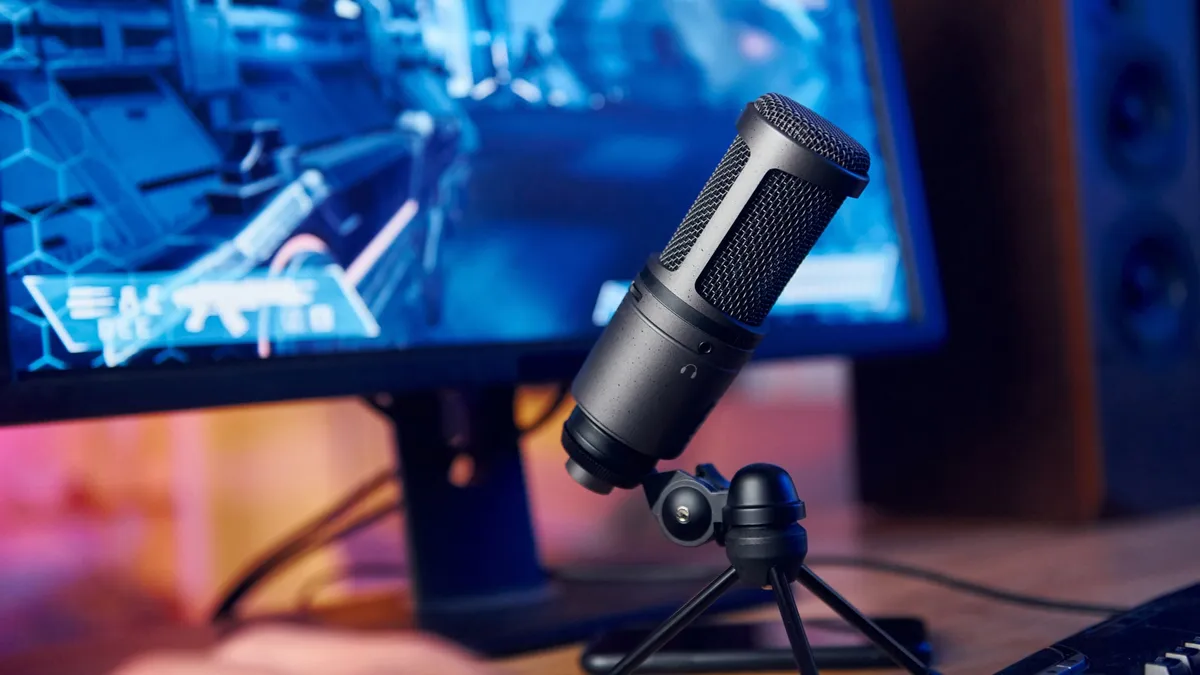

A bad gaming microphone makes every call sound like it is coming through a tunnel. Keyboard clicks, fan noise, room echo, and sudden shouting can bury the one thing teammates need to hear: your voice. The Best mic for gaming should make communication effortless, with a pickup pattern and controls that suit your desk rather than forcing you to rebuild it.
This list covers simple USB models, upgradeable USB/XLR microphones, boom arm kits, and software-assisted options. Dynamic microphones are generally more forgiving in noisy rooms, while condensers can sound more open when your space is quiet. Our top pick is the FIFINE AM8, but the Shure MV6 is the smarter choice for automatic processing and the Blue Yeti remains the most flexible for recording beyond games.
Comparison table
| # | Product | Award | Connection | Pickup / processing | Included support | Best for |
|---|---|---|---|---|---|---|
| 1 | FIFINE AM8 | Best overall | USB, XLR | Cardioid dynamic, 50Hz to 16kHz | Desk mount threads | Clear chat with an upgrade path |
| 2 | FIFINE AM8T | Best complete dynamic kit | USB, XLR | Cardioid dynamic, -50dB sensitivity | Boom arm, windscreen | New streamers who need the full setup |
| 3 | TONOR TC310+ | Best easy condenser kit | USB | Condenser, RGB controls | Boom arm, clamp | Plug and play gaming desks |
| 4 | MAONO DGM20S | Best noise control | USB | Cardioid condenser, noise reduction | Boom arm, shock mount | Discord and streaming in busy rooms |
| 5 | FIFINE A6T | Best condenser kit | USB | Cardioid condenser | Boom arm, shock mount | Warm voice and flexible positioning |
| 6 | FIFINE A6V | Best compact stand setup | USB | Cardioid condenser, 192kHz sampling | Tripod, shock mount | Players who prefer a desktop stand |
| 7 | Blue Yeti Midnight Blue | Best for recording variety | USB | Three-capsule array, 4 patterns | Adjustable desktop stand | Gaming, podcasts, and instruments |
| 8 | FIFINE K688CT | Best studio-style dynamic kit | USB, XLR | Cardioid dynamic, 130dB SPL | Boom arm, shock mount | Streamers planning serious vocal work |
| 9 | Blue Yeti Blackout | Best multi-pattern classic | USB | Three-capsule array, 4 patterns | Adjustable desktop stand | Shared recording and group audio |
| 10 | Shure MV6 | Best automatic processing | USB-C | Dynamic cardioid, Voice Isolation | Desktop support | Hands-off stream audio |
1. FIFINE AM8: Best Overall

Pros
- Dynamic pickup helps reject off-axis noise
- USB and XLR connections support future upgrades
- Tap mute, gain, and headphone controls
- RGB can be customized over USB
- Built-in 3/8-inch and 5/8-inch threads
Cons
- RGB and onboard controls do not work over XLR
- XLR cable is not included
- Best results require close placement
Best for: gamers who want clear voice chat now and an XLR upgrade path later.
The FIFINE AM8 is the microphone we would put in front of most gaming desks. It has the useful shape of a proper vocal mic, responds well to close speaking, and avoids making the setup feel like a recording studio project. Its cardioid dynamic design concentrates on sound arriving from the front, which is a practical advantage when a mechanical keyboard, PC fan, or second monitor sits nearby.
The stated 50Hz to 16kHz frequency response covers the range that matters for spoken voice without pretending to be a specialist music microphone. The important part is placement. FIFINE recommends keeping the end-addressing mic around 2 to 6 inches from your mouth, so it rewards players willing to bring the microphone close rather than leaving it at the far edge of the desk. A windscreen is included to help soften breath and plosive noise.
USB operation is the easy route. Plug it into a computer or PS5, use the tap-to-mute control, set the gain, and monitor through the headphone jack. The USB connection also activates the RGB ring, which offers three modes and more than 10 colors. The lighting remembers its setting after power is removed. That is a nice desk detail, though the AM8 is more compelling for its voice handling than its lights.
The upgrade path is the reason to choose this over the FIFINE A6V or TONOR TC310+. XLR lets the AM8 move to an audio interface or mixer later, and its built-in 3/8-inch and 5/8-inch threads make stand compatibility straightforward. The limitation is easy to miss: RGB and the function keys are inactive in XLR mode, and the required XLR cable is separate. Skip it if you need automatic noise processing or a complete boom arm in the box. For everyone else, the AM8 is the most balanced Best mic for gaming pick here.
2. FIFINE AM8T: Best Complete Dynamic Kit

Pros
- USB and XLR connectivity
- Boom arm included
- Cardioid dynamic capsule limits background pickup
- Tap mute, gain, and headphone monitoring
- Clamp fits desks under 2 inches thick
Cons
- XLR cable is not included
- USB-only features disappear in XLR mode
- Boom arm needs a suitable desk edge
Best for: first-time streamers who want a dynamic mic and arm in one package.
The FIFINE AM8T takes the AM8 idea and solves the most obvious desk problem by including a boom arm. That changes the experience more than a decorative feature does. The microphone can sit near your mouth without taking up the center of the desk, then swing away when the match ends. The metal arm uses springs for support, and the clamp is designed for desktops under 2 inches thick.
Its cardioid dynamic capsule is a sensible match for gaming. FIFINE lists -50dB sensitivity, and the design is intended not to pull in as much sound from behind and around the microphone as a more open condenser can. A removable windscreen helps reduce plosive bursts. The AM8T still benefits from close speaking, so players who want to leave a microphone several feet away should look at a different kind of setup.
USB provides plug and play operation with no additional drivers, along with the RGB button, mute button, gain control, headphone jack, and headphone volume control. That combination gives the AM8T the controls that matter during a live game. The included 8.2-foot USB to USB-C cable also gives useful reach when the computer sits beneath or behind the desk.
The AM8T is the more complete purchase than the FIFINE AM8, but the AM8 is the better choice if you already own a stand or want a cleaner, simpler package. Both retain XLR flexibility, and both lose their RGB and microphone controls when connected to a mixer or interface. The arm also requires a desk that accepts its clamp, and no XLR cable is supplied. Choose this model when the boom arm is part of the plan from day one.
3. TONOR TC310+: Best Easy Condenser Kit

Pros
- Complete microphone and boom arm kit
- Tap-to-mute top control
- Gain control is built into the microphone
- Four RGB modes with brightness adjustment
- Multiple boom arm joints
Cons
- USB only
- Clamp supports desks no thicker than 2.36 inches
- Condenser design can hear more room sound
Best for: gamers who want a colorful USB setup with minimal assembly.
The TONOR TC310+ is built around convenience. It arrives as a microphone and arm kit, so there is less uncertainty about finding a compatible mount. The arm has multiple adjustable joints and a metal construction, allowing the microphone to move around a monitor without demanding a large desktop stand. Its clamp supports desks up to 2.36 inches thick.
This is a condenser microphone, and TONOR describes its tuning as focused on clean, high-fidelity communication. That can give speech a more open character in a reasonably quiet room. It also means the room matters more. A loud fan, nearby keyboard, or reflective wall can become part of the signal, so the TC310+ suits a controlled gaming corner better than a noisy shared room.
The controls are refreshingly direct. Tap the top to mute, rotate the top to adjust gain, and use the RGB button to select among four lighting modes. Six static colors, gradients, breathing effects, and mixed-color gradients are available, with a long press controlling brightness. Those controls avoid the need to reach for streaming software during a tense match.
The MAONO DGM20S is the stronger alternative when noise reduction is the priority, while the FIFINE AM8T is the safer pick for a room with background noise because it uses a dynamic capsule and offers XLR. The TC310+ counters with a simple all-in-one experience and an arm that is easy to position. It is not the right fit for Xbox, as no Xbox compatibility is listed, and it has no XLR fallback. Choose it for PC or PlayStation gaming in a relatively quiet room.
4. MAONO DGM20S: Best Noise Control

Pros
- One-click noise reduction
- Cardioid pickup for focused voice capture
- Zero-latency headphone monitoring
- Boom arm, shock mount, and pop filter included
- Works with PC, Mac, PS5, and PS4
Cons
- Xbox is not supported
- Noise cancellation software is Windows only
- Condenser capsule still needs sensible placement
Best for: PC and console players dealing with fans, keyboards, or room distractions.
The MAONO DGM20S makes its case with control over unwanted sound. Its cardioid condenser capsule focuses on the voice in front of it, while a one-click noise reduction feature is designed to reduce background distractions. That combination makes it especially relevant to Discord players who care more about intelligible callouts than studio-style detail.
The microphone includes a metal boom arm, shock mount, pop filter, desktop clamp, and USB and USB-C cables. The arm gets the capsule off the desktop, the shock mount helps isolate vibration, and the pop filter addresses plosive bursts. Those parts work together as a setup rather than as a collection of extras. The published dimensions include a long arm footprint, so check the available desk space before clamping it in place.
A gain knob handles microphone level, while a one-touch mute control provides a quick escape when the room gets noisy. The 3.5mm headphone jack supports zero-latency monitoring, which is useful for keeping your voice from overpowering the game or your teammates. RGB effects can be customized or switched off, so the DGM20S does not force a glowing setup.
The noise cancellation software supports more accurate adjustment on Windows only. That is a meaningful limitation, especially for Mac users who may rely on the hardware and operating system alone. The Shure MV6 goes further with real-time denoising and automatic level processing, but the DGM20S includes a much more complete boom arm arrangement. It is also a more focused choice than the TONOR TC310+ for rooms where background sound is a persistent nuisance. Xbox players should skip it because Xbox compatibility is not listed.
5. FIFINE A6T: Best Condenser Kit

Pros
- Warm, energetic condenser sound
- Boom arm supports nearly 180 degrees of vertical adjustment
- Touch mute and large volume knob
- Shock mount and pop filter included
- Compatible with Windows, Mac, PS4, and PS5
Cons
- USB only
- Clamp fits desks up to 2 inches thick
- No listed automatic noise reduction
Best for: streamers who want a warm voice and a flexible boom arm.
The FIFINE A6T is the condenser option for players who want their voice to sound present and energetic rather than tightly isolated. Its cardioid pattern favors the front of the capsule and reduces pickup from the rear. That helps during team chat, but it still expects the room to be reasonably calm.
The kit is complete enough to create a comfortable position quickly. A boom arm can rotate nearly 180 degrees up and down, while the included shock mount helps limit vibration from desk movement. The detachable pop filter reduces popping sounds without sitting directly in front of the screen. A clamp supports desks up to 2 inches thick, which is the main fit check before ordering.
FIFINE gives the A6T a top touch-mute control and a large volume knob at the bottom. Those are easier to find than software controls while playing, especially when the microphone is mounted beside a monitor. The reversible USB-C interface and 8.2-foot USB-C to USB-A/C cable also make routing around a desktop straightforward.
The FIFINE A6V is more compact with its tripod stand, while the A6T is the better arrangement when the microphone needs to float beside the screen. The MAONO DGM20S is a stronger choice for active noise reduction, and the FIFINE AM8T is more adaptable because it adds XLR. Choose the A6T when a warm condenser presentation and included boom arm matter more than future interface support.
6. FIFINE A6V: Best Compact Stand Setup

Pros
- 192kHz sampling rate is listed
- Cardioid pattern and 70dB signal-to-noise ratio
- Tap mute and gain knob
- Tripod stand keeps setup simple
- Shock mount and pop filter included
Cons
- USB only
- Tripod takes up desk space
- Fixed RGB modes offer less customization
Best for: players who want a desktop microphone without installing a boom arm.
The FIFINE A6V takes a different approach from the A6T. Instead of placing the microphone on an arm, it uses a tripod stand with rubber feet and an adjustable thumbscrew. That makes it easier to move between desks or store after a session, although the stand occupies more surface area directly in front of the player.
FIFINE lists a 192kHz sampling rate and a 70dB signal-to-noise ratio. Those numbers describe the capture capability, but they do not remove the need for good microphone technique. The cardioid pattern still works best when the player speaks toward the front of the capsule, and the pop filter is useful when excited callouts produce strong bursts of air.
A tap on the microphone mutes it immediately, and the gain knob adjusts level without opening a control panel. The bicolored RGB cycles through seven gradient colors automatically, with fixed light modes rather than a deep software lighting system. RGB switches off when the microphone is muted, giving a clear visual reminder during streams.
The A6V is easier to place than the FIFINE A6T, but the A6T is better when desk space is limited. The FIFINE AM8 is a more forgiving dynamic microphone for a noisy room, and the Shure MV6 adds real-time processing that the A6V does not list. The A6V remains a sensible pick for a player who wants a straightforward USB setup, a visible mute state, and no boom arm clamp.
7. Blue Yeti Midnight Blue: Best for Recording Variety

Pros
- Four pickup patterns
- Three-capsule array
- Blue VO!CE effects and audio samples
- Onboard gain, mute, pattern, and headphone controls
- Adjustable desktop stand and low-latency monitoring
Cons
- Heavy 3.2-pound desktop design
- USB only
- Wider pickup options can capture unwanted room sound
Best for: gamers who also record podcasts, instruments, or group audio.
The Blue Yeti Midnight Blue is the most versatile microphone in this group, but its versatility is not automatically useful for every gamer. For ordinary one-person chat, cardioid mode is the relevant setting. The reason to choose the Yeti is that it can change jobs when the microphone needs to record more than one person or a different sound source.
Its three-capsule array supports cardioid, omnidirectional, bidirectional, and stereo pickup patterns. Cardioid keeps attention on the speaker in front, omnidirectional records around the microphone, bidirectional handles front and rear sources, and stereo is suited to a wider left and right image. Those modes let one microphone cover podcast conversations, instruments, and ambient recordings that a single-pattern gaming mic cannot.
Onboard controls include headphone volume, mic gain, pattern selection, and instant mute. The adjustable desktop stand lets the microphone pivot toward the sound source, while no-latency monitoring helps catch a level problem before it reaches a stream. Blue VO!CE software adds broadcast-style effects, modulation, and high-definition audio samples on a compatible computer.
The trade-off is physical and acoustic. At 3.2 pounds, the Yeti is a substantial object on a desk, and its more open patterns can hear more room sound than the dynamic FIFINE AM8 or Shure MV6. The Blue Yeti Blackout has the same listed feature set, so the meaningful difference between the two entries is finish rather than performance. Pick the Midnight Blue model when gaming is one part of a broader recording setup and you will actually use its four patterns.
8. FIFINE K688CT: Best Studio-Style Dynamic Kit

Pros
- USB and XLR connections
- Cardioid dynamic design
- 130dB SPL rating is listed
- Boom arm, shock mount, and windscreen included
- Tap mute, gain, and headphone monitoring over USB
Cons
- Microphone controls are inactive over XLR
- Clamp fits desks under 2 inches thick
- Heavy 2.89-pound kit
Best for: streamers who want a dynamic vocal mic that can grow into a studio setup.
The FIFINE K688CT feels aimed at the player whose gaming setup is gradually becoming a recording setup. It uses a dynamic cardioid capsule, includes a boom arm and shock mount, and supports both USB and XLR. The arm keeps the microphone away from desk impacts, while the windscreen helps reduce harsh breath and plosive sounds.
FIFINE lists a 130dB sound pressure level rating and recommends speaking from roughly 2 to 6 inches away for better input volume. In practice, those details point to a close vocal technique. The microphone is not designed to sit across the room and still produce a strong, isolated voice. Its cardioid pattern reduces ambient sound, but positioning remains part of the result.
USB mode provides tap-to-mute, a gain knob, a headphone monitoring jack, and a headphone volume knob. Those controls are useful for gaming because they keep the main adjustments on the microphone. Switching to XLR moves control to the mixer or audio interface, and the microphone's own buttons no longer operate. That division is sensible, but it should be understood before planning the wiring.
The K688CT is more substantial than the FIFINE AM8T, and its studio-style kit makes it attractive for voice-over or podcast work. The AM8T is simpler for a new gamer, while the Shure MV6 offers more automatic processing through USB. The K688CT is the better fit for someone who wants to learn gain staging and eventually use an interface, provided the desk can support its clamp and weight.
9. Blue Yeti Blackout: Best Multi-Pattern Classic

Pros
- Four selectable pickup patterns
- Three-capsule array
- Blue VO!CE software support
- Built-in gain, mute, and headphone controls
- Desktop stand included
Cons
- Heavy desktop footprint
- USB only
- Sensitive patterns require a quiet recording space
Best for: creators who need one microphone for solo and shared recordings.
The Blue Yeti Blackout is the same kind of flexible recording tool as the Midnight Blue entry. Its appeal is not RGB or a gaming-specific control layer. It is the ability to switch between four pickup patterns from the microphone itself, then use the same hardware for a solo stream, a two-person conversation, or a wider stereo recording.
Cardioid is the practical starting point for game chat because it favors the person in front of the capsule. Omnidirectional, bidirectional, and stereo modes broaden the microphone's role. The three-capsule array is designed to produce clear, powerful sound for streaming, podcasts, music recording, and video, though the broader modes make room treatment and microphone placement more important.
The control layout is friendly for beginners. Pattern selection, headphone volume, mic gain, and instant mute are all onboard, and the adjustable stand allows the capsule to point toward the speaker. Low-latency monitoring helps keep track of the voice level. Blue VO!CE software adds effects and modulation for creators who want to shape the sound beyond the basic USB output.
Compared with the Blue Yeti Midnight Blue, this Blackout version offers the same listed capabilities, so the choice is about the finish that suits the desk. The FIFINE A6V takes less space and is more gaming-focused, while the Yeti is better when recording variety matters. Skip it if you need XLR, a boom arm in the box, or strong isolation from a noisy computer.
10. Shure MV6: Best Automatic Processing

Pros
- Voice Isolation Technology
- Auto Level Mode
- Real-time denoiser and Digital Popper Stopper
- Zero-latency headphone monitoring
- USB-C and MOTIV Mix compatibility
Cons
- USB-C only
- No boom arm is listed
- Heavy desktop footprint
Best for: streamers who want polished voice processing with little manual adjustment.
The Shure MV6 is the most hands-off microphone here. It is a dynamic cardioid model with Voice Isolation Technology, designed to keep the voice prominent while reducing keyboard clicks, fan noise, room echo, and other distractions. That focus makes it well suited to gaming desks where the microphone has to coexist with active hardware.
Its smart DSP processing is the headline feature. Auto Level Mode keeps the voice balanced, the real-time denoiser addresses background sound, and Digital Popper Stopper works on plosive bursts. Those tools reduce the amount of time spent adjusting filters before a stream. They do not make microphone placement irrelevant, but they make a good position easier to maintain.
The MV6 connects through USB-C and includes a 3.5mm headphone output for zero-latency monitoring. A tap-to-mute control handles quick interruptions, while the MOTIV Mix desktop app allows adjustment of the monitor mix and microphone audio settings. That combination gives the MV6 a clean path from desk to stream without requiring an external interface.
The FIFINE AM8 is the better choice for someone who wants XLR flexibility, and the MAONO DGM20S provides a boom arm and shock mount in its kit. The MV6 counters with the strongest automatic processing in this roundup. It is not the ideal choice for someone who needs a bundled arm or prefers hardware-only control, but it is an excellent Best mic for gaming option for streamers who want their voice to stay consistent while they concentrate on the game.

How to choose best mic for gaming
The right Best mic for gaming choice depends less on decorative lighting than on pickup behavior, connection type, placement, and the controls you will actually use mid-match.
Dynamic and condenser capsules
Dynamic microphones generally focus on a close voice and reject more surrounding sound, which makes them useful beside a keyboard or gaming PC. Condenser microphones can provide a more open, detailed vocal presentation, but they often reveal more of the room. The FIFINE AM8, AM8T, K688CT, and Shure MV6 are dynamic, while the TONOR, MAONO, A6T, A6V, and Blue Yeti models use condenser designs.
Pickup pattern
A cardioid pattern favors sound from the front and reduces sound arriving from behind. That is usually the right starting point for solo gaming and Discord. Multi-pattern microphones such as both Blue Yeti models add omnidirectional, bidirectional, and stereo modes, which matter for podcasts, instruments, and shared recordings but can capture more room noise.
For ordinary game chat, a well-placed cardioid microphone beats a menu full of pickup patterns you never use.
USB and XLR connections
USB is the easiest connection for a PC, Mac, or compatible console because it avoids an audio interface. XLR becomes useful when you want to add a mixer or interface and control gain outside the microphone. The AM8, AM8T, and K688CT support both, but their onboard mute, RGB, gain, and monitoring controls are available only through USB.
Monitoring and mute controls
A headphone output with zero-latency monitoring lets you hear the microphone feed without a distracting delay. A physical mute control is just as important during a live game, particularly when it includes a clear light or RGB state. Every major pick here includes some form of mute control, but the location varies from a top tap to an onboard button.
Boom arms and desk space
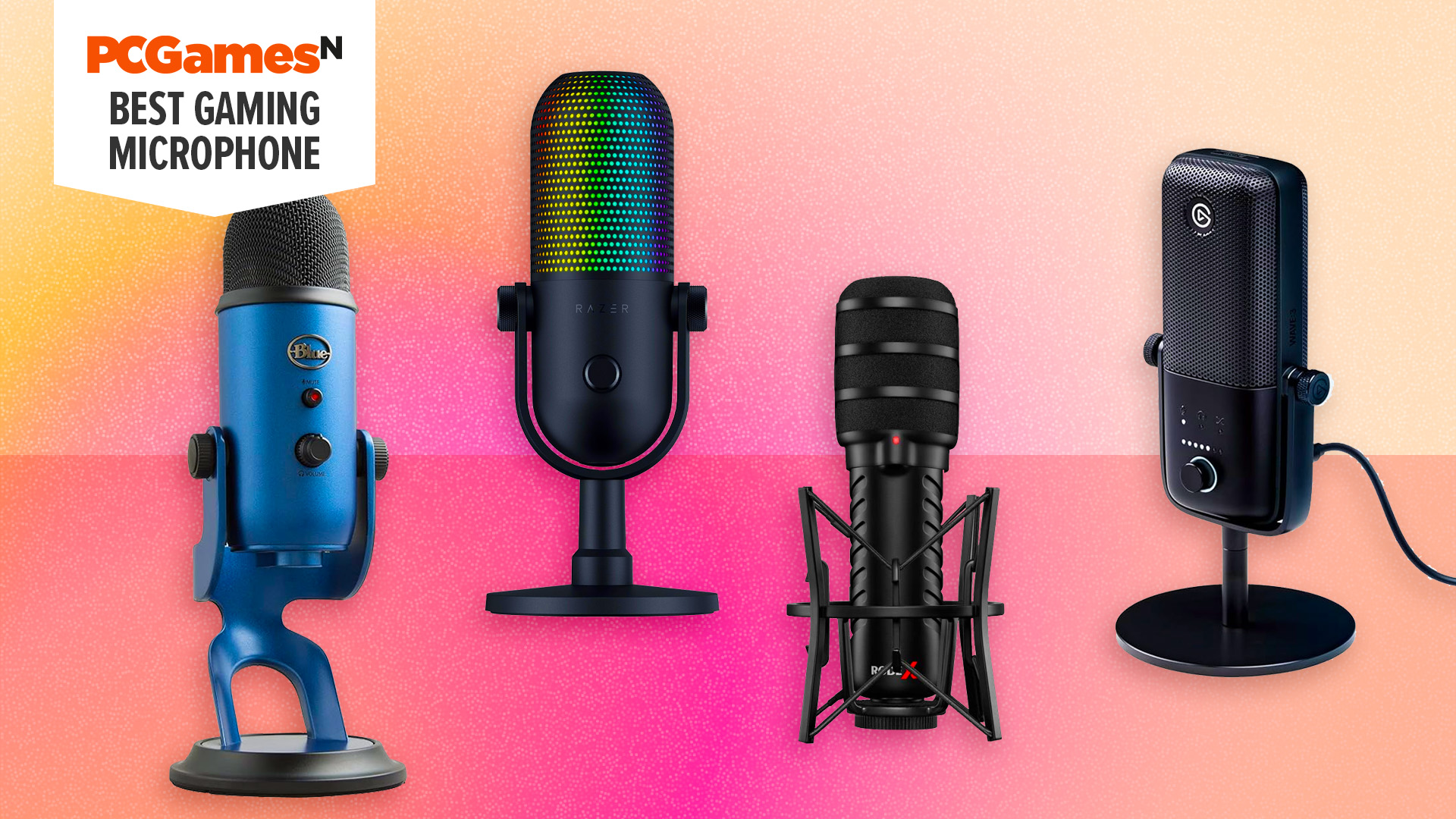
A boom arm keeps the microphone close to your mouth and away from keyboard vibration, but its clamp needs a suitable desk edge. The AM8T, TONOR TC310+, MAONO DGM20S, A6T, and K688CT include arm support. A tripod or desktop stand, as used by the A6V and Blue Yeti models, is easier to move but takes up more usable surface.
For a wider look at how microphone type changes between desktop and headset setups, the trade-offs between dedicated microphones and headset mics can help narrow the decision. Players comparing voice hardware with closed-back listening should also consider how microphone placement affects game chat clarity.
Frequently asked questions
Is a dynamic or condenser microphone better for gaming?
A dynamic microphone is usually easier to live with in a noisy room because it focuses more on a close voice and rejects more off-axis sound. A condenser can sound more open, but it may also capture fans, keyboard clicks, and room reflections. The best choice depends on the space and how close you can keep the microphone.
Do gaming microphones need an audio interface?
No. USB microphones connect directly to a compatible computer or console and usually provide the simplest setup. XLR microphones need an audio interface or mixer, but models such as the FIFINE AM8, AM8T, and K688CT can start over USB and move to XLR later.
Does RGB improve microphone sound?
No. RGB is an appearance feature and can make a setup easier to read visually, especially when mute status is linked to the lighting. Sound quality comes from the capsule, pickup pattern, placement, gain, and any processing.
How close should a gaming microphone be?
Several dynamic models in this roundup recommend roughly 2 to 6 inches from the speaker. Staying close helps the voice remain clear and reduces the need for excessive gain. A pop filter or windscreen can make close speaking more comfortable by reducing plosive bursts.
Can these microphones work with a PS5?
The FIFINE AM8, FIFINE A6T, FIFINE A6V, MAONO DGM20S, and TONOR product descriptions list PlayStation compatibility or USB use with PS5. The MAONO DGM20S specifically lists PS5 and PS4 but not Xbox. Check the individual console support before choosing a model, particularly if your setup includes more than one platform.
Is the Blue Yeti suitable for gaming?
Yes, cardioid mode makes the Blue Yeti suitable for solo game chat and streaming. Its bigger advantage is flexibility, since the four pickup patterns also support podcasts, instruments, and shared recordings. Its desktop stand is heavy and its condenser design can hear more room sound than a close dynamic microphone.
What is the advantage of real-time noise processing?
Real-time processing reduces the work needed to keep voice levels and background distractions under control while streaming. The Shure MV6 includes Auto Level Mode, a real-time denoiser, and Digital Popper Stopper. Processing cannot fix poor placement completely, but it can make a busy gaming desk easier to manage.

The bottom line
The Best mic for gaming for most players is the FIFINE AM8. Its cardioid dynamic capsule, USB controls, headphone monitoring, and XLR upgrade path cover the needs of both first-time streamers and people who expect their setup to grow. Choose the FIFINE AM8T instead if you need the included boom arm immediately.
The Shure MV6 is the premium specialist for players who want automatic leveling and noise processing, while the Blue Yeti Midnight Blue and Blue Yeti Blackout make more sense for creators who record podcasts, instruments, or multiple speakers. The MAONO DGM20S is the practical noise-control alternative with a fuller mounting kit.
If you are undecided, choose the AM8 for flexibility, the AM8T for a complete dynamic kit, or the MV6 when automatic processing matters most.
As an Amazon Associate we earn from qualifying purchases.