

A phone hotspot is useful until it has to support a laptop, tablet, work call, and streaming device at the same time. Dedicated hardware keeps those connections separate, and the right model can also avoid swapping SIM cards every time you cross a border.
The Best mobile hotspot options here range from SIM-free global devices to unlocked 5G hardware and travel routers that borrow a connection from hotel Wi-Fi or a phone. The crucial distinction is that not every compact router listed here has its own cellular modem.
For most travelers, the SIMO Solis Hero is the strongest all-around pick. The rest cover lighter travel, faster 5G, wired networking, and older LTE hardware.
Comparison table
| # | Product | Award | Cellular access | Wi-Fi and device support | Battery or power | Best for |
|---|---|---|---|---|---|---|
| 1 | SIMO Solis Hero | Best overall | 4G, SIM-free, 140 countries | Up to 10 devices | 5, 250mAh power bank | Travelers who want one simple global device |
| 2 | SIMO Solis Pro | Best 5G battery pack | 5G, SIM-free, 140 countries | Wi-Fi 6E, up to 20 devices | 8, 000mAh power bank | Families and mobile work teams |
| 3 | RoamWiFi Pocket WiFi | Best simple travel hotspot | SIM-free, 170+ countries | Up to 10 devices | Built-in battery | Travelers who want automatic setup |
| 4 | SIMO Solis Edge | Best lightweight 5G | 5G, SIM-free, 140+ countries | Wi-Fi 6, carrier scanning | Multi-day battery claim | RV trips and compact travel kits |
| 5 | TP-Link Roam 6 AX1500 Secure Router | Best secure travel router | Phone tethering, Ethernet, public Wi-Fi | Wi-Fi 6, up to 60 devices | USB-C, 5V/3A PD | Public Wi-Fi privacy and wired setups |
| 6 | NETGEAR Nighthawk M7 | Best premium unlocked hotspot | 5G/4G, eSIM or SIM | Wi-Fi 7, up to 32 devices | 3, 850mAh, up to 10 hours | International travelers needing modern networking |
| 7 | TP-Link Roam 6 AX1500 Travel Router | Best multi-mode router | Phone tethering, Ethernet, public Wi-Fi | Wi-Fi 6, dual-band | USB-C | Hotels, RVs, and flexible wired connections |
| 8 | NETGEAR Nighthawk MR1100 | Best LTE Ethernet option | 4G LTE, AT&T GSM unlocked | Dual-band, up to 20 devices | 5, 040mAh, up to 24 hours | LTE users who need Ethernet |
| 9 | NETGEAR Nighthawk M7 Pro | Best Wi-Fi 7 performance | 5G mmWave, unlocked | Wi-Fi 7, up to 64 devices | Portable battery-powered design | High-throughput mobile networks |
1. SIMO Solis Hero: Best Overall

Pros
- SIM-free access across 140 countries
- SignalScan searches across multiple carriers
- Built-in 5, 250mAh power bank
- Supports up to 10 connected devices
Cons
- 4G rather than 5G
- Global data bundle has different validity periods
- Bulkier than the lightest pocket hotspots
Best for: travelers who want a straightforward global connection and a backup battery in one device.
The SIMO Solis Hero is the easiest recommendation in this group because it solves two travel problems at once. It creates a dedicated Wi-Fi network without asking you to find a compatible SIM, and its built-in power bank gives a phone or another small device a second source of charge. That combination is more useful on a long day away from an outlet than a hotspot that only handles the connection.
Its cellular connection is 4G, so it is not the choice for someone specifically chasing the highest possible mobile speeds. For ordinary work, navigation, messaging, browsing, and video calls, though, 4G remains a sensible baseline when the local network is strong. SignalScan automatically looks for the strongest signal across multiple mobile carriers, which matters more on a road trip than a headline speed figure.
The Hero supports up to 10 devices at the same time. That is enough for a laptop, phones, tablets, and a few personal gadgets, but larger groups should move up to the SIMO Solis Pro, which doubles the stated device capacity and adds 5G. The Hero does have a more generous global data bundle than the Pro, with 30GB of one-time global data alongside 1GB of data each month. The one-time pack expires after 30 days, so it is best treated as a travel allowance rather than permanent storage.
The physical design is compact in height at 2.1 inches, though the listed dimensions are unusual enough that buyers should check the product images and carrying space before assuming it is ultra-thin. The 5, 250mAh power bank is the real differentiator. It adds bulk, but it also means the device earns space in a travel bag even when a cellular connection is not needed.
The limitation is clear: choose another model if you need 5G or more than 10 connected devices. For everyone else, this is the one we'd keep for international trips, remote work days, and emergency connectivity. It is a practical starting point for readers comparing the hardware differences between dedicated hotspot devices rather than trying to make a phone do everything.
2. SIMO Solis Pro: Best 5G Battery Pack

Pros
- 5G cellular connectivity
- Wi-Fi 6E support
- Connects up to 20 devices
- Built-in 8, 000mAh power bank
- Carrier scanning without a SIM
Cons
- Shorter included global data pack than the Hero
- Larger physical design
- 5G performance depends on local coverage
Best for: families, small teams, and travelers who need more connected devices and a large battery reserve.
The SIMO Solis Pro is the power-user version of the Hero. It is still built around SIMO's no-SIM approach and multi-carrier SignalScan feature, but it adds 5G, Wi-Fi 6E, twice the connected-device capacity, and a much larger power bank. It is the model to choose when one person is not the only person relying on the connection.
Up to 20 devices can connect at once. That does not guarantee that every device will get a fast connection, since cellular bandwidth and local signal remain the limiting factors, but the higher ceiling makes the Pro more comfortable for a family or a small work group. Wi-Fi 6E is also useful for compatible devices that can use the 6GHz band, while older phones and laptops can still connect through the other supported Wi-Fi networks.
The 8, 000mAh power bank changes how the Pro fits into a travel kit. It is not merely a modem that gets forgotten in a pocket. It can act as a substantial reserve for a phone, although the product data does not specify charging output or an exact phone-charge count. That larger battery also helps explain why this is a less discreet carry than the SIMO Solis Edge, which focuses more heavily on low weight.
SIMO includes 1GB of data every month and a one-time 10GB global data pack. The device is described as covering 140 countries and more than 300 carriers, but coverage and useful speed still depend on the networks available in the place you visit. The no-contract approach is convenient for travelers who do not want to manage a local SIM, while the included data should be read carefully before a long trip.
Its weakness is the mismatch between its substantial hardware and the smaller one-time global bundle. A frequent traveler who wants more included travel data may prefer the Hero's 30GB pack, while someone who wants the lightest 5G device should look at the Edge. Pick the Pro when device count, 5G access, and battery reserve matter more than keeping the kit small.
3. RoamWiFi Pocket WiFi: Best Simple Travel Hotspot

Pros
- No SIM card or contract required
- Coverage in more than 170 countries
- Automatic network selection
- Supports up to 10 devices
- Built-in data plan for the US, Canada, and Mexico
Cons
- Included North American data is limited
- No stated 5G or Wi-Fi generation
- Battery capacity is not specified
Best for: casual travelers who want a pocket device that starts working without manual cellular setup.
The RoamWiFi Pocket WiFi is built around simplicity. There is no SIM card to insert, no contract to arrange, and no carrier-selection menu to understand before getting online. The product says it automatically connects to the optimal network from various carriers, which should appeal to travelers who would rather spend the first few minutes of a trip finding their hotel than configuring a modem.
It supports up to 10 devices, matching the Hero's basic capacity. That is suitable for a couple traveling with phones, a laptop, and a tablet, but it leaves less headroom than the Pro or either high-end Nighthawk. The device is advertised for phones, tablets, laptops, consoles, and similar gear, so it is designed as a shared connection rather than a single-device replacement.
RoamWiFi lists service in more than 170 countries, a wider geographic claim than the SIMO models in this roundup. It also includes 1GB of local data valid across the United States, Canada, and Mexico for 30 days. That makes the included allowance particularly easy to understand for a short North American trip, though the listing does not provide a cellular generation, theoretical speed, or battery capacity.
At roughly 0.61 pounds and with a listed thickness of 0.57 inches, it is reasonably travel-oriented, though the other listed dimensions are presented unusually and should not be treated as a precise pocket-size guarantee. The built-in battery is described as long-lasting, but there is no capacity figure or stated runtime. That missing detail makes it harder to plan for a full day away from a charger than with the Nighthawk M7 or MR1100.
The main reason to skip it is a need for documented 5G performance or detailed battery specifications. The SIMO Solis Edge is more informative for buyers who want a lightweight 5G model, while the RoamWiFi is the calmer choice for someone who prioritizes no-fuss roaming. It belongs in a travel bag when automatic setup matters more than technical control.
4. SIMO Solis Edge: Best Lightweight 5G

Pros
- 5G cellular service with Wi-Fi 6
- Weighs 2.8 ounces according to the listing
- SignalScan chooses among available carriers
- Multi-day battery claim
- 30GB global data pack included
Cons
- No battery capacity is specified
- Device limit is not stated
- Coverage still depends on local carrier networks
Best for: travelers and RV users who want 5G connectivity in a small, light device.
The SIMO Solis Edge makes the strongest case for carrying a dedicated hotspot when weight is the deciding factor. SIMO lists it at 2.8 ounces, or 78.8 grams, and describes the battery as lasting multiple days. That is a much more appealing shape for a pocket or small day bag than a hotspot whose main trick is also acting as a large power bank.
The Edge uses 5G and Wi-Fi 6, with SIMO claiming speeds up to 15 times faster than 4G. That comparison is dependent on network conditions, spectrum, signal strength, and the device connected to the hotspot, so it should not be read as a guaranteed real-world result. The important distinction is that the Edge has a current cellular platform rather than being limited to 4G like the Hero.
SignalScan automatically searches for the strongest available mobile signal, and SIMO says the device can reach more than 300 carriers in more than 140 countries. That combination is useful for RVs, campers, motorhomes, and road trips where the strongest carrier may change from one stop to the next. It does not turn weak coverage into strong coverage, but it reduces the need to make that carrier choice manually.
The included data consists of 1GB each month and a separate 30GB global pack. The listing does not state a device limit, battery capacity, charging specification, or exact runtime beyond the multi-day description. Those omissions matter if you need to connect a larger group or calculate how long the hotspot will last away from an outlet.
The Edge is a better physical travel companion than the SIMO Solis Pro, but the Pro is the more capable shared connection because its 20-device limit and 8, 000mAh power bank are documented. Choose the Edge if its low weight and 5G support are the priorities. Skip it if you need a known device capacity or a battery figure before leaving for a remote trip.
5. TP-Link Roam 6 AX1500 Secure Router: Best Secure Travel Router

Pros
- Wi-Fi 6 dual-band networking
- Connects to public Wi-Fi, Ethernet, or USB tethering
- OpenVPN and WireGuard support
- One-step captive portal authentication
- Up to 60 devices
Cons
- Not a cellular hotspot by itself
- Does not support OpenWrt
- Requires USB-C power
Best for: hotel guests, remote workers, and travelers who want a private network built on an existing connection.
The TP-Link Roam 6 AX1500 Secure Router is the first product here that should not be confused with a cellular modem. It cannot independently connect to a mobile network. Instead, it takes internet from public Wi-Fi, an ISP connection, Ethernet, or USB phone tethering, then creates a private network for your devices.
That distinction is also its strength. A hotel may make you sign in through a captive portal on every device, while the Roam 6 can authenticate once through the Tether app and share the connection privately afterward. OpenVPN and WireGuard support add useful options for remote work, particularly when a laptop, tablet, and streaming device all need to use the same protected network.
The AX1500 rating comes from up to 1, 201Mbps on 5GHz and 300Mbps on 2.4GHz. Those are wireless link figures, not a promise that a hotel or airport connection will reach those speeds. The router can support up to 60 devices, which is far more than most cellular hotspots in this list, but the upstream public network will usually become the bottleneck first.
Its wired features are unusually useful for a travel router. The listing describes a 1Gbps WAN/LAN port and a 1Gbps LAN port, giving you a way to connect a wired device or use a stable Ethernet source. It measures 4.09 by 3.54 by 1.10 inches and weighs 0.42 pounds, so it is small enough for a travel pouch without being a barely-there dongle.
The weakness is fundamental: this is not the right purchase if you need internet away from Wi-Fi, Ethernet, or a tethered phone. The similar TP-Link Roam 6 AX1500 Travel Router offers the same broad concept with a different set of listed modes, while the SIMO devices provide their own cellular connection. Choose this version for privacy, repeatable hotel setup, and wired flexibility.
6. NETGEAR Nighthawk M7: Best Premium Unlocked Hotspot

Pros
- 5G and 4G support with eSIM or SIM
- Wi-Fi 7 networking
- Supports up to 32 devices
- USB-C wired connection up to 2Gbps
- WPA3, firewall protection, and automatic updates
Cons
- Ethernet requires a separate adapter
- Battery life varies with network and usage
- US carrier support is specifically listed for AT&T and T-Mobile
Best for: frequent travelers who need unlocked 5G, modern Wi-Fi, and substantial device capacity.
The NETGEAR Nighthawk M7 is the most balanced high-end hotspot here. It combines 5G and 4G cellular support with a physical SIM or eSIM, Wi-Fi 7, a 32-device limit, and an app that handles setup and data tracking. It is better suited to someone who wants control over the carrier and data plan than the SIMO models, which are built around SIM-free service.
NETGEAR lists Wi-Fi 7 speeds up to 3.6Gbps, though the cellular network is still the source of that internet connection. On a compatible local 5G network, the fast Wi-Fi link can help several nearby devices share the connection without making the hotspot itself the obvious constraint. Up to 32 devices can connect, a useful step above the 20-device Pro and the 10-device Hero.
The M7 also works as more than a wireless puck. USB-C can provide wired speeds up to 2Gbps, and the port can charge other devices. Ethernet is possible through an adapter sold separately, so it is not as ready for wired hotel or office use as a full travel router. The app can manage connected devices, monitor data, and complete setup on iOS or Android.
Its 3, 850mAh battery is rated for up to 10 hours, with the usual dependence on signal, traffic, connected devices, and network conditions. That figure is more useful than an unspecified battery claim, but it is not a guarantee of a full day under heavy 5G use. Security features include WPA3, a firewall, and automatic firmware updates, which are reassuring when the device is used across unfamiliar networks.
The M7's main drawback is that it asks the buyer to understand carrier compatibility and data-plan activation. For travelers wanting a simpler global bundle, the SIMO Solis Hero is less demanding. For buyers who want a modern unlocked platform and can manage an eSIM or SIM, the M7 is the more flexible long-term tool. Those comparing a hotspot with a full travel router should also consider how a private network handles hotel and airport Wi-Fi.
7. TP-Link Roam 6 AX1500 Travel Router: Best Multi-Mode Router

Pros
- Router, hotspot, access point, repeater, and client modes
- Wi-Fi 6 speeds up to 1, 201Mbps on 5GHz
- Phone USB tethering support
- Compact 4.09 by 3.54 by 1.10-inch design
- USB-C power from an adapter or power bank
Cons
- Not a Mi-Fi or independent cellular hotspot
- Does not support OpenWrt
- Public Wi-Fi performance depends on the source network
Best for: travelers who need one small router for hotels, RVs, phone tethering, and wired setups.
The TP-Link Roam 6 AX1500 Travel Router is a flexible networking tool, not a cellular hotspot. Its multiple modes let it connect to public Wi-Fi, use phone USB tethering, work with Ethernet, extend an existing network, or add Wi-Fi to a wired setup. That range makes it more adaptable than a device limited to one connection method.
Its dual-band Wi-Fi 6 hardware is rated for up to 1, 201Mbps on 5GHz and 300Mbps on 2.4GHz. Those figures describe the wireless side of the router, so they will not make a slow hotel connection faster. They can still help when multiple local devices need to communicate or when you want to keep your devices on one private network instead of signing each one into a public network separately.
The physical design is easy to pack. TP-Link lists dimensions of 4.09 by 3.54 by 1.10 inches and a weight of 0.34 pounds. USB-C power means it can run from the included adapter or a compatible 5V/3A PD power source such as a power bank. That is convenient for a train compartment, RV, or hotel desk where a standard outlet is not close to the router.
The Tether app handles setup and management, while the product supports VPN connectivity for remote work. The listing specifically says the model does not support OpenWrt, a restriction that matters to advanced users who want third-party firmware or a more customizable configuration. It also cannot replace a SIM-based device when there is no public Wi-Fi or phone connection available.
Compared with the TP-Link Roam 6 AX1500 Secure Router, this model emphasizes the broad multi-mode feature set and its clearly stated pocket-size dimensions. The two are close enough that buyers should pay attention to the exact listing and intended setup. Choose this one for a travel router that can adapt to changing sources. Choose a SIMO or Nighthawk if cellular independence is non-negotiable.
8. NETGEAR Nighthawk MR1100: Best LTE Ethernet Option

Pros
- 4G LTE mobile connectivity
- Dual-band Wi-Fi for up to 20 devices
- 5, 040mAh battery with a 24-hour claim
- Ethernet router functionality
- Wi-Fi offloading can reduce cellular use
Cons
- Older 4G platform
- Renewed product listing
- Listed dimensions are unusually large
- Carrier compatibility is centered on AT&T GSM unlocked use
Best for: buyers who need LTE connectivity with Ethernet and do not require 5G.
The NETGEAR Nighthawk MR1100 is an older but still distinctive option because it combines LTE mobile broadband with Ethernet-router functionality. That makes it more useful in a fixed mobile setup, such as a temporary workspace or RV, than a basic phone hotspot. It is also one of the few products here with a clearly stated 24-hour battery claim.
The 5, 040mAh battery is listed as lasting up to 24 hours. Actual runtime will depend on signal quality, traffic, and connected devices, but the capacity gives this model a larger reserve than the M7's 3, 850mAh battery. It supports up to 20 devices over dual-band Wi-Fi, matching the capacity of the Solis Pro while using an older 4G connection.
The MR1100 can offload data to existing Wi-Fi or Ethernet. That feature matters when cellular data is limited or when a wired connection is more stable. Security controls include content filtering, device blocking, and a scheduler, giving the router more household and small-office control than a minimal travel hotspot.
The listing identifies it as AT&T GSM unlocked. That is narrower than the carrier flexibility described for the newer Nighthawk M7, and buyers should verify that their intended SIM and network bands are compatible before relying on it. The product is also listed as renewed, so its condition and included accessories deserve more attention than they would on a new device.
Its major weakness is the lack of 5G. The NETGEAR Nighthawk M7 is a much better fit for current high-speed cellular networks, while the SIMO Solis Hero is simpler for global travel. The MR1100 remains sensible when LTE is sufficient, Ethernet matters, and a large battery is more important than the latest radio technology.
9. NETGEAR Nighthawk M7 Pro: Best Wi-Fi 7 Performance

Pros
- 5G mmWave support
- Wi-Fi 7 with a 6GHz band
- Supports up to 64 devices
- Listed speeds up to 5.8Gbps
- Coverage claim up to 2, 000 square feet
Cons
- Renewed product listing
- mmWave benefits depend heavily on local coverage
- Battery details are not specified
- More capability than most travelers need
Best for: users with access to fast 5G networks who need many simultaneous Wi-Fi connections.
The NETGEAR Nighthawk M7 Pro is the performance-focused outlier. It combines 5G mmWave with Wi-Fi 7 and a 6GHz band, then claims multi-gigabit speeds up to 5.8Gbps. That is the kind of hardware that makes sense for a large group of nearby devices, high-bandwidth work, or 8K streaming when the cellular network can actually supply the bandwidth.
Up to 64 devices can connect, twice the M7's stated capacity and well beyond the SIMO models. The 6GHz band can reduce congestion for compatible Wi-Fi 6E and Wi-Fi 7 devices, while older hardware can use the other available bands. The listing also claims coverage up to 2, 000 square feet, though real coverage depends on walls, interference, device placement, and the connected devices.
The cellular side is the harder part to evaluate from the available details. mmWave can be exceptionally fast but is much more dependent on local deployment and line-of-sight conditions than ordinary 4G or 5G. The device is unlocked and described for AT&T and Verizon, with international use also mentioned, but prospective buyers should confirm compatibility and coverage for the exact destination.
There is no battery capacity or runtime figure in the listing. That omission is significant for a portable device advertised for travel. It is also a renewed model, which makes the condition, included charger, and return terms especially important to inspect before a trip.
The M7 Pro is overqualified for a traveler who only needs email, maps, and a couple of phones online. The NETGEAR Nighthawk M7 is easier to justify for general premium travel because its battery and device limit are clearly stated. Pick the Pro only when Wi-Fi 7, 6GHz, 5G mmWave, and a 64-device ceiling solve a real networking problem.

How to choose best mobile hotspot
The right Best mobile hotspot depends first on where the internet comes from, then on how many devices need to share it.
Cellular connection
A true mobile hotspot has a cellular modem and can connect to a carrier through a SIM, eSIM, or a built-in roaming service. SIMO's products and the Nighthawk models fit that definition, while the TP-Link Roam 6 routers need public Wi-Fi, Ethernet, or phone tethering.
4G is adequate for routine browsing and work when coverage is good. 5G gives you more headroom in supported areas, but a 5G label cannot overcome weak signal or a congested tower. mmWave is a specialized high-speed option with particularly strong dependence on local availability.
Carrier and roaming support
A SIM-based unlocked hotspot gives you more control over the carrier and data plan, but it also creates more setup work. The Nighthawk M7 supports eSIM or SIM, while the SIMO and RoamWiFi products use their own SIM-free roaming approach.
Look for clearly stated destination coverage and carrier compatibility. A product that works well at home may not be the right device for an international itinerary.
Wi-Fi generation and device count
Wi-Fi 6 and Wi-Fi 7 can improve the local connection between the hotspot and nearby devices, especially when several compatible devices are active. They do not automatically increase the speed supplied by the cellular network.
The Hero and RoamWiFi support up to 10 devices, the Pro and MR1100 support up to 20, the M7 supports up to 32, and the M7 Pro supports up to 64. Pick based on the number of people and devices sharing the connection, not just the largest advertised wireless figure.
A fast cellular modem is wasted if the hotspot cannot handle the number of devices your trip actually requires.
Battery capacity and runtime
A stated battery capacity makes a hotspot easier to plan around. The Hero has a 5, 250mAh power bank, the Pro has an 8, 000mAh power bank, the M7 lists a 3, 850mAh battery, and the MR1100 lists 5, 040mAh with a 24-hour claim.
Some products only promise a multi-day or long-lasting battery without giving a capacity or precise runtime. Treat those claims as less useful for trip planning. A hotspot that can also charge another device may earn its space in a travel bag, but that extra battery usually adds bulk.
Tethering and wired networking
A travel router is different from a cellular hotspot. The TP-Link models can take public Wi-Fi, Ethernet, or USB phone tethering and turn it into a private network. They are useful for hotel rooms and remote work, but they cannot provide internet in a place with no source connection.
Ethernet is valuable for a fixed desk, RV, or wired laptop. USB tethering is useful when your phone has the strongest available signal. If you need independent connectivity, choose a SIM-based hotspot instead.

Frequently asked questions
What is the best mobile hotspot for international travel?
The SIMO Solis Hero is the most balanced option here for international travel because it uses SIM-free carrier selection, includes global data, and covers 140 countries. The RoamWiFi Pocket WiFi lists coverage in more than 170 countries and is appealing for travelers who want automatic setup.
Can a travel router replace a mobile hotspot?
No. The TP-Link Roam 6 models do not have independent cellular service. They need public Wi-Fi, Ethernet, or a phone connection through USB tethering, while a cellular hotspot can connect to a mobile network on its own.
How many devices can connect to a dedicated hotspot?
The products in this roundup range from 10 devices on the SIMO Solis Hero and RoamWiFi to 64 devices on the Nighthawk M7 Pro. The M7 supports up to 32, while the SIMO Solis Pro and Nighthawk MR1100 support up to 20.
Is 5G necessary for a mobile hotspot?
No. 4G can handle browsing, email, navigation, and many work calls when the signal is reliable. 5G is more useful when you need higher throughput, several active devices, or access to a newer network in a well-covered area.
Do mobile hotspots need a SIM card?
Not always. The SIMO and RoamWiFi devices in this roundup use SIM-free service, while the NETGEAR Nighthawk M7 supports either eSIM or a physical SIM. The TP-Link Roam 6 routers do not use a cellular SIM because they are travel routers rather than cellular hotspots.
Can a hotspot charge a phone?
The SIMO Solis Hero and Solis Pro include built-in power banks. Their listings describe them as two-in-one hotspot and power-bank devices, though the available product data does not specify charging output or the number of full phone charges.
Is a renewed hotspot suitable for travel?
A renewed hotspot can be suitable, but check its condition, included accessories, battery health, and return coverage before depending on it for a trip. The NETGEAR Nighthawk MR1100 and M7 Pro are listed as renewed, while several other models here are listed as new.
The bottom line
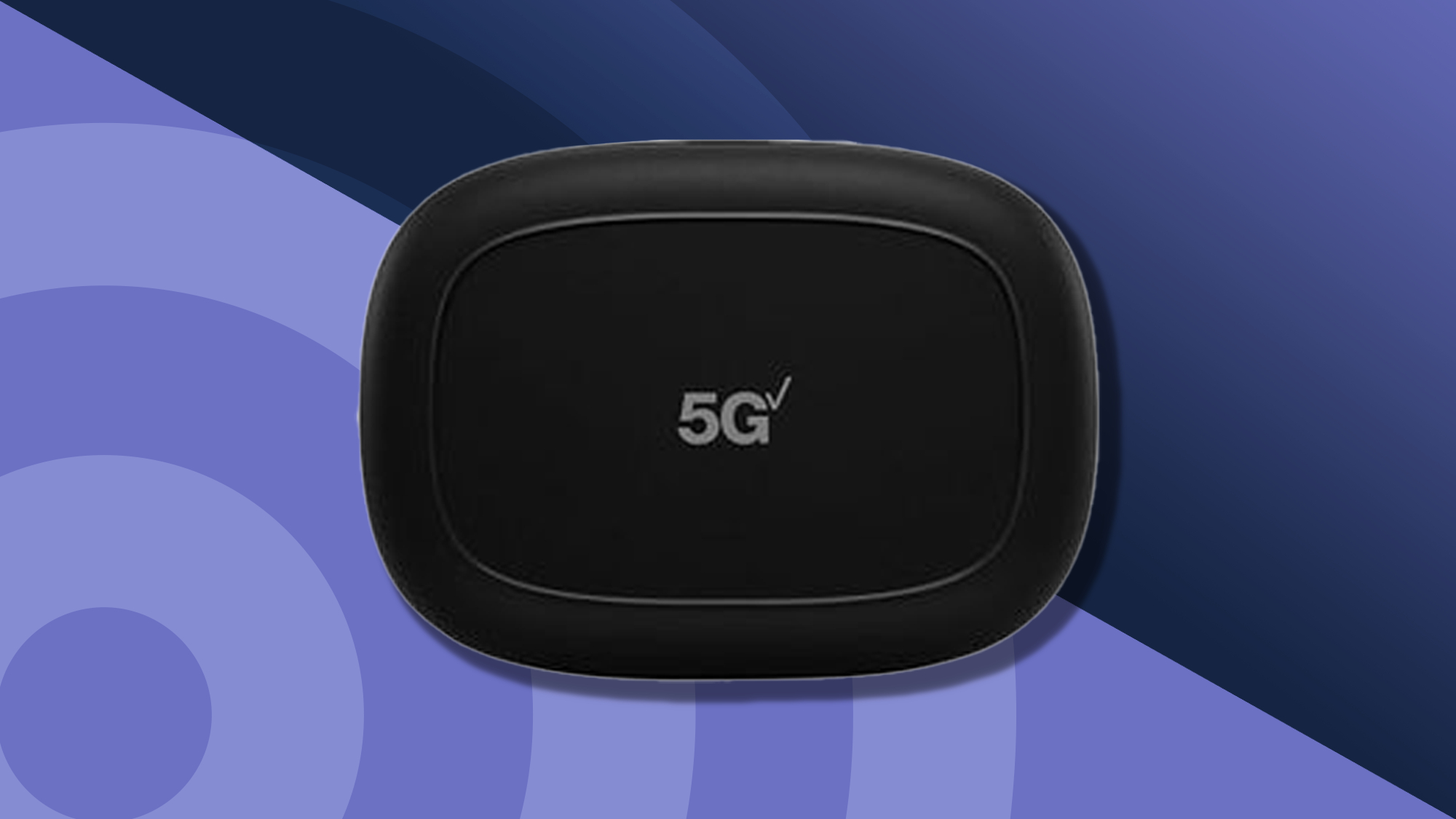
The Best mobile hotspot for most travelers is the SIMO Solis Hero. Its 4G connection is not the fastest in this roundup, but SIM-free carrier scanning, 10-device support, global coverage, and a 5, 250mAh power bank make it unusually practical. Choose the SIMO Solis Pro instead when 5G, 20-device support, and its larger power bank matter more than the smaller one-time global data pack.
For a premium unlocked setup, the NETGEAR Nighthawk M7 is the more sophisticated choice, with eSIM or SIM support, Wi-Fi 7, 32-device capacity, and a documented battery figure. If you only need to turn hotel Wi-Fi or phone tethering into a private network, choose the TP-Link Roam 6 AX1500 Travel Router rather than paying for cellular hardware you will not use.
If you are undecided, choose the SIMO Solis Hero for independent global connectivity, or the TP-Link Roam 6 when your internet source is already available.
As an Amazon Associate we earn from qualifying purchases.