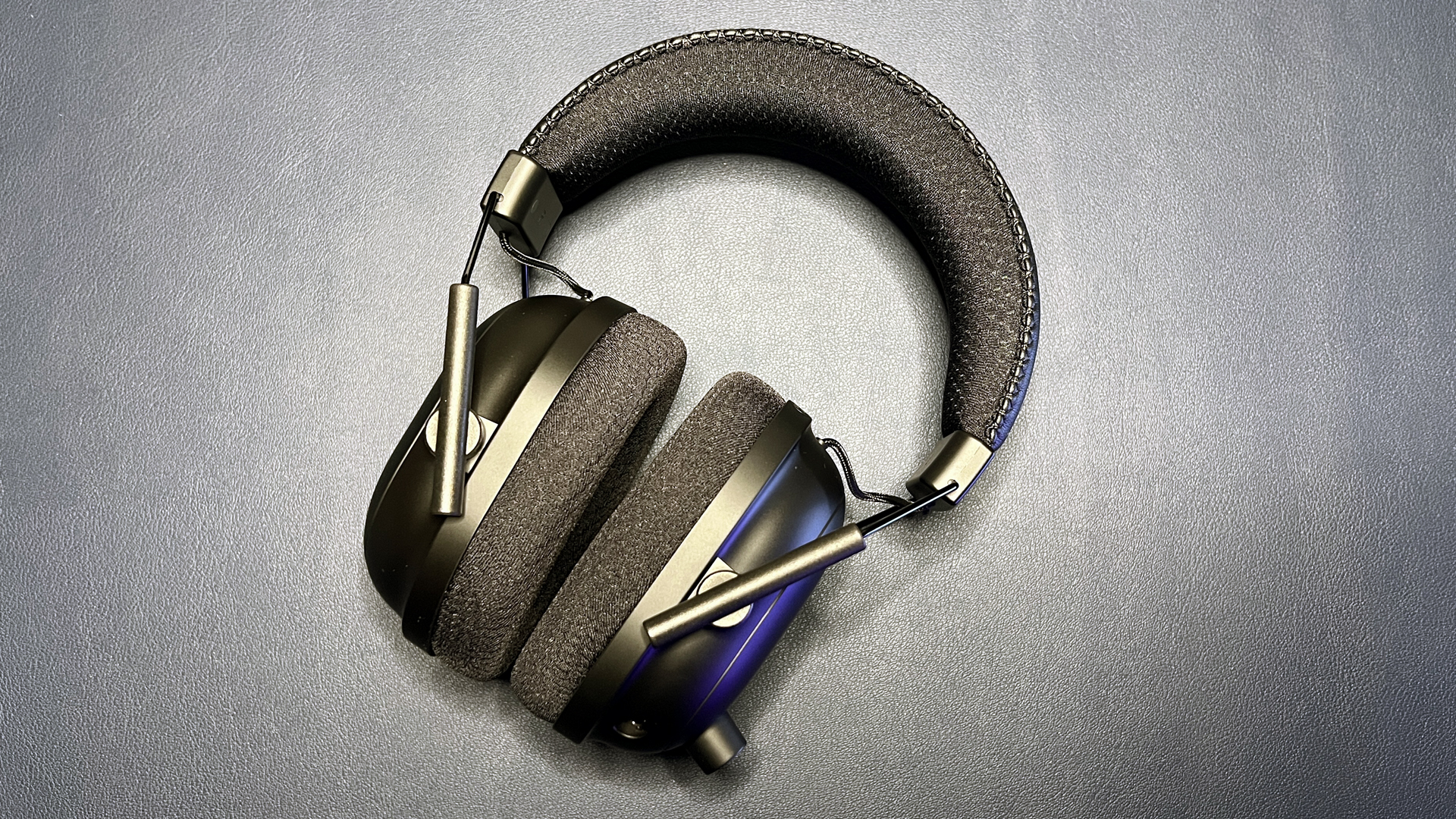

A headset can make a gaming session feel completely different, but the wrong one brings cable drag, weak voice pickup, or ear fatigue before the match is over. The Best pc headsets make the important choices obvious: wireless or wired, competitive positioning or fuller sound, and a microphone your teammates can actually understand.
This list covers premium multi-platform models, lightweight wireless options, dependable wired headsets, and a straightforward USB headset for calls and everyday computer use. The Logitech G522 Lightspeed is our top pick, while the other nine cover more specific needs.
Comparison table
| # | Product | Award | Connection | Driver | Battery | Best for |
|---|---|---|---|---|---|---|
| 1 | Logitech G522 Lightspeed | Best overall | LIGHTSPEED, Bluetooth, USB | PRO-G, 48 kHz/24-bit | Up to 60 hours | PC gamers who want flexible wireless audio |
| 2 | Logitech G Astro A50 | Best multi-system | LIGHTSPEED, Bluetooth, USB-C | PRO-G Graphene, 40 mm | Up to 24 hours | Players who switch between several systems |
| 3 | SteelSeries Arctis Nova 5 | Best battery life balance | 2.4 GHz, Bluetooth 5.3 | Neodymium magnetic | Up to 60 hours | PC and console players who want easy switching |
| 4 | Razer BlackShark V3 X HyperSpeed | Best lightweight wireless | 2.4 GHz, Bluetooth, USB | TriForce, 50 mm | Not specified | Competitive players who dislike heavy headsets |
| 5 | Razer BlackShark V3 Wireless | Best for positional audio | 2.4 GHz, Bluetooth 5.3, USB | TriForce Titanium, 50 mm | Up to 70 hours | FPS players who want detailed cues |
| 6 | Turtle Beach Stealth 700 | Best for glasses wearers | 2.4 GHz, Bluetooth 5.2 | Eclipse Dual, 60 mm | Up to 80 hours | Long sessions across Xbox, PC, and mobile |
| 7 | Razer BlackShark V2 X | Best wired gaming pick | 3.5 mm | TriForce Titanium, 50 mm | Wired | Players who want a simple analog connection |
| 8 | Logitech G432 | Best wired surround sound | USB DAC, 3.5 mm | 50 mm | Wired | PC users who want cinematic game audio |
| 9 | Razer BlackShark V2 X White | Best white wired headset | 3.5 mm | TriForce, 50 mm | Wired | PC setups built around a white theme |
| 10 | Logitech H390 | Best for calls | USB-A | Digital stereo | Wired | Meetings, voice chat, and schoolwork |
1. Logitech G522 Lightspeed: Best Overall

Pros
- Three connection options for PC, mobile, and wired use
- 48 kHz/24-bit PRO-G audio
- Full-bandwidth 48 kHz/16-bit microphone
- Washable suspension band and rounded ear cushions
- Up to 60 hours of battery life with lighting off
Cons
- RGB lighting reduces the stated battery endurance
- Heavier than the lightest Razer option
- Some of its tuning controls require Logitech software
Best for: PC players who want polished wireless audio without giving up Bluetooth or USB flexibility.
The Logitech G522 Lightspeed gets the basics right in a way that makes it easy to recommend. It is a wireless headset built for regular use, not just a desk accessory that happens to work without a cable. The suspension band and rounded cushion ear cups give it a relaxed fit, while the 280 g design avoids the dense, clamp-heavy feel of some larger wireless models.
Its connection choices are particularly useful. LIGHTSPEED handles low-latency PC gaming, Bluetooth covers phones and other mobile devices, and a USB-A to USB-C wired connection provides a fallback when wireless is not convenient. Logitech states a range of up to 30 meters, though walls and other wireless equipment will affect that in a real room. Up to 60 hours of battery life with lighting switched off is enough to make charging an occasional task rather than a daily ritual.
The audio hardware is unusually specific for this class. PRO-G drivers support synchronized 48 kHz/24-bit audio, which gives game effects, voices, and music room to stay distinct rather than collapsing into a harsh mass. The 48 kHz/16-bit microphone is the bigger practical win. Blue VO!CE controls in G HUB or the G mobile app let you shape voice output and adjust the EQ, so the G522 can move from casual chat to a more carefully tuned streaming setup.
Compared with the SteelSeries Arctis Nova 5, the G522 offers a more developed software and microphone setup, while the SteelSeries answers with a compact USB-C dongle and quick Bluetooth switching. The G522 also feels more versatile than the wired Razer BlackShark V2 X models, but it is not the lightest headset here. Its 280 g frame and RGB hardware are still easy to live with, yet players who want the minimum weight should consider the Razer BlackShark V3 X HyperSpeed instead.
The weakness is simple: the headline battery figure depends on turning off the lighting, and the headset makes the most sense when you are willing to spend time in Logitech's software. That is not a problem for PC users who enjoy customization, but it is unnecessary fuss for someone who just wants plug-and-play stereo. For most PC gamers, though, the G522 is the most complete mix of comfort, audio control, microphone quality, and wireless freedom in this group.
2. Logitech G Astro A50: Best Multi-System

Pros
- Playsync switching across three systems
- Magnetic charging base station
- 24-bit LIGHTSPEED wireless audio
- Bluetooth mixing for calls or music
- 48 kHz full-bandwidth boom microphone
Cons
- Heavier than the G522 and Arctis Nova 5
- Battery life is shorter than several rivals
- Its strongest features matter less for a single-PC setup
Best for: households or players that move between PC, console, and mobile audio.
The Logitech G Astro A50 is less about being a general wireless headset and more about removing friction from a multi-system setup. Its Playsync system can connect to three platforms at once through USB-C, with on-ear controls for switching between Xbox, PS5, PC, Mac, or Nintendo Switch and Switch 2. That is a meaningful advantage if your desk contains more than one gaming device.
The included magnetic base station changes the ownership experience. Instead of hunting for a charging cable after a long session, you return the headset to its dock. Logitech rates it for up to 24 hours of playtime at 78 dB, which is enough for extended sessions but noticeably less than the 60-hour G522 or 80-hour Turtle Beach Stealth 700. The A50 is therefore better at making charging automatic than at making charging rare.
Its audio platform is built around 40 mm PRO-G Graphene drivers and uncompressed 24-bit LIGHTSPEED wireless. That combination is aimed at separation and timing, useful qualities when a game depends on recognizing a distant movement or a sound buried beneath ambient effects. The 48 kHz full-bandwidth boom microphone also gives the A50 a stronger communication focus than ordinary Bluetooth headsets. Bluetooth dual-device mixing lets a phone call, Discord chat, or music sit alongside game audio.
The A50's seven-core DSP and G HUB or G app controls offer considerable tuning depth. A 10-band parametric EQ, microphone controls, noise gate, and stream output mixing are available for users who want to shape the signal carefully. The trade-off is physical bulk. At roughly 0.8 pounds, it is heavier than the G522 and Arctis Nova 5, and the base station occupies desk space.
The Logitech G Astro A50 is the more compelling pick than the G522 when three-system switching and dock charging are central to your routine. The G522 is the easier recommendation for a single PC, particularly if you want longer battery life and a lighter frame. Skip the A50 if your only device is a PC and you rarely change audio sources. Choose it when a single headset needs to behave like a hub for a busy gaming setup.
3. SteelSeries Arctis Nova 5: Best Battery Life Balance

Pros
- Up to 60 hours of battery life
- Six hours from a 15-minute USB-C fast charge
- 2.4 GHz and Bluetooth 5.3 switching
- More than 100 game audio presets
- Compact USB-C dongle
Cons
- Preset library can encourage unnecessary tinkering
- Microphone bandwidth is lower than the Logitech G522 and Astro A50
- No battery figure is given for every connection mode
Best for: players who need long wireless sessions and quick movement between PC, console, and mobile.
The SteelSeries Arctis Nova 5 is the sensible middle ground in this lineup. It avoids the desk hardware of the Astro A50, adds more connection flexibility than the wired models, and remains lighter than the Logitech G522 at about 0.617 pounds. The fit is not the headline feature, but the lighter construction helps during long gaming sessions.
The battery system is the real attraction. SteelSeries lists up to 60 hours, plus six hours of use after a 15-minute USB-C fast charge. That quick top-up matters more than a large maximum figure when you discover the headset is nearly empty before a session. A tap switches between 2.4 GHz wireless and Bluetooth 5.3, and notification beeps help keep an incoming call from being missed while game audio is active.
The neodymium magnetic drivers are tuned for clear highs, defined mids, and deep bass. The companion app adds more than 100 game audio presets, including profiles for games such as GTA V, FIFA, and Call of Duty. Presets are useful when you want a starting point without learning an EQ, though the abundance can also become a distraction. The headset already has the connectivity and battery behavior most players need before any tuning begins.
The retractable ClearCast 2.X microphone supports 32 kHz/16-bit audio and provides twice the clarity of the previous generation according to the product description. It should be a good fit for ordinary team chat, but the Logitech G522 and Astro A50 advertise 48 kHz microphone operation and offer deeper voice controls. The Nova 5 wins on quick switching and fast charging, not on the most elaborate microphone specification.
Compared with the Razer BlackShark V3 X HyperSpeed, the Nova 5 gives you the stronger battery story and a more compact cross-platform approach. The Razer is lighter on paper at 270 g and puts more emphasis on positional game sound. Anyone who spends most of the time in competitive shooters may prefer that presentation. Everyone else should see the Arctis Nova 5 as one of the easiest wireless headsets to live with, especially if charging habits are inconsistent.
4. Razer BlackShark V3 X HyperSpeed: Best Lightweight Wireless

Pros
- 270 g lightweight design
- Low-latency 2.4 GHz wireless
- Bluetooth and USB connectivity
- Detachable 9.9 mm HyperClear cardioid microphone
- 50 mm Gen-2 drivers with 7.1 surround sound
Cons
- Battery life is not specified in the product information
- Surround sound is a software-dependent feature
- Less microphone detail than the V3 Wireless
Best for: competitive PC players who want wireless freedom without a heavy headset.
The Razer BlackShark V3 X HyperSpeed is the headset to consider when weight is the first thing you notice. At 270 g, it is lighter than the Logitech G522, Astro A50, and Turtle Beach Stealth 700. Plush ear cups support that lightweight design, making it a natural fit for long competitive sessions where a heavy frame becomes irritating after several hours.
Razer uses 50 mm TriForce Gen-2 drivers here, with a tuning intended to improve clarity and positional performance. The product description specifically calls out footsteps and other game cues, and the software-enabled 7.1 surround sound is designed to make those directional details easier to place. Surround processing can be game-dependent, so players should treat it as an optional tool rather than a guarantee of better sound in every title.
HyperSpeed wireless uses 2.4 GHz for low-latency play, while SmartSwitch Dual Wireless adds Bluetooth. USB provides a wired option for uninterrupted use. That three-mode approach gives the V3 X more range than a conventional analog headset, and the detachable 9.9 mm cardioid microphone is convenient when you want to use the headset for ordinary listening. Its unidirectional pickup focuses on the speaker and reduces some surrounding noise.
The missing battery specification is the major uncertainty. The other wireless picks give a clear endurance figure, while this model asks you to judge it without that information. That does not make the V3 X unusable, but it weakens the case for someone who wants to charge as infrequently as possible. The Razer BlackShark V3 Wireless is a better fit for that buyer, with a stated 70-hour battery and a more advanced microphone.
The V3 X beats the wired Razer BlackShark V2 X when you want to move away from a cable, and its 270 g frame is easier to wear than the heavier Logitech G432. The SteelSeries Arctis Nova 5 remains more convincing for battery management and device switching, however. Pick the V3 X for its light build and competitive wireless focus, not because it offers the deepest feature list.
5. Razer BlackShark V3 Wireless: Best for Positional Audio

Pros
- 70-hour battery life
- 2.4 GHz wireless with latency as low as 10 ms
- Titanium-coated 50 mm Gen-2 drivers
- THX spatial audio with 7.1.4 surround
- Detachable wideband microphone
Cons
- Not compatible with Xbox consoles
- Heavier than the V3 X HyperSpeed
- Advanced tuning requires software setup
Best for: PC and PlayStation players who prioritize directional detail and customizable game profiles.
The Razer BlackShark V3 Wireless is the more ambitious version of the V3 X HyperSpeed. It has the same general competitive focus, but adds titanium-coated drivers, more developed spatial processing, and a stronger microphone specification. The design weighs about 1.7 pounds according to the product information, so it is not the right choice if lightness is your main concern.
Razer's HyperSpeed Gen-2 connection is rated for latency as low as 10 ms. In a competitive game, that near-instant response helps keep audio cues aligned with what is happening on screen. The 50 mm TriForce Titanium Gen-2 drivers are tuned for clarity and positional performance, with a responsive diaphragm intended to make footsteps and other cues easier to distinguish.
THX Spatial Audio adds an expanded soundstage with 7.1.4 surround processing and overhead audio. That can be useful in games built around vertical sound information, but it is not automatically better than stereo. The product also includes pro-tuned FPS profiles and customizable EQ, so players can save a preferred sound for specific games rather than relying on one factory tuning.
The detachable HyperClear Super Wideband 9.9 mm microphone is a notable step up from the V3 X's cardioid microphone. Its wider frequency range is intended to capture more voice detail, which helps with callouts and streaming. Connectivity covers 2.4 GHz, Bluetooth 5.3, and USB, and the headset can mix 2.4 GHz and Bluetooth audio from two devices at once.
There is one decisive compatibility limitation: it does not work with Xbox Series X, Xbox Series S, or Xbox One. That immediately makes the Turtle Beach Stealth 700 more appropriate for Xbox households. It is also heavier than the V3 X and less carefree than the Arctis Nova 5. For PC players who want detailed directional sound, a 70-hour battery, and a detachable high-bandwidth microphone, this is the stronger Razer option.
6. Turtle Beach Stealth 700: Best for Glasses Wearers

Pros
- Up to 80 hours of battery life
- Simultaneous 2.4 GHz and Bluetooth
- Glasses-friendly memory foam cushions
- 60 mm Eclipse dual drivers
- Flip-to-mute microphone with AI-based noise reduction
Cons
- Heavier than the lightest wireless options
- Features vary by platform
- Advanced controls require the Swarm II app
Best for: long-session players who wear glasses and need wireless audio across several platforms.
The Turtle Beach Stealth 700 has one especially practical advantage: its memory foam cushions are designed with glasses-friendly technology. That matters because a headset that presses eyeglass arms into the side of your head can become uncomfortable long before the battery runs out. The lay-flat, steel-reinforced design also makes it easier to set down or carry between rooms.
Battery life is the headline number. Turtle Beach states up to 80 hours, the longest figure in this group, with quick charging included. The headset can run low-latency 2.4 GHz wireless and Bluetooth simultaneously, so a phone call or mobile audio can be mixed with game sound. That is more flexible than a simple one-device wireless connection and useful for players who monitor chat away from the game itself.
The 60 mm Eclipse dual drivers are larger than the drivers in the Logitech G522, Astro A50, and Razer V3 models. The product description positions them for immersive spatial audio, while built-in EQ modes and Superhuman Hearing offer alternate ways to emphasize particular sounds. The Swarm II desktop and mobile app adds a 10-band EQ, so the Stealth 700 can be shaped for games, music, or voice content.
The flip-to-mute microphone is easy to understand in daily use: move the boom up and it mutes. AI-based noise reduction is intended to reduce unwanted background sound, which can help in a shared room. A mappable wheel and mode button provide more direct control than a headset that hides every adjustment in software. The headset weighs about 0.9 pounds, so the glasses-friendly cushions do not make it a lightweight model.
The Stealth 700 is a better cross-platform choice than the Razer BlackShark V3 Wireless because the Razer excludes Xbox. The SteelSeries Arctis Nova 5 is lighter and offers a similarly useful 2.4 GHz and Bluetooth arrangement, but Turtle Beach has the longer stated battery life and more explicit glasses support. Skip it if you want the lowest possible weight. Choose it if comfort around glasses and long stretches between charges matter more.
7. Razer BlackShark V2 X: Best Wired Gaming Pick

Pros
- 240 g lightweight design
- 3.5 mm analog connection
- 50 mm TriForce Titanium drivers
- Software-enabled 7.1 surround sound on Windows
- Memory foam cushions and passive noise isolation
Cons
- No wireless connection
- Surround sound requires compatible Windows software
- Xbox One may require a separate stereo adapter
Best for: PC players who want a light, uncomplicated headset with broad analog compatibility.
The Razer BlackShark V2 X is proof that a headset does not need a wireless system to be useful. It connects through 3.5 mm, weighs 240 g, and avoids battery management completely. That makes it especially easy to share between a PC, Mac, PlayStation 4, PlayStation 5, Xbox One, or Nintendo Switch, provided the device has the appropriate analog connection.
Its 50 mm TriForce Titanium drivers divide the high, mid, and low frequencies for separate tuning. In practice, that design is meant to keep speech and upper-frequency cues clear while retaining stronger low-end impact. The closed ear cups and cushions provide passive noise isolation, which is helpful in a room with ordinary household sound, though this is not active noise cancellation.
Windows 10 64-bit users can enable software-based 7.1 surround sound. Positional processing is useful for games where directional cues are important, but it should be turned off if it makes music or dialogue sound artificial. The HyperClear cardioid microphone uses a focused pickup pattern to favor the speaker's voice and reduce some sound from the sides and rear.
The biggest advantage over the Logitech G432 is weight. The G432 offers a USB DAC and DTS Headphone:X 2.0, but its listed weight is 1.2 pounds, while the BlackShark V2 X is about 240 g. The Logitech has the more cinematic feature set, yet the Razer is the easier headset to wear for a long session. The white Razer BlackShark V2 X has the same core wired approach and is better suited to a light-colored desk setup.
This headset is not for someone who wants wireless freedom, device mixing, or a microphone that can be detached. The cable is always part of the setup, and the surround feature depends on Windows software. For everyone who values a light frame, a familiar 3.5 mm plug, and no charging routine, the BlackShark V2 X remains one of the clearest wired choices here. For more advice on connection trade-offs, what changes when you move from wired to wireless audio is the key question to settle.
8. Logitech G432: Best Wired Surround Sound

Pros
- 50 mm drivers for broad game sound
- DTS Headphone:X 2.0 surround processing
- USB DAC and 3.5 mm connection
- Flip-to-mute 6 mm boom microphone
- Rotating ear cups and padded leatherette surfaces
Cons
- Heavier than the Razer BlackShark V2 X
- DTS feature requires Logitech G HUB
- Wired design limits movement
Best for: PC players who want software surround processing and both digital and analog connections.
The Logitech G432 takes a more traditional gaming-headset approach. It is larger and more substantial than the Razer BlackShark V2 X, with leatherette ear cups, a padded headband, and ear cups that rotate up to 90 degrees. The fit is designed to keep pressure off the ears, but the 1.2-pound listed weight is worth considering if you are sensitive to heavier headsets.
The 50 mm drivers aim for an expansive, cinematic presentation. The interesting part is the connection hardware: on PC or Mac, the USB DAC enables DTS Headphone:X 2.0 surround sound, while the 3.5 mm cable gives you a more universal analog option. That dual approach makes the G432 more adaptable than a headset that offers only one fixed connection.
DTS Headphone:X 2.0 is intended to place footsteps, ability cues, and environmental sounds around the listener in three dimensions. It requires Logitech G HUB software, so the feature is not simply available the moment the headset is removed from the box. The 6 mm boom microphone flips up to mute, a useful physical control that avoids reaching for software during a match.
The G432 is also compatible with mobile devices through 3.5 mm and supports PlayStation 5, PlayStation 4, and Nintendo Switch through the stated connection methods. Nintendo Switch wireless stereo is available when docked, according to the product information. That makes the headset broadly useful, though the Razer BlackShark V2 X is lighter and simpler for someone who does not need a USB DAC.
The weakness is comfort over very long sessions for users who prefer a featherweight design. The Logitech G522, SteelSeries Arctis Nova 5, and Razer V3 X all offer more convincing wireless freedom, while the Razer BlackShark V2 X is easier to forget on your head. The G432 is the right pick when PC surround processing, a flip-to-mute mic, and flexible wired connections matter more than minimal weight.
9. Razer BlackShark V2 X White: Best White Wired Headset

Pros
- Lightweight 240 g frame
- 50 mm TriForce drivers
- 3.5 mm cross-platform connection
- Memory foam ear cushions
- Bendable HyperClear cardioid microphone
Cons
- Wired only
- 7.1 surround is limited to compatible Windows systems
- White finish may not suit every desk
Best for: PC users who want the BlackShark V2 X design in a white setup.
The Razer BlackShark V2 X White is not a different headset concept from the black version above. Its reason for being in this list is visual, while its useful characteristics remain familiar: a 240 g design, a 3.5 mm connection, closed ear cups, and a bendable microphone. For a white or light-colored PC setup, that distinction can be enough to make it the more coherent choice.
The 50 mm TriForce drivers separate highs, mids, and lows through Razer's three-part tuning design. That can make game dialogue and positional cues stand out without removing low-end impact. Software-enabled 7.1 surround sound is available on Windows 10 64-bit, giving PC users an optional directional presentation. The analog connection keeps the headset usable with Mac, PlayStation 4, Xbox One, and Nintendo Switch as well.
The bendable HyperClear cardioid microphone is easier to position than a rigid boom. Its focused pickup pattern favors the voice and tapers off toward the rear and sides. That is useful when a keyboard or room noise sits nearby, although the microphone remains a straightforward wired gaming solution rather than the high-bandwidth system found on the Logitech G522 or Razer BlackShark V3 Wireless.
Compared with the black Razer BlackShark V2 X, there is no meaningful capability advantage. The choice comes down to the appearance you want and the listing you prefer. Both are lighter than the Logitech G432, and both give up the wireless convenience of the SteelSeries Arctis Nova 5. The white model is also a cleaner match for a pale desk, white keyboard, or light monitor stand.
Skip it if you need Bluetooth, USB audio, or a detachable cable. Choose the white BlackShark when a low-weight analog headset fits your gaming needs and the finish matters to the look of your setup. Those who are deciding between a work headset and a gaming model should also consider how microphone needs change between games, meetings, and calls.
10. Logitech H390: Best for Calls

Pros
- Plug-and-play USB-A connection
- Rotating noise-canceling microphone
- Inline volume and mute controls
- Adjustable headband and swivel ear cushions
- 6.23-foot cable
Cons
- Stereo audio is less immersive for gaming
- USB-A connection is less flexible than 3.5 mm
- No wireless mode
Best for: computer calls, meetings, schoolwork, and straightforward voice chat.
The Logitech H390 is the outlier in this group because it is designed as much for work as for games. Its digital stereo drivers handle calls, music, meetings, and ordinary computer audio, while the USB-A connector keeps setup simple. Plug it into a compatible computer and it is ready without a separate audio interface or a wireless pairing process.
The rotating noise-canceling microphone is the practical centerpiece. The boom can be moved out of the way when it is not needed, and the inline controls provide volume adjustment and mute without opening an app. That is a better fit for meetings and voice calls than a gaming headset that expects you to manage every microphone setting in desktop software.
A 6.23-foot USB-A cable gives enough reach to stand up briefly or shift position at a desk. The adjustable headband and swivel-mounted leatherette ear cushions are intended for extended wear, and the H390 is tested and certified to work with Chromebook. Those details make it more useful for a shared household computer or school setup than a headset built around console switching.
The limitations are just as clear. There is no wireless connection, no 3.5 mm analog plug, and no gaming-focused surround processing. The Razer BlackShark V2 X is a better choice for positional game sound, while the Logitech G432 is better if you want a USB DAC and DTS Headphone:X 2.0. The H390 simply asks less of the user when the main task is speaking and listening on a computer.
Choose it for remote meetings, lessons, office calls, and casual chat. Skip it if immersive game audio or multi-platform wireless play is the reason you are shopping. For broader advice on choosing a computer headset, the features that matter most for long calls and everyday listening are different from the ones that define a competitive gaming model.
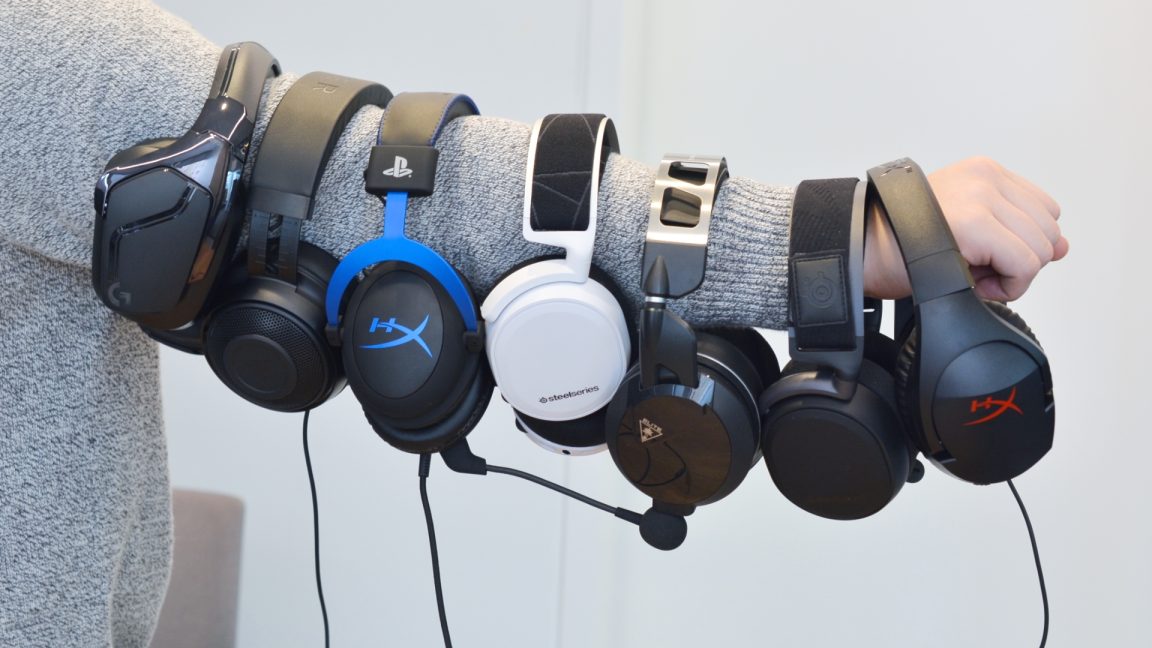
How to choose best pc headsets
The right headset depends on how you use your computer, how much control you want, and whether you need to connect to anything beyond a PC.
Connection type
Wireless headsets remove cable drag and make it easier to move around, but they add charging and pairing to the routine. A 2.4 GHz connection is generally the gaming-focused option in this group, while Bluetooth is useful for phones and casual listening. USB can provide a direct digital connection, and 3.5 mm remains the most broadly compatible choice across computers and consoles.
If you want one headset for a PC and a phone, look for both 2.4 GHz and Bluetooth. If you want a headset that can move between many devices without software, an analog 3.5 mm model is often easier.
Battery life
Battery figures are useful only when you understand the conditions. The Logitech G522 states up to 60 hours with lighting off, while the Turtle Beach Stealth 700 states up to 80 hours. The SteelSeries Arctis Nova 5 adds six hours after a 15-minute fast charge, which may matter more than the maximum figure for someone who forgets to charge.
The Astro A50 takes a different approach with a magnetic charging dock. Its stated 24-hour playtime is shorter, but placing the headset on the base after use can prevent an empty battery at the wrong time.
A headset that charges automatically can be more convenient than one with a longer battery that you forget to recharge.
Driver design and sound tuning
Driver size alone does not predict sound quality. The Razer models use 50 mm TriForce designs, the Turtle Beach Stealth 700 uses 60 mm Eclipse dual drivers, and the Astro A50 uses 40 mm PRO-G Graphene drivers. These designs are tuned differently for clarity, bass, separation, or spatial presentation.
For competitive games, clear mids and well-separated positional cues are more useful than overwhelming bass. For cinematic games and music, a fuller presentation can be more enjoyable. Software EQ and game presets help, but they cannot turn a poorly fitting headset into a comfortable one.
Microphone design
A boom microphone should place the pickup close to the mouth without forcing you to keep it in one position. Flip-to-mute designs, such as the Logitech G432 and Turtle Beach Stealth 700, make muting quick. Detachable designs, such as those on the Razer BlackShark V3 models, are useful if you sometimes use the headset without a mic.
The stated bandwidth varies. The Logitech G522 and Astro A50 list 48 kHz microphone operation, while the SteelSeries Arctis Nova 5 lists 32 kHz/16-bit audio. Those figures do not tell the whole story, but they do indicate how much voice detail each product is designed to capture.
Weight and ear cushions
Weight becomes more important as sessions get longer. The Razer BlackShark V2 X is listed at 240 g, the Razer BlackShark V3 X HyperSpeed at 270 g, and the Logitech G522 at 280 g. The Turtle Beach Stealth 700 adds memory foam cushions with glasses-friendly technology, while the wired Razer models use breathable foam and memory foam cushioning.
A lightweight headset is not automatically comfortable if its clamp is tight or its cushions are shallow. People who wear glasses should pay special attention to the cushion design, and anyone who plays for several hours should avoid choosing solely by driver size or wireless features.

Frequently asked questions
Are wireless headsets good for PC gaming?
Yes. The wireless models here use 2.4 GHz connections intended for low-latency gaming, and several also include Bluetooth for phones or tablets. They require charging, but the Logitech G522, SteelSeries Arctis Nova 5, Razer BlackShark V3 Wireless, and Turtle Beach Stealth 700 all provide substantial stated battery life.
Is a wired headset better for competitive gaming?
Not automatically. A wired headset avoids battery concerns and can provide a direct analog or USB connection, but a well-designed 2.4 GHz wireless headset can also provide suitably low latency. Choose wired if simplicity and constant availability matter more than movement around the room.
Which headset is easiest to use with multiple devices?
The Logitech G Astro A50 is the most specialized option for switching between three systems through its Playsync setup. The SteelSeries Arctis Nova 5 is more compact and switches between 2.4 GHz and Bluetooth with a tap. The Turtle Beach Stealth 700 is a strong alternative when Xbox compatibility and simultaneous wireless audio matter.
Do all of these headsets work with Xbox?
No. The Razer BlackShark V3 Wireless specifically does not work with Xbox Series X, Series S, or Xbox One. The Turtle Beach Stealth 700 is designed for Xbox, while the wired Razer BlackShark V2 X supports Xbox One through 3.5 mm, though an Xbox One stereo adapter may be required.
Does 7.1 surround sound improve game audio?
It can improve directional awareness in some games, but the result depends on the software processing and the game's own audio mix. The Razer BlackShark V2 X and Logitech G432 offer software-based surround features on compatible Windows systems. Stereo may sound more natural for music, dialogue, and some games.
What should I look for if I wear glasses?
Look for thick memory foam cushions and a design that does not press hard against the arms of your glasses. The Turtle Beach Stealth 700 specifically includes glasses-friendly technology. A lighter headset can also reduce pressure during long sessions, though cushion shape and clamp are just as important.
Can a gaming headset work for meetings?
Yes, but the microphone and connection should suit your computer. The Logitech H390 is the most direct choice for meetings because it uses plug-and-play USB, has inline mute and volume controls, and includes a rotating microphone. Wireless gaming models can work well too, especially when they support Bluetooth or USB.
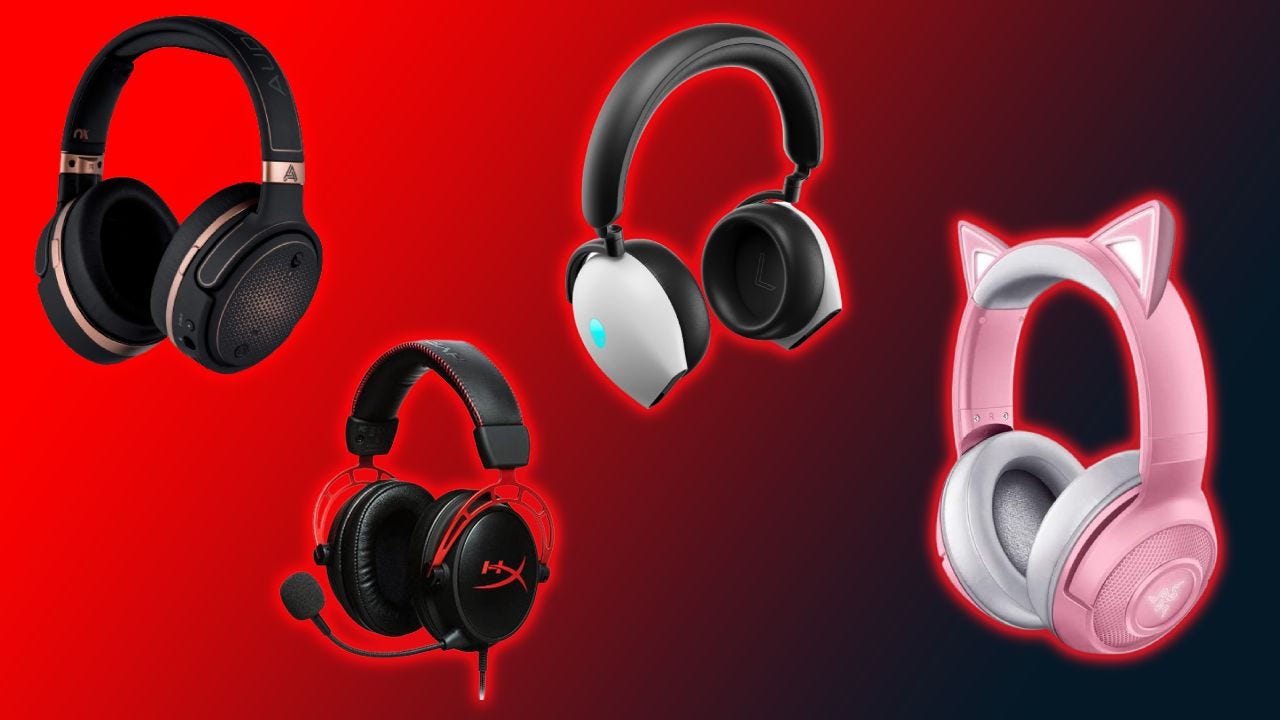
The bottom line
The Best pc headsets start with the Logitech G522 Lightspeed because it combines comfortable wireless use, 2.4 GHz and Bluetooth connections, 48 kHz/24-bit audio, a detailed microphone system, and up to 60 hours of battery life with lighting off. It is the headset we would keep for a single PC setup that also needs occasional mobile flexibility.
Choose the Logitech G Astro A50 if switching among several systems is central to your setup, or the Turtle Beach Stealth 700 if glasses comfort, Xbox support, and long battery life matter most. For a simple wired choice, the Razer BlackShark V2 X is lighter and more straightforward than the Logitech G432.
If you are undecided, start by choosing between wireless convenience and a no-charge wired connection, then choose the lightest model that has the microphone and platform support you need.
As an Amazon Associate we earn from qualifying purchases.