

A first phone has to solve two problems at once: your child needs a way to reach you, while you need to know what the device can access, install, and share. That makes the difference between a managed smartphone, a no-internet phone, and a pretend phone more important than the shape of the hardware.
Our Best best phone for kids picks cover all three types. Bark Phone A16 is the strongest choice for families that want communication, location tracking, and deep monitoring. Gabb Phone 4 is the simpler alternative, while the toy phones below are for play and learning rather than calls.
Comparison table
| # | Product | Award | Type | Key features | Best for |
|---|---|---|---|---|---|
| 1 | Bark Phone A16 | Best overall | Managed smartphone | Monitoring, GPS, approved contacts | Families needing the deepest oversight |
| 2 | Teracube Thrive Purple | Best managed Android | Managed Android phone | App limits, GPS, spam blocking | Families wanting controlled smartphone features |
| 3 | Gabb Phone 4 | Best no-internet phone | Dedicated kids phone | Calls, texts, GPS, Safe Zones | A first connected phone without browsing |
| 4 | WEOLULI Learning Phone | Best toddler learning toy | Pretend phone | Lessons, stories, camera, music | Younger children who want a phone to imitate |
| 5 | Orantronx Learning Phone | Best creative toy | Pretend phone | 3.97-inch screen, cameras, drawing | Kids who enjoy drawing and photo play |
| 6 | Luoba Kids Phone | Best compact toy | Pretend phone | Learning, games, music, cameras | Small hands and portable play |
| 7 | Teracube Thrive Black | Best storage upgrade | Managed Android phone | 64GB storage, GPS, app controls | Older kids needing more room for content |
| 8 | Byserten Learning Phone | Best learning features | Pretend phone | Measurement tool, games, dual cameras | Hands-on learning through play |
| 9 | Troomi Galaxy A17 | Best upgrade path | Managed Samsung phone | Parent-approved apps, GPS, screen limits | Families planning gradual independence |
| 10 | Dylanto Learning Phone | Best playtime controls | Pretend phone | Study Mode, cameras, MP3 and MP4 | Younger children needing structured play |
1. Bark Phone A16: Best Overall

Pros
- Monitors texts, emails, and more than 30 social platforms and apps
- Tamper-proof contact, app, and text controls
- Real-time GPS with location alerts and check-ins
- Website filtering and an option to pause internet access
Cons
- Requires a Bark data plan and activation
- Monitoring features may feel excessive for a child ready for more privacy
- The 6.7-inch phone is large for smaller hands
Best for: families that want the most comprehensive combination of communication and parental oversight.
The Bark Phone A16 is the pick we'd hand to a parent who is worried about what a connected phone can expose, not just whether a child can make a call. It is a real smartphone with a 6.7-inch display, but the important part is the layer of controls around it. Parents can approve apps and contacts, restrict websites, and set rules that cannot simply be removed from the phone.
Its monitoring is unusually broad. Bark says the phone can alert parents to potential problems in texts, emails, and more than 30 social media platforms and apps, including bullying, drugs and alcohol, violence, sexting, and possible suicidal ideation. Those alerts are intended to surface potential concerns rather than replace a conversation with a child, but they give parents much more visibility than a basic restricted handset.
Location tools are just as practical. The phone supports a real-time map, customizable location alerts, and check-ins, so a parent can use it for school pickups or after-school activities without repeatedly asking for updates. The controls also protect the communication itself. Texts cannot be deleted without permission, and approved contacts reduce the chance of unknown people reaching a child.
Compared with Gabb Phone 4, Bark Phone A16 offers far more monitoring and internet management, while Gabb takes the cleaner approach of removing internet access altogether. Teracube Thrive Purple is a better fit if a family wants a conventional Android experience with app restrictions, but Bark has the stronger emphasis on alerts across services. That extra oversight is also the phone's weakness. Some families will find continuous monitoring too intrusive, and the monthly data plan is part of the setup.
The large 6.7-inch format makes this feel like a full smartphone rather than a toy, which older children and teens may appreciate. It is less comfortable for a preschooler, and it is not the right choice for a family that wants no web access. For parents who want a connected device with a detailed safety net, though, Bark Phone A16 is the most complete package here.
2. Teracube Thrive Purple: Best Managed Android

Pros
- Remote controls through an iOS and Android parent app
- App approval and time restrictions
- Safe search and browsing with unknown and spam call blocking
- Includes a case, screen protector, and Care+ protection
Cons
- Activation is required
- Works with Teracube Wireless rather than other providers
- Parents must decide how much app and browsing access to allow
Best for: families who want a recognizable Android-style experience without handing over unrestricted access.
Teracube Thrive Purple occupies the middle ground between a tightly locked phone and a normal Android handset. A child gets calling, texting, safe browsing, and approved apps, while the parent manages the experience remotely in the Thrive Parent app. That makes it more flexible than Gabb Phone 4, but less open than an ordinary unlocked smartphone.
The controls are sensibly focused on everyday family friction. Every app requires parental approval, and parents can attach time restrictions to those apps. Unknown and spam calls are blocked, while safe search and browsing are designed to filter inappropriate content and reduce exposure to cyberbullying. The controls are described as tamper-proof, which matters because a restriction that can be bypassed in a few taps is not much of a restriction.
The hardware is a fairly substantial phone at 6.1 inches long, 2.3 inches wide, and about 0.86 pounds. That size may suit an older child, but it is not especially small. Teracube includes a protective case and glass screen protector, and its Care+ protection provides express replacement for defects and accidents. Those inclusions make the device easier to put into service without immediately shopping for protection.
The purple model is nearly the same proposition as Teracube Thrive Black, but its feature list does not identify the 64GB storage capacity listed for the black model. Bark Phone A16 goes further with monitoring across texts, emails, and many social services. Thrive is the better fit for parents who want app-by-app limits and a conventional smartphone feel without that level of message scanning.
The required Teracube Wireless activation is the main limitation. This is not a phone to buy with the expectation of moving it to another provider, and the monthly service requirement should be understood before setup. Choose Teracube Thrive Purple when controlled Android flexibility matters more than an entirely closed system.
3. Gabb Phone 4: Best No-Internet Phone

Pros
- No browser, social media, or app store
- Parent-approved calling and texting
- GPS tracking and Safe Zones
- Includes camera, music player, maps, calendar, and calculator
Cons
- Requires activation and a Gabb plan
- Available in the United States only
- Harmful-content filtering reduces risk but cannot eliminate it
Best for: children who need reliable calls and texts but are not ready for internet access.
Gabb Phone 4 makes a refreshing choice for parents who do not want to negotiate a long list of browser and app permissions. There is no internet browser, social media, or app store. Instead, the phone concentrates on calls, texts, location, and a few built-in utilities. It feels like a deliberate first phone rather than an adult smartphone with restrictions added afterward.
Parents approve every contact through the MyGabb app, can monitor texts, and can check a child's real-time location. Safe Zones add a useful layer for routines such as school or sports practice. A parent can see whether a child has arrived in an expected area without giving the child access to a broad online world.
The built-in feature set is restrained but not barren. Gabb lists a messaging app, camera, kids music player, Gabb Maps, calendar, and calculator. Gabb Messenger AI filters can flag potentially harmful language and notify parents. The company also makes clear that filtering reduces harmful content rather than eliminating it, an important distinction when comparing this phone with the more extensive monitoring in Bark Phone A16.
For a child around the stated 7 to 12 age range, Gabb Phone 4 is easier to explain than Teracube Thrive Purple. Thrive offers safe browsing and approved apps, but each extra capability creates another setting to manage. Bark Phone A16 is more suitable for families wanting detailed alerts across online services, while Gabb is the cleaner option for a child who simply needs to call home.
The trade-off is limited growth. A child who soon needs school apps, flexible browsing, or social tools will outgrow the closed environment. Activation, a fee, and a monthly Gabb plan are required, and service is limited to the United States. For a first connected device with a firm internet boundary, Gabb Phone 4 is the most straightforward recommendation.
4. WEOLULI Learning Phone: Best Toddler Learning Toy

Pros
- Alphabet lessons, stories, landmarks, and puzzles
- Dual camera, MP3 player, recorder, and drawing tools
- Habit tracker, flashlight, alarm, and stopwatch
- Small body with a case and memory card
Cons
- It is a toy, not a calling phone
- The feature list may be too busy for a very young child
- No cellular GPS or parent communication
Best for: preschool and early elementary children who want to imitate phone use without cellular connectivity.
WEOLULI Learning Phone is the point in this roundup where the word “phone” stops meaning communication. This is a pretend smartphone and learning toy for children who want their own screen, camera, and buttons while parents want to avoid calls, cellular service, and internet access. Its small body measures 4.3 inches long by 2.6 inches wide, so it is much easier for a young child to hold than Bark Phone A16 or either Teracube model.
The educational content is the reason to choose it. Children get 26 alphabet lessons, 10 storybook fables, 24 country landmarks, five daily activities, and 13 puzzle games. A drawing feature gives the device a creative outlet, while the habit recorder can prompt activities such as studying, eating, and exercising. Those tools make it more than a hollow prop, though the quality of the experience will depend on how much the child enjoys repetition and guided play.
There is also plenty of pretend-phone behavior. The selfie camera, 23 funny photo frames, MP3 player, voice recorder, flashlight, calculator, alarm, and stopwatch let children copy things they see adults doing. The included SD memory card is intended for downloading songs, pictures, and videos. It has a high-quality speaker and does not require headphones for basic music play.
Compared with Luoba Kids Phone, WEOLULI offers more alphabet, story, and landmark content, while Luoba has a 2.8-inch touchscreen and a 600mAh battery. Byserten Learning Phone is a stronger educational alternative for families interested in its measurement tool and 27 games. WEOLULI is less suitable for a child who expects to call a parent, because it has no cellular communication or location service.
The age guidance spans 3 to 10, but the strongest fit is the younger end of that range. Older children may find the simple games and pretend functions limiting. For a first screen that supports imaginative play, early learning, and routines without turning into a real connected device, WEOLULI Learning Phone is a sensible toy choice.
5. Orantronx Learning Phone: Best Creative Toy

Pros
- 3.97-inch touchscreen with front and rear cameras
- More than 190 drawing and coloring activities
- 8GB storage for photos, drawings, and videos
- Password protection, time management, and multiple child accounts
Cons
- No Wi-Fi or calling functions
- No app downloads
- The large content count may overwhelm younger users
Best for: children who want to take pictures, draw, and explore a broad library of offline activities.
Orantronx Learning Phone is the toy in this group that most clearly prioritizes creative output. Its 3.97-inch touchscreen is larger than the 2.8-inch display on Luoba Kids Phone, and its front and rear cameras make it feel more like a tiny creative workstation than a simple electronic learning toy. There is no Wi-Fi and no calling, so parents can treat it as an offline activity device.
The headline feature is the drawing library. The phone includes more than 190 coloring and drawing pages, along with 45 or more stickers and frames for decorating photos. Five interactive story adventures add another way to use the screen. The result is a better fit for a child who likes making things than for one who mainly wants music or pretend calls.
The device includes 8GB of storage, which can hold photos, drawings, and videos. A 1500mAh rechargeable battery is included, and the silicone case is intended to handle drops and everyday bumps. Parents can use password protection, app and time management, and multiple child accounts. Because apps cannot be downloaded, the boundaries are clear, although the content cannot expand in the way a managed Android phone can.
Dylanto Learning Phone offers a similar 3.5-inch toy-phone format with dual cameras, video and music players, and Study Mode. Orantronx goes further for drawing and storage, while Byserten Learning Phone has a more distinctive educational angle with measurement concepts. The weakness here is that the device is not a bridge to real phone ownership. Children expecting live communication will be disappointed.
For ages 3 to 12, the broad feature set gives this toy a longer runway than some simpler pretend phones. Still, the best match is a child who enjoys drawing, stickers, photos, and offline games. If those activities matter more than calls or internet access, Orantronx Learning Phone is the most creative toy in the lineup.
6. Luoba Kids Phone: Best Compact Toy

Pros
- Compact 2.8-inch touchscreen
- Dual cameras with stickers and video recording
- ABC lessons, stories, puzzles, and habit tools
- Includes an 8GB card, case, and lanyard
Cons
- Not a real phone and does not make calls
- Smaller screen is less suitable for detailed drawing
- The 600mAh battery is modest beside larger toy phones
Best for: younger children who need a light, simple pretend phone for short bursts of play.
Luoba Kids Phone has a smaller, lighter feel than most of the toy phones here. Its 2.8-inch touchscreen and listed weight of 0.2 pounds make it easy to carry, and the supplied lanyard helps keep it close during travel. That compactness is its central advantage, especially for a preschooler who may struggle with a larger device.
The content covers the basics well. There are 13 puzzle games, ABC learning with letter pronunciation and animal sounds, 10 stories, 24 landmarks, and five daily learning activities. Twelve habit tracker and time-management tools can help a child understand routines, while a calculator, calendar, alarm, torch, recorder, and stopwatch round out the utility features.
Luoba also includes dual cameras, video recording, 23 stickers, an MP3 player, and a 3.5mm headphone jack. The included 8GB card can store more music, and the silicone case is designed to protect the phone from drops. A 600mAh battery is built in, though parents should not expect the same capacity as the 1000mAh battery in Dylanto Learning Phone or Byserten Learning Phone.
The smaller screen makes Luoba less comfortable for detailed drawing than Orantronx Learning Phone, whose 3.97-inch display and 190-plus drawing activities are aimed at creative play. It is also less educationally distinctive than Byserten Learning Phone, which adds a measurement tool. Luoba wins by being uncomplicated and easy to hold, not by having the longest feature list.
This is a toy, not a safe first phone for a child who needs to reach home. Families seeking actual texting should look at the communication features that matter in a child's first connected device. For pretend play, music, photos, and introductory learning in a small package, Luoba Kids Phone is a good fit.
7. Teracube Thrive Black: Best Storage Upgrade

Pros
- 64GB of storage
- Android phone with parental controls and GPS
- Blocks or limits social media
- Includes case, screen protector, and Care+ protection
Cons
- Teracube Wireless activation is required
- Not compatible with other networks
- A fuller smartphone experience needs more parent setup
Best for: older children who need a real Android phone with room for approved apps and media.
Teracube Thrive Black is the more clearly specified of the two Thrive entries in this list. Its 64GB storage gives an older child more room for approved apps and content, while the underlying concept remains the same: the parent controls the phone remotely, and the child gets a safer version of an Android experience.
The Thrive Parent App works on iOS and Android and lets parents manage apps, screen time, social media limits, and online activity. Safe search and browsing reduce exposure to inappropriate content, and a built-in spam blocker blocks unknown callers. The restricted contacts list is useful for a first phone because it keeps communication focused on people the family has approved.
GPS tracking provides real-time location information for school, errands, and activities. Teracube also includes a protective case, screen protector, and Care+ protection, which offers express replacement for accidental damage or defects. The phone measures 6.1 inches long and 2.3 inches wide, so it has the proportions of a conventional smartphone rather than a child-sized toy.
The storage difference is the key reason to choose this model over Teracube Thrive Purple. The purple listing describes the same family controls and protection but does not identify the 64GB capacity. Troomi Galaxy A17 is the better choice for parents who want to gradually add approved apps through a dedicated library, while Thrive Black is more appealing to families comfortable with its Android and service environment.
That environment comes with a firm limitation. Activation is required, Teracube Wireless service is bundled into the experience, and the phone cannot be moved to another network. Parents who want a completely offline device should choose Gabb Phone 4 instead. Choose Teracube Thrive Black when storage and a familiar smartphone format are more important than the simplicity of a no-internet phone.
8. Byserten Learning Phone: Best Learning Features

Pros
- 3.5-inch touchscreen with dual cameras
- Measurement tool covering practical concepts
- 27 games, stories, landmarks, and habit trackers
- 3.5mm headphone jack and 1000mAh battery
Cons
- No Wi-Fi or cellular calling
- Educational content is aimed at younger children
- More features mean a steeper first setup for a small child
Best for: parents who want a toy phone to support practical vocabulary and early learning.
Byserten Learning Phone stands out because it tries to connect screen play with real-world concepts. The 3.5-inch touchscreen is large enough for the included activities without becoming unwieldy, and the toy has no Wi-Fi requirement. It is therefore a learning device with a phone shape, not a communication product.
Its measurement tool is the most distinctive feature in this roundup. It introduces volume, length, weight, and temperature, giving parents a chance to connect the screen with objects in the kitchen, a shoe rack, or the weather outside. That kind of shared activity is more useful than simply handing over another set of tapping games.
The rest of the content is broad. There are 27 educational games, ABC lessons with animal sounds, 10 fables, 23 landmarks, 12 habit trackers, an alarm, timer, and stopwatch. Dual cameras, 20 stickers, video playback, and voice recording give children creative options. A 3.5mm headphone jack is helpful for music and videos when a parent wants to keep the speaker quiet, and the listed 1000mAh battery is larger than Luoba's 600mAh unit.
Dylanto Learning Phone has the same 3.5-inch screen size and also includes 26 puzzle games, Study Mode, dual cameras, and a 1000mAh battery. Byserten has the stronger practical-learning identity, while Dylanto puts more emphasis on music, video, and structured playtime. WEOLULI Learning Phone is a simpler alternative with alphabet, fables, landmarks, and drawing.
Byserten is not appropriate for a child who needs to contact a parent or carry a location-tracked phone. Its feature set can also take some adult guidance to become meaningful rather than a collection of menus. For a preschool or early elementary child and a parent willing to play along, Byserten Learning Phone is one of the more thoughtful toy choices.
9. Troomi Galaxy A17: Best Upgrade Path

Pros
- Built on the Samsung Galaxy A17
- Parent-approved app library
- GPS tracking with location history
- Screen limits and scheduled phone-free times
- Can become more flexible as a child matures
Cons
- Requires a Troomi service plan
- Some school or social apps may not be available
- Parents need to check app compatibility before purchase
Best for: families that want to increase a child's phone access gradually rather than choosing one fixed level of restriction.
Troomi Galaxy A17 is built around a sensible idea: a first phone should be able to grow with the child. Parents start with approved contacts, a controlled app library, location tools, and screen schedules. As the child matures, they can allow more apps and browsing flexibility without abandoning the parent portal.
The Samsung Galaxy A17 hardware gives Troomi a more recognizable foundation than the toy phones in this roundup. Troomi adds its child-safe operating system and manages the experience through a Parent Portal. Parents choose apps from the Troomi App Library rather than allowing free downloads from an open app store. That keeps the decision with the adult, though it also means families should verify whether the child's school or social apps are supported.
Calling and texting can be limited to parent-approved contacts, and unknown numbers can be blocked automatically. Parents receive alerts if concerning content appears in messages. Real-time GPS and location history provide more context than a single live location check, while daily screen limits and scheduled phone-free periods make the phone easier to fit around school and sleep.
Compared with Gabb Phone 4, Troomi offers a clearer route toward additional apps and browsing as a child gains maturity. Gabb is the better choice when the family wants no internet at all. Bark Phone A16 has broader monitoring across online services, while Troomi focuses on controlled access and staged independence. The triple-lens camera also gives Troomi more photography capability than the basic toy phones, though it should not be confused with a dedicated camera.
The service plan is required, and the included one month of service does not remove that ongoing requirement. App availability is another real limitation, particularly for children with school-specific needs. Parents who want a phone that can change with family rules should choose Troomi Galaxy A17, then check the app library before activating it.
10. Dylanto Learning Phone: Best Playtime Controls

Pros
- Study Mode for limiting playtime
- 26 puzzle games and early-learning content
- Dual cameras, video playback, and MP3 or MP4 support
- Includes case, screen film, and lanyard
Cons
- No calls, Wi-Fi, or cellular service
- Intended mainly for younger children
- The toy's feature count can distract from the learning tools
Best for: young children who want a phone-shaped toy with structured play and creative features.
Dylanto Learning Phone is a straightforward pretend smartphone for children who want games, cameras, music, and videos in one small device. Its 3.5-inch screen is large enough for the menus and games, while the child-size design is easier to manage than a full smartphone. It is not a calling device, so parents should treat it as a play and learning product.
Study Mode is the useful parent-facing feature. It can limit playtime, helping families separate the educational content from open-ended game use. The phone includes 26 puzzle games, ABC learning, animal sounds, 10 classic fables, and 23 famous buildings. Habit and time-management tools add a basic routine-building angle.
For creative play, Dylanto has front and rear cameras, stickers, video recording, a 3.5mm headphone jack, and MP3 and MP4 players. A protective case and tempered screen film are supplied, and the 1000mAh rechargeable battery is a solid fit for a toy of this size. The listed weight is about 0.35 pounds, which remains manageable for a young child.
Byserten Learning Phone has the same screen size and battery capacity, but its measurement tool makes it the more distinctive educational pick. Luoba Kids Phone is smaller and lighter, while Dylanto gives more room for video and music play. If the child is asking for a real phone, none of these toy features replace the calls, texts, and GPS found in Gabb Phone 4.
The product is best suited to children roughly in the stated 3 to 9 range, especially those who enjoy mimicking adult phone habits. It will not prepare an older child for responsible smartphone use because it has no cellular connection or open internet. For guided screen play, dual-camera creativity, and an easy-to-understand limit on game time, Dylanto Learning Phone is a practical final pick.
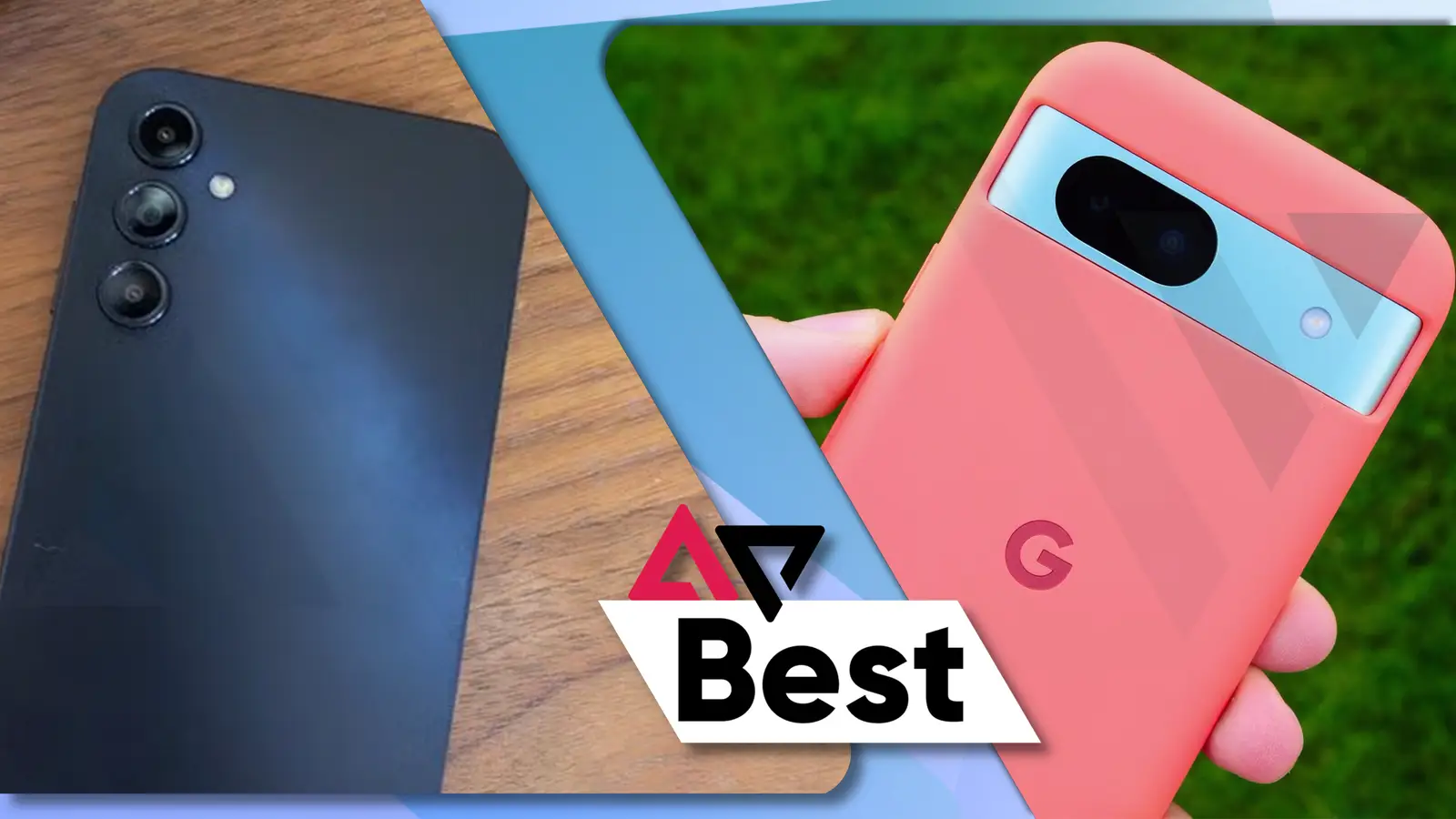
How to choose best phone for kids
The right device depends first on whether your child needs communication or only wants a phone-shaped learning toy. From there, focus on access controls, location features, app support, and the physical design.
Communication and connectivity
A real kids phone should clearly state what it can do beyond Wi-Fi play. Bark Phone A16, Teracube Thrive, Gabb Phone 4, and Troomi Galaxy A17 support cellular communication through their required services. Gabb removes browsers and app stores, while Bark, Teracube, and Troomi provide different levels of managed smartphone access.
The toy phones in this roundup do not make calls or connect to cellular networks. They are appropriate for pretend play, photos, music, and learning, not for a child who needs to call home after school.
Parental controls
Look for controls that parents can manage remotely and that a child cannot easily remove. App approval, contact approval, screen limits, blocked unknown callers, safe browsing, and message alerts all solve different problems.
Bark is strongest for monitoring potential concerns across messages and online services. Gabb is strongest for avoiding those services entirely. Teracube and Troomi are better for families that want to introduce approved apps gradually.
The safest first phone is the one whose access rules match your child, not the one with the longest feature list.
GPS and location tools
GPS matters when the phone is used away from home. Real-time location is useful for a quick check, while location history, check-ins, and Safe Zones help parents understand routines and arrivals.
Bark offers a real-time map, location alerts, and check-ins. Gabb provides real-time location and Safe Zones, while Troomi adds location history. The toy phones have no cellular GPS, so a parent should not buy one expecting location tracking.
App and browsing access
A no-internet device minimizes exposure but also limits what a child can do. Gabb Phone 4 has no browser, social media, or app store. Teracube includes safe search and browsing with app approval, while Troomi uses a controlled app library and can expand access as a child matures.
Check school requirements before choosing a managed device. Troomi specifically warns that some school or social apps may not be available. Families that want the broadest monitoring should consider how to keep texting useful without opening every online door.
Screen size and toy design
A large smartphone screen is easier for maps, messaging, and approved apps, but it can be bulky for younger children. The 6.7-inch Bark phone and the 6.1-inch Teracube models feel like full smartphones. Toy phones range from Luoba's 2.8-inch display to Orantronx's 3.97-inch touchscreen.
Cases and lanyards are particularly useful for toy phones because young children tend to carry them during active play. If the main goal is photography rather than phone ownership, choosing a camera that suits a young child's hands may make more sense than buying a pretend phone with overlapping camera features.
Battery and storage
Storage matters mainly on toy phones that hold photos, drawings, videos, and music. Orantronx lists 8GB of storage, while Luoba includes an 8GB card. Teracube Thrive Black lists 64GB, making it the more suitable managed phone for approved content.
Battery capacity is only one part of endurance, but it helps distinguish the toy devices. Luoba lists 600mAh, Byserten and Dylanto list 1000mAh, and Orantronx lists 1500mAh. Actual play time depends on screen use, audio, and camera activity.
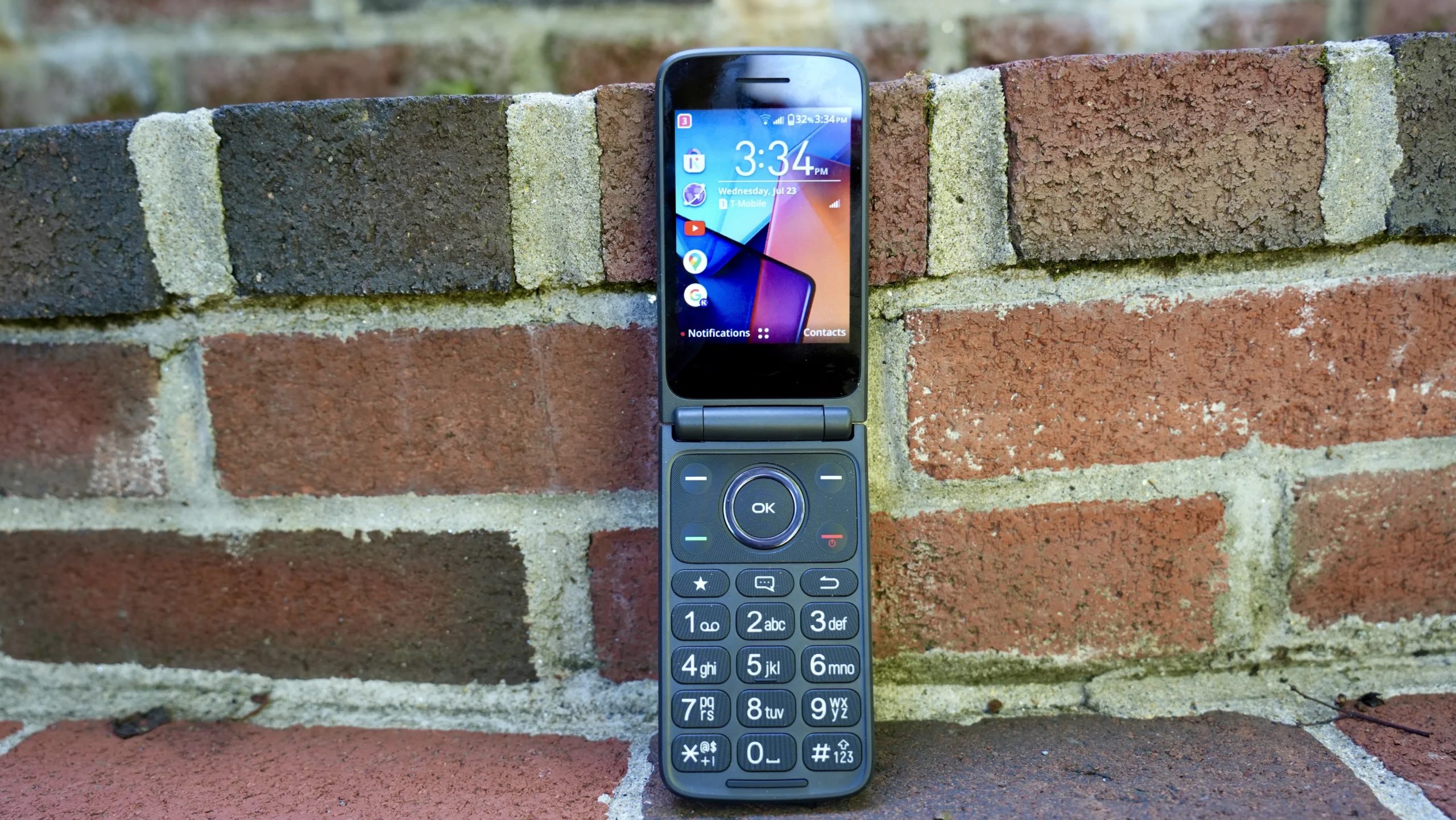
Frequently asked questions
What is the safest first phone for a child?
For the deepest monitoring, Bark Phone A16 is the strongest option in this group. For a child who should have calls, texts, and GPS but no internet browser or app store, Gabb Phone 4 is the simpler safety choice.
Do the toy phones in this roundup make calls?
No. WEOLULI, Orantronx, Luoba, Byserten, and Dylanto are pretend or learning phones. They provide activities such as games, cameras, music, drawing, stories, or puzzles, but they are not substitutes for a cellular phone.
Which kids phone has no internet?
Gabb Phone 4 is specifically designed without internet browsers, social media, or an app store. Several toy phones also have no Wi-Fi or calling functions, but they are learning toys rather than connected phones.
Do these real kids phones require a service plan?
Yes. Bark Phone A16 requires activation and a monthly data plan. Teracube Thrive requires Teracube Wireless activation, Gabb Phone 4 requires activation and a Gabb plan, and Troomi Galaxy A17 requires a Troomi service plan.
Can parents approve apps and contacts?
Yes, though the exact approach differs. Bark and Teracube support approved apps and contacts, Gabb uses parent-approved contacts and has no app store, and Troomi uses a parent-controlled app library and approved contacts.
Which phone is best for gradual independence?
Troomi Galaxy A17 is designed around that progression. Parents can begin with strict app, contact, location, and screen controls, then allow more apps and browsing flexibility as the child matures.
Are any of these suitable for toddlers?
The toy phones are the appropriate category for toddlers who want to imitate adults. WEOLULI, Luoba, Byserten, and Dylanto offer learning and pretend-play features, while the real phones are intended for children who need actual communication and supervision away from home.

The bottom line
The Best best phone for kids depends on whether the device needs to connect to a network. Bark Phone A16 is our top pick for families that want calls, GPS, approved contacts, website controls, and alerts across messages and online services. Gabb Phone 4 is the better choice for a child who needs a phone but should have no browser, social media, or app store.
For a managed Android experience, Troomi Galaxy A17 offers the clearest path from strict controls toward greater independence, while Teracube Thrive Black makes sense for older children who need more storage and approved smartphone features. For younger children who only want a screen to explore, WEOLULI Learning Phone and Orantronx Learning Phone are honest toy choices rather than pretend substitutes for cellular service.
If you are undecided, choose Gabb for firm simplicity, Bark for detailed monitoring, and a toy phone only when calls and location tracking are not required.
As an Amazon Associate we earn from qualifying purchases.