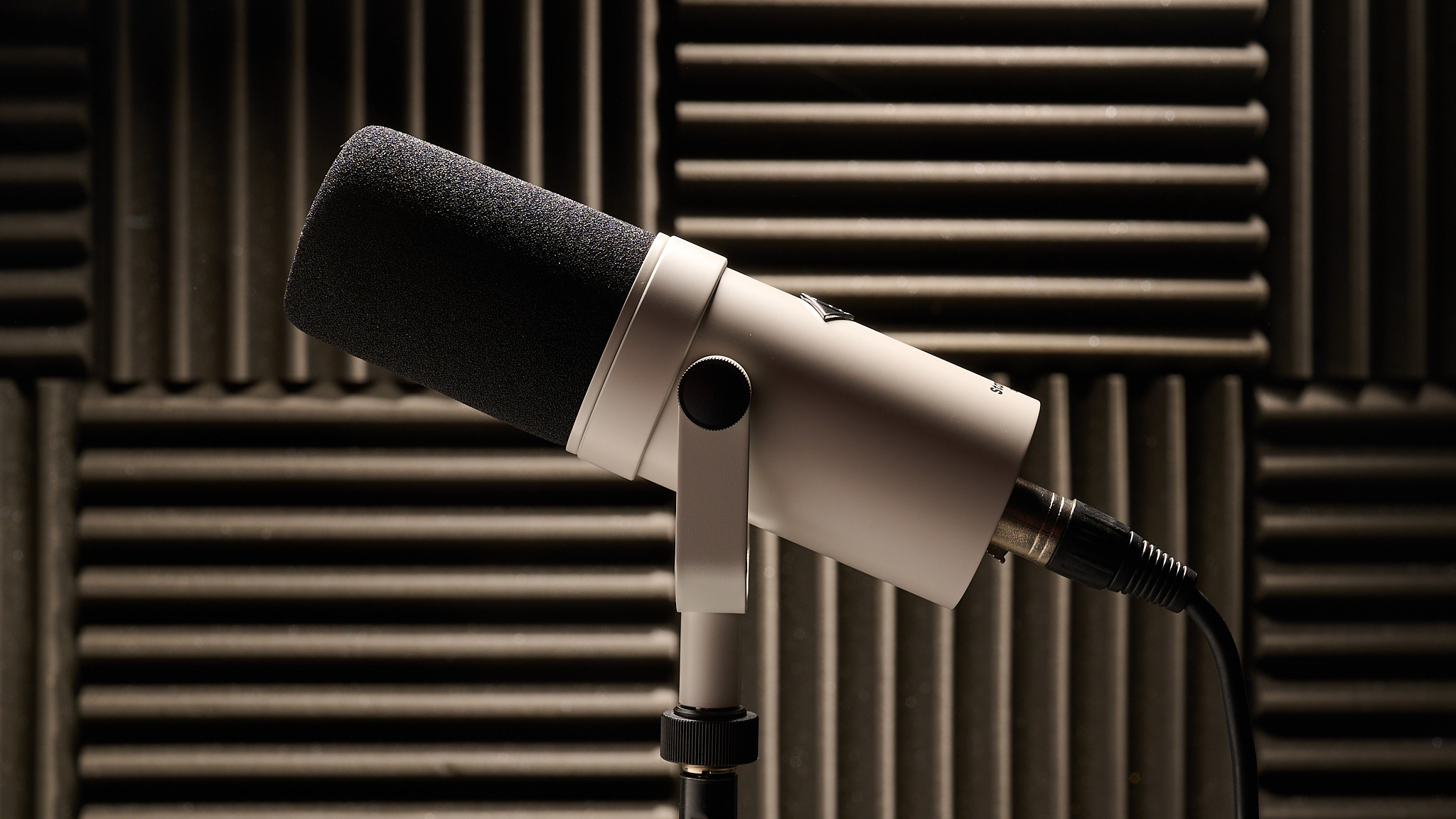

A podcast can survive an imperfect camera, but listeners notice a voice that sounds distant, thin, or buried under keyboard noise. The right microphone should make speech the center of the recording without turning setup into a second job. The Best podcast microphone for most people also needs to work beyond podcasting, since the same hardware may handle video calls, streaming, voiceovers, and gaming.
This list covers simple USB models, upgradeable USB and XLR microphones, a wireless option for mobile recording, and broadcast-style dynamics that suit a treated studio. Our top pick is the Shure MV7+ with Stand, while the Logitech Blue Yeti remains the most flexible choice for people who want multiple pickup patterns. The rest of the range includes compact streaming mics, complete boom-arm kits, and an XLR-only option for established audio setups.
Comparison table
| # | Product | Award | Type | Connection | Pickup | Best for |
|---|---|---|---|---|---|---|
| 1 | Shure MV7+ with Stand | Best overall | Dynamic | USB-C, XLR | Voice Isolation Technology | Serious podcasters building a long-term setup |
| 2 | Logitech Blue Yeti Blackout | Best versatile USB | Condenser | USB | Cardioid, omni, bidirectional, stereo | Solo creators and multi-person recording |
| 3 | MAONO PD200W | Best wireless | Dynamic | Wireless, USB, XLR | Cardioid | Duo podcasts and flexible recording spaces |
| 4 | FIFINE AmpliGame AM8 | Best for streaming | Dynamic | USB, XLR | Cardioid | Gaming, streaming, and first podcasts |
| 5 | Logitech Blue Yeti Midnight Blue | Best multi-pattern alternative | Condenser | USB | Cardioid, omni, bidirectional, stereo | Creators who record different formats |
| 6 | Shure MV6 | Best simple Shure USB mic | Dynamic | USB-C | Cardioid | Solo voices in busy rooms |
| 7 | Shure MV7+ | Best studio upgrade | Dynamic | USB-C, XLR | Voice Isolation Technology | Creators who already have a stand |
| 8 | FIFINE AmpliTank K688CT | Best complete kit | Dynamic | USB, XLR | Cardioid | New podcasters needing desk hardware |
| 9 | RØDE PodMic | Best XLR specialist | Dynamic | XLR | Cardioid | Broadcast-style setups with an interface |
| 10 | Logitech Blue Yeti Silver | Best classic design | Condenser | USB | Cardioid, omni, bidirectional, stereo | Desktop recording and video calls |
1. Shure MV7+ with Stand: Best Overall

Pros
- USB-C and XLR connections support beginner and studio setups
- Voice Isolation Technology focuses on speech
- Auto Level Mode adjusts for distance and voice volume
- Real-time denoiser and digital pop filter reduce common distractions
- Stand included
Cons
- Heavier than the simpler USB options
- Advanced controls depend on the MOTIV Mix app
- Dynamic voice capture rewards close, consistent positioning
Best for: podcasters who want polished voice processing now and an XLR upgrade path later.
The first thing to know about the Shure MV7+ with Stand is that it is designed to solve the problems that appear after a podcast moves beyond casual recording. It is a dynamic microphone with Voice Isolation Technology, so the emphasis is on keeping the speaker in front of the room noise. That makes more sense for a desk near a fan, keyboard, or reflective wall than a sensitive condenser that hears every part of the space.
Its USB-C and XLR outputs give it unusual longevity. A new creator can connect it directly to a computer and use the MOTIV Mix app to shape the sound. Later, the same microphone can move to an audio interface or mixer through XLR. Auto Level Mode adjusts gain according to speaking distance and volume, which is useful when a host shifts slightly during a long conversation. It is not a substitute for good mic technique, but it reduces the need to stop and correct every change.
The built-in real-time denoiser is the feature that most clearly separates this model from the Logitech Blue Yeti Blackout. The Yeti offers four pickup patterns and broader recording flexibility, while the MV7+ is more focused on one person speaking clearly into the front of the mic. A digital pop filter helps control harsh plosives, and the LED touch panel provides level monitoring, mute control, and a customizable visual element. Reverb modes and other adjustments are available through the app, giving the mic room to grow with a more deliberate production workflow.
The weakness is physical and practical. At 3.57 pounds, the MV7+ with Stand is not a light desktop accessory, and its dynamic design expects the speaker to remain reasonably close. A host who wants to sit back from the microphone or record instruments from several directions should choose the Blue Yeti instead. The stand helps this package get started immediately, though buyers with a boom arm may prefer the standalone Shure MV7+ below.
For the person who wants the Best podcast microphone for a serious solo show, interviews, and future studio work, this is the most complete option here. It gives beginners an approachable USB route without boxing them into one.
2. Logitech Blue Yeti Blackout: Best Versatile USB

Pros
- Four pickup patterns cover solo and shared recording
- Three-capsule array supports speech, streaming, and music
- Headphone volume, gain, mute, and pattern controls are onboard
- Included desktop stand is adjustable
- Blue VO!CE software adds vocal effects and processing
Cons
- Condenser design can expose more room sound
- Heavy desktop footprint
- No XLR connection for a traditional interface
Best for: creators who want one USB microphone for podcasts, calls, streaming, and varied recording styles.
The Logitech Blue Yeti Blackout is the easiest recommendation for someone who wants to plug in a microphone and explore what it can do. Its three-capsule array and included desktop stand make the setup straightforward, while the controls are visible on the body rather than hidden behind software. Headphone volume, microphone gain, instant mute, and pickup-pattern selection are all available at arm's reach.
The four pickup patterns are the reason this Yeti remains more adaptable than most of the dynamic microphones in this roundup. Cardioid is the natural setting for a solo podcast because it prioritizes sound from the front. Omni can suit a group around a table, bidirectional is intended for two opposing speakers, and stereo can help with certain music or atmospheric recordings. These modes do not remove the need to place the microphone carefully, but they let one device cover situations that would otherwise call for different microphones.
Blue VO!CE software adds another layer for creators who want a more finished vocal sound. The available effects, advanced modulation, and HD audio samples are aimed at recordings and streams, while the real-time headphone monitoring helps a speaker hear the signal as it is captured. The Yeti can also pivot on its adjustable stand, and it can connect to a mic stand or boom arm when the desktop arrangement becomes crowded.
Compared with the Shure MV7+ with Stand, the Blue Yeti Blackout is less specialized for rejecting room noise and lacks the Shure's XLR path, Auto Level Mode, and real-time denoiser. Its advantage is breadth. It is better suited to a creator who alternates between solo speech, two-person conversations, instruments, and video calls. The 3.51-pound body and desktop stand also take up real space, so a small desk may need a boom arm.
The Blackout finish is only a cosmetic distinction from the other Blue Yeti entries here. The important choice is the Yeti platform itself. If your show is still changing shape and you want the Best podcast microphone for experimenting with formats through USB, this is the one to keep in mind.
3. MAONO PD200W: Best Wireless

Pros
- Wireless, USB, and XLR modes cover mobile and fixed setups
- 60-meter wireless range
- Up to 60 hours of battery life with RGB off
- One receiver can support two wireless microphones
- App offers four preset modes plus EQ and reverb adjustments
Cons
- Camera and Lightning accessories are sold separately
- Wireless recording adds charging and receiver management
- RGB and app features may be unnecessary for a simple podcast
Best for: podcasters who need freedom from cables or plan to record two speakers wirelessly.
The MAONO PD200W is the unusual pick in this group because it treats a podcast microphone as a mobile production tool. It can run wirelessly, connect over USB to a phone, tablet, or computer, or use XLR with an interface. That range makes it possible to start at a desk, move to a different room, and eventually join a more conventional audio system without replacing the microphone.
The core hardware is a 30mm dynamic capsule with cardioid pickup. MAONO lists an 82dB signal-to-noise ratio and support for sound levels up to 128dB SPL without distortion. Those figures matter most when the microphone is used for energetic speech or louder recording environments, though placement still matters more than any single number. Its three-stage noise cancellation is intended to reduce background noise and room echo, keeping the cardioid focus on the speaker.
The wireless feature is more than a cable-free connection for one host. A single receiver can connect two wireless desktop microphones for a duo podcast or interview, with each microphone recorded to its own track. That separate-track arrangement gives an editor much more control over each voice. The microphone can also capture audio and video in sync directly on a camera, although the required camera and Lightning accessories are not included.
Its 60-meter wireless range is generous for a home recording space, and battery life reaches up to 60 hours with RGB turned off. The MaonoLink app provides four preset modes along with EQ and reverb adjustments, while the RGB lighting can be customized or disabled. Compared with the FIFINE AmpliGame AM8, the PD200W is much more flexible for movement and two-person recording. The AM8 is simpler when the microphone will stay wired at a desk.
The trade-off is that wireless introduces another device to charge and another connection to keep track of. Someone who only records at a computer may get more use from the Shure MV6's direct USB-C workflow. The PD200W is the Best podcast microphone here for a host who records interviews around a room, travels between locations, or wants two wireless voices on separate tracks.
4. FIFINE AmpliGame AM8: Best for Streaming

Pros
- USB and XLR connections allow a later interface upgrade
- Tap-to-mute control works independently of computer software over USB
- Headphone monitoring and volume control are onboard
- Cardioid dynamic design helps reject off-axis noise
- RGB lighting has three modes and more than 10 colors
Cons
- XLR cable is not included
- RGB and function controls are inactive over XLR
- Best results require a close 2 to 6 inch speaking distance
Best for: streamers and new podcasters who want direct controls, visual effects, and an upgradeable connection.
The FIFINE AmpliGame AM8 feels built around the moment when a creator needs more control than a laptop microphone can provide. It has a cardioid dynamic capsule, a headphone jack, a monitoring volume control, a gain knob, and a tap-to-mute button. Over USB, those controls make it easy to correct levels or mute quickly without opening recording software.
FIFINE lists a 50Hz to 16kHz frequency response. That range is aimed at balanced speech rather than exaggerated effects, and the cardioid pattern rejects sound arriving from the sides and rear. The manufacturer recommends speaking from 2 to 6 inches away and keeping the top of the end-addressing microphone pointed toward the sound source. That close working distance is typical of a dynamic podcast microphone, but it means the AM8 needs a deliberate position rather than casual room placement.
The AM8 also provides an XLR connection for use with an audio interface or mixer. The separate XLR cable is not included, and several of the USB conveniences disappear in XLR mode. RGB lighting and the function key are USB-only, as is the tap-to-mute behavior. That distinction is easy to miss, but it matters to anyone planning to move from a computer to a hardware interface.
The controllable RGB ring offers three modes and more than 10 colors, with a memory function that retains the chosen setting after power-off. It is not a sound feature, but it can suit a camera-facing streaming setup. The included windscreen is intended to reduce hum from nearby electrical appliances, and built-in 3/8-inch and 5/8-inch threads allow the mic to fit many stands without an external adapter.
Compared with the MAONO PD200W, the AM8 gives up wireless operation and two-microphone receiver support, but its wired controls are easier to understand for a fixed desk. The FIFINE AmpliTank K688CT below is a better package if a boom arm and shock mount are needed immediately. Choose the AM8 when the Best podcast microphone for your setup also has to serve gaming and live streaming.
5. Logitech Blue Yeti Midnight Blue: Best Multi-Pattern Alternative

Pros
- Three-capsule array supports several recording applications
- Four pickup patterns provide unusual flexibility
- Gain, mute, pattern, and headphone controls are built in
- Blue VO!CE software adds effects and vocal processing
- Included stand can pivot toward the speaker
Cons
- Condenser pickup can reveal room reflections
- No XLR output
- Substantial desktop design
Best for: creators who prefer the Blue Yeti feature set and want a different finish for a visible desk setup.
The Logitech Blue Yeti Midnight Blue is functionally the same kind of tool as the Blackout version above. It is a USB condenser microphone with a three-capsule array, an adjustable desktop stand, and onboard controls. For a creator who wants the familiar Yeti workflow but prefers this finish on camera, it provides the same broad recording approach without adding setup complexity.
Its four pickup patterns make it especially useful when a podcast format is not settled. Cardioid keeps the focus on one person, omni captures sound from all around the microphone, bidirectional is intended for speakers on opposite sides, and stereo offers a wider left-right presentation. Switching between them is done on the microphone, so a host does not need to rebuild the computer setup for a two-person conversation or a different recording project.
Headphone volume, microphone gain, and instant mute controls are practical during live work. The mic can be positioned on its stand, monitored with no latency, or moved onto a separate stand or boom arm. Blue VO!CE software adds broadcast-style vocal sound, effects, modulation, and HD audio samples for creators who want to shape the signal before it reaches the audience.
The main limitation is the same one that affects the Blackout model. A condenser can hear more of the room than a dynamic microphone such as the Shure MV6 or RØDE PodMic, so an untreated room with hard surfaces may require more attention to placement. The 3.2-pound body is also not especially discreet on a small desk. There is no XLR output, which rules out the kind of direct interface upgrade offered by the Shure MV7+.
The Blue Yeti Midnight Blue makes sense when versatility matters more than isolation. It is not a separate sound platform from the Blackout Yeti, and buyers should choose between those two based on availability and appearance rather than performance claims. For multi-use USB recording, it remains a strong Best podcast microphone candidate.
6. Shure MV6: Best Simple Shure USB Mic

Pros
- USB-C setup works with PC and Mac
- Voice Isolation Technology reduces common background distractions
- Auto Level Mode maintains a more consistent signal
- Real-time denoiser and Digital Popper Stopper are built in
- Zero-latency headphone monitoring and tap-to-mute
Cons
- USB-C only, with no XLR upgrade path
- Less flexible than a four-pattern condenser
- MOTIV Mix app is needed for deeper control
Best for: solo podcasters who want focused speech and automatic processing without an audio interface.
The Shure MV6 takes the focused voice approach of the MV7+ and makes it more direct. It connects over USB-C to a PC or Mac, uses a dynamic cardioid design, and includes Shure's Voice Isolation Technology. For a solo host recording beside a keyboard, fan, or untreated wall, that focus can be more useful than a microphone that captures a larger area.
Its smart DSP features do much of the routine cleanup. Auto Level Mode adjusts the signal as speaking distance and voice volume change, while the real-time denoiser works against background noise and room echo. Digital Popper Stopper technology is intended to control plosive bursts. These tools do not make microphone placement irrelevant, but they can reduce the amount of corrective work between recording and editing.
The 3.5mm headphone output provides zero-latency monitoring, which lets the host hear the captured voice without the delay that can make speaking uncomfortable. A tap-to-mute control is useful during a live stream, remote interview, or team chat. The MOTIV Mix desktop app handles monitor mix and microphone settings, extending control without requiring an external mixer.
The MV6 is more limited than the Logitech Blue Yeti Blackout in recording patterns. It is built for one focused voice rather than omni, bidirectional, or stereo sessions. It also does not offer the Shure MV7+'s XLR output, LED touch panel, reverb modes, or a path into a hardware interface. Those omissions are not problems for a USB-only host, but they become important if the show may grow into a multi-microphone studio.
Compared with the FIFINE AM8, the MV6 has a more polished set of automatic voice-processing features, while the AM8 adds RGB and an XLR connection. The Best podcast microphone for a solo speaker who wants less software tweaking is the MV6, provided USB-C is all the connection flexibility you need.
7. Shure MV7+: Best Studio Upgrade

Pros
- USB-C and XLR outputs support a staged upgrade
- Auto Level Mode adapts to voice volume and distance
- Real-time denoising reduces background distractions
- Built-in Plate, Hall, and Studio reverb modes
- LED touch panel includes level monitoring and mute
Cons
- Stand is not included in this version
- Some controls require the MOTIV Mix app
- Dynamic design works best when the speaker stays close
Best for: creators who already own a stand and want the MV7+ processing with a flexible studio connection.
The Shure MV7+ is the standalone version of the top pick, and its biggest distinction is what is not in the box: the product listing does not include the stand supplied with the MV7+ with Stand. That makes this version a better fit for anyone who already has a compatible arm or stand and wants to avoid changing the support hardware.
The microphone itself keeps the important recording features. USB-C handles direct computer and mobile-device connections, while XLR allows the microphone to connect to an audio interface or mixer. Auto Level Mode manages gain according to speaking distance and volume, and the real-time denoiser helps limit room noise. For a podcast that needs a steady voice from episode to episode, those controls can be more useful than a large collection of pickup patterns.
The full-color LED touch panel provides level monitoring, tap-to-mute control, and customizable lighting. Through MOTIV Mix, creators can refine the monitor mix and adjust the microphone. The built-in reverb modes include Plate, Hall, and Studio, which can add ambience to vocals or voiceovers. For a conventional spoken podcast, restrained processing is usually the safer approach, but having those modes available can help with creative work.
Against the MV6, the MV7+ is the more expandable microphone. The MV6 is easier to recommend for someone who wants USB-C and nothing else, while the MV7+ makes more sense when an interface, mixer, or more deliberate studio workflow may be part of the future. Against the RØDE PodMic, the Shure is far easier to integrate into a computer-only setup because it does not require an external interface for USB operation.
The drawback is the support hardware. A buyer starting from zero must supply a stand or arm, and the microphone still rewards close, consistent speaking. If you already own the support you need, this is the Best podcast microphone for building around a polished voice-processing chain without abandoning USB convenience.
8. FIFINE AmpliTank K688CT: Best Complete Kit

Pros
- USB and XLR connections cover beginner and studio use
- Boom arm, shock mount, and windscreen are included
- Tap-to-mute, gain, headphone monitoring, and volume controls
- Cardioid pickup limits ambient sound
- 130dB SPL capability
Cons
- C-clamp fits desks under 2 inches thick
- Microphone controls are inactive in XLR mode
- Close 2 to 6 inch placement is recommended
Best for: first-time podcasters who need a microphone and basic desk mounting hardware together.
The FIFINE AmpliTank K688CT is the practical kit for a new host who does not want to assemble a desk setup piece by piece. It includes a metal boom arm, shock mount, and windscreen alongside the USB/XLR dynamic microphone. That arrangement gets the microphone off the desktop, which can reduce bumps and help maintain a steady speaking distance.
The microphone uses cardioid pickup to keep attention on the front-facing speaker. FIFINE lists a 130dB SPL capability, while its guidance recommends recording from 2 to 6 inches away for better input volume. Those details point to the intended use: a close, direct vocal presentation rather than a room microphone. The shock mount helps isolate the microphone from collisions and vibrations, and the windscreen is intended to soften harsh breath sounds and low-frequency disturbances.
USB mode includes the controls most beginners need. A tap-to-mute button handles quick interruptions, a gain knob adjusts input level, and the headphone jack and volume knob support monitoring. XLR mode provides a route to an audio interface or mixer, but all of the microphone's function keys become inactive there. In that setup, level and mute control move to the connected hardware.
The kit has a few physical requirements worth checking before ordering. The C-clamp is designed for desks under 2 inches thick, and the instructions caution against forcing the adjustment knob when changing the arm angle. Those details are small, but an arm that cannot clamp securely is more frustrating than a microphone that lacks one extra software feature.
The AM8 offers similar USB/XLR flexibility with RGB and a slightly more gaming-oriented control layout, but it does not include this kit's complete boom-arm arrangement. The K688CT is the Best podcast microphone choice for a new desk-based show that needs mounting hardware immediately, while an existing arm owner may prefer the simpler AM8 or Shure MV7+.
9. RØDE PodMic: Best XLR Specialist

Pros
- Cardioid dynamic capsule focuses on the speaker
- Integrated swing mount simplifies positioning
- Internal pop filter helps control vocal plosives
- Internal shock mount reduces handling disturbance
- Broadcast-oriented build and balanced voice tone
Cons
- XLR output only
- Requires an audio interface or compatible mixer
- No direct USB connection to a computer
Best for: podcasters who already use an audio interface and want a dedicated broadcast-style XLR microphone.
The RØDE PodMic is the most narrowly defined microphone in this roundup, and that is its appeal. It is an XLR-only cardioid dynamic microphone designed for podcasting, broadcast, and streaming. There is no USB shortcut, so it belongs in a setup that already has an audio interface, mixer, or compatible RØDE device.
Its internal swing mount makes positioning easier, while the integrated pop filter reduces the need to add a separate filter in front of the capsule. An internal shock mount helps limit handling noise, and the dynamic cardioid design is intended to reject room noise and background sound. Those features suit a close, controlled vocal style where the microphone remains aimed at the speaker.
The important limitation is connection. It cannot plug directly into a computer through USB, and the listing specifically requires an audio interface or similar XLR input. That makes the PodMic less convenient for a new host than the Shure MV6, Logitech Blue Yeti, or FIFINE AM8. It also means the recording chain's preamp, gain controls, and monitoring features come from the connected hardware rather than the microphone.
Once the interface requirement is already solved, the PodMic becomes much easier to appreciate. Its broadcast-grade build, internal pop filter, and balanced voice tone keep the design focused on spoken-word recording rather than RGB lighting, app effects, or multiple pickup modes. It is also a clean alternative to the FIFINE AmpliTank K688CT when you do not need a bundled boom arm or USB controls.
Skip it if you want to start recording from a laptop with one cable. For a host who already understands an XLR workflow, the PodMic is the Best podcast microphone here for a straightforward broadcast setup with fewer features competing for attention.
10. Logitech Blue Yeti Silver: Best Classic Design

Pros
- Plug-and-play USB setup for Mac or PC
- Four pickup patterns cover several recording layouts
- Three-capsule array supports speech and music recording
- Built-in mute, gain, headphone, and pattern controls
- Adjustable desktop stand included
Cons
- No XLR connection
- Condenser pickup can capture room sound
- Large 3.2-pound desktop design
Best for: desktop creators who want the established Blue Yeti controls in a silver finish.
The Logitech Blue Yeti Silver is the original-style desktop option in this list. Its three-capsule array, included adjustable stand, and plug-and-play USB connection make it a familiar starting point for podcasting, streaming, recording, and calls. The silver finish is the key distinction from the Blackout and Midnight Blue entries, while the core feature set remains the same.
Four pickup patterns give the microphone more range than a typical solo USB model. Cardioid is suited to one speaker, omni can capture sound around the microphone, bidirectional supports opposing speakers, and stereo offers a wider arrangement for supported recordings. Pattern selection is on the body, along with gain, headphone volume, and instant mute controls, so the host can make changes without digging through a computer menu.
The adjustable stand lets the microphone pivot toward the sound source, and no-latency monitoring helps the speaker hear the incoming signal in real time. Blue VO!CE software adds vocal effects, modulation, and HD audio samples for creators who want a more produced stream or recording. The mic can also attach to a mic stand or boom arm if the supplied desktop base takes up too much room.
Its limitations are predictable but important. The condenser design is more likely to expose fan noise, keyboard sound, or reflections from a bare room than a dynamic model such as the Shure MV6. It also has no XLR output, so someone moving into an interface-based studio would need a different microphone later. At 3.2 pounds, the body and stand occupy a noticeable portion of a desk.
The Silver Yeti is not a different performance tier from the other two Blue Yeti listings. It is the right choice when its finish suits the workspace or camera framing. For USB-first recording and broad pickup flexibility, it remains a credible Best podcast microphone, especially for creators who plan to record more than one type of content.
How to choose best podcast microphone
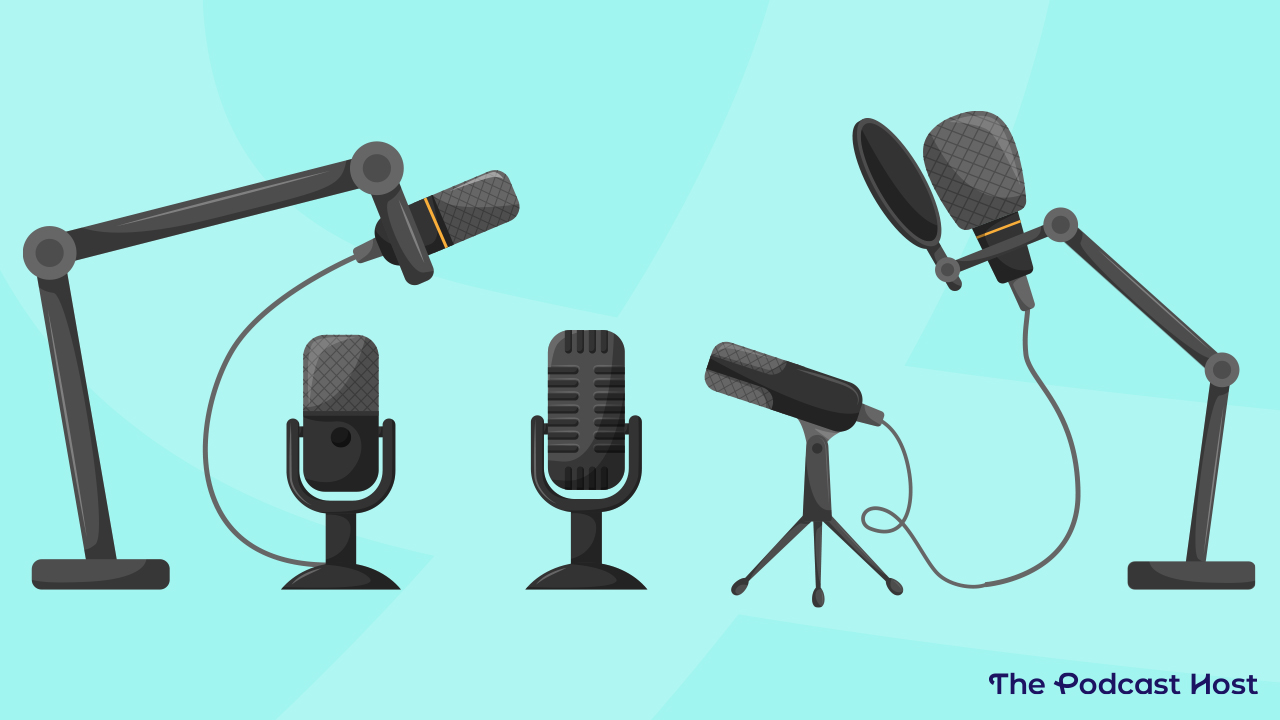
The right microphone depends less on a long feature list than on the room, connection, and number of people speaking. These are the traits that separate the useful options from the awkward ones.
Microphone type
Dynamic microphones such as the Shure MV7+, Shure MV6, FIFINE AM8, FIFINE K688CT, MAONO PD200W, and RØDE PodMic are designed for close vocal work and can help keep room distractions under control. That is useful in a bedroom, office, or gaming space where acoustic treatment is limited. They generally reward a speaker who stays close and speaks toward the front of the microphone.
Condenser models such as the Logitech Blue Yeti entries use a more open approach to recording. Their four pickup patterns make them more adaptable for groups, stereo work, or instruments, but the room becomes part of the recording more easily. A quiet, controlled room favors the Yeti's flexibility. A noisy room favors the focused behavior of a dynamic.
USB and XLR connections
USB is the simplest route. Plugging the Logitech, Shure MV6, or a USB-enabled FIFINE microphone into a computer avoids a separate audio interface and keeps monitoring and mute controls close at hand. It is the sensible starting point for a solo host recording directly into a computer.
XLR becomes useful when a show uses a mixer, interface, or multiple microphones. The Shure MV7+ and FIFINE models can start over USB and transition to XLR later. The RØDE PodMic is XLR only, so it should be considered only when the rest of the audio chain is already in place.
Pickup pattern
A cardioid pattern favors sound arriving from the front and is the usual starting point for one-person podcasting. It helps reduce noise from behind the microphone, though it does not make a loud room disappear. Positioning the microphone away from a keyboard, fan, or reflective wall still matters.
The Blue Yeti's omni, bidirectional, and stereo settings are useful when the recording arrangement changes. Bidirectional can suit two speakers facing each other, while omni can capture a group around the microphone. These patterns increase flexibility, but they also demand more attention to room noise and speaker placement.
A quiet dynamic microphone placed close to the speaker usually beats a feature-rich microphone left across the desk.
Noise control and processing
Voice Isolation Technology on the Shure models, denoising on the MV7+ and MV6, and noise-cancellation features on the MAONO PD200W all aim to reduce background distractions. Auto Level Mode can also make a recording more consistent when a host shifts distance or volume. These tools are helpful, but they should support good placement rather than replace it.
Software and app controls can change the character of a voice, add reverb, or manage a monitor mix. Blue VO!CE is useful for Logitech owners who want effects, while MOTIV Mix handles deeper Shure adjustments. For a natural podcast, start with a restrained profile and add processing only when it serves the voice.
Mounting and monitoring
A desktop stand is convenient, but a boom arm can free space and make it easier to keep the microphone at a consistent distance. The FIFINE K688CT includes an arm, shock mount, and windscreen, while the Shure MV7+ with Stand arrives ready for desktop use. The standalone MV7+ requires a suitable support.
A headphone output with zero-latency monitoring lets the host hear the signal without a distracting delay. Gain and mute controls on the mic are also useful during live recordings. Check whether those controls remain available over XLR, since the FIFINE AM8 and K688CT disable their onboard USB features when connected that way.
Frequently asked questions
Is a dynamic or condenser microphone better for podcasting?
A dynamic microphone is often easier to manage in a room with fans, keyboards, or untreated walls because it focuses more tightly on a nearby voice. A condenser microphone such as the Logitech Blue Yeti provides broader pickup options, but it can reveal more of the room. The better choice depends on the recording environment and whether you need multiple pickup patterns.
Do I need an audio interface for these microphones?
You do not need one for USB models such as the Logitech Blue Yeti or Shure MV6. The Shure MV7+, MAONO PD200W, FIFINE AM8, and FIFINE K688CT can also operate over USB while retaining an XLR upgrade path. The RØDE PodMic is XLR only and requires an audio interface, mixer, or compatible XLR device.
Which microphone is best for a noisy room?
The Shure MV7+ and MV6 use Voice Isolation Technology, while both include processing intended to reduce background distractions. The MAONO PD200W and the FIFINE dynamic models also use cardioid pickup and noise-control features. No microphone can fully compensate for a loud room, so close placement and a quieter recording position remain important.
Can two people use one microphone?
The Logitech Blue Yeti can use bidirectional or omni pickup patterns for certain two-person arrangements. The MAONO PD200W has a more specialized approach, since one receiver can connect two wireless microphones and record each to its own track. Two separate microphones usually provide better control over each voice during editing.
Is the Logitech Blue Yeti good for a first podcast?
Yes, especially if the host wants USB setup and the ability to experiment with cardioid, omni, bidirectional, and stereo recording. Its condenser design means the room should be reasonably quiet, and the large stand needs desk space. Someone recording beside a noisy computer may prefer a dynamic model such as the Shure MV6 or FIFINE AM8.
Can the FIFINE microphones connect to a boom arm?
The FIFINE AM8 has built-in 3/8-inch and 5/8-inch threads for compatibility with many microphone stands. The K688CT includes a metal boom arm and shock mount, with a C-clamp designed for desks under 2 inches thick. Confirm the desk thickness and arm position before mounting.
What should I use to monitor my voice?
A microphone with a headphone output and zero-latency monitoring is the simplest option. The Logitech Blue Yeti, Shure MV6, Shure MV7+, FIFINE AM8, and FIFINE K688CT include monitoring features described in their listings. With the RØDE PodMic, monitoring depends on the connected audio interface or mixer.
The bottom line
The Best podcast microphone for most serious creators is the Shure MV7+ with Stand. Its dynamic voice capture, USB-C and XLR connections, Auto Level Mode, denoising, and included stand make it ready for a first recording while leaving room for a more advanced studio later. Choose the standalone Shure MV7+ instead if you already have a boom arm or microphone stand.
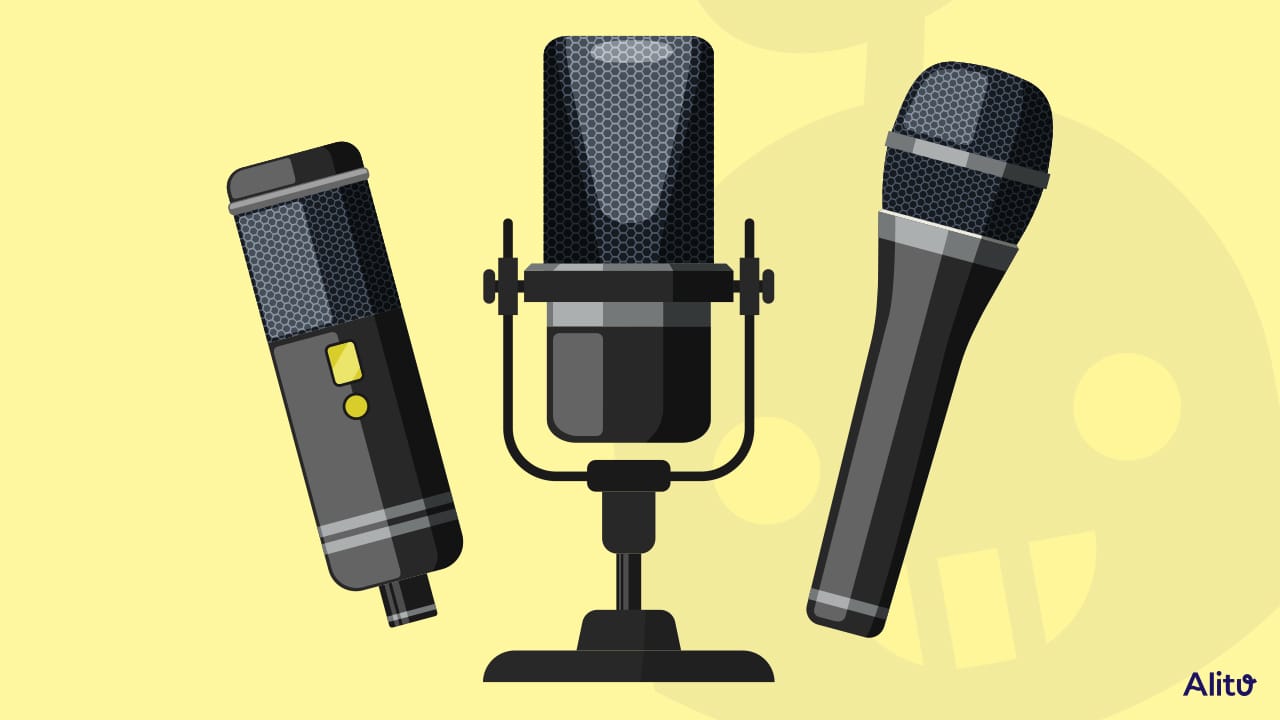
The Logitech Blue Yeti Blackout is the better fit for creators who need four pickup patterns and a flexible USB-only workflow. The MAONO PD200W stands apart for wireless recording and two-microphone interviews, while the RØDE PodMic is the focused choice for an established XLR setup.
If you are still undecided, choose the Shure MV7+ with Stand for focused speech and long-term flexibility, or the Logitech Blue Yeti for broader recording formats.
As an Amazon Associate we earn from qualifying purchases.