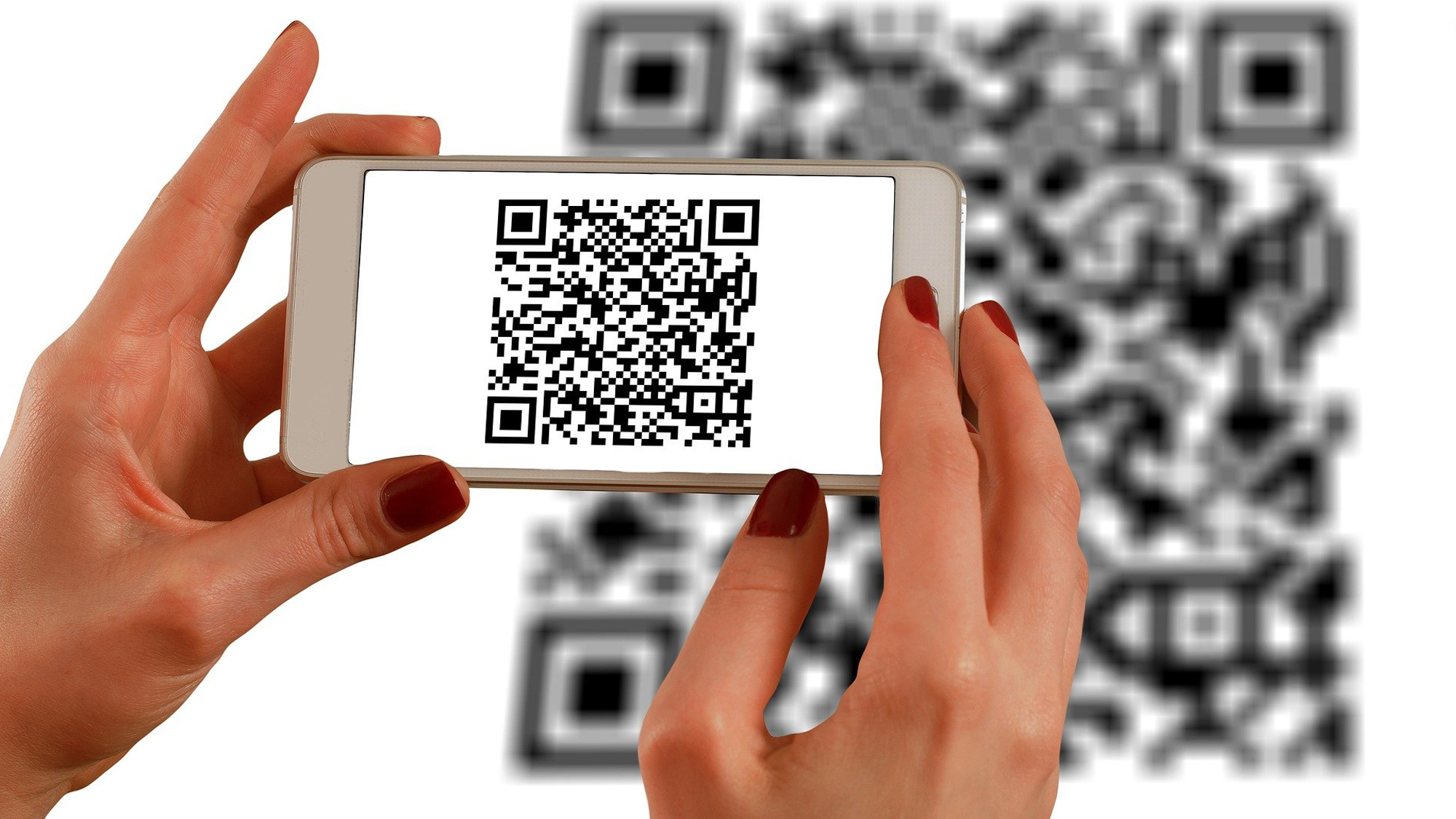

A QR code scanner has one job, but the wrong design can make every transaction feel awkward. A wired reader keeps a checkout station simple, while a wireless model is far more useful when you are walking through shelves, boxes, or library stacks. Desktop scanners solve a different problem by letting you present codes without picking up a trigger-operated handle.
The Best QR Code Scanners in this group cover those different workflows, from the compact Eyoyo mini scanner to the hands-free NetumScan desktop model. We looked at connection options, screen scanning, code compatibility, battery behavior, durability, and the configuration features that matter when a scanner is used all day.
Eyoyo EYH2 Handheld is the best wired choice for most fixed workstations. The rest of the lineup ranges from rugged wireless readers and offline inventory tools to small portable scanners and hands-free desktop hardware.
| # | Product | Award | Connection | Code support | Best for |
|---|---|---|---|---|---|
| 1 | Eyoyo EYH2 Handheld | Best wired scanner | USB | 1D, 2D, QR, DataMatrix, PDF417 | POS counters and offices |
| 2 | Tera D5100 Wireless | Best rugged wireless scanner | 2.4 GHz wireless, USB | 1D, 2D, QR, DataMatrix, Aztec | Retail and warehouse use |
| 3 | ScanAvenger Wireless Scanner | Best charging stand | Bluetooth, USB, wireless stand | 1D, 2D, QR, PDF417, Aztec | Shared workstations |
| 4 | NetumScan Desktop Scanner | Best hands-free scanner | USB | 1D, 2D, QR | Countertop scanning |
| 5 | onewscan Handheld Scanner | Best simple wired scanner | USB | 1D, 2D, QR, DataMatrix, PDF417 | Basic computer-connected tasks |
| 6 | Eyoyo Mini Bluetooth Scanner | Best pocket scanner | Bluetooth, 2.4 GHz, USB | 1D, 2D, QR, PDF417, DataMatrix | Mobile inventory work |
| 7 | NetumScan Wireless Scanner | Best offline storage | 2.4 GHz wireless, USB | 1D, 2D, QR, PDF417, DataMatrix | Warehouses and stock counts |
| 8 | NETUM CS7501 | Best battery controls | Bluetooth, 2.4 GHz, USB | 1D, 2D, QR, PDF417, DataMatrix | Long wireless shifts |
1. Eyoyo EYH2 Handheld: Best Wired Scanner

Pros
- Plug-and-play USB connection
- Reads codes from paper and bright phone screens
- Supports configurable prefixes, suffixes, and keyboard keys
- Designed to withstand drops from 5 feet
Cons
- No wireless operation
- Not compatible with Square POS or Square Register
- Very small or dense PDF417 codes can be difficult
Best for: a fixed counter, office, library, or POS station that needs dependable wired scanning.
The Eyoyo EYH2 is the scanner we would put at a conventional checkout or office desk first. It has the familiar handheld shape, a USB cable, and no wireless pairing routine to interrupt the workday. Plug it into a Windows, Mac, Android, or Linux computer and it is designed to work with common programs such as QuickBooks, Word, and Excel without separate drivers or software.
Its 2D imaging handles QR, DataMatrix, and PDF417 alongside a broad collection of 1D formats, including EAN, UPC, Code 39, Code 128, Codabar, and ISBN. That range makes it more useful than a basic laser reader, especially when customers present mobile coupons, digital loyalty cards, or wallet codes. The screen-scanning feature works best with the phone display brightness turned up, a small step that matters when a code is presented under bright retail lighting.
The EYH2 also gives the operator more control than its simple appearance suggests. It supports an automatic sensing mode and a trigger mode, and its configuration options let you add or hide prefix and suffix characters, remove characters, and insert keyboard commands such as Tab or carriage return. Those options can save time when a POS or spreadsheet expects each scan to arrive in a particular format. The scanner weighs about 0.44 pounds and measures roughly 6.29 by 3.54 by 2.76 inches, so it is substantial enough to hold comfortably without taking over a counter.
Eyoyo says the ABS housing can handle repeated drops from 5 feet onto concrete, which is reassuring for a busy station. You can also mute the scan sound, useful in a library, clinic, or quiet office. The weakness is the cable, since this is not a tool for walking aisles, and the manufacturer specifically warns that very small Intel 2D codes and some blurry or dense PDF417 codes may not scan. Square systems are another firm limitation. For a fixed workstation that avoids those systems, the EYH2 is a more complete choice than the simpler onewscan Handheld Scanner, while the wireless models are better when the operator needs to leave the counter.
2. Tera D5100 Wireless: Best Rugged Wireless Scanner

Pros
- Battery indicator shows remaining charge
- 2.4 GHz wireless and USB wired modes
- 2, 200mAh battery
- Silicone protection and IP54 dust protection
Cons
- Not compatible with Square
- Uses a USB receiver rather than Bluetooth
- The larger handle is less pocketable
Best for: retail and warehouse operators who want a visible battery status and a protected wireless handle.
The Tera D5100 is built around a practical warehouse concern: a wireless scanner is only useful if it still has charge when the shift gets busy. Its battery indicator makes that status visible, while the 2, 200mAh battery is intended for longer continuous use and standby time. That is a more useful feature than decorative status lighting because it gives staff a chance to recharge before the scanner becomes a problem.
Connection is straightforward. The included receiver provides 2.4 GHz wireless operation, and a USB cable offers a wired fallback with no driver installation. Tera claims wireless transmission up to 328 feet in a barrier-free environment, though walls, shelving, and other obstacles will affect any real installation. The setup suits a counter that occasionally needs a mobile scan, or a stockroom where the operator needs to move away from the computer without pairing Bluetooth.
The scanner reads printed and digital 1D and 2D codes, including QR, DataMatrix, Aztec, Hanxin, and Micro PDF417, plus formats such as UPC, EAN, Code 128, Code 39, and Codabar. That is a useful spread for retail labels and mobile displays. Its curved, thickened handle and smooth trigger are designed for repeated use, while the orange silicone cover is intended to protect against drops from 6.56 feet. IP54 protection adds resistance to dust, although it does not turn the scanner into a waterproof device.
The D5100 is more substantial than the Eyoyo Mini Bluetooth Scanner and less flexible than the ScanAvenger Wireless Scanner, which adds Bluetooth and a charging stand. It also cannot work with Square, so owners of that POS system should stop here and choose another compatible setup. For everyone else, the Tera makes a strong case through its battery indicator, protective cover, and simple receiver-based connection. Choose it for a working environment where the scanner will be carried, dropped, and used for long stretches, not for a tiny desk where its larger handle adds bulk.
3. ScanAvenger Wireless Scanner: Best Charging Stand

Pros
- Bluetooth, wireless, and USB connectivity
- Charging stand holds and recharges the scanner
- Manual, continuous, and auto-sensing modes
- Rechargeable battery and vibration feedback
Cons
- Heavier and larger than most handheld options
- Does not read Maxicode
- Some proprietary POS integrations may not work
Best for: a shared counter where the scanner needs to work handheld or sit ready in a charging stand.
The ScanAvenger Wireless Scanner is the most workstation-oriented wireless model here. Its stand is not just a place to park the handle. The base holds the scanner, charges its built-in lithium-ion battery through charging contacts, and supports wireless transmission from the stand. That makes it a good fit for a counter where one person scans items by hand and the next person wants a hands-free arrangement without hunting for a cable.
There are three ways to connect it: Bluetooth, USB, and the wireless stand setup. It can work with Mac and Windows computers, Android and Apple mobile devices, and many POS systems. The three scanning modes are useful in different situations. Manual mode suits individual items, continuous scanning helps with a steady stream of labels, and auto-sense mode lets the scanner react when a barcode is presented near the window. Vibration feedback is particularly helpful in a noisy stockroom where a beep can disappear into the background.
The code support is broad. It reads 1D formats such as UPC, EAN, Code 128, Code 39, Code 11, and Codabar, along with QR, PDF417, Aztec, Data Matrix, and Micro PDF codes. It does not support Maxicode, and ScanAvenger warns that proprietary hardware integrations or direct app-level integrations may not work. That compatibility caveat matters more than the long list of supported symbologies if this is being connected to a specialized POS system.
At about 1.1 pounds and 6.5 by 5.5 by 4.3 inches, the complete scanner and stand arrangement takes more room than the Tera D5100 or the compact Eyoyo models. It is also not the obvious choice for a worker carrying a reader from aisle to aisle. The connection trade-offs between wired and wireless scanning are worth considering before buying, especially if the scanner will be shared by several operators. Pick the ScanAvenger when the stand will genuinely be used. If the scanner will spend its life in one hand, the smaller portable models are easier to live with.
4. NetumScan Desktop Scanner: Best Hands-Free Scanner

Pros
- Omnidirectional hands-free scanning
- Automatic sensing wakes from sleep
- Reads paper and screen codes
- Non-slip base and anti-shock construction
Cons
- USB only
- Not compatible with Square, Clover, or Shopify
- Desktop format is less useful for mobile inventory work
Best for: a checkout or reception desk where staff should present items to the scanner instead of lifting a trigger handle.
The NetumScan Desktop Scanner changes the rhythm of scanning. Instead of picking up a handheld reader for every item, the operator moves a label, package, phone, or card under the scanning window. That makes sense at a busy counter, a library desk, or a reception area where the scanner stays in one place and hands-free operation matters more than portability.
Its omnidirectional design is intended to capture 1D and 2D codes from different angles, including codes on labels, paper, smartphones, and computer displays. The automatic sensing trigger detects movement and wakes the scanner when an item is presented. After a period of inactivity it enters sleep mode, then activates again when something moves under the window. This is a better arrangement for repeated counter scanning than a handheld model that has to be lifted and aimed each time.
The USB connection is plug and play with Windows XP, 7, 8, and 10, Mac OS, and Linux, according to the listing. It can connect to a laptop, PC, or POS computer without extra software. The scanner measures about 5.45 by 4.13 by 3.7 inches and weighs roughly 0.55 pounds, so it has a compact footprint, while the non-slip base helps keep it in position. Its anti-shock system is rated for a 4.92-foot drop, and IP54 protection is intended to help keep dust out.
This is a specialized tool, and its limits are clear. It has no wireless mode, so it cannot follow a stock clerk around a warehouse, and the listing says it is not compatible with Square, Clover, or Shopify. It is also not a replacement for a document device. If your work includes digitizing paperwork, a purpose-built way to handle papers and receipts in one workflow makes more sense. Choose the NetumScan Desktop Scanner when the counter is the center of the operation and hands-free presentation is the feature that will save the most effort.
5. onewscan Handheld Scanner: Best Simple Wired Scanner

Pros
- USB plug-and-play connection
- Reads 1D, 2D, QR, DataMatrix, and PDF417
- Supports damaged, colorful, and distorted codes
- Removable USB to RJ45 cable
Cons
- No wireless connection
- No battery or offline storage
- Compatibility limitations may affect specialized POS systems
Best for: a straightforward computer-connected scanner for basic retail, library, or inventory tasks.
The onewscan Handheld Scanner is the uncomplicated option in this group. It connects by USB, needs no driver or software, and is designed to send scan data directly into Windows, Mac, Android, Linux, QuickBooks, Word, Excel, or other common applications. If the goal is simply to scan labels into a computer without adding wireless pairing, a charging routine, or a desktop base, its stripped-back design is easy to understand.
Despite that simplicity, the decoding list is not narrow. It supports 1D formats including EAN, UPC, Code 39, Code 128, Codabar, ITF, ISBN, and GS1 variants, plus QR, DataMatrix, and PDF417. The listing also claims support for ultra-long barcodes and codes that are colorful, damaged, or distorted. Those claims are useful for mixed inventory, though difficult labels can still vary by print quality, size, and contrast.
The scanner has automatic scanning and configuration options for prefix and suffix data. The listing says there are 300 configurable options, including sound controls, which gives an administrator room to adapt the output to a particular POS or spreadsheet workflow. Its ABS housing is designed to withstand repeated drops from 5 feet onto concrete. A removable USB to RJ45 cable is another practical detail because a damaged cable can be replaced without treating the whole scanner as disposable.
The trade-off is that all of this depends on being near the host computer. There is no battery, Bluetooth, wireless receiver, or offline storage mode. The Eyoyo EYH2 Handheld Scanner offers a more polished set of screen-scanning and configuration notes, while the onewscan remains a sensible choice when the connection will stay wired and the work is routine. Do not choose it for roaming warehouse counts or a tablet-first workflow. For those jobs, the practical differences in moving around with a wireless reader matter more than the simplicity of a USB cable.
6. Eyoyo Mini Bluetooth Scanner: Best Pocket Scanner

Pros
- Extremely small and light
- Bluetooth, 2.4 GHz wireless, and USB modes
- Up to 8 hours of continuous operation
- Stores up to 150, 000 barcodes offline
Cons
- Small body may be less comfortable for large hands
- Requires charging for wireless use
- Tiny design is easier to misplace
Best for: inventory workers, sales staff, and mobile operators who need a scanner that fits in a pocket or small bag.
The Eyoyo Mini Bluetooth Scanner is dramatically smaller than the conventional pistol-grip readers here. It measures about 3.5 by 1.18 by 0.78 inches and weighs 1.5 ounces according to the product description. That changes where it can be used. It can travel with a sales representative, hang around a stockroom without taking up much space, or stay in a pocket during a long inventory walk.
The connection choices are unusually broad for such a small unit. It can use Bluetooth, 2.4 GHz wireless, or a USB wired connection, and the listing says wireless transmission can reach 260 to 330 feet in a barrier-free environment. It supports computers, POS systems, phones, and tablets. The CMOS imaging sensor is designed to read 1D and 2D codes from paper and screens, including QR, PDF417, MicroPDF417, DataMatrix, Aztec, and Maxicode. The listing also mentions damaged, distorted, colorful, reflective, and reverse barcodes.
For inventory work, the storage mode is the most important feature. The scanner can hold up to 150, 000 barcodes and upload the collected data in bulk later, which means a worker can scan beyond the immediate wireless range and synchronize afterward. Instant transfer mode suits connected work, while key trigger, auto-sensing, and continuous modes accommodate individual scans, hands-free presentation, or a steady batch. The rechargeable battery is rated for up to 8 hours of continuous operation, with automatic shutdown after 5 minutes of inactivity by default.
The tiny body is also the main compromise. A larger reader such as the NETUM CS7501 gives the hand a more conventional grip and a physical power switch, while the Tera D5100 feels more suited to repeated heavy handling. The Eyoyo Mini is the one to choose when portability is the priority, not when comfort over a long checkout line matters most. If your work involves moving between shelves, devices, or locations, it is one of the most versatile Best QR Code Scanners in this roundup. If the scanner will stay on a counter, the desktop model is more natural.
7. NetumScan Wireless Scanner: Best Offline Storage

Pros
- 2.4 GHz wireless and USB wired modes
- Offline storage for up to 100, 000 barcodes
- Manual, auto-sensing, and continuous modes
- Protective silicone cover and IP54 protection
Cons
- No Bluetooth connection
- Larger listed dimensions than the compact models
- No stated battery indicator
Best for: warehouse and stock-counting workflows that need to collect scans outside wireless range.
The NetumScan Wireless Scanner is aimed at the gap between a fixed POS reader and a fully portable inventory tool. Its 2.4 GHz receiver handles cordless scanning, but the scanner can also connect by USB while charging. That gives a warehouse worker freedom to move around, then provides a reliable wired fallback when the scanner returns to a computer.
The offline storage mode is the standout feature. It can hold up to 100, 000 barcodes and upload them after the scanner comes back within wireless range. That is useful for stock counts in large spaces, where forcing a constant connection can slow down the job. Manual, auto-sensing, and continuous scanning modes cover individual items, automatic presentation, and batch work. The scanner also supports editable prefixes and suffixes up to 32 digits, along with the ability to hide part of a barcode.
Its upgraded CMOS sensor and 32-bit CPU are designed to read 1D and 2D codes from paper and screens, including QR, PDF417, and DataMatrix. The listing says it can handle deformed, smudged, fuzzy, and reflective codes, and claims speeds of up to 300 scans per second. That last figure is a manufacturer specification rather than a guarantee for every code, but the underlying combination of image sensor and multiple scan modes suits demanding label work better than a basic wired reader.
The silicone protective cover is intended to resist scratches and friction from drops up to 6.56 feet, while IP54 protection provides dust and moisture resistance. The main omission is Bluetooth, which makes the Eyoyo Mini a better match for phones and tablets that do not use a USB receiver. The listed dimensions are also much larger than the Eyoyo mini, although the actual working comfort may favor the fuller handle during repeated scans. Pick the NetumScan Wireless Scanner when offline collection is central to the job. For a computer desk that never leaves wireless range, the EYH2 Handheld is simpler.
8. NETUM CS7501: Best Battery Controls

Pros
- Physical switch for off, Bluetooth, and 2.4 GHz modes
- 2, 400mAh battery with visible status indicator
- Up to 12 hours of continuous operation
- Bluetooth, wireless adapter, and USB connection
Cons
- No charging stand mentioned
- Larger than the Eyoyo Mini
- The newest model has less established workflow familiarity
Best for: long wireless shifts where connection switching and battery awareness are priorities.
The NETUM CS7501 is the most modern-feeling handheld in this lineup, mainly because it puts connection and battery controls on the outside of the device. A physical switch selects power off, Bluetooth, or 2.4 GHz wireless mode. That is more direct than cycling through settings or guessing which wireless mode is active when the scanner moves between a phone, a computer, and a receiver.
The scanner uses a 1, 280 by 800 CMOS sensor and reads 1D and 2D codes such as QR, PDF417, and DataMatrix from paper and digital screens. That high-resolution image sensor is intended to overcome the common problem of laser readers struggling with phone and tablet displays. Bluetooth suits mobile devices, the 2.4 GHz adapter offers quick plug-and-play computer connection, and USB provides stable wired transmission when wireless is not appropriate.
Battery capacity is another strong point. The 2, 400mAh battery is rated for up to 12 hours of continuous operation under heavy use, and the battery indicator shows remaining charge. The handle combines ABS plastic with soft TPU covering more than 45 percent of the body, and the design is rated for drops from 4.92 feet onto concrete. Anti-slip and sweat-resistant textures on the handle are intended to reduce fatigue during extended use.
At about 0.51 pounds and 5.43 by 1.89 by 1.57 inches, the CS7501 is still portable without being as tiny as the Eyoyo Mini. It does not have the ScanAvenger's charging stand, and shoppers who need offline bulk storage may prefer the NetumScan Wireless Scanner. The CS7501 makes more sense when the scanner will switch between devices and needs clear battery feedback throughout a long shift. It is a strong alternative to the Tera D5100 for users who want Bluetooth, but the Tera's protective design and receiver-based simplicity may be preferable in a rough warehouse.
How to choose best qr code scanners
The Best QR Code Scanners are separated less by their ability to read an ordinary printed QR code than by how they fit into the surrounding workflow.
Connection type
USB is the least complicated option for a fixed computer or POS station. It avoids pairing and keeps the scanner ready whenever the host is on, but the cable limits movement. A 2.4 GHz receiver usually offers simple wireless setup with a computer, while Bluetooth is more useful for phones, tablets, and devices that do not have room for a USB receiver.
Some models combine all three. The Eyoyo Mini and NETUM CS7501 can move between Bluetooth, receiver-based wireless, and USB, while the ScanAvenger adds a stand-centered wireless arrangement. Choose the connection that matches the host device, not just the one with the longest feature list.
Screen and code compatibility
A QR scanner should read more than a clean label on white paper. For retail and mobile work, look for support for QR, DataMatrix, and PDF417, along with explicit screen scanning from phones, tablets, or monitors. A 2D image sensor is the relevant hardware approach for digital displays and irregular codes.
Compatibility lists still have limits. The Eyoyo EYH2 and Tera D5100 specifically note that they do not work with Square, while NetumScan Desktop Scanner lists Square, Clover, and Shopify as unsupported. Check the POS system before choosing a scanner. Reading a code and integrating with a particular checkout platform are separate questions.
Battery and offline storage
Wireless scanners need more than a battery. A battery indicator reduces interruptions, and a physical power switch makes it easier to control connection modes. The Tera D5100 has a battery indicator and 2, 200mAh capacity, while the NETUM CS7501 pairs a 2, 400mAh battery with a visible status light and a claimed 12 hours of continuous operation.
Offline storage matters when the operator will leave wireless range. The Eyoyo Mini can store up to 150, 000 barcodes, and the NetumScan Wireless Scanner can store up to 100, 000. Without that feature, a scanner may appear wireless but still require a live connection for every scan.
A scanner that loses its connection in the middle of a stock count is not wireless freedom. It is a delayed data-entry problem.
Scanning position
Handheld scanners are flexible because the operator controls the angle and distance. Desktop scanners are better when products, cards, or phones will repeatedly be presented at one counter. Omnidirectional designs and auto-sensing modes reduce the need to aim precisely, while trigger-operated readers give more control over individual scans.
Think about who moves. If the item moves toward a stationary counter, choose the NetumScan Desktop Scanner. If the employee moves toward shelves and cartons, choose a wireless handheld. A charging stand can bridge both jobs, but it takes more desk space than a simple cable.
Durability and handling
A scanner used in a warehouse needs protection against drops, dust, and grip fatigue. The Tera D5100 and NetumScan Wireless Scanner use silicone protection and list IP54 protection, while the NETUM CS7501 combines ABS with TPU and a textured handle. Drop ratings are useful indicators of intended toughness, but they do not excuse careless handling.
Size also affects durability in practice. A tiny scanner is easier to carry, but a larger handle may be more comfortable during repeated scanning. The Eyoyo Mini is best for portability, while the Tera and CS7501 are more natural for sustained handheld work.
Frequently asked questions
Can these scanners read QR codes from a phone screen?
Yes. The Eyoyo EYH2, Tera D5100, NetumScan Desktop Scanner, Eyoyo Mini, NetumScan Wireless Scanner, NETUM CS7501, and onewscan models list support for codes displayed on phones or other screens. Screen brightness, glare, code size, and image clarity still affect successful reads.
Do QR code scanners need special software?
The wired models in this roundup are designed to work without separate drivers or apps. They generally send scan data as keyboard input into a compatible computer program. POS systems with proprietary integrations can impose their own restrictions, so plug-and-play does not guarantee compatibility with every checkout platform.
Which scanner is best for a warehouse?
The NetumScan Wireless Scanner is the strongest fit when offline storage matters because it can hold up to 100, 000 barcodes and upload them when wireless range returns. The Tera D5100 is better when visible battery status and a protective silicone cover matter more. The Eyoyo Mini is easier to carry through tight spaces.
Is a wired scanner better for a checkout counter?
A wired scanner is often the simplest choice for a fixed counter because it does not need pairing or battery management. The Eyoyo EYH2 offers USB plug-and-play operation and screen scanning, while the NetumScan Desktop Scanner is better if the operator wants hands-free presentation. Choose wireless when staff regularly need to leave the counter.
Can these scanners work with Square?
Not all of them. The Eyoyo EYH2 and Tera D5100 explicitly state that they are not compatible with Square, and the NetumScan Desktop Scanner lists Square, Clover, and Shopify as unsupported. Check the exact POS compatibility before ordering rather than assuming that a USB connection will solve the integration issue.
What does offline storage do?
Offline storage lets the scanner collect codes without immediately sending each one to a computer or tablet. The stored data can be uploaded later when the scanner returns to range. This is useful for inventory counts, but it is different from ordinary wireless operation, which normally expects a live connection.
Are desktop scanners easier to use than handheld scanners?
They can be easier at a permanent counter because the user presents the code to the scanner instead of lifting and aiming a trigger handle. Handheld models are more flexible for shelves, boxes, and mobile work. The right format depends on whether the operator or the item does most of the moving.
The bottom line
The Best QR Code Scanners here split into clear roles. Eyoyo EYH2 Handheld is our top wired pick because it combines broad 1D and 2D support, screen scanning, configuration controls, and easy USB setup. Tera D5100 Wireless is the better choice for a rougher wireless environment where battery visibility and protective construction matter.
For a hands-free counter, choose NetumScan Desktop Scanner. For mobile inventory, the Eyoyo Mini Bluetooth Scanner is remarkably compact and adds offline storage, while NETUM CS7501 is the more substantial option for long shifts and frequent device switching.
If you are undecided, buy the EYH2 for a fixed workstation, the Eyoyo Mini for portable inventory, or the NetumScan Desktop Scanner when the scanner will stay on a busy counter.
As an Amazon Associate we earn from qualifying purchases.