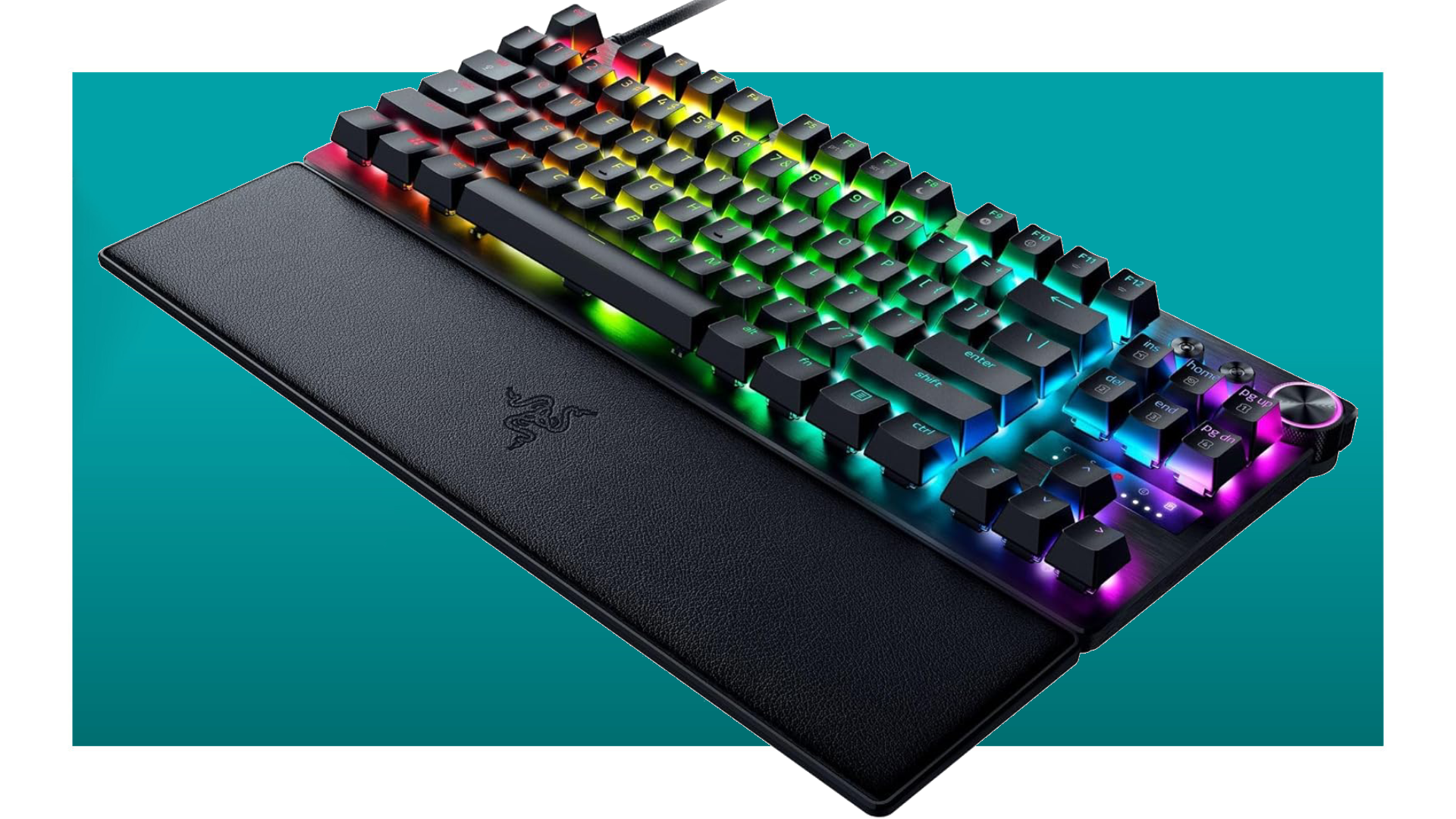

A keyboard can look spectacular on a desk and still feel wrong after an hour. The important differences are under your fingers: loud clicky switches versus quieter linear ones, a full layout versus a compact design, and dedicated controls that save you from reaching for a volume slider. Our Best Razer RGB Keyboard picks separate those trade-offs clearly.
The range here runs from compact low-profile boards to full-size mechanical keyboards with macros, media controls, wrist rests, and vivid Chroma lighting. The Razer BlackWidow V4 X is the single best pick for most desktop gaming setups, while the other eight make more sense for quieter typing, a smaller desk, wireless portability, enthusiast switches, or licensed designs.
Best Razer RGB Keyboard comparison
| # | Product | Award | Switch or key style | Layout and controls | RGB lighting | Best for |
|---|---|---|---|---|---|---|
| 1 | Razer BlackWidow V4 X | Best overall | Yellow mechanical linear | Full size, 6 macros, media roller | Per-key Chroma RGB | Fast, quieter mechanical gaming |
| 2 | Razer Ornata V3 | Best low-profile full size | Mecha-membrane | Full size, dedicated media keys | Backlit lighting | Comfortable mixed use |
| 3 | Razer Ornata V3 TKL | Best compact wired | Mecha-membrane | TKL, media keys, wrist rest | 8-zone Chroma RGB | Smaller gaming desks |
| 4 | Razer Ornata V3 X | Best quiet keyboard | Silent membrane | Full size, cable routing | Chroma RGB | Quiet rooms and shared spaces |
| 5 | Razer BlackWidow V4 X Pokémon Edition | Best themed mechanical | Green mechanical clicky | Full size, 6 macros, media roller | Per-key Chroma RGB | Pokémon fans |
| 6 | Razer BlackWidow V4 | Best clicky standard | Green mechanical clicky | Full size, 6 macros, wrist rest | Per-key RGB and underglow | Tactile, audible feedback |
| 7 | Razer BlackWidow V4 Pro | Best feature set | Green tactile mechanical | Full size, 8 macros, command dial | Per-key RGB and 3-side underglow | Extensive customization |
| 8 | Razer BlackWidow V4 X Zenless Zone Zero | Best collector edition | Green mechanical clicky | Full size, 6 macros, media roller | Per-key Chroma RGB | Zenless Zone Zero fans |
| 9 | Razer Joro | Best portable design | Low-profile keys | Compact 75%, function row, arrows | Not specified | Travel and small setups |
1. Razer BlackWidow V4 X: Best Overall

Pros
- Fast Yellow linear switches with a 1.2mm actuation point
- Six programmable macro keys
- Per-key Chroma RGB with game effects
- Media roller and secondary media keys
- Doubleshot ABS keycaps and improved acoustics
Cons
- Full-size footprint takes up substantial desk space
- Linear switches lack the tactile bump some typists want
- Wired design is not intended for portable use
Best for: someone who wants a fast mechanical keyboard with extensive controls and restrained switch noise.
The Razer BlackWidow V4 X gets the important things right without turning the keyboard into a control panel. It has the familiar full-size layout, but the six macro keys sit along the left edge where they are easy to reach once muscle memory develops. The roller and secondary media keys are useful in daily desktop work too, not just during games. This is the board we'd keep connected to a primary gaming PC.
Its Yellow mechanical switches are linear, so the keypress travels without the click and tactile bump found on the Green models elsewhere in this roundup. The 1.2mm actuation point and 45g force make the keys feel quick, especially for repeated movement inputs. Razer also builds in sound dampeners, foam beneath the circuit board, and lubricated stabilizers. Those touches do not make it silent, but they give it a less sharp sound than a basic clicky mechanical board.
The lighting is per-key Chroma RGB, with more than 16.8 million colors and dynamic effects for hundreds of integrated games. That is more flexible than the Ornata V3's general backlit approach and more granular than the Ornata V3 TKL's eight lighting zones. The doubleshot ABS keycaps have thick walls and legends designed not to wear away easily, which suits a board meant for frequent use.
The weakness is the switch choice, not the build. If you enjoy a distinct bump and audible click, the Razer BlackWidow V4 will feel more expressive. The V4 X also gives up some desk space to its full-size layout, and its six macros are unnecessary if you never assign commands. For a broader look at the trade-offs between switch types, how mechanical keys change the feel of gaming and typing is a useful place to start.
Choose the BlackWidow V4 X if you want the Best Razer RGB Keyboard for fast gaming, rich lighting, and genuinely useful controls. It is the most balanced model here, though not the quietest or smallest.
2. Razer Ornata V3: Best Low-Profile Full Size

Pros
- Slim low-profile keycaps and shorter switches
- Mecha-membrane keys combine snap with a familiar feel
- Magnetic soft-touch wrist rest
- Dedicated media controls
- UV-coated keycaps resist fading
Cons
- Less precise and customizable than the mechanical BlackWidow models
- Full-size design needs a wide desk
- Lighting is less granular than per-key RGB
Best for: someone who wants a comfortable full-size keyboard with a low profile and hybrid key feel.
The Razer Ornata V3 is the easygoing choice in this group. Its low-profile shape makes the keyboard feel less bulky than the full-size BlackWidow boards, and the magnetic soft-touch wrist rest gives your palms a comfortable place to settle. It is a good fit for a desk used for both gaming and ordinary typing, where a dramatic mechanical switch sound would become tiring.
Razer's mecha-membrane switches sit between conventional membrane keys and mechanical ones. They offer a snappy, clicky response without the exact feel of the BlackWidow V4 X's linear Yellow switches. The shorter keycaps and switches also encourage a flatter hand position. That can make long sessions feel more relaxed, though anyone who wants the crisp consistency of a true mechanical switch should move to the BlackWidow range.
Dedicated media keys handle play, pause, skipping, brightness, and volume without requiring a function-layer shortcut. The keycaps receive a UV coating intended to make their legends more resistant to fading and wear. Its low-profile chassis measures 17.46 inches long and 5.68 inches wide, so it is still a full-size board despite the slimmer presentation.
The main limitation is that the Ornata V3 does not offer the same per-key lighting or macro flexibility as the BlackWidow V4 X. Its lighting is designed for visual atmosphere, while the BlackWidow lets you tune individual keys and coordinate effects with compatible games. The Ornata also has a 3.1-pound weight, which makes it a stable desk board but a poor candidate for carrying around.
Pick this one when comfort and a lower typing position matter more than switch precision. It is a calmer alternative to the clicky BlackWidow V4, and a more complete full-size option than the Ornata V3 TKL if you need every key.
3. Razer Ornata V3 TKL: Best Compact Wired

Pros
- Compact tenkeyless layout
- Low-profile mecha-membrane keys
- Eight-zone Chroma RGB lighting
- Dedicated media keys
- Magnetic soft-touch wrist rest
Cons
- No number pad
- Mecha-membrane feel is less refined than mechanical switches
- Media controls still take some space on the compact chassis
Best for: someone who wants a smaller wired keyboard without giving up dedicated media controls or a wrist rest.
The Razer Ornata V3 TKL is the most sensible desk-saving option for people who do not use a number pad. Its tenkeyless layout keeps the main typing block, function row, and arrow keys while removing the right-side numeric section. At 10.89 inches long and 5.68 inches wide, it leaves more room for a mouse than the full-size Ornata V3 or any BlackWidow model.
The low-profile keycaps and shorter mecha-membrane switches give it a shallow, quick feel. The response has more snap than a basic membrane keyboard, but it is not as direct or as configurable as the Yellow mechanical switches on the BlackWidow V4 X. That makes this board approachable for people moving from a laptop-style keyboard, while experienced mechanical keyboard users may find the feedback less distinctive.
Eight-zone Razer Chroma RGB lighting divides the board into controllable sections rather than illuminating every key individually. It still offers 16.8 million colors and dynamic effects for hundreds of integrated games, so it can look properly coordinated with a Razer setup. The dedicated media keys remain a practical touch, and the magnetic wrist rest helps offset the hard edge of a low-profile keyboard.
Its real compromise is the layout. If you enter numbers frequently, the missing number pad will slow you down, and the media controls occupy space that a more minimalist TKL board might use differently. It also weighs just 0.66 pounds, which is convenient to move but gives it less planted heft than the larger BlackWidow keyboards. Readers comparing more compact gaming layouts may also want to consider how much desk space a smaller gaming keyboard really frees.
The Ornata V3 TKL is the one to choose for a compact gaming station that still needs comfort and lighting. It beats the full-size Ornata V3 on desk efficiency, but the BlackWidow V4 X remains the stronger choice for mechanical precision.
4. Razer Ornata V3 X: Best Quiet Keyboard

Pros
- Silent membrane switches
- Low-profile key design
- Spill-resistant construction
- Ergonomic wrist rest
- Cable-routing grooves support a tidy desk
Cons
- Full-size footprint
- Membrane feel lacks mechanical crispness
- Renewed product condition may vary
Best for: someone who needs a quiet full-size keyboard for gaming, typing, or a shared room.
The Razer Ornata V3 X is the practical quiet-room pick. Its silent membrane switches avoid the sharper sound of the Ornata V3's mecha-membrane keys and the unmistakable click of the BlackWidow V4 models. That makes it better suited to late-night sessions, an office shared with another person, or anyone who prefers a soft and unobtrusive keypress.
The low-profile keys keep the hand position relatively flat, while the included ergonomic wrist rest supports the base of the palms. The keyboard is 17.46 inches long and 5.68 inches wide, matching the full-size footprint of the Ornata V3. It is not a small board, but the cable-routing grooves let the cable leave from different directions, which can make a crowded desk look much cleaner.
Razer describes the construction as spill-resistant and sturdy enough for demanding gaming sessions. That is useful protection against minor accidents, but it is not a reason to treat the board as waterproof. Chroma RGB lighting provides 16.8 million colors and effects, with dynamic lighting for more than 150 integrated games. The lighting is a strong match for a full Razer setup even though the product does not use mechanical switches.
The biggest compromise is the membrane action. It is quieter than every mechanical model here, but it does not provide the same defined actuation or springy rebound as the BlackWidow V4 X. The product is also listed as renewed, so buyers who care about factory-new condition should look elsewhere. The 1.23-inch height and full-size layout make it comfortable, but not especially portable.
Choose the Ornata V3 X when silence, spill resistance, and a supported wrist position matter more than mechanical feedback. It is a better fit for shared spaces than the Ornata V3, and a quieter alternative to every BlackWidow in this roundup.
5. Razer BlackWidow V4 X Pokémon Edition: Best Themed Mechanical

Pros
- Officially licensed Pokémon design
- Green mechanical clicky switches
- Six dedicated macro keys
- Per-key Chroma RGB lighting
- Media roller and secondary media keys
Cons
- Clicky switches are loud
- Full-size footprint
- The themed design will not suit every setup
Best for: a Pokémon fan who wants a full-featured mechanical keyboard rather than a purely decorative collector piece.
The Razer BlackWidow V4 X Pokémon Edition is not just a standard keyboard with a small logo. It is an officially licensed design built around the same useful control layout that makes the BlackWidow V4 X appealing. Pikachu, Bulbasaur, Charmander, and Squirtle are part of the visual identity, so this is a clear choice for a themed battle station rather than a neutral office desk.
Its Green mechanical switches use a 1.9mm actuation point and require 50g of force. They produce a tactile, clicky response that feels deliberate when typing and satisfying when gaming. That feedback is quite different from the quiet linear action of the standard BlackWidow V4 X. It is also louder, so the Pokémon board should not be the first choice for a shared room.
The six macro keys give it an advantage over the Ornata keyboards for games with repeated commands. A multifunction roller and secondary media keys cover volume, playback, and brightness adjustments. Per-key Chroma RGB offers more than 16.8 million colors and dynamic lighting for hundreds of integrated games. At 18.3 inches long and 6 inches wide, it has a broad presence on the desk and leaves little doubt that it is a gaming keyboard.
The weakness is that its core typing experience is not unique to the licensed edition. The Razer BlackWidow V4 also uses Green clicky switches and adds underglow, while the regular BlackWidow V4 X uses quieter Yellow linear switches. The Pokémon edition is the better choice only if its design matters to you, because the standard models are less visually specific.
Choose it for the theme and the clicky mechanical feel, not as a quiet or minimalist board. It gives a Pokémon setup real function, but the ordinary BlackWidow models are more adaptable if your taste changes.
6. Razer BlackWidow V4: Best Clicky Standard

Pros
- Green switches with a 1.9mm actuation point
- Six dedicated macro keys
- Per-key RGB plus two-side underglow
- Plush leatherette magnetic wrist rest
- Doubleshot ABS keycaps
Cons
- Loud clicky operation
- Heavy and wide
- Less control-oriented than the Pro model
Best for: someone who wants traditional clicky mechanical feedback with strong lighting and a comfortable full-size layout.
The Razer BlackWidow V4 is the classic enthusiast option here. It has the substantial feel many people expect from a full-size mechanical keyboard, and its Green switches make every press obvious. The tactile response is satisfying for typing and useful when you want a clear sense that an input registered, though the click is far too pronounced for some shared spaces.
The Green switch actuates at 1.9mm with 50g of force. That sits behind the BlackWidow V4 X's quicker 1.2mm Yellow switch on paper, but the experience is less about raw speed and more about feedback. Six dedicated macro keys add flexibility for games and applications, while the doubleshot ABS keycaps use thick walls and legends intended to remain legible through repeated use.
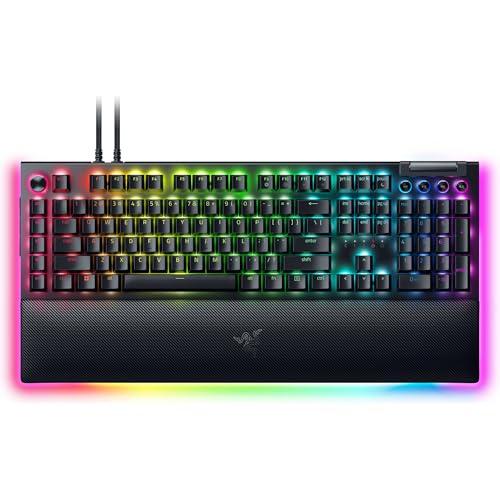
Lighting is one of its strongest features. Each key has Chroma RGB, and the board adds underglow on both sides so light can reach the desk surface around it. The magnetic plush leatherette wrist rest is softer and more cushioned than the Ornata models' wrist rests. At 18.36 inches long, 6.01 inches wide, and 3.27 pounds, this is a stable board that expects to stay in one place.
The BlackWidow V4's main shortcoming is the gap between it and the Pro. The Pro adds eight macros, a programmable command dial, and three-side underglow when paired with its wrist rest. If those controls would genuinely improve your workflow, the Razer BlackWidow V4 Pro is more capable. If you want clicky switches without extra controls, this standard V4 is the cleaner choice.
Go with it when the sound and feel of Green switches are part of the appeal. It is less versatile than the Pro and less forgiving than the V4 X, but it has a focused mechanical character that the low-profile Ornata boards cannot reproduce.
7. Razer BlackWidow V4 Pro: Best Feature Set
Pros
- Eight dedicated macro keys
- Programmable command dial
- Green tactile mechanical switches
- Per-key lighting and three-side underglow
- Cushioned leatherette wrist rest with RGB
Cons
- Largest and heaviest keyboard here
- Clicky switches are unsuitable for quiet rooms
- Many controls are unnecessary for simple setups
Best for: a power user who wants macros, a command dial, and extensive RGB control on one full-size board.
The Razer BlackWidow V4 Pro is the keyboard for people who already know they will use its extra controls. The programmable command dial can take on custom functions, and eight dedicated macro keys provide more room for shortcuts than the six-key layouts on the BlackWidow V4 and V4 X. It feels less like a simple input device and more like a desk control surface.
Its Green mechanical switches provide tactile feedback and an audible click. Razer does not list a separate actuation measurement for this Pro model in the supplied details, so the useful takeaway is the switch character rather than a made-up number. It is a deliberate, lively typing experience, and a poor match for anyone who wants silent operation or a soft membrane feel.
The lighting system is the most elaborate in this list. Per-key RGB is joined by a three-side underglow when the wrist rest is attached, and the plush leatherette rest has its own Chroma lighting. The rest snaps on magnetically and provides cushioned support during long sessions. The board measures 18.36 inches by 6.01 inches and weighs 3.61 pounds, so its size and mass help it stay planted but make it difficult to move.
That physical scale is its chief weakness. The command dial and eight macros consume space, and users who only need a few media shortcuts may never touch them. The regular Razer BlackWidow V4 gives you Green switches, six macros, underglow, and a wrist rest in a simpler package. The Pro earns its place only when its additional controls solve a real problem.
Pick the Pro for editing shortcuts, complex game bindings, or a highly customized desk. It is the most capable Best Razer RGB Keyboard choice in this roundup, but it is not the smartest choice for someone who wants a straightforward board.
8. Razer BlackWidow V4 X Zenless Zone Zero: Best Collector Edition

Pros
- Officially licensed Zenless Zone Zero design
- Green mechanical clicky switches
- Six programmable macro keys
- Per-key Chroma RGB
- Foam and lubricated stabilizers for improved acoustics
Cons
- Clicky switches are loud
- Full-size design
- The themed finish is less versatile than the standard model
Best for: a Zenless Zone Zero fan who wants a functional mechanical keyboard with matching character.
The Razer BlackWidow V4 X Zenless Zone Zero follows the same basic idea as the Pokémon edition, but it targets a different kind of game fan. Its officially licensed design gives a themed setup more personality without removing the controls that make the BlackWidow V4 X useful for everyday gaming.
The Green mechanical clicky switches use a 1.9mm actuation point and 50g of force. That combination produces the familiar tactile bump and audible click associated with Razer's Green switches. It is more expressive than the Yellow linear action on the standard BlackWidow V4 X, but it also broadcasts every keypress across a room. The board is better for a private gaming space than a shared office.
Six dedicated macro keys support custom commands, and the multifunction roller handles volume, playback, and brightness. Per-key Chroma RGB offers more than 16.8 million colors and effects, including dynamic lighting for hundreds of integrated games. The board measures 18.36 inches long and 6.01 inches wide, with a weight of about 3.2 pounds, so it has the same broad desktop presence as the standard full-size model.
Razer also lists foam beneath the circuit board and lubricated stabilizers to improve the keyboard's acoustics. Those features should reduce some unwanted resonance, but they cannot turn a clicky switch into a quiet one. The regular Razer BlackWidow V4 X is the better functional pick if you want fast linear switches, while the Pokémon edition offers a more colorful licensed alternative for another fan community.
Choose the Zenless Zone Zero edition when the theme is central to the setup. It is a serious mechanical keyboard underneath the design, but the standard V4 X is easier to recommend to someone who wants maximum flexibility rather than a collector-focused look.
9. Razer Joro: Best Portable Design

Pros
- Compact 75 percent layout
- Function row and full-size arrow keys
- Thin, light portable design
- Low-profile keys
- Much smaller footprint than the full-size boards
Cons
- Supplied details do not specify RGB lighting
- Only one listed feature gives limited information about the switch feel
- Compact layout may take adjustment
Best for: someone who carries a keyboard between locations or needs a compact board with dedicated arrows and a function row.
The Razer Joro is the outlier in this roundup. It is built around portability rather than the heavy, illuminated gaming desk aesthetic of the BlackWidow line. Its compact 75 percent layout keeps a function row and full-size arrow keys, which is a more practical arrangement than ultra-small boards that remove those controls.
At 12.48 inches long and 5.2 inches wide, it takes up far less room than the 18-inch-plus full-size models. The listed weight is 1.54 pounds, so it is still substantial enough to feel like a real keyboard but far easier to move between a home desk, a laptop setup, and another location. Its low-profile design should appeal to users accustomed to shallow laptop keys, although the supplied product details do not identify a switch type or actuation point.
The Joro's one listed feature emphasizes its thin, light, compact construction. The supplied data does not specify RGB lighting, wireless standards, battery life, or a wrist rest, so those should not be assumed from the gaming label. That makes it a less complete match for someone shopping specifically for a heavily illuminated Chroma setup.
The compact layout is its biggest trade-off. A 75 percent board keeps more functionality than a smaller tenkeyless design, but the spacing and missing number pad can still require an adjustment period. The Razer Ornata V3 TKL is the stronger wired desk option if you want documented Chroma lighting, dedicated media keys, and a wrist rest. The Joro wins when carrying convenience comes first.
Choose it for a small workspace or a portable setup, not simply because it carries the Razer name. It is the lightest-feeling option in spirit, but the least documented choice for RGB-focused buyers.
How to choose best razer rgb keyboard
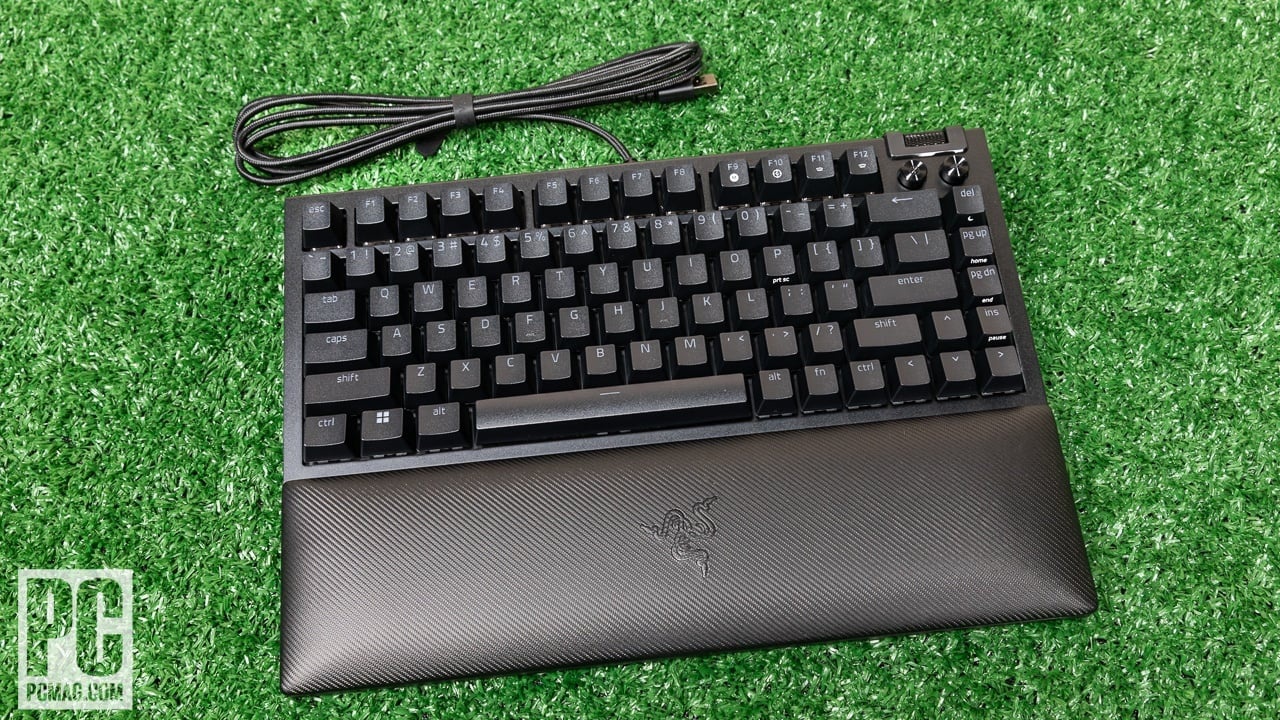
The right Razer keyboard depends less on the lighting logo than on the switch feel, layout, control options, and amount of desk space you can spare.
Switch feel and sound
Mechanical switches usually provide clearer feedback and a more defined actuation than membrane designs. Razer's Yellow switches in the BlackWidow V4 X are linear and quieter, while Green switches in the BlackWidow V4, BlackWidow V4 Pro, Pokémon edition, and Zenless Zone Zero edition are tactile and clicky. The Ornata models use mecha-membrane or silent membrane designs, which feel softer and generally make less mechanical noise.
A linear switch suits rapid repeated inputs and quiet rooms. A clicky switch suits people who enjoy a pronounced response and do not share the room with someone who dislikes keyboard noise. If you are still deciding between the two broad approaches, the feel differences between mechanical gaming switches are more important than the lighting effects.
RGB can change the mood of a desk, but the switch determines whether you want to keep typing on it.
Layout and desk space
Full-size keyboards include a number pad but occupy roughly 18 inches of horizontal space in this group. The Ornata V3 TKL removes the number pad and measures 10.89 inches long, while the Joro's 75 percent arrangement measures 12.48 inches long and keeps a function row and full-size arrow keys.
Choose full size if you regularly enter numbers or want a broad, familiar layout. Choose TKL or 75 percent if mouse space matters more. Do not overlook depth either, since a wrist rest can extend the usable footprint toward you.
Macro and media controls
The BlackWidow V4 X and its themed editions have six dedicated macro keys. The BlackWidow V4 also has six, while the Pro expands that to eight and adds a programmable command dial. These controls can be useful for game abilities, editing shortcuts, media playback, or application commands.
Dedicated media controls are more convenient than function-layer shortcuts when you adjust volume often. The Ornata V3 and Ornata V3 TKL include dedicated media keys, while the BlackWidow boards add a roller or dial. If you rarely customize commands, the extra macro keys may simply add width without improving your routine.
RGB lighting control
Per-key Chroma RGB gives each key its own color and supports detailed effects. The BlackWidow V4 X, BlackWidow V4, BlackWidow V4 Pro, Pokémon edition, and Zenless Zone Zero edition use per-key lighting. The Ornata V3 TKL uses eight lighting zones, while the Ornata V3 X offers Chroma RGB without the same level of documented per-key control.
Underglow adds light around the keyboard rather than directly beneath individual keys. The BlackWidow V4 has two-side underglow, and the Pro adds three-side underglow when paired with its wrist rest. The Joro's supplied details do not specify RGB, so it should not be selected primarily for lighting.
Wrist support and build
A magnetic wrist rest can make a low-profile or full-size board more comfortable during long sessions. The Ornata V3 and TKL use soft-touch rests, while the BlackWidow V4 and Pro use plush leatherette designs. The Ornata V3 X has an ergonomic wrist rest and a spill-resistant design, plus cable-routing grooves.
Weight also affects how stable a keyboard feels. The larger BlackWidow boards weigh between 2.51 and 3.61 pounds in the supplied data, while the Ornata V3 TKL weighs 0.66 pounds. A lighter keyboard is easier to move, but a heavier one is less likely to shift during intense play.
Frequently asked questions
Which Razer keyboard is best for fast gaming?
The Razer BlackWidow V4 X is the strongest fit for fast gaming in this group. Its Yellow linear switches use a 1.2mm actuation point and require 45g of force, with six macro keys for custom commands. Players who prefer tactile feedback may favor one of the Green switch models instead.
Are Razer Green switches loud?
Yes. The Green switches in the BlackWidow V4, BlackWidow V4 Pro, Pokémon edition, and Zenless Zone Zero edition are clicky and produce a clear audible response. Choose the Yellow BlackWidow V4 X or a membrane Ornata model if lower noise matters.
Which model takes up the least desk space?
The Ornata V3 TKL is the shortest listed keyboard at 10.89 inches long. The Joro is also compact at 12.48 inches long, but it uses a 75 percent layout and has less documented information about its lighting and key mechanism.
Do all of these keyboards have per-key RGB?
No. The BlackWidow models listed here use per-key Chroma RGB, while the Ornata V3 TKL uses eight-zone lighting. The Ornata V3 X has Chroma RGB, and the supplied details for the Joro do not specify RGB lighting.
Which Razer keyboard is quietest?
The Ornata V3 X is the clearest quiet-room choice because it uses silent membrane switches. The BlackWidow V4 X uses Yellow linear mechanical switches with built-in dampeners, but it will still have more mechanical sound than the membrane model.
Is a full-size Razer keyboard better than a TKL model?
A full-size board is better if you use a number pad or want the broadest set of dedicated controls. A TKL model leaves more room for the mouse and is easier to fit on a smaller desk, but it removes the number pad.
Which keyboard has the most programmable controls?
The BlackWidow V4 Pro has eight dedicated macro keys and a programmable command dial. The BlackWidow V4 X, Pokémon edition, and Zenless Zone Zero edition each have six macro keys, while the Ornata models focus more on low-profile comfort and media controls.

The bottom line
The Razer BlackWidow V4 X is the Best Razer RGB Keyboard for most people because its Yellow linear switches are quick, its six macros are genuinely useful, and its per-key Chroma RGB gives the lighting more flexibility than the Ornata models. It is also quieter and less specialized than the Green-switch BlackWidow boards.
Choose the Razer BlackWidow V4 Pro if eight macros, a command dial, and extensive underglow will improve your games or workflow. For a smaller desk, the Razer Ornata V3 TKL is the more sensible fit, while the Ornata V3 X is the better choice for quiet rooms.
If you are undecided, buy the BlackWidow V4 X unless you specifically need compact size, silent membrane keys, wireless portability, or clicky switches.
As an Amazon Associate we earn from qualifying purchases.