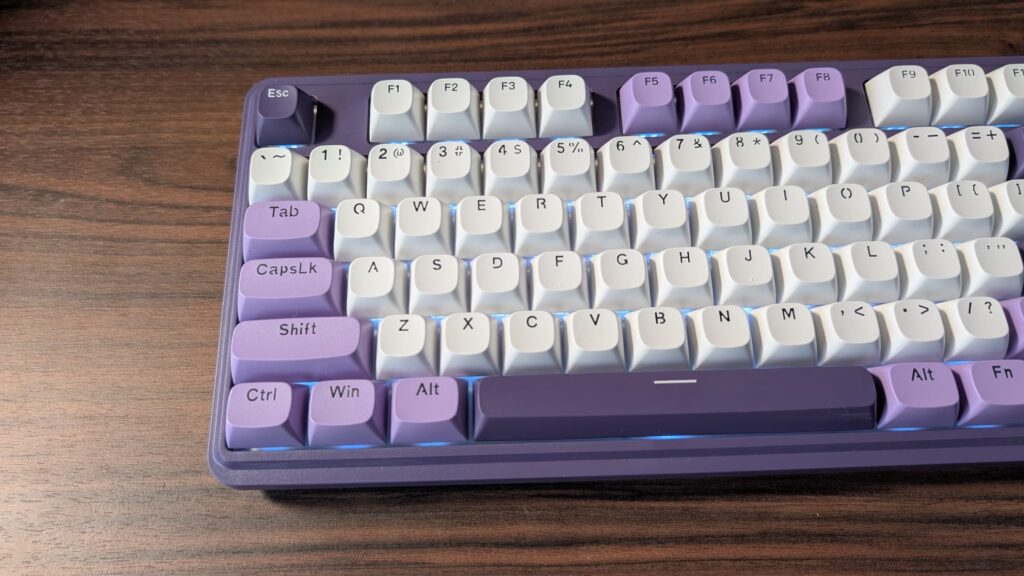

A keyboard can look perfect in a product photo and still be wrong for your desk. A loud clicky switch can irritate everyone nearby, a full-size layout can crowd a small workspace, and a wireless board can add flexibility without making sense if the keyboard never leaves one PC.
We compared Redragon's full-size, compact, mechanical, membrane, wired, wireless, and combo options. The Best redragon keyboard for most people is the Redragon K719 Pro Wireless, while the K671, K580 Brown Switch, and K556 Pro Wireless cover more specific preferences.
Comparison table
| # | Product | Award | Layout | Connection | Switch or feel | Best for |
|---|---|---|---|---|---|---|
| 1 | Redragon K671 Hot-Swap Keyboard | Best overall | Full size | Wired | Linear red switch | Customization without complicated setup |
| 2 | Redragon S101-3 Pro Combo | Best keyboard and mouse set | Full size | Wired | Quiet membrane | A complete desktop upgrade |
| 3 | Redragon K719 Pro Wireless | Best premium wireless | 95 keys | Tri-mode wireless and USB-C | Gasket-mounted linear | A quieter, feature-rich wireless board |
| 4 | Redragon K521 Upgrade | Best simple full-size board | 104 keys | Wired | Mechanical-feeling membrane | Console and PC compatibility |
| 5 | Redragon K580 Brown Switch | Best tactile wired board | Full size | Wired | Brown mechanical switch | Macros and quieter mechanical typing |
| 6 | Redragon K512 Membrane | Best membrane controls | 104 keys | Wired | Membrane | Media controls and onboard macros |
| 7 | Redragon K556 Wired | Best aluminum wired board | 104 keys | Wired | Brown mechanical switch | A sturdy, traditional full-size board |
| 8 | Redragon K580 Blue Switch | Best clicky board | Full size | Wired | Blue mechanical switch | Audible feedback and dedicated macros |
| 9 | Redragon K673 Pro Wireless | Best compact wireless | 81 keys | Tri-mode wireless and USB-C | Gasket-mounted | Smaller desks and flexible setups |
| 10 | Redragon K556 Pro Wireless | Best full-size wireless | 104 keys | Tri-mode wireless and USB-C | Quiet linear | Wireless full-size typing |
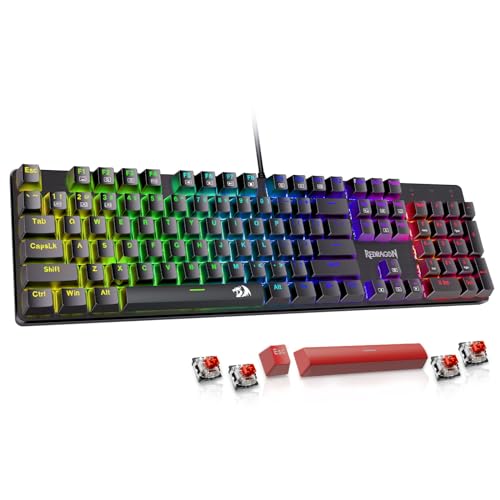
1. Redragon K671 Hot-Swap Keyboard: Best Overall
Pros
- Smooth linear red switches
- Hot-swappable sockets and spare switches
- Full-key anti-ghosting
- Eleven backlight modes
- Macro remapping through software
Cons
- Wired-only connection
- Backlight color cannot be changed
- No dedicated media wheel
Best for: someone who wants a customizable full-size mechanical keyboard without moving to a wireless setup.
The K671 is the Redragon board we'd hand to most people first because it avoids the most common compromises. It has a familiar full-size layout, a smooth red switch, and enough customization to stay interesting after the novelty of RGB lighting wears off. The linear key feel is easy to press and better suited to rapid game inputs than a stiff or clicky switch, while still being comfortable for ordinary typing.
Its most useful feature is the hot-swap design. The sockets let you replace switches without soldering, and the package includes four spare switches and two red keycaps. That makes the K671 more forgiving than a fixed-switch keyboard. If a switch eventually fails, replacement is practical. If you decide that a different switch feel suits you better, the board has room to evolve.
The lighting system offers 11 backlight modes, with five brightness levels and adjustable speed. The color cannot be changed, so this is not the board for someone who wants every key assigned to a different hue. Still, the illumination should be easy to tune for a dark room. Full-key anti-ghosting handles combinations across the board, and 12 multimedia shortcuts keep basic media and system functions within reach.
Software adds macro editing and key remapping, which gives the K671 more flexibility than the simpler K521 Upgrade. It is also more approachable than the feature-heavy K719 Pro Wireless, which adds a screen, a knob, and several connection modes. The real weakness is the fixed wired connection and the limited lighting color control. Skip it if your desk demands wireless use or if a quiet, cushioned typing feel matters more than quick linear presses.
For a first mechanical Redragon keyboard, the K671 has the right balance of feel, customization, and straightforward layout. It is the one we'd keep for a mixed gaming and work desk.
2. Redragon S101-3 Pro Combo: Best Keyboard and Mouse Set

Pros
- Includes a full-size keyboard and mouse
- Quiet membrane keys
- Five dedicated macro keys
- Wrist rest included
- Mouse sensitivity adjusts from 800 to 7200 DPI
Cons
- Membrane feel is less crisp than the mechanical boards
- Wired-only setup
- Keyboard and mouse are not separate wireless devices
Best for: a new PC gamer or student who needs a keyboard and mouse together.
The S101-3 Pro is a different proposition from the other keyboards here. It is a complete wired set, so it makes sense for a first desktop setup, a replacement for basic office peripherals, or a gaming PC that still needs both input devices. The keyboard uses soft-touch membrane keys, which produce less noise than the mechanical boards with brown or blue switches. That is a meaningful advantage in a shared room or late-night workspace.
The full-size keyboard includes five dedicated macro keys. Through the downloadable software, you can record command sequences, remap keys, and adjust the six keyboard lighting modes. The included mouse has 10 lighting effects and a dedicated sensitivity control that ranges from 800 to 7200 DPI. Settings can be saved to the hardware, so the setup is less dependent on opening the software every time the computer restarts.
Anti-ghosting helps the keyboard handle simultaneous presses during games, and the included wrist rest gives the broad board a more supported feel for long sessions. The dimensions are substantial at about 17.9 inches long and 7.2 inches wide, so it needs more desk room than the compact K673 Pro Wireless. It also weighs about 2.16 pounds as a set, which is manageable but not especially portable.
The obvious limitation is the membrane mechanism. The keys are quiet and usable, but they do not have the defined switch response of the K671 or K580 Brown Switch. The S101-3 Pro also lacks the flexible device switching of the K719 Pro Wireless. If you already own a good mouse, the bundled design makes less sense, and a dedicated mechanical keyboard will give a more distinctive typing experience.
Choose this set when the goal is to get a working keyboard and mouse on the desk with minimal decision-making. It is a practical starting point, not the pick for someone already particular about switch feel.
3. Redragon K719 Pro Wireless: Best Premium Wireless

Pros
- 95-key layout retains useful navigation keys
- TFT screen shows connection and typing information
- Dedicated control knob
- Tri-mode connectivity
- Gasket-mounted, dampened typing feel
Cons
- More complicated than a basic wired board
- No full-size number pad
- The display adds little if you want a simple keyboard
Best for: someone who wants wireless flexibility, a softer mechanical feel, and extra controls in one board.
The K719 Pro Wireless is the most ambitious keyboard in this group. Its 95-key layout trims some of the space used by a traditional full-size board while keeping more navigation keys than a compact 81-key design. The result should suit someone who wants a desk that feels less crowded but does not want to give up the practical parts of a larger keyboard.
The typing design is where this board separates itself from the wired K580 models. It uses a gasket-mounted construction, thick-lubed custom linear switches, and five layers of noise dampening. Those details point to a softer, quieter, more cushioned key press rather than the sharper bump of the K580 Brown Switch or the pronounced click of the K580 Blue Switch. Its upgraded socket also accepts almost any switch, so it can be tuned later without soldering.
Connectivity is unusually flexible. USB-C, Bluetooth, and 2.4GHz wireless let the board move between a desktop, laptop, and tablet without re-pairing each time. The K671 is simpler and completely dependable when it stays connected to one PC, but the K719 Pro Wireless is the more useful tool for a mixed-device workspace. A single knob controls backlight brightness and media playback, reducing the need to remember function-key combinations.
The TFT display shows battery information, connection mode, and typing status, and it supports custom GIFs or memes. That is a fun extra, though not an essential keyboard function. The display and software also make this a more involved board to configure than the K521 Upgrade. Its biggest practical weakness is the lack of a number pad, which matters for spreadsheets, accounting work, and anyone accustomed to full-size navigation.
This is the Redragon keyboard to choose when the board itself is part of the desk setup, not merely a way to enter commands. It is a stronger fit than the K673 Pro Wireless for people who want the display and a roomier 95-key layout.
4. Redragon K521 Upgrade: Best Simple Full-Size Board

Pros
- Full 104-key layout
- Plug-and-play compatibility
- 19-key anti-ghosting
- Dedicated lighting button
- Works with PC, Mac, PS4, PS5, and Xbox
Cons
- Mechanical-feeling membrane keys are not mechanical switches
- Rainbow lighting is less customizable
- No wireless option
Best for: a player who wants a straightforward full-size keyboard for PC and console use.
The K521 Upgrade is the uncomplicated option. Plug it in, choose a lighting mode, and start typing. Its mechanical-feeling membrane keys are designed to feel faster and more defined than a basic office keyboard, but they do not provide the individual switch response found in the K671 or K556 Wired. That distinction matters to enthusiasts, while many casual players will simply appreciate the familiar full-size layout.
The keyboard has 104 keys, 19-key anti-ghosting, and 12 multimedia combinations. Anti-ghosting is not described as full-key on this model, so it is better viewed as adequate coverage for common game combinations rather than the broadest input handling in this roundup. The one-touch lighting button is a welcome touch. Three breathing settings and four brightness positions give you control without requiring software.
Compatibility is the K521's strongest practical feature. It supports Windows versions through Windows 11, MacOS, PS4, PS5, and Xbox, with no driver required. That gives it a wider out-of-box range than the Windows and Mac-focused K671. The wired design also avoids battery management, pairing, and wireless receiver placement.
The compromise is the lighting. The rainbow arrangement has a distinctive look, but it does not offer the per-key color control associated with more advanced RGB boards. The membrane mechanism is also less satisfying for someone who wants the smooth, switch-based feel of the K719 Pro Wireless. The K521 should be skipped by anyone shopping specifically for hot-swappable switches or a quieter gasket-mounted construction.
For a shared PC and console space, though, it makes sense. It gives beginners the full layout and basic gaming controls without asking them to learn a complicated software system.
5. Redragon K580 Brown Switch: Best Tactile Wired Board

Pros
- Tactile brown switches
- Five dedicated macro keys
- Media controls and wheel
- Hot-swappable switch socket
- Full anti-ghosting across 104 keys
Cons
- Wired-only connection
- Full-size footprint
- Brown switches are not silent
Best for: a typist or gamer who wants tactile feedback, macros, and direct media control.
The K580 Brown Switch is the sensible mechanical board for people who want a bump under each press without the sharp sound of a clicky switch. Its stock brown switches provide tactile feedback that helps during regular typing, while the board remains less assertive than the K580 Blue Switch. It is still a mechanical keyboard, so it will not be as quiet as the S101-3 Pro or a gasket-mounted wireless model.
The control layout is excellent for games and media. Five G1 to G5 macro keys can record combinations directly on the keyboard, and dedicated media controls handle play, pause, and track changes. The media wheel is faster to use than repeated volume shortcuts. Full anti-ghosting across all 104 keys gives the board broad coverage for simultaneous inputs.
The switch socket is hot-swappable and accepts almost any switch, according to the product features. That gives the K580 more long-term flexibility than the K521 Upgrade, whose membrane mechanism is fixed. Double-shot keycaps are designed to resist fading, and the switches are rated for 50 million keystrokes. Those figures describe durability claims rather than a guarantee of a particular typing experience, but they support the board's workhorse character.
The K580 Brown Switch is also more self-contained than the K671. It can record macros without software, though optional software opens up deeper macro profiles and RGB effects. The K719 Pro Wireless has a softer and quieter construction, plus wireless connections, but its 95-key layout omits the number pad. Choose the K580 when full-size access matters more than a clean, cable-free desk.
Its weakness is easy to identify: the board is large, wired, and not quiet enough for every shared room. For a dedicated desk where tactile feedback and physical controls matter, it is one of the most balanced mechanical options here.
6. Redragon K512 Membrane: Best Membrane Controls

Pros
- Six onboard macro keys
- Media wheel and dedicated media controls
- 26-key anti-ghosting
- Thirteen lighting modes
- Detachable magnetic wrist rest
Cons
- Membrane feel lacks mechanical precision
- Wired-only
- Large 104-key footprint
Best for: someone who prefers a softer membrane keyboard but still wants gaming controls and RGB customization.
The K512 Membrane makes a strong case for not buying a mechanical keyboard by default. Its membrane keys are softer and less distinctive than the switches in the K556 Wired, but that can be the right choice for an office shared with other people. The board still feels designed for gaming, with a full 104-key layout, a magnetic wrist rest, and a row of controls that are easy to reach.
Six onboard macro keys, labeled G1 through G6, can record and reassign commands without software. That is one more dedicated macro key than the S101-3 Pro, and the K512 keeps the macros on the keyboard rather than making them dependent on a running utility. The media wheel is the standout control. It makes volume adjustments immediate, while separate media functions cover common playback actions.
The K512 supports up to 26 simultaneous keys without input conflicts. It also offers 13 lighting modes, including seven presets and six customizable slots, with brightness adjustable down to completely off. The double-shot injection-molded keycaps are designed to resist fading. These features make the K512 more adjustable than the simpler K521 Upgrade, whose rainbow lighting is easier to operate but less flexible.
The board measures about 18.3 inches long and 8.4 inches wide, making it one of the larger options in this set. That space includes the full layout and wrist rest, but small desks may feel crowded. The K671 is a better fit for anyone who wants a mechanical feel and hot-swap capability, while the K512 makes more sense for quieter operation and direct controls.
Do not choose the K512 expecting the crisp reset and tactile distinction of a mechanical switch. Choose it for the comfort, macros, media wheel, and broad lighting control. It is the most capable membrane option in this roundup.
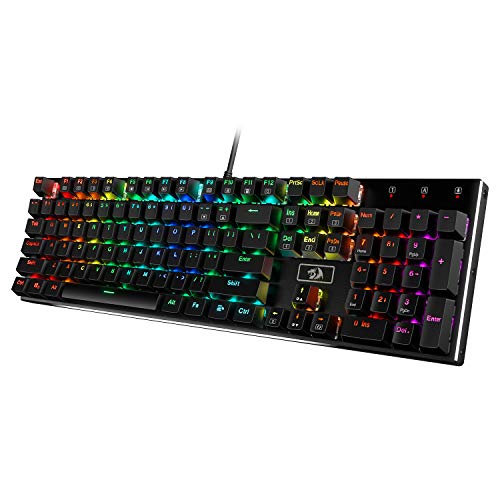
7. Redragon K556 Wired: Best Aluminum Wired Board
Pros
- Rigid aluminum construction
- Hot-swappable switch sockets
- Brown tactile switches
- Twenty RGB lighting modes
- Full anti-ghosting
Cons
- Wired-only
- No dedicated media wheel
- Full-size layout takes substantial desk space
Best for: someone who wants a stable aluminum full-size mechanical keyboard for a permanent desk.
The K556 Wired feels built around stability. Its brushed aluminum construction is intended to keep the board steady during heavy use, which gives it a more substantial character than a lightweight plastic membrane keyboard. At about 17.1 inches long and 4.9 inches wide, it occupies a familiar full-size footprint without the extra depth listed for the K512.
The stock brown switches provide a soft tactile bump. They are a natural middle ground for someone who types and plays on the same keyboard, though they will not be as quiet as the K556 Pro Wireless's linear switches. The hot-swappable sockets accept almost any three-pin or five-pin switch, so the board can be adjusted later without soldering. That is the feature that keeps it competitive with newer Redragon designs.
RGB customization is generous, with 20 preset modes and adjustable brightness and flow speed. The companion software can create custom effects, program macros, and assign keybindings, while the wired connection works with Windows and Mac without drivers. Full anti-ghosting covers rapid combinations across the 104-key layout.
Compared with the K580 Brown Switch, the K556 Wired trades the dedicated macro keys and media wheel for the more rigid aluminum frame. Compared with the K671, it offers a sturdier construction and more lighting presets, but it does not have the K671's explicit spare-switch bundle or 11-mode simplicity. Its weakness is the lack of wireless and convenient media hardware.
The K556 Wired suits a desk that has a permanent home. If you want a full-size mechanical board that stays planted and can be modified later, it is a dependable choice. If your keyboard needs to travel between devices, the K556 Pro Wireless is the obvious alternative.
8. Redragon K580 Blue Switch: Best Clicky Board

Pros
- Distinct clicky blue switches
- Five dedicated macro keys
- Media controls and wheel
- Hot-swappable sockets
- Full-key anti-ghosting
Cons
- Loud switch sound
- Wired-only
- Full-size footprint
Best for: a player or typist who actively wants audible click feedback.
The K580 Blue Switch is not a subtle keyboard. Its blue switches produce a distinct tactile bump and an audible click on every press. Some people find that sound satisfying and useful because it confirms each input. Others will find it distracting within minutes. This is a board to choose deliberately, not one to buy while assuming all mechanical switches feel alike.
Like the brown version, it has five G1 to G5 macro keys, dedicated media controls, and a media wheel. The macros can be recorded directly without software, which is convenient for repeated game commands or desktop shortcuts. Full anti-ghosting across 104 keys handles demanding combinations, and the hot-swappable socket allows a later switch change without soldering.
The board is rated for 50 million keystrokes and uses double-shot keycaps designed to resist fading. RGB effects can be adjusted through optional software, while normal operation does not require it. The K580 Blue Switch is therefore more immediate than the K719 Pro Wireless, which offers a deeper customization system but asks you to manage wireless modes, a display, and a more involved feature set.
The biggest weakness is the sound. It is not a good choice for a shared office, a bedroom where someone else is sleeping, or anyone who prefers a muted typing experience. The K580 Brown Switch keeps the same useful macro and media layout while reducing the emphasis on audible feedback. The K556 Pro Wireless is quieter still, though it changes the layout experience by removing the K580's dedicated macro row.
Buy the blue model only if you enjoy clicky switches. For that audience, the sound and tactile response are the point, and the K580 gives those users practical controls to match.
9. Redragon K673 Pro Wireless: Best Compact Wireless

Pros
- Compact 81-key layout
- Tri-mode connectivity
- Gasket-mounted construction
- Five-layer noise dampening
- Control knob for media and lighting
Cons
- No number pad
- No TFT display
- Smaller layout takes adjustment
Best for: a wireless user with limited desk space who wants a soft, quiet mechanical feel.
The K673 Pro Wireless is the compact counterpart to the K719 Pro Wireless. Its 81-key layout leaves out the number pad and some of the space associated with a full-size board, making it easier to fit beside a mouse or on a narrow desk. That change is useful for gaming, but anyone who enters numbers regularly should think carefully before giving up the dedicated keypad.
The typing construction is more sophisticated than the K521 Upgrade or S101-3 Pro. A gasket mount and five layers of noise dampening aim for a soft, silky key press with less resonance. The upgraded socket accepts almost any three-pin or five-pin switch, so the board can be customized later. It is a better fit for someone who wants a quieter, cushioned experience than the clicky K580 Blue Switch.
Tri-mode connectivity covers USB-C, Bluetooth, and 2.4GHz wireless. The board can move between a PC, laptop, and tablet without re-pairing, while the 2.4GHz connection is intended for near-wired responsiveness. A single knob adjusts backlight brightness and media playback. That knob is the K673's most convenient physical control, especially when you need to lower volume without leaving a game.
The K719 Pro Wireless adds a TFT screen and a slightly larger 95-key layout, so it is the more complete choice for people who want device information and extra navigation keys. The K673 is smaller and lighter at about 1.1 pounds, but its compactness comes with the usual learning curve. Its size is a benefit only if you are comfortable adapting to a reduced layout.
Skip it if a number pad is essential or if you want the board to show battery and connection details on its own screen. Choose it if reclaimed desk space and a quiet, flexible connection matter more than maximum key count.
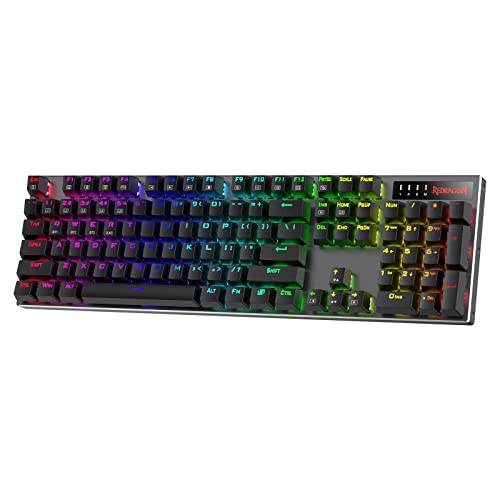
10. Redragon K556 Pro Wireless: Best Full-Size Wireless
Pros
- Full 104-key layout
- Aluminum construction
- Tri-mode wireless
- Quiet linear switches
- Hot-swappable three-pin and five-pin socket
Cons
- No dedicated media wheel
- Larger than compact wireless options
- Linear switches lack tactile feedback
Best for: someone who wants a wireless keyboard with a number pad and a solid aluminum frame.
The K556 Pro Wireless solves the main problem with compact wireless boards: it keeps the full-size layout. All 104 keys are present, including the number pad, while the aluminum construction gives the board a stable foundation. At about 17.1 inches long and 4.9 inches wide, it is a normal full-size commitment, but it avoids the need to choose between wireless freedom and keypad access.
Its quiet linear switches create a clean press without the bump of the K556 Wired's brown switches. That makes it better suited to shared spaces and fast repeated inputs, though typists who use tactile feedback to confirm a press may prefer the K580 Brown Switch or K556 Wired. The sockets accept almost any three-pin or five-pin switch, so the initial linear feel is not permanent.
Wireless options include USB-C, Bluetooth, and 2.4GHz. That tri-mode design gives it the same device flexibility as the K673 Pro Wireless and K719 Pro Wireless, but in a broader layout. The K673 is more appropriate for a small desk, while the K719 is the more feature-rich wireless model thanks to its TFT screen and 95-key arrangement. The K556 Pro Wireless is the straightforward full-size choice among them.
Twenty preset RGB modes provide a range of lighting effects, with adjustable brightness and flow speed. Software supports custom lighting, macros, and keybindings. There is no dedicated media wheel, which is a noticeable omission next to both K580 models and the K673. You can still configure functions through the keyboard and software, but physical media control is faster.
The K556 Pro Wireless should be skipped by anyone who wants a compact board or a pronounced tactile response. For a full-size wireless desk where low-noise linear switches and a rigid frame matter, it is the most direct fit.
How to choose best redragon keyboard
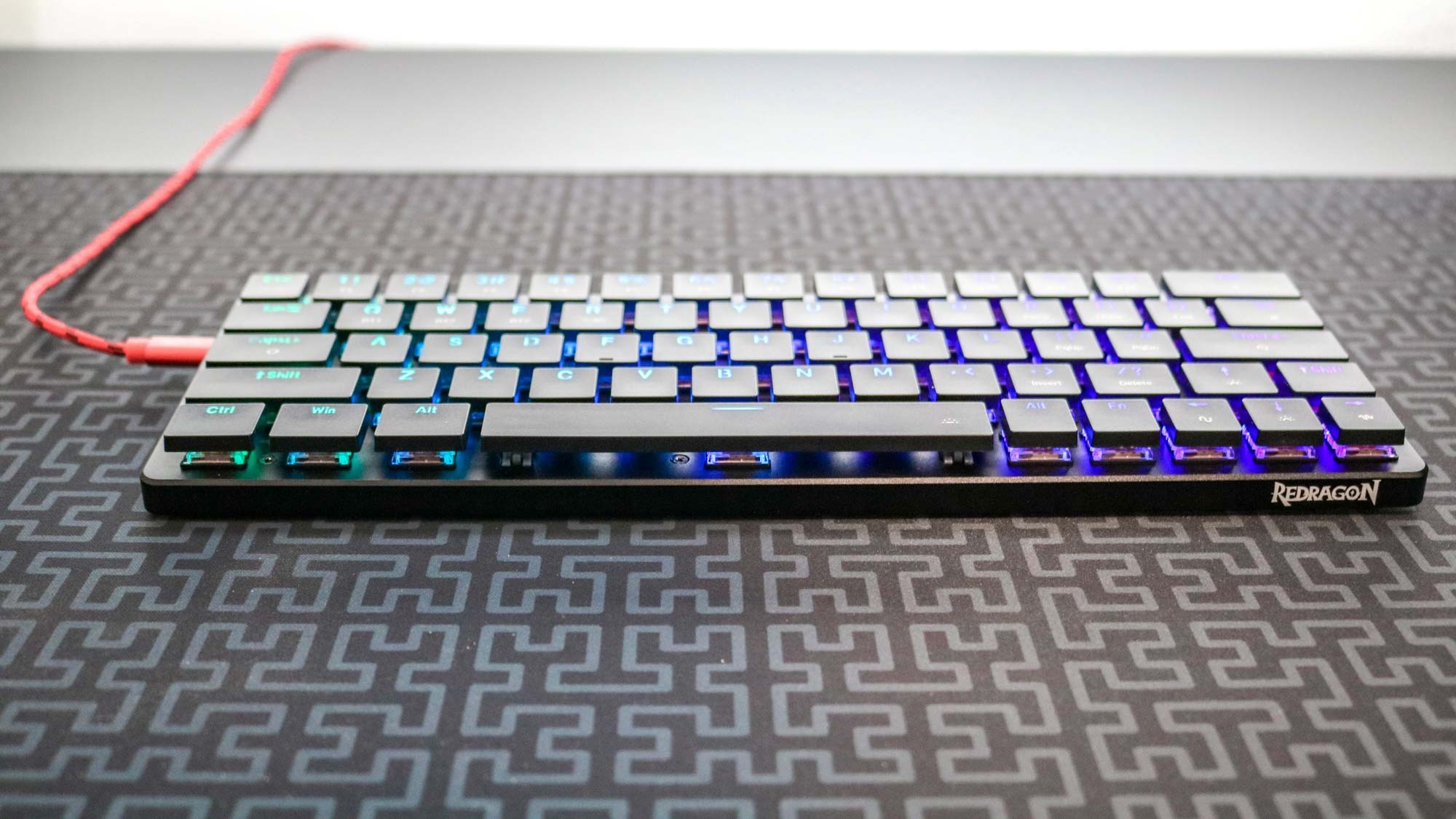
The right Redragon keyboard comes down to the way you type, the space available, and how much control you want outside the standard key layout.
Switch feel
Mechanical switches give each key its own mechanism, while membrane boards use a softer shared layer. Linear red switches press smoothly with no tactile bump, brown switches add a noticeable bump, and blue switches add both a bump and an audible click. The K521 Upgrade and S101-3 Pro use membrane designs with a mechanical-feeling response, but they are not interchangeable with a true mechanical board.
Choose the switch sound and feedback for the room you actually use, not the lighting shown in the product photo.
Layout and desk space
A 104-key full-size keyboard includes a number pad and is useful for spreadsheets, data entry, and games that use many commands. The K719 Pro Wireless reduces that footprint to 95 keys, while the K673 Pro Wireless uses an 81-key layout for a smaller desk presence. Measure the available width and mouse space before choosing a full-size model.
A compact keyboard can also change how you reach navigation keys, so the smallest board is not automatically the most comfortable. If you often use a number pad, the K556 Pro Wireless preserves it without requiring a wired connection.
Wired and wireless connections
Wired keyboards are simple and do not need charging or pairing. Wireless models such as the K719, K673, and K556 Pro can use USB-C, Bluetooth, or 2.4GHz connections, which makes switching between devices easier. The 2.4GHz option is the natural choice for gaming, while Bluetooth is convenient for compatible laptops and tablets.
If you are weighing a cable-free desk against connection simplicity, what changes when a keyboard moves from wired to wireless is the key trade-off to understand.
Hot-swappable switches
A hot-swappable socket allows switches to be replaced without soldering. The K671, K719, K580 models, K556 Wired, K673, and K556 Pro include this kind of flexibility in their listed features. It matters if you are experimenting with switch feel, want to replace a failed switch, or expect your preferences to change.
A fixed membrane keyboard can still be comfortable and responsive, but it cannot be tuned in the same way. For a deeper look at how switch type changes a keyboard, the difference between switch feel and typing sound is a useful place to start.
Macros and media controls
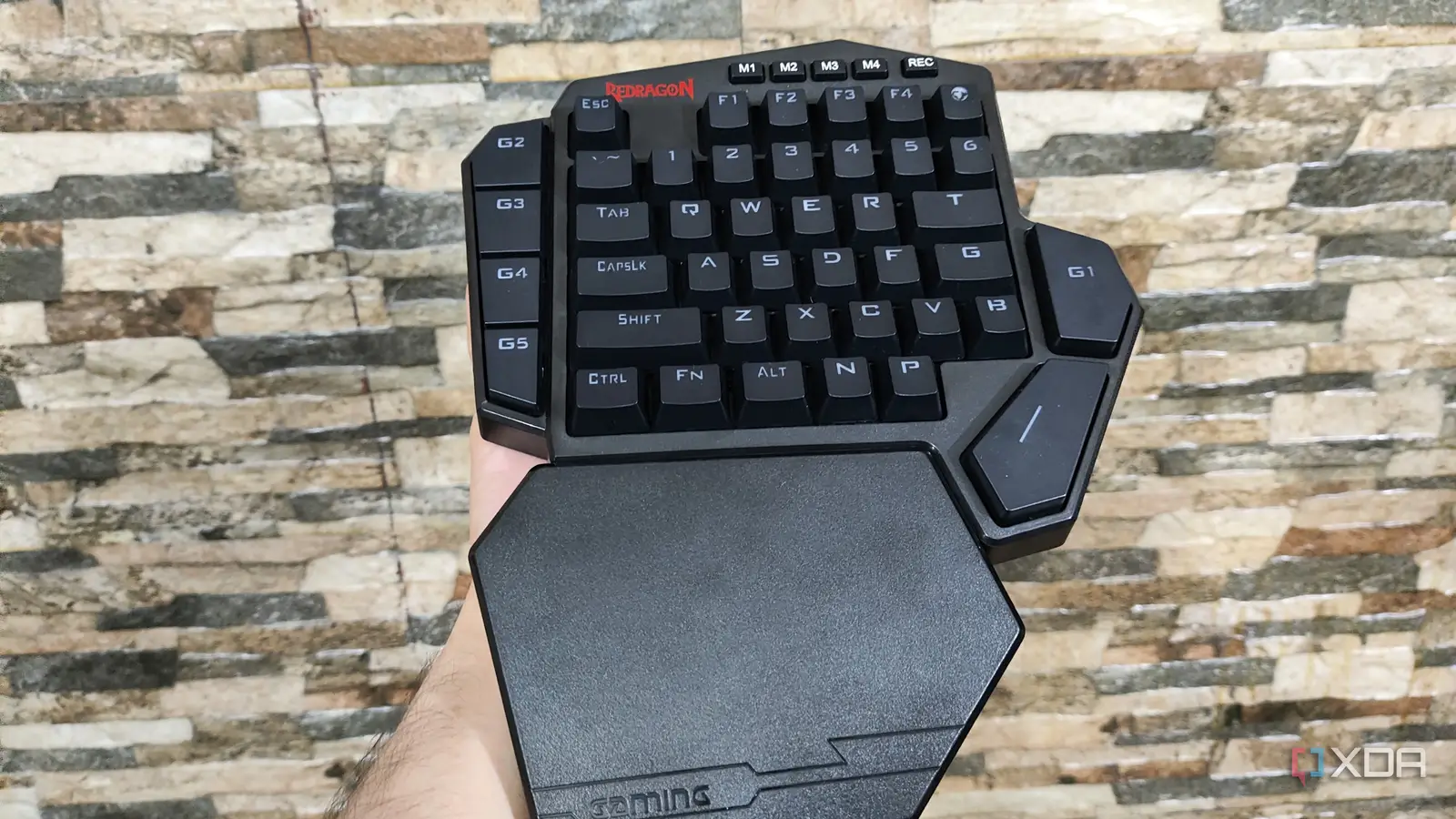
Dedicated macro keys are useful for repeated game actions, editing shortcuts, or app commands. The K580 models have five macro keys, the K512 has six, and the S101-3 Pro has five. The K671 and other models can use software for remapping and macro creation, but dedicated keys keep those commands easy to reach.
A media wheel is more convenient than a keyboard shortcut for volume changes. The K580, K512, K719, and K673 include a physical wheel or knob, while the K556 models rely more heavily on shortcuts or software.
Frequently asked questions
Are Redragon keyboards good for gaming?
Redragon offers several useful gaming features, including anti-ghosting, macro controls, mechanical switches, RGB lighting, and wireless connections. The best fit depends on whether you want a quiet membrane board, a tactile mechanical model, or a compact wireless layout. The K671 is the most balanced starting point for a mixed gaming and typing setup.
Which Redragon keyboard is the quietest?
The K719 Pro Wireless and K673 Pro Wireless use gasket-mounted construction, thick or layered dampening features, and linear switch designs intended for a softer, quieter feel. The S101-3 Pro is also quieter than the clicky mechanical boards because it uses membrane keys. The K580 Blue Switch is the loudest choice here because its click is part of the switch design.
Which Redragon keyboards have hot-swappable switches?
The K671, K719 Pro Wireless, K580 Brown Switch, K580 Blue Switch, K556 Wired, K673 Pro Wireless, and K556 Pro Wireless list hot-swappable switch support. Several of these accept three-pin and five-pin switches. The K521 Upgrade, K512 Membrane, and S101-3 Pro use membrane or mechanical-feeling designs rather than the same switch-swapping system.
Do Redragon wireless keyboards work with multiple devices?
The K719 Pro Wireless, K673 Pro Wireless, and K556 Pro Wireless support USB-C, Bluetooth, and 2.4GHz wireless modes. That lets them move between compatible computers and mobile devices without re-pairing for every change. The wired models remain simpler if the keyboard stays connected to one computer.
Should I choose a full-size or compact Redragon keyboard?
Choose a full-size model if you need a dedicated number pad or prefer every navigation key in its usual position. The K673 Pro Wireless is better for a small desk, while the K719 Pro Wireless offers a middle ground with 95 keys. Compact layouts save space but can require time to adjust to missing or relocated keys.
Are Redragon membrane keyboards worth considering?
Yes, if you prefer softer and quieter keys or want a simpler keyboard for a shared room. The K512 adds six macros, a media wheel, 26-key anti-ghosting, and a wrist rest, while the K521 keeps the setup basic and supports several consoles. Neither provides the individual switch feel or hot-swap flexibility of the mechanical models.
The bottom line
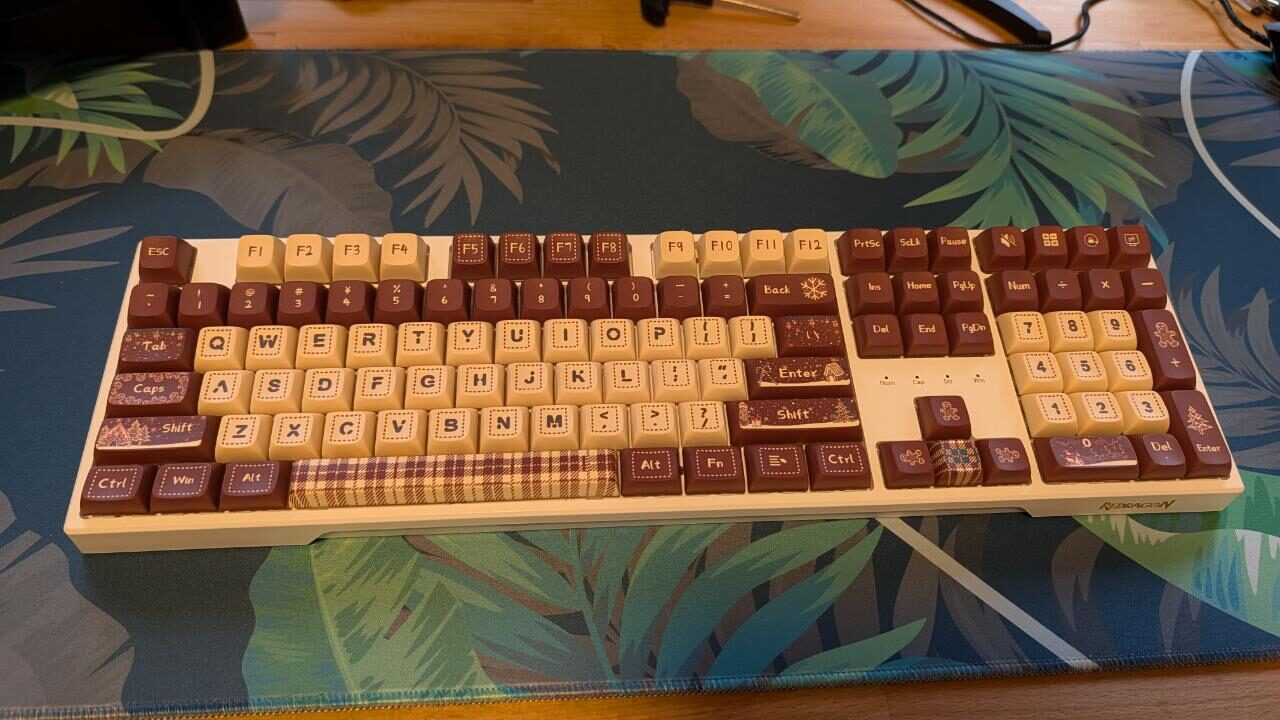
The Best redragon keyboard for most people is the Redragon K671 Hot-Swap Keyboard. Its linear red switches, full-key anti-ghosting, macro remapping, and hot-swap sockets cover the needs of a mixed gaming and work desk without forcing a compact layout or wireless setup.
Choose the Redragon K719 Pro Wireless if a softer typing feel, tri-mode connectivity, a 95-key layout, and a TFT screen matter more than simplicity. For a full-size wireless board with an aluminum frame, the Redragon K556 Pro Wireless is the better match, while the K580 Brown Switch is the pick for tactile feedback and physical macro controls.
If you are undecided, start by choosing your switch feel and layout, then decide whether wireless connectivity is genuinely useful at your desk.
As an Amazon Associate we earn from qualifying purchases.