

A retail checkout can fail in several ways: a screen that slows down every transaction, a scanner that requires too much aiming, or a cash drawer that does not fit the rest of the setup. The right hardware depends on whether you need a fixed counter, a mobile register, a weighing station, or simply one reliable component.
Our Best retail POS systems picks range from complete Windows registers to Android handhelds and a cash drawer for an existing setup. POS STORE M8W is the strongest all-around terminal, while the other entries make more sense for specific store layouts and workflows.
Comparison table
| # | Product | Award | Screen or format | Included hardware | Best for |
|---|---|---|---|---|---|
| 1 | POS STORE M8W | Best overall | 15.6-inch touchscreen | Terminal with USB, serial, and Ethernet connectivity | Fixed retail counters |
| 2 | Square Handheld POS Bundle | Best for Square users | Handheld | Pre-programmed Square terminal and setup support | Mobile Square checkout |
| 3 | Volcora 15.6-inch POS Terminal | Best built-in terminal | 15.6-inch capacitive touchscreen | Windows terminal with multiple ports | Windows POS installations |
| 4 | ZHONGJI SET04 POS System | Best complete retail bundle | 15-inch screen plus 11.6-inch customer display | Printer, drawer, scanner, keyboard, mouse, and software | Traditional checkout lanes |
| 5 | NRS Dual-Monitor POS System | Best for guided setup | Merchant touchscreen plus customer display | Printer, scanner, drawer, and software | Small businesses wanting support |
| 6 | Volcora 13-inch Cash Drawer | Best POS add-on | Drawer only | Four-bill, five-coin tray and RJ11/RJ12 cable | Existing POS systems |
| 7 | Bisofice Handheld POS | Best for inventory work | 5.5-inch Android display | 2D scanner, thermal printer, cellular connectivity | Warehouses and stock counts |
| 8 | Multzo Q2i Mobile POS | Best compact all-in-one | 5.5-inch Android touchscreen | 1D scanner and 58mm receipt printer | Pop-ups and small counters |
| 9 | Datio POS Kit | Best modular tablet setup | Works with a 10-inch Fire tablet | Stand, printer, cash drawer, and register base | Tablet-based retail |
| 10 | Wangyingxu Weighing POS | Best for weighed goods | 15.6-inch capacitive touchscreen | Scale, printer, and label editor | Produce and grocery stores |
1. POS STORE M8W: Best Overall

Pros
- Large 15.6-inch touchscreen
- Intel Core i5 processor and 8GB RAM
- USB, serial, and Ethernet connections
- Aluminum alloy construction
- Compact countertop footprint
Cons
- Does not include a scanner, printer, or cash drawer
- Windows software setup is left to the buyer
- Older fifth-generation Intel processor
Best for: a retailer that wants a substantial Windows terminal and plans to choose its own peripherals.
The POS STORE M8W is the easiest terminal here to imagine as the center of a real checkout counter. It has the broadest balance of screen area, computing hardware, and expansion options without forcing the shop into one particular POS ecosystem. The 15.6-inch touchscreen gives buttons, product lists, and inventory screens enough room to remain readable during a busy transaction.
Its fifth-generation Intel Core i5 processor is not a modern desktop chip, but it is a sensible fit for register software, inventory management, and several ordinary Windows applications running together. The 8GB of RAM gives the system a more comfortable multitasking floor than the 4GB in the Volcora 15.6-inch POS Terminal. Storage is 128GB on both, enough for POS applications and sales data as described, though neither should be treated as a general-purpose office workstation.
The useful part of this machine is its connectivity. POS STORE lists USB, serial, and Ethernet ports, so a retailer can build around a barcode scanner, receipt printer, cash drawer, and card reader instead of replacing the whole setup. That flexibility puts it ahead of the Square Handheld POS Bundle for a fixed counter, since Square is already configured around its own payment platform. It also avoids the bundled hardware commitment of the ZHONGJI SET04 if you already own some peripherals.
The weakness is that this is a terminal, not a complete checkout kit. There is no scanner, receipt printer, or drawer in the listed contents, and Windows compatibility does not guarantee that every POS application will be configured for a particular payment processor. The aluminum alloy body and stated 45 by 36 by 13 centimeter footprint should suit a confined counter, but buyers still need to plan cable routing and peripheral placement.
Choose the M8W if you want the most adaptable fixed station in this group. It is the one we'd keep for a retailer that knows which software and accessories it wants, even though a turnkey bundle will be easier for someone starting from nothing.
2. Square Handheld POS Bundle: Best for Square Users

Pros
- Pre-programmed for a new Square account
- Supports chip, contactless, Apple Pay, and Google Pay
- Portable handheld format
- Personalized onboarding and remote setup
- U.S.-based ongoing support
Cons
- Restricted to new Square accounts for the stated offer
- Square account activation is required before shipping
- Not a full drawer, scanner, and printer station
Best for: a small retailer or mobile seller already committed to Square and wanting help getting a handheld payment terminal ready.
The Square Handheld POS Bundle is less of a blank hardware platform than the Windows terminals in this list. Its appeal is the setup path. The terminal arrives pre-programmed with the buyer's account information and key settings, and the seller includes personalized onboarding, remote assistance, and ongoing U.S.-based support. For a first-time operator, that can remove the most intimidating part of installing a payment system.
The handheld format makes sense for checkout that moves around the store, a food truck, a salon, or a pop-up table. It accepts EMV chip cards and contactless payments, including Apple Pay and Google Pay, as well as traditional credit and debit cards. That gives it a cleaner mobile role than the POS STORE M8W, which needs a counter and separate peripherals to become a functioning station.
The trade-off is ecosystem dependence. The listed offer applies only to new Square accounts, and the Square account must be activated through Advantage POS Store before the equipment ships. That is a much narrower starting point than a Windows terminal that can be paired with a range of POS software. It also does not replace the full hardware set supplied with the NRS Dual-Monitor POS System or the ZHONGJI SET04.
This bundle is a poor fit for a retailer that wants to choose its own payment processor or build a traditional cash checkout with a physical drawer and scanner. The product description focuses on the terminal, programming, and support rather than a receipt printer or cash drawer. Those omissions matter in stores where cash remains part of the daily workflow.
Buy this one when Square is already the answer, not when you are still deciding what software ecosystem to use. For mobile card acceptance and guided setup, it is more focused than the larger systems here.
3. Volcora 15.6-inch POS Terminal: Best Built-In Terminal

Pros
- 15.6-inch capacitive touchscreen
- Windows 11 Professional
- Two serial ports and four USB ports
- HDMI, audio, DC 12V, and Ethernet connections
- Metal base and stated lifetime warranty
Cons
- Only 4GB of memory
- Hardware only
- Display resolution is 1366 by 768
Best for: a business that wants a sturdy single-screen Windows terminal with unusually broad physical connectivity.
The Volcora 15.6-inch POS Terminal is a straightforward piece of commercial hardware. Its heavy-duty metal base should keep the screen stable while staff tap through orders, and the capacitive touchscreen is a more natural interface than a keyboard-led register. The design is compact enough for a counter, though buyers should note that the product information lists a single-screen format rather than a customer-facing display.
The port selection is its strongest practical feature. Two serial ports and four USB ports provide room for older and newer peripherals, while HDMI, audio, DC 12V, and Ethernet broaden the installation choices. That makes it easier to connect a scanner, printer, drawer, or second display than a mobile device such as the Multzo Q2i. A retailer that has already selected its POS software and accessories may appreciate this less prescriptive setup.
The 15.6-inch screen runs at 1366 by 768. That is enough for ordinary register screens and readable product buttons, but it leaves less workspace than a higher-resolution monitor would. The system uses Windows 11 Professional, a 4GB memory configuration, and 128GB of storage. The memory is the key limitation: it should be treated as a focused POS terminal rather than a machine for heavy multitasking.
Volcora states that the screen is designed to withstand more than 15, 000 hours of screen time and backs its products with a limited lifetime warranty and U.S.-based customer service. Those are meaningful ownership considerations, but the system is still hardware only. It does not include the printer, drawer, scanner, or POS software that make the ZHONGJI SET04 more immediately usable.
The M8W is the better pick when you want 8GB of RAM and a little more flexibility for several applications. The Volcora is the better match for a buyer who values its port layout, metal base, and Windows 11 Professional installation. Skip it if a customer display or included peripherals are essential.
4. ZHONGJI SET04 POS System: Best Complete Retail Bundle

Pros
- Includes printer, cash drawer, scanner, and software
- 15-inch touch display plus 11.6-inch customer display
- 8GB RAM and 128GB SSD
- Six USB ports and multiple video connections
- Includes keyboard, mouse, and thermal paper
Cons
- Uses Windows 10
- Larger counter footprint than a terminal alone
- Software and hardware compatibility still need checking
Best for: a small shop that wants most of a conventional checkout lane in one package.
The ZHONGJI SET04 POS System is the most complete traditional register in this roundup. Rather than asking the buyer to source every accessory, it combines a 15-inch touch display, an 11.6-inch customer display, an 80mm thermal receipt printer, a cash drawer, a desktop scanner, keyboard, mouse, and retail POS software. That changes the installation from a collection of decisions into a more defined checkout station.
The dual-display arrangement is useful in a shop where the customer needs to see a total or transaction information while the employee works on the main screen. The 15-inch display is smaller than the M8W's 15.6-inch panel, but the extra customer-facing screen is more important for some counters than a small increase in the primary display size. The included scanner and printer also make this a more practical starting point than the Volcora terminal machines.
Inside, the SET04 lists an Intel i5 processor, 8GB of RAM, and a 128GB SSD. Those are suitable figures for retail POS software and ordinary inventory tasks. Its six USB ports, HDMI, VGA, LAN, and two audio outputs leave room for additional devices, though the more hardware you add, the more important cable management becomes. The product description also says the retail software is intended for lifetime use with lifetime software service.
The caveat is the operating system. This model lists Windows 10, while the M8W and Volcora terminal use Windows 11 editions. A retailer should confirm that the included software and any planned payment hardware work together before installation. The listed 14 by 14 by 10 inch dimensions also describe a substantial counter presence, so it needs more space than a handheld or a simple terminal.
For a complete physical register, the SET04 is more convincing than the Datio POS Kit because it includes the main screen and scanner rather than requiring a separate Fire tablet. It is the right choice for a conventional store counter that values a customer display and bundled accessories. Choose something else if you want a newer Windows environment or a modular system built around hardware you already own.
5. NRS Dual-Monitor POS System: Best for Guided Setup

Pros
- Includes merchant screen and customer-facing display
- Printer, scanner, and metal cash drawer included
- Supports inventory and sales analytics
- One-on-one setup and training support
- Training available in English and Spanish
Cons
- Requires a hardwired internet connection
- Credit card processor is not included
- Large 16.5 by 16.5 by 17 inch footprint
Best for: a small business that wants an all-in-one station and personal help during installation.
The NRS Dual-Monitor POS System takes the traditional checkout approach and places support alongside the hardware. It includes a 15-inch merchant touchscreen, a customer-facing display, barcode scanner, receipt printer, and durable metal cash drawer. That makes the physical setup much closer to a working register than the standalone POS STORE M8W or Volcora terminal.
NRS also describes software functions for high-volume transactions, analytics, inventory management, and vendor payments. Those capabilities matter more to a shop that needs its register to organize stock and purchasing than to a seller who only needs to accept occasional payments. The second screen can keep customer information visible without interrupting the employee's workflow.
The setup assistance is a genuine differentiator. Buyers can install the system themselves or get one-on-one support and training in English or Spanish. That is a better fit for an owner who does not want to troubleshoot every software and peripheral connection alone. Readers comparing different business setups may also want to consider how inventory and checkout needs change as a small shop grows, since a complete station can be more useful than a basic payment terminal once stock management becomes central.
The system has important constraints. It requires hardwired internet, so it is not a natural choice for a mobile stall or a counter with no nearby network connection. Credit card processing is available as an integration, but the processor is not included and requires a merchant-services signup. At 16.5 inches high and wide and 17 inches deep according to the listed dimensions, it also demands more counter depth than the SET04.
NRS is the stronger choice for a business that values training, bilingual assistance, and a more operationally focused POS package. The ZHONGJI system offers a similar complete-counter concept, while NRS leans harder into support and business functions. Skip it if you need Wi-Fi mobility or a compact footprint.
6. Volcora 13-inch Cash Drawer: Best POS Add-On

Pros
- Four bill slots and five coin slots
- Removable coin compartment
- Three-position key lock
- RJ11/RJ12 cable included
- Heavy-duty metal frame
Cons
- No USB connection
- Requires a receipt printer for automatic opening
- Does not include a POS terminal or printer
Best for: a retailer that already has a POS terminal and needs a lockable cash drawer with standard printer-triggered opening.
The Volcora 13-inch Cash Drawer is the one product here that should not be mistaken for a complete POS system. It is a component for a checkout already built around a terminal, receipt printer, and software. Its compact drawer layout gives the cashier four bill slots and five coin slots, while the removable coin compartment lets the tray be rearranged for the store's cash routine.
The front panel includes a media compartment for large bills, checks, and receipts, so not every loose paper has to go inside the main tray. The metal frame is intended for regular business use, and the drawer measures 13 by 13.25 by 4 inches in the product description. That makes it substantially easier to place than the full NRS or ZHONGJI stations.
Its three-position key lock offers manual open, automatic opening through a printer or POS, and locked modes. The included RJ11/RJ12 cable connects the drawer to a compatible receipt printer, which then communicates with the POS. Volcora lists compatibility with Star, Citizen, JAY, and Bixolon printer brands. This arrangement is common, but it means the drawer cannot be connected directly to a POS through USB.
That missing USB port is the central limitation. A buyer using a USB-only terminal or printer needs another connection plan, and the drawer does not include the rest of the checkout hardware. The product does include six keys and a stated lifetime replacement guarantee, but compatibility should be verified before ordering. For a wider look at the hardware needed around a register, the parts that keep a retail counter moving during checkout are more important than the drawer alone.
The Volcora drawer is a sensible repair or expansion purchase, not a first POS purchase. It pairs naturally with a Windows terminal such as the M8W when the printer supports the required connection. Choose it when the drawer is the missing piece, and skip it if you need a screen, scanner, printer, and software in the same box.
7. Bisofice Handheld POS: Best for Inventory Work

Pros
- Reads 1D and 2D barcodes
- Built-in 58mm thermal printer
- Android 11 operating system
- 4G, Wi-Fi, Bluetooth 5.0, and GPS
- Removable 3350mAh battery
Cons
- Only 2GB RAM and 16GB storage
- Smaller 5.5-inch display
- More focused on scanning and inventory than a full counter register
Best for: stockroom, warehouse, delivery, and mobile inventory workflows that also need occasional receipt printing.
The Bisofice Handheld POS is shaped around movement. Its 5.5-inch HD+ IPS display is small beside the 15.6-inch counter terminals, but that is an advantage when an employee is walking aisles, receiving stock, or checking products in a warehouse. The built-in 2D scanner can read common barcodes through the rear camera system, and a 58mm thermal printer lets the device produce receipts or other small paper records without a separate printer.
Android 11 gives it a familiar mobile interface, while the listed quad-core processor, 2GB of RAM, and 16GB of storage describe a modest device. That configuration should suit focused scanning and inventory applications, but it has less headroom than the Multzo Q2i, which lists a 5000mAh battery and a more explicitly retail-oriented 1D scanner. The Bisofice's 2D capability is the more important distinction for businesses dealing with QR codes or varied product labels.
Connectivity is unusually broad for a handheld. The device supports 4G, 3G, and 2G networks, Wi-Fi, Bluetooth 5.0, and GPS. That makes it more useful for field service, delivery, or stock movement beyond a single store network. The removable 3350mAh battery is also easier to manage across a workday than a device with a sealed battery, since a business can keep a spare ready.
It is not a replacement for the NRS Dual-Monitor POS System at a busy fixed counter. The small display, limited memory, and handheld controls are better for focused tasks than for a large product catalog or a full cash drawer workflow. The product description also emphasizes logistics, manufacturing, and inventory, so buyers should confirm that their preferred retail application runs properly on the device.
The Bisofice is the specialist pick for scanning and stock control. Choose it over the Multzo when 2D reading, cellular connectivity, GPS, or a removable battery matters. Choose the Multzo for a simpler mobile sales station centered on 1D retail barcodes and a long-lasting battery.
8. Multzo Q2i Mobile POS: Best Compact All-In-One

Pros
- Integrated 1D barcode scanner
- Built-in 58mm thermal printer
- Android 11 with Google Play access
- Dual-band Wi-Fi and Bluetooth
- 5000mAh battery and USB-C charging
Cons
- 1D scanner does not match the Bisofice's 2D capability
- Small screen for complex catalog management
- Does not include a cash drawer
Best for: pop-ups, cafés, small retail counters, and sellers who want scanner and printer functions in one handheld.
The Multzo Q2i Mobile POS makes a strong case for keeping a checkout in one hand. It combines a 5.5-inch HD touchscreen, 1D barcode scanner, and 58mm thermal printer in a device listed at about 0.8 pounds. That is a much cleaner setup for a market stall or pop-up than carrying a tablet, scanner, and printer separately.
Its scanner is aimed at common retail symbologies such as UPC, EAN, and Code 128. For ordinary packaged merchandise, the ability to scan an item and print a receipt from the same handheld is the central convenience. The Q2i's Android 11 software and Google Play access also give it a broader app path than a locked-down appliance, though compatibility with a particular POS application still needs confirmation.
The connectivity is sensible for a mobile register. Dual-band 2.4GHz and 5GHz Wi-Fi helps it work around busy networks, while Bluetooth and USB-C charging cover common accessory and power needs. The 7.4V, 5000mAh battery is larger than the Bisofice's listed 3350mAh removable unit, so the Multzo is the more natural choice for extended handheld selling when cellular service and 2D scanning are not priorities.
The limitation is that the Q2i is not a complete cash checkout. It does not include a drawer, and its integrated scanner reads 1D codes rather than the 1D and 2D formats supported by Bisofice. The 5.5-inch screen is comfortable for a focused sale but less pleasant for a large inventory catalog or detailed reporting. Multzo includes a one-year warranty and U.S.-based support, which helps with setup, but the seller's app support remains important.
For a compact all-in-one mobile register, the Q2i is more coherent than the Square Handheld POS Bundle when you want Android and integrated retail hardware rather than a particular payment ecosystem. It is the one to choose for cafés, pop-ups, and small counters handling ordinary barcodes. Choose Bisofice when inventory scanning is the main job and 2D, GPS, or cellular support matters more.
9. Datio POS Kit: Best Modular Tablet Setup

Pros
- Includes stand, printer, drawer, and register base
- Designed for a 10-inch Amazon Fire tablet
- Supports Datio POS app
- Can work with a separate payment terminal
- Cancel-anytime software arrangement
Cons
- Fire tablet is not included
- Requires a Datio software subscription
- Less self-contained than the Windows bundles
Best for: a business that already uses or wants to supply a compatible 10-inch Fire tablet.
The Datio POS Kit is a useful middle ground between buying a full register and assembling every peripheral separately. The package includes a register base, thermal receipt printer, secure cash drawer, and stand. The buyer supplies a compatible 10-inch Amazon Fire tablet, which becomes the display and software host.
That modular design can work well for a small shop with a tablet already in hand. A 10-inch screen should provide more room than the 5.5-inch Multzo or Bisofice displays, while the stand gives the counter a more conventional register shape. The included printer and drawer also solve two of the practical problems that arise when a retailer tries to use a general tablet as a checkout.
The key software detail is the Datio POS app. The product says buyers can try the app before subscribing, and the stated subscription includes software, updates, support, and warranty. Datio also supports its own credit card payment route through Worldpay, with the option to use another terminal for cash-only tracking. Those choices make the kit more flexible than a simple tablet stand, but they also add a software decision that is absent from a standalone terminal.
The Fire tablet is not included, which is easy to overlook. A buyer must supply a compatible 10-inch model and confirm that it works with the app and stand. The kit is also less self-contained than the ZHONGJI SET04 or NRS system, both of which include their main display and more of the checkout hardware. Its listed dimensions of 16 by 16 by 12 inches and 17-pound weight describe a serious counter unit, not a travel setup.
Datio makes sense for a tablet-centered business that wants a tidy drawer and printer arrangement. It is not the pick for someone who wants an all-in-one Windows computer or a handheld checkout. Choose it when modular replacement and tablet familiarity are more useful than having every part included.
10. Wangyingxu Weighing POS: Best for Weighed Goods

Pros
- Integrated retail weighing scale
- 15.6-inch capacitive touchscreen
- Built-in receipt printer and label editor
- 8GB RAM and 128GB storage
- USB, Ethernet, RS232, HDMI, and OTG connections
Cons
- Heavy listed weight of about 33 pounds
- Single-screen design
- Specialized for weighed goods rather than every retail counter
Best for: produce, grocery, bakery, and other stores that need weighing and labeling close to checkout.
The Wangyingxu Weighing POS solves a problem that the other terminals do not address directly: weighing goods at the point of sale. It combines a scale, payment workflow, receipt printer, barcode scanning support, and label editing in one station. For a produce or grocery counter, that can remove a separate scale and reduce the number of steps between weighing an item and completing the transaction.
Its 15.6-inch capacitive touchscreen is large enough for product buttons and order screens, and the listing says the 10-point touch panel works with fingers, gloves, styluses, or tools. That glove support is useful in food retail, where staff may not want to operate the screen with bare hands. The 8GB of RAM and 128GB of storage put it on similar footing to the M8W for basic POS multitasking.
The connection options include four USB ports, RJ45, Micro USB, RS232, dual audio jacks, HDMI, and OTG support. That gives the station room to connect peripherals or fit into a more elaborate retail environment. The built-in receipt printer and label editor are more relevant to weighed goods than the external-peripheral approach of the Volcora terminal, though the precise software compatibility should be checked before committing.
This specialization creates the main drawback. The product information lists a weight of about 33 pounds and a single-screen design, so it is not a portable register and does not offer the customer-facing display found on the SET04 or NRS. A general boutique or service counter may never use the integrated scale, making the larger station harder to justify in that setting.
Choose Wangyingxu when weighing, labeling, and checkout belong in the same workflow. It is a more purpose-built answer for produce and grocery stores than the M8W, while the M8W remains more adaptable for ordinary retail. Skip this model if you do not sell goods by weight or need a lighter mobile setup.
How to choose best retail pos systems
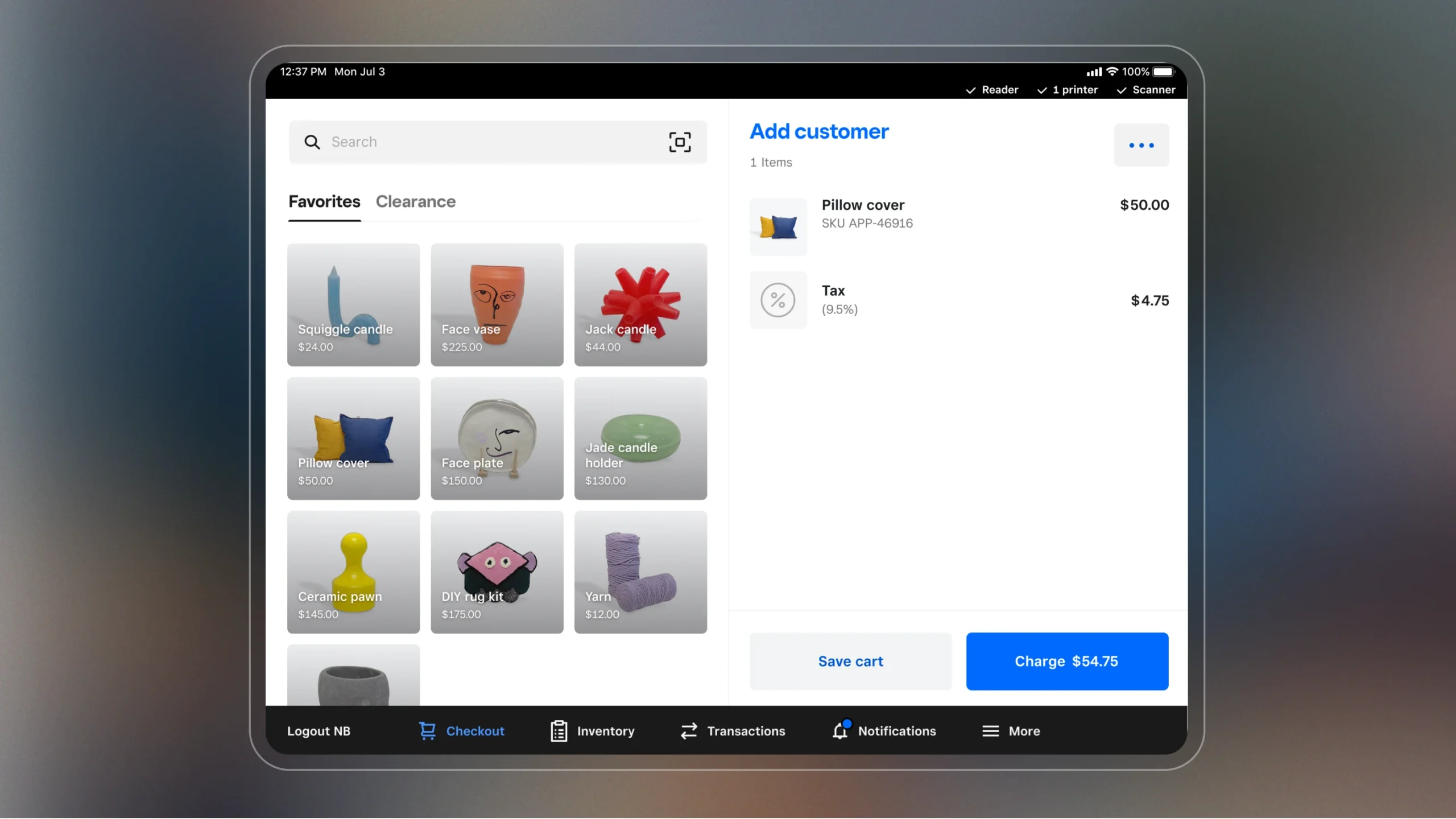
The right POS system is determined less by screen size alone than by the way products enter the sale, how customers pay, and what the counter already contains.
Counter format
A fixed terminal suits a store with a permanent checkout lane, while a handheld makes more sense for pop-ups, mobile sellers, and aisle-based service. Large screens make product catalogs and inventory tools easier to read, but they also take up counter space. The M8W and Volcora terminals are fixed stations, while the Multzo and Bisofice are designed to move with the employee.
A mobile register should reduce the equipment you carry, not turn one sale into a search for three missing accessories.
Included peripherals
Check whether the package includes a scanner, printer, drawer, and customer display. The ZHONGJI SET04 and NRS systems include most of those pieces, while the M8W and Volcora 15.6-inch terminal require a separate setup. A drawer such as the Volcora 13-inch model is useful only when the existing printer and POS can trigger it correctly.
Operating system and software
Windows terminals offer a broad route to POS applications, but the buyer remains responsible for choosing and configuring the software. Android handhelds are easier to carry and can access mobile applications, while the Square bundle arrives oriented around Square accounts. Datio uses a compatible Fire tablet and its own app subscription, so its software model is different again.
Scanning and printing
A 1D scanner is suited to common UPC, EAN, and Code 128 retail labels. A 2D scanner is the better fit when QR codes or more varied labels enter the workflow, which is why Bisofice stands apart from Multzo. A built-in 58mm printer is convenient on a handheld, while a larger 80mm thermal printer in a fixed bundle may be more suitable for a conventional checkout.
Connectivity and network
Look for the ports and network type that match the peripherals you already own. USB, serial, Ethernet, HDMI, and RJ11 or RJ12 each serve different parts of a POS installation. NRS requires hardwired internet, while the mobile models use Wi-Fi and, in the Bisofice's case, cellular networks. Confirm payment and printer compatibility before assuming that a port alone guarantees support.
Frequently asked questions
What is the best retail POS system for a fixed counter?
The POS STORE M8W is the strongest general fixed terminal because it combines a 15.6-inch touchscreen, 8GB of RAM, 128GB of storage, and USB, serial, and Ethernet connectivity. It does not include a printer, scanner, or drawer, so the ZHONGJI SET04 is easier for buyers who want a more complete bundle.
Which POS system is best for a mobile store?
The Multzo Q2i is the most focused mobile sales device in this group. It combines a 5.5-inch touchscreen, 1D scanner, 58mm printer, Android 11, dual-band Wi-Fi, and a 5000mAh battery in one handheld.
Do these POS systems include payment processing?
Not all of them. The Square Handheld POS Bundle is built around a Square account, while NRS says credit card processing is available through an integration but that the processor requires a separate merchant-services signup. The Windows terminals and hardware bundles also require buyers to confirm their preferred payment setup.
Is a cash drawer included with the POS terminals?
The ZHONGJI SET04, NRS system, and Datio POS Kit include cash drawers. The M8W, Volcora 15.6-inch terminal, Square handheld, Bisofice, and Multzo listings do not state that a drawer is included. The Volcora 13-inch Cash Drawer is a separate component that connects through a compatible receipt printer.
Is a 2D barcode scanner better than a 1D scanner for retail?
A 2D scanner can read both one-dimensional retail codes and two-dimensional formats such as QR codes, making it more versatile. A 1D scanner is sufficient for many ordinary packaged products and is the format built into the Multzo Q2i. Bisofice is the stronger scanning choice when 2D support matters.
Can a POS system work without a hardwired internet connection?
It depends on the product and software. NRS specifically requires a hardwired internet connection, while the Multzo supports dual-band Wi-Fi and the Bisofice supports cellular networks, Wi-Fi, and Bluetooth. Payment processing and cloud-based software may still require an active connection even when the hardware can operate locally.
Does the Datio POS Kit include the tablet?
No. The Datio kit includes the stand, register base, printer, and cash drawer, but the compatible 10-inch Amazon Fire tablet must be supplied separately. The tablet also needs to work with the Datio POS app.

The bottom line
The Best retail POS systems pick for most fixed retail counters is POS STORE M8W. Its 15.6-inch touchscreen, 8GB of RAM, 128GB SSD, and broad port selection give it room to grow around the software and peripherals a retailer chooses. The weakness is clear: it is not a complete register kit.
For a ready-made checkout, ZHONGJI SET04 is the better fit because it includes the primary display, customer display, scanner, printer, drawer, and software. Multzo Q2i is the better alternative for mobile sellers, while Wangyingxu Weighing POS earns its place in produce and grocery environments where weighing and labeling are part of every transaction.
If you are undecided, choose the M8W for a flexible fixed station, the SET04 for a bundled counter, or the Q2i when checkout needs to travel.
As an Amazon Associate we earn from qualifying purchases.