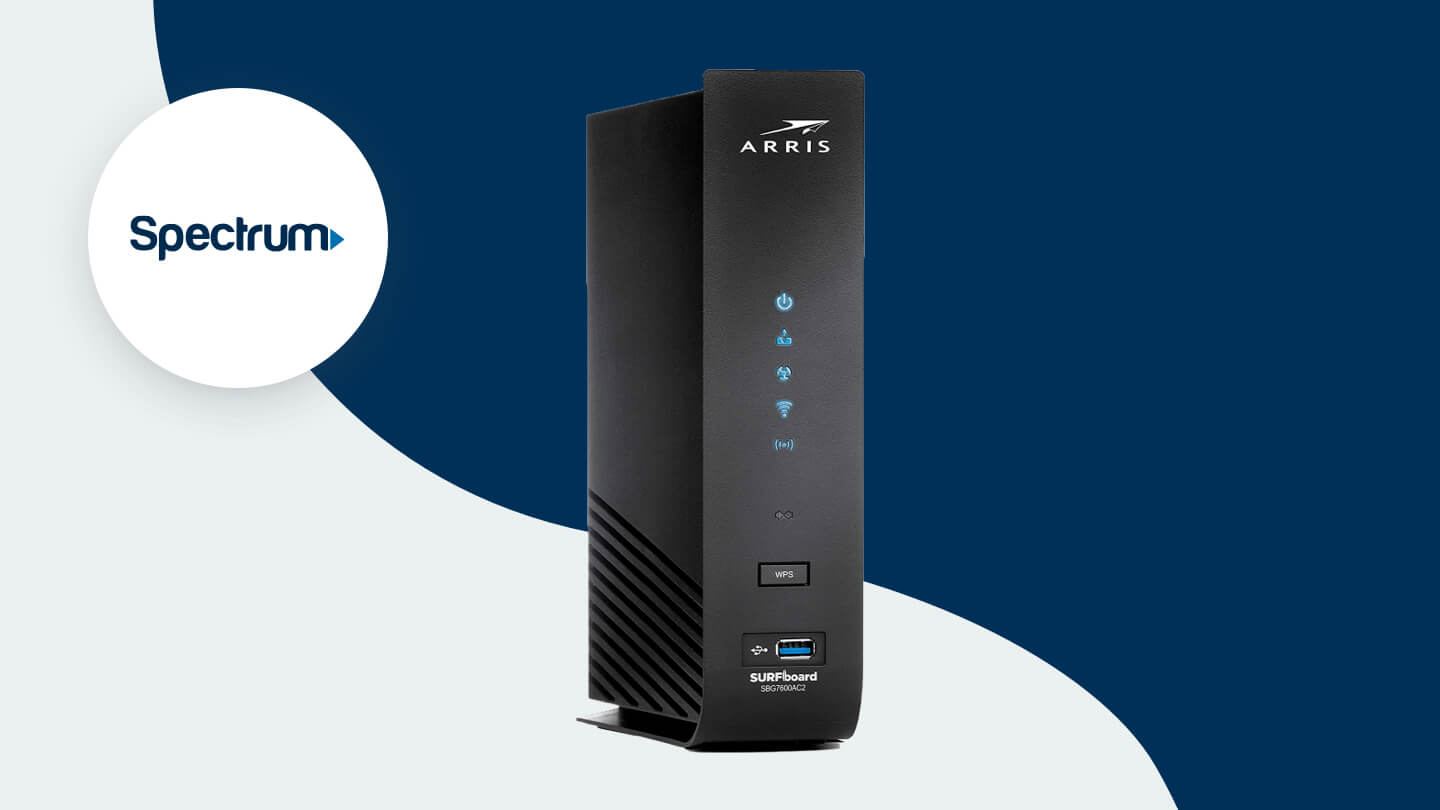

Spectrum's gateway can put Wi-Fi in every room, but it does not always handle a busy home gracefully. Video calls, game downloads, streaming boxes, cameras, and smart-home devices all compete for airtime, and an aging router can turn a fast connection into a frustrating one.
The Best router for Spectrum internet depends on whether you already have a modem, how many devices need attention, and whether your home can use newer Wi-Fi 6 or Wi-Fi 7 hardware. We picked 10 routers that cover those situations, including one modem-router combo for Spectrum cable service.
TP-Link Archer BE400 is our top pick because it combines Wi-Fi 7, a 2.5 Gbps WAN/LAN port, EasyMesh support, strong coverage claims, and useful network controls without the complexity of a separate mesh kit. The rest of the list ranges from compact Wi-Fi 6 routers to high-capacity Nighthawk models and a DOCSIS 3.1 modem-router combo.
| # | Product | Award | Wi-Fi standard | Wired networking | Best for |
|---|---|---|---|---|---|
| 1 | TP-Link Archer BE400 | Best overall | Wi-Fi 7, 6.5 Gbps total | Two 2.5 Gbps ports, three 1 Gbps LAN | Most Spectrum homes |
| 2 | TP-Link Archer AX21 V5 | Best simple Wi-Fi 6 router | Wi-Fi 6, 1.8 Gbps total | Gigabit LAN | Straightforward home networks |
| 3 | NETGEAR Nighthawk RS140 | Best Wi-Fi 7 coverage balance | Wi-Fi 7, up to 5.0 Gbps | 2.5 Gbps WAN, three 1 Gbps LAN | Medium and large open homes |
| 4 | NETGEAR Nighthawk RS90 | Best compact Wi-Fi 7 option | Wi-Fi 7, up to 3.6 Gbps | 2.5 Gbps WAN, four 1 Gbps LAN | Moderate device counts |
| 5 | NETGEAR Nighthawk CAX30 | Best modem-router combo | DOCSIS 3.1, Wi-Fi 6 | Four 1 Gbps LAN, USB 3.0 | Spectrum cable users replacing both boxes |
| 6 | TP-Link Archer AX55 | Best everyday Wi-Fi 6 router | Wi-Fi 6, 3.0 Gbps total | Gigabit LAN, USB 3.0 | Busy connected homes |
| 7 | TP-Link Archer A6 | Best basic router | Wi-Fi 5, 1.2 Gbps total | Four Gigabit LAN | Small, uncomplicated networks |
| 8 | TP-Link Archer AX73 | Best long-range Wi-Fi 6 router | Wi-Fi 6, 5.4 Gbps total | Gigabit LAN, USB 3.0 | Streaming across larger homes |
| 9 | NETGEAR Nighthawk RS200 | Best high-capacity Wi-Fi 7 router | Wi-Fi 7, up to 6.5 Gbps | 2.5 Gbps WAN and LAN | Multi-gig plans and demanding homes |
| 10 | NETGEAR R6700AX | Best small-home Nighthawk | Wi-Fi 6, up to 1.8 Gbps | Four 1 Gbps LAN | Smaller homes with up to 20 devices |
1. TP-Link Archer BE400: Best Overall

Pros
- Wi-Fi 7 features provide a modern upgrade path
- Two 2.5 Gbps wired ports
- Coverage claim reaches up to 2, 400 square feet
- EasyMesh can expand coverage later
- HomeShield and VPN client support add useful control
Cons
- A separate modem is required for Spectrum service
- Wi-Fi 7 benefits depend on compatible client devices
- Dual-band design does not include a 6 GHz band
Best for: Spectrum households that want one capable router with room to grow.
The TP-Link Archer BE400 is the router we'd keep for most Spectrum homes. It feels current without being an oversized specialist product. The useful detail is not just the Wi-Fi 7 label. It has a 2.5 Gbps WAN/LAN port plus a second 2.5 Gbps LAN port, so a fast modem connection and one demanding wired device can both get more than standard Gigabit Ethernet.
Its wireless capacity is listed at 6.5 Gbps total, split between up to 5, 764 Mbps on 5 GHz and 688 Mbps on 2.4 GHz. Those are theoretical radio figures, not a promise that a phone will download at that rate, but the high-capacity 5 GHz band gives connected devices more room during simultaneous streaming, gaming, and video calls. Multi-Link Operation, Multi-RUs, and 4K-QAM are the Wi-Fi 7 features that make this a more forward-looking choice than the Wi-Fi 6 models here.
Coverage is rated for up to 2, 400 square feet and up to 90 devices, with six high-performance antennas and beamforming. Walls and floor plans still matter, so a large multi-story home may need an EasyMesh-compatible extender or router. The Tether app and web interface make setup approachable, while HomeShield adds parental controls and IoT security. VPN client and server support will appeal to people who want network-level VPN options instead of configuring every device separately.
The main limitation is the missing 6 GHz band. This is a dual-band Wi-Fi 7 router, so it does not offer the extra spectrum found on tri-band Wi-Fi 7 models. It also remains a router, not a modem, and Spectrum users need a modem or gateway with Ethernet output. Compared with the TP-Link Archer AX55, the BE400 has newer wireless features and faster wired options. Compared with the NETGEAR Nighthawk RS200, it gives up some headline capacity but is less oversized for a typical home.
Choose the Archer BE400 if you want a durable central router for Spectrum service, several wired devices, and a growing collection of newer phones and laptops. It is the strongest all-around answer to the Best router for Spectrum internet question in this group.
2. TP-Link Archer AX21 V5: Best Simple Wi-Fi 6 Router

Pros
- Wi-Fi 6 handles busy networks better than older Wi-Fi 5
- Works with Spectrum and other major providers
- OFDMA helps multiple devices share airtime
- Four high-gain antennas and beamforming
- OpenVPN and PPTP VPN server support
Cons
- No 6 GHz band or Wi-Fi 7 features
- The 1.8 Gbps total wireless rating is modest
- A separate modem is required
Best for: households that want a dependable Wi-Fi 6 replacement without extra complexity.
The TP-Link Archer AX21 V5 is easy to understand and easy to place in a normal home network. It is a standalone dual-band router, so it connects to the Ethernet output of a Spectrum modem or gateway. There is no coax input, and that distinction matters when replacing an ISP box.
Its AX1800 rating combines up to 1, 200 Mbps on 5 GHz with up to 574 Mbps on 2.4 GHz. That is enough wireless headroom for ordinary streaming, remote work, browsing, and several connected devices, though it is not aimed at a home with many simultaneous high-bandwidth transfers. Wi-Fi 6 and OFDMA help the router communicate with multiple devices more efficiently than a comparable Wi-Fi 5 design.
TP-Link uses four high-gain antennas, beamforming, and an advanced front-end module to focus the signal toward connected devices. The coverage claim is deliberately less specific than some of the other products here, which is sensible because walls, placement, and interference can change the result dramatically. The Tether app handles management, and the router supports both OpenVPN and PPTP VPN servers.
The AX21's weakness is headroom. The TP-Link Archer AX55 offers substantially more wireless capacity and adds a USB 3.0 port, while the TP-Link Archer BE400 moves to Wi-Fi 7 and 2.5 Gbps networking. The AX21 also has no 6 GHz band, but that is not a serious issue for older phones, televisions, and smart-home devices that would not use it anyway.
This is the right pick for a smaller or moderately busy home where the goal is stable Wi-Fi 6 rather than maximum throughput. Skip it if you already have a multi-gig Spectrum plan, a large device collection, or a clear need for faster wired networking.
3. NETGEAR Nighthawk RS140: Best Wi-Fi 7 Coverage Balance

Pros
- Wi-Fi 7 supports up to 5.0 Gbps across two bands
- Coverage claim reaches up to 2, 250 square feet
- Supports up to 80 devices
- 2.5 Gig WAN port
- Automatic updates and built-in security features
Cons
- The 2.5 Gig port is WAN only
- Only three Gigabit LAN ports
- NETGEAR Armor requires a subscription after its trial
Best for: medium and large open-plan homes that want Wi-Fi 7 without the RS200's extra wired port.
The NETGEAR Nighthawk RS140 takes a practical approach to Wi-Fi 7. It is designed for a separate modem or ISP gateway and has a 2.5 Gig WAN port for the incoming connection. That makes it a sensible fit for Spectrum customers who already have a suitable modem and want to replace the gateway's wireless layer.
NETGEAR rates the dual-band router for up to 5.0 Gbps across 2.4 GHz and 5 GHz, with backward compatibility for Wi-Fi 6 and earlier devices. The number is best understood as shared wireless capacity. It gives multiple clients more room for streaming, video calls, and gaming, but individual results still depend on the client device, distance, walls, and Spectrum service.
Coverage is listed at up to 2, 250 square feet in an open layout, with support for up to 80 devices. That places it between the smaller NETGEAR Nighthawk RS90 and the larger-capacity NETGEAR Nighthawk RS200. Its three 1 Gig Ethernet LAN ports cover a desktop, console, and television, though homes with several wired devices may run out of sockets sooner than expected.
The Nighthawk app provides guided setup and remote management. Advanced Router Protection and automatic firmware updates are enabled, and NETGEAR Armor includes a 30-day trial before requiring a separate subscription. The router works with cable, fiber, DSL, and satellite services through Ethernet, but some ISP gateways need bridge mode or other configuration.
The real drawback is the port layout. The 2.5 Gig connection cannot serve a fast wired client because it is the WAN input only. For help choosing the upstream hardware, the connection between a modem and the router is the part to settle before installation. Pick the RS140 when coverage and Wi-Fi 7 matter more than a large wired-device setup.
4. NETGEAR Nighthawk RS90: Best Compact Wi-Fi 7 Option

Pros
- Wi-Fi 7 support in a moderate-capacity design
- 2.5 Gig WAN port for multi-gig service
- Four Gigabit LAN ports
- Smart Connect and guest Wi-Fi
- WPA3 and automatic firmware updates
Cons
- Requires a separate modem
- Coverage depends heavily on the home layout
- Wi-Fi 7 remains dual-band
Best for: Spectrum customers with a moderate device count who want newer wireless technology and four wired LAN ports.
The NETGEAR Nighthawk RS90 is the restrained Wi-Fi 7 option in this lineup. Its purpose is not to chase the highest wireless number, but to give a medium-sized household the newer standard, a multi-gig WAN connection, and four wired LAN ports without moving to the RS200's larger capacity.
The dual-band system is rated at up to 3.6 Gbps, with the usual caveat that actual throughput depends on devices, distance, obstacles, and the internet plan. A quad-core 2.0 GHz processor is specified for gaming, 4K streaming, conferencing, and smart-home traffic. Wi-Fi 7 clients can take advantage of the newer standard, while older Wi-Fi 6 and earlier devices remain compatible.
NETGEAR lists coverage up to 2, 000 square feet in an open layout and support for up to 50 devices. That is a useful boundary for deciding between it and the RS140, which expands the device and coverage claims. The RS90's four 1 Gigabit LAN ports are more convenient than the RS140's three, especially if the modem, desktop, console, and television all need wired connections.
Smart Connect can steer devices between the two bands, and a guest network keeps visitors separate from household equipment. The Nighthawk app or a web browser guides setup, but Spectrum users still need an active modem with an Ethernet port. WPA3, a firewall, and automatic updates cover the basic security responsibilities, while Armor protection moves to a subscription after its trial.
The RS90 is not the right choice for a large multi-story home or a household that expects heavy wired traffic. The TP-Link Archer BE400 offers faster total wireless capacity and two 2.5 Gbps ports, while the NETGEAR Nighthawk RS200 reaches farther on paper and handles more devices. Choose the RS90 when its four LAN ports and moderate Wi-Fi 7 capacity fit the home more closely.
5. NETGEAR Nighthawk CAX30: Best Modem-Router Combo

Pros
- Replaces a separate cable modem and router
- DOCSIS 3.1 with 32 by 8 channel bonding
- Explicit Spectrum compatibility
- Four Gigabit Ethernet ports
- USB 3.0 port and port aggregation support
Cons
- Cable service only
- Coverage is listed for up to 2, 000 square feet
- Supports up to 25 concurrent devices
- No Wi-Fi 7
Best for: Spectrum cable customers who want one box instead of a separate modem and router.
The NETGEAR Nighthawk CAX30 is the one product here that changes the installation decision completely. It combines a DOCSIS 3.1 cable modem with a Wi-Fi 6 router, so a Spectrum cable customer can replace two separate boxes with one unit. It is not appropriate for fiber, DSL, or services that require a different modem technology.
DOCSIS 3.1 and 32 by 8 channel bonding give the modem the current cable-platform foundation needed for Spectrum service. The wireless side is AX2700, with coverage listed at up to 2, 000 square feet and support for 25 concurrent devices. That is a sensible profile for a smaller or moderately busy home, but the device limit makes it less compelling for a heavily automated house with cameras, speakers, plugs, and televisions everywhere.
Four 1 Gigabit Ethernet ports support desktops, game consoles, televisions, and other wired equipment. Port aggregation is supported, and the USB 3.0 port can connect compatible storage or other USB devices. The Nighthawk app handles setup and management, which is helpful when activating a modem-router combo rather than simply replacing a router.
The CAX30's strength is also its limitation. You lose the flexibility of upgrading the modem and router independently, and its Wi-Fi 6 radio cannot match the newer Wi-Fi 7 models. The TP-Link Archer BE400 is a more capable standalone router for a separate modem, while the NETGEAR Nighthawk RS140 supports more devices as a router-only design. Spectrum cable subscribers who want a single enclosure may still prefer the CAX30's simpler arrangement.
Check Spectrum's current modem compatibility requirements before installation, and remember that this model is not compatible with Verizon, AT&T, CenturyLink, DSL providers, DirecTV, DISH, or bundled voice service according to the product information. If you are weighing an all-in-one setup, the practical trade-offs of combining modem and router hardware are worth considering first.
6. TP-Link Archer AX55: Best Everyday Wi-Fi 6 Router

Pros
- 2, 402 Mbps on 5 GHz and 574 Mbps on 2.4 GHz
- OFDMA and MU-MIMO help busy networks
- Four high-gain antennas with beamforming
- USB 3.0 port
- EasyMesh and VPN client/server support
Cons
- A modem is required
- No Wi-Fi 7 or 6 GHz band
- Large footprint for a basic router shelf
Best for: families that stream, work, game, and connect many devices at the same time.
The TP-Link Archer AX55 is a strong middle-ground router. It does not have Wi-Fi 7's newer features, but its Wi-Fi 6 hardware is more substantial than the AX21's and better suited to a home where several people are online at once. It connects to a Spectrum modem, so it is a replacement for the router portion of the setup.
The AX3000 rating comes from up to 2, 402 Mbps on 5 GHz and 574 Mbps on 2.4 GHz. OFDMA lets several clients share a channel more efficiently, while MU-MIMO helps the router communicate with multiple compatible devices. These features are more relevant to a household with concurrent video calls, streaming feeds, downloads, and smart-home traffic than to one laptop sitting close to the router.
Four high-gain external antennas and beamforming are used to extend coverage, and the cooling design includes a larger heat sink and reworked case ventilation. TP-Link lists EasyMesh compatibility, so a compatible extender or router can help address a dead zone later. The USB 3.0 port adds file or media-sharing possibilities, and HomeShield includes basic network security, device identification, parental controls, quality of service, and reports.
The AX55 is physically larger than the TP-Link Archer BE400, and its wired networking does not include a 2.5 Gbps port. It also lacks the BE400's Wi-Fi 7 features and newer client support. Still, it is a better fit than the AX21 when a busy household needs more wireless capacity but does not have Wi-Fi 7 devices or a multi-gig wired setup.
Choose this router for a conventional Spectrum home that needs reliable Wi-Fi 6, useful management tools, and a USB port. Skip it only if your next router must support Wi-Fi 7 or you specifically need a 2.5 Gbps Ethernet connection.
7. TP-Link Archer A6: Best Basic Router

Pros
- Four Gigabit LAN ports
- Four external antennas with beamforming
- MU-MIMO for multiple 5 GHz devices
- OneMesh extender support
- Access Point mode and WPA3
Cons
- Uses older Wi-Fi 5
- Lower total wireless capacity than every Wi-Fi 6 option here
- A separate modem is required
Best for: a small home with ordinary streaming, browsing, and a limited number of connected devices.
The TP-Link Archer A6 is the uncomplicated choice. It is a dual-band Wi-Fi 5 router with four Gigabit LAN ports, four external antennas, and an access point mode that lets it turn an existing wired connection into a wireless network. It works with Spectrum when connected to a separate modem.
Its AC1200 rating combines 300 Mbps on 2.4 GHz and 900 Mbps on 5 GHz. That is enough for routine browsing, television streaming, phones, and laptops, but it offers less room for simultaneous traffic than the AX21 or AX55. MU-MIMO helps compatible devices share the 5 GHz band, while beamforming concentrates the signal toward clients.
OneMesh support provides a path to broader coverage with a compatible TP-Link extender. WPA3 adds a newer security option, and the four Gigabit LAN ports are useful for wired televisions, consoles, and computers. The compact 0.71-pound chassis is easier to place than several of the larger routers on this list.
The obvious weakness is age. The TP-Link Archer AX21 V5 adds Wi-Fi 6, OFDMA, and higher wireless capacity, while the TP-Link Archer BE400 brings Wi-Fi 7 and 2.5 Gbps ports. The A6 should not be the first choice for a crowded home, a high-speed Spectrum tier, or someone buying specifically for long-term wireless upgrades.
It makes sense when the network is small, the client devices are ordinary, and access point mode matters. For anything more demanding, move up to the AX21 or AX55 rather than expecting the A6 to create extra capacity through antenna count alone.
8. TP-Link Archer AX73: Best Long-Range Wi-Fi 6 Router

Pros
- Up to 5.4 Gbps total wireless capacity
- Six antennas and high-power front-end module
- 4T4R and HE160 on 5 GHz
- OFDMA and MU-MIMO
- USB 3.0 media-sharing port
Cons
- No Wi-Fi 7
- A separate modem is required
- Large antenna array needs open placement
Best for: larger homes that want strong Wi-Fi 6 performance from one router.
The TP-Link Archer AX73 is the high-capacity Wi-Fi 6 option. Its six-antenna layout and high-power front-end module are designed to maintain stable connections farther from the router, though no antenna arrangement can erase thick walls or a difficult multi-story floor plan. It is still a standalone router and needs a modem for Spectrum service.
The AX5400 rating includes up to 4.8 Gbps on the 5 GHz band and additional 2.4 GHz capacity. The 4T4R design and HE160 support give compatible 5 GHz devices more room for large downloads, high-resolution streaming, and gaming traffic. OFDMA and MU-MIMO help when the network is handling several clients instead of one device at a time.
TP-Link also provides a USB 3.0 port for media sharing or private cloud storage. Improved ventilation is intended to reduce heat buildup, and HomeShield covers basic security, IoT identification, parental controls, quality of service, and usage reports. The router works with Spectrum and other major providers when used with a compatible modem.
The AX73's biggest comparison is with the TP-Link Archer BE400. The AX73 has a higher listed Wi-Fi 6 capacity and a strong antenna setup, but the BE400 has Wi-Fi 7, EasyMesh, and two 2.5 Gbps ports. The AX73 also uses Gigabit wired networking, so it is less suited to a multi-gig wired workstation or storage device.
Choose the AX73 when coverage and mature Wi-Fi 6 performance matter more than the newest standard. If your home has severe dead zones, a mesh system may be more appropriate than either router, since the open-layout coverage claim cannot account for every building.
9. NETGEAR Nighthawk RS200: Best High-Capacity Wi-Fi 7 Router

Pros
- Up to 6.5 Gbps of dual-band Wi-Fi 7 capacity
- Coverage claim reaches up to 2, 500 square feet
- Supports up to 80 devices
- 2.5 Gbps WAN and 2.5 Gbps LAN ports
- Nighthawk app and automatic security updates
Cons
- A separate modem or gateway is required
- 2.5 Gbps WAN port is input only
- NETGEAR Armor moves to a subscription after its trial
- Large and heavy design
Best for: demanding Spectrum homes with many devices and a multi-gig wired client.
The NETGEAR Nighthawk RS200 is the most capable Nighthawk router here on paper. It is built around dual-band Wi-Fi 7 and a 2.5 Gig wired LAN port, making it the model to consider when the network includes a high-speed desktop, storage drive, or other wired device that can use more than Gigabit Ethernet.
Its wireless rating reaches up to 6.5 Gbps across 2.4 GHz and 5 GHz. Wi-Fi 7 clients can use the newer standard, while Wi-Fi 6 and earlier devices remain supported. That shared capacity is useful in a home with concurrent 4K streaming, gaming, video calls, and smart-home traffic, but it will not turn a slower Spectrum plan or older phone into a multi-gig connection.
NETGEAR lists up to 2, 500 square feet in an open layout and up to 80 devices. The wired arrangement includes a 2.5 Gig WAN input, one 2.5 Gig LAN port, and three 1 Gig LAN ports. This is more flexible than the RS140, whose 2.5 Gig connection is WAN only. The Nighthawk app handles setup, and automatic firmware updates plus Advanced Router Protection provide a solid baseline for network maintenance.
The RS200 is also physically substantial, weighing 3.37 pounds according to the product information. Its dual-band design does not provide a 6 GHz band, and larger homes with multiple floors may still need a mesh system. The TP-Link Archer BE400 is a more balanced fit for many households, while the NETGEAR Nighthawk RS140 covers a similar role with less capacity and a smaller wired ceiling.
Buy the RS200 when the home has many active devices, a suitable modem, and at least one wired client that benefits from the 2.5 Gig LAN port. It is unnecessary for a small household with older devices and ordinary traffic.
10. NETGEAR R6700AX: Best Small-Home Nighthawk

Pros
- Wi-Fi 6 with up to 1.8 Gbps total capacity
- Supports up to 20 connected devices
- Coverage claim reaches up to 1, 500 square feet
- Four Gigabit LAN ports
- WPA3 and automatic updates
Cons
- No 2.5 Gbps Ethernet
- Lower device capacity than the other Nighthawk routers
- A separate modem is required
Best for: smaller Spectrum homes with up to 20 active devices.
The NETGEAR R6700AX is a compact Nighthawk answer for homes that do not need the capacity of the RS series. It is a router only, with no coax input, so it connects to an existing modem or ISP gateway through its separate WAN port. The Nighthawk app or a web browser can guide setup, and the app is not required for normal operation.
The dual-band Wi-Fi 6 system is rated for up to 1.8 Gbps across 2.4 GHz and 5 GHz. NETGEAR positions it for streaming, gaming, calls, cameras, and smart-home devices, with support for up to 20 connected devices. That limit makes the intended audience clear. It is a better match for a small or medium home than for a heavily automated household.
Coverage is listed at up to 1, 500 square feet in an open layout. Four Gigabit Ethernet LAN ports support wired computers, consoles, streaming players, and storage drives. WPA3 encryption and automatic firmware updates are included, while the Armor security service has a 30-day trial and requires a subscription afterward.
The R6700AX gives up the 2.5 Gig WAN found on the NETGEAR Nighthawk RS90, RS140, and RS200. It also has less wireless and device capacity than the TP-Link Archer AX55 and significantly less than the Archer BE400. That is not a flaw for a small home, but it becomes a constraint once more devices or faster wired hardware enter the network.
Choose it when the 1, 500-square-foot coverage target and 20-device limit match your home. If the router will sit in a larger house or serve a busy family network, the AX55 or RS90 will leave more breathing room.
How to choose best router for spectrum internet
The right Best router for Spectrum internet choice comes down to the connection between your modem, the router's wireless capacity, and the shape of your home.
Modem compatibility
Most products here are routers only, so they need a Spectrum modem or gateway with an Ethernet output. The NETGEAR Nighthawk CAX30 is different because it includes a DOCSIS 3.1 cable modem and replaces both boxes. Do not use a cable modem-router combo for fiber, DSL, or a service that requires a different modem type.
If you keep Spectrum's gateway, you may need bridge mode or access point settings to avoid two routers competing to manage the network. A standalone router is more flexible, but it adds another device to configure.
Wi-Fi generation
Wi-Fi 6 is still a strong fit for phones, televisions, laptops, cameras, and smart-home products. OFDMA and MU-MIMO can make a busy network feel more responsive by helping several clients share airtime.
Wi-Fi 7 adds newer features such as Multi-Link Operation and Multi-RUs, but compatible client devices are needed to take advantage of them. A Wi-Fi 7 router remains backward compatible, so older devices can connect, but they will not receive every benefit of the newer standard.
A faster router cannot make a slow client device or a congested Spectrum connection behave like a multi-gig workstation.
Wireless capacity
Numbers such as 1.8 Gbps, 5.4 Gbps, and 6.5 Gbps describe shared theoretical radio capacity. They are useful for comparing models within a generation, but they are not the speed one phone will necessarily see. Distance, walls, interference, client hardware, and the Spectrum plan all affect actual throughput.
For a few devices and routine streaming, the Archer AX21 or R6700AX is sufficient. Busy homes should look toward the Archer AX55, Archer AX73, or Wi-Fi 7 models, especially when multiple people stream, game, upload, and video chat together.
Coverage and device count
Coverage claims assume an open layout. A 2, 500-square-foot figure does not mean a router will send a strong signal through concrete, brick, multiple floors, or a distant garage. Place the router in a central, elevated location rather than inside a cabinet.
Device counts are also useful as a rough guide. The R6700AX is listed for up to 20 devices, the CAX30 for up to 25 concurrent devices, and the RS200 and RS140 for up to 80. Cameras, speakers, plugs, and televisions all count, even when they are not actively streaming.
Ethernet ports
Gigabit LAN ports remain suitable for many televisions, consoles, and desktops. A 2.5 Gbps port matters only when the modem, client device, and network usage can take advantage of it.
Check the port's role carefully. On the NETGEAR RS90, RS140, and RS200, the 2.5 Gig port is the WAN input. The RS200 adds a separate 2.5 Gig LAN port, while the TP-Link Archer BE400 provides two 2.5 Gbps ports that can serve WAN or LAN duties.
Security and management
A useful router should be easy to update and configure. TP-Link provides the Tether app, HomeShield features, EasyMesh on compatible models, and VPN client or server support on selected routers. NETGEAR uses the Nighthawk app, automatic updates, WPA3 on applicable models, and Advanced Router Protection.
Paid security services are separate from the basic router. NETGEAR Armor includes a trial with several products, but continued access requires a subscription. Look for the controls you will actually use, such as guest Wi-Fi, parental controls, device identification, and firmware updates.

Frequently asked questions
Does Spectrum internet require a specific router?
Spectrum does not require one specific router model for ordinary cable service. The router must connect to a compatible modem or gateway through Ethernet, and the modem must support the service. The TP-Link and NETGEAR standalone routers in this roundup are designed for that type of setup.
Can I use a Wi-Fi 7 router with Spectrum?
Yes, a Wi-Fi 7 router can connect to a Spectrum modem or gateway through Ethernet. Your actual internet speed remains limited by the Spectrum plan, modem, client device, and local wireless conditions. Wi-Fi 7 can still improve capacity and provide a longer upgrade path for newer phones and computers.
Do these routers include a modem?
Most of them do not. The NETGEAR Nighthawk CAX30 is the exception, because it combines a DOCSIS 3.1 cable modem with a Wi-Fi 6 router. The Archer BE400, Archer AX21, Archer AX55, Archer A6, Archer AX73, and Nighthawk RS models require a separate modem or ISP gateway.
Is a modem-router combo better for Spectrum?
A combo can simplify a Spectrum cable installation by placing the modem and router in one enclosure. A separate modem and router are easier to upgrade independently and can offer more flexibility when you change providers or move to a different connection type. The CAX30 is the relevant combo here, but it is not suitable for fiber or DSL service.
Will a new router improve Spectrum speed?
A new router cannot raise the maximum speed included with your Spectrum plan. It can improve wireless coverage, reduce congestion, provide better support for many devices, and make more of the available connection usable around the home. Placement and modem condition still matter.
Should I choose Wi-Fi 6 or Wi-Fi 7?
Choose Wi-Fi 7 if you have newer compatible devices, want the latest wireless features, or expect to keep the router for many years. Wi-Fi 6 remains a sensible choice for older client devices and ordinary home traffic. The TP-Link Archer AX55 and Archer AX73 are particularly capable Wi-Fi 6 options.
The bottom line
The Best router for Spectrum internet in this roundup is the TP-Link Archer BE400. Wi-Fi 7, two 2.5 Gbps ports, EasyMesh, HomeShield, VPN support, and coverage for up to 2, 400 square feet make it the most balanced standalone option for a typical Spectrum household.
The NETGEAR Nighthawk RS200 is the stronger specialist pick for a demanding home with up to 80 devices and a 2.5 Gbps wired client. If you need one box that combines the modem and router, choose the NETGEAR Nighthawk CAX30, provided you use Spectrum cable service and its device and coverage limits fit your home.
If you are undecided, buy the Archer BE400 for a standalone router, or the CAX30 only when replacing a compatible Spectrum cable modem is part of the plan.
As an Amazon Associate we earn from qualifying purchases.