

Boxes of slides are easy to ignore until you want to see the people, places, and holidays trapped inside them. The right scanner should make that recovery simple, without forcing you to learn desktop imaging software first. Our Best slide scanner picks range from one-touch tabletop converters to a calibrated film scanner for demanding archival work.
Most of these models scan directly to removable storage and include a screen for checking each frame. The important differences are the film formats they accept, how much correction you can do on the device, and whether the scanner is genuinely suited to a large collection or just occasional viewing.
KODAK Slide N Scan is our top pick for most people. The rest of the lineup covers a large touchscreen model, a faster professional workflow, a portable phone-based viewer, and several useful alternatives for mixed photo collections.
Comparison table
| # | Product | Award | Formats | Capture and display | Storage or output | Best for |
|---|---|---|---|---|---|---|
| 1 | KODAK Slide N Scan | Best overall | 135, 110, 126 film and 50mm slides | 22MP, 5-inch LCD | SD or SDHC up to 32GB, USB-C, HDMI | Most slide collections |
| 2 | HP 7-inch Film Scanner | Best large screen | 135, 110, 126 film and 50mm slides | 13MP CMOS, 22MP interpolation, 7-inch touchscreen | USB and HDMI | Comfortable previewing |
| 3 | KODAK Slide N Scan Max | Best tilting display | 135, 110, 126 film and 50mm slides | 22MP, 7-inch tiltable LCD | SD or SDHC up to 32GB, USB-C | Desktop scanning sessions |
| 4 | Magnasonic FS71 | Best format range | 35mm, 110, 126, Super 8 film and 135, 126, 110 slides | 24MP, 5-inch LCD | Built-in 128MB, SD up to 128GB, HDMI | Mixed film and slide formats |
| 5 | HP 5-inch Film Scanner | Best compact touchscreen | 135, 110, 126 film and 50mm slides | 13MP CMOS, 22MP interpolation, 5-inch touchscreen | SD card, USB-C power | Simple computer-free scanning |
| 6 | DigitPro 22MP Scanner | Best accessory bundle | 135, 110, 126, Super 8 film and 50mm slides | 22MP, 5-inch LCD | Built-in 128MB, SD up to 64GB, USB-C, HDMI | First-time digitizing |
| 7 | KODAK Mobile Film Scanner | Best portable viewer | 35mm color and black-and-white film and slides | Smartphone camera based | Android app | Casual viewing and sharing |
| 8 | Plustek OpticFilm 8300i Ai | Best for archival control | 35mm film and slides | Professional software and infrared processing | USB, Windows and Mac | Color-managed film work |
| 9 | ClearClick QuickConvert 2.0 | Best for photos and slides | 4x6 photos, 35mm, 110, 126 film | 14MP sensor, 22MP interpolated, 5-inch LCD | SD card, rechargeable battery | Mixed photo albums |
| 10 | ClearClick Virtuoso 2.0 | Best simple HDMI model | 35mm, 110, 126 film and 50mm slides | 22MP interpolated, 5-inch LCD | SD card, mini HDMI | Straightforward home use |
1. KODAK Slide N Scan: Best Overall

Pros
- Handles 135, 110, and 126 film
- Includes a 50mm slide holder
- Quick-feed tray supports continuous loading
- One-touch brightness and color adjustments
- USB-C computer connection and HDMI output
Cons
- SD card is not included
- Screen is smaller than the two 7-inch alternatives
- No built-in memory is listed
Best for: families digitizing a varied box of slides and negatives without a computer-dependent workflow.
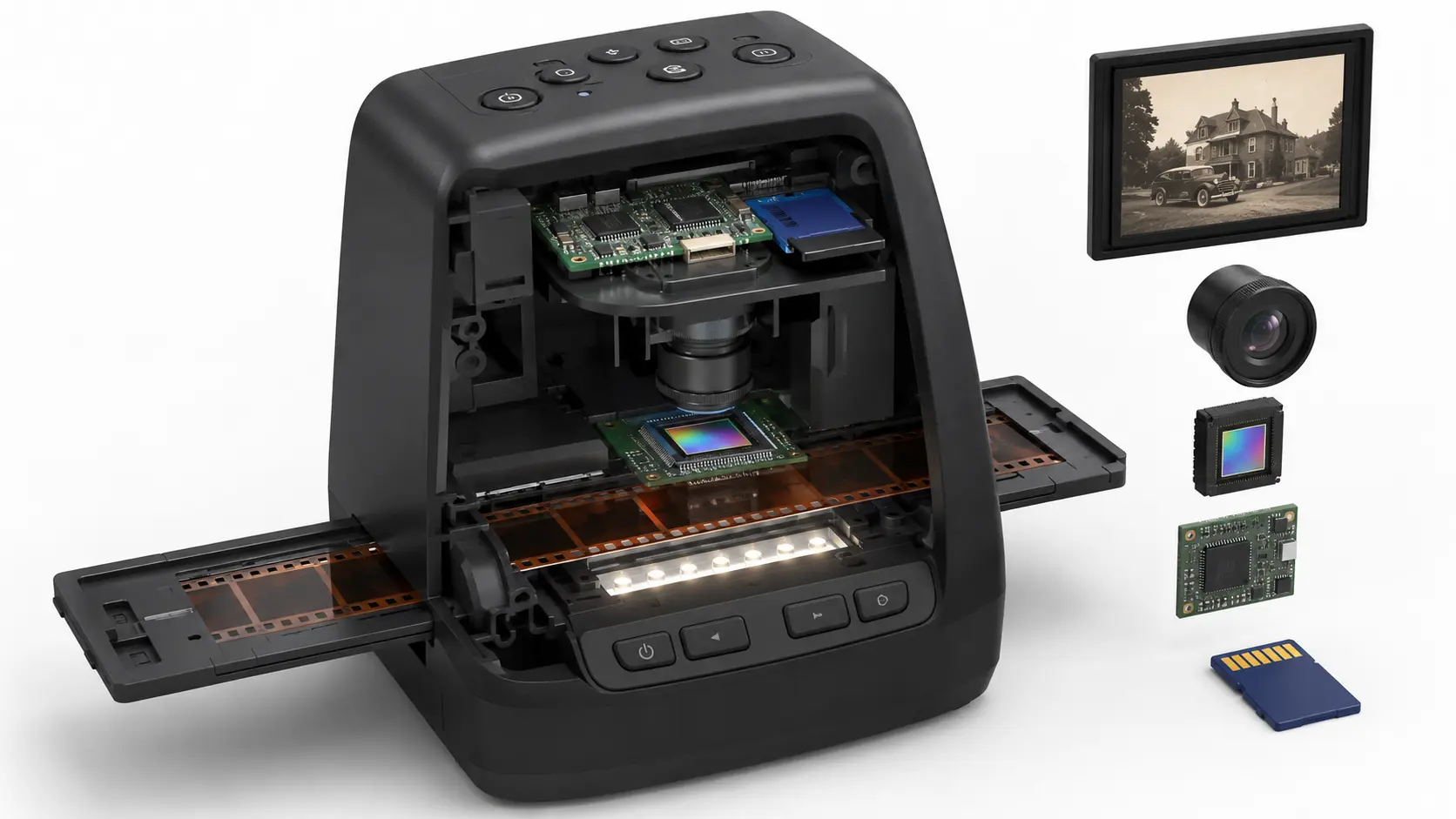
The KODAK Slide N Scan gets the basic experience right. You load a strip or slide into the quick-feed system, press the scan button, and can immediately inspect the result on the 5-inch LCD. That direct workflow matters when the real job is getting through a box of memories rather than building a color-managed scanning station.
Its 22MP capture mode is aimed at making detailed JPEG files from 135, 110, and 126 negatives, along with 50mm slides. The scanner accepts both color and black-and-white material, and the included adapters mean you do not need a separate holder for every format. The device also includes simple controls for film type, color, brightness, resizing, and date or time information. Those edits are useful for correcting an obviously dark preview, though they are not a substitute for careful desktop restoration.
The continuous-loading tray is one of the strongest practical features here. You can keep feeding frames without repeatedly removing and repositioning the tray, which makes the KODAK easier to live with than a scanner that treats every slide as a separate setup job. It saves to SD or SDHC cards up to 32GB, then transfers files to a computer over USB-C. HDMI output gives you another way to display scans on a compatible screen.
The weakness is the limited on-device storage arrangement. You need an SD card for the intended save workflow, and the 5-inch screen cannot match the spacious preview area of the HP 7-inch Film Scanner or KODAK Slide N Scan Max. The images are also JPEG files rather than the more adjustable scan files a specialist may want. For a first home digitizing project, though, it is a more balanced choice than the basic ClearClick models and far easier to approach than the Plustek.
Choose this one if your collection includes several common film sizes and you want a clear path from frame to saved image. It is the scanner we would keep for ordinary family archives because it combines broad format support, useful editing, and a sensible feed system without burying the process in settings.
2. HP 7-inch Film Scanner: Best Large Screen

Pros
- Large 7-inch all-angle touchscreen
- On-screen cropping, brightness, and color controls
- Handles 135, 126, and 110 film
- HDMI output supports slideshow viewing
- No computer required for scanning
Cons
- SD card is not included
- 13MP sensor output is paired with interpolation for 22MP files
- Larger footprint than compact scanners
Best for: anyone who wants to preview and organize scans on a generous built-in screen.
The HP 7-inch Film Scanner is built around visibility. A 7-inch touchscreen gives you much more room to check framing and recognize faces than the 5-inch displays used by most of this group. Its all-angle design is especially useful when several people are gathered around the device, or when the scanner sits low on a desk and needs to be viewed from above.
The imaging hardware combines a 13MP CMOS sensor with 22MP interpolation. That means the larger file setting is produced through processing rather than from a native 22MP sensor. It can still create convenient digital copies, but readers should not confuse the headline resolution with the amount of original detail captured from the film. The more useful benefit is the ability to preview each frame, crop it, and adjust brightness and color directly on the touchscreen.
Format support is broad enough for most family collections. The quick-feed tray accepts 135 film, 126 film, and 110 negatives, while the 50mm adapter handles positive slides. The scanner can transfer files over USB and connect to an HDMI-equipped television for a larger slideshow. Gallery mode also lets it act as a display for recovered photos, which gives the screen a purpose after the scanning session ends.
The KODAK Slide N Scan Max is the closer rival because it also combines 22MP files with a 7-inch display. HP has the more explicitly touch-focused interface, while KODAK adds a tilting screen and emphasizes its continuous-feed system. The HP's published dimensions are 6.89 by 4.72 by 4.57 inches and its listed weight is 1.05625 pounds, so this is not the pick for a cramped shelf.
Skip it if you want a specialist workflow with extensive dust and color correction. It is better suited to families who want a readable preview and straightforward controls. For those users, the large touchscreen is not decoration. It makes judging a crop and sharing a scan less tiring.
3. KODAK Slide N Scan Max: Best Tilting Display

Pros
- 7-inch tiltable LCD
- 22MP JPEG output
- Continuous-load film insert system
- Supports 135, 110, and 126 negatives
- One-touch adjustments and USB-C transfer
Cons
- SD card is required but not included
- No native resolution beyond the listed 22MP output
- Small-format adapters still require careful loading
Best for: long desktop sessions where screen angle and repeatable film loading matter.
The KODAK Slide N Scan Max feels like a more comfortable version of the usual tabletop converter. Its 7-inch LCD tilts to suit the person sitting in front of it, so you are less likely to crane over the scanner while checking a sequence of frames. That small ergonomic choice becomes meaningful when a collection takes an afternoon rather than a few minutes.
It scans 135, 110, and 126 color or black-and-white negatives and accepts 50mm slides with the included holder. The output is 22MP JPEG, and the one-touch controls let you select film type, adjust color and brightness, and add date or time information. Those tools are deliberately limited. They help compensate for a frame that is slightly flat or dark, but they do not provide the extensive correction options found in the Plustek OpticFilm 8300i Ai.
The continuous-load tray is the Max's best workflow feature. Instead of removing the tray after each frame or repeatedly rebuilding the setup, you can feed multiple frames through the system. Files are saved to SD or SDHC cards up to 32GB, and the included USB-C cable supports transfer to a computer. Gallery mode turns the scanner into a desktop picture frame, while the large display remains useful for checking the scan before moving to the next frame.
Compared with the standard KODAK Slide N Scan, the Max gives you a bigger, tilting screen and a more relaxed viewing position. The standard model is smaller and already handles the same core formats, so it remains the better fit for a tight workspace. The HP 7-inch model is the other obvious alternative, with a touchscreen interface and HDMI connectivity, but the Max makes a stronger case for people who care more about screen positioning and feed continuity.
Its real limitation is that this remains a simple JPEG converter. It does not offer the calibration tools, infrared processing, or advanced negative conversion available from a dedicated film scanner. Pick it for accessible batch scanning and comfortable previewing, not for restoration work that demands a highly controlled color workflow.
4. Magnasonic FS71: Best Format Range

Pros
- Supports Super 8 as well as 35mm, 110, and 126 film
- Converts several slide sizes
- 24MP JPEG output
- Built-in 128MB memory
- SD expansion up to 128GB
Cons
- HDMI cable is not included
- 5-inch display is smaller than the large-screen picks
- Adjustments are basic rather than archival
Best for: collections that include Super 8 and several generations of consumer film formats.
The Magnasonic FS71 earns its place through format coverage. It handles 35mm, 110, 126, and Super 8 film negatives, plus 135, 126, and 110 slides. That combination is unusually useful for a family archive where the formats changed over time and the owner does not want to sort out which boxes require a different machine.
Its 24MP JPEG output is the highest stated capture figure among the self-contained converters here. The number alone does not guarantee more detail, especially when comparing sensor capture and interpolation claims across brands, but it gives the FS71 room to produce large digital files. The scanner also lets you correct brightness and RGB color, flip, and mirror directly on the unit, so basic fixes do not require software.
A 5-inch LCD provides the preview, while HDMI can send the image to a television or monitor. The built-in 128MB memory is convenient for getting started, and the SD slot supports cards up to 128GB. That is a much larger stated expansion limit than the 32GB support on the KODAK models. The included fast-loading trays are designed for quick handling, with the product information claiming scans in less than five seconds each.
The FS71 is not the smallest scanner in the roundup. It measures 5.43 inches long, 4.44 inches wide, and 4.91 inches high, and its listed weight is 0.84 pounds. The DigitPro 22MP Scanner also supports Super 8 and includes both HDMI and USB-C output, while the Magnasonic counters with 24MP output and a larger stated SD capacity. The choice comes down to whether your priority is the format range and memory headroom or the accessory bundle and warranty offered by DigitPro.
Do not buy it expecting professional dust removal or precise color profiling. Its controls are made for quick home conversion. For a mixed archive that includes Super 8, however, the Magnasonic is one of the most practical ways to avoid leaving an entire format behind.
If your wider project includes printed snapshots as well as transparencies, a separate device may suit you better. The differences in handling prints, negatives, and mounted slides become important once the collection extends beyond film.
5. HP 5-inch Film Scanner: Best Compact Touchscreen

Pros
- Touchscreen controls in a compact body
- USB-C powered
- Handles 135, 126, and 110 film
- Includes a 50mm slide adapter
- Saves scans directly to an SD card
Cons
- Smaller display than HP's 7-inch model
- 13MP sensor uses interpolation for the 22MP setting
- HDMI output is not listed
Best for: users who want touchscreen guidance without giving up much desk space.
The HP 5-inch Film Scanner is the sensible choice when the 7-inch version feels too large. Its 5-inch all-angle touchscreen guides the scanning process, so the controls are easier to understand than button-heavy converters. The unit measures 5.7 inches wide, 4.66 inches long, and 3.54 inches high, with a listed weight of 0.8375 pounds.
The core imaging approach is familiar. A 13MP CMOS sensor captures the frame, while the scanner can create a 22MP interpolated file. Built-in color balance settings are intended to keep color and black-and-white scans looking consistent, and the screen lets you preview before saving. That is enough for sharing family images and making accessible digital copies, but it does not offer the deep adjustment workflow of the Plustek.
The quick-load tray accepts 135, 126, and 110 film strips, and the 50mm slide adapter covers positive slides. Files save directly to a standard SD card. USB-C provides power from a compatible port or a 5V adapter, which makes it flexible in a home office or while traveling. Gallery mode provides a secondary use once the archive is done.
The HP 7-inch Film Scanner is easier to inspect because its display is substantially larger and it adds HDMI output. The smaller HP is less imposing, while the KODAK Slide N Scan offers a continuous-feed system and more direct emphasis on editing. HP's compact model wins when touchscreen simplicity and footprint matter more than a large viewing area.
The main compromise is the lack of a listed HDMI connection and the smaller preview. Someone working through hundreds of slides may prefer the tilting KODAK Max or the larger HP. For a modest collection, this HP keeps the process approachable and avoids making the desk feel like a temporary workstation.
6. DigitPro 22MP Scanner: Best Accessory Bundle

Pros
- Supports 135, 110, 126, and Super 8 film
- Includes film holders and cleaning brush
- Built-in 128MB memory
- HDMI cable and power adapter included
- 12-month warranty
Cons
- SD card is not included
- 22MP output is described without a native sensor resolution
- Heavier than several compact converters
Best for: beginners who want the main cables, holders, and setup accessories in one box.
The DigitPro 22MP Scanner is aimed at removing setup friction. It includes holders for 135, 110, 126, and Super 8, along with a cleaning brush, USB cable, HDMI cable, power adapter, and user manual. That makes it easier to start immediately than a package that leaves you wondering which connection or adapter is missing.
Its 5-inch LCD provides live preview and playback, while one-touch scanning keeps the operating sequence short. The scanner claims 22MP output and includes controls for color, brightness, and date or time. It can save to built-in 128MB memory or an external SD card, with support for cards up to 64GB in FAT32 or exFAT formats.
The included HDMI cable can display images on a television, and Type-C USB supports transfer to a computer. Super 8 support gives it a useful advantage over the HP models and most of the ClearClick options. The scanner's listed weight is about 1.32 pounds, making it noticeably less featherweight than the ClearClick Virtuoso 2.0, but the extra kit helps explain the more substantial package.
The Magnasonic FS71 is the more compelling alternative if you want a stated 24MP output and SD expansion up to 128GB. The DigitPro responds with the included HDMI cable, broader stated memory details, and a 12-month warranty. The KODAK Slide N Scan has a more established continuous-feed concept, but DigitPro makes a straightforward case for the buyer starting with no accessories at all.
The uncertainty is the lack of a stated native sensor resolution. Its 22MP figure should be treated as an output setting rather than a guarantee of additional film detail. Choose it for convenience, broad format support, and the complete starting kit, not for professional color work.
7. KODAK Mobile Film Scanner: Best Portable Viewer

Pros
- Compact folding design
- Battery-powered LED backlight
- Uses a smartphone camera
- Supports 35mm color and black-and-white film
- Android scanning, editing, and sharing app
Cons
- Image quality depends on the phone camera
- Cardboard construction is less durable
- Supports only 35mm material
Best for: casual viewing, quick sharing, and portable family scanning sessions.
The KODAK Mobile Film Scanner is not a conventional digital scanner with its own sensor. It is a folding platform with a battery-powered LED backlight that illuminates a 35mm frame while a smartphone camera captures it. That makes it more like a portable viewer and phone accessory than a full archive station, but the distinction is useful rather than disqualifying.
The design supports 35mm color negatives, black-and-white negatives, and color slides. A collapsible cardboard platform and film tray fold down for storage or travel. The supplied Android app is used for scanning, editing, and sharing. Because the phone supplies the camera, focus and exposure depend heavily on the handset and how carefully it is aligned over the opening.
The operating instructions are simple: load the film, position the phone lens, tap the screen to focus, and capture. The product specifically warns that resolution varies with slide and camera quality, and that blurry images may require refocusing. That honesty is important. The KODAK Mobile can be fun for experimenting or showing old frames to relatives, but it is not the right tool for a high-volume conversion project.
Compared with the KODAK Slide N Scan, this model is far lighter and easier to pack, but it gives up 110 and 126 support, a built-in display, direct storage, and dedicated capture hardware. The Plustek OpticFilm 8300i Ai is in another class entirely, with calibration and professional software. The mobile KODAK wins only when convenience and portability matter more than consistent files.
Its construction is the clearest limitation. Cardboard keeps it light and foldable, but it is not the robust choice for repeated archival work. Pick it for a box of 35mm frames you want to view with a phone, a family activity, or a low-commitment introduction to digitizing film. Skip it if every frame needs repeatable quality.
8. Plustek OpticFilm 8300i Ai: Best for Archival Control

Pros
- SilverFast 9 Ai Studio software included
- Advanced IT8 calibration target included
- Infrared and HDRi processing tools
- Supports Windows 7 through 11 and Mac OS
- USB flash drive and US-based support included
Cons
- Handles 35mm film rather than the broader formats in most picks
- Requires a computer
- Heavier and more involved to set up
Best for: photographers and archivists who need control over color and film processing.
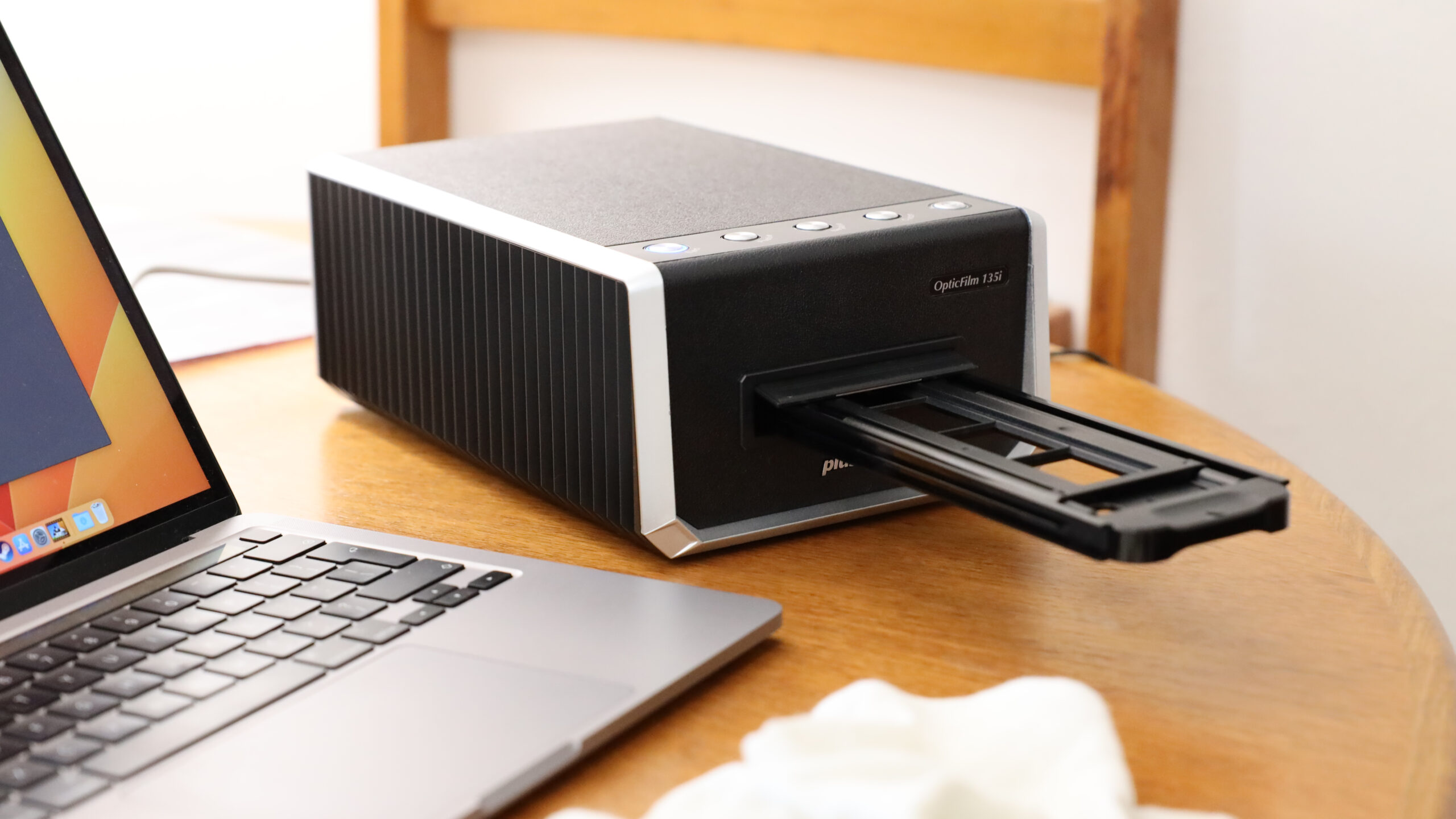
The Plustek OpticFilm 8300i Ai is the serious specialist in a list dominated by self-contained converters. It is designed for 35mm film and slides, connects by USB, and expects you to work through a computer. That extra complexity is justified when the goal is not merely to make a viewable JPEG, but to preserve as much usable information and control as possible.
The bundled SilverFast 9 Ai Studio software includes tools such as infrared iSRD, HDRi, a 16-bit histogram, Multi-Exposure, and NegaFix. These tools address problems that basic tabletop scanners largely leave to the user. Infrared-assisted processing can help with dust and scratch handling on compatible film, while negative conversion and histogram control offer more deliberate ways to shape a final image.
The included advanced IT8 target supports color calibration and follows ISO 12641-2 from 2019. In practical terms, the target gives the software a known reference for measuring color, which is far more useful for repeatable archival work than a simple brightness slider. The package also includes Plustek QuickScan Plus, so users have an alternative workflow alongside SilverFast.
This scanner is much larger and heavier than the home converters. Its listed dimensions are 10.7086614064 inches long, 4.724409444 inches wide, and 4.6850393653 inches high, with a listed weight of 6.0406659788 pounds. It also does not cover 110 or 126 film, so the Magnasonic FS71 or DigitPro 22MP Scanner is a better fit for mixed-format family boxes.
The Plustek's weakness is its learning curve. Someone who wants to insert a slide, press a button, and move on will be happier with the KODAK Slide N Scan Max. The 8300i Ai is for the buyer who accepts a slower, computer-based workflow in exchange for calibration, processing tools, and greater control over the final image. For demanding 35mm archives, it is the most capable pick here.
Those managing paper records alongside film should separate the jobs. Film scanners are built around transparency and negative holders, while the features that matter for feeding and organizing documents point toward a different type of machine.
9. ClearClick QuickConvert 2.0: Best for Photos and Slides

Pros
- Scans 4x6 photos as well as film
- Built-in rechargeable battery
- 5-inch instant-preview LCD
- Can scan photos in albums or mounts
- Two-year warranty and technical support
Cons
- Does not support 5x7 photos
- No automatic feeder
- 22MP setting is interpolated
Best for: people digitizing printed 4x6 photos alongside slides and negatives.
The ClearClick QuickConvert 2.0 is the odd one out in a useful way. It scans 35mm, 110, and 126 film, but it also accepts 4x6 photos and smaller prints. If your memories are spread across albums, envelopes, and slide boxes, that wider remit can save you from switching between different devices.
It scans one item at a time rather than using an automatic feeder. The company states that a photo, slide, or negative can be converted in two to three seconds, and the 5-inch LCD provides an immediate preview. The stated sensor resolution is 14MP, with 22MP interpolated output and an approximate scanning quality of 3824 by 2512 pixels. That distinction makes the device's capability easier to understand than simply repeating the larger output figure.
A built-in rechargeable battery allows cord-free scanning, which is handy when an album is spread across a table away from a convenient outlet. The scanner can also scan photos without removing them from albums or mounts. It does not support 5x7 photos, so the format restriction needs attention before starting a larger print archive. Film and photos save to an SD memory card.
The KODAK Slide N Scan is a better dedicated film tool because it offers a continuous-feed approach and more direct focus on common slide formats. ClearClick is the better fit when prints are part of the same project. The ClearClick Virtuoso 2.0 is smaller and simpler for film, but it lacks the QuickConvert's stated photo-scanning ability and rechargeable battery.
The lack of an automatic feeder means the QuickConvert is still a hands-on device. It is also not a replacement for a flatbed when you need high-quality work with larger prints. Choose it when convenience across 4x6 photos, slides, and negatives matters more than a specialized film workflow.
10. ClearClick Virtuoso 2.0: Best Simple HDMI Model

Pros
- 22MP interpolated output
- 5-inch preview screen
- No computer or drivers required
- Mini HDMI output
- Two-year warranty and technical support
Cons
- SD card is not included
- 22MP output is interpolated
- No Super 8 or printed-photo support
Best for: uncomplicated 35mm, 110, and 126 conversion with television viewing.
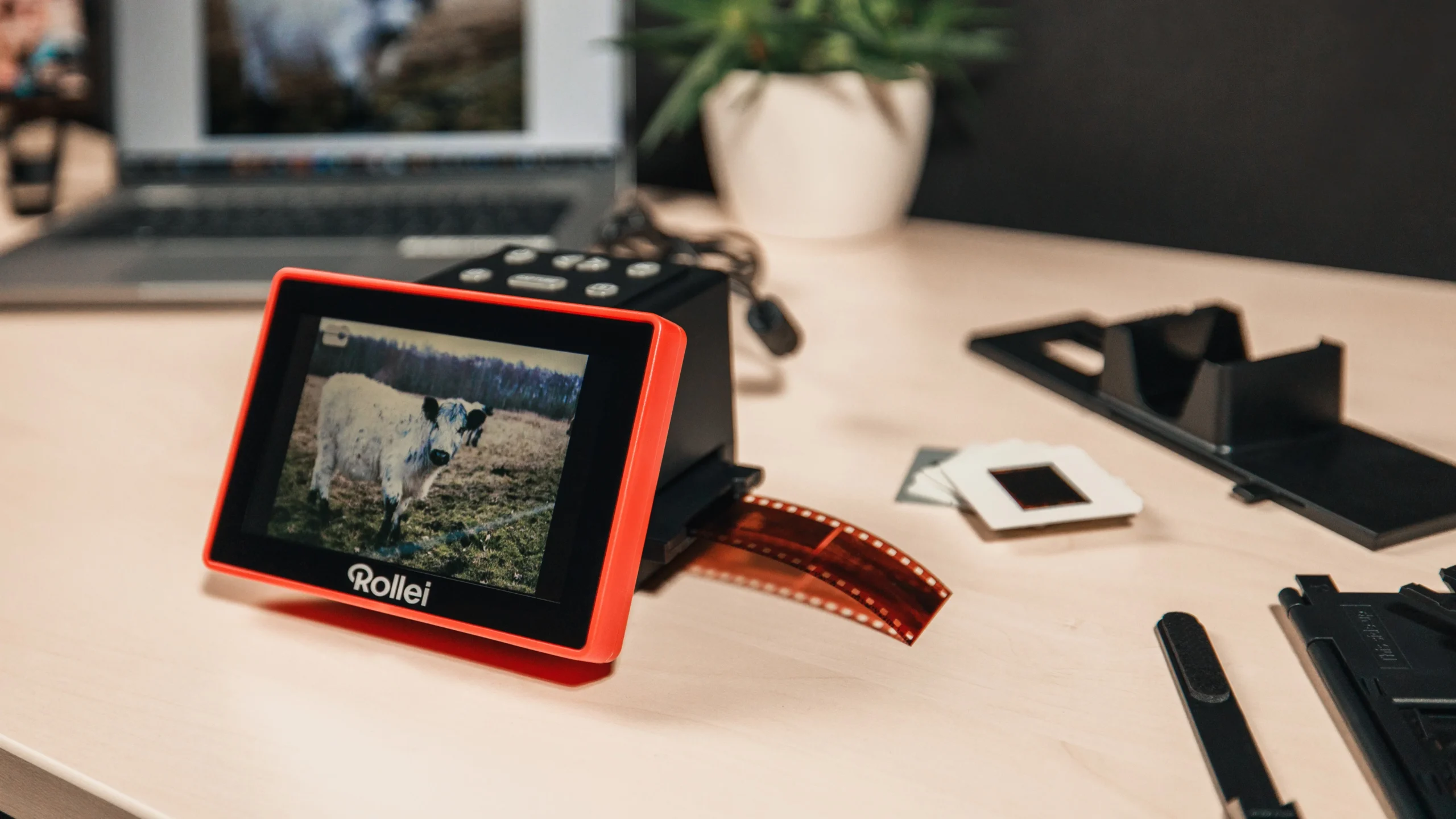
The ClearClick Virtuoso 2.0 keeps the process deliberately plain. It scans 35mm, 110, and 126 negatives and 50mm slides, shows the frame on an extra-large 5-inch preview screen, and works without a computer or drivers. That makes it approachable for someone who does not want to install software before seeing the first scan.
Its headline output is 22MP interpolated, so the scanner is creating a larger digital file through processing rather than capturing that many native pixels. The 5-inch screen is useful for checking alignment and recognizing obvious problems, but the product is not designed around detailed color management. Images save to an SD card, and the mini HDMI output can send the live view or saved scans to a television.
The device is compact, with listed dimensions of 5.3 inches long, 5 inches wide, and 3.7 inches high. Its listed weight is 0.6875 pounds. That makes it easier to store than the Plustek and less imposing than the ClearClick QuickConvert 2.0. The package also includes a two-year warranty, extendable to three years with product registration, plus technical support.
The DigitPro 22MP Scanner handles Super 8 and includes more accessories, while the KODAK Slide N Scan has a stronger continuous-feed design and more detailed on-device editing. ClearClick's advantage is its straightforward HDMI-centered setup. If the aim is to sit with a television and work through familiar film formats, it does not make the process complicated.
The Virtuoso is not the right choice for printed photos, Super 8, or archival color correction. Its output claims should also be read with the interpolation note in mind. It remains a reasonable simple converter for a user who wants a screen, a card slot, and television output without a computer-based workflow.
How to choose best slide scanner
The right scanner depends less on the biggest number in a listing than on the kind of film you have and how much control you want over the saved image.
Film format support
Start by sorting the collection. Most of these devices support 135 or 35mm film, and many also accept 110 and 126. Super 8 support is less common, appearing here on the Magnasonic FS71 and DigitPro 22MP Scanner. A 50mm slide holder is important if your collection contains mounted slides rather than loose film strips.
A scanner that covers only 35mm can be the better specialist tool if that is all you own. For mixed family archives, missing support for one format can leave a whole box untouched.
Native and interpolated resolution
Resolution claims need careful reading. The HP models specify a 13MP CMOS sensor with 22MP interpolation, while ClearClick identifies a 14MP sensor and a 22MP interpolated setting. Interpolation creates a larger file, but it does not create new detail that was never captured.
A high output number can be useful for sharing and basic cropping, but film quality, focus, alignment, and dust have a greater effect on the image than an inflated file size. The Plustek takes a different route with dedicated processing and calibration tools.
A larger JPEG is not automatically a more detailed scan. Check the sensor and the workflow behind the number.
Screen size and controls
A built-in screen lets you catch upside-down frames, poor positioning, and obvious color problems before saving. Five inches is enough for basic checking. The HP 7-inch Film Scanner and KODAK Slide N Scan Max are more comfortable when several people are reviewing images or when you are scanning for hours.
Touchscreens make cropping and brightness adjustments easier to discover. Button-based models can be just as quick once learned, but they offer less visual guidance. A tilting screen can also make a bigger difference than expected if the scanner sits at the back of a desk.
Storage and connections
Direct-to-card scanning is the defining convenience of this category. Check whether the device includes built-in memory, what card capacity it supports, and whether the card itself is supplied. The Magnasonic and DigitPro include small built-in memory, while the KODAK models specify SD or SDHC support.
USB transfer is useful for moving files to a computer. HDMI or mini HDMI is better for showing a slideshow on a television, although a suitable cable may not be included. The HP 5-inch model's USB-C power arrangement also makes it easier to place in different parts of a home.
Correction and archival workflow
Basic scanners typically offer brightness and color adjustments, plus simple crop or flip tools. That is enough for family sharing and quick preservation. It will not replace dust removal, calibrated color, or a carefully managed negative conversion process.
The Plustek OpticFilm 8300i Ai stands apart with SilverFast tools, infrared processing, HDRi, a 16-bit histogram, Multi-Exposure, NegaFix, and an IT8 calibration target. Those features require a computer and more patience, but they are the reason to choose it for important 35mm work.
Frequently asked questions
Do these scanners work without a computer?
Most of the tabletop models do. The KODAK, HP, Magnasonic, DigitPro, and ClearClick scanners preview and save scans directly from the device, typically using an SD card. The Plustek OpticFilm 8300i Ai requires a computer-based software workflow, while the KODAK Mobile Film Scanner uses a smartphone.
Which scanner supports the most film formats?
The Magnasonic FS71 and DigitPro 22MP Scanner have the broadest stated film coverage in this group. Both support 35mm or 135, 110, 126, and Super 8 film. They also support several slide formats, although the exact holder and loading process still matters for each type.
Is 22MP enough for old slides?
It can be sufficient for convenient family copies and online sharing, but the number does not tell the whole story. The HP and ClearClick listings identify interpolation, meaning the larger file is generated from a lower-resolution sensor capture. If preserving 35mm detail is the priority, the Plustek's controlled software workflow is the stronger option.
Do I need an SD card?
You need one for the intended save workflow on most of the self-contained scanners, and the listings commonly specify that the card is not included. The Magnasonic and DigitPro also list built-in memory, which can help you begin without a card. The Plustek uses a computer workflow rather than the same direct card-saving approach.
Can these scanners digitize printed photographs?
The ClearClick QuickConvert 2.0 is the standout for this job because it scans 4x6 photos and smaller prints as well as film. It does not support 5x7 photos. The other tabletop models in this roundup are primarily designed for film negatives and slides.
Is a phone-based film viewer as good as a dedicated scanner?
A phone-based viewer can be convenient for casual sharing, but its results depend on the phone camera, focus, alignment, and app. The KODAK Mobile Film Scanner is limited to 35mm material and uses a cardboard platform with an LED backlight. A dedicated scanner is more consistent for a large collection.
What should I use for professional-looking 35mm scans?
The Plustek OpticFilm 8300i Ai is the strongest fit here. It supports SilverFast 9 Ai Studio, infrared and HDRi processing, Multi-Exposure, NegaFix, and IT8 calibration with the included target. It is more demanding to set up than the computer-free models, but it provides much more control over the final result.
The bottom line
For most people, the KODAK Slide N Scan is the Best slide scanner because it combines 135, 110, and 126 support with a quick-feed tray, direct editing, USB-C transfer, HDMI output, and a clear 5-inch preview. The KODAK Slide N Scan Max is the better pick when a tilting 7-inch screen will make long scanning sessions more comfortable.
Choose the Magnasonic FS71 or DigitPro 22MP Scanner if Super 8 is part of the collection. Choose the Plustek OpticFilm 8300i Ai when 35mm archival control matters more than computer-free convenience. The ClearClick QuickConvert 2.0 is the specialist for households that need to scan 4x6 prints as well as film.
If you are undecided, choose the KODAK Slide N Scan unless your collection requires Super 8, printed photos, or professional color control.
As an Amazon Associate we earn from qualifying purchases.