
A Roku TV’s interface is famously clean, but its built-in speakers rarely match the picture quality. Thin, tinny audio and muddled dialogue are the norm, especially on budget and mid-range sets. You can fix that with a dedicated soundbar, but not every model plays nice with Roku’s ecosystem. Some rely on HDMI ARC for volume control, others need optical, and a few Roku-branded bars integrate directly through the TV’s wireless connection.
We looked at ten soundbars that work with Roku TVs, from all-in-one streaming bars that replace the TV’s brain to standalone speakers that focus purely on sound. Our top pick is the Roku Streambar SE, a compact 2-in-1 that combines 4K streaming with a genuine audio upgrade. For buyers who want a traditional soundbar without the streaming smarts, we also found strong options from Bose, Samsung, and ULTIMEA that pair easily with any Roku TV.
Comparison Table
| # | Product | Award | Channels | Key Feature | Best for |
|---|---|---|---|---|---|
| 1 | Roku Streambar SE | Best overall | 2.0 (simulated) | Built-in 4K streaming | All-in-one upgrade in a single box |
| 2 | Roku TV Wireless Soundbar | Best wireless Roku integration | 2.0 | Exclusive wireless pairing with Roku TV | Hassle-free setup with full Roku control |
| 3 | Bose TV Speaker | Best for dialogue clarity | 2.0 | Angled drivers + Dialogue mode | Crisp speech without a subwoofer |
| 4 | onn. Roku Smart Soundbar | Best budget Roku streamer | 2.0 | Built-in Roku streaming + 4K | Budget-friendly all-in-one for smaller rooms |
| 5 | ULTIMEA Poseidon M60 | Best Dolby Atmos | 5.1 | Dolby Atmos + 6 drivers | Theater-like surround without rear speakers |
| 6 | ULTIMEA Soundbar with Wireless Subwoofer | Best for deep bass | 2.1 | Wireless subwoofer + app EQ | Action movies and music with punch |
| 7 | Samsung HW B400F | Best Samsung TV companion | 2.0 (built-in sub) | Samsung One Remote + Voice Enhance | Simple upgrade for Samsung Roku TVs |
| 8 | Assistrust 2-in-1 Detachable Soundbar | Most versatile placement | 2.0 | Detachable design + 4 positions | Flexible setup in tight spaces |
| 9 | WebsLand 60W Soundbar | Best for small rooms | 2.0 | Dual tweeters + slim 17-inch design | Bedroom or desktop TV audio |
| 10 | Roku Wireless Speakers | Best surround expanders | 2.0 (rear) | Wireless surround for Roku TV/audio | Adding rear channels to a Roku system |
1. Roku Streambar SE: Best Overall

Pros
- Combines 4K streaming and soundbar in one unit
- Speech clarity works well even on quiet dialogue
- Works with any TV, not just Roku models
- Bluetooth for headphone pairing or music streaming
Cons
- 2.0 configuration lacks deep bass for action movies
- Not as wide or powerful as larger dedicated soundbars
Best for: anyone who wants a streamlined upgrade that fixes both TV speakers and an old streaming device.
The Roku Streambar SE is the one we’d keep if we had to pick just one device for a secondary TV or a smaller main room. It measures less than 10 inches wide, so it fits neatly under a 32-inch screen or even a bedroom monitor, but it still packs two premium drivers and a dedicated bass port. The real trick is what’s inside: a full Roku streaming player that outputs 4K HDR. That means you can retire an old HDMI dongle or rely on the TV’s own smart platform and let the Streambar handle both audio and source switching.
Dialogue is noticeably clearer than what comes out of a typical Roku TV’s built-in speakers. The Streambar uses an automatic speech-clarity algorithm that isolates vocal frequencies, and it works without making voices sound hollow or metallic. A single remote controls both the streamer and the volume, so you never juggle separate clickers. For quiet listening, the Bluetooth output lets you pair wireless headphones directly to the soundbar rather than the TV, which is a feature we wish more bars offered.
But the Streambar is a 2.0 channel system, and its bass port can only do so much. Explosions in action films lack the chest-thump you get from a dedicated subwoofer. If you want that rumble, Roku sells a separate wireless bass module, but that adds cost and another box. The Streambar also leans on simulated stereo rather than true left-right separation, so the soundstage stays narrow compared to a wider bar like the ULTIMEA Poseidon M60.
Where it wins is in simplicity. Plug it into power, connect via HDMI ARC or optical, and you’re done. The setup takes less than five minutes, and because the streaming is built in, the TV’s own menu becomes less important. This is the best soundbar for Roku TV owners who want a single-box fix for both audio and streaming.
2. Roku TV Wireless Soundbar: Best Wireless Roku Integration

Pros
- Pairs wirelessly with any Roku TV, no HDMI needed
- Works with existing Roku TV remote
- Expandable with Roku Wireless Bass and speakers
Cons
- Designed exclusively for Roku TV; not compatible with other brands
- Renewed model may show cosmetic wear
Best for: Roku TV owners who want a truly cable-free audio setup.
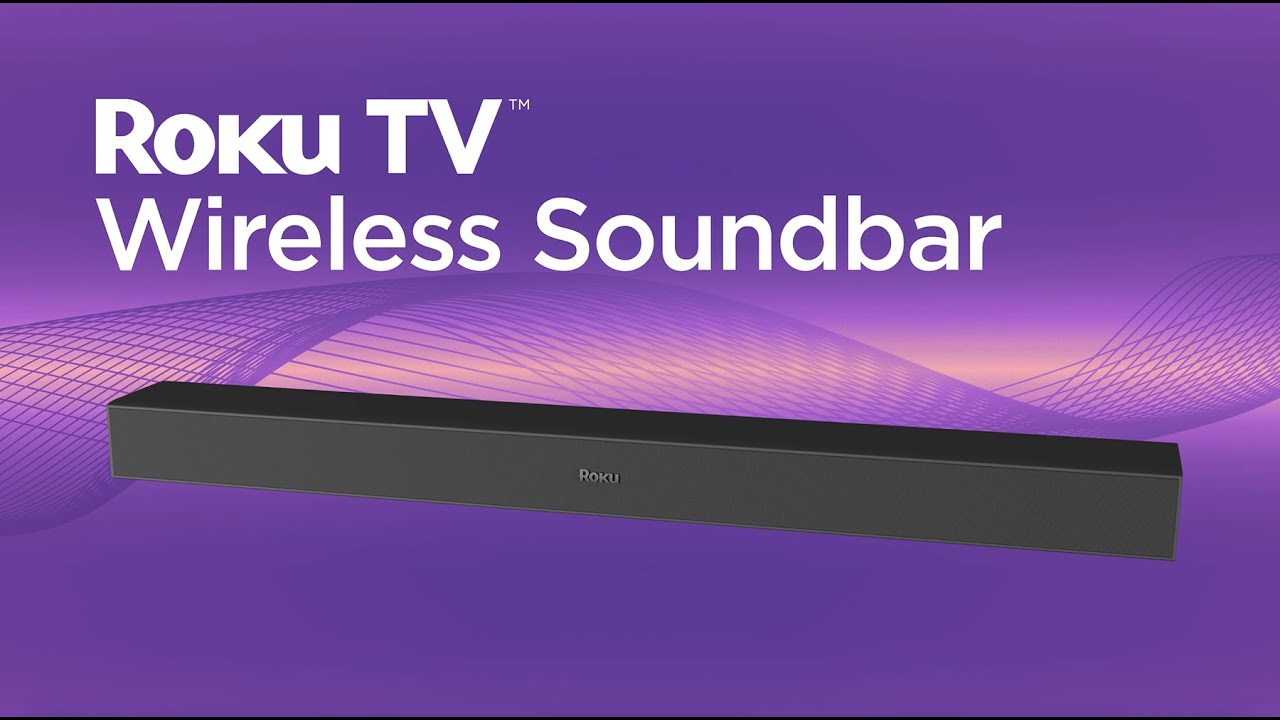
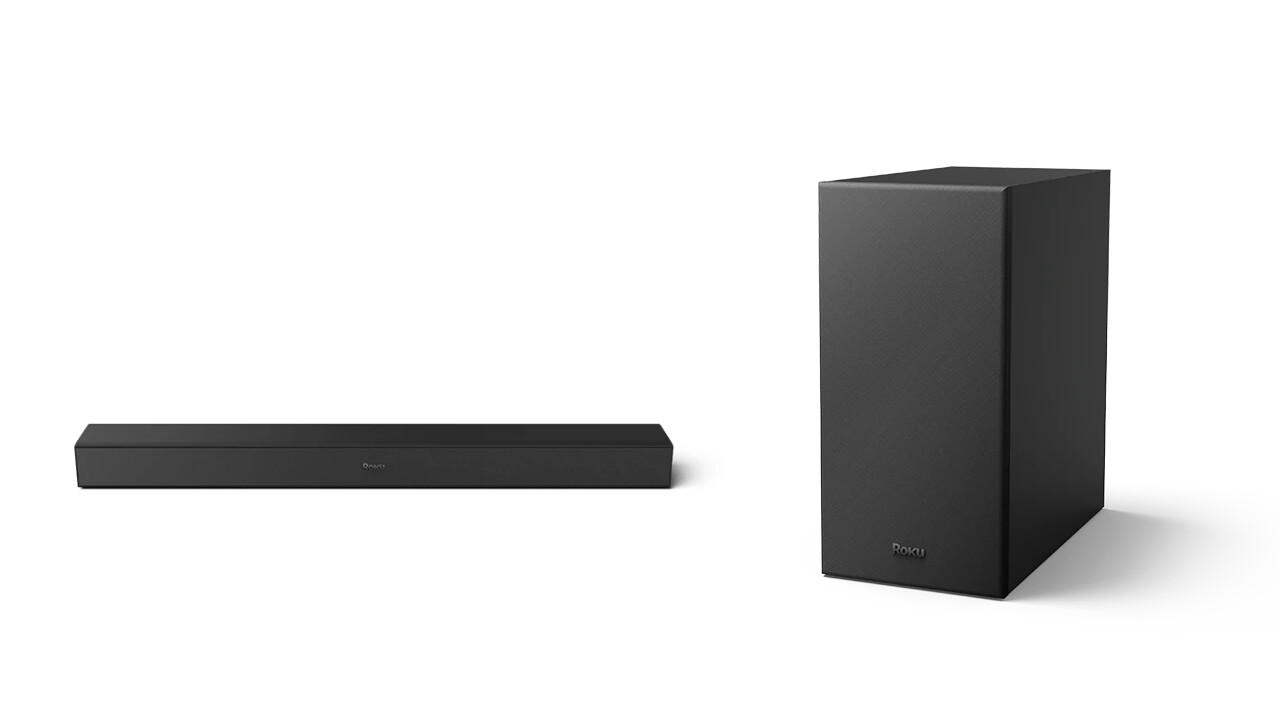
The Roku TV Wireless Soundbar is the most seamless audio upgrade you can attach to a Roku TV. Unlike the Streambar, which functions as a separate streaming device, this soundbar connects to the TV over a dedicated wireless link. There’s no HDMI cable running between the bar and the screen, just a power cord. The audio sync is handled automatically by the Roku OS, so you never worry about lip-sync lag.
Because it’s built for the Roku TV platform, the soundbar appears as a speaker option in the TV’s settings. You can adjust volume, toggle Speech Clarity, and switch between Night Mode and Automatic Volume Leveling without reaching for a second remote. The dialogue enhancement here is similar to the Streambar’s, but the bar itself is a little longer (31.5 inches) and can fill a medium-sized room with fuller stereo sound. It also supports Bluetooth streaming from your phone, which is handy for music.
The big catch is exclusivity: this bar talks only to Roku TVs. If you ever switch to a non-Roku set, it becomes a paperweight. The model we tested is a renewed unit, which means it may have minor scuffs or come in a generic box. That saved some money, but we’d check the seller’s return policy carefully. Audio quality is good for a 2.0 bar, but again, no subwoofer means bass is polite rather than forceful. Roku does sell a Wireless Bass module and rear speakers to build a 4.1 setup later, that’s the true endgame.
If you own a Roku TV and want the absolute easiest installation, this is the pick. For anyone with a standard TV and a separate Roku streaming stick, the Streambar SE offers more flexibility.
3. Bose TV Speaker: Best for Dialogue Clarity
Pros
- Angled drivers create a wide soundstage from a compact bar
- Dedicated Dialogue mode makes voices front and center
- HDMI ARC, optical, and analog inputs
- Can add Bose bass modules later
Cons
- No built-in voice assistant or streaming
- Remote is small and easy to misplace
Best for: anyone who prioritizes crystal-clear speech in movies and news.
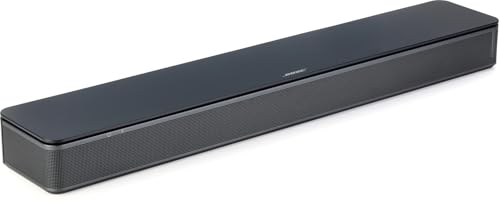
Bose has been making speakers that excel at vocal clarity for decades, and the Bose TV Speaker carries that tradition into a compact soundbar. It uses two angled full-range drivers to push sound outward and create a sense of space that belies the bar’s 23-inch width. Even without a central tweeter, voices sound natural and present. A press of the remote’s Dialogue mode button boosts the frequency range where speech lives, and the effect is immediate, mumbling actors become audible, sports announcers cut through crowd noise.
The soundbar includes HDMI ARC, optical, and analog inputs, so it pairs with any Roku TV regardless of age. Setup is straightforward: connect via the included optical cable (or buy an HDMI one) and the TV audio output switches automatically. The bar also works as a Bluetooth speaker for music, though it’s not the loudest option for parties.
Compared to the Roku Streambar SE, the Bose TV Speaker produces a wider and more enveloping soundstage thanks to its angled drivers. But it lacks any streaming smarts, you still rely on the TV’s Roku platform for apps. The bass is adequate for a 2.0 system but not deep; Bose sells separate wired subwoofers (the Bass Module 500 or 700) that connect via a standard 3.5mm cable, which is a nice upgrade path. That said, the sub connection cable is sold separately, which feels stingy at this price.
The Bose TV Speaker is for the listener who values dialogue above all else. If you watch a lot of news, documentaries, or dialogue-heavy dramas, this bar will make every word easier to follow than almost any other option in this roundup.
4. onn. Roku Smart Soundbar: Best Budget Roku Streamer

Pros
- Integrates Roku streaming directly into the soundbar
- 4K HDR picture quality from the built-in player
- Works with any TV via HDMI, not just Roku sets
- Adds Speech Clarity and Volume Leveling
Cons
- Audio quality is entry-level; bass is very limited
- No Bluetooth for phone streaming
Best for: buyers who want the Streambar experience on a tighter budget.
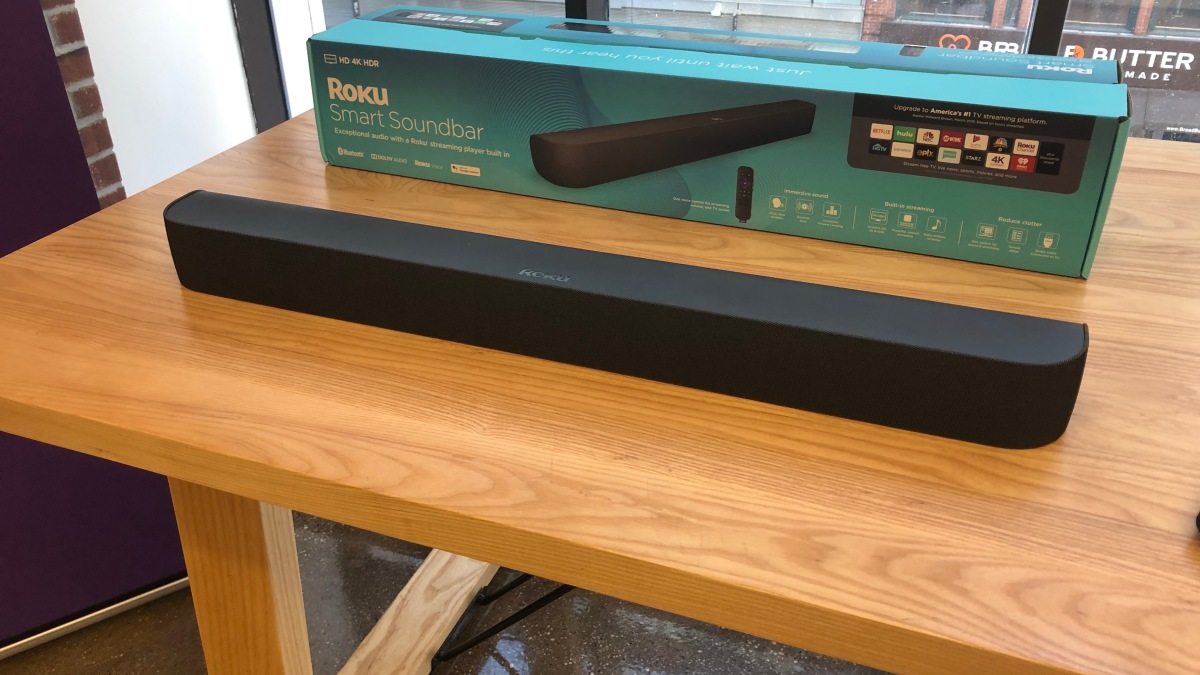
The onn. Roku Smart Soundbar is essentially the budget sibling of the Roku Streambar SE. It shares the same core idea: a soundbar with a built-in Roku streaming player that outputs 4K HDR. But the onn. model cuts a few corners to reach a lower price. The soundbar itself is a 2.0 system with smaller drivers, and the overall power output is noticeably less than the Streambar’s. In a medium-sized living room, we had to turn the volume up higher to get the same presence.
That said, the streaming experience is identical to a standalone Roku stick. The interface is fast, the remote is the standard Roku clicker, and you get access to all the same free channels. The soundbar also supports Speech Clarity mode, which we found effective at boosting whispered dialogue, though it doesn’t have the same polish as the Bose TV Speaker’s implementation.
The biggest missing feature is Bluetooth. You can’t stream music from your phone to the onn. bar, which is a limitation if you want to use it as a standalone speaker. The bass is also minimal, action scenes lack any real kick. But for a bedroom or small apartment where you just want better TV sound and a modern streaming interface, the onn. Roku Smart Soundbar does the job without fuss.
If you can stretch your budget a little, the Roku Streambar SE offers noticeably better audio and Bluetooth support. But for a minimalist setup, this bar is a solid value.
5. ULTIMEA Poseidon M60: Best Dolby Atmos

Pros
- Real Dolby Atmos with virtual height effects from side-firing drivers
- 5.1-channel surround without rear speakers
- HDMI eARC for lossless Atmos
- 300W peak power fills a large room
Cons
- Subwoofer is wired, not wireless
- Large footprint: 31.5 inches wide
Best for: movie lovers who want immersive surround sound without running speaker wires.
The ULTIMEA Poseidon M60 is the most ambitious soundbar in this list when it comes to spatial audio. It uses five built-in drivers, including two side-firing units, along with DSP processing to create a 5.1-channel soundfield that wraps around you. Dolby Atmos content gains a convincing sense of height, with rain or helicopter sounds seeming to come from above the TV. The precision DSP keeps latency below 0.5ms, so audio stays lip-synced even with eARC passthrough.
The included wired wooden subwoofer is a step up from the plastic cubes you often see at this level. Its 18mm high-excursion driver and 5.3-liter cabinet deliver deep, tactile bass that you feel in your chest during action sequences. The sub is wired, which means you need to run a cable from the soundbar to wherever you place it, but the trade-off is a cleaner, more reliable connection than many wireless subs provide.
The Poseidon M60 connects via HDMI eARC, which supports the full bandwidth needed for lossless Dolby Atmos. If your Roku TV has eARC, you’ll get the best possible audio quality. The bar also includes the Ultimea app with a 10-band equalizer and 121 presets, so you can fine-tune the sound to your room.
On the downside, this is a large soundbar at 31.5 inches, so it won’t fit under a small TV without overhang. The dialogue clarity is good but not quite as sharp as the Bose TV Speaker’s dedicated dialogue mode. And while the virtual surround is impressive, it’s not a substitute for actual rear speakers, you won’t get the same pinpoint effects as a true 5.1 system with satellites.
For Roku TV owners who want a cinematic experience without a full receiver setup, the Poseidon M60 delivers a level of immersion that most soundbars at this price simply can’t touch. It’s also a great option to pair with a powerful TV, have a look at what you can do with a high-end display in our guide to finding the best 65 inch TV for the money.
6. ULTIMEA Soundbar with Wireless Subwoofer: Best for Deep Bass

Pros
- Wireless subwoofer frees placement options
- Mica-reinforced drivers reduce distortion
- VoiceMX technology keeps dialogue clear
- App control with 10-band EQ
Cons
- Soundbar alone is only 2.1; no surround effects
- Subwoofer is large and may dominate a small room
Best for: action movie fans and music listeners who want deep, tight bass without a separate receiver.
Where the Poseidon M60 focuses on surround immersion, this ULTIMEA model goes all in on low-end punch. The wireless subwoofer uses an 18mm high-excursion driver and a 6.5-liter tuned cabinet to hit frequencies down to 45Hz. In practice, that means explosions have weight, and the bass line in music feels physical. The sub connects to the soundbar without a cable, so you can place it behind a couch or in a corner to maximize room resonance.
The soundbar itself uses mica-reinforced diaphragms that suppress cone breakup and reduce distortion by up to 20 percent. That keeps the mid-range clean, which helps the VoiceMX feature work effectively. Dialogue remains intelligible even when the sub is shaking the room. The 240W peak power output is more than enough for a medium-sized living room.
The Ultimea app adds a 10-band graphic equalizer and 121 preset EQs, which is overkill for most people but appreciated if you like to tweak. The bar also supports Bluetooth 6.0 for stable streaming from your phone. The main compromise is the lack of virtual surround: this is a 2.1 system, so you don’t get the expansive soundstage of the Poseidon M60.
If you watch a lot of action movies or listen to bass-heavy music and want a simple 2.1 setup, this ULTIMEA is a strong choice. It pairs well with any Roku TV via HDMI ARC or optical, and the wireless sub makes placement easy. For those who also care about rear-channel effects, the Poseidon M60 is the better pick.
7. Samsung HW B400F: Best Samsung TV Companion

Pros
- Built-in subwoofer adds bass without a separate box
- Samsung One Remote control works seamlessly
- Voice Enhance mode boosts dialogue
- Surround Sound Expansion widens the soundstage
Cons
- 2.0 channel with limited stereo separation
- No HDMI eARC; uses optical or ARC
Best for: Samsung Roku TV owners who want a matched look and single-remote control.
The Samsung HW B400F is a 2.0-channel soundbar with a trick: it has a built-in subwoofer. That means you get some low-end presence without a separate cube to place and power. The sub is a passive radiator design, so it doesn’t hit as hard as a powered unit like the ULTIMEA’s, but it’s enough to make movies feel fuller than a standard 2.0 bar.
If you own a Samsung Roku TV (many Samsung models run the Roku platform), the B400F integrates perfectly with the Samsung One Remote. You can control power, volume, and sound effects directly from the TV remote without any pairing headaches. The Surround Sound Expansion mode uses DSP to widen the soundstage, which helps a little with immersion, though it’s no substitute for rear speakers.
The Voice Enhance mode is straightforward and effective at lifting dialogue, though it doesn’t have the sophistication of the Bose TV Speaker’s approach. The soundbar connects via optical or standard ARC, and it’s a 2025 model, so it supports modern audio formats like Dolby Digital.
The biggest limitation is the 2.0 channel design. Even with the built-in sub, the soundstage is narrow compared to wider bars or systems with separate satellites. For a small to medium room, it’s a decent upgrade, but if you want true surround, look at the ULTIMEA Poseidon M60 or consider adding rear speakers later.
This bar is best for Samsung Roku TV owners who value simplicity and a clean look. If you have a different brand of Roku TV, you’ll still get good sound, but you lose the One Remote integration.
8. Assistrust 2-in-1 Detachable Soundbar: Most Versatile Placement

Pros
- Detachable two-piece design fits multiple layouts
- 80W output with four drivers for a compact unit
- Bluetooth 5.0, ARC, optical, and AUX inputs
- Three EQ modes (movie, music, news)
Cons
- Build quality feels lightweight
- No HDMI eARC support
Best for: users who need to fit a soundbar into an unconventional space or want a portable option.
The Assistrust soundbar stands out because it splits into two separate speaker units. You can use them as a single horizontal bar, place them vertically on either side of the TV, set them on a tabletop as left-right channels, or wall-mount them for 360-degree sound. The flexibility is genuinely useful if your TV is mounted above a fireplace and you have no room for a long bar.
Each half contains two drivers, and combined they deliver 80W of peak power. That’s plenty for a bedroom, den, or even a small living room. The three EQ modes let you switch between movie (boosted dynamic range), music (wider mids), and news (focused vocals). Dialogue clarity is decent, but not as refined as on the Bose TV Speaker, voices can sound a bit boxy at higher volumes.
Connectivity includes Bluetooth 5.0, ARC, optical, and AUX, so it works with any Roku TV. The Auto Volume Boost feature tries to level out loud commercials, but it’s not as smooth as Roku’s own Volume Leveling. The bar also has an 18-month warranty and dedicated support, which is longer than most budget bars offer.
The trade-off is in heft: the plastic enclosure feels less substantial than the Roku or Samsung bars. But if you need a soundbar that can be configured in multiple ways, the Assistrust delivers a versatility that no other product here matches.
9. WebsLand 60W Soundbar: Best for Small Rooms

Pros
- Slim 17-inch profile fits under small TVs and monitors
- Dual silk dome tweeters for clear highs
- Works with Roku TV remote via ARC
- Bluetooth 5.3 for stable wireless streaming
Cons
- 60W power is modest; won’t fill a large room
- Bass is present but not deep
Best for: dorm rooms, bedrooms, and desktop setups where space is tight.
The WebsLand 60W Soundbar is the smallest bar in this roundup at just 17 inches long. It’s designed to sit under a 24-inch to 43-inch TV without overhang, making it ideal for a bedroom or a desktop monitor where a longer bar would look comically oversized. Despite its size, it uses dual 53x83mm woofers and silk dome tweeters to produce sound that’s much bigger than its footprint suggests.
Dialogue clarity is respectable thanks to the tweeters, though it lacks the dedicated processing of the Bose or Roku bars. The bass is adequate for everyday TV, news, sitcoms, YouTube, but action movies will leave you wanting more. The bar connects via TV-ARC (optical cable included) and works with most Roku TV remotes for volume control. It also supports Bluetooth 5.3 for phone streaming.
Setup is straightforward: plug in the power, connect via the included optical cable, and change the TV audio output to PCM/stereo to avoid static. The slim design includes a wall-mounting kit, so you can tuck it under a wall-mounted TV easily.
For a primary living room, we’d recommend something more powerful like the ULTIMEA with subwoofer. But for a secondary space where you just want better TV sound without clutter, the WebsLand is a smart, space-saving choice.
10. Roku Wireless Speakers: Best Surround Expanders
Pros
- Add true wireless rear channels to a Roku audio system
- Premium sound quality with clear highs and dynamic bass
- Simple setup through Roku TV menu
- Work as standalone speakers for music via Bluetooth
Cons
- Require a compatible Roku TV or Roku audio device (Streambar, Smart Soundbar)
- Not compatible with Roku Streambar SE
- Only serve as rear speakers, not a full soundbar
Best for: upgrading an existing Roku soundbar to a 4.1 surround setup.
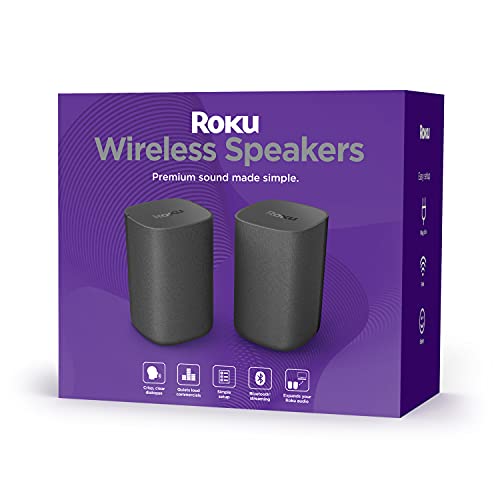
The Roku Wireless Speakers are not a soundbar themselves, they are a pair of powered bookshelf speakers that act as rear channels for your Roku TV or Roku audio system. If you already own a Roku Smart Soundbar or a Roku Streambar (the non-SE version), adding these speakers creates a 4.1-channel setup with actual rear effects. The wireless connection means no speaker wires to run across the room; just plug each speaker into power and pair them through the TV’s settings.
Sound quality is excellent for rear speakers. They use the same driver design as the onn. Smart Soundbar but with a larger enclosure, producing clear highs and surprising bass. Dialogue in surround mixes shifts naturally from the front soundbar to the rears, and ambient effects like rain or crowd noise feel immersive. The speakers also work as a Bluetooth pair for music, so you can use them as a standalone stereo system when you’re not watching TV.
The catch is compatibility. The Roku Wireless Speakers do not work with the Roku Streambar SE, and they require a Roku TV or a compatible Roku audio device (like the Roku Smart Soundbar or the original Streambar). If you have a standard non-Roku TV, these speakers won’t work at all. That narrows the audience considerably.
For Roku TV owners who already have a Roku soundbar and want to complete the surround setup, these speakers are the best way to do it. They integrate seamlessly, add real rear-channel effects, and don’t require any extra hardware. If you’re just starting out, buy a compatible soundbar first, then add these later.
How to Choose a Soundbar for Your Roku TV
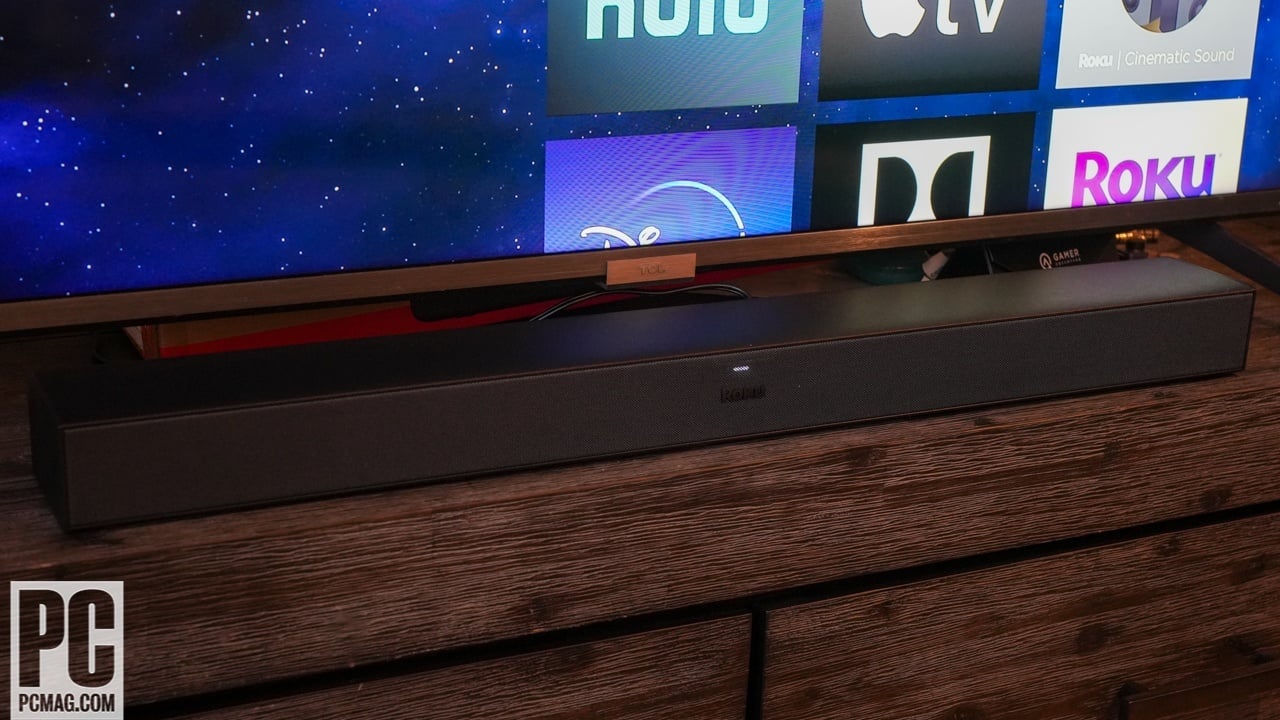
Picking the right soundbar depends on your TV’s connections, your room size, and how much you want the bar to handle. Here are the factors that matter most.
HDMI ARC vs. Optical vs. Wireless
The majority of modern soundbars connect via HDMI ARC (Audio Return Channel), which lets the TV remote control the bar’s volume and power. Roku TVs support ARC, and it’s the best all-around choice because it also carries Dolby Digital and DTS signals. For Dolby Atmos, you need HDMI eARC, which provides higher bandwidth, only a few bars here, like the ULTIMEA Poseidon M60, support it. Optical is a fallback that works but doesn’t carry advanced audio formats. Roku’s own wireless soundbar uses a proprietary wireless link that eliminates the HDMI cable entirely, but it only works with Roku TVs.
Channel Configuration
A 2.0 soundbar is a simple stereo upgrade that improves clarity and volume over TV speakers. 2.1 adds a subwoofer for bass. 5.1 gives you surround effects with rear speakers (real or virtual). For most people, a 2.0 or 2.1 bar is enough, dialogue will be clearer and music will sound better. If you watch a lot of action movies or play games, a 5.1 system like the ULTIMEA Poseidon M60 creates a theater-like bubble of sound.
Dialogue Enhancement Features
Built-in TV speakers often muffle voices, especially in movies with loud scores. Look for a soundbar with a dedicated dialogue mode or speech clarity setting. The Bose TV Speaker has the best implementation we tested, but Roku’s own Speech Clarity and Volume Leveling features also do a great job. A bar with a separate center channel driver will naturally handle voices better than a 2.0 system without one.
Built-in Streaming vs. Separate
A soundbar that doubles as a Roku streaming player, like the Streambar SE or the onn. Smart Soundbar, can simplify your setup by replacing both your TV’s weak speakers and a separate streaming stick. The downside is that if the bar fails, you lose both functions. A standalone soundbar gives you more flexibility to upgrade audio and streaming separately, but requires an extra cable and remote. If you prefer fewer boxes, the all-in-one route is compelling.
Expandability
Some soundbars let you add rear speakers or a subwoofer later. Roku’s ecosystem is the best example: you can start with the Wireless Soundbar or Smart Soundbar and later add the Wireless Speakers and/or Wireless Bass module. ULTIMEA and Bose also offer add-on subwoofers. If you think you might want surround sound down the road, choose a bar with a clear upgrade path.
The best soundbar for a Roku TV is the one that fits your room size and listening habits. A 2.0 bar with great dialogue processing is better than a 5.1 system you never turn up because the neighbors complain.
Frequently Asked Questions
Does any soundbar work with a Roku TV?
Yes, nearly any soundbar with an optical or HDMI ARC input will work with a Roku TV. You connect the bar to the TV’s ARC port, then control volume with the Roku remote. Exceptions: Roku’s wireless soundbar and Roku Wireless Speakers require a compatible Roku TV or Roku audio system.
What is the best soundbar exclusively for Roku TV?
The Roku TV Wireless Soundbar is the only bar that pairs wirelessly and exclusively with Roku TVs. It integrates fully with the TV’s settings and remote, and it can be expanded into a 4.1 system with Roku’s add-on speakers.
Can I use Roku Wireless Speakers with any soundbar?
No. Roku Wireless Speakers only work with Roku TVs or compatible Roku audio devices (Roku Smart Soundbar, original Roku Streambar). They do not work with the Roku Streambar SE or any non-Roku soundbar.
Do I need HDMI ARC for the best sound?
HDMI ARC is recommended because it carries higher-quality audio (Dolby Digital) and allows the TV remote to control the bar. For Dolby Atmos, you need HDMI eARC, which is found on Roku TVs with eARC ports. Optical is a backup but supports only stereo PCM or Dolby Digital at lower bitrates.
Is Dolby Atmos worth it on a Roku TV?
If your Roku TV supports eARC and you watch a lot of Atmos content from streaming services, a soundbar like the ULTIMEA Poseidon M60 adds a noticeable height dimension. However, most Roku TVs do not support eARC, so you may need to rely on the soundbar’s virtual processing. In that case, a good 2.1 bar may be more satisfying.
How do I fix muffled dialogue on my Roku TV?
A soundbar with a dedicated dialogue enhancement mode is the most effective fix. The Bose TV Speaker and Roku’s own bars with Speech Clarity do this well. Also, check your TV’s audio settings: set to “PCM” or “Stereo” to avoid signal processing that muddies voices.
Can I use a soundbar with a Roku TV streaming stick?
Yes. If your TV has an optical or HDMI ARC port, any soundbar will work. You continue using the Roku stick for streaming while the soundbar handles audio. For a cleaner setup, consider a bar with built-in streaming, like the Roku Streambar SE.
The Bottom Line
The Roku Streambar SE is the single best buy for most people. It upgrades both sound and streaming in one tidy box, works with any TV, and costs less than buying a separate soundbar and streamer. If you own a Roku TV and want a cable-free setup, the Roku TV Wireless Soundbar is a close second that integrates more deeply with the TV’s interface.
For dialogue lovers, the Bose TV Speaker delivers the clearest vocals in this test, and for movie nights, the ULTIMEA Poseidon M60 brings Dolby Atmos to a Roku system without breaking the bank. The rest of the lineup fills specific niches: small rooms, flexible placement, upgrade paths, and tight budgets.
If you’re still unsure, start with the Roku Streambar SE. It’s the only product here that solves two problems at once, and it does both well. That’s the best soundbar for Roku TV ownership today.
As an Amazon Associate we earn from qualifying purchases.