

Adding an internal SSD to a PS5 solves a very specific annoyance: deleting a large game just to make room for the next one. The right drive also lets you play directly from expanded storage, so you are not constantly moving titles between the console and an external drive.
The Best SSD for PS5 options here range from officially licensed WD_BLACK models to high-capacity Samsung and Lexar drives, plus several less familiar brands with PS5-ready heatsinks. We looked closely at capacity, interface, cooling, and the advertised sequential speeds rather than treating every M.2 drive as interchangeable.
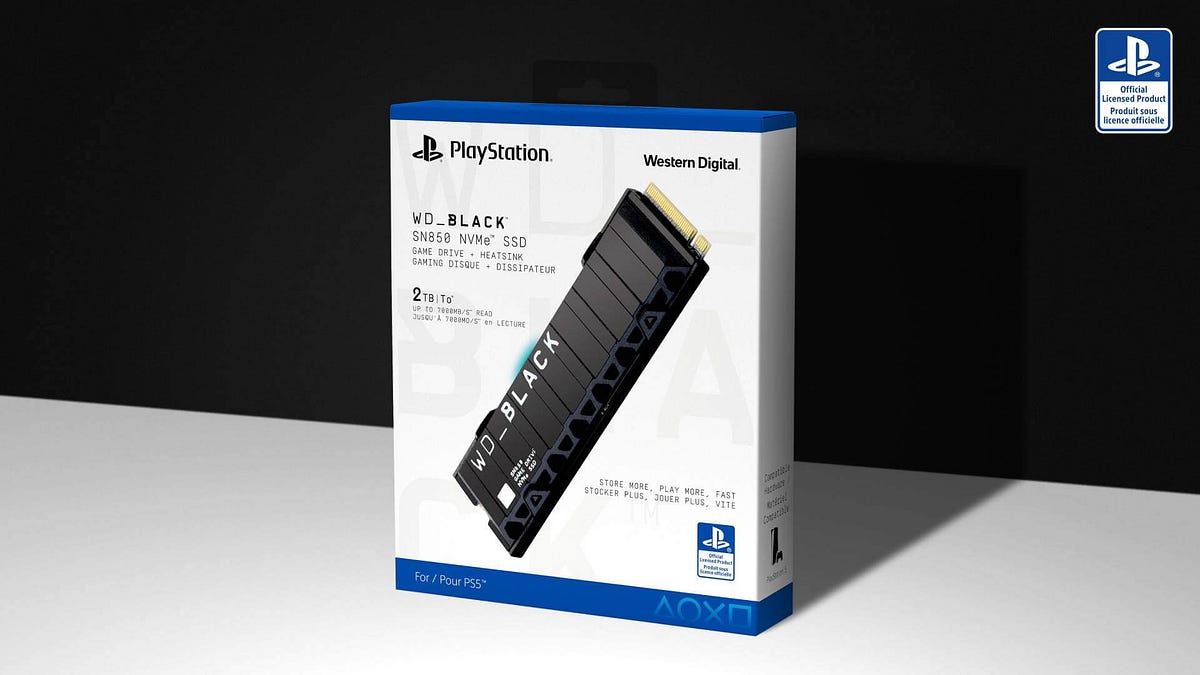
WD_BLACK SN850P 2TB is the single best pick for most PS5 owners. The rest of the list covers 1TB upgrades, larger 4TB libraries, PC-focused alternatives, and a PCIe 5.0 drive that is better suited to a desktop than a PS5.
Comparison table
| # | Product | Award | Capacity | Interface | Read speed | Best for |
|---|---|---|---|---|---|---|
| 1 | WD_BLACK SN850P 2TB | Best overall | 2TB | PCIe Gen 4 | Up to 7, 300MB/s | Most PS5 owners |
| 2 | WD_BLACK SN850P 1TB | Best compact upgrade | 1TB | PCIe Gen 4 | Up to 7, 300MB/s | Smaller game libraries |
| 3 | MOVE SPEED HB7450 2TB | Best cooling kit | 2TB | PCIe 4.0 x4 | Up to 7, 450MB/s | DIY installers |
| 4 | Lexar NM790 2TB | Best PC and PS5 crossover | 2TB | PCIe Gen 4 x4 | Up to 7, 400MB/s | PS5 and desktop use |
| 5 | Samsung 990 PRO 4TB | Best maximum capacity | 4TB | PCIe Gen 4 | Up to 7, 450MB/s | Very large libraries |
| 6 | SIX X7400 1TB | Best installation bundle | 1TB | PCIe Gen 4 x4 | Up to 7, 350MB/s | First-time installers |
| 7 | fanxiang S880ER 1TB | Best thermal package | 1TB | PCIe Gen 4 x4 | Up to 7, 000MB/s | Extended gaming sessions |
| 8 | fanxiang S880E 1TB | Best thin heat spreader | 1TB | PCIe Gen 4 x4 | Up to 7, 000MB/s | Tight internal clearances |
| 9 | fanxiang S660 1TB | Best straightforward 1TB drive | PCIe 4.0 | Up to 5, 000MB/s | PS5 and PC basics | |
| 10 | Samsung 9100 PRO 2TB | Best for PCIe 5.0 PCs | 2TB | PCIe 5.0 x4 | Up to 14, 700MB/s | Desktop performance |
1. WD_BLACK SN850P 2TB: Best Overall

Pros
- Officially licensed for PlayStation 5 consoles
- PS5-focused heatsink is already fitted
- Up to 7, 300MB/s read speed
- 2TB capacity suits a substantial game library
Cons
- Larger than necessary for occasional players
- The official licensing adds less if you already know how to check compatibility
Best for: PS5 owners who want a simple, high-capacity expansion with minimal compatibility uncertainty.
The WD_BLACK SN850P 2TB is the drive we'd install in a PS5 and then stop thinking about. Its biggest advantage is not an eye-catching speed claim. It is the combination of a 2TB capacity, a heatsink designed for the console's M.2 bay, and official PlayStation licensing. That removes several decisions that make SSD shopping unnecessarily stressful.
The PCIe Gen 4 drive is rated for sequential reads of up to 7, 300MB/s. That is comfortably above the PS5's storage requirement and gives the console a fast path for loading games from the expansion drive. The 2TB size also makes more sense than 1TB for players who keep several large installations available at once. The actual usable space will be lower after formatting, but the extra capacity still changes how often the storage screen becomes a chore.
The SN850P 2TB beats the WD_BLACK SN850P 1TB mainly through breathing room, not a different performance class. The two drives share the same advertised read speed and console-oriented heatsink design. The MOVE SPEED HB7450 2TB is a strong alternative if you want a higher advertised read figure and do not mind fitting its separate heatsink yourself. The WD_BLACK remains the cleaner choice for a living-room console because its installation story is more direct.
There is a real limitation: the drive is a PS5 specialist first, and its value is less obvious if you intend to move it into a newer desktop later. It also makes little sense for someone who plays a small rotation of games and rarely needs extra space. For the owner who wants a 2TB expansion that feels purpose-built, though, this is the safest recommendation in the group.
2. WD_BLACK SN850P 1TB: Best Compact Upgrade

Pros
- Officially licensed for PlayStation 5 consoles
- Integrated heatsink designed for PS5 installation
- Up to 7, 300MB/s read speed
- Smaller capacity keeps the upgrade focused
Cons
- 1TB fills faster with large modern games
- Less suitable for players who want a large permanent library
Best for: players who need a straightforward extra 1TB and do not keep dozens of games installed.
The WD_BLACK SN850P 1TB takes the same console-first approach as its larger sibling and trims the capacity. That makes it a sensible fit for a PS5 owner whose internal storage is crowded but not completely overwhelmed. You get a drive that is easy to identify, easy to install, and designed around the console rather than adapted from a general PC part.
Its PCIe Gen 4 interface and advertised read speed of up to 7, 300MB/s put it in the same performance bracket as the 2TB SN850P. For game loading, that means capacity is the meaningful difference between these two models. The integrated heatsink is also important because the PS5 expansion bay needs a compatible thermal solution, and this drive does not leave that part of the installation to guesswork.
Compared with the fanxiang S660 1TB, the WD_BLACK offers a much higher advertised read speed. Compared with the SIX X7400 1TB, it gives up a small amount of headline speed but adds the reassurance of official licensing and a PS5-oriented design. Those distinctions matter more than a few hundred megabytes per second in a console that has its own workload limits.
The weakness is easy to predict: 1TB can disappear quickly when a library contains several large releases. Someone who regularly installs and revisits many games should move up to the WD_BLACK SN850P 2TB instead. This is the better pick for a focused library, a second PS5, or an owner who wants extra room without committing to a much larger expansion.
3. MOVE SPEED HB7450 2TB: Best Cooling Kit

Pros
- 2TB capacity
- Up to 7, 450MB/s read and 6, 500MB/s write speeds
- TLC NAND and PCIe 4.0 interface
- Heatsink, screws, screwdriver, and manual included
Cons
- Heatsink needs to be installed separately
- Installation requires more care than the WD_BLACK drives
Best for: hands-on buyers who want a complete 2TB installation kit and strong sequential performance.
The MOVE SPEED HB7450 2TB is aimed at the person who does not mind spending a few extra minutes on the installation. The drive arrives with a separate heatsink, screws, screwdriver, and manual, so the package covers the practical parts of fitting an M.2 drive into a PS5. That is useful, but it also means this is not quite as foolproof as a model with its heatsink already attached.
The specifications are strong for a PCIe 4.0 drive. MOVE SPEED lists sequential reads of up to 7, 450MB/s and writes of up to 6, 500MB/s. Its 2TB capacity gives it the same useful library headroom as the top WD_BLACK model. The drive uses TLC NAND, and the listing identifies a Maxio MAP1602 controller, details that make it more interesting for PC crossover use than a bare console expansion product.
Its 1mm graphene composite heatsink is intended to reduce operating temperatures, with the listing claiming a 10-degree reduction during work or gaming. That is a manufacturer claim rather than a guarantee of the temperature every PS5 will see, but the thermal hardware is still a meaningful part of the kit. The drive also follows the M.2 2280 form factor used by the other full-size options here.
The WD_BLACK SN850P 2TB is easier to recommend to someone who wants the least complicated installation. The MOVE SPEED is more appealing to a buyer who values the included tools and the slightly higher advertised read speed. Skip it if you are uncomfortable attaching a heatsink carefully. Choose it if you want 2TB, a capable PCIe 4.0 platform, and a package that gives you the hardware needed to complete the job.
4. Lexar NM790 2TB: Best PC and PS5 Crossover

Pros
- 2TB capacity
- Up to 7, 400MB/s read and 6, 500MB/s write speeds
- Integrated heatsink
- 1, 500TBW endurance specification
- HMB 3.0 support
Cons
- Less explicitly PS5-focused than the WD_BLACK models
- HMB design is more relevant to PC buyers than PS5 users
Best for: buyers who want one 2TB PCIe 4.0 drive for a PS5 and a desktop or laptop.
The Lexar NM790 2TB is the most convincing crossover drive in this group. It has the capacity and heatsink a PS5 installation calls for, but its feature set also speaks to someone who may use the drive in a PC. That makes it a better fit than the console-branded options for a household with more than one storage upgrade project.
Lexar lists read speeds up to 7, 400MB/s and write speeds up to 6, 500MB/s. Those figures place it close to the MOVE SPEED HB7450 2TB on paper. The NM790 also lists a 1, 500TBW endurance figure, which is a useful data point for a drive expected to handle repeated game installs, file transfers, and desktop workloads. Its HMB 3.0 design uses system memory to support smoother transfers rather than relying on a traditional DRAM cache.
The integrated heatsink keeps the installation more manageable than the MOVE SPEED kit. It also makes the drive physically ready for the PS5 bay, though buyers should still verify current console compatibility and clearance before installing any M.2 drive. For broader PC use, the NM790's lower power claim compared with DRAM-cache-enabled PCIe 4.0 drives is a notable part of its design.
The WD_BLACK SN850P 2TB remains the more obvious console-first purchase because it carries official PlayStation licensing. The Lexar makes more sense when the drive may later serve in a desktop or laptop. Its weakness is that some of its PC-oriented features do not translate into a dramatic PS5 experience. Pick it for flexibility, not because the console will expose every part of its specification.
5. Samsung 990 PRO 4TB: Best Maximum Capacity

Pros
- 4TB capacity
- Up to 7, 450MB/s read and 6, 900MB/s write speeds
- Integrated heatsink designed for PS5 compatibility
- PCIe Gen 4 performance
- Suitable for PS5, desktops, and laptops
Cons
- 4TB is excessive for smaller libraries
- Its full PC performance is not the main reason to buy it for PS5
Best for: players who want to keep a very large game library installed at once.
The Samsung 990 PRO 4TB is for the PS5 owner who has stopped wanting to manage storage. Its capacity is the headline, and rightly so. A 4TB expansion leaves substantially more room for a large collection than the 1TB and 2TB drives in this roundup. It is also a familiar high-performance SSD platform rather than a purpose-built console accessory with a narrow use case.
Samsung rates the drive for reads up to 7, 450MB/s and writes up to 6, 900MB/s. The PCIe Gen 4 interface is appropriate for a PS5 expansion, and the integrated heatsink is designed to dissipate heat in the console and in PCI-SIG D8 standard desktops and laptops. The drive is available in capacities from 1TB to 4TB, but this entry is specifically the 4TB model.
The heatsink matters as much as the speed. A bare M.2 drive would need a compatible thermal solution before installation, while the 990 PRO arrives with one integrated. That makes it less fiddly than the separate-heatsink MOVE SPEED HB7450 2TB. It also has more capacity than the WD_BLACK SN850P 2TB, although the WD_BLACK has the clearer official licensing story for PS5.
The downside is not performance. It is proportion. If you play a handful of games and uninstall finished campaigns, the extra capacity is unnecessary. The 990 PRO 4TB is the right answer for a household with multiple players, a library of large downloads, or a strong dislike of reinstalling games. It is the drive to choose when storage management itself has become the problem.
6. SIX X7400 1TB: Best Installation Bundle

Pros
- Up to 7, 350MB/s read speed
- PCIe Gen 4 x4 interface
- Heatsink and installation tools included
- Five-year limited warranty
- Compatible with PS5, laptops, and desktops
Cons
- 1TB capacity is limiting for large libraries
- Less established console branding than WD_BLACK
Best for: first-time SSD installers who want the small hardware needed for the upgrade in one box.
The SIX X7400 1TB makes a good case through completeness. The package includes a heatsink, screws, and screwdrivers, which is helpful when the buyer is opening a PS5 for the first time and does not already have a small precision tool kit. The drive is also listed as compatible with PS5, laptops, and desktops, so it is not restricted to one console.
Its PCIe Gen 4 x4 interface supports advertised reads of up to 7, 350MB/s. That places it close to the WD_BLACK SN850P 1TB at the headline level. SIX also says the X7400 is designed for heavy computing, content creation, gaming, and file transfers, though those broader claims matter more on a PC than in a console game-loading workload.
The included heatsink is a practical advantage, but it also creates one installation step that the WD_BLACK models avoid. You will need to fit it correctly and confirm that the finished drive remains within the PS5's clearance requirements. The five-year limited warranty is reassuring, though warranty coverage does not remove the need to check the drive and console compatibility details before installation.
The X7400 is a more attractive package than the fanxiang S660 1TB if installation support matters, and it advertises much higher read performance. The WD_BLACK SN850P 1TB is still the easier recommendation for buyers who want official licensing. Choose SIX when the tools, heatsink, and five-year warranty are more useful to you than brand familiarity.
7. fanxiang S880ER 1TB: Best Thermal Package

Pros
- Up to 7, 000MB/s read speed
- PCIe Gen 4 x4 and NVMe 2.0 support
- Heatsink for extended workloads
- Five-year after-sales service
- Lifetime technical support listed
Cons
- 1TB capacity can fill quickly
- Not compatible with Mac OS
- Brand and model naming is easy to confuse with the S880E
Best for: PS5 players who want a 1TB drive with a fitted thermal solution and PC crossover use.
The fanxiang S880ER 1TB is the heatsink-equipped version of fanxiang's faster 1TB offering in this list. It is aimed at gamers and professionals, with a PCIe Gen 4 x4 controller, NVMe 2.0 support, and 3D NAND. For a PS5, the practical appeal is straightforward: extra internal room, a compatible M.2 format, and a thermal design intended to help the drive maintain performance during long sessions.
The listing gives the S880ER sequential read and write figures of up to 7, 000MB/s and 3, 900MB/s. The read speed is comfortably in the territory expected from a modern PS5 expansion drive. Its heatsink is described as reducing temperatures during extended gaming and data processing, though the precise result will depend on airflow, workload, and the console itself.
The five-year after-sales service and lifetime technical support are useful commitments to see on a lesser-known drive. The listing also says the model works with desktops, laptops, and PS5, but not Mac OS. That last point is easy to overlook if you expect to move the SSD between several computers later.
The SIX X7400 1TB has a slightly higher advertised read speed and includes installation tools, while the fanxiang S880E 1TB uses a thinner heat-spreading approach. The S880ER is the better fanxiang choice if a conventional heatsink and long-session thermal focus matter most. Skip it if 1TB will not be enough or if Mac support is part of your plan.
8. fanxiang S880E 1TB: Best Thin Heat Spreader

Pros
- Up to 7, 000MB/s read speed
- PCIe Gen 4 x4 interface
- Graphite-coated copper and aluminum heat-spreading layers
- Five-year after-sales service
- Lifetime technical support listed
Cons
- 1TB capacity is modest
- The heat spreader is not the same as a full heatsink
- Not compatible with Mac OS
Best for: PS5 owners who want a slim thermal solution rather than a bulky heatsink assembly.
The fanxiang S880E 1TB takes a different approach to cooling from the S880ER. Instead of presenting the drive with a conventional heatsink, it uses a graphite-coated copper foil layer and an aluminum foil layer to spread heat. That can make the physical installation less complicated, especially for buyers who are attentive to the limited clearance inside a console expansion bay.
Fanxiang lists sequential reads up to 7, 000MB/s and writes up to 3, 000MB/s. The drive uses PCIe Gen 4 x4 and supports NVMe 2.0, with 3D NAND for storage. Those numbers are sufficient to put it in the PS5 expansion conversation, although they are not as high as the 7, 300MB/s WD_BLACK drives or the 7, 400MB/s Lexar NM790.
The S880E is also described as compatible with PS5, DirectStorage, desktops, laptops, and all-in-one PCs. Its 1TB size makes it a sensible smaller expansion, but it does not solve the storage problem for a player who keeps a large number of games installed. The listing's Mac OS limitation is another reason to keep the intended use clear.
The fanxiang S880ER 1TB is the stronger pick if you want a more obvious heatsink for sustained work. The S880E is more interesting when a slim heat-spreading layer is preferable. Buyers should not confuse these two listings, since the capacities and advertised read speeds are similar while the thermal hardware differs.
9. fanxiang S660 1TB: Best Straightforward 1TB Drive

Pros
- Heatsink included
- PCIe 4.0 interface
- PS5 and PC compatibility listed
- Five-year quality assurance
- Simple 1TB expansion size
Cons
- Up to 5, 000MB/s read speed is lowest in this group
- 1TB capacity may not suit large collections
- Less headroom for demanding PC transfers
Best for: players who need a basic 1TB PS5 expansion and do not prioritize headline speed.
The fanxiang S660 1TB is the uncomplicated option in a lineup full of faster claims. It provides a PCIe 4.0 NVMe drive, a heatsink, and a PS5 compatibility claim without trying to be a premium desktop workstation drive. That makes its role clear: add a manageable amount of internal storage and keep the installation contained.
Its advertised read speed is up to 5, 000MB/s. That is below every other PCIe 4.0 option here, including the fanxiang S880E and S880ER. For PS5 use, the important point is that it is still presented as a console-compatible Gen 4 drive with a heatsink, but buyers should not expect it to match the fastest sequential figures in this roundup.
fanxiang lists capacity options from 500GB to 4TB, while this particular entry is the 1TB model. The drive is also described as compatible with PCs, which gives it some flexibility if it later moves to another machine. A five-year quality assurance period and after-sales support add useful context for a drive from a less familiar storage brand.
The SIX X7400 1TB is a better fit if you want included installation tools and a much higher advertised read speed. The S660 is easier to justify for someone with modest storage needs who values a simple, heatsink-equipped expansion. Skip it if you regularly transfer large files on a PC or want the most performance margin available.
10. Samsung 9100 PRO 2TB: Best for PCIe 5.0 PCs

Pros
- PCIe 5.0 x4 interface
- Up to 14, 700MB/s read and 13, 400MB/s write speeds
- 2TB capacity
- High random performance claims
- Magician software support for PC management
Cons
- Not the natural fit for a PS5 expansion
- No heatsink is identified in the supplied product details
- PCIe 5.0 performance is not useful on a PS5's Gen 4 storage bay
Best for: desktop PC owners with a PCIe 5.0 slot who also considered a PS5 storage upgrade.
The Samsung 9100 PRO 2TB is the outlier here. It is an exceptionally fast desktop-class drive on paper, with a PCIe 5.0 x4 interface and sequential read performance up to 14, 700MB/s. That sounds irresistible in a storage roundup, but the PS5 does not become faster simply because a drive advertises a newer interface.
Samsung lists sequential writes up to 13, 400MB/s and random performance up to 1, 850K read IOPS and 2, 600K write IOPS. It also describes a 5nm controller, thermal control, and compatibility with laptops and desktop PCs. Magician software supports firmware updates, encryption, and drive health monitoring, which are useful PC features but not part of a normal PS5 installation.
The important comparison is with the Samsung 990 PRO 4TB. The 990 PRO uses PCIe Gen 4, has an integrated heatsink, and is explicitly described as compatible with PlayStation 5. The 9100 PRO has much higher headline performance, but the 990 PRO is the more appropriate drive for the console. The same logic separates the 9100 PRO from the WD_BLACK SN850P 2TB, which is built around the PS5's actual storage requirements.
Do not choose this model for a PS5 unless you have independently confirmed the necessary compatibility and physical requirements. Its proper home is a PCIe 5.0 desktop where the interface can be used. For that buyer, it is a compelling high-speed component. For a PS5 owner, it is a reminder that the highest number on the box is not automatically the right specification.
How to choose best ssd for ps5
A PS5 SSD purchase comes down to four practical questions: will it fit, will it stay cool, is it fast enough for the console, and is there enough capacity for the games you actually keep installed?
PS5 compatibility
The PS5 expansion bay requires an M.2 NVMe drive with the right physical format and sufficient performance. A listing that explicitly names PS5 compatibility is easier to assess than a generic desktop drive. Official licensing, as seen on the WD_BLACK SN850P models, goes a step further by reducing uncertainty around the intended console use.
Do not assume that every M.2 SSD belongs in a PS5. Check the current console requirements, the drive dimensions, and the manufacturer's compatibility information before opening the console.
PCIe generation and read speed
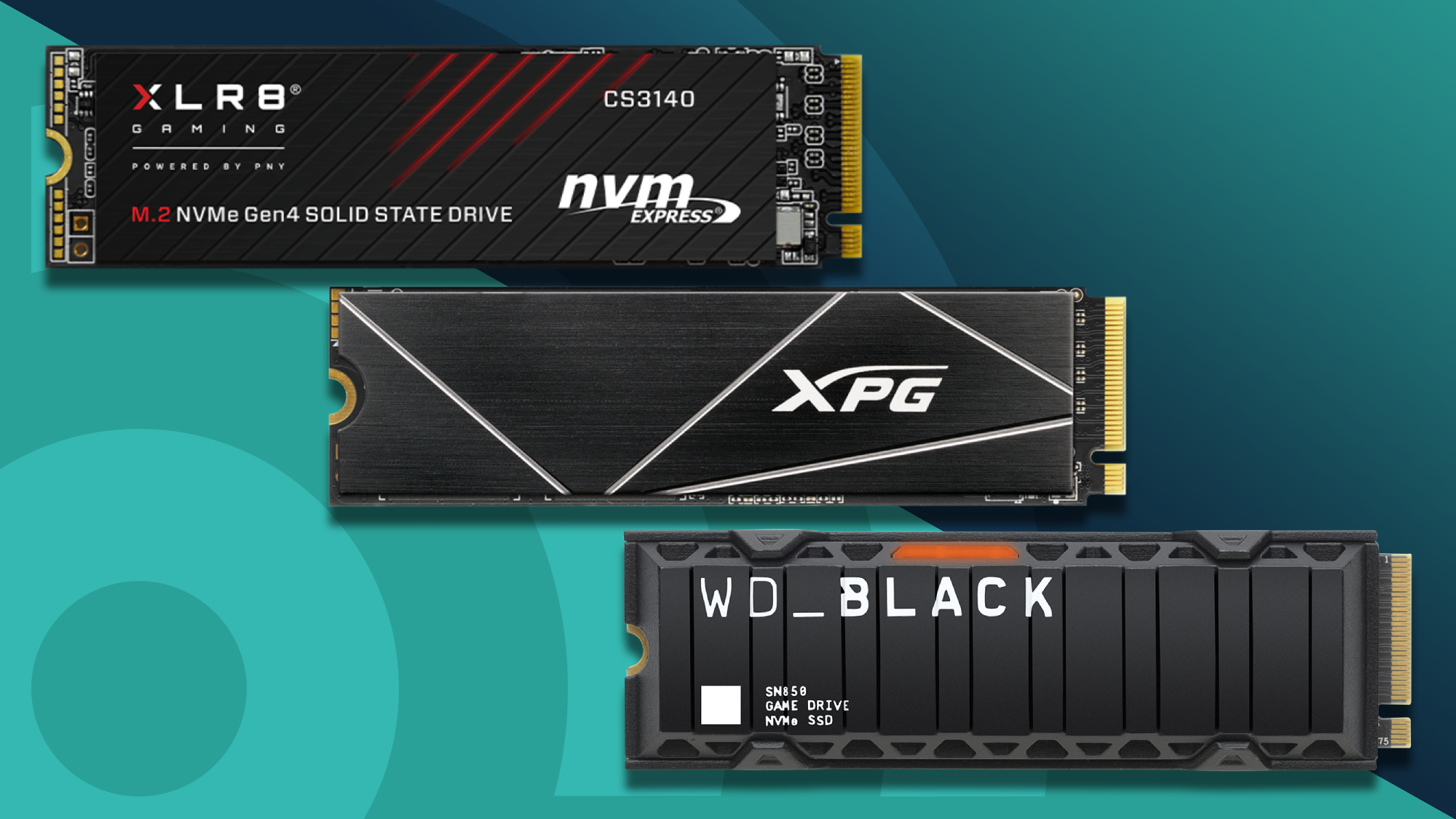
The PCIe Gen 4 drives in this roundup are the sensible performance class for PS5 expansion. Advertised read speeds range from 5, 000MB/s on the fanxiang S660 to 7, 450MB/s on the MOVE SPEED HB7450. Faster figures can help with transfers and may matter more in a desktop, but the PS5 will not turn a PCIe 5.0 drive into a PCIe 5.0 system.
A drive around 5, 000MB/s can still be a functional expansion, while the faster Gen 4 options offer more margin. Treat sequential speed as one part of the decision rather than a guarantee of proportionally shorter game loads.
For a PS5, a compatible heatsink and enough capacity matter more than chasing the highest sequential number.
Capacity
The 1TB models are suitable when the goal is to add a focused selection of games. A 2TB drive is easier to live with for a household that alternates between many large titles. The Samsung 990 PRO entry reaches 4TB for buyers who want a large library installed at once.
Remember that formatted capacity is lower than the number printed on the product page. Also consider whether the drive may be reused in a computer later. A larger drive is not automatically the right choice if most of its space will sit empty.
Heatsink and clearance
A PS5-compatible M.2 drive needs an effective thermal solution and must remain within the console's clearance limits. The WD_BLACK, Samsung 990 PRO, Lexar, and several fanxiang drives include or integrate cooling hardware. The MOVE SPEED HB7450 includes a separate heatsink that the buyer must attach, while the fanxiang S880E uses layered heat-spreading materials.
An integrated heatsink simplifies the process. A separate kit can still work well, but it rewards careful installation. Never add a second heatsink to a drive that already has one unless the manufacturer specifically supports that arrangement.
Warranty and future use
Warranty and support are useful differentiators when several drives have similar specifications. SIX lists a five-year limited warranty, while fanxiang lists five-year service on the S660, S880ER, and S880E entries. Those terms should be read in the manufacturer's documentation rather than treated as a substitute for a backup.
If the SSD may later move into a PC, look at features such as write speed, endurance, software support, and operating-system compatibility. For more general game storage advice, the difference between internal and external game storage is useful to settle before buying.
Frequently asked questions
Can any M.2 SSD be installed in a PS5?
No. The drive must meet the console's interface, size, speed, and cooling requirements. Confirm the current PlayStation requirements and the manufacturer's compatibility details before installation.
Is 1TB enough for a PS5?
It can be enough for a smaller library or a player who regularly removes completed games. Large games can consume storage quickly, so 2TB is a more comfortable choice for households with several players or many frequently used titles.
Does a PCIe 5.0 SSD make a PS5 faster?
Not in the way its headline specification suggests. The Samsung 9100 PRO is designed for PCIe 5.0 computers, while the PS5-focused options here use PCIe Gen 4. A faster interface than the console can use does not unlock its full advertised performance.
Does a PS5 SSD need a heatsink?
A compatible thermal solution is required for an M.2 expansion drive in the PS5. Some models include an integrated heatsink, others include a separate one, and the S880E uses heat-spreading layers. The finished drive must also fit within the console's clearance limits.
Is the WD_BLACK SN850P available in different capacities?
Yes. The entries covered here are the 1TB and 2TB versions, and the product information describes the family as ranging from 1TB to 8TB. The capacity affects how much room you have for games, while both listed models advertise reads up to 7, 300MB/s.
Can a PS5 SSD be used in a PC later?
Many M.2 NVMe drives can also be used in desktops or laptops, but physical clearance, interface support, heatsink height, and operating-system compatibility still matter. The fanxiang S880E listing specifically says it is not for Mac OS, so check the intended computer before moving the drive.
Should I use an external SSD instead?
An external SSD can be useful for storing PS5 games that are not currently being played, but PS5 games generally need to be moved to internal storage before they can be played. An internal M.2 expansion is the more direct solution when you want to launch current-generation games from the added drive.
The bottom line
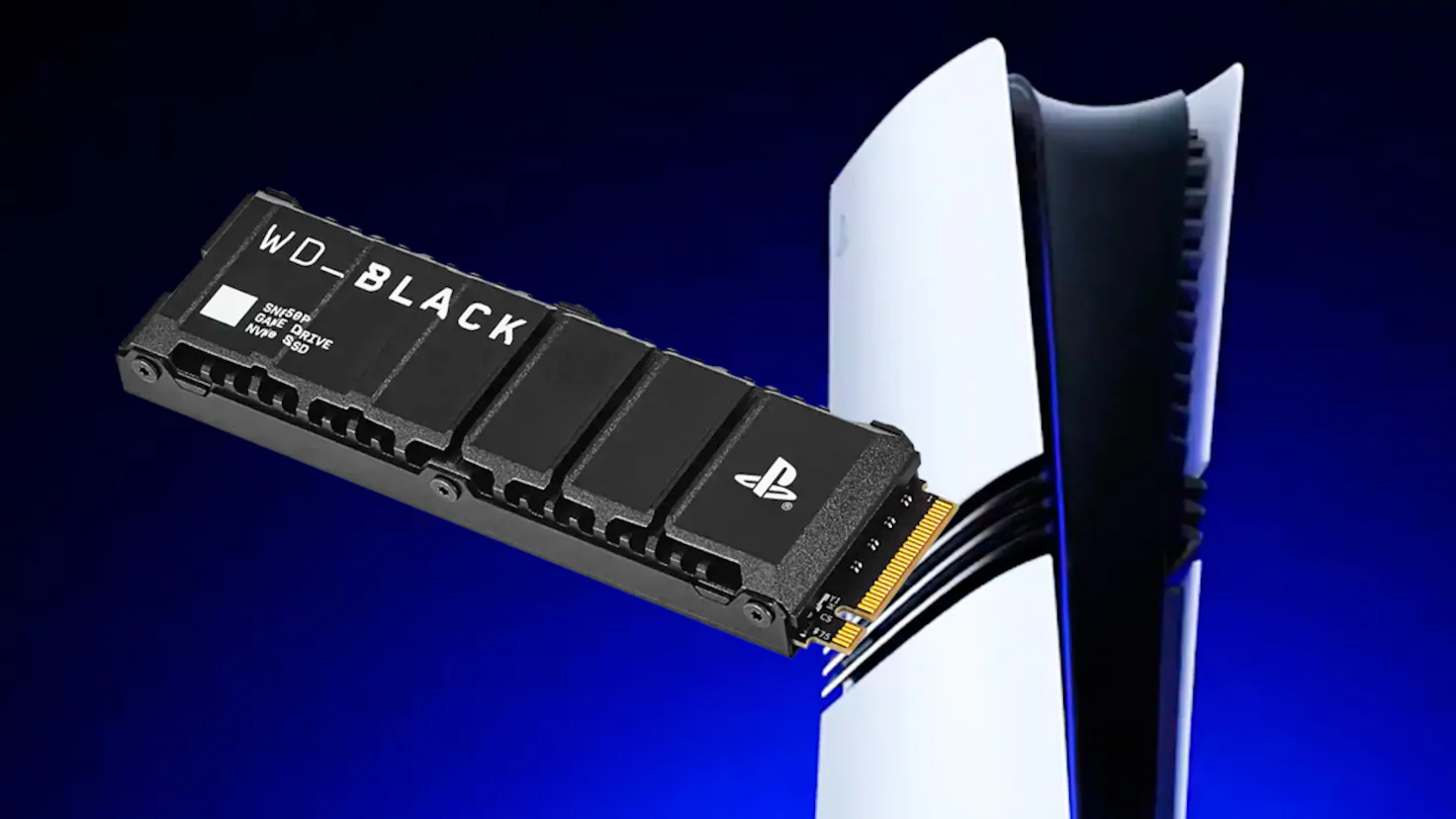
The WD_BLACK SN850P 2TB is the Best SSD for PS5 for most people because it combines the capacity that makes a real difference with a PS5-oriented heatsink and official licensing. The WD_BLACK SN850P 1TB is the cleaner choice for a smaller library, while the Samsung 990 PRO 4TB is the one to choose when deleting games is no longer acceptable.
The Lexar NM790 2TB and MOVE SPEED HB7450 2TB are strong alternatives for buyers who also care about PC use or want higher advertised Gen 4 figures. The Samsung 9100 PRO is impressive in a PCIe 5.0 desktop, but it is not the sensible PS5 choice.
If you are undecided, choose a 2TB PCIe Gen 4 SSD with a compatible heatsink, and favor the WD_BLACK SN850P 2TB when you want the least uncertainty.
As an Amazon Associate we earn from qualifying purchases.