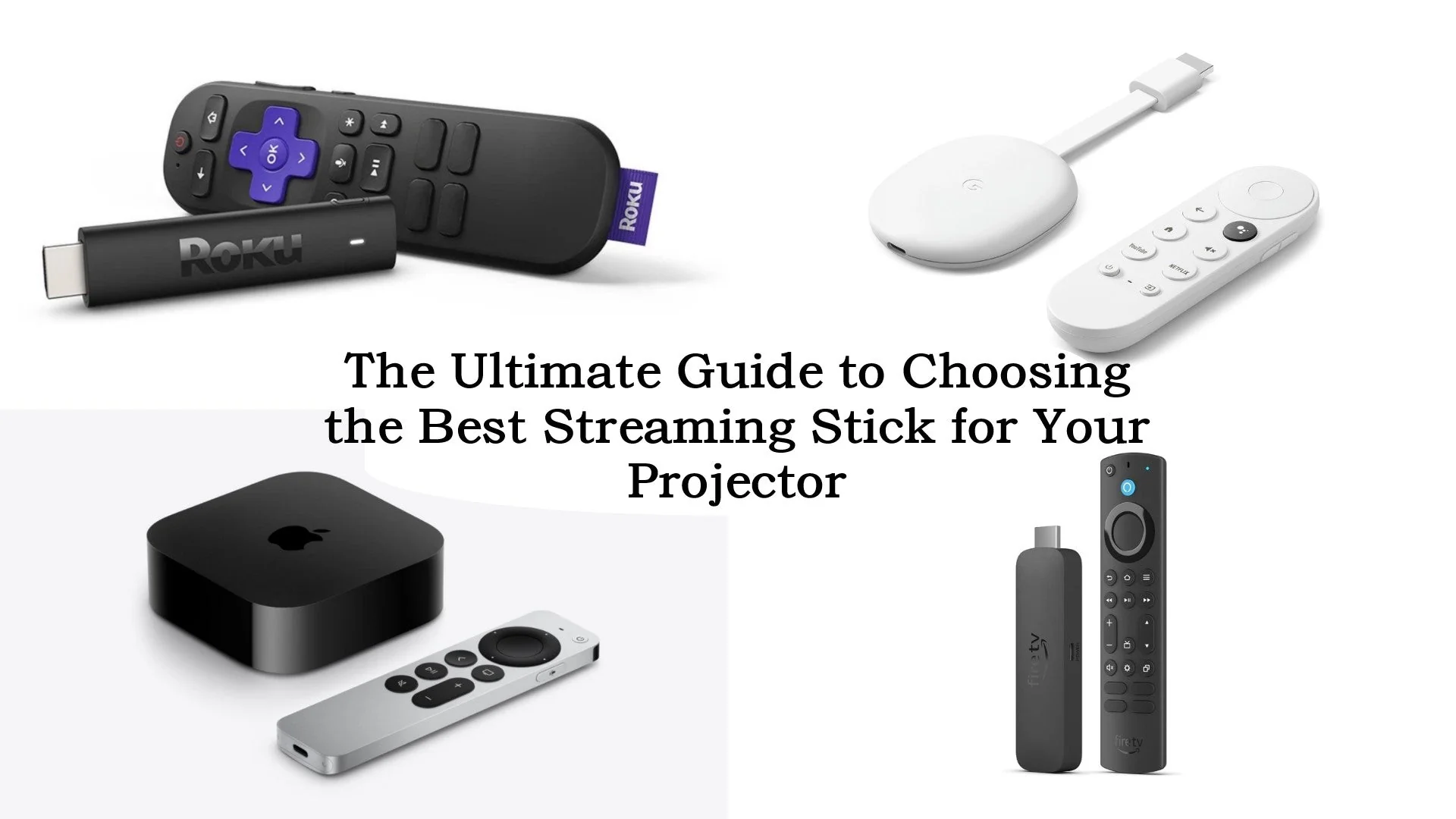

An aging smart TV can turn a simple movie night into a slow cycle of loading screens, app updates, and remote hunting. A dedicated stick or player usually fixes the problem without replacing the television, but the right model depends on your TV resolution, wireless network, and preferred interface.
The Best streaming stick options here range from compact HD models to 4K devices with Dolby Vision, Wi-Fi 6E, extra storage, voice search, and even Ethernet. Roku is the easiest starting point for most households, while Amazon's Fire TV models make more sense if Alexa and smart home controls are already part of your routine.
Roku Streaming Stick 4K is our top pick for its clean interface, broad HDR support, compact design, and long-range wireless performance. The rest of the list covers simple HD upgrades, faster premium players, and alternatives for Google TV households.
Comparison table
| # | Product | Award | Resolution | HDR and wireless | Best for |
|---|---|---|---|---|---|
| 1 | Roku Streaming Stick 4K | Best overall | 4K | Dolby Vision, HDR10+, long-range Wi-Fi | Most 4K TV owners |
| 2 | Amazon Fire TV Stick 4K Plus | Best Fire TV upgrade | 4K | Dolby Vision, HDR10+, Wi-Fi 6 | Alexa users with 4K TVs |
| 3 | Roku Ultra | Best Roku player | 4K | Dolby Vision, HDR10+, Wi-Fi 6, Ethernet | Home theater setups |
| 4 | Amazon Fire TV Stick 4K Max | Best for speed and storage | 4K | Dolby Vision, HDR10+, Wi-Fi 6E | Apps, games, and downloads |
| 5 | Google TV Streamer 4K | Best for Google households | 4K | Dolby Vision, HDR, Dolby Atmos | Google TV and smart home users |
| 6 | Amazon Fire TV Stick 4K Select | Best straightforward 4K Fire TV | 4K | HDR10+ | Simple 4K streaming |
| 7 | Roku Streaming Stick Plus | Best simple 4K Roku | 4K | HDR10+ | Easy Roku setup |
| 8 | Roku Streaming Stick HD | Best HD Roku stick | HD | Voice remote | Older HD TVs |
| 9 | Amazon Fire TV Stick HD, 2024 | Best HD Fire TV stick | Full HD | Alexa Voice Remote | First-time Fire TV users |
| 10 | Amazon Fire TV Stick HD, 2026 | Best portable HD Fire TV | Full HD | Wi-Fi 6, Bluetooth | Compact travel setups |
1. Roku Streaming Stick 4K: Best Overall

Pros
- Compact body stays hidden behind the television
- Supports 4K, Dolby Vision, and HDR10+
- Long-range Wi-Fi helps in rooms farther from the router
- Voice remote controls streaming, power, and volume
Cons
- No Ethernet connection
- Roku interface is less useful for Alexa-centered smart homes
- Older than several newer Fire TV models
Best for: most people who want a simple 4K streaming upgrade with strong HDR support.
The first thing to know about Roku Streaming Stick 4K is that it gets out of the way. It plugs into the back of the TV, does not block neighboring HDMI ports, and has a slim 3.7-inch length with a 0.8-inch width. That makes it a particularly tidy choice for wall-mounted TVs or crowded entertainment centers.
Its picture support is the reason it leads this list. The stick handles 4K streaming and works with both Dolby Vision and HDR10+, so compatible movies and shows can use the display's wider contrast and color range. That does not improve ordinary HD content by itself, but it gives a 4K television room to show what it can do. Dolby Atmos support is also included for compatible audio equipment.
Roku's software remains easier to understand than Fire TV for people who want a direct list of apps rather than a storefront-like home screen. Voice search can find and launch content, while the remote handles television power and volume. Roku also gathers free live TV, news, sports, movies, and shows in one place. For households that subscribe to several services, the single Roku account can also manage subscriptions across more than 70 services.
Compared with Roku Streaming Stick Plus, this model has the more useful HDR format support because Dolby Vision joins HDR10+. The Plus remains a sensible alternative for a compatible HDR10+ television, but the 4K model is more flexible. Roku Ultra is faster and adds Ethernet, a rechargeable backlit remote, and Bluetooth headphone mode, yet it is a larger tabletop player rather than a hidden stick.
The weakness is connectivity. There is no wired Ethernet option, so a distant or congested router can still affect streaming, even with the long-range Wi-Fi receiver. It is also not the natural choice for someone who wants Alexa to control lights, cameras, and entertainment from the same remote. For everyone else with a 4K TV, this is the one we'd keep.
2. Amazon Fire TV Stick 4K Plus: Best Fire TV Upgrade

Pros
- 4K output with Dolby Vision, HDR10+, and Dolby Atmos
- Wi-Fi 6 is suited to busy home networks
- Alexa+ supports conversational content searches
- Dedicated app buttons and TV controls simplify the remote
Cons
- Fire TV puts recommendations and sponsored content prominently on the home screen
- No Ethernet connection
- The longer body may be awkward around tightly spaced HDMI ports
Best for: Alexa households that want a current 4K Fire TV interface without moving to the Max model.
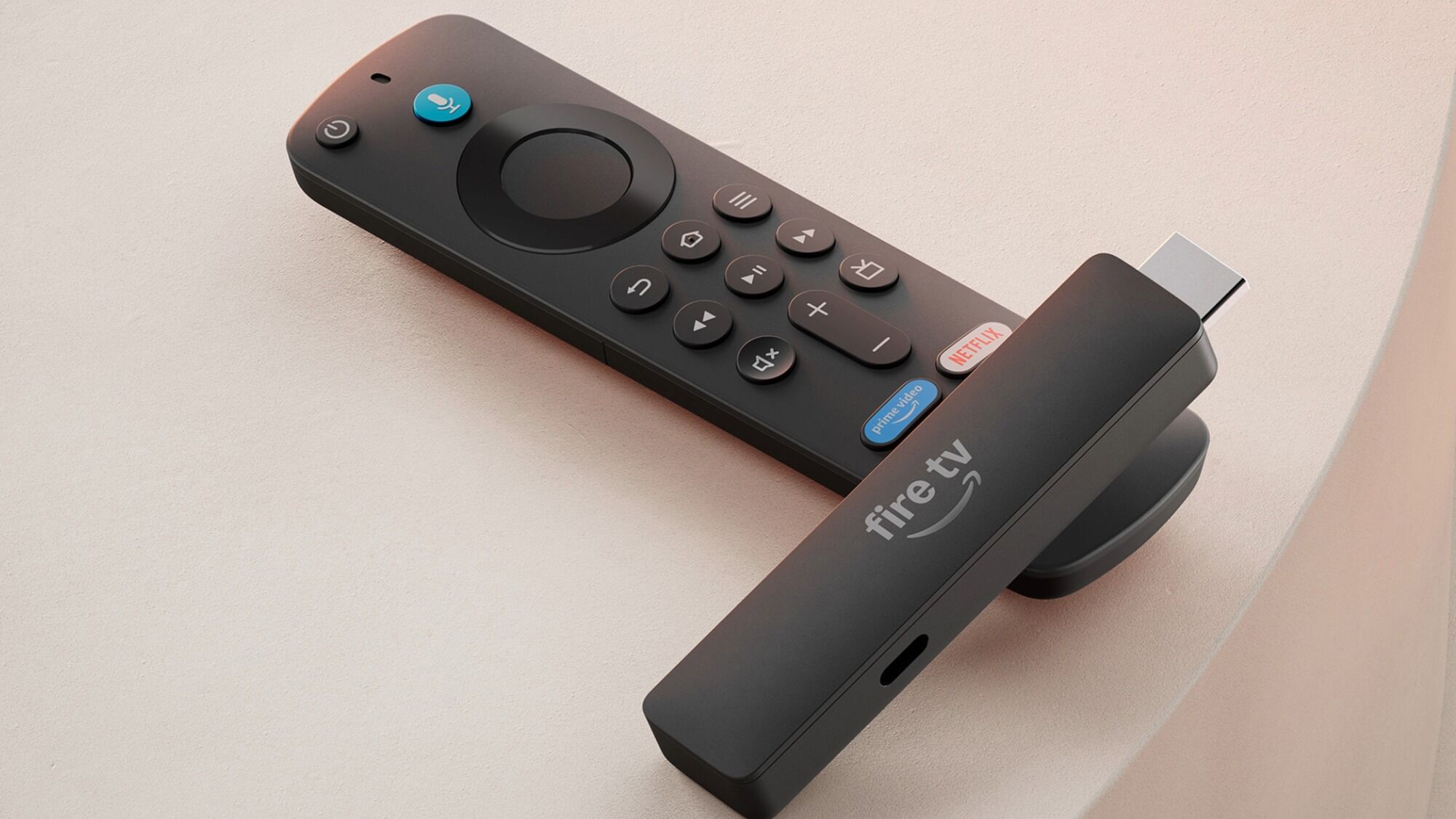
Amazon Fire TV Stick 4K Plus is the Fire TV model that makes the most sense for a typical 4K television. Its main job is straightforward, but the newer Fire TV experience adds dedicated content categories, more room to pin favorite apps, and recommendations from Alexa+. The interface is designed to reduce scrolling, although it still feels busier than Roku's home screen.
This model supports 4K Ultra HD, Dolby Vision, HDR10+, and Dolby Atmos. Those formats matter when the TV and sound system support them. Dolby Vision can improve scene-to-scene brightness and color in compatible titles, while Atmos can add height effects through a suitable audio setup. The stick also supports Wi-Fi 6, which can help maintain a steadier connection when phones, computers, and other streaming devices are using the same router.
The remote is a strong part of the package. Alexa can search across apps when you press the voice button, and Alexa+ is intended to understand more natural requests. Dedicated buttons provide quicker access to popular services, while the remote can control TV power and volume. Compatible smart home devices, including cameras and lights, can be controlled without leaving the sofa.
The Roku Streaming Stick 4K has the cleaner navigation and a smaller hidden profile, but the 4K Plus is the better fit for someone already using Alexa. Amazon Fire TV Stick 4K Select offers the essential 4K experience, while this model adds Wi-Fi 6 and the broader Dolby Vision support. The step up is most noticeable on a modern television and a home network with several connected devices.
Its drawback is the Fire TV presentation. Content recommendations can make the home screen feel less neutral, and Amazon's services are woven deeply into the experience. The body measures 5.56 inches long, which is still compact but less discreet than Roku's 3.7-inch sticks. Choose it when Alexa, HDR format support, and Fire TV's app ecosystem matter more than the quietest interface.
3. Roku Ultra: Best Roku Player

Pros
- Fast Roku interface and quick app launches
- 4K, HDR10+, Dolby Vision, and Dolby Atmos support
- Ethernet and Wi-Fi 6 provide flexible networking
- Rechargeable backlit remote includes hands-free voice control
- Bluetooth headphone mode supports private listening
Cons
- Tabletop design takes more space than a streaming stick
- Ethernet requires a cable near the TV
- Extra features are unnecessary for a basic HD set
Best for: a primary living-room TV where fast navigation, wired networking, and a premium remote matter.
Roku Ultra is the most complete Roku device here, but it is not a stick. It sits beside the TV rather than hiding behind it, measuring 5 inches long, 4.9 inches wide, and 1 inch high. That larger footprint buys useful hardware, especially for a main viewing room where quick response and dependable networking matter more than a concealed installation.
Roku says the Ultra is 30% faster than any other Roku player. The practical benefit is a more responsive interface and apps that launch quickly, rather than a change in streaming resolution. It supports 4K, HDR10+, Dolby Vision, and Dolby Atmos, giving it the same broad cinema-format coverage as the leading Roku stick.
The remote is a meaningful upgrade. Backlit buttons are easier to see in a dark room, and the rechargeable battery can run for months on a charge. Hands-free voice control lets you say “Hey Roku” from across the room, while a lost remote finder helps when it disappears between sofa cushions. Bluetooth Headphone Mode is useful for late-night viewing without waking other people.
Networking is where the Ultra clearly beats Roku Streaming Stick 4K. Wi-Fi 6 handles newer routers, and Ethernet provides a wired alternative when the wireless signal is unreliable. That makes it a better fit for a distant TV, a crowded wireless network, or a room where consistent playback is more important than having the smallest device.
The obvious weakness is its form. A stick can hang behind a wall-mounted screen with almost no visible hardware, while the Ultra needs a place on the furniture and potentially an Ethernet cable. It also makes less sense for a secondary bedroom TV. If this is the television everyone uses, the speed, remote, and connection choices justify the larger box.
4. Amazon Fire TV Stick 4K Max: Best for Speed and Storage

Pros
- 16GB of storage for more apps, games, and downloads
- Wi-Fi 6E support
- Fast processor improves app starts and navigation
- 4K, Dolby Vision, HDR10+, and Dolby Atmos support
- Remote includes recents and dedicated channel controls
Cons
- More hardware than most streamers need
- Fire TV interface can feel crowded
- No Ethernet port on the stick itself
Best for: households that install many apps, use cloud gaming, or want the fastest Fire TV experience.
Amazon Fire TV Stick 4K Max is the enthusiast Fire TV option. It has a faster processor for app launches and fluid navigation, plus 16GB of storage. That is double the storage of the Fire TV Stick 4K Plus and the other Fire TV sticks listed here, giving downloaded apps and games more room before storage management becomes a nuisance.
Picture quality is not dramatically different from the 4K Plus because both support 4K Ultra HD, Dolby Vision, HDR10+, and Dolby Atmos. The difference is the surrounding experience. Wi-Fi 6E can use the less congested 6GHz band when the router and home network support it. A compatible network is essential, but in the right setup it can reduce wireless competition.
The remote adds a recents button and dedicated channel controls alongside voice search, power, volume, and app access. Alexa+ can search across services using natural requests, while the device can control compatible smart home products. Fire TV Ambient Experience can display more than 2, 000 pieces of art and photography when the television is not being used for shows.
The extra storage also supports games. The stick can access Xbox cloud games through Game Pass, and Amazon Luna is another supported route. A compatible controller and the relevant subscriptions are required, so this is not a replacement for a dedicated console. It is a useful extension for casual play, particularly when the larger storage avoids repeatedly removing apps.
Amazon Fire TV Stick 4K Plus is the sharper choice for ordinary streaming because it covers the same major video formats in a simpler package. Roku Ultra offers Ethernet and a more polished remote, but not the Fire TV ecosystem. The Max is the one to choose when storage and responsiveness matter enough to accept a busier interface and a somewhat larger 4.27-inch body.
5. Google TV Streamer 4K: Best for Google Households

Pros
- Personalized recommendations across streaming services
- 32GB of storage
- 4K HDR with Dolby Vision
- Google TV watchlist works across supported devices
- Smart home control and more than 800 free channels
Cons
- Larger tabletop design rather than a hidden stick
- HDMI 2.1 cable is required and sold separately
- Less suited to people who want a very simple app grid
Best for: Google households that want recommendations, watchlists, and smart home controls in one interface.
The Google TV Streamer 4K takes a different approach from the compact Roku and Fire TV sticks. It is a small set-top device measuring 6.4 inches long, 3 inches wide, and 1 inch high, so it belongs on a shelf or media console. That is less discreet than a stick, but the larger design gives Google room to make storage and cross-device organization central to the experience.
It supports up to 4K HDR, Dolby Vision, and Dolby Atmos with compatible equipment. The 32GB of storage is generous for apps and downloaded content. Google TV pulls movies and shows from supported services into a common home screen, and recommendations can be tailored for different people in the home based on their viewing habits.
The strongest feature is the connection between television, phone, and Google search. A movie or show added to the watchlist from a mobile app or Google search can appear ready on the TV. The device also offers access to more than 800 free channels through services such as Pluto TV and Tubi. Voice search through the remote makes the large catalog easier to browse.
Compared with Roku Ultra, the Google device is better for people already using Google services and shared watchlists. Roku remains easier for a household that simply wants app icons and a straightforward menu. Amazon Fire TV Stick 4K Max offers more storage flexibility in a stick-shaped design, but Google's 32GB capacity is still a strong fit for an app-heavy home.
The HDMI requirement needs attention. The listed HDMI 2.1 cable is sold separately, so this is not as immediate a plug-in replacement as the sticks. The broader recommendation system can also feel less direct than Roku's interface. Pick it when Google TV's organization and smart home integration are the reason for buying, not when the smallest possible hardware is the priority.
6. Amazon Fire TV Stick 4K Select: Best Straightforward 4K Fire TV

Pros
- 4K Ultra HD and HDR10+ support
- Alexa voice search across apps
- Access to free, live, and subscription content
- Compact setup with a simple HDMI connection
- Smart home controls through Alexa
Cons
- No Dolby Vision support listed
- No Wi-Fi generation beyond the standard feature set is specified
- Fire TV recommendations can dominate the home screen
Best for: viewers who want a basic 4K Fire TV stick and do not need the Plus model's added formats.
Amazon Fire TV Stick 4K Select keeps the core Fire TV experience focused. It streams in 4K Ultra HD, supports HDR10+, and plugs into the television for an uncomplicated setup. At 4.26 inches long and about 1.18 inches wide, it is still easy to tuck behind most screens, though it is not as tiny as the Roku sticks.
The central benefit is access. Prime Video, Netflix, YouTube, Disney+, Apple TV+, HBO Max, Hulu, Peacock, Paramount+, and thousands of other apps are available through Fire TV. Alexa can search across apps and launch shows, while Alexa+ adds natural-language requests and smart home controls. Free, ad-supported programming sits alongside subscription services, so the home screen can act as a single starting point for mixed viewing habits.
HDR10+ can make compatible 4K content look more dynamic by allowing the display to adjust brightness and color scene by scene. The data does not list Dolby Vision support for this model, which is the main picture-format distinction between it and Amazon Fire TV Stick 4K Plus. If the television is built around Dolby Vision, the Plus or a Roku 4K model is the safer match.
The Select also supports Xbox cloud gaming, with a Game Pass subscription and compatible controller required. That is a useful extra for occasional play, but the stick is primarily a streaming device. Its 0.55-inch height and light body make installation easy, and the Alexa remote can operate compatible TV power and volume.
Choose this model over Amazon Fire TV Stick HD, 2026 when the TV is 4K and HDR10+ is useful. Choose the Plus when Dolby Vision, Wi-Fi 6, and more advanced wireless performance matter. The Select's weakness is that it sits between those options without matching the Plus on formats or the HD model on pure simplicity, but it remains a clean fit for a basic 4K Fire TV setup.
7. Roku Streaming Stick Plus: Best Simple 4K Roku

Pros
- Simple Roku home screen
- 4K streaming with HDR color
- HDR10+ support
- Powers from the TV and stays hidden
- Voice remote controls TV power and volume
Cons
- Dolby Vision is not listed
- No Ethernet connection
- Heavier than the Roku Streaming Stick HD
Best for: Roku fans who want uncomplicated 4K streaming and HDR10+ without a tabletop player.
Roku Streaming Stick Plus is a good example of why display specifications should match the television. It delivers 4K streaming and vivid HDR color in a compact body that measures 3.7 inches long and 0.8 inches wide. It can draw power from the TV, so the installation stays clean behind the screen without a wall outlet or extra clutter.
Roku's interface is the reason to choose it over a similarly capable Fire TV model. Apps, free channels, live programming, and personalized picks are arranged in a way that is easy to understand. Voice search can locate shows and launch entertainment, while the remote handles power and volume on compatible televisions.
The picture support includes HDR10+. On a television that uses that format, compatible programs can show more nuanced brightness and color than standard dynamic range content. The listing does not mention Dolby Vision, so Roku Streaming Stick 4K is the more flexible Roku choice for a TV that supports both formats. The Plus is still a proper 4K device, not an HD model with basic upscaling.
It also works well as a travel device. Roku says the stick can be taken from one TV to another without logging into someone else's device, and the hidden design does not crowd the HDMI area. The weight is listed at about 0.176 pounds, which is still light enough for a portable setup.
Compared with Roku Streaming Stick HD, this model is the obvious match for a 4K screen. Compared with Roku Ultra, it gives up the faster player, rechargeable backlit remote, Bluetooth headphone mode, Wi-Fi 6, and Ethernet. That trade-off is sensible for a bedroom or guest-room TV. Skip it only if Dolby Vision or wired networking is important.
8. Roku Streaming Stick HD: Best HD Roku Stick

Pros
- Simple HD streaming interface
- Compact 3.7-inch body
- Powers from the TV
- Voice remote controls power and volume
- Free live TV and entertainment are easy to find
Cons
- HD output is not suited to a 4K television
- No Dolby Vision or HDR10+ support
- No wired networking
Best for: older HD televisions that need a clean, compact streaming upgrade.
Roku Streaming Stick HD is the uncomplicated choice for an older television. It streams in HD, measures 3.7 by 0.8 by 0.5 inches, and weighs about 0.13 pounds. The small body plugs into the back of the TV without blocking neighboring HDMI ports, and it can use the television for power.
The appeal is not advanced picture processing. There is no 4K, HDR10+, or Dolby Vision support listed, so it should be paired with an HD screen rather than a newer 4K panel. On the right TV, that limitation is not a problem. The device concentrates on a readable home screen, easy setup, and fast access to apps, free movies, shows, news, sports, and live TV.
The included voice remote can search for content and control television power and volume. Roku also offers personalized picks, a sports area with game reminders and highlights, and a single account for managing supported subscriptions. Those details make it easier to live with than a television's built-in software when that software has become slow or difficult to navigate.
Compared with Amazon Fire TV Stick HD, 2024, this Roku has the calmer interface, while Fire TV has deeper Alexa and smart home controls. Roku Streaming Stick Plus is the natural upgrade for a 4K screen, and Roku Streaming Stick 4K adds Dolby Vision for a more capable display. The HD stick should not be used as a future-proof purchase for a 4K television.
Its limits are straightforward. Wireless networking is the only connection approach mentioned, and HD is the ceiling. For a second television, a travel setup, or an older panel that just needs a better interface, those are acceptable boundaries. It is the Roku to buy when simplicity matters more than cinematic formats.
9. Amazon Fire TV Stick HD, 2024: Best HD Fire TV Stick

Pros
- Full HD streaming for compatible televisions
- Alexa searches across apps
- Smart home controls through the remote
- Access to free and live programming
- Small 3.38-inch body
Cons
- Not designed for 4K televisions
- No HDR formats are listed
- App buttons may vary by remote
Best for: first-time Fire TV users with an HD television and Alexa devices at home.
Amazon Fire TV Stick HD, 2024 is aimed at a first streaming setup. It outputs Full HD, weighs about 0.07 pounds, and measures 3.38 inches long, 1.18 inches wide, and 0.49 inches high. That compact shape makes it easy to move between televisions or take along when traveling.
Alexa is the main reason to select it over the Roku HD model. Press the voice button to search across apps, launch shows, check the weather, dim compatible lights, view camera feeds, or play music. The remote can also control compatible TV power and volume, making the basic setup less dependent on multiple controllers.
The app selection covers Netflix, Prime Video, Disney+, Peacock, Pluto TV, Tubi, and other services. Free movies and TV episodes are available through ad-supported apps, while live news and sports require the relevant service. The device also supports music apps, including Amazon Music, Spotify, and Pandora.
There is no 4K or HDR support listed, so Amazon Fire TV Stick 4K Select is the correct Fire TV direction for a 4K panel. Roku Streaming Stick HD is easier for people who dislike recommendation-heavy menus, while this Fire TV stick is better for an Alexa household. The interface places Amazon content prominently, which can be helpful for Prime Video users and distracting for everyone else.
The weakness is that it is a basic HD device without a newer wireless feature called out in the product information. That is fine for an older TV, but it limits the reason to choose it for a modern screen. If Alexa and smart home control are central to the room, this is the most direct HD Fire TV option in the group.
10. Amazon Fire TV Stick HD, 2026: Best Portable HD Fire TV

Pros
- Full HD streaming in a slim design
- Wi-Fi 6 support
- Powered by the TV through USB-C
- Bluetooth headphone listening
- Alexa+ voice search and smart home controls
Cons
- HD output limits it to HD televisions
- Direct Power may depend on the television's available USB connection
- Larger body than Roku's HD stick
Best for: portable HD setups that benefit from Wi-Fi 6, Bluetooth listening, and a current Alexa remote.
Amazon Fire TV Stick HD, 2026 is the more feature-focused of the two HD Fire TV choices. It still outputs Full HD, but the design adds Wi-Fi 6, USB-C Direct Power from the TV, Bluetooth headphone support, and the newer Fire TV experience. Its body is 5.56 inches long, 1.52 inches wide, and about 0.69 inches high, so it is thin but not as compact as the 2024 HD stick.
Wi-Fi 6 can help when the home router supports it and several devices are sharing the network. It does not turn an HD television into a 4K display, but it can provide a newer wireless connection for a portable stick moved between rooms. The included USB-C cable and Direct Power setup are intended to avoid a wall adapter, although the television needs to provide suitable power through its USB connection.
The Alexa Voice Remote has dedicated power and volume controls and preset buttons for popular apps. Alexa+ can search across services using natural language, manage compatible smart home devices, and handle requests beyond launching a show. Bluetooth listening is a useful distinction for a bedroom or hotel-style setup because headphones can be paired for private viewing.
Amazon Fire TV Stick HD, 2024 is smaller and covers the same HD streaming basics, while this newer model brings the more current wireless and power features. Roku Streaming Stick HD remains the better pick for a neutral, uncluttered interface. This Fire TV model is the better match when Alexa, Bluetooth headphones, and Wi-Fi 6 are more important.
The product is still limited by its HD ceiling. It does not make sense for a 4K television unless the device is being used temporarily, and its larger body can be awkward around a crowded HDMI panel. For travel, spare-room use, or an HD screen in an Alexa home, it is the more capable of the two basic Fire TV sticks.

How to choose best streaming stick
The right streaming device starts with the television and home network, then comes down to how much control you want over apps, content discovery, and smart home features.
TV resolution
Match the device to the panel. An HD stick is suitable for an older 720p or 1080p television, but a 4K model is the better long-term fit for a 4K screen because it can send compatible content at its native resolution.
A 4K device does not automatically improve every show. The service, title, television, and subscription all need to support the higher resolution. If the television supports Dolby Vision, choose a device that lists Dolby Vision, such as Roku Streaming Stick 4K, Roku Ultra, Google TV Streamer 4K, or the Fire TV 4K models that include it.
HDR formats
HDR affects contrast, highlight detail, and color more than resolution alone. Dolby Vision and HDR10+ use dynamic scene information on compatible content, while HDR10 is a common baseline format.
Check the formats named by both the television and the stick. Roku Streaming Stick Plus lists HDR10+, while Roku Streaming Stick 4K adds Dolby Vision. Amazon Fire TV Stick 4K Select lists HDR10+, while the 4K Plus and 4K Max list both Dolby Vision and HDR10+.
A 4K stick is only as useful as the HDR format your television can display.
Wireless connection
A weak wireless signal can cause buffering even when the streaming device is capable of 4K. Wi-Fi 6 can help on a compatible network with many connected devices, and Wi-Fi 6E adds access to the 6GHz band when the router supports it.
The Amazon Fire TV Stick 4K Max is the most advanced wireless option here with Wi-Fi 6E. The Fire TV Stick 4K Plus and the newer HD model support Wi-Fi 6. Roku Ultra is the most flexible because it supports Wi-Fi 6 and Ethernet, while the sticks are designed around wireless use.
Interface and voice search
Roku is the easier choice for a clean app-first layout. Its home screen, search, free channels, and sports tools are straightforward. Fire TV is more closely tied to Amazon content and Alexa, which can be useful when the household already uses Echo speakers, cameras, lights, or other compatible devices.
Google TV takes a recommendation-first approach, bringing services together and synchronizing watchlists across supported devices. Consider how you find something to watch, not just which services you subscribe to. Voice search is useful on all three platforms, but the surrounding interface determines how often you need to use it.
For a broader comparison of form factors, the differences between compact sticks and full streaming players are worth considering before choosing a tabletop model.
Remote and private listening
A basic remote is enough for playback, volume, and app navigation, but premium remotes can change daily use. Roku Ultra has a rechargeable, backlit remote with hands-free voice control and a lost remote finder. Fire TV remotes include Alexa voice search and television controls, while the newer HD model supports Bluetooth headphones.
Private listening is especially useful in bedrooms and shared homes. The device must support the headphones you plan to use, and Bluetooth behavior can vary by platform. If this feature is essential, verify it before buying rather than assuming every voice remote supports it.
Storage and extras
Most streaming services work from the cloud, so storage is not a central concern for a simple viewer. It matters more when you install many apps, download content, or use cloud gaming.
The Fire TV Stick 4K Max has 16GB of storage, while Google TV Streamer 4K has 32GB. The Max also supports Xbox cloud gaming and Amazon Luna, though the relevant subscriptions and controller are separate requirements. Roku Ultra focuses less on storage and more on speed, networking, remote features, and private listening.
If the television itself is the weak link, how the TV's built-in software compares with an external streamer can help clarify whether a stick will solve the problem.

Frequently asked questions
Do streaming sticks work with any television?
They generally work with televisions that have an available HDMI port and suitable power. The device's maximum resolution should match the television, and some models may need a wall adapter or a compatible USB port. Check the television's HDMI and power arrangement before installation.
Is a 4K streaming stick worth choosing for an HD TV?
It will work with an HD TV, but it cannot display 4K on that screen. It can still be useful if you expect to upgrade the television soon, though an HD model is simpler when the current screen is likely to stay in place.
Which streaming stick has the cleanest interface?
Roku generally has the most direct interface in this group. Roku Streaming Stick HD and Roku Streaming Stick 4K keep apps, search, and content categories easy to reach. Fire TV and Google TV provide stronger recommendation and ecosystem features, but their home screens can feel busier.
Do these devices include streaming subscriptions?
The devices provide access to streaming apps and free, ad-supported content, but subscription services may require separate accounts. Live television services such as YouTube TV or Sling TV also require their own subscriptions. The stick itself does not replace those services.
Can a streaming stick use Wi-Fi without a cable connection?
Yes. All of the sticks in this roundup are designed for wireless networking. Roku Ultra is different because it also supports Ethernet, which can be useful when the TV is far from the router or the wireless network is congested.
Can I use Bluetooth headphones with a streaming stick?
The Amazon Fire TV Stick HD, 2026 lists Bluetooth listening, and Roku Ultra offers Bluetooth Headphone Mode. The other products may have different audio options, so check the specific model if private listening is important. Your headphones also need to support the relevant Bluetooth connection.
Should I buy a stick or a streaming box?
Choose a stick when you want hardware hidden behind the TV and a simple wireless setup. Choose a box such as Roku Ultra or Google TV Streamer 4K when you want a larger remote feature set, wired networking, more storage, or a tabletop design. The distinction is about hardware and connection flexibility, not just streaming resolution.
The bottom line
The Best streaming stick for most 4K televisions is Roku Streaming Stick 4K. It combines 4K playback, Dolby Vision, HDR10+, a compact body, long-range wireless performance, and a simple interface without forcing the household into one content ecosystem.
Choose Amazon Fire TV Stick 4K Plus if Alexa and Fire TV's smart home controls are central to your setup. For a larger living-room system, Roku Ultra adds faster navigation, Ethernet, a rechargeable backlit remote, and Bluetooth headphone mode, while Amazon Fire TV Stick 4K Max is the better fit for heavy app use, games, and extra storage.
If you are undecided, match the stick to your television's resolution and HDR formats first, then choose Roku for simplicity or Fire TV for Alexa control.
As an Amazon Associate we earn from qualifying purchases.