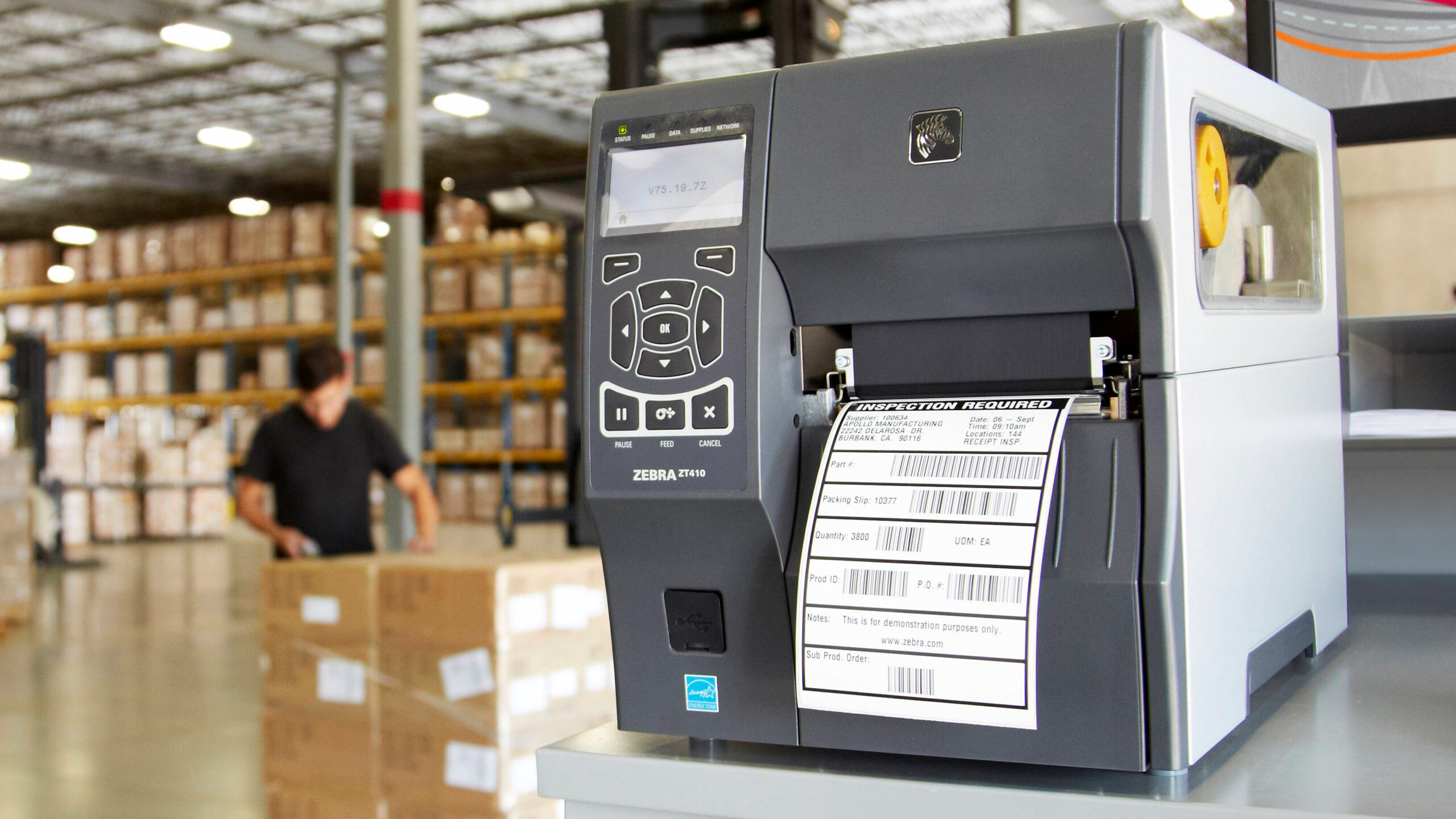

Shipping labels are easy until a regular printer turns a simple 4x6 label into a paper, ink, and alignment problem. A direct thermal printer removes that friction, but the differences between wireless apps, USB setup, label loading, and print speed matter when packages are stacked beside the desk.
We compared ten models for the features that affect everyday shipping, from 203 DPI barcode clarity to support for roll and fanfold labels. The Best thermal label printer for most small businesses is the NULLTONEX 4x6 Bluetooth Printer, while the list also includes compact bin-equipped models, a highly capable wired Rollo, and lightweight options for occasional use.
Comparison table
| # | Product | Award | Resolution | Print speed | Connectivity | Label widths | Best for |
|---|---|---|---|---|---|---|---|
| 1 | NULLTONEX 4x6 Bluetooth Printer | Best overall | 203 DPI | 150 mm/s | Bluetooth, USB | 1.57 to 4.3 inches | Small businesses needing flexible connections |
| 2 | JADENS Bluetooth Printer | Best for platform support | 203 DPI | Not specified | Bluetooth, USB | 1.57 to 4.1 inches | Sellers using many shipping platforms |
| 3 | Phomemo 241BT | Best for operating-system range | Not specified | 150 mm/s | Bluetooth, USB | 1 to 4.6 inches | Mixed home and business setups |
| 4 | KNAON Portable Printer | Best for app templates | Not specified | 180 mm/s | Bluetooth, USB | 1.5 to 4.2 inches | Custom labels beyond shipping |
| 5 | Omezizy D450BT | Best for a small label bin | 203 DPI | 150 mm/s | Bluetooth, USB | 1 to 4.6 inches | Tidy desks and internal label rolls |
| 6 | Nelko PL70E | Best compact all-rounder | 203 DPI | 150 mm/s | Bluetooth, USB | 1.54 to 4.1 inches | Home offices and small sellers |
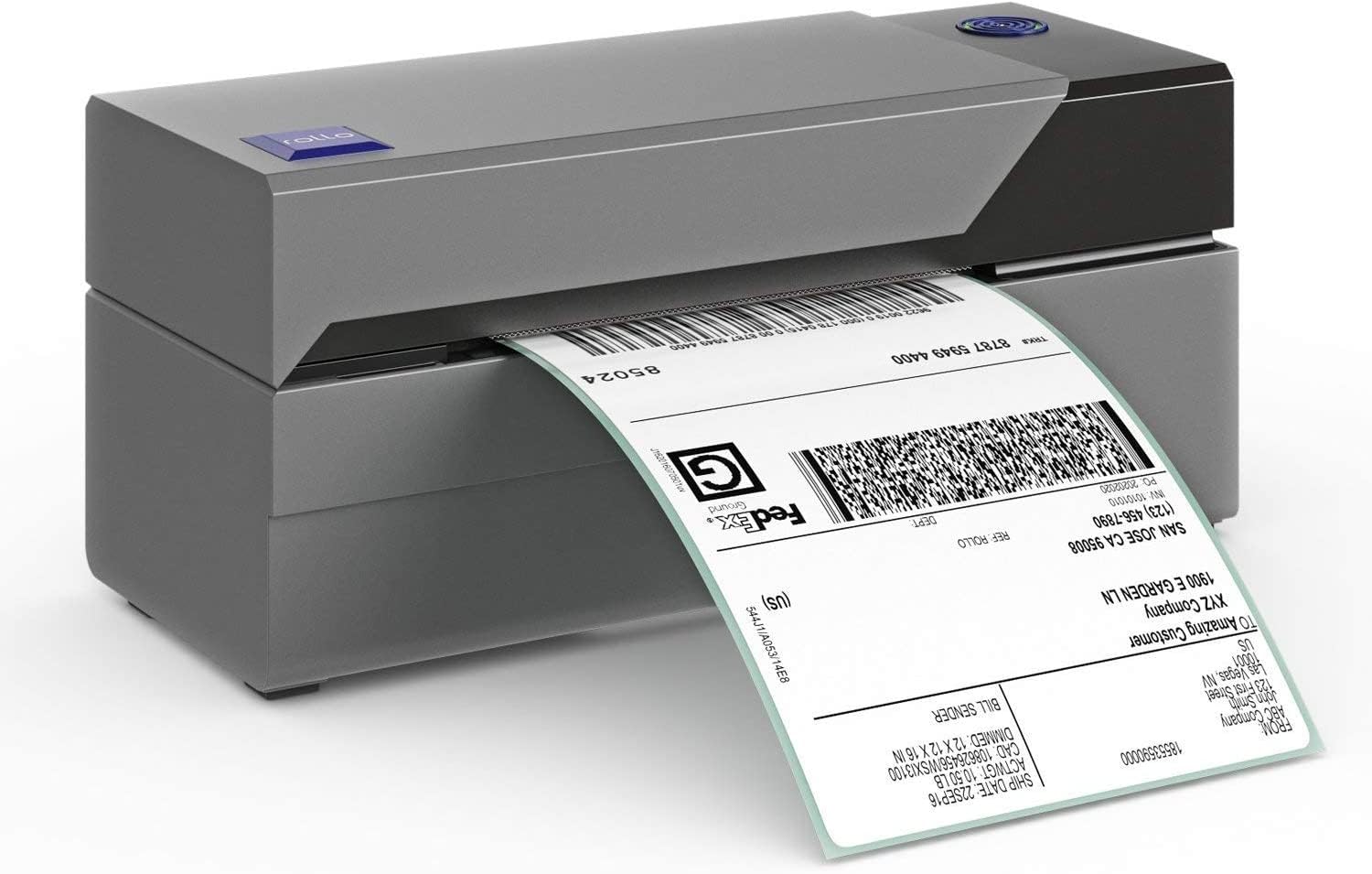
| 7 | Rollo USB Printer | Best wired printer | 203 DPI | 150 mm/s | USB | 1.57 to 4.1 inches | Reliable computer-based shipping |
| 8 | Rongta RP425 | Best for automatic label feeding | 203 DPI | 150 mm/s | Bluetooth, USB | 0.98 to 4.37 inches | Sellers using varied label sizes |
| 9 | Omezizy D520BT | Best for a larger built-in bin | Not specified | 150 mm/s | Bluetooth, USB | 1 to 4.6 inches | High-volume roll or fanfold printing |
| 10 | Labeer Bluetooth Printer | Best lightweight option | 203 DPI | Not specified | Bluetooth, USB | 1.57 to 4.41 inches | Occasional shipping and labeling |
1. NULLTONEX 4x6 Bluetooth Printer: Best Overall

Pros
- Bluetooth and USB connections
- 203 DPI output for readable barcodes
- Prints as fast as 150 mm/s
- Supports common marketplaces and carriers
- Includes 25 sheets of 4x6 labels
Cons
- Black-and-white printing only
- Bluetooth printing depends on the FlashLabel Pro app
- The listed dimensions are larger than several compact rivals
Best for: small businesses that want one printer for phone and computer workflows.
The first thing to like about the NULLTONEX 4x6 Bluetooth Printer is that it does not force a choice between a phone-first setup and a traditional desktop workflow. Bluetooth handles mobile printing through the FlashLabel Pro app, while USB gives a direct connection to a laptop or PC. That makes it a sensible shared printer for a small operation where one person prepares orders on a phone and another works from a computer.
Its 203 DPI direct thermal output is the right level for shipping work. Text, addresses, and barcodes should come out crisp without ink or toner, and the claimed 150 mm/s speed works out to as many as 72 4x6 labels per minute. That speed matters less for a handful of weekend orders, but it gives the printer room to keep up when a sales event creates a pile of packages. The built-in printhead overheat protection is a useful inclusion for longer runs.
The FlashLabel Pro app is more ambitious than a basic print utility. It includes more than 1, 800 templates, over 300 fonts, editing tools, and offline storage for designs. The printer accepts standard 4x6 labels along with widths from 1.57 to 4.3 inches, so it can handle barcodes, mailing labels, and smaller organizational labels. Compatibility covers Amazon, Shopify, Etsy, USPS, UPS, FedEx, and DHL, although the output remains black and white.
Compared with the JADENS Bluetooth Printer, the NULLTONEX has a faster stated print speed and a more expansive template count. The KNAON Portable Printer is faster on paper and more compact, but its app requirement is just as central to the experience. The weakness here is physical size: the listed dimensions are 9.06 by 15.75 by 18.5 inches, which looks much less desk-friendly than the compact measurements offered by some competitors. Anyone with very limited workspace should look at the Omezizy D450BT or Labeer Bluetooth Printer first.
For a seller who wants a flexible printer rather than a single-purpose shipping box, the NULLTONEX is the strongest fit. It combines the important essentials with useful app tools, and its USB fallback gives it a more dependable office role than a Bluetooth-only device.
2. JADENS Bluetooth Printer: Best for Platform Support

Pros
- Works with a long list of shipping platforms
- Handles roll and fanfold labels
- Bluetooth and USB connectivity
- Includes setup and troubleshooting resources
- One-year warranty is specified
Cons
- Android and iOS printing requires the JADENS app
- Label calibration is needed after changing sizes
- No print speed is specified
Best for: online sellers who use several marketplaces and shipping services.
The JADENS Bluetooth Printer is built around the reality that shipping software is rarely consistent from one seller to the next. Its compatibility list includes Endicia, Dazzle, ShipStation, ShippingEasy, Shippo, ShipWorks, Ordoro, eBay, Amazon, and Shopify, as well as common carriers. That breadth is its defining strength, especially for a seller who does not want to rebuild a workflow around a printer's preferred platform.
It uses a Japanese thermal print head with 203 DPI resolution, which is enough for clean addresses and scannable shipping barcodes. The printer supports label widths from 1.57 to 4.1 inches and accepts both fanfold and roll labels. That flexibility is practical in a workspace where shipping labels, warehouse labels, and smaller inventory labels share the same printer.
The connection details deserve attention. Windows 8 and later, plus Mac systems, can print through Bluetooth, while Android and iPhone users need the JADENS printer app. USB works with Windows 7 and newer and Mac OS 10.9 and newer. When changing label types, the feed button must be held to identify and calibrate the new size. That is not difficult, but it is one more step than a printer with automatic identification.
JADENS also supplies a USB drive with drivers, instruction videos, and troubleshooting videos, and it specifies a one-year warranty with email, phone, and remote support. The NULLTONEX 4x6 Bluetooth Printer has stronger published speed information and richer template numbers, while the Phomemo 241BT covers more operating systems. JADENS makes the better case for a platform-heavy shipping workflow, not for elaborate label design.
Skip it if you expect instant phone printing without an app or regularly swap labels without wanting to recalibrate. For everyone else, the JADENS is a straightforward shipping tool with unusually broad software and marketplace coverage.
3. Phomemo 241BT: Best for Operating-System Range

Pros
- Supports Windows, Mac, ChromeOS, and Linux over USB
- Bluetooth printing for iOS and Android
- Handles labels from 1 to 4.6 inches wide
- Prints up to 150 mm/s
- Supports barcodes, QR codes, and templates
Cons
- Requires Labelife software or app
- Black-and-white output only
- Genuine Phomemo paper is recommended for best results
Best for: households or small businesses with a mixed collection of computers and phones.
The Phomemo 241BT stands out when the printer has to serve more than one kind of device. A phone can send labels through the Labelife app, while computers connect by Bluetooth or USB. USB support extends to Windows, Mac OS, Chrome OS, and Linux, giving this model the broadest clearly stated computer compatibility in the group.
Its label range is also unusually wide, from 1 to 4.6 inches. That covers standard 4x6 shipping labels, narrow barcodes, product tags, forms, and QR codes without making the printer relevant only to parcel shipping. The printer uses direct thermal technology, so there is no ink, toner, or ribbon to manage. Phomemo states a print speed of 150 mm/s and up to 72 4x6 sheets per minute.
The software process is more involved than a conventional office printer. iPhone and Android users need Labelife from the relevant app store. A PC needs the 241BT driver, while Chrome OS requires the Labelife extension from the Chrome web store. That is reasonable for a label printer, but it means setup depends on following the correct path for each operating system.
The Phomemo can print from major services including eBay, Shopify, Amazon, Etsy, UPS, USPS, and FedEx. It also supports pre-made templates and label designs. The NULLTONEX 4x6 Bluetooth Printer is simpler if you already want FlashLabel Pro, and the JADENS Bluetooth Printer is a stronger fit for sellers focused on a long list of shipping platforms. Phomemo is the one to choose when Linux or ChromeOS support is central.
The main limitation is the software and paper ecosystem. The listing recommends genuine Phomemo thermal paper for crisp, long-lasting results, and the printer only produces black-and-white labels. It is a good match for a mixed-device home office, but less appealing to someone who wants the least possible setup work.
4. KNAON Portable Printer: Best for App Templates

Pros
- More than 3, 000 templates in the app
- Over 5, 000 icons and 100 fonts
- Stated speed up to 180 mm/s
- Compact 7.17 by 3.9 by 3.43-inch design
- Supports Bluetooth and USB
Cons
- All Bluetooth connections go through FlashLabel Pro
- Platform labels need to be saved as PDFs and imported
- Only ten test papers are included
Best for: users who print shipping labels alongside custom tags and small business labels.
The KNAON Portable Printer is not just aimed at shipping. Its app includes more than 3, 000 templates, 5, 000 icons, and 100 fonts, which makes it much more interesting for thank-you labels, name tags, price tags, and small product labels. If the printer will sit in a craft room or packing station and handle more than carrier paperwork, those design tools are the reason to consider it.
KNAON claims a top speed of 180 mm/s, the highest published figure in this roundup. It supports paper widths from 1.5 to 4.2 inches and works with standard shipping services and marketplaces including Amazon, eBay, Shopify, USPS, UPS, Etsy, PayPal, Poshmark, and DHL. The printer uses direct thermal paper, so the output is black and white and does not need ink.
The physical design is appealing for a crowded desk. The listed size is 7.17 by 3.9 by 3.43 inches, and the product is described as portable. USB works with Windows, macOS, ChromeOS, and Linux, while Windows 7 and later can also use Bluetooth after installing the driver. Phones connect through FlashLabel Pro rather than through the phone's ordinary Bluetooth printer menu.
That app dependence is the catch. A logistics label must be saved as a PDF from the shipping platform and then imported into FlashLabel Pro. It is a workable process, but it adds a handoff between the platform and the printer. The Phomemo 241BT has a similarly app-led workflow, while the NULLTONEX 4x6 Bluetooth Printer offers a more balanced combination of direct office use and mobile templates.
KNAON is the better pick for someone who cares about making labels, not simply reproducing them. Skip it if you want a minimal shipping workflow with no PDF import step. For small shops that need custom packaging labels as well as addresses, its compact body and unusually large template library are compelling.
5. Omezizy D450BT: Best for a Small Label Bin

Pros
- Internal compartment holds up to 250 4x6 labels
- Supports roll and fanfold paper
- Bluetooth and USB connections
- Automatic label alignment
- Compact 7.2 by 6.3 by 5.3-inch design
Cons
- The internal bin is limited to the larger Omezizy model's capacity
- Bluetooth printing uses an app
- Black-and-white output only
Best for: small desks where an internal roll compartment matters more than maximum capacity.
The Omezizy D450BT solves one of the most irritating label-printer problems: the roll holder taking up more space than the printer. Its built-in compartment holds an internal roll of up to 250 4x6 labels, and it also accepts folded paper from the rear. That keeps the packing area cleaner and avoids adding a separate support stand.
The printer handles widths from 1 to 4.6 inches, so its job is not restricted to shipping. It can print mailing, barcode, warehouse, organization, and pricing labels. Omezizy specifies 203 DPI clarity and a speed of 150 mm/s, or up to 72 4x6 labels per minute. Automatic alignment should help prevent the crooked starts and wasted labels that make basic thermal printers frustrating.
Both Bluetooth and USB are available. Bluetooth supports Android, iOS, Windows, macOS, Linux, and ChromeOS through the appropriate app or connection method, while USB covers the major desktop systems. The printer is compatible with USPS, UPS, eBay, FedEx, Amazon, Shopify, Etsy, PayPal, and Poshmark.
The NULLTONEX 4x6 Bluetooth Printer offers more app templates and a faster setup story, while the Omezizy D520BT has a much larger built-in bin. The D450BT is the middle ground between them. Its listed 7.2 by 6.3 by 5.3-inch size is genuinely useful, but the 250-label capacity will not suit a high-volume operation that wants to load once and print for a long stretch.
Choose it for a tidy home office or a small packing station. Avoid it if you regularly print hundreds of labels in one session and do not want to reload. Its advantage is not raw capability, but the way it turns a roll-fed printer into a contained desktop appliance.
6. Nelko PL70E: Best Compact All-Rounder

Pros
- 203 DPI resolution and 150 mm/s speed
- Supports roll and fanfold labels
- Works with labels from 1.54 to 4.1 inches
- Bluetooth and USB connectivity
- Useful support videos and setup resources
Cons
- Mac printing works through USB, not Bluetooth
- Mobile printing requires the NELKO app
- Platform PDFs must be uploaded to the app
Best for: home offices that need a small printer for shipping and general label work.
The Nelko PL70E is a sensible general-purpose model with few unusual tricks. It is small enough for a home office, but its feature set covers the practical requirements of shipping: direct thermal output, standard 4x6 support, roll and fanfold compatibility, and connections for both phones and computers.
The 203 DPI printhead and 150 mm/s speed put it alongside the mainstream models here. Nelko says it can produce up to 72 4x6 labels per minute, while its supported widths run from 1.54 to 4.1 inches. That gives it room for barcode labels, mailing labels, name tags, and smaller formats. There is no ink or toner, and the output is black and white.
The connection caveat is important for Mac owners. iPhone and Android users print with the NELKO app, and Windows 7 or later can connect over Bluetooth. Mac users with M1 or M2 processors can use the app and Bluetooth, but Mac OS generally uses USB according to the listing. USB also supports Windows 7 and later, Mac OS, and ChromeOS.
Like the KNAON Portable Printer, Nelko asks users to save a logistics label as a PDF and upload it to an editor app. That is less direct than the Rollo USB Printer's computer-focused workflow. The Omezizy D450BT is a better choice if internal label storage is the priority, while the NULLTONEX 4x6 Bluetooth Printer is stronger for broader app customization.
The PL70E makes most sense when the buyer wants a conventional compact thermal printer and does not mind app-based phone printing. Mac users who want wireless printing without qualification should skip it. Everyone else gets a well-rounded mix of speed, label support, and setup resources.
7. Rollo USB Printer: Best Wired Printer

Pros
- Commercial-grade wired design
- 203 DPI output at 150 mm/s
- USB setup for Windows and Mac
- Works with major shipping platforms
- Supports labels from 1.57 to 4.1 inches
Cons
- No Bluetooth connection
- Requires a computer for the stated setup
- No internal label bin is included in the listed features
Best for: established computer-based shipping stations that prefer a direct connection.
The Rollo USB Printer takes a different approach from nearly every other product here. It is not trying to be a phone accessory. Connect it to a Windows PC or Mac through USB, install the drivers, and use it as a dedicated shipping tool. That is a limitation for mobile-first sellers, but it is also the reason to choose it when a computer already anchors the packing station.
Its direct thermal printhead produces 203 DPI output at a stated 150 mm/s, or roughly one 4x6 label per second. Rollo supports label widths from 1.57 to 4.1 inches, so it can handle barcodes, stickers, product labels, QR code stickers, and business labels in addition to shipping paperwork. The listing does not require a proprietary label format in the stated compatibility details.
Rollo works with FedEx, UPS, USPS, Rollo Ship Manager, ShipStation, ShippingEasy, Shippo, ShipWorks, Amazon, Shopify, Etsy, eBay, and other platforms. Its complimentary Rollo Ship app can connect ecommerce platforms and includes shipping management features. The printer itself remains USB-only, though, so the app does not turn it into a Bluetooth printer.
The NULLTONEX 4x6 Bluetooth Printer is more versatile for mixed devices, and the JADENS Bluetooth Printer is a better fit for wireless marketplace workflows. Rollo's advantage is a cleaner computer-first setup and a commercial-grade positioning that should appeal to users who want a dedicated machine rather than an app-driven gadget.
Skip it if orders are created mainly on a phone, or if a wireless connection is essential. For a fixed desk with a Windows or Mac shipping computer, the Rollo is the most focused option in the group. Readers considering a broader office setup can also compare the different workflows in this guide to printing shipping labels without ink or toner.
8. Rongta RP425: Best for Automatic Label Feeding

Pros
- Automatic label identification and feeding
- Supports an unusually broad width range
- Bluetooth works with iOS and Android
- USB support for Windows, Mac, and ChromeOS
- Compact portable design
Cons
- Desktop drivers come from the Rongta website
- Phone printing requires the RONGTA app
- No label-bin capacity is specified
Best for: sellers who alternate between standard shipping labels and smaller barcode formats.
The Rongta RP425 earns its place through label handling. It automatically detects, grabs, and feeds labels, which can be more useful than a long template library when different sizes pass through the printer every day. The supported range starts at 0.98 inches and extends to 4.37 inches, covering 4x6 shipping labels as well as 2x2 circular labels, 2x1 barcode labels, and 1x1 QR labels.
Rongta specifies 203 DPI resolution and a maximum speed of 150 mm/s. That combination is familiar in this category, but it is still the right baseline for readable addresses and scannable codes. Direct thermal printing keeps the mechanism free of ink and toner, and the design is described as compact and portable.
Wireless printing works with iOS and Android phones and tablets through the RONGTA app. Windows and Mac computers use driver software from the official Rongta website, while the listing also names ChromeOS compatibility. The product dimensions are 10.2 by 7.4 by 5.3 inches, and its listed weight is about 1.43 pounds.
The D450BT from Omezizy has a better-defined internal roll solution, and the NULLTONEX 4x6 Bluetooth Printer offers more detailed app design tools. Rongta is the more convincing choice when automatic feeding and small label support are the priority. The trade-off is a less self-contained setup, since the listing does not specify a built-in bin or a bundled label supply.
Skip it if you want an internal roll compartment or a printer that arrives with a highly documented app ecosystem. Choose it for varied label work where automatic identification can save repeated manual adjustments.
9. Omezizy D520BT: Best for a Larger Built-in Bin

Pros
- Internal bin holds up to 500 4x6 labels
- Accepts roll and fanfold paper
- Bluetooth and USB connectivity
- Supports labels from 1 to 4.6 inches
- Setup materials and customer support are specified
Cons
- Larger than the D450BT
- Bluetooth requires the guided app process
- Resolution is not specified
Best for: higher-volume users who want to keep a large roll inside the printer.
The Omezizy D520BT is the capacity-focused alternative to the D450BT. Its built-in paper bin holds up to 500 4x6 labels, and it accepts both internal rolls and fanfold paper loaded from the rear. That is a meaningful advantage for a seller who prints regularly and does not want an external holder occupying part of the packing station.
It supports label widths from 1 to 4.6 inches, making it suitable for shipping, mailing, barcode, product, and organization labels. Omezizy lists a printing speed of 150 mm/s and an average of up to 72 4x6 labels per minute. The printer uses direct thermal technology, so daily operation centers on loading compatible labels rather than replacing ink or toner.
Connectivity is broad. Bluetooth works with Android, iOS, Mac, and Windows through the app described in the setup guide. USB supports Windows, Mac, ChromeOS, and Linux. The printer is compatible with USPS, UPS, TikTok, eBay, Etsy, Shopify, Amazon, PayPal, and Poshmark, giving it a useful range for online sellers.
The D450BT is more compact and holds up to 250 labels, so it is the better Omezizy for a tight desk. The NULLTONEX 4x6 Bluetooth Printer has a stated 203 DPI resolution and more extensive template information, while the D520BT wins on contained paper capacity. Its listed dimensions are 7 by 8.6 by 7 inches, so the larger bin comes with a larger footprint.
Choose the D520BT when fewer reloads matter more than minimal size. Skip it for occasional shipping or a narrow desk. It is a practical volume pick for a home business that has outgrown a small roll compartment but does not want a separate label holder.
10. Labeer Bluetooth Printer: Best Lightweight Option

Pros
- Listed weight is about 0.99 pounds
- 203 DPI direct thermal printing
- Supports iOS, Android, Windows, Mac, ChromeOS, and Linux
- Handles widths from 1.57 to 4.41 inches
- Includes USB drivers and setup resources
Cons
- No print speed is specified
- PDF label printing is the stated workflow
- No internal label bin is listed
Best for: occasional shippers who need a small, easy-to-store printer.
The Labeer Bluetooth Printer is the simplest lightweight option in this group. Its listed weight is about 0.99 pounds, with dimensions of 7.2 by 2.64 by 3.15 inches. That makes it easy to move between a desk and a storage shelf, or to keep available for occasional online sales without dedicating a large section of the workspace.
Labeer uses 203 DPI direct thermal printing and supports widths from 1.57 to 4.41 inches. The range covers standard 4x6 shipping labels, address labels, barcode labels, inventory labels, and product identification labels. The listing does not state a print speed, so buyers who regularly process large batches should favor a model such as the NULLTONEX 4x6 Bluetooth Printer or Rollo USB Printer with published 150 mm/s figures.
Device compatibility is broad: iPhone, Android, Windows, macOS, ChromeOS, and Linux are all named. The printer includes a USB drive with drivers and setup resources. Its stated workflow is designed for PDF label files, which suits return labels, inventory tags, and other documents that can be exported before printing.
The Phomemo 241BT offers a similarly broad operating-system range but adds a stated speed and more explicit template support. The Rongta RP425 is a better choice for automatic label identification, while Labeer is easier to justify when portability matters most. It does not have the internal roll capacity of either Omezizy model.
Skip it if your business prints hundreds of labels in a sitting or needs a built-in paper compartment. For an occasional shipper, home organizer, or small seller who values a printer that barely occupies the desk, its light design and broad compatibility make sense.
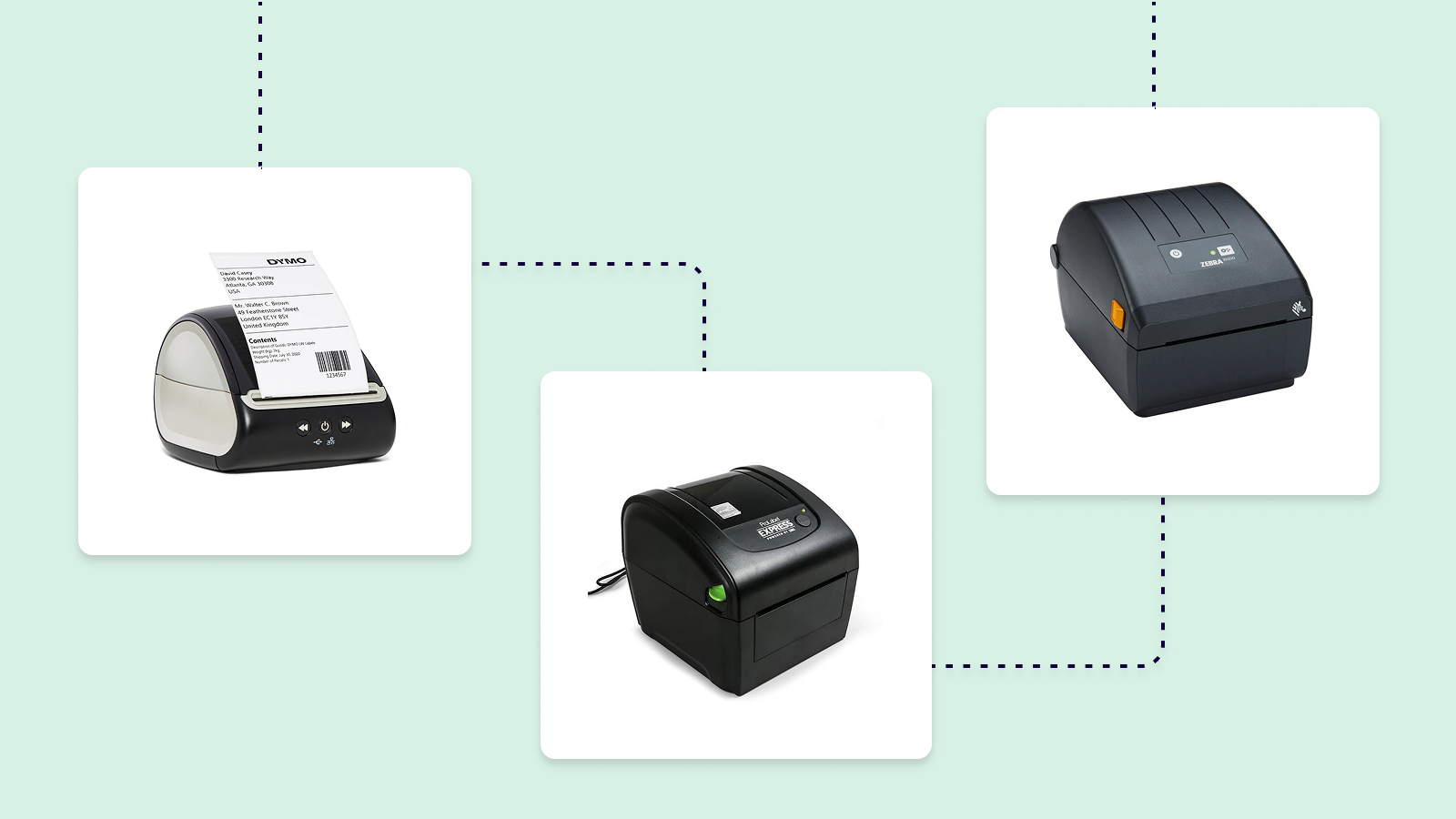
How to choose best thermal label printer
The right thermal label printer is defined less by its marketing name than by how it handles your labels, devices, and daily shipping routine.
Print resolution
Resolution affects the edges of text, barcodes, and QR codes. The 203 DPI models in this roundup are designed for ordinary shipping labels and should provide the clarity needed for scanning, while an unspecified resolution leaves less information for comparison. For address labels, 203 DPI is a sensible baseline.
Print speed
Speed matters when orders arrive in batches. A stated 150 mm/s rate, which several models list as up to 72 4x6 labels per minute, is enough for a busy small packing station. The KNAON Portable Printer claims up to 180 mm/s, but occasional shippers will notice setup and label handling more than the maximum rate.
Connection method
Bluetooth is convenient for phones and tablets, but it commonly requires a dedicated app. USB is usually the steadier choice for a Windows or Mac desk. Check the operating-system details carefully: the Nelko PL70E listing says Mac printing uses USB in general, while the Phomemo 241BT explicitly supports USB on Windows, Mac, ChromeOS, and Linux.
The easiest printer is the one that matches the device where your shipping label is created.
Label width and feeding
Most of these printers support standard 4x6 labels, but their wider ranges differ. The Rongta RP425 starts at 0.98 inches, while the Phomemo 241BT reaches 4.6 inches. Automatic identification can help when changing sizes, and roll or fanfold support matters if your labels arrive in different formats.
Paper storage
An internal bin keeps a roll protected and removes the need for a separate holder. The Omezizy D450BT holds up to 250 4x6 labels, while the D520BT holds up to 500. A compact printer without an internal bin may still be better for a small desk if you print only occasionally.
Frequently asked questions
Do thermal label printers need ink?
Direct thermal printers use heat-sensitive labels instead of ink, toner, or ribbons. The label surface darkens where the printhead applies heat. This keeps the printer mechanism simple, but it means you need compatible thermal labels.
Can these printers print standard 4x6 shipping labels?
Yes. Every product in this roundup is described as supporting 4x6 shipping labels. Several also accept narrower labels for barcodes, inventory, mailing, or organization tasks.
Can I print from an iPhone or Android phone?
Most of these models support phone printing through a companion app. The NULLTONEX and KNAON use FlashLabel Pro, Phomemo uses Labelife, Nelko uses the NELKO app, and Rongta uses the RONGTA app. The Rollo USB Printer is the exception in this list because its stated connection is USB to a Windows computer or Mac.
Are thermal shipping labels waterproof?
The printer data does not establish that every compatible label is waterproof. Durability depends on the specific thermal label stock, so check the label manufacturer's material and coating details before using labels outdoors or in wet conditions.
Can thermal label printers print color?
The models whose features mention output color are black-and-white printers. Thermal printers in this category are intended for monochrome text, barcodes, and graphics, not ordinary color label printing.
Which model is easiest to use with a Mac?
The answer depends on whether you want USB or Bluetooth. The Rollo USB Printer has a direct Mac USB setup, while the Phomemo 241BT supports Mac through USB and Bluetooth with the required software. The Nelko PL70E specifically notes USB for Mac OS, so it is not the strongest choice for a simple Mac wireless workflow.
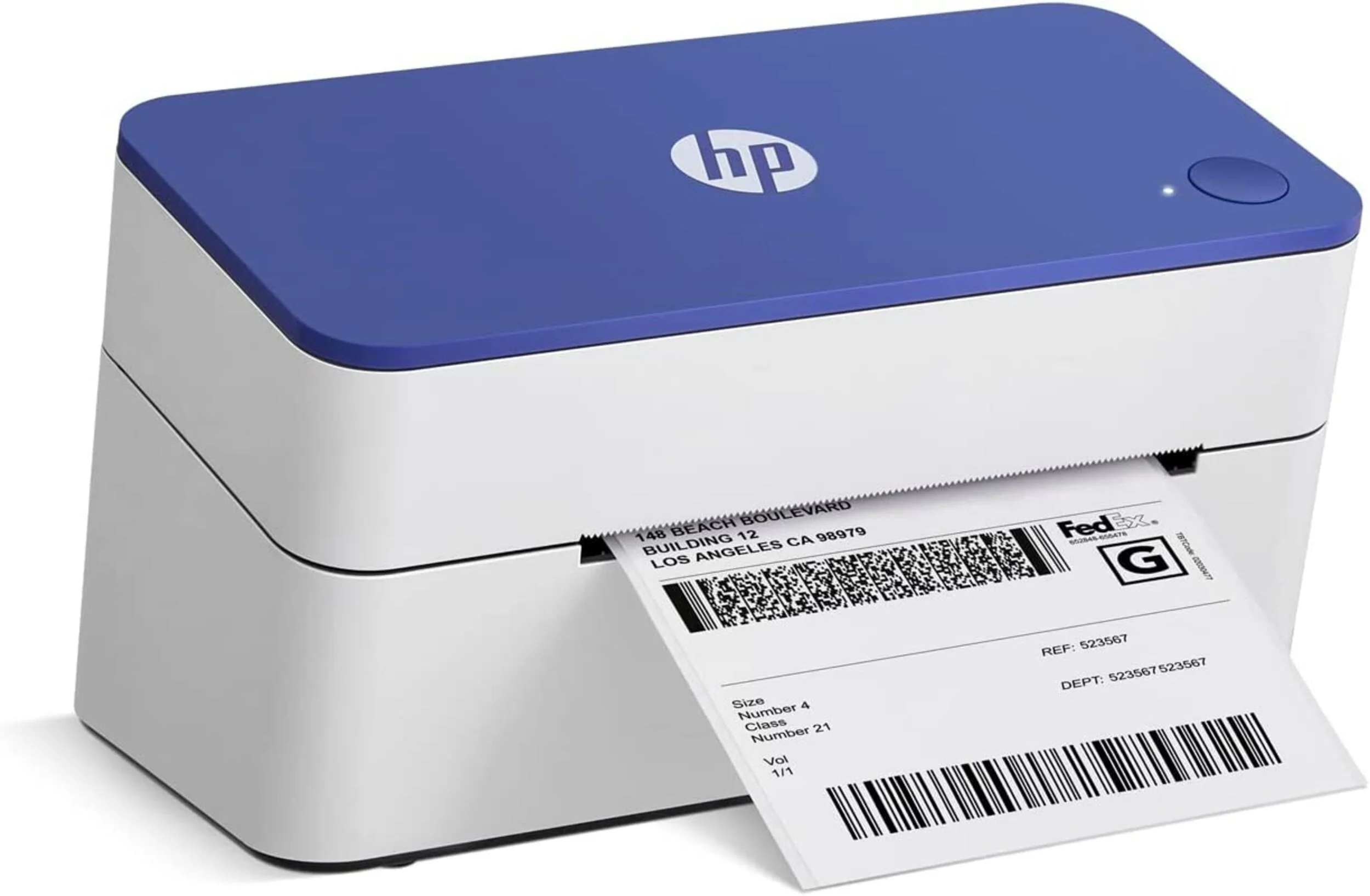
The bottom line
The Best thermal label printer for most small businesses is the NULLTONEX 4x6 Bluetooth Printer. It combines 203 DPI output, a stated 150 mm/s speed, Bluetooth and USB, broad platform support, and a capable template app. Its large listed dimensions are the weakness, so the Omezizy D450BT is a better fit for a crowded desk.
Choose the Rollo USB Printer when a Windows or Mac computer is permanently part of the packing station and wireless printing is unnecessary. Choose the Omezizy D520BT when keeping up to 500 4x6 labels inside the printer matters more than having the smallest body.
If you are undecided, start with the device you use to create labels, then choose the printer that connects to it without an extra workaround.
As an Amazon Associate we earn from qualifying purchases.