

A screen in a shop, lobby, conference room, or restaurant has a harder job than a living room television. It may need to show menus or promotional graphics for long hours, remain readable under bright lights, and let staff update content without turning every change into a technical project. The Best best tv for commercial use options should handle those jobs directly.
This list covers commercial Samsung Pro TVs, large LG signage displays, and the unusual HORION interactive screen. Some are straightforward displays for a separate media player. Others include content management tools, wireless casting, or signage controls that can reduce the number of extra devices behind the screen.
Our top pick is the Samsung 50-Inch BEC-H TV, while the LG PK640S 65-inch is the stronger choice for built-in signage management. The nine picks range from compact commercial screens to a very large 86-inch display.
Comparison table
| # | Product | Award | Screen | Brightness or duty cycle | Best for |
|---|---|---|---|---|---|
| 1 | Samsung 50-Inch BEC-H TV | Best overall | 50-inch, 4K | HDR, 3D surround sound | General signage and business TV |
| 2 | HORION 55-Inch Interactive Display | Best for meetings | 55-inch, 4K | 320 cd/m² | Conferences and wireless casting |
| 3 | Samsung 43-Inch BE43T-H Pro TV | Best compact Samsung | 43-inch, 4K | 250 nits, 16/7 | Smaller counters and offices |
| 4 | Samsung 65-Inch BEC-H TV | Best large Samsung | 65-inch, 4K | HDR, 3D surround sound | Large rooms and lobby signage |
| 5 | Samsung 55-Inch BE55T-H Pro TV | Best Samsung for extended use | 55-inch, 4K | 250 nits, 16/7 | Regular daily business broadcasts |
| 6 | LG PK340S 75-Inch Display | Best large signage system | 75-inch, 4K | 16/7 | Hospitality and presentations |
| 7 | LG PK640S 65-Inch Display | Best managed signage | 65-inch, 4K | 16/7 | Multi-screen business installations |
| 8 | LG PK340S 86-Inch Display | Best extra-large screen | 86-inch, 4K | 300 nits, 5000:1 contrast | Large venues and conference rooms |
| 9 | LG PK640S 55-Inch Display | Best connected 55-inch display | 55-inch, 4K | 300 nits, 16/7 | Retail and office signage |
1. Samsung 50-Inch BEC-H TV: Best Overall

Pros
- 4K picture with PurColor and HDR
- Contrast Enhancer adds visible depth to signage
- 3D surround sound and Alexa built in
- More manageable than the larger Samsung models
Cons
- No brightness figure is supplied
- Does not include the broader built-in CMS feature set found on the newer LG displays
- 50-inch size may be small for a large lobby
Best for: businesses that need a polished commercial TV for everyday signage, presentations, and general viewing.
The Samsung 50-Inch BEC-H TV is the easiest recommendation here because it does not force a business into one narrow use case. It is large enough for a reception area or meeting room, but not so large that placement becomes the main project. Its commercial positioning also makes more sense than simply choosing a household television and hoping it behaves well in a business setting.
The picture is built around 4K resolution, PurColor, HDR, and Samsung's Contrast Enhancer. PurColor is aimed at a wider, more lifelike range of colors, which matters when a menu, logo, or promotional image depends on clean color separation. HDR can preserve more detail across bright and dark parts of a scene, while Contrast Enhancer dynamically adjusts contrast to create a stronger sense of depth. Those features are more useful for advertising graphics and video than a bare resolution label suggests.
Audio is another reason this screen stands out. The BEC-H includes virtual top-channel audio and 3D surround sound, so spoken presentations and ambient video do not immediately require a separate soundbar. That does not make it a substitute for a dedicated venue sound system, but it is a sensible built-in arrangement for a reception desk, office, or small hospitality space.
The Samsung 50-Inch BEC-H TV is a more balanced choice than the 65-inch BEC-H when viewing distance is moderate. The 65-inch model creates more impact, but the 50-inch version is easier to position and less likely to overwhelm a compact room. The Samsung 55-Inch BE55T-H offers a commercial 16/7 operating schedule, but this newer BEC-H model has the more appealing picture and audio feature set.
Its weakness is the lack of a stated brightness figure. If the screen will face strong daylight or a brightly lit storefront, the 300-nit LG models and the 320 cd/m² HORION provide clearer information for judging visibility. This Samsung is better suited to controlled indoor lighting. Choose it when you want one dependable commercial display that handles signage and regular TV duties without becoming a sprawling installation.
2. HORION 55-Inch Interactive Display: Best for Meetings

Pros
- 55-inch 4K screen with 320 cd/m² brightness
- Wireless casting for PC, Android, iOS, and Mac
- Separate 2.4 GHz and 5 GHz Wi-Fi modules
- Portrait mounting support with a 300 by 300 mm VESA pattern
- Low blue light certification
Cons
- Its interactive conference focus may be more than a simple signage loop requires
- The listing does not provide a formal operating schedule
- The product dimensions make wall planning important
Best for: conference rooms, classrooms, and venues where signage and wireless presentations share one screen.
The HORION 55-Inch Interactive Display is the outlier in this group. It is not merely a large panel for looping advertisements. Its TV and meeting modes, agenda timer, voting tool, and wireless casting make it a more active part of a conference room or classroom. For a business that regularly switches between presentations and promotional content, that flexibility is its defining advantage.
Its 4K screen is listed at 320 cd/m², and the 68% NTSC color gamut specification gives some useful context about its intended visual performance. The brightness should help graphics remain legible in a reasonably bright room, while the 178-degree viewing angle is useful when people are spread around a boardroom or waiting area. It is not a replacement for a specialized high-brightness outdoor sign, but its stated output is stronger than the 250-nit Samsung BE43T-H and BE55T-H.
Wireless connectivity is the real story. K-share supports Miracast and AirPlay casting from PC, Android, iOS, and Mac devices, so a presenter can share content without immediately hunting for the correct cable. HORION also lists dual independent Wi-Fi modules, with one channel dedicated to casting or hotspot duties and another for internet access. That arrangement is unusually practical for a busy meeting environment where a presentation should not compete with the display's own connection.
The portrait mounting support expands its signage role. The 300 by 300 mm VESA mount can be used for a vertical lobby directory or a shelf-edge promotional screen, and the reinforced stainless steel backplate is specified to withstand daily commercial use. The display is also listed with TÜV Rheinland-certified low blue light technology that reduces harmful wavelength emission by 40 percent. That detail may matter in healthcare, education, and other spaces where people remain near the screen for long periods.
Compared with the Samsung 50-Inch BEC-H, the HORION gives up some of Samsung's picture-processing and built-in audio emphasis in exchange for meeting tools and wireless sharing. Compared with the LG PK640S 55-Inch Display, it is more presentation-oriented, while the LG has a clearer signage-management focus with LAN, Wi-Fi, and group control. Skip the HORION if all you need is a scheduled advertising loop. Pick it when the display must be useful before, during, and after a meeting.
3. Samsung 43-Inch BE43T-H Pro TV: Best Compact Samsung

Pros
- Compact 43-inch 4K format
- Two HDMI and two USB ports
- Wi-Fi 5 and Bluetooth support
- Samsung Pro TV app for creating content
- 16/7 operating schedule
Cons
- Listed brightness is 250 nits
- Consumer apps are limited, with an external media player required for services beyond YouTube
- Smaller viewing area than the other Samsung choices
Best for: offices, counters, small retail spaces, and rooms where a 55-inch or larger screen would dominate.
The Samsung 43-Inch BE43T-H Pro TV makes the most sense when the installation has a physical limit. At 43 inches, it can fit behind a reception desk, in a small waiting area, or in an office without turning the screen into the room's central feature. It still provides a 4K display, so small text and sharp product photography have a better chance of holding together than they would on a lower-resolution panel.
Samsung gives this model a straightforward connection set: two HDMI ports, two USB ports, one terrestrial RF input, and one cable RF input. Wi-Fi 5 and Bluetooth are also supported. That makes it suitable for a media player, a laptop, a tuner connection, or USB-based playback without immediately needing a switcher. The 22-inch height and 37.9-inch length listed for the display without a stand help with basic wall or cabinet planning, although mounting hardware is a separate consideration.
The Pro TV app is the most useful business feature. Samsung says content can be created from a phone or tablet through a guided process, which is more approachable than building a signage workflow around a dedicated computer. The screen is also specified for 16/7 operation, meaning it is designed for sixteen hours a day, seven days a week rather than constant operation.
There is an important software limitation. The listing says the TV supports YouTube but requires an external media player for consumer services such as Netflix or Amazon Prime Video. That is not necessarily a problem in a commercial installation, where a controlled player is often preferable, but it should be settled before the screen goes on the wall. A business expecting a broad collection of built-in entertainment apps should look elsewhere.
The 250-nit brightness is adequate for many indoor offices and quieter retail areas, but it gives less headroom than the HORION's 320 cd/m² or the LG PK640S displays rated at 300 nits. The Samsung 50-Inch BEC-H has a more ambitious picture feature set, while the 55-inch BE55T-H gives you more screen area and the same 16/7 concept. Choose this model for a compact, controlled installation where size and simple content creation matter more than maximum brightness.
4. Samsung 65-Inch BEC-H TV: Best Large Samsung
Pros
- Large 65-inch 4K screen
- PurColor, HDR, and Contrast Enhancer
- 3D surround sound
- Suitable for prominent signage and presentations
- Same BEC-H picture approach as the smaller top pick
Cons
- No brightness figure is supplied
- Takes substantially more wall space than the 50-inch version
- Built-in signage management is less clearly described than on the LG models
Best for: lobbies, conference rooms, and retail spaces where a large Samsung screen creates stronger visual impact.
The Samsung 65-Inch BEC-H TV is the large-screen version of our top pick, and the size changes the way it should be used. This is a display for a lobby wall, a substantial conference room, or a retail space where content needs to be seen from farther away. It is not simply a larger substitute for a 43-inch office screen. The 65-inch panel makes headlines, menus, and presentation graphics easier to read across a room.
The core picture features are the same kind that make the 50-inch model appealing. PurColor aims for a broad color range, HDR expands the range of light and dark detail, and Contrast Enhancer dynamically adjusts contrast for more depth. The panel is also 4K, giving detailed source material room to show fine text and product imagery clearly. These features are most convincing when content is well prepared. They cannot rescue a tiny or poorly compressed signage graphic.
Samsung includes virtual top-channel audio and 3D surround sound. For a presentation room or informational display, that can keep the installation clean and avoid adding a separate speaker system immediately. In a large, noisy venue, built-in television audio will still have practical limits, so the screen should not be selected as a substitute for a room-wide sound system.
The main decision is between this model and the LG PK340S 75-Inch Display. The LG offers webOS 25, built-in content and group management, LAN and RS-232 control, and a stated 16/7 duty cycle. The Samsung counters with a familiar picture-processing package and the same BEC-H design as the smaller top pick. If the installation centers on signage scheduling and centralized control, LG is the more complete platform. If the priority is a large Samsung display for mixed viewing and presentations, this 65-inch model is the better fit.
As with the 50-inch version, the missing brightness figure is a concern for sunlit storefronts. Its 57.1-inch width also demands careful wall planning, especially if viewers will stand close to the screen. Choose it for indoor spaces where the large format and Samsung picture treatment matter more than a documented brightness rating or a built-in signage CMS.
5. Samsung 55-Inch BE55T-H Pro TV: Best Samsung for Extended Use
Pros
- 55-inch 4K Crystal UHD screen
- 16/7 operating schedule
- Samsung Pro TV app for mobile content creation
- HDR support
- Slim 2.4-inch listed depth
Cons
- 250-nit brightness is lower than several LG alternatives
- External media player needed for many consumer streaming services
- Older platform than the newer BEC-H models
Best for: businesses that want a familiar Samsung commercial TV for scheduled daily operation.
The Samsung 55-Inch BE55T-H Pro TV is a sensible workhorse for a business that knows exactly what it needs: a 4K screen, a commercial operating schedule, and a simple way to create content. Its 55-inch size is a useful middle ground. It is more visible than the 43-inch BE43T-H, without taking on the wall presence of the 65-inch Samsung BEC-H.
Samsung's Crystal UHD display and Crystal Processor 4K are intended to keep source content looking sharp and color-accurate. HDR support adds a wider spectrum of light and color for compatible material. For signage, the processor matters most when the source is mixed, since a business may show a combination of video, still graphics, and standard broadcast content rather than one carefully matched feed.
The 16/7 operating schedule is the feature that separates this from an ordinary living room television. It is designed for sixteen hours of use per day, every day of the week, which maps neatly to many store, office, hotel, and reception schedules. The Samsung Pro TV app also lets users create dynamic content from an iOS or Android phone or tablet. That combination reduces the friction of updating a promotion or informational screen.
The 250-nit brightness is the constraint. It can work well in a controlled indoor environment, but it offers less stated output than the 300-nit LG PK640S 55-Inch Display and the 320 cd/m² HORION. The LG also adds LAN and Wi-Fi control plus content and group management, making it a better choice for multiple screens. The Samsung's advantage is the simpler, more familiar commercial TV approach.
The BE55T-H also does not behave like a general consumer streaming TV. The listing specifies an external media player for services such as Netflix or Amazon Prime Video, while YouTube is supported. That limitation is easy to handle when the business already uses a managed player, but it is important for anyone expecting apps to be the center of the installation. Pick this Samsung for predictable 16/7 signage in a moderate-light room, and skip it if bright storefront visibility or centralized multi-screen control is the priority.
6. LG PK340S 75-Inch Display: Best Large Signage System

Pros
- Large 75-inch 4K screen
- webOS 25 with built-in content and group management
- LAN and RS-232 control
- HDR10 and HLG support
- ATSC and Clear QAM tuner
Cons
- Listed operating schedule is 16/7, not continuous 24/7 use
- Brightness is not specified
- The large screen needs substantial wall or stand space
Best for: hotels, offices, retail spaces, and presentation rooms that need a large managed display.
The LG PK340S 75-Inch Display is the first pick here that feels like a signage platform before it feels like a conventional TV. Its 75-inch 4K screen gives presentations, announcements, and promotional content the scale needed for a lobby or hospitality setting. The physical size is the reason to choose it, but the embedded software is what makes it practical to operate.
The display uses a 3840 by 2160 UHD resolution with HDR10 and HLG support. HDR can add stronger separation between bright highlights and darker areas in compatible video, while 4K gives small text and detailed graphics a denser canvas. LG also includes a built-in webOS 25 platform with content and group management. That allows users to create, schedule, and play signage content without automatically adding an external media player.
Control options are well suited to an installed display. LAN and RS-232 connectivity can support centralized management across a business environment, and the screen is compatible with LG SuperSign CMS and ConnectedCare, with ConnectedCare listed as optional. The PK340S also includes HDMI inputs and USB playback, so a local laptop, media source, or USB drive can remain part of the workflow.
The built-in ATSC and Clear QAM tuner makes it more flexible than a display intended only for signage. That matters in hospitality and office settings where the same screen might show scheduled information during the day and broadcast content at another time. Built-in speakers are also included. The documented 16/7 duty cycle is appropriate for many businesses, but it should not be confused with a display rated for uninterrupted operation around the clock.
Compared with the Samsung 65-Inch BEC-H, this LG is larger and much clearer about its content-management and control features. The Samsung has a more explicit 3D surround sound feature, while the LG is better aligned with multi-screen signage administration. The LG PK640S 65-Inch Display adds Wi-Fi to a similar webOS 25 approach and is easier to place, so it is the better choice when 75 inches would be excessive. Select this one when visibility across a large indoor space is the central requirement.
7. LG PK640S 65-Inch Display: Best Managed Signage

Pros
- 65-inch 4K display with HDR10 Pro and HLG
- Built-in webOS 25 content and group management
- Wi-Fi, LAN, and RS-232 control
- 16/7 commercial operating schedule
- USB playback and built-in speakers
Cons
- 65-inch screen is heavy and requires careful installation
- ConnectedCare and some CMS functions are optional
- Brightness is not stated in the supplied details
Best for: businesses managing signage across rooms, departments, or multiple commercial displays.
The LG PK640S 65-Inch Display is the strongest choice for a business that cares about managing content as much as showing it. The 65-inch format works in a lobby, conference room, hotel, or retail environment, but it remains easier to place than the 75-inch and 86-inch LG models. It has enough visual presence for public-facing signage without making every installation a large-format project.
The 4K panel supports HDR10 Pro and HLG, giving compatible video more range in highlights, shadows, and color. Those formats are less important for a simple text announcement, but they can help product video, hospitality imagery, and corporate presentations look more polished. LG also lists a direct signage workflow through webOS 25, with embedded content and group management for creating, scheduling, and controlling material without an external media player.
Connectivity is the major advantage over several Samsung alternatives. Wi-Fi supports wireless connection, while LAN and RS-232 provide options for installed control systems. USB playback and HDMI keep local sources available, and built-in speakers cover routine announcements or presentation audio. The display also supports LG SuperSign CMS and ConnectedCare, though ConnectedCare is identified as optional.
The 16/7 duty cycle is appropriate for a business that operates during defined daytime and evening hours. It is a more relevant specification for commercial use than a generic smart-TV feature list. The 64-inch listed length and 43.7-pound listed weight still deserve attention during installation, particularly on a partition wall or mobile stand.
This LG beats the Samsung 55-Inch BE55T-H when remote control and signage organization matter, and it is easier to manage than the Samsung 65-Inch BEC-H. The Samsung offers a more traditional TV experience and 3D surround sound, while this LG has the clearer business administration story. The PK340S 75-Inch is the step up for viewing distance, but the 65-inch PK640S is the more versatile choice for most multi-room deployments. Skip it only if you need a very simple television or a documented brightness number before proceeding.
8. LG PK340S 86-Inch Display: Best Extra-Large Screen

Pros
- Very large 86-inch 4K format
- 300 nits brightness
- 5000:1 contrast ratio
- webOS 25 signage platform and built-in CMS
- HDMI connectivity and 16/7 operation
Cons
- 73.6-pound listed weight complicates installation
- Requires a large room and substantial mounting surface
- Not intended for continuous 24/7 operation
Best for: conference rooms, retail environments, hotels, and venues where content must be visible from a long distance.
The LG PK340S 86-Inch Display is for situations where a normal large TV still feels too small. An 86-inch screen can make a conference presentation readable from the back of the room and give retail or hospitality signage genuine visual authority. It also removes any ambiguity about the installation's scale. This is not a discreet office screen.
LG lists 4K resolution at 3840 by 2160, along with HDR10 and HLG support. The 300-nit brightness rating is useful because it gives installers a concrete starting point for judging a bright indoor environment. The 5000:1 contrast ratio should produce deeper blacks and stronger separation between dark and bright areas, which can help video and high-contrast promotional material. As always, direct sunlight is a much more difficult challenge than ordinary indoor lighting.
The webOS signage platform and built-in content management system are central to the product. Content can be managed, scheduled, and controlled on the display without requiring an external computer for every task. Multiple HDMI inputs make it easier to connect presentation equipment or other media sources. The listing also describes the screen as suitable for retail, hospitality, offices, and conference rooms.
The 16/7 operating schedule is a good match for a business that closes overnight. It is not a statement that the screen should run continuously every hour of every day. The listed 73.6-pound weight also makes installation a two-person or professional mounting job in many settings, and the physical dimensions should be planned before the unit arrives.
The 86-inch LG is more visible than the LG PK340S 75-Inch, but the smaller model is easier to install and may be more comfortable in a normal lobby. The LG PK640S 65-Inch gives up screen size but adds Wi-Fi, LAN, and RS-232 control in its listed feature set. Choose the PK340S 86-Inch when viewing distance is the problem to solve. Skip it when the room is compact or content management matters more than maximum scale.
9. LG PK640S 55-Inch Display: Best Connected 55-Inch Display

Pros
- 55-inch 4K screen with HDR10 Pro and HLG
- 300-nit brightness
- LAN, Wi-Fi, HDMI, and RF connectivity
- Built-in webOS 25 content management
- 16/7 duty cycle and direct-lit LED backlight
Cons
- Advanced SuperSign CMS and ConnectedCare features are optional
- Smaller than the 65-inch LG PK640S
- The listing does not provide a full set of physical dimensions
Best for: retail, office, and hospitality installations that need a connected 55-inch signage screen.
The LG PK640S 55-Inch Display is the most practical LG for a smaller signage installation that still needs network control. Its 55-inch size fits the same general placement class as the Samsung BE55T-H and the HORION, but the LG is more explicitly built around signage administration. It is a good fit for a reception area, menu board, office display, or hotel information screen.
The 4K resolution is 3840 by 2160, with HDR10 Pro and HLG support. LG specifies 300-nit brightness, which gives it a useful advantage over the 250-nit Samsung commercial models in rooms with more ambient light. The direct-lit LED backlight is described as providing uniform brightness across the screen. That matters for menus and large blocks of color, where uneven illumination can be distracting.
The connectivity list is broad for this size. There are two HDMI 2.0 inputs, RF coax, Wi-Fi, and LAN, with HDMI ARC and CEC support for compatible audio and device control. The embedded webOS 25 platform can handle content, apps, and business workflows without automatically adding a separate media player. Content and group management can be handled through a remote, mouse, or mobile device, while optional SuperSign CMS provides a route to larger deployments.
The 16/7 duty cycle suits regular business hours, and optional ConnectedCare can support remote monitoring and maintenance. Those optional features should be treated as part of a possible installation plan rather than assumed inclusions. If you are comparing screens for a chain of locations, clarify which management functions you need before standardizing on the model.
The LG PK640S 55-Inch Display is more connected than the Samsung 55-Inch BE55T-H, and its 300-nit rating is more reassuring than the Samsung's 250 nits. The HORION is more compelling for wireless presentations and interactive meetings, while the LG is better for scheduled signage and networked control. Choose this display when you want a manageable 55-inch commercial screen without moving up to the larger LG models.
How to choose best tv for commercial use
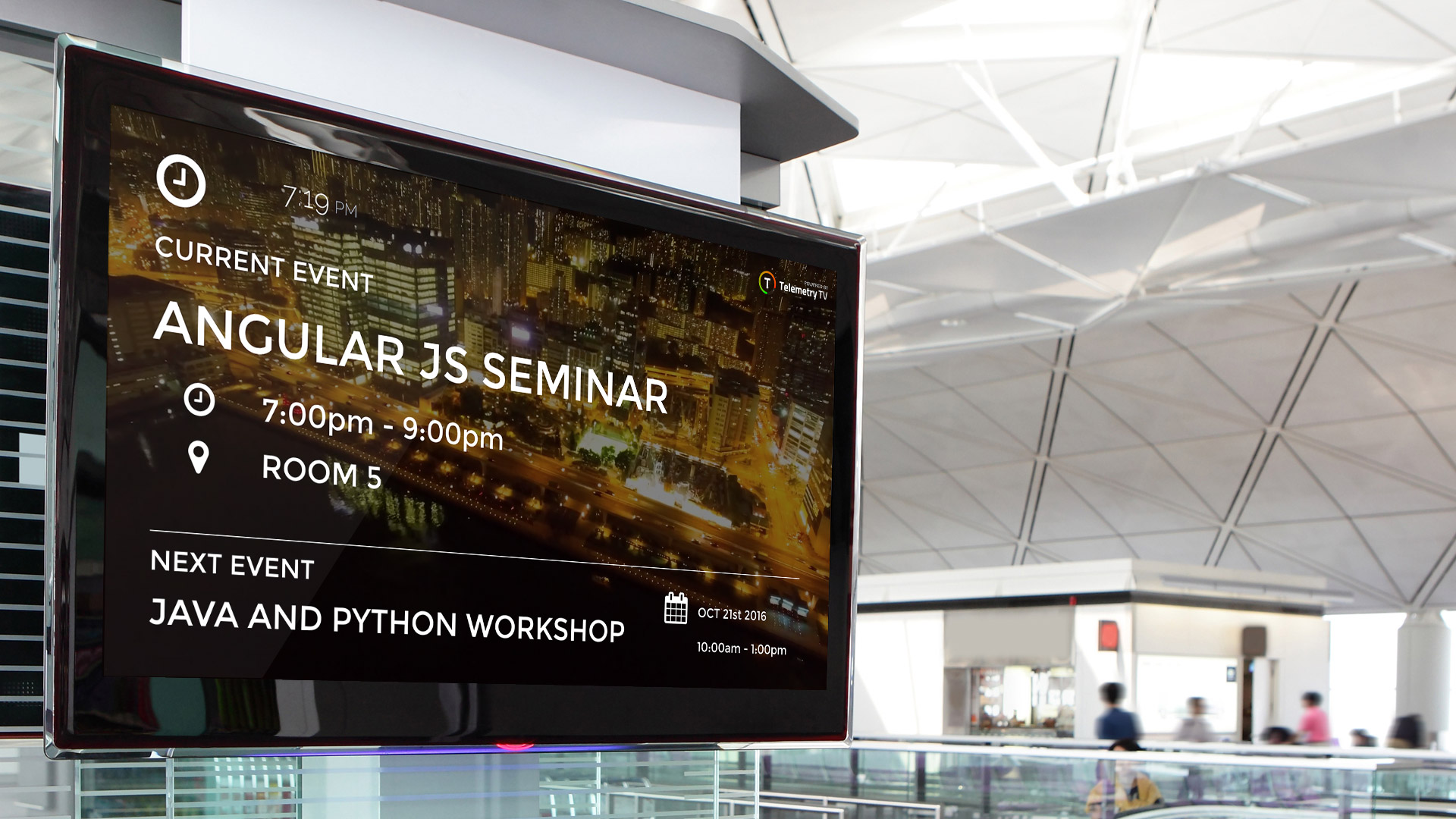
Choosing the Best best tv for commercial use means matching the display to its operating hours, viewing distance, lighting, and content workflow. The most impressive screen on paper can be the wrong choice if staff cannot update it easily or the picture fades into a bright storefront.
Brightness and room lighting
Brightness determines how easily signage remains visible when daylight, overhead fixtures, or shop lighting hit the screen. The listed Samsung BE43T-H and BE55T-H models are 250 nits, the LG PK640S 55-Inch and LG PK340S 86-Inch are 300 nits, and the HORION is listed at 320 cd/m². Those figures provide a useful comparison for indoor spaces, although they do not predict performance in direct sunlight.
A dim office or interior corridor may be comfortable with a lower figure. A retail window, bright lobby, or restaurant with strong overhead lighting calls for more output and careful placement.
Brightness only helps if the screen faces the audience instead of a window or a bank of lights.
Operating schedule
Commercial displays are designed around defined operating schedules rather than casual evening viewing. Samsung's BE43T-H and BE55T-H and the LG signage models list 16/7 operation. That means sixteen hours per day, seven days per week, which suits many shops, hotels, offices, and reception areas.
Do not treat a 16/7 rating as continuous-use certification. If the screen must run all day and night, verify that the selected model is intended for that schedule before installation.
Content management
A display with webOS 25 and built-in content or group management can reduce the need for a separate media player. The LG PK340S and PK640S models are the strongest choices for scheduling and managing signage directly. Samsung's Pro TV app gives the BE43T-H and BE55T-H a simpler mobile content workflow.
A separate player can still be useful when the business already has a controlled signage system or needs consumer streaming services. The Samsung BE43T-H listing specifically says an external media player is required for services such as Netflix and Amazon Prime Video.
Connectivity and control
Count the sources and decide how the screen will be managed before choosing a model. HDMI is useful for laptops and media players, USB supports local playback on several models, and LAN, Wi-Fi, and RS-232 can matter when displays are installed across a building.
The LG PK640S models offer the most explicit combination of network and control options. The HORION adds dual Wi-Fi modules and wireless casting, which is particularly useful in meeting rooms. For broadcast content, the Samsung models and LG PK340S 75-Inch include tuner-related functionality in their supplied details.
For other television installations, the right antenna setup for local broadcast reception can be just as important as the screen itself. Commercial signage and live television are separate workflows, so plan the signal path before mounting the display.
Screen size and viewing distance
A 43-inch display can be ideal behind a counter or in a small office, while 50-inch and 55-inch models work well for ordinary reception areas and meeting rooms. The 65-inch, 75-inch, and 86-inch options are intended for larger rooms, longer viewing distances, or signage that must command attention.
Do not choose the largest screen automatically. A very large panel can be awkward in a narrow lobby, and installation becomes more demanding as weight and wall area increase. If the screen is for presentations, how far viewers should sit from a large panel helps frame the room layout before you select a size.
Picture features
4K resolution is common across this group, but picture features still differ. Samsung's BEC-H models add PurColor, HDR, Contrast Enhancer, and 3D surround sound. The Samsung BE series uses Crystal UHD, Crystal Processor 4K, and HDR. LG's models add HDR10 or HDR10 Pro and HLG support, while the 86-inch LG lists a 5000:1 contrast ratio.
For static menus and text, layout and brightness may matter more than HDR. For promotional video, product footage, and presentations, HDR support and contrast can make the image more engaging.

Frequently asked questions
Can a commercial TV run all day?
Several models here list a 16/7 operating schedule, including the Samsung BE43T-H, Samsung BE55T-H, and LG PK340S and PK640S displays. That is intended for sixteen hours per day, every day, rather than unrestricted 24-hour operation. Check the operating schedule against the business's actual hours.
Do these TVs include digital signage software?
The LG PK340S and PK640S models list webOS 25 with built-in content or group management. The Samsung BE43T-H and BE55T-H include access to the Samsung Pro TV app for creating content. The exact workflow differs, so a business with several screens should confirm whether it needs centralized scheduling or only occasional local updates.
Which screen is easiest to use for presentations?
The HORION 55-Inch Interactive Display is the most presentation-focused option. It includes meeting tools and K-share wireless casting for PC, Android, iOS, and Mac devices. The LG models are better suited to scheduled signage, while the Samsung screens offer a more conventional TV and presentation setup.
Are external media players required?
Not for every use. The LG models include webOS signage functions, while Samsung's Pro TV app can support content creation. The Samsung BE43T-H listing says an external media player is required for consumer services such as Netflix and Amazon Prime Video, so check the intended apps before installation.
Which display is best for a bright room?
The supplied brightness figures favor the HORION at 320 cd/m² and the LG PK640S 55-Inch and LG PK340S 86-Inch at 300 nits. The Samsung BE43T-H and BE55T-H are listed at 250 nits. Brightness is only one factor, so avoid placing any display directly opposite a window whenever possible.
Can these displays be mounted vertically?
The HORION explicitly lists portrait mounting flexibility with a 300 by 300 mm VESA pattern. The supplied details for the other models do not confirm portrait operation. Verify the mounting guidance and software orientation support before planning a vertical signage installation.
Is a tuner included?
The Samsung BE43T-H lists terrestrial and cable RF inputs, and the LG PK340S 75-Inch lists an ATSC and Clear QAM tuner. The other supplied product details focus more heavily on signage, network, and HDMI connectivity. If broadcast television is essential, confirm tuner support for the exact model before ordering.
The bottom line
For most businesses, the Samsung 50-Inch BEC-H TV is the Best best tv for commercial use because it balances a manageable size with 4K, PurColor, HDR, Contrast Enhancer, and 3D surround sound. It is a strong general-purpose display for signage, presentations, and ordinary viewing in a controlled indoor room.
Choose the LG PK640S 65-Inch Display when content management, Wi-Fi, LAN, RS-232, and group control matter more than a conventional TV experience. The HORION 55-Inch Interactive Display is the better specialist pick for conference rooms where wireless casting and meeting tools are central.
If you are undecided, choose the Samsung for straightforward mixed use, or choose the LG when the screen is part of a managed signage network.
As an Amazon Associate we earn from qualifying purchases.