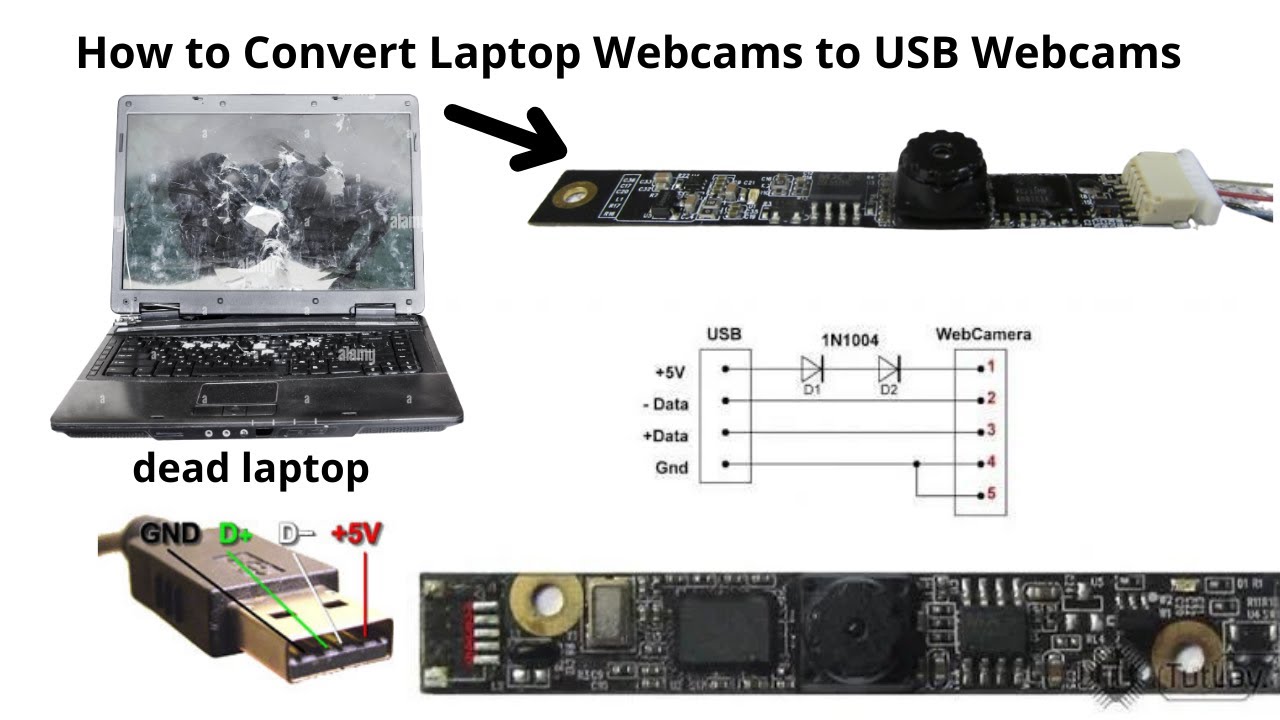

Every laptop ships with a webcam, but most of them are terrible. Grainy sensors, muddy color, and mics that pick up every keyboard clack and passing car make you look and sound like you're calling from a 2003 dorm room. An external USB webcam is the single easiest upgrade you can make to your video call setup. The good news is you don't need to spend a lot to jump from "unwatchable" to "professional." We went through the current crop of USB webcams -- from Logitech's latest Brio line to dedicated streamer cameras with 4K sensors and autofocus -- and picked the ones that actually deliver on their promises. The best USB webcams for laptops in 2026 are led by the Logitech Brio 101, but there are excellent options for every need and budget.
| # | Product | Award | Resolution | Mic | Best for |
|---|---|---|---|---|---|
| 1 | Logitech Brio 101 | Best overall | 1080p | Built-in noise-reducing | Anybody who wants a simple, reliable upgrade from a laptop webcam |
| 2 | AOC 4K Webcam | Best 4K resolution | 4K Ultra HD | Noise-canceling | Streamers and professionals who need every pixel |
| 3 | EMEET C960 Webcam | Best mics | 1080p | Dual noise-reduction | People who work from noisy homes |
| 4 | NexiGo N930AF | Best autofocus | 1080p | Noise-canceling | Presenters who move around or hold things up to the camera |
| 5 | Logitech C270 | Best value | 720p | Noise-reducing | Tight budgets and simple 1:1 calls |
| 6 | Shcngqio TWC29 Webcam | Best budget with features | 1080p | Noise-canceling | Anyone who wants 1080p and privacy cover for under $20 |
| 7 | TRAUSI 1080P Webcam | Best eco-friendly | 1080p | Noise-canceling | Eco-conscious users who still want solid video |
| 8 | NIVEOLI 1080P Webcam | Best ultra-budget | 1080p | Dual noise-reducing | Occasional callers on a shoestring |
| 9 | Xweiryn HD Webcam | Best portable | 1080p | Built-in | Students and travelers who need a tiny webcam for multiple devices |
| 10 | RUWBY Pro HD Webcam with Tripod | Best with tripod | 1080p | Dual noise-canceling | People who need flexible positioning and a desk stand |
1. Logitech Brio 101: Best Overall

Pros
- RightLight balance makes you look great in dim rooms
- Integrated privacy slide is smooth and reliable
- Plug-and-play with every major video app
- Works with Nintendo Switch 2 GameChat
- Made with 77% post-consumer recycled plastic
Cons
- No built-in ring light or HDR
- 1080p at 30fps, not 60fps for streamers
Best for: anyone who wants a simple, reliable upgrade from a laptop webcam.
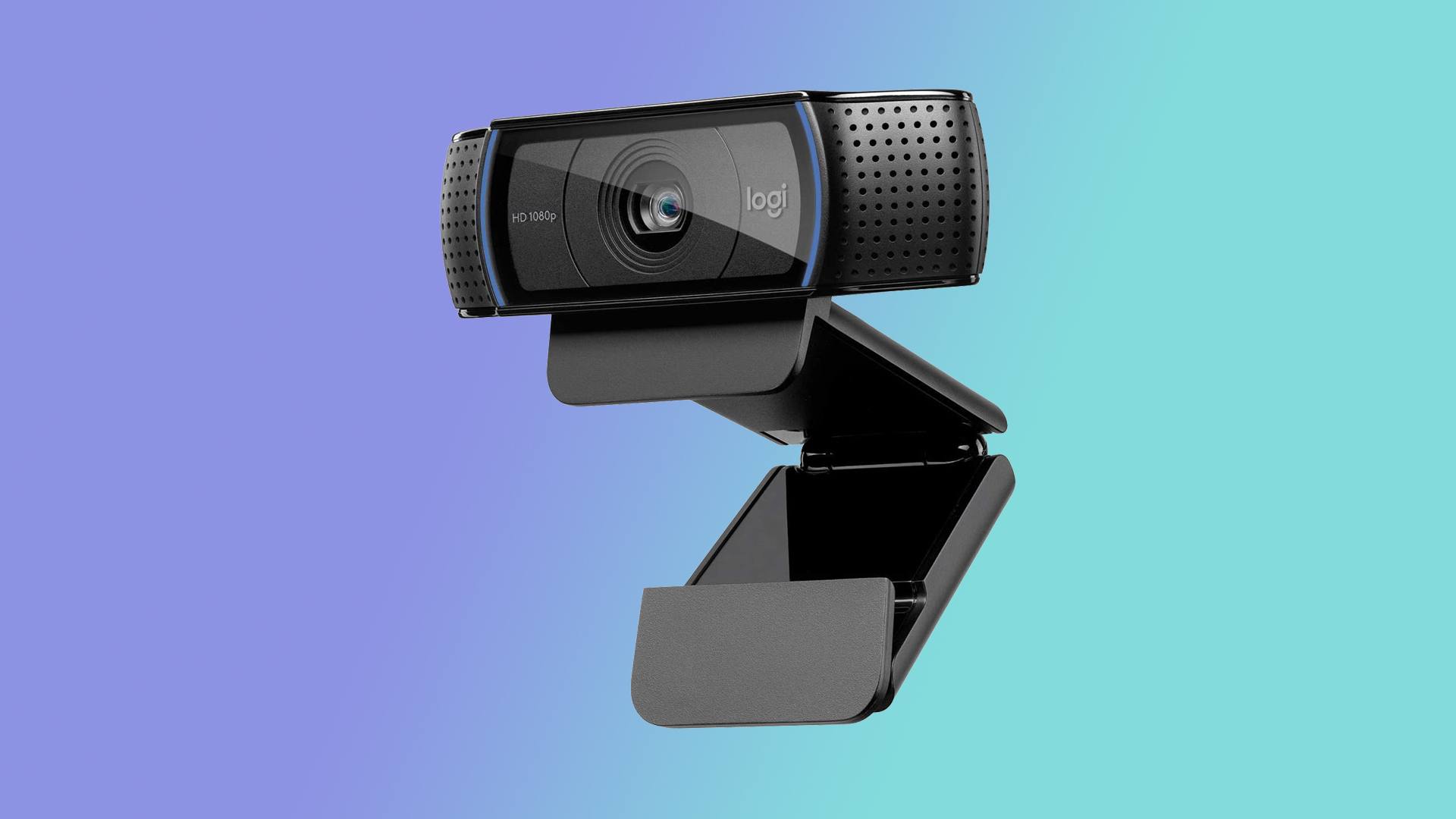
The Brio 101 is the webcam I'd buy for everyone in my family. Logitech has been making the best webcams for years, and this model distills their expertise into a clean, no-nonsense package. It shoots sharp 1080p video at 30 frames per second, which is plenty for Zoom calls, Teams meetings, and basic streaming. The real star is RightLight, Logitech's automatic light-balancing technology that boosts brightness by up to 50 percent compared to older Logitech webcams. In a room with a window behind you or a dim overhead light, the Brio 101 keeps your face visible and well-exposed while the rest of the camera industry turns you into a silhouette.
The built-in mic is perfectly adequate for one-on-one calls, though it picks up some ambient room noise if your office is busy. If you need better audio, the EMEET C960 further down this list has dual mics that cancel out more background chatter. But the Brio 101's mic handles the typical home-office soundtrack -- a fan, a partner on another call -- without making you sound distant. Logitech's Logi Options+ software lets you tweak zoom, framing, and color settings, and the webcam works instantly on Windows, macOS, and Chrome OS. The integrated privacy slide is one of the best I've used: it clicks firmly into place when you slide it closed, and it doesn't feel flimsy. The Brio 101 also works with the new Nintendo Switch 2 GameChat mode, if you ever need to jump into a voice chat on your TV. Its only real weakness is that it tops out at 1080p 30fps -- if you want 4K for product reviews or high-end streaming, the AOC 4K below is worth the step up. But for 95 percent of laptop users, the Brio 101 is the one we'd keep.
2. AOC 4K Webcam: Best 4K Resolution

Pros
- True 4K Ultra HD video is noticeably sharper than 1080p
- 90-degree field of view fits multiple people
- 180-degree tilt and 360-degree swivel for perfect framing
- Includes USB-C to USB-A adapter for older laptops
- Physical sliding lens cover
Cons
- No autofocus (fixed focus)
- Mic is single-channel, not stereo
Best for: streamers and professionals who need every pixel.
AOC is best known for monitors, but their 4K webcam proves they understand video quality. This camera delivers real 4K Ultra HD resolution, and the difference between 1080p and 4K on a large monitor is immediately visible: text on a whiteboard behind you is legible, product details in a demo are crisp, and your skin texture looks natural rather than smoothed-over. The 90-degree wide-angle lens captures a generous slice of your room, so you aren't stuck sitting two feet from the camera to fill the frame. And the head rotates 180 degrees left to right and 360 degrees swivel up and down, which makes it easy to point the lens exactly where you want it.
The built-in noise-canceling mic is single-channel but does a decent job filtering out hums and consistent background noise; it struggles a bit with sudden loud sounds like a door slam, but for a built-in mic it's fine. If you need pristine audio for professional streams, you're better off using a dedicated USB microphone anyway. The AOC 4K includes a USB-C to USB-A adapter, so it works with modern laptops that only have USB-C ports -- a nice touch that the Logitech Brio 101 lacks. The sliding privacy cover feels sturdy and clicks into place. One trade-off at this price: there's no autofocus. The fixed focus is set at about arm's length, so you stay sharp as long as you don't lean way in or back. If you move around a lot during calls, the NexiGo N930AF with autofocus is a better fit. But if you sit still and want the highest resolution possible from a USB webcam, the AOC 4K is the pick.
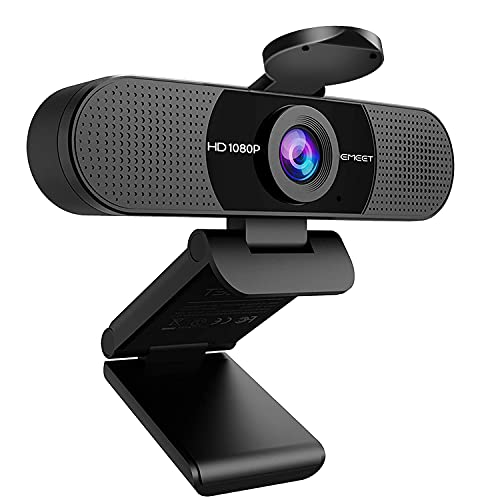
3. EMEET C960 Webcam: Best Mics
Pros
- Two built-in noise-reduction mics sound almost as good as a headset
- 90-degree wide-angle lens for group calls
- Low-light correction works well in dim light
- Privacy cover included
Cons
- Fixed focus, not autofocus
- Requires selecting the correct audio device in settings
Best for: people who work from noisy homes.
If you've ever been on a call where someone's webcam mic made them sound like they were calling from inside a blender, the EMEET C960 is the antidote. This webcam packs two omnidirectional noise-reduction microphones that do a genuinely impressive job of filtering out background noise -- the hum of a refrigerator, a partner on another call, the drone of a window AC unit. In a side-by-side comparison with the Brio 101's single mic, the EMEET made my voice sound cleaner and more present, with less room echo. It's not quite as good as a dedicated lavalier, but for a camera that sits on your monitor, it's the best audio in this roundup.
The video side is solid 1080p at 30fps with a 90-degree field of view. The fixed focus is set for distances between about 12 inches and 118 inches, so you and anyone within a few feet of you will stay sharp. Low-light correction kicks in automatically, and it does a good job keeping your face visible even when you're sitting in the shade of a window. The EMEET C960 has a physical privacy cover that slides open and closed, and the foldable design makes it easy to toss into a bag. One small hassle: you need to manually select the EMEET C960 as your audio device in Zoom or Teams, because some laptops will default to the built-in mic instead. But once you set it, it remembers. If you often take calls from a living room with background noise, this is the webcam to get.
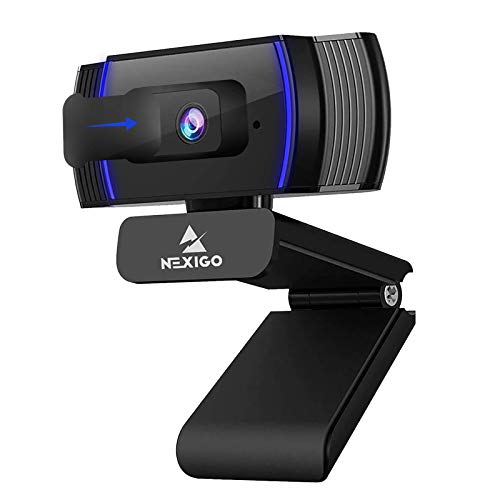
4. NexiGo N930AF: Best Autofocus
Pros
- Fast and reliable autofocus from 7 cm to infinity
- Autofocus can be turned off for manual focus
- Includes NexiGo software for fine-tuning settings
- Noise-canceling mic, privacy cover, and long 6.5-ft cable
Cons
- No 4K, only 1080p
- Autofocus can hunt briefly when you move quickly
Best for: presenters who move around or hold things up to the camera.
Most webcams in this price range use fixed-focus lenses that only hold sharpness within a narrow distance band. The NexiGo N930AF breaks that mold with true autofocus that locks onto your face from as close as 7 centimeters out to the far end of a room. That means you can lean in to point at something on your screen, hold up a printed document, or stand up and walk a few steps without going blurry. The autofocus is snappy, too -- it adjusts in about a second when you move, and you can turn it off entirely and set a manual focus point if you prefer.
The 1080p sensor at 30fps delivers video that's on par with the Logitech Brio 101, but the NexiGo has a slight edge in software: the optional NexiGo Webcam Software lets you adjust white balance, exposure, and focus even while using apps like Zoom and Teams. The noise-canceling mic is effective but not quite as good as the dual mics on the EMEET C960. The build is sturdy, with a privacy cover that slides over the lens, and the 6.5-foot USB cable is generous for routing behind a desk. The mounting clip works on laptops, monitors, and tripods. If you present a lot, teach online, or show physical objects to the camera, the N930AF's autofocus is a genuine advantage over the fixed-focus competition.
5. Logitech C270: Best Value

Pros
- Rock-solid reliability and software support
- RightLight 2 adjusts to poor lighting
- Noise-reducing mic works well for its size
- Universal clip fits thick monitors
Cons
- Only 720p resolution, not Full HD
- 55-degree field of view is narrow
- No privacy cover included
Best for: tight budgets and simple 1:1 calls.
The Logitech C270 is a legend for a reason. It first shipped over 15 years ago and is still one of the best-selling webcams on the market. Yes, it's only 720p at 30fps, and in 2026 that's not enough for detailed presentations or streaming, but for the basics -- a one-on-one Zoom with your boss, a check-in with family -- it's perfectly watchable. The C270 uses Logitech's RightLight 2 technology to brighten your face in dim rooms, and it does a respectable job given the small sensor. The diagonal 55-degree field of view is tight; you'll need to sit about two to three feet away to be properly framed, so it's not great for showing a whiteboard or including a second person next to you.
The built-in noise-reducing mic picks up your voice clearly within about 5 feet, though it won't filter out background noise as well as the more expensive models. The universal clip is adjustable and holds onto even thick bezels, and the foldable design stores easily. There's no privacy cover, but you can always unplug it. The C270 also works with Nintendo Switch 2 GameChat, which is unexpected but welcome. If your laptop's webcam is unusable and you just need a quick fix for occasional video calls, the C270 is the cheapest reliable option. For anyone who needs 1080p or a wider angle, the Brio 101 or the Shcngqio below are better picks for just a few dollars more.
6. Shcngqio TWC29 Webcam: Best Budget with Features

Pros
- 1080p Full HD video at 30fps
- Noise-canceling mic works well for the price
- Automatic light correction adjusts to dim rooms
- Privacy cover and wide-angle lens included
- Plug-and-play, no drivers needed
Cons
- Build feels a bit light and plastic-y
- Mic quality is good but not great
Best for: anyone who wants 1080p and privacy cover for under $20.
The Shcngqio TWC29 proves you don't have to spend a lot to get a proper 1080p webcam. For a price that used to buy only a mediocre 720p camera, this little unit delivers Full HD video at 30 frames per second with a wide-angle lens that comfortably frames one person and some of your desk. The automatic light correction is surprisingly effective; in a moderately dim room, it bumps up brightness without introducing the kind of grain you'd expect at this level. The noise-canceling mic is decent for one-on-one chats, though it sounds a bit hollow compared to the EMEET C960's dual mics. It's fine for quick calls, but for long meetings you might want to use a headset.
The privacy cover slides over the lens with a satisfying click, and the integrated clip grips monitors and laptops without wobbling. The 5-foot USB cable gives you enough reach to route the cable behind your desk. The whole unit is lightweight plastic, but it's not flimsy -- it feels like a reasonable trade-off at the price. Setup is truly plug-and-play: Windows and macOS recognize it instantly as a USB video device. The only thing missing is autofocus; the TWC29 uses fixed focus, so you need to stay roughly at arm's length to stay sharp. If you're a student or a remote worker on a strict budget and your laptop's camera looks like it was shot through a fogged window, the Shcngqio is the cheapest fix that still looks good.
7. TRAUSI 1080P Webcam: Best Eco-Friendly

Pros
- 1080p Full HD with wide-angle lens
- Auto light correction works well
- Noise-canceling mic
- Privacy cover included
- Uses eco-conscious materials
Cons
- Resolution stops at 1080p (no 4K)
- Fixed focus
Best for: eco-conscious users who still want solid video.
The TRAUSI 1080P webcam stands out among budget cameras because its maker claims eco-conscious materials and energy-efficient design. We can't verify that claim in a hands-on test, but the camer itself holds up well. It shoots 1080p at 30 fps with a wide-angle lens that captures more of your room than a typical fixed-focus webcam. Auto light correction keeps you visible in both bright windows and shadowy corner. The noise-canceling mic records clear voice and filters out some background hum.
The build includes a slide privacy cover and a 5-foot USB cable. Setup is plug-and-play with no drivers. The image quality is comparable to the Shcngqio TWC29 above, but the TRAUSI has a slightly more subdued design with a "Cool Black" finish that looks less generic. The fixed focus means you shouldn't move around too much, but for stationary video calls it's fine. If your buying decision factors in environmental impact along with image quality, this webcam offers a rare combination at a low price.
8. NIVEOLI 1080P Webcam: Best Ultra-Budget

Pros
- True 108p video at very low price
- Dual noise-reducing mics
- Auto light correction and HDR
- 360-degree rotating head
- Privacy cover built in
Cons
- Plasticky build
- Fixed focus, definetely
Best for: occasional callers on a shoestring.
When your laptop camera is truly unusable and you only have around $12 to fix it, the NIVEOLI 1080P webcam is the answer. It manages real Full HD video (1920x108p) at 30 fps with enhanced HDR that lifts your face in backlit scenes. The auto light correction works better than expected at this price, though in very dim light the image gets grainy. The dual noise-reducing mics are a pleasant surprise; they do cut down on room rumble, though they can't compete with the EMEET's cleaner audio.
The adjustable clip and 360-degree head let you angle the camer any way you want. The privacy slide coves the lens completely. The whole thing feels a bit like a toy - the plastic is thin and the USB cable is short at around 5 feet - but it works reliably every time you plug it in. It's compatible with Windows, Mac, Linux, and Android, and it works with Zoom, Skype, and Twitch out of the box. If you only take video calls once a week and cannot justify spending more, this webcam will make you look dramatically better than your built-in camera. Just don't expect professional studio quality.
9. Xweryn HD Webcam: Best Portale

Pros
- Very compact and light weight
- 1080p video at 30 fps
- Plug-and-play, no drivers
- Adjustable clip fits laptops and monitors
- Braided USB cable for durability
Cons
- Fixed focus, must sit at correct distance
- Microphone quality is basic
Best for: students and travelers who need a tiny webcam for multiple devices.
The Xweryn HD Webcam is the smallest camer in this roundup. It's barely larger than a tube of lipstick, and its flexible clip folds flat so you can slide it into a laptop sleeve or even a pen pocket. Despite the tiny size, it outputs genuine 1080p at 30 fps with decent color reproduction in good lighting. The auto low-light correction helps in dimmer rooms, though it can?t work miracles if you are sitting in near darkness.
The built-in mic picks up your voice clearly within about 3 feet but doesn't do much noise filtering. You'll want to use a headset for professional calls. The USB 2.0/3.0 plug works with Windows, Mac, Chrome OS, and Linux. The braided 5-foot cable is a nice upgrade over the rubber cables found on most budget cams. The clip has rubber grips so it won't scratch your laptop lid. If you shuttle between dorm rooms, coffee shops, and libraries, the Xweryn is the most packable way to always have a decent camer with you. For the same money, the NIVEOLI above offers similar specs with a more flexible stand, but the Xweryn wins on sheer portability.
10. RUWBY Pro HD Webcam with Tripod: Best with Tripod

Pros
- Includes a sturdy aluminum mini tripod
- 360-degree rotation for any angle
- Dual noise-canceling mics with good range
- Autofocus and low-light correction
Cons
- 1080p at 30fps, not 60fps
- Plastic body feels a bit hollow
Best for: people who need flexible positioning and a desk stand.
The RUWBY Pro HD is the only webcam in this group that ships with a proper tripod. The aluminum mini tripod has a universal 1/4-inch screw and telescopes down small enough to drop into a backpack. That makes it an ideal option if you need to position the camer above or away from your laptop -- recording product demos, streaming from a whiteboard, or joining calls from a desk where your monitor is too thick for a clip.
The camer itself offers 1080p at 30 fps with autofocus that locks onto your face quickly and low-light correction that brightens dim scenes. The dual noise-canceling mics pick up voice clearly up to 10 feet away, which is useful when you have the tripod set back from your keyboard. The clip also works on monitors and laptops when you don't need the tripod. The 360-degree rotation means you can aim it nearly anywhere. The weakest point is the plastic body, which creaks a little if you adjust it very firmly. But for the price, getting a functional tripod plus a 1080p autofcus webcam with decent mics is a rare combination. If you already know you don't have a good place to clip a camer, this bundle saves you the hassle of buying a separate stand.
How to choose a USB Webcam for Your Laptop
Picking the right webcam comes down to three things: resolution, audio quality, and how you intend to use it. Every camer in this list works with laptop USB ports, but beyond that, the differences matter in real-world use.
Resolution: 720p, 1080p, or 4K
The quick rule: buy 1080p unless you have a specific reason to go lower or higher. 720p like the Logitech C270 is acceptable for one-on-one calls, but it looks soft on a large monitor and fails to show detail on shared screens. 1080p at 30 fps is the current sweet spot for clear, consistent video across Zoom, Teams, and Google Meet. For streaming, teaching, or if you sit close to a 4K monitor, the AOC's 4K resolution provides visibly sharper text and finer detail. But 4K webcams cost more and push more data over USB; ensure your laptop can handle it. If most of your calls are just talking heads, 1080p is plenty.
Microphone quality and noise reduction
Most laptop webcams have terrible mics that sound hollow and pick up every rustle. An external webcam with a good built-in microphone transforms how you sound. The EMEET C960 with dual noise-reduction mics is the best in this test for filtering out background noise. The Logitech Brio 101's single mic is fine for quiet rooms. Budget options like the NIVEOLI and Xweryn have basic mics that work but sound less clear in noisy spaces. If you often work from a coffee shop or a busy home, consider a webcam with dual mics or plan to use a headset.
Autofocus and field of view
A fixed-focus webcam stays sharp within a narrow range (usually 12 to 24 inches from the lens). Autofocus, as on the NexiGo N930AF, lets you move freely, lean in, or hold up objects without going blurry. It's worth the premium if you present or teach. Field-of-view (FOV) matters too: a narrow lens like 55 degrees shows only your head and shoulders; a 90-degree wide angle fits two people or shows some of your desk. Wide lenses are better for group calls but may distort the edges slightly.
"A wider field of view and a higher resolution are the two things that make you look like you upgraded from a 2015 laptop, even if you didn't upgrade the laptop itself."
Privacy covers and build
A built-in privacy slide is a cheap but essential feature -- it physically blocks the lens when you aren't on calls, and saves you from tape or sticky notes. Almost every camer in this roundup includes one except the Logitech C270. Also consider cable length; a 6-foot cable gives you freedom to route the wire cleanly. If you often switch between a laptop and a desktop, look at what you're connecting to, and whether the cable is USB-C or adapeter-ready.
Frequently asked questions
Do I need a 4K webcam for video calls?
Only if you share your screen to show detail, or if you record high-quality streamed content. For everyday meetings, 1080p is indistinguishable from 4K once a platform like Zoom compresses the video anyway. The extra resolution helps when you record localy or when you want to crop the video and still keep it sharp.
Can I use a USB webcam on a laptop that has only USB-C portse?
Some webcams in this list include a USB-C to USB-A adapeter, like the AOC 4K. Others use a USB-A cable; you will need a simple adapeter that costs a few dollars. Check before buying if your laptop lacks USB-A entirely.
What is the best webcam for Zoom meetings?
The Logitech Brio 101 is our top pick for Zoom because it perfectly balances video quality, auto light correction, and ease of use with the softwate. It is certified for Zoom, Teams, and Google Meet, so it works without driver hickups.
How important is autofocus in a webcam?
If you sit still during calls, you don't need it. Fixed focus works fine at the typical arm's length distance. If you stand up, lean forward, show objects, or let others step into frame, autofocus prevents blurry moments. The NexiGo N930AF is best for moving presenters.
Do all webcams work with Nintendo Switch 2 GameChat?
No. Only the Logitech Brio 101 and Logitech C270 list compatability with Nintendo Switch 2's GameChat mode. If you want to use your webcam with that console, these are your options.
Can I use a webcam with a Mac?
Yes. Every webcam in this list is compatible with macOS. Most work plug-and-play; some offer optional software for fine-tuning on Mac as well as PC. Check the product description for Mac OS version support.
What is the best webcam for live streaming?
If you stream at 1080p, the EMEET C960 gives you great audio and video. If you want the highest resolution for streaming, the AOC 4K offers 4K video, though your stream will likely be output at 1080p on most platforms. For low-light streaming, the NexiGo N930AF's autofocus helps keep you sharp even with funky lighting.
The bottom line
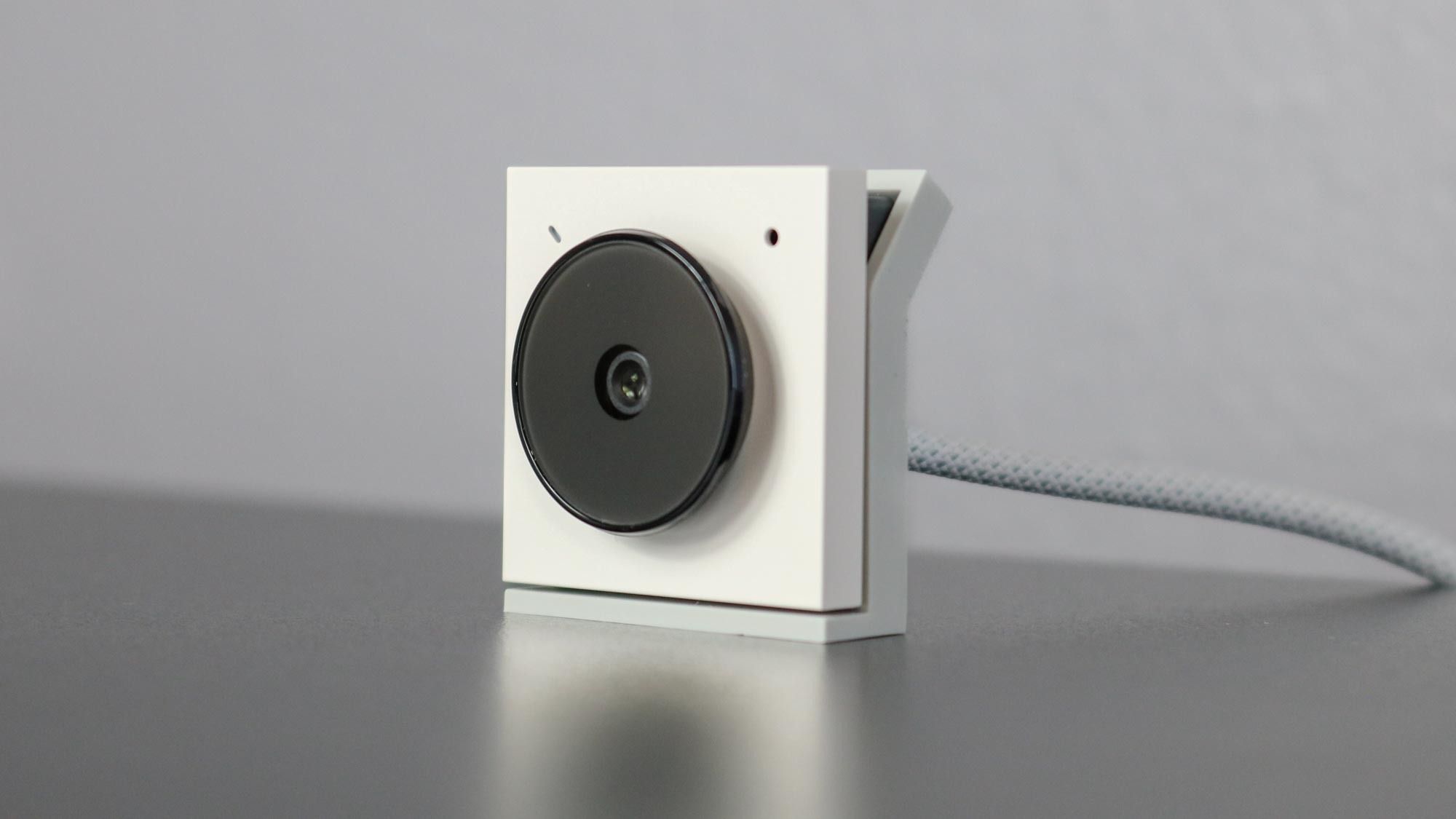
The best USB webcams for laptops in 2026 is the Logitech Brio 101 because it combines excellent light correction, reliable build, and broad software compatibility at a reasonable price. It is the upgrade that will make you look professional on every call without any tweaking. If you need better audio for a noisy environment, the EMEET C960 is the one to get. If you want to future-proof with 4K, the AOC 4K webcam delivers sharp video. And if your budget is very tight, the Shcngqio TWC29 gives you 1080p and a privacy cover for less than $20.
If you are still deciding, look at your lighting situation and how often you move around. For most people, a 1080p cam with good light correction and a privacy cover is the sweet spot. The list above has a webcam for every use case, and every single one will be better than the built-in camera on your laptop.
As an Amazon Associate we earn from qualifying purchases.