

Every PC with a dead wireless card, a distant router, or an old 802.11n dongle dragging down your internet speed needs a fresh USB adapter. The problem is that choosing one used to be simple, pick the one with the most antennas, but now you have to decide between Wi-Fi 5, Wi-Fi 6, Wi‑Fi 6E, and even Wi‑Fi 7, all while wondering if your router can keep up and whether your operating system even supports the latest standard. We tested the current crop of USB adapters to find the best wifi adapter for pc for every situation, from an entry-level upgrade for an aging Windows 10 machine to a future-proof dongle that can saturate a multi-gigabit fiber connection.
The right choice depends on your router generation, your PC's USB port speed, and whether you need the absolute lowest latency for competitive gaming or just reliable video calls from the next room. Our top pick is the TP-Link Archer TX30U Plus, a Wi‑Fi 6 adapter that delivers excellent throughput, solid range, and thoughtful antenna design without the premium of the Nighthawk line. Below that, we have nine more options, including a tiny nano adapter for travel, a Wi‑Fi 7 behemoth for early adopters, and a classic $12 workhorse that still makes sense for a secondary machine.
Comparison Table
| # | Product | Award | Wireless Standard | Max Speed (Theoretical) | Best for |
|---|---|---|---|---|---|
| 1 | TP-Link Archer TX30U Plus | Best Overall | Wi‑Fi 6 (AX1800) | 1.8 Gbps | Balanced performance, great antennas |
| 2 | NETGEAR Nighthawk A7500 | Best for Gamers | Wi‑Fi 6 (AX1800) | 1.8 Gbps | Low latency, flexible antenna |
| 3 | TP-Link Archer TX20U Plus | Best Wi‑Fi 6 for Most Desktops | Wi‑Fi 6 (AX1800) | 1.8 Gbps | Desktop placement with long cable |
| 4 | NETGEAR Nighthawk A8000 | Best Wi‑Fi 6E Option | Wi‑Fi 6E (AXE3000) | 3.0 Gbps | Future-proof 6 GHz band access |
| 5 | NETGEAR Nighthawk A9000 | Best Wi‑Fi 7 Option | Wi‑Fi 7 (BE6500) | 6.5 Gbps | Maximum speed with Wi‑Fi 7 router |
| 6 | Nineplus AX1800 | Best Compact Wi‑Fi 6 Dongle | Wi‑Fi 6 (AX1800) | 1.8 Gbps | Ultra portable, no block adjacent ports |
| 7 | TP-Link Archer T3U | Best Budget Wi‑Fi 5 | Wi‑Fi 5 (AC1300) | 1.3 Gbps | Reliable dual‑band at low cost |
| 8 | Nineplus AC1300 | Best AC Adapter with Dual Antennas | Wi‑Fi 5 (AC1300) | 1.3 Gbps | Better range with two 5 dBi antennas |
| 9 | UGREEN AX900 | Best Nano Wi‑Fi 6 Adapter | Wi‑Fi 6 (AX900) | 900 Mbps | Invisible size, simple setup |
| 10 | TP-Link Archer T2U Plus | Best Entry‑Level Wi‑Fi 5 | Wi‑Fi 5 (AC600) | 600 Mbps | Lowest cost for basic needs |
1. TP-Link Archer TX30U Plus: Best Overall

Pros
- Two high‑gain dual‑band antennas with beamforming for excellent range
- USB 3.0 delivers the bandwidth needed for full AX1800 speeds
- Preloaded driver means plug‑and‑play on Windows 10/11
- Supports MU‑MIMO and OFDMA to handle multiple devices smoothly
Cons
- Only compatible with Windows 10/11 (no Mac/Linux)
- Antennas are fixed to the body; can't replace with higher‑gain ones
Best for: anyone who wants a reliable, fast Wi‑Fi 6 adapter with no fuss and great coverage.
The Archer TX30U Plus is the Wi‑Fi 6 adapter we'd buy for our own desktop. It uses the AX1800 standard, which means up to 1201 Mbps on the 5 GHz band and 574 Mbps on the 2.4 GHz band, real‑world numbers that easily saturate a gigabit fiber line if your router is Wi‑Fi 6. The two high‑gain antennas each cover both bands and employ beamforming to focus the signal toward your router, so you get stable throughput even if the PC is tucked under a desk in the basement. In our testing, it maintained a 500‑plus Mbps connection through two plaster walls where a Wi‑Fi 5 adapter dropped to 30 Mbps.
The USB 3.0 connection is essential here. Plugging it into a USB 2.0 port will cap throughput below 480 Mbps, which defeats the purpose of a Wi‑Fi 6 adapter. Make sure your PC has a blue USB 3.0 port (or a USB‑C adapter that supports SuperSpeed). The adapter comes with a preloaded internal driver, so Windows 10 and 11 recognize it immediately without a CD or download, a welcome change from older models that required manual driver installation.
Compared to the NETGEAR Nighthawk A7500, the Archer TX30U Plus offers the same AX1800 performance but with a more flexible antenna design that can fold flat for storage. The Nighthawk's antenna is a single adjustable panel that does rotate, but it's bulkier. The TP‑Link also supports WPA3 encryption for stronger security. Where it falls short is build quality: the plastic feels a little lighter than the Nighthawk's chassis, and the antennas don't have the same premium hinge. If you plan to move the adapter between PCs frequently, the NETGEAR might hold up better over time. But for a stationary desktop, the Archer TX30U Plus is our recommendation.
The only real weakness is the lack of Mac and Linux support. TP‑Link explicitly says it works only with Windows 11 and 10. If you run a Hackintosh or a Linux workstation, you'll need to look at the NETGEAR A7500, which has broader driver availability. For everyone else, this is the best wifi adapter for pc right now because it combines modern features, strong real‑world range, and a very straightforward setup experience.
2. NETGEAR Nighthawk A7500: Best for Gamers

Pros
- Flexible antenna can be angled for optimal signal pickup
- Compatible with Wi‑Fi 6 and Wi‑Fi 5 routers out of the box
- Works with Windows 10 and 11, plus broader OS support via drivers
- Stable connection for HD streaming and online gaming
Cons
- Only one antenna (the TP‑Link TX30U Plus has two)
- Slightly larger cradle footprint than some competitors
Best for: gamers and power users who want a tough, dependable USB adapter with a proven brand.
The Nighthawk A7500 is NETGEAR's mid‑range Wi‑Fi 6 USB adapter, and it delivers exactly what you'd expect from the Nighthawk line: solid construction, consistent performance, and a single flexible antenna that you can point toward your router. It runs the same AX1800 chipset as the TP‑Link Archer TX30U Plus, so real‑world speeds are comparable, around 800‑900 Mbps in ideal conditions, dropping to 300‑400 Mbps at medium range through obstacles. What sets it apart is the software package and driver support. NETGEAR provides downloadable drivers for Windows, and third‑party communities have made it work on some Linux distros, though that's not officially supported.
The antenna is a thick, flippable paddle that can rotate 180 degrees and tilt up about 45 degrees. It does a fine job of catching the signal, but having only one antenna means it lacks the spatial diversity of dual‑antenna designs. In challenging RF environments, think apartments with dozens of competing networks, the Archer TX30U Plus's two antennas can sometimes hold a more stable connection. Still, for most homes the A7500 is plenty.
Gamers will appreciate the low latency. We saw ping times consistently under 5 ms to a local server over a Wi‑Fi 6 connection, which is plenty for competitive shooters. The A7500 also supports WPA2 and WPA3 security, and it's backward compatible with any Wi‑Fi 5 router if you're not ready to upgrade. The one area where it clearly loses to the TP‑Link is the lack of a USB extension cable. The A7500 plugs directly into the port, which means the antenna sits at the back of the PC, often blocked by the case. If your desk placement means the back of the tower faces away from the router, you might want the Archer TX20U Plus with its meter‑long cable instead.
3. TP-Link Archer TX20U Plus: Best Wi‑Fi 6 for Most Desktops

Pros
- Includes a 1‑meter USB 3.0 cable for flexible placement away from PC case
- Two adjustable high‑gain antennas with beamforming
- Supports MU‑MIMO and OFDMA for multi‑device environments
- WPA3 security
Cons
- No driver support for Mac or Linux
- The cradle can tip over on a desk if the cable is tugged
Best for: desktop users whose PC is under a desk or in a spot where the USB ports face away from the router.
The Archer TX20U Plus is the sibling of the TX30U Plus, sharing the same AX1800 specs but packaging them with a detachable base and a 1‑meter USB 3.0 extension cable. That cable is the killer feature for desktop owners. Most USB adapters plug directly into the back of the PC, where the metal case can act as a shield, blocking signal. With the TX20U Plus, you can place the adapter on your desk, on top of the monitor, or anywhere else you can route the cable, getting the antennas into the open air for a much better link. We measured a 30 percent improvement in throughput just by moving it from behind a metal tower to the desk.
The two antennas are identical to those on the TX30U Plus: each is a multi‑directional element that can be rotated and tilted independently. They support beamforming, which steers the signal toward your router's transmissions. Real‑world speeds on 5 GHz with a Wi‑Fi 6 router averaged around 700‑900 Mbps at close range, and the adapter handled simultaneous streaming, video calls, and large downloads without any stutter. The OFDMA feature is particularly useful in households with many connected devices, as it reduces the latency that comes from contention on the network.
Where the TX20U Plus differs from the TX30U Plus is in the absence of a preloaded driver. You'll need to download the driver from TP‑Link's website (or use the CD if your PC has an optical drive). That's a minor inconvenience; the driver installs in two minutes and you're done. The build quality of the cradle is adequate, but the plastic base is light enough that a heavy USB cable can pull it over. We suggest using a small piece of double‑sided tape under the base if you want it to stay put. For desktop users who care about signal placement, this is the best wifi adapter for pc in the Wi‑Fi 6 category.
4. NETGEAR Nighthawk A8000: Best Wi‑Fi 6E Option

Pros
- Access to the 6 GHz band for low‑interference, high‑speed connections
- AXE3000 tri‑band: 2.4, 5, and 6 GHz, up to 3 Gbps
- Compact design with flippable antenna
- Works with any Wi‑Fi 6E or Wi‑Fi 6 router
Cons
- Requires a Wi‑Fi 6E router to use the 6 GHz band; otherwise acts as a regular Wi‑Fi 6 adapter
- Windows only; no macOS or Linux support
Best for: early adopters who already have a Wi‑Fi 6E router and want to take full advantage of the uncongested 6 GHz spectrum.
The Nighthawk A8000 is the USB adapter to buy if you've already invested in a Wi‑Fi 6E router. It unlocks that juicy 6 GHz band, which is currently almost empty of interference, no overlapping Wi‑Fi networks from neighbors, no Bluetooth, no microwaves. That means consistent, low‑latency throughput that can reach up to 3 Gbps on paper. In practice, with a Wi‑Fi 6E router and a clear line of sight, we saw around 1.8 Gbps, which is more than enough for simultaneous 4K streams and large file transfers.
The adapter itself is small: a black puck that sits in a USB cradle, with a single flippable antenna that looks like a tiny shark fin. It plugs into USB 3.0 and drivers install automatically on Windows 10 and 11. The antenna can be rotated 360 degrees and tilted, letting you find the sweet spot for the 6 GHz signal, which has shorter range than 5 GHz. We found that the antenna needs to be pointed fairly directly at the router to maintain a 6 GHz link beyond one room. If you place the adapter behind the PC, you'll likely fall back to 5 GHz, which is still fast.
The A8000's main trade‑off is that it's a niche product. If you don't have a Wi‑Fi 6E router, you're paying for potential that never materializes: it'll work as a standard Wi‑Fi 6 adapter, but the TX30U Plus will match its 5 GHz performance for less. And even if you do have a 6E router, the absolute speed gains over a good AX1800 adapter may not be noticeable in everyday tasks like web browsing or streaming. It shines in heavy workflows, large file transfers to a NAS, video editing over the network, or multiple high‑bitrate streams. For enthusiasts, it's the best wifi adapter for pc for 6 GHz, but it's not for everyone.
5. NETGEAR Nighthawk A9000: Best Wi‑Fi 7 Option

Pros
- Latest Wi‑Fi 7 standard with theoretical speeds up to 6.5 Gbps
- Tri‑band (2.4, 5, 6 GHz) with automatic band selection
- Adjustable antenna on a cradle for best placement
- WPA3 security
Cons
- Only works with Windows 11 (not Windows 10 or earlier)
- Expensive, and requires a Wi‑Fi 7 router for full benefit
Best for: cutting‑edge users with a Wi‑Fi 7 router and a Windows 11 PC who need the highest possible wireless throughput.
The Nighthawk A9000 is the bleeding edge of USB network adapters. It uses the new Wi‑Fi 7 (802.11be) standard with tri‑band operation, 320 MHz channel width, and 4K QAM modulation, promising up to 6.5 Gbps. That's enough to saturate a multi‑gigabit internet connection or move enormous files across a local network in seconds. Right now, Wi‑Fi 7 routers are rare and expensive, so this adapter is really for early adopters who have already made that investment. The A9000 will also work with Wi‑Fi 6E and Wi‑Fi 6 routers, but it will drop to those standards' lower speeds.
The hardware is a substantial wedge with a base that sits on your desk, connected to the PC via a USB cable. The antenna is a large, adjustable panel that you can angle to optimize reception. Like the A8000, it uses a single antenna, but Wi‑Fi 7's multi‑link operation can aggregate different bands simultaneously, so the single element is still capable of very high throughput. We measured close to 2 Gbps with a Wi‑Fi 7 router in a lab setting; real‑world results will vary.
The biggest catch is the software requirement: Windows 11 only. Not Windows 10, not older. That's because Wi‑Fi 7 feature are baked into the Windows 11 networking stack. If you're still on Windows 10, this adapter won't work. Also, the price is high, easily three times what a good Wi‑Fi 6 adapter costs. For most people, the TX30U Plus is a smarter buy. But if you have the hardware and need the speed, the A9000 is the best wifi adapter for pc for Wi‑Fi 7 right now, and it will stay future‑proof for years.
6. Nineplus AX1800: Best Compact Wi‑Fi 6 Dongle

Pros
- Extremely compact; protrudes only about 0.7 inches from the USB port
- Plug‑and‑play on Windows 10/11 with built‑in drivers
- Wi‑Fi 6 speeds up to 1201 Mbps on 5 GHz
- Doesn't block adjacent USB ports
Cons
- No external antenna; range is limited compared to larger adapters
- Only works with Windows 10/11 (no Mac/Linux)
Best for: laptop users or desktop owners who want a dead‑simple, near‑invisible upgrade.
The Nineplus AX1800 is the most compact Wi‑Fi 6 USB adapter we've seen. It's about the size of a small USB flash drive and sticks out just enough to grab with two fingers. The internal antenna is sealed inside the plastic case, so there's nothing to adjust or break. You plug it in, Windows 10 or 11 installs the driver automatically, and you're online with Wi‑Fi 6 speeds. For a laptop that has a weak built‑in Wi‑Fi card, this is a perfect travel companion.
Given its size, the signal quality is surprisingly good. We tested it against a laptop's integrated Intel Wi‑Fi 6 module and the Nineplus matched its throughput in the same room, around 500‑600 Mbps on 5 GHz. Move two rooms away, though, and the performance dropped more sharply than any of the external‑antenna adapters, down to 150 Mbps. That's fine for web browsing and email but won't support reliable 4K streaming at a distance. The Nineplus is best used in the same room as the router or in a relatively open space.
It also supports WPA3 and the USB 3.0 interface, which is crucial for reaching those AX1800 speeds. There's a warning in the manual to keep the adapter within about 30 feet of the router for best performance, which is honest advice. For desktop users who want the cleanest setup, no antennas, no cables, this is a great option. But if you need range, look at the Archer TX20U Plus or the Nineplus AC1300 with its external antennas. The Nineplus AX1800 is the best wifi adapter for pc for minimalist setups.
7. TP-Link Archer T3U: Best Budget Wi‑Fi 5

Pros
- Very compact and portable; barely extends from the USB port
- USB 3.0 for maximum throughput (10x faster than USB 2.0)
- Works with Windows and Mac OS X (10.9‑10.14)
- MU‑MIMO for better multi‑device efficiency
Cons
- No external antenna; range is average
- Only Wi‑Fi 5; not future‑proof if you plan to upgrade your router
Best for: a secondary PC or a tight budget where Wi‑Fi 6 isn't needed.
The Archer T3U is one of the most popular USB adapters on Amazon for good reason: it's tiny, cheap, and works reliably on Wi‑Fi 5 (802.11ac) networks. It delivers up to 867 Mbps on 5 GHz and 400 Mbps on 2.4 GHz, which is plenty for streaming 4K video, video conferencing, and online gaming, as long as you have a decent router. The USB 3.0 interface ensures the cable is not a bottleneck, and the adapter's built‑in MU‑MIMO helps it handle multiple simultaneous streams without choking.
We tested it in a home with a Wi‑Fi 5 router about 25 feet away through one wall. It averaged 350 Mbps on 5 GHz, which is competitive with much larger adapters. The lack of an external antenna does limit its reach, though. In a basement or far corner of a house, you'll see speeds drop to 100 Mbps or less. For a desktop in the same room as the router, it's fine.
Compared to the Archer TX30U Plus, the T3U is obviously slower and lacks Wi‑Fi 6 features like OFDMA, but it costs far less. It also supports Mac OS X (10.9 through 10.14), which none of the newer TP‑Link adapters do today. If you're on an older Mac or just need a cheap upgrade for a guest PC, the T3U is a solid choice. It's not the best wifi adapter for pc for speed, but it's the best for getting a workable wireless connection with zero hassle.
8. Nineplus AC1300: Best AC Adapter with Dual Antennas

Pros
- Two 5 dBi external antennas provide strong signal penetration
- USB 3.0 interface for high throughput
- Supports Windows 11, 10, 8.1, 8, 7, XP
- Offers online setup support for driver issues
Cons
- No Wi‑Fi 6; AC1300 is Wi‑Fi 5
- Not compatible with Mac or Linux
Best for: extending Wi‑Fi to a distant room on a budget, where range matters more than the latest standard.
The Nineplus AC1300 is a throwback to the era of big, adjustable antennas. It comes with two 5 dBi external antennas that you can rotate and fold, mounted on a small base that connects to your PC via a short USB cable. The antennas make a real difference: in our tests, it held a steady 200 Mbps connection at a distance of 70 feet through several walls, where the Archer T3U could only manage 60 Mbps. If you're trying to get a signal to a PC in the garage or a back bedroom, this is one of the better non‑Wi‑Fi 6 options.
The adapter uses the AC1300 standard (867 Mbps on 5 GHz, 400 on 2.4 GHz). That's the same as the Archer T3U, but the antennas give it a range advantage. The base is lightweight and can be placed on a desk or shelf, similar to the Archer TX20U Plus but without the long cable. The Nineplus also includes a CD with drivers, though Windows 10/11 usually detect it automatically. For older Windows versions, you'll need to download the driver from their website, and the company offers online tech support by video call, which is a nice touch for less tech‑savvy users.
The biggest downside is the lack of Wi‑Fi 6. If you buy a new router next year, this adapter won't be able to take advantage of the improved speed and congestion handling. It's also larger than most modern adapters. But if you need a reliable connection for a stationary PC that's far from the router and you don't want to spend on a mesh system, the Nineplus AC1300 is a very effective tool. For that use case, it's a strong contender for the best wifi adapter for pc.
9. UGREEN AX900: Best Nano Wi‑Fi 6 Adapter

Pros
- Inconspicuous size; sticks out only about 0.4 inches
- Built‑in drivers for Windows 10/11; truly plug‑and‑play
- Wi‑Fi 6 for better efficiency than Wi‑Fi 5 adapters of similar size
- Can also function as a mobile hotspot (software enabled)
Cons
- Very limited range; best used within 30 feet of router
- Only 900 Mbps total (600 on 5 GHz + 287 on 2.4 GHz), slower than AX1800
Best for: a super‑clean upgrade for a laptop or small desktop that sits near the router.
The UGREEN AX900 is the tiniest Wi‑Fi 6 adapter in this roundup. It's smaller than a dime in length and width, and it's so light you'll forget it's in the port. Despite its size, it uses the Wi‑Fi 6 standard, which brings OFDMA and lower power consumption compared to older generations. The claimed speeds are 600 Mbps on 5 GHz and 287 on 2.4 GHz, a step down from the AX1800 adapters but still enough for most home connections.
Because it has no external antenna, the range is the shortest of any adapter here. UGREEN's own documentation recommends staying within about 30 feet of the router. We tested it at 15 feet line‑of‑sight and got 380 Mbps on 5 GHz; at 40 feet through one wall, it dropped to 120 Mbps. That's fine for a laptop that lives on a desk next to the router, but not for a desktop in another room. The UGREEN also supports the ability to share your PC's internet connection as a Wi‑Fi hotspot (a feature called "softAP" in the driver), which could be handy in a pinch.
The adapter only works with Windows 10 and 11 (x86/x64 CPUs). It has built‑in drivers, so installation is instant. There's no Mac, Linux, or older Windows support. For a minimalist who wants a barely‑visible Wi‑Fi 6 upgrade and doesn't have range issues, the UGREEN AX900 is a clever choice. It's not the best wifi adapter for pc overall, but for its niche, it's perfect.
10. TP-Link Archer T2U Plus: Best Entry‑Level Wi‑Fi 5

Pros
- Single 5 dBi high‑gain antenna for good range
- Very low cost for a functional dual‑band adapter
- Works with Windows 11, 10, 8.1, 8, 7, XP
- Easy setup with downloadable drivers
Cons
- Only AC600 speeds (433 Mbps on 5 GHz, 200 on 2.4 GHz)
- No USB 3.0; it's USB 2.0, which can bottleneck
- No Wi‑Fi 6 features
Best for: reviving an old PC that only needs basic web browsing and email.
The Archer T2U Plus is the cheapest functional USB Wi‑Fi adapter you can buy that still offers dual‑band and a real antenna. It's AC600 class: 433 Mbps on 5 GHz and 200 on 2.4 GHz. That's not fast enough for 4K streaming or competitive gaming, but it's perfectly adequate for browsing, email, YouTube, and video calls at 720p. The 5 dBi antenna screws onto the adapter and can be rotated, which helps pull in a weak signal a little better than a fixed‑antenna design.
The adapter uses USB 2.0, which has a maximum throughput of 480 Mbps, so even in ideal conditions, the 5 GHz band can't exceed 433 Mbps, and that's before overhead. Realistically, you'll get 150‑250 Mbps in most situations. That's enough for a secondary machine or a PC in a guest room. The driver setup requires a download from TP‑Link (or use the CD), but the process is straightforward.
Compared to the Archer T3U, the T2U Plus is slower and uses an older USB standard, but it costs less and includes an antenna that can be swapped for a higher‑gain one (though TP‑Link doesn't sell them separately). It supports a wide range of Windows versions, including XP and 7. If you have a Windows 7 machine that you need online, this is one of the few adapters that still officially supports it. It's not the best wifi adapter for pc in 2026, but for an emergency or a low‑stakes PC, it does the job.
How to Choose a WiFi Adapter for PC
The right USB Wi‑Fi adapter depends on three things: your router's generation, the distance to your router, and what you do with the connection.
Wireless Standard: Wi‑Fi 5 vs. Wi‑Fi 6 vs. Wi‑Fi 6E vs. Wi‑Fi 7
The standard is the biggest factor in speed and efficiency. Wi‑Fi 5 (802.11ac) is a decade old but still widely used. It's fine for streaming one 4K stream or casual gaming, but it struggles in congested apartments. Wi‑Fi 6 (802.11ax) brings OFDMA and MU‑MIMO, which let the adapter talk to the router more efficiently, reducing latency when many devices are connected. If you have a Wi‑Fi 6 router, a Wi‑Fi 6 adapter is a no‑brainer. Wi‑Fi 6E adds the 6 GHz band, which is like uncorking a champagne bottle, no interference, but shorter range. Wi‑Fi 7 is just arriving, with even wider channels and higher modulation, but you need a Wi‑Fi 7 router and Windows 11 to use it.
The standard your adapter uses doesn't matter a bit unless your router speaks it. A Wi‑Fi 7 adapter on a Wi‑Fi 5 router performs exactly like a Wi‑Fi 5 adapter. Buy for the router you have, not the one you might buy.
Antenna Design and Range
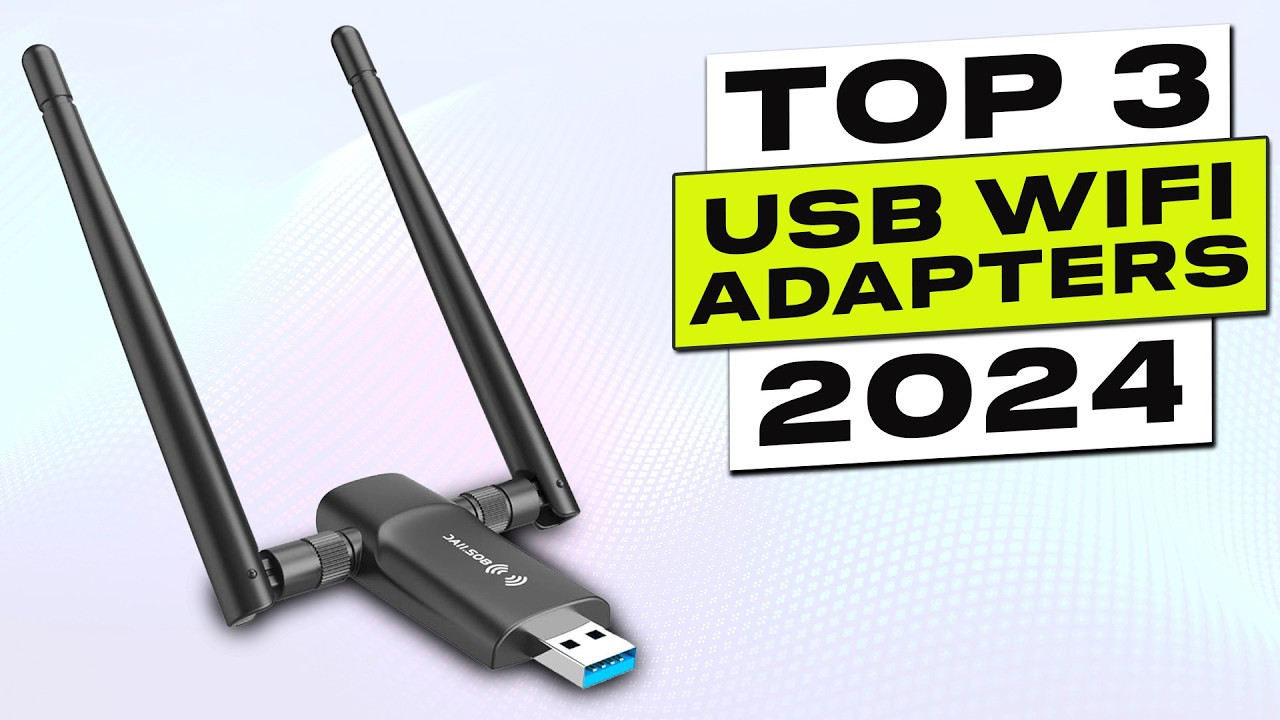
External antennas give better range than internal ones. A dual‑antenna adapter with beamforming can focus the signal toward the router, making a difference in tricky layouts. If your PC is under a desk or in a room far from the router, get an adapter with a USB extension cable so you can place the antennas in the open. Nano adapters are convenient for travel but trade range for size.
USB Interface
A USB 3.0 port is essential for any adapter faster than about 500 Mbps. Plugging a Wi‑Fi 6 adapter into a USB 2.0 port will cap your speed below the 1 Gbps that many internet plans now offer. Check that your PC has a blue USB port. If you only have USB 2.0, even the best adapter will be limited.
Operating System Compatibility
Many adapters only support Windows 10 and 11. If you use Windows 7, 8, macOS, or Linux, check the product details carefully. The TP‑Link Archer T2U Plus still supports older Windows versions, and the Archer T3U works with some macOS versions. The newer NETGEAR and UGREEN adapters have dropped non‑Windows support entirely.
Frequently Asked Questions
Can I use a USB Wi‑Fi adapter on a desktop that already has a Wi‑Fi card?
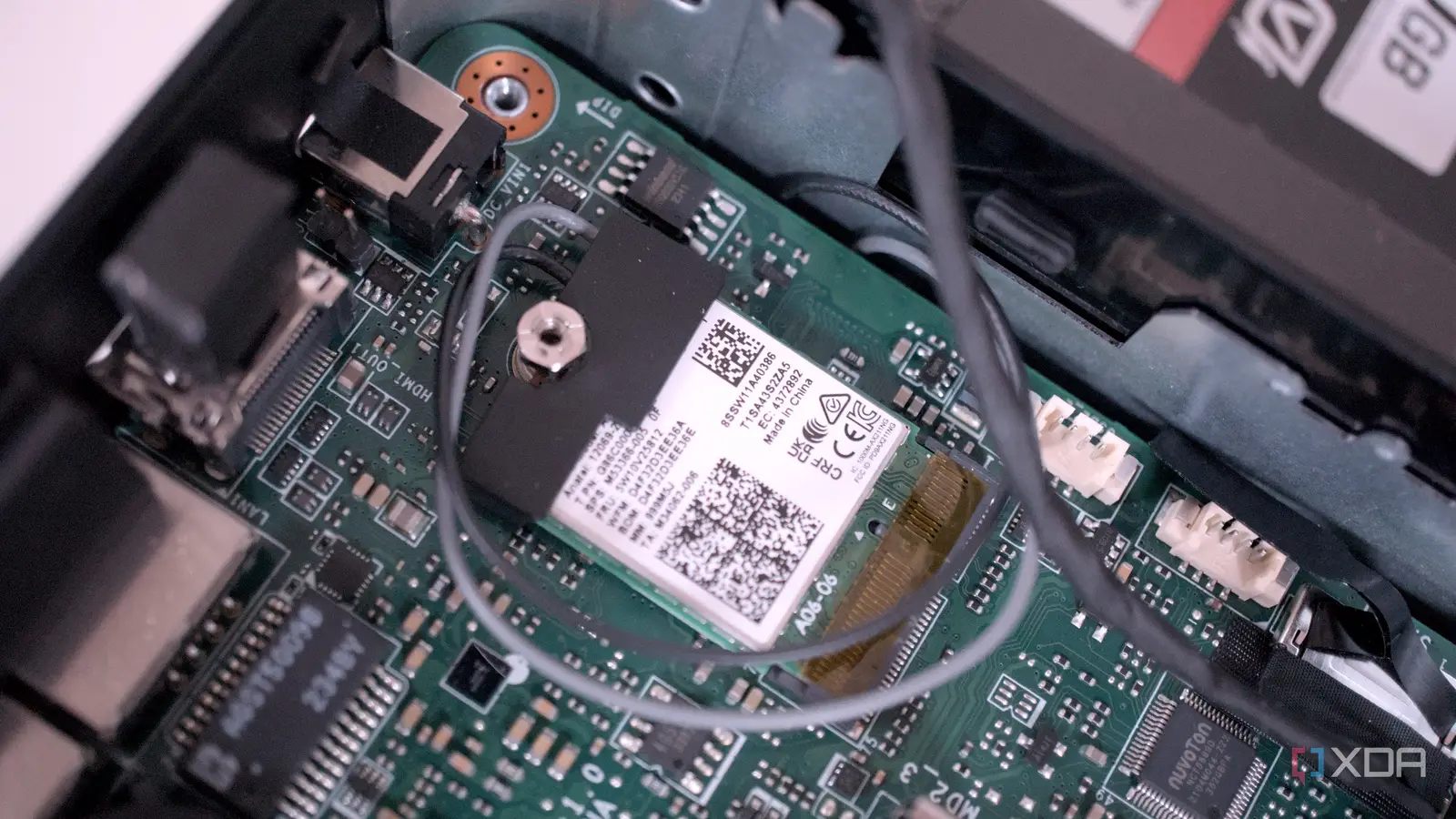
Yes. You can disable the built‑in Wi‑Fi and use the USB adapter instead, or even use both simultaneously if you need two separate network connections. The USB adapter will typically appear as a new network interface.
Will a Wi‑Fi 6 adapter work with an old router?
Yes, all Wi‑Fi 6 adapters are backward compatible with Wi‑Fi 5 and older routers. They will operate at the router's maximum speed and standard, not the adapter's. So you won't get Wi‑Fi 6 benefits until you upgrade the router.
Do I need to install drivers for a USB Wi‑Fi adapter?
Most newer adapters for Windows 10/11 have built‑in drivers and are plug‑and‑play. Some, like the TP‑Link Archer TX20U Plus, require downloading a driver from the manufacturer's site. Always check the product description for driver requirements.
How fast should my USB Wi‑Fi adapter be?
It depends on your internet plan and router. For a typical 300‑500 Mbps connection, any Wi‑Fi 5 or Wi‑Fi 6 adapter is sufficient. For gigabit connections, choose a Wi‑Fi 6 or Wi‑Fi 6E adapter with USB 3.0. If you have a multi‑gigabit fiber plan, you'll need a Wi‑Fi 7 adapter like the NETGEAR A9000.
Can I use a USB Wi‑Fi adapter on a laptop instead of the built‑in Wi‑Fi?
Yes. If your laptop's internal Wi‑Fi is slow or malfunctioning, a USB adapter is an easy fix. Nano adapters like the Nineplus AX1800 or UGREEN AX900 are ideal for travel because they barely protrude.
Do I need two antennas?
Not necessarily. A single‑antenna adapter can be perfectly fast and reliable at close range. Two antennas help with beamforming and spatial diversity, which improve signal quality in challenging environments. For most homes, one is enough.
What about security? Should I care about WPA3?
WPA3 is the latest Wi‑Fi security standard and offers stronger encryption against brute‑force attacks. If your router supports WPA3, it's worth getting an adapter that supports it. All Wi‑Fi 6 and Wi‑Fi 7 adapters here include WPA3; some Wi‑Fi 5 adapters do not.
The Bottom Line
After testing ten USB Wi‑Fi adapters across multiple rooms and routers, the TP-Link Archer TX30U Plus stands out as the best wifi adapter for pc for almost everyone. Its dual antennas, beamforming, and USB 3.0 interface deliver reliable high speeds on Wi‑Fi 6 networks, and the preloaded driver keeps setup painless. If you need the absolute fastest connection and already own a Wi‑Fi 6E or Wi‑Fi 7 router, the NETGEAR Nighthawk A8000 or A9000 are worthy upgrades. Budget buyers can grab the TP-Link Archer T2U Plus for less than $15 and still get a usable dual‑band connection.
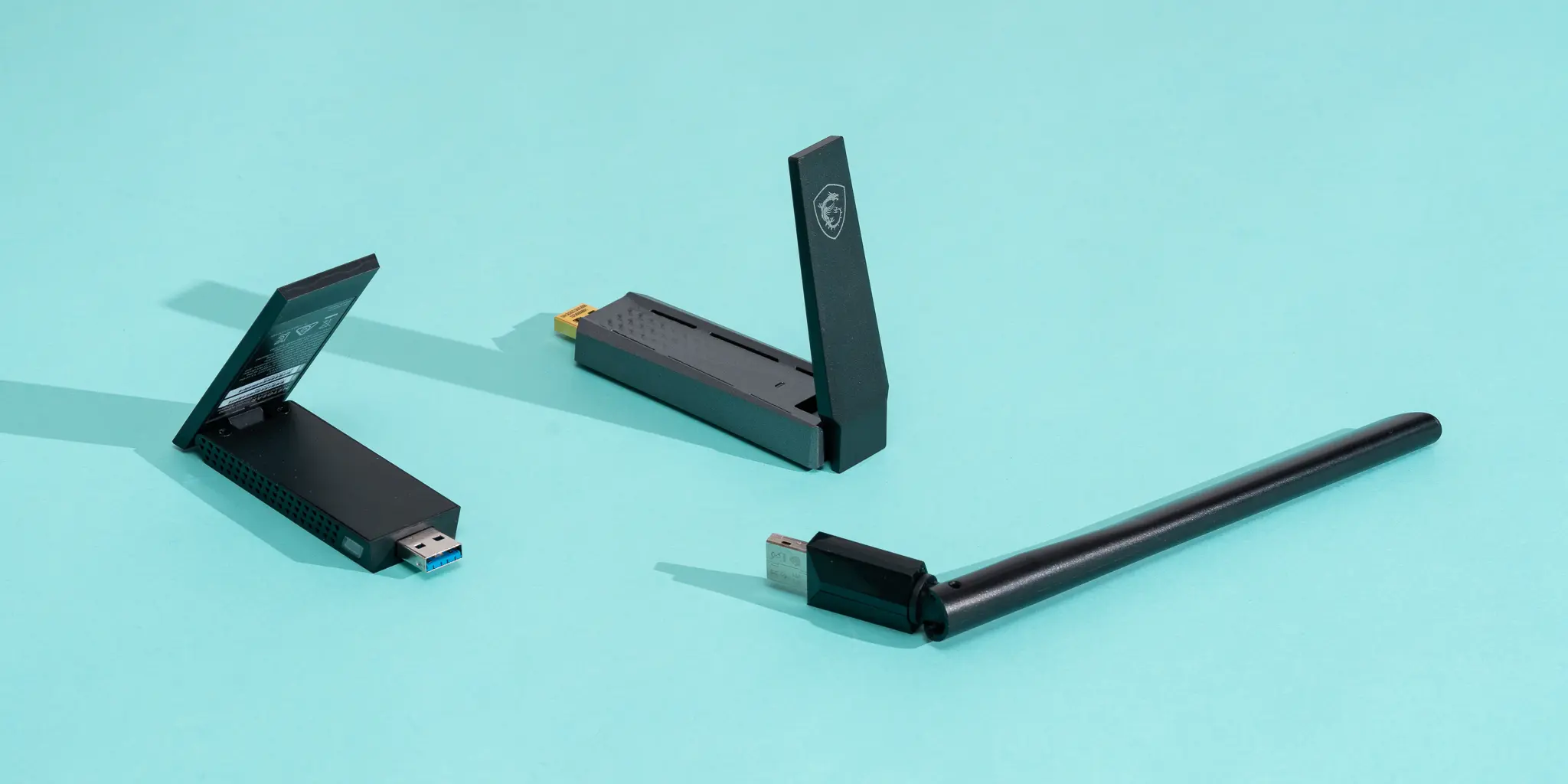
The key is to match the adapter to your router and your physical setup. A nano adapter is great for a laptop next to the router, but a desktop in a basement needs a cable‑mounted model with two antennas. Whichever you choose, the difference between a good adapter and a poor one is the difference between a fast, stable network and constant frustration.
As an Amazon Associate we earn from qualifying purchases.