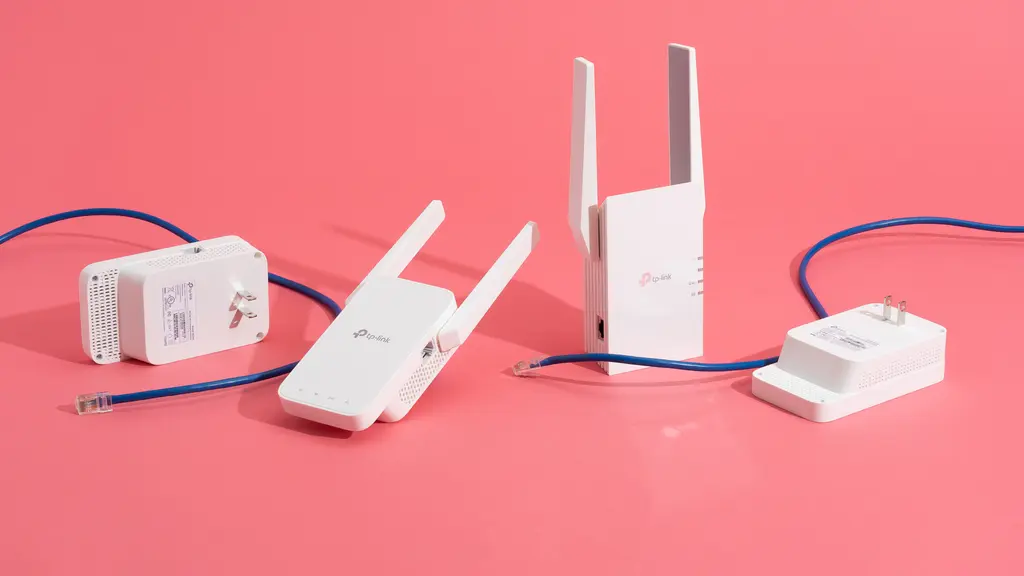

A dead zone is rarely fixed by placing a repeater at the very edge of your current signal. The extender needs a strong connection to the router first, then enough reach to carry that connection into the room where your phone, TV, or laptop keeps dropping out. That placement problem matters as much as the hardware.
The Best wifi extender options range from small dual-band units for one troublesome room to full mesh systems that replace the usual router and repeater arrangement. We also included newer Wi-Fi 7 models, though their advantages depend heavily on having a compatible router and client devices.
Our top pick is the TP-Link RE715X, with the Deco S4 and eero 6 covering the mesh alternatives. The rest of the field spans simple coverage fixes, Wi-Fi 6 upgrades, and a high-end tri-band model for demanding homes.
Comparison table
| # | Product | Award | Wireless class | Claimed coverage | Ethernet | Best for |
|---|---|---|---|---|---|---|
| 1 | TP-Link RE715X | Best overall | Dual-band Wi-Fi 6, AX3000 | Up to 2, 400 sq. ft. | Gigabit | Most homes with a modern router |
| 2 | TP-Link Deco S4 | Best mesh system | Dual-band AC1900 | Up to 5, 500 sq. ft. | Six Gigabit ports | Whole-home roaming |
| 3 | Amazon eero 6 | Best eero add-on | Wi-Fi 6 mesh | Adds up to 1, 500 sq. ft. | Not specified | Existing eero networks |
| 4 | TP-Link RE653BE | Best Wi-Fi 7 range | Tri-band Wi-Fi 7 | Up to 2, 800 sq. ft. | 2.5 Gbps | Wi-Fi 7 homes |
| 5 | TP-Link RE615X | Best Wi-Fi 6 alternative | Dual-band Wi-Fi 6, AX1800 | Up to 2, 100 sq. ft. | Gigabit | Streaming and gaming rooms |
| 6 | TP-Link RE550 | Best antenna coverage | Dual-band AC1900 | Up to 2, 200 sq. ft. | Gigabit | Older routers and broad layouts |
| 7 | TP-Link RE223BE | Best dual-band Wi-Fi 7 | Dual-band Wi-Fi 7, BE3200 | Up to 2, 400 sq. ft. | Not specified | Wi-Fi 7 without 6 GHz |
| 8 | TP-Link RE315 | Best compact pick | Dual-band AC1200 | Up to 1, 500 sq. ft. | Fast Ethernet | One or two weak rooms |
| 9 | TP-Link RE220 | Best basic extender | Dual-band AC750 | Up to 1, 200 sq. ft. | Not specified | Small apartments |
| 10 | JoyLantern AX3000 | Best claimed capacity | Dual-band Wi-Fi 6, AX3000 | Claimed up to 25, 631 sq. ft. | Gigabit | Buyers willing to accept uncertainty |
1. TP-Link RE715X: Best Overall

Pros
- Wi-Fi 6 support with a strong 5 GHz ceiling
- Gigabit Ethernet and access point mode
- EasyMesh and smart adaptive roaming
- Coverage claim reaches up to 2, 400 square feet
- Supports up to 64 devices
Cons
- Dual-band design lacks a dedicated third band
- Not compatible with Deco mesh systems
- Extenders can reduce throughput compared with a direct router connection
Best for: homes that need a serious dead-zone fix without replacing an existing router.
The TP-Link RE715X is the one we would start with for most ordinary homes. It has enough wireless headroom to avoid feeling like a stopgap, yet it still works with almost any Wi-Fi-enabled router or access point. The setup is handled in the Tether app, and an intelligent signal indicator helps you find a location that is close enough to the router to receive a useful connection.
Its AX3000 rating comes from up to 2, 404 Mbps on 5 GHz and up to 574 Mbps on 2.4 GHz. Those are theoretical radio rates, not internet speeds, but the distinction is useful. The 5 GHz band is the better fit for nearby phones, laptops, streaming boxes, and game consoles, while 2.4 GHz reaches farther through walls. The unit claims coverage up to 2, 400 square feet and support for 64 devices, giving it more room for a busy household than the RE315 or RE220.
The Gigabit Ethernet port makes this more flexible than a basic wireless repeater. Connect a desktop, TV, or console by cable, or use access point mode when running Ethernet back to the router is practical. EasyMesh support can also create a more unified network with a compatible EasyMesh router. That does not extend to Deco systems, so TP-Link branding alone is not enough to guarantee mesh compatibility.
The limitation is inherent to the form factor. TP-Link says extenders are intended to improve coverage rather than directly increase speed, and its product information warns that actual speeds can be 50% or less of current speeds in some conditions. The RE715X is also a larger wall unit than the compact RE315. Skip it if you already own an eero or Deco system, or if you need a fully coordinated mesh network. For everyone else, this is the cleanest balance of wireless capability, wired flexibility, and straightforward setup.
2. TP-Link Deco S4: Best Mesh System

Pros
- Three units create a single network name
- Coverage claim reaches up to 5, 500 square feet
- Six Gigabit Ethernet ports across the system
- Wired Ethernet backhaul support
- Parental controls and Alexa support
Cons
- Replaces the router and extender approach rather than adding to any router
- Wi-Fi 5 rather than Wi-Fi 6 or Wi-Fi 7
- A modem is required for most internet providers
Best for: larger homes where seamless roaming matters more than adding one repeater.
The Deco S4 is not a conventional plug-in extender, and that is precisely why it can be the better fix for a house with several weak areas. Its three units work together under one network name and password, so a phone can move between them without the awkward network switching that often comes with a standalone repeater. The Deco app handles setup and management on Android or iOS.
Each unit contributes to the system's claimed coverage of up to 5, 500 square feet. The AC1900 wireless platform uses six streams, and TP-Link says the system can support up to 100 devices. That does not mean every connected device receives maximum bandwidth at once, but it gives the S4 a more suitable shape for a family home with televisions, cameras, speakers, laptops, and smart-home equipment spread across multiple floors.
There are two Gigabit Ethernet ports on each unit, six in total for the three-pack. Those ports let you connect fixed devices or use wired Ethernet backhaul, which can improve the connection between mesh points when suitable cabling is available. The system also includes parental controls, guest Wi-Fi, and Alexa support for turning guest Wi-Fi on or off. Compared with the RE715X, it is a more complete network redesign rather than a targeted repair.
The trade-off is generation and compatibility. This is an AC1900 Wi-Fi 5 system, so newer Wi-Fi 6 and Wi-Fi 7 clients will not get those newer wireless features from the S4. It also requires a modem for most internet providers, and it makes little sense as an add-on to a router you want to keep. If one bedroom is the only problem, the RE615X is simpler. If the whole home needs one coordinated network, the Deco S4 is the more convincing answer.
3. Amazon eero 6: Best eero Add-On

Pros
- Adds up to 1, 500 square feet to an eero network
- Wi-Fi 6 support
- TrueMesh routing helps reduce drop-offs
- App guided setup
- Automatic updates and remote management
Cons
- Requires an existing eero network
- Coverage is limited compared with the Deco S4 system
- The product data does not specify an Ethernet port
Best for: eero owners who need one more node in an established mesh.
The eero 6 makes sense only in a very specific situation: you already have an eero network and want to push coverage into a distant room. It is not a universal repeater for an unrelated router. The existing eero requirement is prominent, and ignoring it would leave you with hardware that cannot perform the job you bought it for.
Within that ecosystem, the experience is appealingly simple. The eero app walks through setup, lets you manage the network from anywhere, and supports automatic updates. The extender adds up to 1, 500 square feet of Wi-Fi 6 coverage. eero's TrueMesh system is designed to route traffic intelligently between nodes, which is a different approach from asking a single repeater to create a second wireless foothold.
The system is aimed at ordinary high-demand tasks such as 4K streaming, gaming, and video conferencing. Automatic updates also help keep the network current and secure without requiring the owner to hunt through a web interface. The compact unit measures 2.42 inches high, 3.91 inches long, and 3.82 inches wide, with a listed weight of 0.63 pounds, making it less visually imposing than the larger TP-Link range extenders.
The central weakness is ecosystem lock-in. The eero 6 cannot compete with the RE715X as a general-purpose extender because it needs an eero network, and the product information does not identify an Ethernet port for connecting a wired device. It also covers less additional area than the Deco S4 three-pack. If you are already invested in eero, this is the obvious way to extend that network. If not, choose a compatible standalone extender or a complete mesh system instead.
For a broader look at the difference between a single repeater and a coordinated system, the trade-off between one extra node and full-home coverage is useful before you commit to an ecosystem.
4. TP-Link RE653BE: Best Wi-Fi 7 Range

Pros
- Tri-band Wi-Fi 7 with a 6 GHz band
- Up to 10 Gbps combined wireless bandwidth
- 2.5 Gbps Ethernet port
- Supports Multi-Link Operation with a Wi-Fi 7 router
- Coverage claim reaches up to 2, 800 square feet
Cons
- Wi-Fi 7 benefits depend on compatible equipment
- Large wall unit
- It cannot turn a weak internet connection into a faster one
Best for: advanced Wi-Fi 7 homes with multi-gig wired equipment and newer clients.
The TP-Link RE653BE is the most technically ambitious extender here. It uses three bands, including the less crowded 6 GHz band, and is designed to work with Wi-Fi 7 routers rather than merely borrow the label. For a modern network with compatible laptops, phones, and other clients, that gives it a stronger case than a conventional dual-band repeater.
Its advertised wireless breakdown is up to 5, 188 Mbps on 6 GHz, 4, 320 Mbps on 5 GHz, and 688 Mbps on 2.4 GHz, for a stated total of 10 Gbps. The separate bands matter more than the headline total. The 6 GHz band offers more spectrum and wider channels, while 2.4 GHz remains useful for range and older devices. Four high-gain directional antennas with Beamforming support a claimed coverage area of up to 2, 800 square feet and up to 128 devices.
The 2.5 Gbps LAN port is a meaningful inclusion. It can feed a wired computer, console, or access point at a higher ceiling than the Gigabit ports on the RE715X and RE615X. Multi-Link Operation can combine frequency bands when the extender is paired with a Wi-Fi 7 router, with the goal of improving throughput, latency, and reliability. Setup uses the Tether app and an intelligent signal indicator, while EasyMesh support expands the compatible-router options.
The caveat is that Wi-Fi 7 is not magic. A Wi-Fi 5 phone will not suddenly use the 6 GHz band, and a non-Wi-Fi 7 router cannot provide the full MLO experience described here. The unit is also physically broad at 7.95 inches long and 5.63 inches wide. The RE653BE is excessive for a small apartment or one weak bedroom. It is the right specialist tool for a newer, faster home network that has the hardware to exploit it.
5. TP-Link RE615X: Best Wi-Fi 6 Alternative

Pros
- Wi-Fi 6 support
- Up to 1, 201 Mbps on 5 GHz
- Gigabit Ethernet and access point mode
- Supports up to 64 devices
- Beamforming and adaptive roaming
Cons
- No 6 GHz band
- Not compatible with Deco systems
- Dual-band extender performance depends on placement
Best for: a Wi-Fi 6 router that needs a capable extension for streaming or gaming.
The RE615X is the sensible step down from the RE715X. It keeps the newer Wi-Fi 6 standard, a Gigabit Ethernet port, EasyMesh compatibility, and the same Tether app workflow, but its AX1800 radio has less capacity. In practice, that makes it a good fit for a room where a newer phone, laptop, television, or console needs a stable connection but the network is not saturated with dozens of demanding clients.
The wireless ceiling is up to 1, 201 Mbps on 5 GHz and 574 Mbps on 2.4 GHz. The higher-frequency band is suited to faster nearby devices, while 2.4 GHz gives the signal a better chance through walls and across distance. TP-Link claims coverage up to 2, 100 square feet and support for 64 devices. Two high-gain directional antennas and Beamforming are intended to improve the direction and reliability of the signal.
Like the RE715X, the RE615X can work as an access point when connected to the router by Ethernet. That option is important when the wireless path is poor but running a cable is possible. Smart adaptive roaming can help devices connect to the strongest signal, and EasyMesh can coordinate the extender with a compatible router. It is not designed for Deco systems, so the same compatibility check applies here.
The main omission is the 6 GHz band, though that is also true of many practical Wi-Fi 6 networks. It cannot match the RE715X's AX3000 headroom, and neither model should be treated as a direct internet speed upgrade. Choose the RE615X when the coverage problem is substantial but the household does not need the extra wireless capacity of the top pick. It is a particularly comfortable match for a Wi-Fi 6 router serving a medium-size home.
6. TP-Link RE550: Best Antenna Coverage

Pros
- Three adjustable external antennas
- AC1900 dual-band wireless
- Gigabit Ethernet and access point mode
- Claims coverage up to 2, 200 square feet
- Works with EasyMesh-compatible routers
Cons
- Uses Wi-Fi 5
- Supports up to 32 devices
- Larger external antennas are less discreet
Best for: older routers that need broad coverage without a move to Wi-Fi 6.
The RE550 is an older design, but its three adjustable external antennas give it a clear reason to remain in consideration. Antenna positioning can be useful when the router and dead zone are separated by an awkward hallway, thick walls, or multiple rooms. It is not as compact as the RE315, but it looks more purpose-built for pushing coverage across a broader floor plan.
Its AC1900 specification combines up to 1, 300 Mbps on 5 GHz with up to 600 Mbps on 2.4 GHz. The product claims coverage up to 2, 200 square feet and support for 32 devices. Those figures do not guarantee the same result in every building, but the higher 5 GHz ceiling gives it more breathing room than the RE315 and RE220 when several clients are active.
The Gigabit Ethernet port supports a wired device or access point mode, which broadens its usefulness beyond wireless repeating. Setup and management run through the Tether app, including the intelligent signal indicator and firmware updates. It also supports adaptive roaming and EasyMesh with a compatible router, though it is not compatible with Deco mesh systems.
The weakness is age rather than a missing everyday feature. Wi-Fi 5 lacks the efficiency and client-handling improvements associated with Wi-Fi 6, and the device supports fewer clients than the RE615X or RE715X. It also weighs 0.51 pounds and measures 6.4 inches long by 3 inches wide, so it occupies more visual space than a small plug-in unit. Pick it when antenna flexibility and coverage are more important than the newest wireless standard.
7. TP-Link RE223BE: Best Dual-Band Wi-Fi 7

Pros
- Wi-Fi 7 features including MLO
- Up to 3.2 Gbps combined wireless bandwidth
- Coverage claim reaches up to 2, 400 square feet
- Supports up to 64 devices
- Four antennas with Beamforming
Cons
- No 6 GHz band
- Wi-Fi 7 features need a compatible router and clients
- Ethernet speed is not specified in the product information
Best for: newer Wi-Fi 7 networks that do not need 6 GHz from the extender.
The RE223BE occupies an unusual spot. It carries Wi-Fi 7 features and a strong wireless headline, but it is a dual-band extender with no 6 GHz band. That makes it less future-facing than the RE653BE, yet potentially easier to justify for a router whose useful coverage is concentrated on 2.4 GHz and 5 GHz.
TP-Link lists up to 2, 594 Mbps on 5 GHz and up to 688 Mbps on 2.4 GHz, for 3.2 Gbps of combined bandwidth. The four-stream design also supports 160 MHz and 4K-QAM, while Multi-Link Operation can combine bands when paired with a Wi-Fi 7 router. The claimed coverage is up to 2, 400 square feet for as many as 64 devices.
Four optimally positioned antennas and Beamforming are intended to improve signal direction and reliability. The Tether app handles setup and includes a signal indicator for placement. EasyMesh compatibility can help it fit into a coordinated network with a supported router, and smart adaptive roaming is designed to move devices toward the stronger signal.
The missing 6 GHz band is the decisive limitation. If your reason for upgrading to Wi-Fi 7 is access to the cleaner 6 GHz spectrum, the RE653BE is the more complete choice. The RE223BE is better understood as a high-capacity 2.4 GHz and 5 GHz extender with selected Wi-Fi 7 features. It suits owners of a Wi-Fi 7 router who want newer wireless handling without extending the 6 GHz network into the farthest room.
8. TP-Link RE315: Best Compact Pick

Pros
- Small wall-friendly design
- Dual-band AC1200 wireless
- Two adjustable external antennas
- EasyMesh support with compatible routers
- Simple Tether app setup
Cons
- Fast Ethernet rather than Gigabit Ethernet
- Supports up to 32 devices
- Not compatible with Deco systems
Best for: one weak room, hallway, or small home with modest wireless demands.
The RE315 is the straightforward fix for a straightforward problem. It is small enough to place without turning a hallway outlet into a networking installation, and its two adjustable external antennas make it easier to aim coverage than some compact internal-antenna designs. Its dimensions are 4.89 inches high, 3.5 inches long, and 2.05 inches wide, with a listed weight of 0.38125 pounds.
AC1200 means up to 867 Mbps on 5 GHz and 300 Mbps on 2.4 GHz. That is plenty of radio capacity for ordinary browsing, calls, smart-home devices, and a television in a previously weak room, but it is not aimed at a house full of simultaneous high-bandwidth clients. TP-Link claims coverage up to 1, 500 square feet and support for 32 devices.
Adaptive Path Selection helps the extender choose a connection route, while the Tether app provides setup guidance and a signal indicator. The unit also supports automatic connections to the strongest signal and can join a compatible EasyMesh router. Its Ethernet port is useful for a wired device, but the product describes it as Fast Ethernet, so it is not the right choice for a fast wired backhaul or a demanding network-attached device.
The RE315 is less capable than the RE615X and RE715X, and it has none of their Wi-Fi 6 improvements. It is also not compatible with Deco systems. Those are real boundaries, but they are easy to live with when the goal is simply to eliminate a dead spot in a small area. Choose it when compact size and uncomplicated coverage matter more than maximum wireless capacity.
9. TP-Link RE220: Best Basic Extender

Pros
- Very compact design
- Dual-band operation
- Claims coverage up to 1, 200 square feet
- Supports up to 30 devices
- OneMesh support
Cons
- Lower wireless capacity than every other TP-Link extender here
- Uses Wi-Fi 5
- Product data does not specify an Ethernet speed
Best for: a small apartment or a single low-demand dead zone.
The RE220 is the simplest product in the roundup. Its job is not to serve a large, busy home or carry a high-speed wired connection. It is a small dual-band repeater for the room at the back of an apartment, the upstairs corner where a smart speaker keeps disconnecting, or a guest room that only needs dependable browsing.
The AC750 platform provides up to 300 Mbps on 2.4 GHz and 433 Mbps on 5 GHz. TP-Link says that is up to 44% more bandwidth than a single-band N300 extender, which explains why this basic model can still handle more than a very old single-band repeater. Coverage is listed at up to 1, 200 square feet, with support for up to 30 devices.
Its dimensions are 3 inches high, 2.6 inches long, and 4.3 inches wide, and the listed weight is only 0.2 pounds. That compact build is its strongest practical feature. It supports OneMesh, though the router must also support that system for the coordinated experience to work. The product data supplied here gives only one feature entry, so details such as app support and Ethernet performance are not something we would assume.
The RE220 falls well behind the RE315 for radio capacity and behind the Wi-Fi 6 models for newer client support. It is not the model to choose for 4K streaming across a busy family network or for a large multi-floor home. It remains sensible for a narrow coverage problem where the connected devices are light users and the extender needs to stay unobtrusive.
10. JoyLantern AX3000: Best Claimed Capacity

Pros
- Dual-band Wi-Fi 6 design
- Advertised AX3000 wireless class
- Four antennas
- Gigabit Ethernet port
- Browser setup without a required app
Cons
- Coverage claim is unusually high and should be treated cautiously
- Brand and support information are less established here than TP-Link or eero
- No mesh compatibility is specified
Best for: buyers who want a broad feature list and are comfortable verifying performance and compatibility themselves.
The JoyLantern AX3000 stands out because its claims are far more aggressive than the rest of this group. It advertises coverage up to 25, 631 square feet and support for more than 150 devices. Those figures are not directly comparable with the more restrained coverage claims from TP-Link and eero, so we would not plan a whole-home network around them without checking the installation and return options carefully.
The wireless figures are up to 2, 400 Mbps on 5.8 GHz and 600 Mbps on 2.4 GHz. It uses four antennas and supports Wi-Fi 6, with the product description aimed at 8K video and gaming. Those are useful signals of the intended category, but they do not replace a clear explanation of radio configuration, channel behavior, or how the extender handles backhaul traffic.
A Gigabit Ethernet port can provide a wired connection for a computer, TV, or console. Setup is described as taking about three minutes through a smartphone or PC browser, with no app required. The listed security protocols include WEP, WPA, WPA2, and 802.1X. The extender is described as compatible with Wi-Fi devices such as phones, smart TVs, streaming sticks, Alexa devices, and Ring products.
The major concern is not a missing headline feature. It is the gap between the unusually large coverage claim and the limited supporting detail in the product information. There is no specified mesh system, no stated Ethernet backhaul mode, and no dimensions or weight supplied. The RE715X is the safer recommendation for most homes because its feature set and compatibility are clearer. Consider the JoyLantern only if its browser setup, four-antenna design, and Gigabit port match a specific need and you are prepared to judge the result in your own layout.
How to choose best wifi extender
The right extender is determined by the router it must work with, the distance it needs to cover, and the devices that will connect to it.
Router compatibility
A standalone repeater should work with most Wi-Fi routers, but mesh features are more selective. EasyMesh, OneMesh, Deco, and eero are not interchangeable names for one universal system. The RE715X, RE615X, RE550, RE315, RE653BE, and RE223BE list EasyMesh support, while the RE220 lists OneMesh support. The eero 6 requires an existing eero network, and the Deco S4 is a complete mesh system rather than an add-on for an unrelated router.
Wireless generation
Wi-Fi 5 models such as the RE550, RE315, RE220, and Deco S4 can still extend ordinary connections, but Wi-Fi 6 is the better fit for newer phones, laptops, and busy homes. Wi-Fi 7 adds features such as Multi-Link Operation, but only compatible routers and clients can use them. The RE653BE includes 6 GHz, while the RE223BE is Wi-Fi 7 but remains limited to 2.4 GHz and 5 GHz.
A newer wireless label cannot compensate for an extender placed where the router signal is already weak.
Band layout
Dual-band extenders use 2.4 GHz for longer reach and 5 GHz for higher potential throughput at shorter distances. Tri-band models add another wireless band, which can give compatible equipment more room to move traffic. The RE653BE is the only tri-band model here. A dual-band extender can still be the better fit for a modest network, especially when the weak room is close enough to the router for a solid 5 GHz link.
Placement and coverage
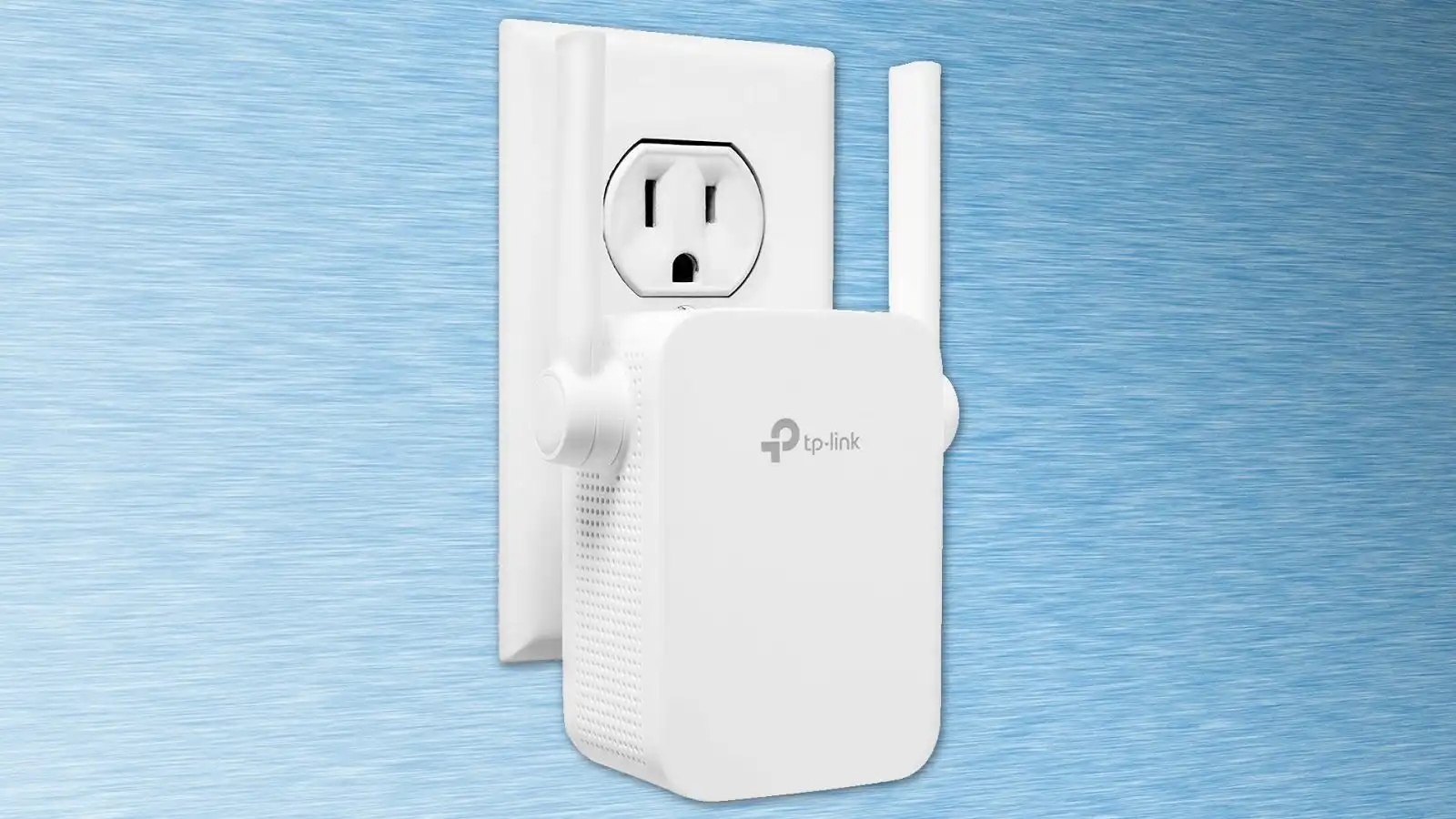
Coverage figures are manufacturer estimates, not guarantees for every floor plan. Walls, ceilings, appliances, neighboring networks, and the router's location all change the result. Place the extender between the router and the dead zone, not inside the dead zone. An intelligent signal indicator, available on several TP-Link models, can help identify a usable position.
For more help with positioning and the distinction between signal reach and usable throughput, why extender placement changes the result so much is the practical question to settle first.
Ethernet connection
A wired port is useful for a television, console, desktop, or access point. Gigabit Ethernet appears on the RE715X, RE550, RE615X, and JoyLantern AX3000, while the RE653BE steps up to 2.5 Gbps. The RE315 lists Fast Ethernet, so it is better for basic wired connectivity than for a high-speed backhaul. The Deco S4 offers two Gigabit ports on each of its three units and supports wired Ethernet backhaul.
Mesh versus repeater behavior
A repeater can solve one stubborn room without changing the rest of the network. A mesh system is more appropriate when several areas need coverage and devices must roam under one network name. The Deco S4 creates that unified network from three nodes, and eero's TrueMesh handles routing within an existing eero setup. A standalone TP-Link extender is easier to add to an existing router, but it may not provide the same coordinated movement between nodes.
If the decision is between adding one repeater and replacing the network, how a single extender differs from a coordinated mesh explains the trade-off without focusing on brand labels.
Frequently asked questions
Do Wi-Fi extenders increase internet speed?
A Wi-Fi extender is intended to improve coverage, not directly increase the speed supplied by your internet connection. A stronger signal can make a connection more reliable and may improve real-world performance in a dead zone. The wireless link between the router and extender still affects the result.
Where should I place a Wi-Fi extender?
Place it between the router and the room with weak coverage, where it can still receive a strong signal from the router. Putting it inside the dead zone usually gives the extender a poor connection to repeat. Use the signal indicator in the setup app when the model provides one.
Is Wi-Fi 6 better for an extender?
Wi-Fi 6 can be a better match for newer phones, laptops, and busy households because it brings newer wireless features and client support. It does not guarantee faster internet, and older devices will not use every Wi-Fi 6 capability. The router and client devices matter as much as the extender.
Do I need a mesh system instead of a repeater?
Choose a mesh system when several rooms need coverage and you want devices to move between nodes under one network name. A repeater is usually simpler when one room or one side of the home is the problem. The Deco S4 and eero 6 are designed around their own mesh ecosystems, while several TP-Link models work with compatible EasyMesh routers.
Can I connect a device by Ethernet to a Wi-Fi extender?
Many extenders include an Ethernet port for a wired device. The RE715X, RE550, RE615X, RE653BE, and JoyLantern AX3000 list Ethernet connectivity, while the RE653BE has the highest specified Ethernet capacity at 2.5 Gbps. Check the exact port type when using a desktop, console, or access point that needs more than basic connectivity.
Does a Wi-Fi extender work with any router?
Most standalone extenders are designed to work with a broad range of Wi-Fi routers, but mesh features may require a specific compatibility standard. The eero 6 requires an existing eero network, and the TP-Link models that list EasyMesh or OneMesh need a compatible router for those coordinated features. The Deco S4 is a complete mesh network rather than a universal add-on.
What is the difference between 2.4 GHz and 5 GHz?
The 2.4 GHz band generally travels farther and handles obstacles better, while 5 GHz can offer higher wireless rates at shorter distances. A good dual-band extender uses both so nearby devices can use 5 GHz while distant or older devices use 2.4 GHz. The RE653BE adds a 6 GHz band for compatible Wi-Fi 7 equipment.

The bottom line
The Best wifi extender for most homes is the TP-Link RE715X. Its AX3000 dual-band Wi-Fi 6 hardware, Gigabit Ethernet, EasyMesh compatibility, app setup, and support for up to 64 devices give it a better all-purpose profile than the RE615X and RE315. It is not a substitute for a wired network, and its results still depend on placement, but it solves more types of coverage problem without demanding a full network replacement.
Choose the TP-Link Deco S4 when the issue affects several rooms and seamless roaming matters more than having the newest wireless generation. The Amazon eero 6 is the right add-on only for an existing eero network, while the TP-Link RE653BE earns consideration for a Wi-Fi 7 home with 6 GHz clients and multi-gig wired equipment.
If you are undecided, choose the RE715X for one problem area and the Deco S4 for a home-wide coverage rebuild.
As an Amazon Associate we earn from qualifying purchases.