
A Windows PC can be exposed through a malicious attachment, a convincing text message, or a website that looks perfectly ordinary. The Best Windows Antivirus software should do more than scan files after the damage is done. It should watch for ransomware, phishing, unsafe links, and the newer scams that target people rather than operating systems.
We compared ten Norton and McAfee subscriptions, from single-device antivirus tools to broad plans that cover phones, tablets, and computers. The strongest options combine real-time malware protection with useful privacy or identity features, while the weaker ones mainly make sense when you need a narrowly defined plan.
Norton 360 Deluxe is our top pick, with McAfee Total Protection 5 Device close behind and Norton 360 Premium the better fit for a larger household.
Comparison table
| # | Product | Award | Devices | VPN | Backup or identity features | Best for |
|---|---|---|---|---|---|---|
| 1 | Norton 360 Deluxe | Best overall | 5 | Yes | 50 GB cloud backup, dark web monitoring | Most households |
| 2 | McAfee Total Protection 5 Device | Best McAfee suite | 5 | Unlimited | Identity monitoring, password manager | Families using several devices |
| 3 | McAfee Total Protection 3 Device (2022) | Best three-device plan | 3 | Unlimited | Identity monitoring, password manager | Small households |
| 4 | Norton 360 Premium | Best for many devices | 10 | Yes | 75 GB cloud backup, dark web monitoring | Large households |
| 5 | McAfee Total Protection 3 Device Download | Best simple download | 3 | Unlimited | Identity monitoring, password manager | Straightforward setup |
| 6 | McAfee+ Premium | Best for unlimited devices | Unlimited | Unlimited | Personal data scan, social privacy manager | Homes with many compatible devices |
| 7 | McAfee Total Protection 3 Device (2023) | Best feature balance | 3 | Unlimited | Identity monitoring, password manager | Users wanting a full suite |
| 8 | McAfee Total Protection 1 Device | Best single-device suite | 1 | Unlimited | Identity monitoring, password manager | One Windows PC |
| 9 | Norton AntiVirus Plus | Best focused Norton plan | 1 | No | 2 GB cloud backup, password manager | Basic PC protection |
| 10 | McAfee Antivirus 1 Device | Best basic firewall | 1 | No | Advanced firewall, safe browsing | Users who want core defenses |
1. Norton 360 Deluxe: Best Overall

Pros
- Protects five PCs, Macs, iOS devices, or Android devices
- Includes VPN, dark web monitoring, and scam assistance
- 50 GB of secure PC cloud backup
- Real-time protection covers ransomware and viruses
Cons
- The plan requires auto-renewal
- Backup capacity is tied to the Norton subscription
- Some features extend beyond what a single-PC user needs
Best for: households that want broad protection without moving to a ten-device plan.
Norton 360 Deluxe is the most complete fit for a typical household in this group. It protects five devices, and those devices can include PCs, Macs, iOS hardware, or Android phones. That mixed-device coverage matters because a Windows computer is rarely the only place a family stores passwords, photos, messages, or financial information.
The core protection is real-time security against existing and emerging malware threats, including ransomware and viruses. Norton also includes its Genie AI-powered scam protection assistant, which helps assess suspicious offers and messages. That gives Deluxe a wider brief than a traditional file scanner. It is aimed at the moment before a user clicks, not only the moment after a malicious file reaches the computer.
The privacy extras are strong for this list. A VPN helps protect information on an internet connection, while dark web monitoring searches for personal information and sends an alert if it appears. The 50 GB of secure PC cloud backup is a meaningful addition for photos and files. It cannot replace a full local backup strategy, but it gives ransomware and hard-drive failure a second line of defense.
Compared with Norton AntiVirus Plus, Deluxe adds the VPN, dark web monitoring, broader device coverage, and substantially more backup space. McAfee Total Protection 5 Device counters with unlimited VPN access and a password manager, so it is the better alternative for someone who values those tools more than Norton’s backup. Deluxe’s weakness is scope: someone protecting only one PC may find the larger suite unnecessary, and auto-renewal needs attention after the prepaid term ends.
For a family with several kinds of devices, this is the Best Windows Antivirus package to keep in mind. Readers comparing protection across different computer types can also see how security features differ between everyday home computers before choosing a subscription.
2. McAfee Total Protection 5 Device: Best McAfee Suite

Pros
- Covers five devices
- Unlimited VPN is included
- Identity monitoring scans up to 60 types of personal and financial information
- Password manager and scam detector are built in
- Phone and chat support is available
Cons
- Auto-renewal requires a payment method
- The product has more controls than a basic user may need
- It does not include Norton’s listed PC cloud backup
Best for: families that want five-device coverage with privacy and account-management tools.
McAfee Total Protection 5 Device takes a practical, suite-first approach. It protects data on laptops, phones, and tablets, so the five-device allowance is not restricted to Windows PCs. The software also provides real-time threat protection, which is the feature that should remain active during ordinary browsing, downloads, and everyday file use.
Its most useful distinction is the combination of scam detection and safe browsing. McAfee says the scam detector identifies risky texts, emails, and videos, while safe browsing guides users away from phishing and malware sites. Those tools address a common problem with antivirus software: the user may be tricked before a conventional malware scan has anything to inspect.
The plan also includes an unlimited VPN for private browsing and public Wi-Fi use. Identity monitoring watches for personal and financial information across up to 60 types of data, and the password manager can generate, store, and auto-fill credentials. That is a well-rounded collection for a household, especially if several people need help maintaining separate online accounts.
Norton 360 Deluxe is more appealing if secure PC backup and dark web monitoring are priorities. McAfee’s advantage is its explicit unlimited VPN and password manager pairing, plus listed phone and chat support. The main drawback is administrative rather than technical. Activation requires a payment method, and the subscription renews automatically, so the account settings deserve a check during setup.
This is a strong Best Windows Antivirus alternative for households that want privacy tools used every day, not just malware detection running quietly in the background.
3. McAfee Total Protection 3 Device (2022): Best Three-Device Plan

Pros
- Covers three PCs, phones, or tablets
- Includes unlimited VPN access
- Identity monitoring scans up to 60 types of information
- Includes safe browsing and password management
- Digital code and activation instructions are emailed
Cons
- Three devices may be limiting for a growing household
- Auto-renewal needs to be managed
- No listed cloud backup feature
Best for: a small household with one to three compatible devices.
McAfee Total Protection 3 Device (2022) is a compact version of the five-device suite, but it does not feel stripped down in its main feature set. It protects laptops, phones, and tablets with real-time threat protection, and the three-device allowance is enough for a person with a Windows PC and phone or for a small household with a few machines.
The safe-browsing layer is important here. McAfee says it blocks phishing and risky sites while guiding users away from dangerous links. Scam detection extends to texts, emails, and videos, and the mobile app can check social messages and QR codes on demand. That combination is more useful than a plan that only advertises a malware scanner.
An unlimited VPN is included, along with identity monitoring and a password manager. The identity tool scans up to 60 types of personal and financial information, while the password manager creates complex passwords, stores them, and fills credentials into accounts. For three devices, that is a generous set of companion tools.
The difference between this product and McAfee Total Protection 1 Device is not just the number of installations. Three-device coverage gives a household room for a second computer or phone without changing plans. McAfee Total Protection 3 Device Download has a similar feature profile, so the choice between those two should focus on the specific listing and activation route. The limitation is that neither McAfee plan offers the listed backup capacity found in Norton 360 Deluxe.
If your home has three devices or fewer and you want a VPN and password manager included, this is one of the clearest Best Windows Antivirus choices. People weighing broader computer security should also consider how malware protection, privacy tools, and account safeguards fit together rather than judging a plan by its scanner alone.
4. Norton 360 Premium: Best for Many Devices

Pros
- Covers ten PCs, Macs, iOS devices, or Android devices
- Includes 75 GB of secure PC cloud backup
- VPN and dark web monitoring are included
- AI-powered scam protection extends to messages and online offers
- Real-time protection covers ransomware and viruses
Cons
- Too broad for a single-PC user
- Auto-renewal requires account management
- The VPN and backup are tied to the Norton ecosystem
Best for: large households with many computers and mobile devices.
Norton 360 Premium is essentially the household-scale Norton option in this group. It covers ten devices, including PCs, Macs, iOS devices, and Android devices. That number gives a family room for laptops, desktops, tablets, and phones without having to decide which less frequently used device gets left out.
The protection package is broad. Norton lists real-time defense against malware, ransomware, and viruses, plus AI-powered scam protection that helps spot suspicious offers and text messages. The latter is particularly useful for households with less technical users, since many successful attacks begin with a convincing message rather than an obviously infected download.
Premium also raises the secure PC cloud backup allowance to 75 GB. That is more breathing room for photos and important files than the 50 GB included with Norton 360 Deluxe. Dark web monitoring adds alerts when information is found on websites or forums associated with identity theft, and the VPN is designed to help protect private information during internet use.
The trade-off is obvious. McAfee+ Premium supports unlimited devices and adds a personal data scan and social privacy manager, so it is the more flexible option for unusually large or mixed-device households. Norton Premium is the better fit when ten devices is a clear, manageable limit and cloud backup matters. A single-PC user should skip it in favor of Norton AntiVirus Plus or a one-device McAfee plan.
For a large home that wants one Norton account covering nearly everything, this is a confident Best Windows Antivirus pick. Make a device list before activation, because the value of a ten-device plan depends on actually having several compatible machines to protect.
5. McAfee Total Protection 3 Device Download: Best Simple Download

Pros
- Protects three devices
- Unlimited VPN is included
- Includes identity monitoring and a password manager
- Digital activation code is emailed
- Safe browsing helps block risky websites
Cons
- Does not list scam detection for videos and QR codes
- No cloud backup feature is listed
- Requires downloading and activating the code
Best for: buyers who want a three-device McAfee suite with a direct digital activation path.
McAfee Total Protection 3 Device Download is the most straightforward older-style suite in this selection. It covers three devices and focuses on the familiar combination of antivirus, identity monitoring, VPN, and password management. That is enough for a Windows PC, a phone, and another compatible device without stepping up to a larger household plan.
The listed identity monitoring watches email addresses, IDs, and phone numbers for signs of breaches. That is a useful complement to real-time antivirus because it helps after information has escaped into a compromised service. The password manager generates and stores complex passwords, while the unlimited VPN is intended to protect online privacy, particularly on public Wi-Fi.
McAfee also says the antivirus warns about risky websites and protects against the latest threats. The product page does not list the newer plan’s full scam detector language around texts, emails, videos, and QR codes, so we would not choose this edition specifically for those capabilities. Its strength is the simpler bundle, not a longer list of newer detection tools.
Compared with McAfee Total Protection 3 Device (2022), this product has a less expansive listed feature set. The newer three-device plan adds scam detection, safe-browsing detail, customer support information, and broader activation guidance. Norton 360 Deluxe is the stronger alternative for anyone who wants cloud backup. This McAfee edition makes sense when the familiar VPN and identity tools are the priority.
It remains a sensible Best Windows Antivirus option for a buyer who prefers a digital code and does not need Norton’s backup features. Be ready to install the software and redeem the emailed instructions rather than expecting protection to begin automatically.
6. McAfee+ Premium: Best for Unlimited Devices

Pros
- Works across unlimited compatible devices
- Includes antivirus, VPN, and identity monitoring
- Personal data scan can find old accounts and people-search listings
- Social privacy manager covers more than 100 settings
- Scam detection includes texts, emails, videos, and QR codes
Cons
- Too much software for a single Windows PC
- Auto-renewal requires attention
- The broader privacy tools may require hands-on setup
Best for: households with many compatible devices and users who want active privacy management.
McAfee+ Premium is the most ambitious plan here. Instead of assigning a fixed device count, it supports unlimited compatible devices. That makes it a natural fit for a home with several computers, phones, and tablets, especially when the device list changes often.
Its antivirus core includes real-time device security, while the secure VPN handles private browsing and public Wi-Fi. Scam detection can identify risky texts, emails, and videos, and the mobile app can check social messages and QR codes on demand. Those features put the plan firmly in the broader internet-security category rather than leaving it as a basic Windows scanner.
The extras are more unusual. McAfee’s personal data scan looks for old online accounts and people-search sites and can help remove information sold to mailing lists, scammers, and robocallers. The social privacy manager helps adjust more than 100 social-media privacy settings. Identity monitoring scans up to 60 types of personal and financial information and provides alerts when relevant data appears.
The obvious comparison is Norton 360 Premium. Norton covers ten devices and adds 75 GB of secure PC cloud backup, while McAfee+ Premium removes the device ceiling and goes deeper into personal data cleanup and social privacy. A single-PC user should avoid both broad plans and consider McAfee Total Protection 1 Device instead. The weakness here is complexity: the privacy tools are useful only if you spend time reviewing findings and settings.
For households with a constantly changing collection of devices, this may be the Best Windows Antivirus plan with the least need to count installations. It is also the pick for people who want antivirus to address exposed personal information, not just infected files.
7. McAfee Total Protection 3 Device (2023): Best Feature Balance
Pros
- Covers three devices
- Includes VPN, identity monitoring, and password manager
- Scam detector and safe browsing are included
- Digital activation code is emailed
- Customer support is available by phone or chat
Cons
- Three-device limit can be restrictive
- Auto-renewal needs monitoring
- No listed backup feature
Best for: three-device households that want the fullest listed McAfee feature set.
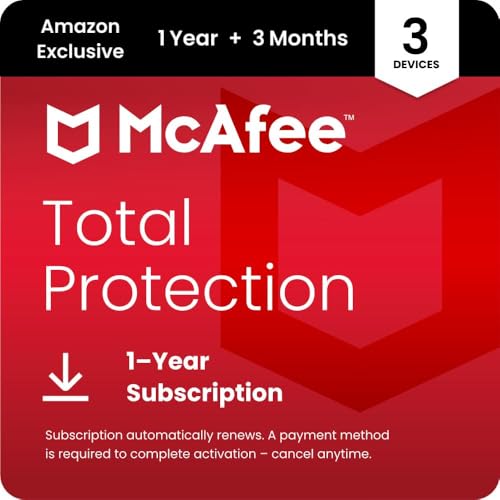
McAfee Total Protection 3 Device (2023) occupies the most interesting middle ground in this list. It has the same three-device focus as the other compact McAfee suites, but its feature list includes the full set of current practical tools: real-time security, scam detection, safe browsing, VPN, identity monitoring, and password management.
Safe browsing is designed to guide users away from risky links, phishing pages, and malware sites. Scam detection covers risky texts, emails, and videos, with the mobile app able to inspect social messages and QR codes on demand. Those protections are especially relevant on a Windows PC used for email, shopping, banking, and social accounts, where the danger is often a deceptive prompt rather than a suspicious executable.
The unlimited VPN provides private browsing on public Wi-Fi, and identity monitoring scans up to 60 types of personal and financial information. The password manager can create complex passwords, save them, and auto-fill credentials. Phone and chat support is also listed, which can be helpful when activation or account settings become confusing.
This product is very close to McAfee Total Protection 3 Device (2022), so the naming distinction matters when shopping. The 2023 entry is the better fit on paper because its feature list is more explicit about safe browsing and the complete support offering. Norton 360 Deluxe remains more compelling if you need cloud backup, while McAfee+ Premium is the upgrade for unlimited devices and broader privacy controls.
That balanced feature set makes it a strong Best Windows Antivirus choice for a small household. Skip it if you only need one PC, or if your main priority is recovering files through cloud backup rather than protecting browsing and accounts.
8. McAfee Total Protection 1 Device: Best Single-Device Suite

Pros
- Covers one PC, phone, or tablet
- Includes unlimited VPN access
- Identity monitoring and password manager are included
- Safe browsing and scam detection extend beyond file scanning
- Phone and chat support are available
Cons
- Cannot cover a second device
- No listed cloud backup
- Auto-renewal requires account management
Best for: one Windows PC whose owner wants a full security suite.
McAfee Total Protection 1 Device keeps the full McAfee suite but limits it to one installation. That makes it more focused than the three-device options without removing the features that distinguish Total Protection from a basic antivirus product.
The plan includes real-time protection for data, phones, laptops, and tablets, though only one device can be covered under the subscription. Safe browsing helps block phishing and risky sites, while the scam detector identifies suspicious texts, emails, and videos. The mobile app can also check social messages and QR codes, which is useful if the single covered device is a phone rather than a computer.
An unlimited VPN, identity monitoring, and password manager round out the package. McAfee says identity monitoring scans up to 60 types of personal and financial information, and the password manager creates and stores credentials for automatic filling. That gives one Windows user a complete group of protections rather than only a malware scanner.
The major decision is between this and McAfee Antivirus 1 Device. Total Protection includes VPN, identity monitoring, password management, and safe browsing, while the basic McAfee plan emphasizes its advanced firewall and core threat protection. Norton AntiVirus Plus is another one-device alternative, with a password vault and 2 GB of secure PC cloud backup but no listed VPN.
For one person who wants privacy and account tools alongside antivirus, this is a well-rounded Best Windows Antivirus pick. It is not the right fit for a home with multiple active devices, where the three-device plans remove a needless restriction.
9. Norton AntiVirus Plus: Best Focused Norton Plan

Pros
- Protects one PC or Mac
- Includes real-time protection against ransomware and viruses
- Password manager uses an encrypted cloud-based vault
- Includes 2 GB of secure PC cloud backup
- AI-powered scam assistant is included
Cons
- Covers only one device
- No VPN or dark web monitoring is listed
- Auto-renewal needs to be managed
Best for: one computer needing focused Norton protection and basic backup.
Norton AntiVirus Plus is the least sprawling Norton plan in this roundup. It protects one PC or Mac and concentrates on real-time defense against existing and emerging malware threats, including ransomware and viruses. For someone who does not need to cover a phone or another computer, that narrower scope can make the software easier to understand.
Norton includes its Genie AI-powered scam protection assistant, which helps users assess suspicious online offers, messages, and emails. The password manager stores passwords, credit card information, and other credentials in an encrypted cloud-based vault. Those features address two common weak points in home security: falling for a convincing scam and reusing easy-to-guess passwords.
The plan also includes 2 GB of secure PC cloud backup. That is modest next to the 50 GB in Norton 360 Deluxe and the 75 GB in Norton 360 Premium, but it still provides a place for important files that could otherwise be lost to ransomware or hard-drive failure. The product does not list a VPN or dark web monitoring, so it is intentionally less comprehensive than Norton’s 360 family.
Compared with McAfee Total Protection 1 Device, Norton offers backup but does not list a VPN, identity monitoring, or safe-browsing tools. McAfee is the stronger choice for someone who wants privacy features and account alerts. Norton is better for a single computer owner who prefers the password vault, scam assistant, and a small amount of backup in one focused package.
This is a sensible Best Windows Antivirus option when the goal is reliable core protection without a large multi-device suite. Choose something else if your household needs coverage for phones, several computers, or public Wi-Fi privacy.
10. McAfee Antivirus 1 Device: Best Basic Firewall

Pros
- Real-time protection covers malware, spyware, ransomware, and viruses
- Includes an advanced firewall
- Safe browsing blocks phishing and risky sites
- User-friendly security controls
- Phone and chat support are available
Cons
- Covers one device
- No VPN, identity monitoring, or password manager is listed
- The physical key card is slower to receive than an emailed code
Best for: one Windows PC where core antivirus and firewall protection matter most.
McAfee Antivirus 1 Device is the most narrowly focused product here. It protects one Windows PC with real-time coverage for malware, viruses, spyware, ransomware, and other online threats. McAfee also claims scans can be up to three times faster, though the more meaningful point for most users is that the software is designed to run continuously rather than wait for a manual scan.
Its standout feature is the advanced firewall. McAfee says it blocks unauthorized access and stops malicious websites, giving the plan a stronger network-defense emphasis than Norton AntiVirus Plus. Safe browsing adds protection against phishing and risky websites, which helps cover the links and pages that often lead users into trouble.
The interface is described as user-friendly, and phone or chat support is available. This product is supplied as a mailed key card with download code and activation instructions, rather than the instant emailed code listed for several other McAfee plans. That distinction matters if protection is needed immediately.
The compromises are significant but clear. There is no listed VPN, identity monitoring, password manager, or cloud backup. McAfee Total Protection 1 Device is the better single-device suite if you want those tools, while Norton AntiVirus Plus adds password storage and 2 GB of PC backup. This McAfee plan makes more sense for a user who wants to keep the feature set centered on the PC firewall and antivirus engine.
For a narrowly defined Windows security job, it remains a credible Best Windows Antivirus choice. Choose a Total Protection plan if you want the antivirus to manage privacy, passwords, or identity alerts as well.

How to choose best windows antivirus
The right antivirus plan depends less on the longest feature list than on how many devices you need to protect and which online risks you actually face.
Device coverage
Start by counting PCs, Macs, phones, and tablets that need protection. A one-device plan is suitable for a dedicated Windows PC, but a household can outgrow it quickly when a second laptop or phone needs coverage. Norton 360 Premium covers ten devices, while McAfee+ Premium supports unlimited compatible devices.
Real-time threat protection
Real-time protection should watch for malware, viruses, spyware, and ransomware while files are opened or downloaded. Safe browsing and phishing protection matter just as much because many attacks begin with a deceptive website or link. A plan that lists only basic scanning is less comprehensive than one that also addresses unsafe browsing and scam messages.
Scam and phishing detection
Scam detection looks beyond conventional malware. McAfee’s listed tools can identify risky texts, emails, and videos, and its mobile app can check social messages and QR codes. Norton’s Genie assistant helps users assess suspicious offers and messages. These features are useful for people who are more likely to be tricked by a convincing request than by an obviously infected file.
The strongest antivirus is the one that helps before the click, not only after the download.
VPN and identity monitoring
A VPN can help protect private information on public Wi-Fi, while identity monitoring alerts you when personal or financial details appear in monitored sources. McAfee’s Total Protection plans scan up to 60 types of information, and its VPN is listed as unlimited. Norton includes a VPN with its 360 plans, while Norton AntiVirus Plus does not list one.
Backup and password tools
Cloud backup can help preserve files after ransomware or a hard-drive failure. Norton’s plans list 2 GB, 50 GB, or 75 GB depending on the subscription. Password managers create and store complex credentials, reducing the temptation to reuse passwords. If you are comparing broader software categories, the practical differences between antivirus suites and basic scanners can help clarify which extras you will actually use.
Activation and renewal
Digital downloads offer quick access, while the McAfee Antivirus 1 Device entry uses a mailed key card. Several plans require a payment method for activation and renew automatically. Record the account details and review renewal settings after setup so protection does not lapse or continue unnoticed.

Frequently asked questions
Does Windows antivirus protect against ransomware?
The products in this roundup list real-time protection against ransomware, along with viruses and other malware. Norton specifically lists ransomware protection across its covered plans, while McAfee lists ransomware among the threats covered by its one-device antivirus. No antivirus removes the need for backups and careful handling of unexpected links.
Is a VPN included with every antivirus plan?
No. Norton 360 Deluxe and Norton 360 Premium list VPN access, as do the McAfee Total Protection and McAfee+ Premium plans. Norton AntiVirus Plus and McAfee Antivirus 1 Device do not list a VPN, so choose a broader suite if public Wi-Fi privacy is important.
How many devices should a household antivirus plan cover?
Count every PC, Mac, phone, and tablet that the subscription supports. Three devices can suit a small household, while five or ten devices leave more room for family members and secondary computers. McAfee+ Premium is designed for unlimited compatible devices.
Do these plans include password managers?
Several do. McAfee Total Protection plans list a password manager that creates, stores, and auto-fills credentials, while Norton AntiVirus Plus includes an encrypted cloud-based password vault. Norton 360 plans in this dataset emphasize scam protection, VPN, monitoring, and backup rather than listing a password manager.
Can antivirus software protect a phone as well as a Windows PC?
Some plans can. Norton 360 Deluxe and Norton 360 Premium list PCs, Macs, iOS devices, and Android devices, while McAfee’s multi-device plans describe protection for laptops, phones, and tablets. A one-device subscription still limits you to one covered installation.
What does identity monitoring do?
Identity monitoring watches for personal or financial information appearing in monitored sources and can alert you if it is found. McAfee says its tools scan up to 60 types of information, while Norton’s 360 plans list dark web monitoring. These alerts do not replace changing compromised passwords or contacting affected services.
The bottom line
The Best Windows Antivirus choice for most households is Norton 360 Deluxe. It covers five mixed devices and combines real-time malware protection with scam assistance, a VPN, dark web monitoring, and 50 GB of PC cloud backup. McAfee Total Protection 5 Device is the strongest alternative when unlimited VPN access, identity monitoring, and a password manager matter more.
For a larger household, Norton 360 Premium adds ten-device coverage and 75 GB of backup, while McAfee+ Premium is the more flexible choice for unlimited compatible devices and deeper personal-data controls. Single-PC users should look at Norton AntiVirus Plus or McAfee Total Protection 1 Device instead of paying attention to features they cannot use.
If you are undecided, choose the smallest plan that covers every device you actually use, then prioritize backup, VPN, or identity monitoring according to the risk you want to reduce.
As an Amazon Associate we earn from qualifying purchases.