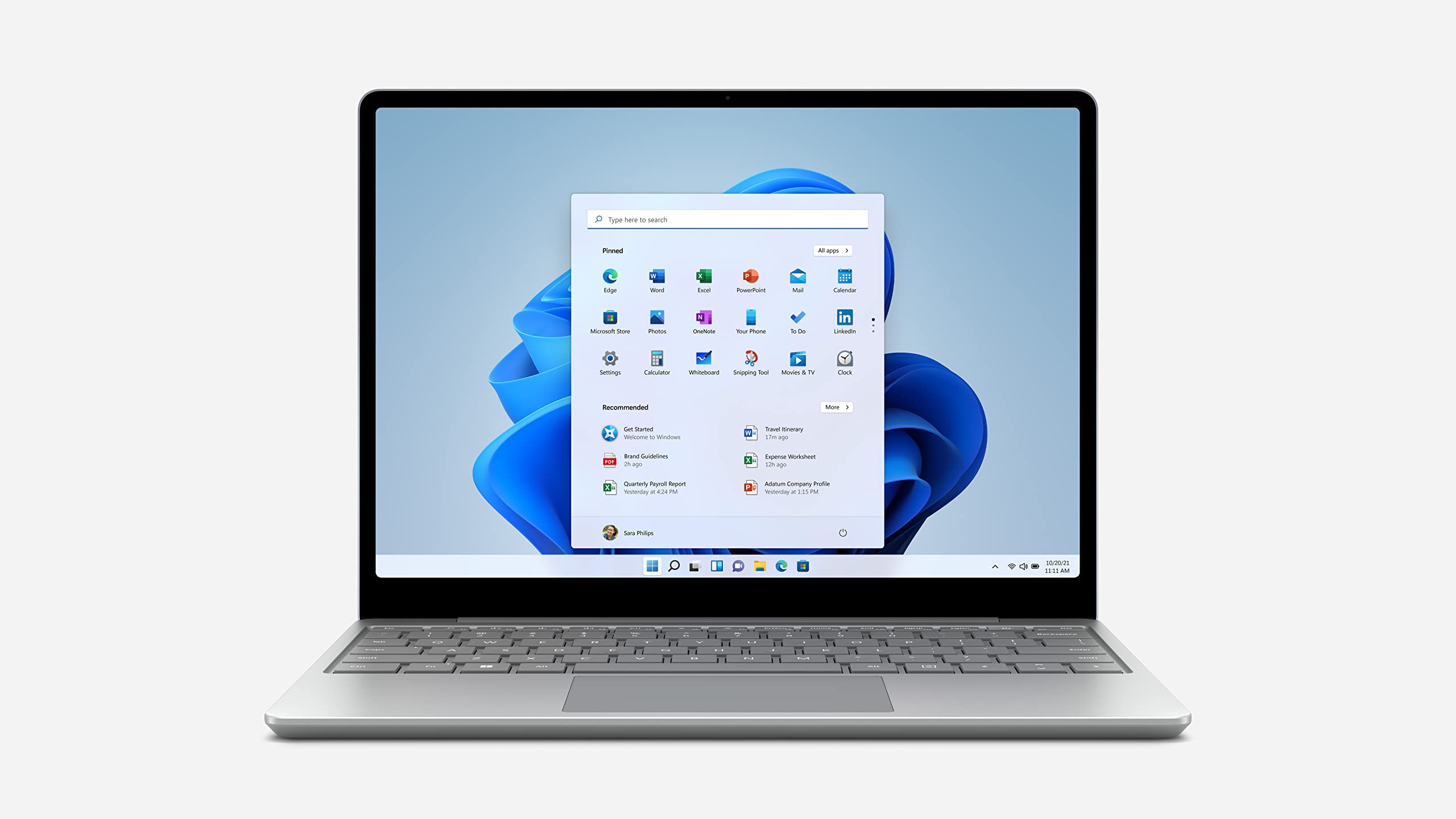

A laptop can look capable on a product page and still feel cramped, slow, or awkward once you open a dozen browser tabs. The Best Windows Laptop choices below cover that spread, from compact everyday machines to large-screen systems with stronger processors and more useful storage.
We prioritized the details that change daily use: screen quality, processor class, memory, storage, portability, connectivity, and the practical limits of each configuration. Dell's Core Ultra model is our top pick, while the rest serve more specific needs.
Dell 15.6-inch Core Ultra Laptop is the single best pick here, with the strongest processor, 16GB of memory, a 512GB SSD, a lighter chassis than most 15-inch alternatives, and a brighter display. The other nine range from basic school machines to roomy desktop replacements.
Comparison table
| # | Product | Award | Screen | Processor | Memory and storage | Best for |
|---|---|---|---|---|---|---|
| 1 | Dell 15.6-inch Core Ultra Laptop | Best overall | 15-inch FHD, up to 300 nits | Intel Core Ultra 5 225U | 16GB RAM, 512GB SSD | Multitasking and work |
| 2 | HP OmniBook 3 17.3-inch | Best large screen | 17.3-inch FHD IPS | AMD Ryzen 3 30 | 8GB RAM, 512GB SSD | Home and media use |
| 3 | Dell 15.6-inch Core 3 Laptop | Best practical Dell | 15.6-inch FHD | Intel Core 3 100U | 8GB RAM, 512GB storage | Everyday office work |
| 4 | HP 14-inch N150 Laptop | Best compact HP | 14-inch HD, 250 nits | Intel N150 quad-core | 8GB RAM, 256GB SSD plus 128GB UFS | School and travel |
| 5 | HP 17.3-inch Touchscreen Laptop | Best touchscreen | 17.3-inch HD+ touch | Intel N100 quad-core | 8GB RAM, 128GB UFS | Touch-first home use |
| 6 | Lenovo 15.6-inch Business Laptop | Best connectivity | 15.6-inch FHD, 250 nits | Intel N100 quad-core | 8GB DDR5, 256GB SSD | Peripherals and commuting |
| 7 | 15.6-inch Windows 11 Pro Laptop | Best flexible hinge | 15.6-inch FHD IPS | Intel Pentium | 8GB RAM, 256GB SSD | Students and presentations |
| 8 | SAGAWHALE 15.6-inch Pro Laptop | Best lightweight option | 15.6-inch FHD IPS | 4425Y processor | 16GB RAM, 256GB SSD | Basic mobile productivity |
| 9 | QSXQSX 15.6-inch Laptop | Best expandable storage | 15.6-inch FHD | Intel 5205U | 4GB RAM, 128GB expandable storage | Basic documents and browsing |
| 10 | HP 14-inch Celeron Laptop | Best small basic laptop | 14-inch HD, 1366 by 768 | Intel Celeron dual-core | 4GB RAM, 64GB SSD | Light, simple tasks |
1. Dell 15.6-inch Core Ultra Laptop: Best Overall

Pros
- Strongest processor in this roundup
- 16GB memory and 512GB SSD
- Bright 15-inch display with narrow bezels
- ComfortView and lifted hinges
- Dedicated Copilot key
Cons
- No detailed port list is provided
- Conventional clamshell design lacks touch input
- Larger than a compact 14-inch laptop
Best for: people who want the most capable all-purpose Windows machine in this group.
The Dell 15.6-inch Core Ultra Laptop is the easy pick when the laptop needs to handle more than email and a few browser tabs. Its Intel Core Ultra 5 225U processor and 16GB of memory give it substantially more headroom than the Core 3 Dell, the N100-based Lenovo, and the entry-level machines lower down this list. That extra capacity matters when a spreadsheet, video call, documents, and many browser tabs are open together.
Its screen is listed as a 15-inch display with up to 300 nits brightness, a three-sided narrow bezel, and vivid color. The listing also identifies the panel as FHD, giving text and windows a sharper workspace than the 14-inch HD models from HP. Dell's ComfortView software is intended to reduce blue-light emissions, while the lifted hinge creates a more comfortable typing angle and helps airflow.
Storage is another reason to choose it. The 512GB SSD leaves considerably more room for applications and local files than the 256GB systems from Lenovo, NIAKUN, and SAGAWHALE. Wi-Fi details are not supplied, so we would not assume a particular wireless standard, but the dedicated Copilot key is present for quick access to Microsoft's assistant.
The weakness is not a dramatic flaw so much as missing flexibility. Dell does not list a touchscreen, a numeric keypad, or a full port breakdown here, so buyers with specific docking or legacy peripheral needs should verify the configuration before ordering. The machine weighs 3.67 pounds, which is reasonable for a 15-inch laptop but not as easy to carry as the smaller HP 14-inch model.
Choose this Dell when performance consistency matters more than novelty. It is the Best Windows Laptop in this set for office work, remote work, study, and general multitasking, and the 16GB memory makes it the one we would keep for several years of ordinary use.
2. HP OmniBook 3 17.3-inch: Best Large Screen

Pros
- Spacious 17.3-inch FHD IPS panel
- 512GB PCIe NVMe SSD
- Up to 14 hours and 15 minutes of listed battery life
- FHD camera with HDR auto-switch
- Wi-Fi 6 and Bluetooth 5.4
Cons
- 4.43-pound chassis is not especially travel-friendly
- Only 8GB of memory
- AMD processor naming is unclear in the listing
Best for: home users who want a large, sharp screen for documents, streaming, and calls.
The HP OmniBook 3 17.3-inch is a different kind of laptop from the Dell models. Its appeal is immediate: the large FHD IPS display gives documents, timelines, web pages, and video a generous canvas without needing an external monitor. The 178-degree viewing angles should also make it easier for two people to look at the screen together.
HP pairs the display with an AMD Ryzen 3 30 processor, 8GB of LPDDR5 memory, and a 512GB PCIe NVMe M.2 SSD. The memory is less generous than the Dell Core Ultra's 16GB, but the fast SSD and newer LPDDR5 memory standard should keep everyday launches and file access responsive. AMD Radeon 610M graphics are intended for streaming, routine work, and casual gaming rather than demanding modern games.
The feature set is unusually complete for a large everyday laptop. A listed FHD camera with HDR auto-switch should produce more detailed video calls than the HD webcams on several rivals, and HP adds advanced AI noise reduction that focuses on the user's voice. Wi-Fi 6, Bluetooth 5.4, and a dedicated Copilot key round out the modern wireless and software features.
Battery life is listed at up to 14 hours and 15 minutes, with HP Fast Charge restoring the battery from zero to 50 percent in approximately 45 minutes. Those are manufacturer claims rather than guarantees, and the large screen will affect actual endurance. At 4.43 pounds, this is better suited to a desk or room-to-room use than a daily commuter bag.
The biggest trade-off against the Dell 15.6-inch Core Ultra Laptop is processing and memory capacity. The Dell is the better choice for heavier multitasking, while the OmniBook wins for screen area and camera features. Pick the HP when a spacious display is the reason you are buying a laptop in the first place.
3. Dell 15.6-inch Core 3 Laptop: Best Practical Dell

Pros
- FHD screen on a practical 15.6-inch chassis
- Separate numeric keypad
- Lifted hinges improve typing angle
- ComfortView software
- One-year onsite service is listed
Cons
- 8GB RAM gives less multitasking room
- Processor is behind Dell's Core Ultra model
- Display brightness is not specified
Best for: office users who want a familiar 15-inch layout and numeric keypad.
The Dell 15.6-inch Core 3 Laptop gets the basics right in a way that makes sense for spreadsheets and office desks. The 15.6-inch FHD screen offers a sharper working area than the HD panels on the two smaller HP budget models, and the roomy keyboard includes a separate numeric keypad. That last detail is useful for anyone entering figures regularly.
Its Intel Core 3 100U processor is aimed at everyday computing, not demanding creative workloads. With 8GB of memory, it should suit documents, browser work, streaming, and video calls, but the Dell Core Ultra 5 model is the safer choice for sustained multitasking. The listing identifies a 512GB size, giving it more local storage than the 256GB SSD machines and far more breathing room than the 64GB HP.
Dell adds ComfortView software to reduce blue-light emissions during extended viewing. The lifted hinge provides an ergonomic typing angle, a small physical change that can make a difference during long work sessions. Express Charge and energy-efficient battery features are listed, though no specific battery capacity or runtime is provided.
The 4.19-pound body is typical for a 15-inch office laptop, but it is noticeably less travel-friendly than Lenovo's listed 3.33-pound design or the SAGAWHALE's 3.5-pound chassis. Display brightness and the complete port selection are also not specified, so buyers building a particular desk setup should check the product page carefully.
Compared with the HP OmniBook 3 17.3-inch, this Dell is easier to position on a desk and has a more practical keyboard, though it gives up screen size and the HP's listed FHD camera. It is a sensible middle ground for someone who wants a known business-oriented layout without stepping up to the stronger Core Ultra configuration.
4. HP 14-inch N150 Laptop: Best Compact HP

Pros
- Compact 14-inch anti-glare design
- 8GB RAM and dual storage
- Wi-Fi 6 and Bluetooth 5.4
- Privacy shutter and AI noise reduction
- Microsoft 365 Personal included for one year
Cons
- HD resolution is less spacious than FHD
- Windows 11 Home is in S Mode
- Actual battery runtime is not stated
Best for: students and home users who need a portable everyday laptop.
The HP 14-inch N150 Laptop is one of the more coherent small machines here. It weighs 1 pound according to the supplied product information, although that unusually low figure deserves verification on the listing. The 14-inch format is easier to fit on a small desk or in a bag than any of the 15.6-inch and 17.3-inch options.
The Intel N150 is a quad-core processor with a listed maximum turbo speed of 3.6GHz and 6MB of L3 cache. That is enough territory for web browsing, document editing, online learning, and streaming. Its 8GB of DDR4 memory is a better starting point than the 4GB in the QSXQSX and renewed HP, while the storage arrangement is unusually generous for this class: a 256GB SSD plus 128GB of UFS storage.
The screen is a 14-inch HD panel with 1366 by 768 resolution, 250 nits brightness, and an anti-glare coating. It will be comfortable enough for ordinary documents, but it cannot show as much information as the FHD screens on the Dell 15.6-inch Core 3 or Lenovo. HP includes one USB-C port, two USB-A ports, HDMI 1.4, a headphone and microphone combo jack, Wi-Fi 6, and Bluetooth 5.4.
The webcam is 720p and includes a privacy shutter. Dual microphones with AI noise reduction should help with calls in noisier rooms, and the Copilot key is a useful shortcut for Windows users. Windows 11 Home arrives in S Mode, which restricts software installation to Microsoft's approved store until the user changes modes, so buyers should understand that limitation before setup.
The HP 14-inch N150 Laptop beats the older HP 14-inch Celeron machine on memory, processor class, storage, wireless connectivity, and screen finish. The Lenovo 15.6-inch offers a sharper FHD workspace and more ports, but this HP is easier to carry. It is the Best Windows Laptop here for people who value compact size and simple daily work over a large display.
5. HP 17.3-inch Touchscreen Laptop: Best Touchscreen

Pros
- Large 17.3-inch touchscreen
- Full-size backlit keyboard with number pad
- Fingerprint reader
- Wi-Fi 6 and Bluetooth 5.4
- Fast Charge reaches 50 percent in 45 minutes
Cons
- 1600 by 900 resolution is below FHD
- 128GB UFS storage is limited
- Opened seal and upgraded components need attention
Best for: home users who want a big touch display and desktop-style keyboard.
The HP 17.3-inch Touchscreen Laptop is built around convenience rather than compactness. Its touch display makes web browsing and casual navigation more immediate, while the large chassis provides room for a full-size backlit keyboard with a numeric keypad. A fingerprint reader adds a faster way to sign in.
The screen measures 17.3 inches and uses a 1600 by 900 HD+ resolution. That is a useful step up from 1366 by 768, but it is not as sharp as the FHD IPS panel in the HP OmniBook 3. The display is anti-glare, rated at 250 nits, and uses a 16:9 aspect ratio. Touch is the standout feature, not pixel density.
An Intel N100 quad-core processor is paired with 8GB of memory in the supplied title, while the feature listing discusses configurations of up to 16GB. The exact configuration should be confirmed before purchase. Storage is identified as 128GB UFS, which is the clearest limitation for users who keep large photo libraries or many applications locally.
Connectivity is better defined: one USB-C data port, two USB-A ports, HDMI 1.4b, and a headphone and microphone combo jack. Wi-Fi 6 and Bluetooth 5.4 are included. HP also lists a camera with a privacy closure, dual-array microphones, dual speakers, Windows 11 Home, and a Copilot key.
At 4.6 pounds, it is portable in a technical sense but not a laptop we would choose for a daily train commute. The listing says the original seal was opened for upgrading, with separate coverage for upgraded RAM and SSD from the seller. That is important context for anyone who wants a straightforward factory-sealed purchase.
Choose this HP over the OmniBook 3 when touch input, fingerprint login, and a number pad matter more than FHD resolution and a specified 512GB NVMe SSD. It is a comfortable home computer, but the limited UFS storage means it is not the Best Windows Laptop for a large local media collection.
6. Lenovo 15.6-inch Business Laptop: Best Connectivity

Pros
- Broad selection of modern ports
- FHD anti-glare display
- Lightweight 3.33-pound design
- Physical webcam privacy shutter
- TPM 2.0 and Kensington lock slot
Cons
- Intel N100 is aimed at basic workloads
- Only 8GB of memory
- Display brightness is rated at 250 nits
Best for: commuters and office users who connect several peripherals.
The Lenovo 15.6-inch Business Laptop is the practical choice for a desk that has more than a mouse and charger. It includes two USB-A 3.2 ports, two USB-C ports with Power Delivery and DisplayPort, HDMI 1.4b, Gigabit Ethernet, and an audio jack. That mix is more useful than the vague port information supplied for several rivals.
Its Intel N100 quad-core processor, 8GB of DDR5 memory, and 256GB PCIe 4.0 NVMe SSD are well matched to documents, browsers, video meetings, and productivity software. The SSD should make booting and application launches feel much faster than the older storage arrangements in the QSXQSX and HP Celeron models. It is not the laptop for heavy editing or demanding games, and Dell's Core Ultra model has much more performance headroom.
The 15.6-inch FHD anti-glare display runs at 1920 by 1080 resolution and 250 nits brightness. That gives a useful amount of workspace for spreadsheets and side-by-side documents, though it may look less vivid in a very bright room than Dell's display, which is listed at up to 300 nits. The screen's anti-glare surface is a welcome choice for office lighting.
Lenovo also includes a 720p webcam with a physical privacy shutter, firmware TPM 2.0, and a Kensington lock slot. These are sensible business features, particularly for shared offices and commuters. The laptop weighs 3.33 pounds and has a listed 0.78-inch profile, so it is easier to carry than the 4-pound-plus large-screen machines.
For people comparing laptops for professional routines, the safeguards that matter on a shared work computer are often more useful than flashy extras. The Lenovo's real weakness is its modest processor and 8GB memory ceiling in the listed configuration. Pick it when port selection, portability, and a clear FHD screen are more important than raw speed.
7. 15.6-inch Windows 11 Pro Laptop: Best Flexible Hinge

Pros
- FHD IPS display with wide viewing angles
- 180-degree hinge
- Windows 11 Pro and Office 365 included
- Six-hour listed battery life
- Mini HDMI and expandable card storage
Cons
- Intel Pentium processor is entry-level
- Mini HDMI may require an adapter
- Battery claim is limited to up to six hours
Best for: students and office users who share screens or work away from a desk.
The 15.6-inch Windows 11 Pro Laptop stands out because of its 180-degree hinge. The display can lay flat for showing a document to someone across a table, sharing a presentation, or adjusting the viewing angle in a crowded classroom. It does not turn into a tablet, but that extra hinge movement is genuinely useful.
The 15.6-inch screen uses a 1920 by 1080 IPS panel. That gives it the same basic FHD workspace as the Lenovo and SAGAWHALE, with wider viewing angles than a basic narrow-view panel. The Intel Pentium processor and 8GB of memory are aimed at browsing, office applications, streaming, and schoolwork. The 256GB SSD should keep everyday file access responsive, and storage can be expanded through the Micro TF card slot.
Connectivity includes two USB 3.0 ports, Mini HDMI, a headphone and microphone jack, and the Micro TF slot. Mini HDMI is less common than full-size HDMI, so buyers connecting an older monitor or classroom projector may need the right cable or adapter. The built-in webcam, microphone, and speakers cover calls without requiring extra accessories.
The laptop weighs 3.53 pounds and measures 0.8 inches thick, which is manageable for a 15.6-inch machine. The listed battery capacity supports up to six hours of mixed use. That is adequate for many classes or meetings, but it is not the long-running option in this group. Windows 11 Pro and Office 365 arrive ready to use, a straightforward advantage for school and office setup.
Compared with the Lenovo 15.6-inch Business Laptop, this NIAKUN model offers the more flexible hinge and Windows 11 Pro, while Lenovo has the stronger port selection and business security features. Readers choosing a machine for campus life may also want to consider the features that help a laptop survive a full day of classes. This is the pick for flexible presentation use, not demanding performance.
8. SAGAWHALE 15.6-inch Pro Laptop: Best Lightweight Option

Pros
- 16GB of RAM
- FHD IPS display
- 3.5-pound listed weight
- Windows 11 Pro and Office 365 included
- Two-year warranty is listed
Cons
- Battery life is listed at only up to four hours
- 4425Y processor is suited to basic work
- 256GB storage leaves less room than the larger SSD options
Best for: users who want generous memory in a lightweight basic laptop.
The SAGAWHALE 15.6-inch Pro Laptop makes a strong first impression on paper because it combines 16GB of RAM with a 3.5-pound chassis. That memory capacity is greater than the 8GB found in most of the midrange entries here, so it should cope better with many browser tabs and several ordinary applications open at once.
The processor is identified as a 4425Y. The listing positions it for daily computing, office work, web browsing, and entertainment, which is the right way to view this machine. It is not a substitute for the Dell Core Ultra 5 when sustained performance matters. The 256GB SSD should provide quicker starts and file access than the 128GB UFS and 64GB SSD options.
The 15.6-inch FHD 1080p IPS display is a useful strength. It provides a sharper workspace and wider viewing angles than the HD panels on both HP 14-inch laptops. The combination of a large screen and modest weight makes the SAGAWHALE easier to use on a table while still being reasonably portable.
Windows 11 Pro and Office 365 are pre-installed. The listing also advertises a two-year warranty, a six-month return policy, and customer support. Its stated battery life is up to four hours, which is the main practical concern. That runtime may be enough for short meetings or a few classes, but it requires more planning than the HP OmniBook 3's much longer listed figure.
The SAGAWHALE 15.6-inch Pro Laptop is more attractive than the NIAKUN when memory capacity is the priority, while NIAKUN offers a 180-degree hinge and a longer listed battery life. The Lenovo remains the better choice for ports and security. Choose this one when 16GB RAM and a light FHD work machine matter more than processor strength or all-day endurance.
9. QSXQSX 15.6-inch Laptop: Best Expandable Storage

Pros
- 15.6-inch FHD display
- 128GB storage with expansion support to 512GB
- Type-C, HDMI, and SD card reader
- Windows 11 and one-year Office 365 subscription
- Listed weight of 3.6 pounds
Cons
- Only 4GB of RAM
- Intel 5205U is an older basic processor
- Built-in storage is limited before expansion
Best for: light document work and buyers who plan to expand storage.
The QSXQSX 15.6-inch Laptop is built for a narrow but understandable use case. It gives you a full-size FHD screen, a light enough 3.6-pound body, and the option to expand storage rather than replacing the entire laptop. That makes it more appealing for documents, basic browsing, and media files than its 4GB memory suggests.
Its Intel 5205U processor runs at a listed 1.9GHz base frequency. The product description targets online learning, office work, web browsing, and streaming, and those are the tasks this machine should be kept to. Four gigabytes of RAM is the limiting factor. It can work for simple routines, but modern browsing with many open tabs will feel more constrained than on the 8GB laptops above it.
Storage starts at 128GB and supports expansion up to 512GB through the stated SSD expansion slot. Buyers should distinguish that from having a 512GB drive installed from the start. The built-in capacity can fill quickly after Windows, applications, and personal files are added, so the expansion path is central to the product's appeal.
The 15.6-inch FHD display is a meaningful advantage over the HD HP 14-inch Celeron model. Ports include Type-C, HDMI, and an SD card reader, while dual-band Wi-Fi 5 and Bluetooth 4.2 cover ordinary wireless use. Windows 11 and a one-year Office 365 subscription are pre-installed, so the laptop is designed to be ready for documents immediately.
The QSXQSX is outclassed by the HP 14-inch N150 in memory, processor, and wireless standards, and the Lenovo is a much better multitasking machine. It makes sense only when the expansion slot and SD reader matter more than speed. For readers considering a machine mainly for home tasks, the work habits that suit a home office laptop can help clarify whether 4GB RAM will be enough.
10. HP 14-inch Celeron Laptop: Best Small Basic Laptop

Pros
- Compact 14-inch format
- Windows 11 included
- Webcam included
- Simple HD display
- Suitable for light basic tasks
Cons
- 4GB RAM limits multitasking
- 64GB SSD is the smallest storage configuration here
- Glossy 1366 by 768 display
- Renewed product requires careful condition checks
Best for: users who need a simple Windows machine for light, uncomplicated tasks.
The HP 14-inch Celeron Laptop is the most basic product in this roundup, and it should be treated that way. Its 14-inch format is easier to place on a small table than a 15.6-inch laptop, and the included webcam covers straightforward video calls. It is intended for light work rather than demanding multitasking.
The Intel Celeron dual-core processor is listed with speeds up to 2.60GHz. Memory is 4GB, and the SSD holds 64GB. Those specifications leave much less room than the QSXQSX, while the 8GB HP N150 is a clear step up for modern browser use. Windows itself and routine applications will consume a meaningful share of the available storage, so buyers should plan carefully around files and installed software.
The only supplied display detail is a 14-inch 1366 by 768 HD BrightView LED panel with a glossy, non-touch finish. That resolution is adequate for basic documents and web pages, but it provides less workspace than every FHD laptop in this list. Glossy surfaces can also be more reflective near windows or bright lamps.
The product is identified as renewed, and the supplied information lists a 4.45-pound weight. That is heavier than the newer HP 14-inch N150 despite the smaller screen, so it is not automatically the portable winner. The listing does not provide a battery runtime, port breakdown, or wireless standard, which makes it harder to recommend for a demanding travel routine.
Choose this HP only if your tasks are genuinely simple and the compact screen size is more important than speed or storage. The N150 model is the stronger small HP, the Dell Core 3 is much better for office work, and the Lenovo is a better fit for regular multitasking. This is a narrow pick for light browsing, documents, and occasional calls.
How to choose best windows laptop
The right Windows laptop depends less on a long feature list than on how the processor, memory, screen, storage, and chassis fit your daily routine.
Processor class
The processor sets the ceiling for multitasking, application launches, video calls, and sustained work. Intel Core Ultra 5 in the Dell has the most headroom here, while Intel Core 3 is a sensible middle ground for ordinary office use. N100, N150, Pentium, Celeron, 4425Y, and 5205U machines are better suited to browsing, documents, streaming, and light schoolwork.
Do not judge a laptop by clock speed alone. Processor generation and class matter, and 16GB of memory cannot turn an entry-level processor into a high-performance workstation.
Memory capacity
Memory determines how comfortably Windows keeps active applications open. The 4GB configurations from QSXQSX and HP are restrictive, especially with many browser tabs. The 8GB models are adequate for routine work, while the 16GB Dell and SAGAWHALE are better choices for heavier multitasking.
For a laptop you expect to keep open all day, memory capacity matters more than a flashy feature such as a Copilot key.
Screen size and resolution
A 14-inch display makes a laptop easier to carry, but a 15.6-inch panel gives documents and spreadsheets more breathing room. The 17.3-inch HP models are suited to desks and home use, especially when you want a large keyboard or touchscreen.
FHD resolution, such as 1920 by 1080, is preferable for a spacious workspace. HD and HD+ panels can still work for basic tasks, but 1366 by 768 and 1600 by 900 show less content and produce less detailed text. Brightness matters in rooms with strong daylight, where the Dell's listed 300 nits has an advantage over 250-nit screens.
Storage type and capacity
An SSD generally makes Windows start and applications open more responsively than slower storage designs. The 512GB SSDs in the Dell and HP OmniBook 3 offer the most room for files and software, while 256GB is a reasonable middle ground for documents and moderate media use.
UFS storage can work for basic computing, but 128GB leaves little space. The QSXQSX is unusual because its 128GB starting capacity can be expanded to 512GB. Check whether the listed capacity is installed or only supported before buying.
Portability and battery
A lighter chassis helps if the laptop travels between home, school, and work. The Lenovo, Dell Core Ultra, SAGAWHALE, and NIAKUN are easier to carry than the 4-pound-plus large-screen models. Weight alone does not determine comfort, since screen size and chassis dimensions affect how a laptop fits into a bag.
Battery claims vary widely in this list. HP OmniBook 3 lists up to 14 hours and 15 minutes, NIAKUN lists up to six hours, and SAGAWHALE lists up to four hours. These are advertised figures, so expect actual endurance to change with brightness, applications, wireless use, and screen size.
Frequently asked questions
How much RAM should a Windows laptop have?
Eight gigabytes is the practical starting point for browsing, documents, streaming, and video calls. Sixteen gigabytes gives more breathing room for many tabs and applications. Four gigabytes is suitable only for very light use and is easier to overwhelm.
Is an FHD screen better than an HD laptop screen?
For most work, yes. A 1920 by 1080 FHD screen shows more content and sharper text than a 1366 by 768 HD screen. HD can still be acceptable on a small laptop used mainly for simple browsing and documents.
Is a 17.3-inch laptop too large for travel?
It depends on the bag and routine, but a 17.3-inch model is generally better for a desk or home than daily commuting. The HP OmniBook 3 weighs 4.43 pounds, while the HP touchscreen model weighs 4.6 pounds. A 14-inch or lighter 15.6-inch machine is easier to carry.
Do I need Windows 11 Pro?
Windows 11 Home is enough for most home, school, and general office users. Windows 11 Pro can be useful when you specifically need its business-oriented management and security features. Do not choose Pro solely because the name sounds more powerful.
Is 256GB enough laptop storage?
It can be enough for documents, browser work, and a moderate application library. People storing many videos, photos, games, or large creative projects should consider 512GB or an expansion option. The HP 17.3-inch model's 128GB UFS and the renewed HP's 64GB SSD require especially careful storage management.
Are laptops with Microsoft 365 or Office 365 ready to use?
The listings for several models state that Microsoft 365 or Office 365 is included or pre-installed. Subscription activation may still be required, and the exact included applications can vary. Check the product page after selecting the configuration you want.
The bottom line
The Dell 15.6-inch Core Ultra Laptop is the Best Windows Laptop in this group for most people because its Intel Core Ultra 5 225U processor, 16GB RAM, 512GB SSD, and brighter FHD-class display give it the strongest all-around specification. Choose the HP OmniBook 3 17.3-inch instead if a large screen, long listed battery life, FHD camera, and roomy home setup matter more than carrying weight.
For more specific needs, the Lenovo is the smarter office companion because of its ports, security features, and 3.33-pound design. The HP 14-inch N150 is the compact choice, while the NIAKUN is the better fit for students who need a 180-degree hinge and Windows 11 Pro.
If you are undecided, buy the Dell Core Ultra model unless you have a clear reason to prioritize a 17.3-inch display, a 14-inch chassis, or a flexible hinge.
As an Amazon Associate we earn from qualifying purchases.