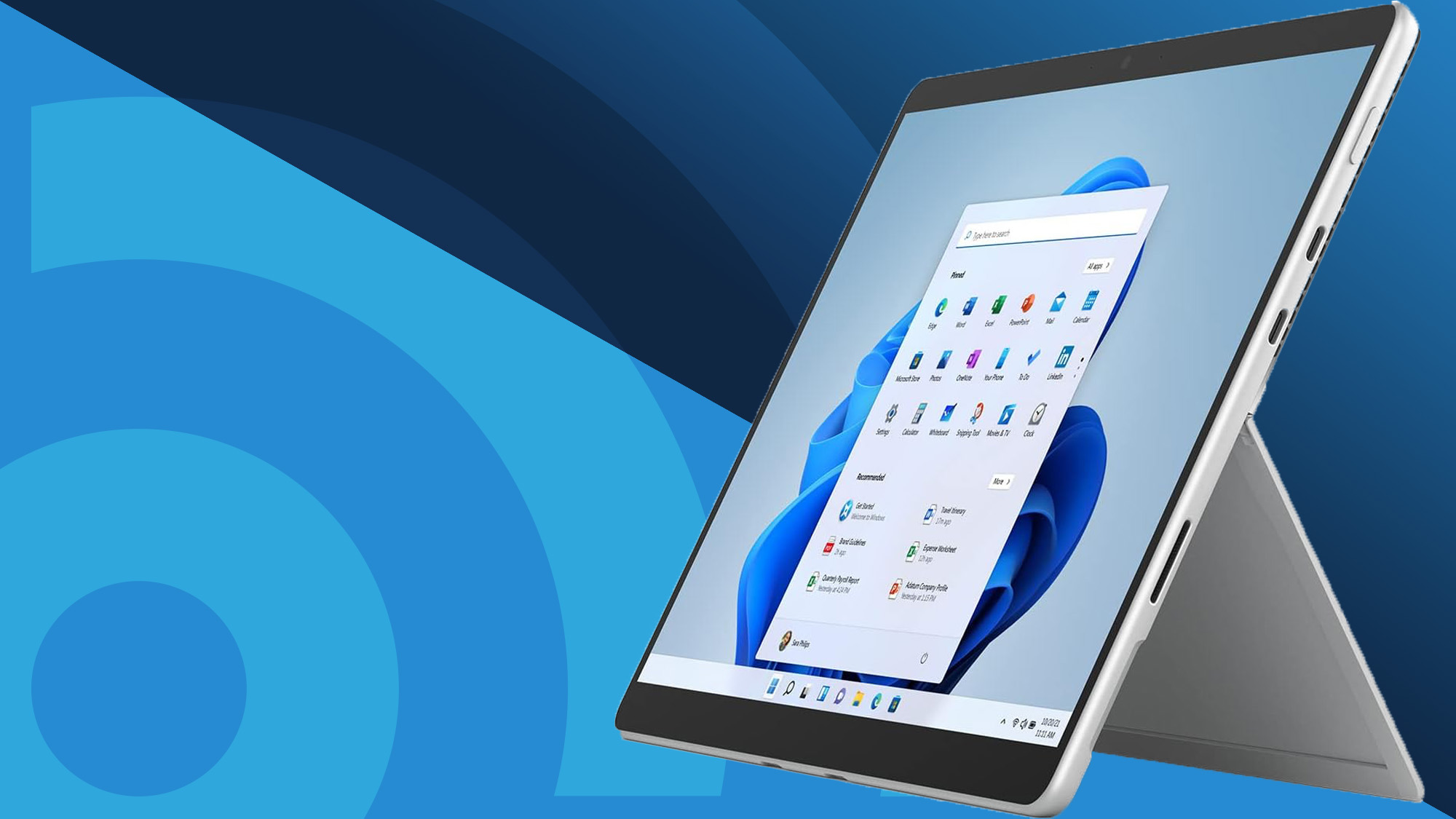

A Windows tablet has to do more than show a few apps. It needs to handle desktop software, fit comfortably in one hand, connect to real accessories, and remain usable when the touchscreen stops being the ideal input method. The best windows tablet choices below range from compact Windows 10 machines to full Windows 11 Pro 2-in-1 computers.
The field is unusually concentrated around Fusion5, with Microsoft, QAZIPO, XINHENGTAI, and KBJPADS providing alternatives at different sizes and capability levels. Our top pick is the Fusion5 Helios 12, while the Microsoft Surface Pro 7+ remains the more polished choice for buyers who want a familiar premium 2-in-1 design.
Comparison table
| # | Product | Award | Display | Memory and storage | Best for |
|---|---|---|---|---|---|
| 1 | Fusion5 Helios 12 | Best overall | 12-inch 2K, 2000 x 1200 | 12GB RAM, 512GB SSD | Desktop work and creative tasks |
| 2 | Fusion5 FWIN232 Plus | Best compact Fusion5 | 10-inch Full HD | 8GB RAM, 128GB storage | Study and basic office work |
| 3 | Fusion5 Rugged 512GB | Best rugged model | 10.1-inch, 1920 x 1200 IPS | 12GB RAM, 512GB SSD | Field work and industrial use |
| 4 | Fusion5 Rugged 256GB | Best rugged alternative | 10.1-inch, 1920 x 1200 IPS | 12GB RAM, 256GB SSD | Mobile work in rough conditions |
| 5 | Fusion5 FWIN232 Pro | Best standard Fusion5 | 10.1-inch, 1920 x 1080 IPS | 12GB RAM, 256GB SSD | Everyday Windows use |
| 6 | Microsoft Surface Pro 7+ | Best premium 2-in-1 | 12.3-inch PixelSense, 2736 x 1824 | 16GB RAM, 256GB SSD | A laptop replacement |
| 7 | QAZIPO 10.1-inch 2-in-1 8GB | Best keyboard bundle | 10.1-inch FHD IPS | 8GB RAM, 256GB SSD | Students and remote workers |
| 8 | XINHENGTAI 10.1-inch Tablet | Best lightweight basic tablet | 10.1-inch, 1280 x 800 | 6GB RAM, 128GB storage | Travel and light office tasks |
| 9 | KBJPADS 8-inch Tablet | Best ultra-compact option | 8-inch, 1280 x 800 | 4GB RAM, 64GB storage | Short sessions and travel |
| 10 | QAZIPO 10.1-inch 2-in-1 Office | Best for Office users | 10.1-inch FHD IPS | 8GB RAM, 256GB SSD | Office and classroom work |
1. Fusion5 Helios 12: Best Overall

Pros
- Large 12-inch 2K touchscreen
- 12GB DDR5 RAM and 512GB SSD
- Included stylus pen
- Active cooling fan for sustained workloads
- Two full-function USB-C ports
Cons
- Larger and less pocketable than the 10.1-inch models
- Windows 11 Home rather than Windows 11 Pro
- The built-in fan adds mechanical complexity and noise
Best for: someone who wants one Windows tablet for serious work, drawing, and media.
The Fusion5 Helios 12 is the one that feels least like a compromise. Its 12-inch display gives Windows enough room for real desktop work, and the 16:10 shape is more useful for documents and split-screen apps than a typical widescreen panel. At 1.52 pounds, it is still light enough to carry, though it is clearly a larger tablet than the compact models here.
The 2000 x 1200 touchscreen is the central advantage. Text and interface elements have more breathing room than they do on the 1280 x 800 displays used by the smaller basic tablets, while the extra vertical space helps when reading documents or working through a long web page. Fusion5 also includes a stylus pen, which makes handwritten notes, document markup, and rough sketches more natural than finger input alone.
There is meaningful hardware behind the screen. The tablet has 12GB of DDR5 RAM and a 512GB SSD, a combination that gives Windows room for many browser tabs, office files, and installed applications. Its built-in fan is unusual for a tablet, but it has a practical purpose: Fusion5 says active cooling helps maintain performance during extended workloads rather than allowing heat to force the processor to slow down.
Connectivity is strong for a tablet this thin. Two full-function USB-C ports sit alongside USB 3.0, Micro HDMI, and a 3.5mm headphone jack. The 7.6V 4500mAh battery supports 36W USB-C Power Delivery charging, so the charging system is more flexible than on many small tablets. The weakness is that this is still Windows 11 Home, and the fan means it will not be as silent as the Surface Pro 7+. Choose it if the bigger display, storage, and stylus matter more than absolute quiet and portability.
2. Fusion5 FWIN232 Plus: Best Compact Fusion5

Pros
- Compact 10.1-inch design
- Intel N5100 quad-core processor
- Full-size USB 3.0 port
- Micro HDMI output
- Dual cameras and Bluetooth
Cons
- 128GB storage is modest
- Older platform than the newer Fusion5 models
- Smaller screen limits comfortable multitasking
Best for: students and travelers who need familiar Windows software in a small tablet.
The Fusion5 FWIN232 Plus is a compact Windows machine with a straightforward brief. It is designed for browsing, education, office documents, video playback, and light productivity rather than demanding creative software. Its 10.1-inch size makes it easier to carry than the Helios 12, and the slim body suits a backpack or small work bag.
An Intel N5100 quad-core processor and 8GB of RAM give it a sensible baseline for everyday Windows use. That memory capacity is enough for ordinary office applications and a reasonable number of browser tabs, although it does not leave the same headroom as the 12GB and 16GB models above it. The 128GB storage capacity is the bigger constraint. It works for documents and a modest application library, but users with large media collections will need external storage or cloud services.
The full HD 10-inch display is well suited to reading, streaming, and classroom work. It will not provide the same expansive workspace as the Helios 12 or the Surface Pro 7+, but the smaller footprint is the point. Fusion5 includes a full-size USB 3.0 port, Micro HDMI, Bluetooth, and dual cameras, so it can connect to a conventional peripheral or an external display without requiring a complicated hub.
This tablet is an older, simpler proposition than the Fusion5 FWIN232 Pro. The newer model has more RAM, a larger SSD, and a newer processor platform, while the FWIN232 Plus counters with a compact design and a less intimidating feature set. It also comes with a 12-month full USA warranty. Pick it for light schoolwork, document access, and travel, but skip it if your routine includes large local files or frequent multitasking.
3. Fusion5 Rugged 512GB: Best Rugged Model

Pros
- Rugged, shockproof, and dustproof design
- Windows 11 Professional
- 12GB RAM and 512GB SSD
- Covered ports and hands-free strap
- Two-year warranty with accidental damage cover
Cons
- Rugged construction is less sleek than a standard tablet
- 10.1-inch screen is tight for complex desktop layouts
- Intel N100 is not a high-end workstation processor
Best for: field workers, technicians, and classrooms where a tablet needs extra physical protection.
The Fusion5 Rugged 512GB makes sense when the tablet will spend time outside a protected home office. Its shockproof and dustproof construction, covered ports, rear mount, and hands-free strap are practical features for a worksite or classroom. They also change the character of the device. This is a tool meant to be handled, carried, and set down repeatedly, not a thin tablet intended to disappear into a folio.
The 10.1-inch IPS touchscreen has a 1920 x 1200 resolution and brightness of up to 500 nits according to the listing. That combination gives documents and forms more room than the smaller basic tablets, while the stated brightness should help in brighter surroundings. Dual full HD cameras and dual speakers add utility for video calls and straightforward media use.
Inside, 12GB of RAM and a 512GB SSD provide generous working space for a compact Windows tablet. The listing identifies the processor as Intel's 13th Gen Alder Lake N100, and Windows 11 Professional is pre-installed. Storage can be expanded with a MicroSD card up to 512GB, which is useful when inspection photos, manuals, or offline files need to stay on the device.
The 6000mAh battery and included 30W Type-C charger are appropriate for mobile shifts, while dual-band 2.4GHz and 5GHz Wi-Fi and Bluetooth 5.0 cover common wireless connections. This model beats the Rugged 256GB on local storage, not on screen or core design. It is also more purpose-built than the Helios 12, but less pleasant to carry casually. The two-year full warranty includes protection for up to two accidental damage incidents, a strong reason to choose it for demanding environments. Skip it if you want a quiet, elegant tablet for home use.
4. Fusion5 Rugged 256GB: Best Rugged Alternative

Pros
- Rugged, shockproof, and dustproof construction
- Windows 11 Professional
- 12GB RAM
- 500-nit Full HD IPS touchscreen
- Accidental damage protection
Cons
- Less built-in storage than the 512GB version
- Thick protective design adds bulk
- The display remains compact for desktop applications
Best for: buyers who need rugged protection and Windows Pro without a large local media library.
The Fusion5 Rugged 256GB is almost the same kind of device as the 512GB model, so the decision between them is unusually clear. Both have a 10.1-inch screen, 12GB of RAM, Intel's 13th Gen Alder Lake N100 processor, Windows 11 Professional, and a protective body designed for drops, dust, and daily wear. The 256GB version is for users whose files mostly live in a network, cloud service, or removable storage.
Its 1920 x 1200 IPS touchscreen is a good fit for forms, dashboards, and video calls. The listing gives it up to 500 nits of brightness and 2.5D G+G glass, while dual full HD cameras handle calls and basic image capture. Covered Micro HDMI, USB-C, and USB 3.0 ports help protect the connections that are most vulnerable to dust and impact.
The 6000mAh battery is shared with the larger-storage model, as are dual-band Wi-Fi, Bluetooth 5.0, dual speakers, a strap, and a back mount. The ability to add a MicroSD card up to 512GB softens the storage limit, although removable storage is not as seamless as a larger internal SSD. For a field app, office documents, and captured images, 256GB can be perfectly workable.
Compared with the standard Fusion5 FWIN232 Pro, this tablet gives up some visual simplicity in exchange for physical protection and Windows 11 Professional. Compared with the Rugged 512GB, it gives up internal capacity but keeps the same work-focused design. The weakness is bulk, and the N100 platform should not be mistaken for a high-end editing machine. It is the right pick for a site supervisor, mobile technician, or school that values protection over a slim silhouette.
5. Fusion5 FWIN232 Pro: Best Standard Fusion5

Pros
- 12GB RAM and 256GB SSD
- Intel N100 quad-core processor
- Full HD IPS touchscreen
- USB-C, USB-A, and Micro HDMI
- Two-year warranty with accidental damage cover
Cons
- Keyboard is sold separately
- Windows 11 Home lacks Pro features
- No rugged enclosure
Best for: everyday Windows users who want modern hardware and a compact tablet format.
The Fusion5 FWIN232 Pro is the sensible middle ground in this list. It has the newer internal hardware and storage capacity many people want, without the protective shell of the Rugged models or the larger footprint of the Helios 12. It is slim enough for ordinary travel and capable enough for documents, calls, browser work, and streaming.
The 10.1-inch IPS display has a 1920 x 1080 resolution and listed brightness of 500 nits. It is not as tall as the 2000 x 1200 panel on the Helios 12, but it remains a useful size for notes, web pages, and presentations. Dual full HD cameras and upgraded dual speakers make it more adaptable for video meetings and casual entertainment than a barebones mini tablet.
An Intel 13th Gen Alder Lake N100 quad-core processor can reach up to 3.4GHz according to the product details. It is paired with 12GB of RAM and a 256GB SSD, which is a strong configuration for general Windows work. There is also a MicroSD card slot supporting an additional 512GB, plus USB-C, USB-A, Micro HDMI, and a headphone jack. A 6000mAh battery and 36W Type-C charger complete a useful mobile setup.
The trade-off is the lack of a built-in keyboard, and the listing specifically says the docking keyboard is sold separately. That matters because Windows is still much easier to manage for long writing sessions with physical keys. The QAZIPO 2-in-1 models include detachable keyboard cases, while this Fusion5 offers more memory and a newer processor platform. Choose it when tablet portability and connectivity matter more than an out-of-the-box laptop arrangement.
6. Microsoft Surface Pro 7+: Best Premium 2-in-1

Pros
- High-resolution 12.3-inch PixelSense display
- Intel Core i7 processor
- 16GB RAM
- USB-C, USB-A, MicroSDXC, and Surface ports
- Windows 11 Professional
Cons
- Renewed condition
- Keyboard accessory is not identified as included
- Older processor generation than the newer Fusion5 models
Best for: buyers who want the most established laptop-style tablet design in this group.
The Microsoft Surface Pro 7+ is the most recognizably premium tablet here. Its 12.3-inch 3:2 display is shaped for productivity rather than widescreen video, and the thin body weighs 1.70 pounds according to the product features. That makes it a natural fit for people who move between meetings, desks, and handwritten or touch-based tasks.
The PixelSense panel has a sharp 2736 x 1824 resolution and a stated density of 267 pixels per inch. Text should look particularly crisp, and the taller 3:2 aspect ratio gives documents and web pages more vertical room than the 16:9 panel on the standard Fusion5 FWIN232 Pro. It is also a more sophisticated display specification than the smaller tablets in this roundup.
Performance comes from an Intel Core i7-1165G7 with four cores and eight threads, backed by 16GB of RAM and a 256GB SSD. The listing also identifies Wi-Fi 6 and Bluetooth 5.0. Ports include USB-C, USB-A, a 3.5mm headphone jack, Surface Connect, a Surface Type Cover port, and a MicroSDXC card reader. Those connections give it a clear advantage over tablets that require adapters for every accessory.
The important caution is that this unit is listed as renewed. The product is also presented as a tablet 2-in-1, but a Type Cover is not identified among the included items, so buyers should confirm the package contents before treating it as a complete laptop replacement. The Helios 12 offers newer listed CPU generation and more storage, while the Surface Pro 7+ counters with a better-known design, a sharper display, Windows 11 Pro, and more established accessory support. Choose the Surface when those qualities matter more than buying the newest internal platform.
7. QAZIPO 10.1-inch 2-in-1 8GB: Best Keyboard Bundle

Pros
- Detachable magnetic leather keyboard included
- 10.1-inch Full HD IPS touchscreen
- 8GB RAM and 256GB SSD
- Two USB-C ports and Micro HDMI
- One-year Office 365 subscription included
Cons
- Pentium Gold 6500Y is aimed at light productivity
- Small screen for long typing sessions
- Windows 11 Home rather than Pro
Best for: students and remote workers who need a keyboard-ready Windows tablet.
The QAZIPO 10.1-inch 2-in-1 8GB addresses the most common problem with small Windows tablets: typing. Its detachable magnetic leather keyboard snaps on for laptop-style work and comes away for reading, browsing, or watching video. That flexibility is more useful than a tablet-only design if assignments, email, and spreadsheets are part of the daily routine.
The 10.1-inch Full HD IPS touchscreen uses a 16:10 aspect ratio, giving it a little more vertical space than a conventional widescreen panel. QAZIPO also lists dual speakers and dual front and rear cameras. The display is not large enough to replace a desktop monitor, but it is a reasonable size for a lecture note, a video call, or a document opened beside a browser window.
An Intel Pentium Gold 6500Y processor reaching up to 3.4GHz is paired with 8GB of RAM and a 256GB SSD. That combination is aimed at Office 365, multiple browser tabs, video calls, and light creative work. It should not be confused with the stronger Core i7 Surface Pro 7+ or the 12GB Fusion5 machines. This model includes one year of Office 365 and 1TB of OneDrive storage, which adds a useful cloud workflow for school and remote work.
Connectivity is better than the small screen suggests. There are two USB-C ports, one full-featured and one supporting fast charging, a USB 3.0 port, Micro HDMI, and a headphone jack. Wi-Fi 5 and Bluetooth 5.0 cover wireless use. The weakness is that the keyboard and screen make a long desktop session feel cramped, while performance headroom is limited. For a student or commuter who values the included keyboard and Office tools, it is a more complete starting point than the Fusion5 FWIN232 Pro.
8. XINHENGTAI 10.1-inch Tablet: Best Lightweight Basic Tablet

Pros
- Windows 11 Home
- 6GB RAM and 128GB storage
- 6000mAh battery
- Dual-band Wi-Fi
- HDMI output and TF card expansion
Cons
- 1280 x 800 display is less sharp than the leading picks
- Bluetooth 4.2 is an older wireless standard
- Intel Celeron processor is suited to basic tasks
Best for: light office work, online classes, and travel where a simple Windows tablet is enough.
The XINHENGTAI 10.1-inch Tablet is built around basic portability. It runs Windows 11 Home, has a 10.1-inch touchscreen, and is intended for online learning, documents, browsing, travel, and straightforward office work. Its small size makes it less cumbersome than a conventional laptop, though the product details do not provide a tablet weight.
Its 1280 x 800 capacitive touchscreen is functional rather than ambitious. That resolution can handle web pages, online lessons, and document editing, but text and fine interface details will not look as crisp as they do on the 1920 x 1200 Fusion5 rugged models or the Surface Pro 7+'s 2736 x 1824 panel. HDMI output gives the tablet a useful second-screen and presentation role when the built-in display feels limiting.
The Intel Celeron processor is listed as a 1.6GHz quad-core chip, with 6GB of RAM and 128GB of built-in flash storage. The tablet supports expansion up to 512GB through a TF card, so file capacity can grow without replacing the internal storage. It also supports OTG, allowing compatible accessories to connect through the tablet.
A 6000mAh battery is claimed to support up to 12 hours of standby and video playback, though actual use will depend on brightness, network activity, and applications. Dual-band 2.4GHz and 5GHz Wi-Fi is welcome, while Bluetooth 4.2 is functional but behind the Bluetooth 5.0 devices here. The XINHENGTAI is not the one to choose for demanding desktop applications. It suits a family member, student, or traveler who needs basic Windows access and values a lightweight mini-laptop format.
9. KBJPADS 8-inch Tablet: Best Ultra-Compact Option

Pros
- Compact 8-inch form
- 590g listed weight
- Windows 10 Home
- USB connectivity for peripherals
- Dual-band Wi-Fi
Cons
- Only 4GB RAM and 64GB storage
- 1280 x 800 display is small for desktop work
- Listed battery runtime is 4 to 6 hours of continuous light office use
Best for: short reading, study, and travel sessions where the smallest practical Windows device wins.
The KBJPADS 8-inch Tablet is the outlier in this roundup. Its 8-inch display and listed 590g weight make it much easier to slip into a small bag than a 10.1-inch tablet, and that compactness is its main argument. It is intended for light office work, study, travel, and media rather than being a full replacement for a laptop.
The 1280 x 800, 16:10 touchscreen is adequate for reading and simple interaction, but Windows desktop controls can feel crowded at this size. The product features specifically position it for Word, Excel, PowerPoint, online courses, document editing, and video streaming. Heavy gaming and large professional software are not recommended, which is a fair description of its limits.
Hardware is modest, with 4GB of RAM and 64GB of storage. That can support light multitasking, but Windows itself leaves less spare capacity than it would on the 6GB XINHENGTAI or the 8GB QAZIPO models. The tablet includes a universal USB port for a mouse, keyboard, or USB drive, and its dual-band Wi-Fi supports ordinary browsing and downloads.
The 15Wh lithium polymer battery is listed for 4 to 6 hours of continuous light office use, with all-day standby and external power-bank support. That makes it less suitable for a full day away from an outlet than the larger tablets. Buyers comparing small devices should also consider how much screen space a note-taking workflow needs, since an 8-inch Windows desktop can become cramped quickly. Choose the KBJPADS for its unusually small footprint, not for multitasking strength.
10. QAZIPO 10.1-inch 2-in-1 Office: Best for Office Users

Pros
- Detachable magnetic keyboard case included
- 10.1-inch Full HD IPS touchscreen
- 8GB RAM and 256GB SSD
- One year of Office 365 and 1TB OneDrive
- USB-C, USB 3.0, and Micro HDMI
Cons
- Small display for sustained spreadsheet work
- Pentium Gold processor is not built for demanding software
- Windows 11 Home lacks Professional features
Best for: Office users who want a compact tablet and keyboard combination.
The QAZIPO 10.1-inch 2-in-1 Office is closely related to the other QAZIPO model in this list, and the everyday experience should be familiar. It combines a 10.1-inch tablet with a detachable magnetic leather case keyboard, letting the device move from touch-first browsing to typing without carrying a separate keyboard. The distinction in this roundup is its clear Office-oriented presentation.
The Full HD IPS touchscreen uses a 16:10 ratio, and dual stereo speakers are included for calls and media. At 1.3 pounds and 0.4 inches thick according to the product information, the tablet portion is easy to carry. Those dimensions favor commuting, classroom use, and couch work, but the small display will still feel limiting beside the 12.3-inch Surface Pro 7+.
The Pentium Gold 6500Y processor can reach up to 3.4GHz and is paired with 8GB of RAM and a 256GB SSD. That is enough for Office applications, browser tabs, video calls, and light creative software. QAZIPO includes one year of Office 365 and 1TB of OneDrive storage, which makes the device especially straightforward for a user whose documents already live in Microsoft applications.
The port selection is practical: two USB-C ports, one full-featured and one for charging, USB 3.0, Micro HDMI, and a 3.5mm audio jack. Wi-Fi 5 and Bluetooth 5.0 handle wireless connections. Compared with the QAZIPO 10.1-inch 2-in-1 8GB, this is more directly framed around the Office workflow, while the hardware is otherwise very similar. Its weakness is the same small-screen compromise. Choose it for portable school, office, and video-call work, but use a larger display for all-day spreadsheet sessions.
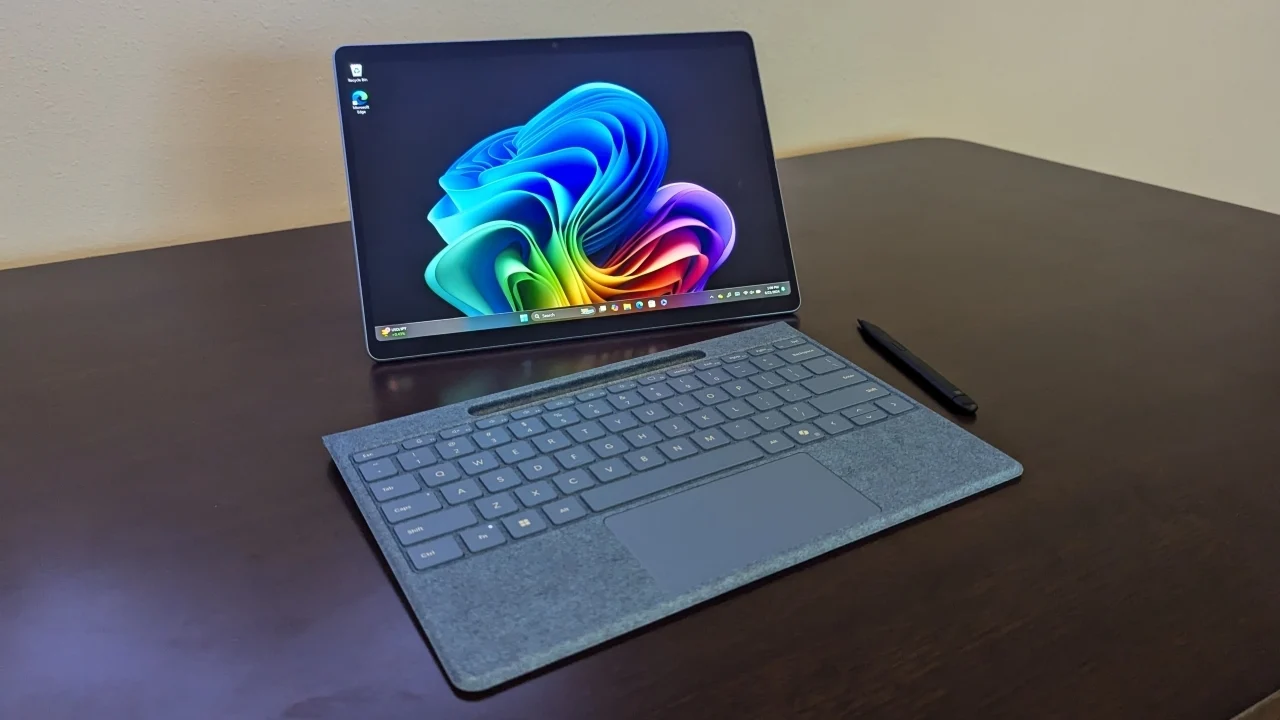
How to choose best windows tablet
The right Windows tablet depends less on the word “tablet” than on how much desktop computing you expect from it. These are the factors that separate a genuinely useful mobile PC from a small screen running Windows.
Display size and resolution
A 10.1-inch screen is easier to carry, but it leaves less room for desktop menus, spreadsheets, and side-by-side windows. The 12-inch Fusion5 Helios 12 and 12.3-inch Surface Pro 7+ are more comfortable for sustained work, while the 8-inch KBJPADS is better suited to short sessions.
Resolution affects text clarity and usable workspace. Full HD class panels, such as 1920 x 1200, are a sensible baseline for a 10.1-inch Windows tablet. The Surface Pro 7+'s 2736 x 1824 display is sharper, while 1280 x 800 panels are acceptable for basic browsing but less comfortable for dense documents.
Processor and memory
Windows can run on modest hardware, but it becomes frustrating when browser tabs, Office apps, calls, and background processes compete for limited resources. The 4GB KBJPADS is intended for light tasks, while 6GB and 8GB configurations suit basic study and office use. The 12GB Fusion5 models and 16GB Surface Pro 7+ leave more room for multitasking.
Processor names need context. The Intel Celeron in the XINHENGTAI and the Pentium Gold 6500Y in the QAZIPO models target ordinary productivity. The Surface Pro 7+'s Core i7 offers more performance headroom, while the Fusion5 N100 models balance modern hardware with compact tablet designs.
For Windows tablets, memory capacity often determines how long the device feels comfortable to use before the desktop starts fighting back.
Storage and expansion
A 64GB drive, as found in the KBJPADS, leaves little room for Windows updates, applications, and local media. The 128GB models are more workable for documents and streaming-focused use, but 256GB is a better starting point for a general-purpose tablet. The Helios 12 and Rugged 512GB provide the most comfortable local capacity in this group.
MicroSD or TF expansion helps, especially for photos, videos, manuals, and school files. It does not always replace a larger internal SSD, since applications and system files are better kept on the main drive. Check both the internal capacity and the stated expansion limit before choosing.
Keyboard and input
A touchscreen is excellent for scrolling, tapping, and casual browsing. It is less efficient for long emails, reports, and spreadsheet work. The QAZIPO models include detachable magnetic keyboards, while the Fusion5 FWIN232 Pro says its docking keyboard is sold separately. The Surface Pro 7+ has a Type Cover port, but the listed package should be checked before assuming a keyboard is included.
Stylus support matters for handwritten notes, markup, and sketching. The Helios 12 specifically includes a Fusion5 stylus pen, which gives it a clear advantage for pen-based work. If notes are central to your routine, consider how handwriting and screen size affect long study sessions before choosing a compact model.
Ports and wireless connections
At minimum, a Windows tablet should provide a practical way to connect charging, storage, and a display. USB-C is useful when it supports charging and peripherals, while USB-A remains convenient for older drives and accessories. Micro HDMI is valuable for presentations or a larger screen, and a headphone jack avoids relying on wireless audio.
Wireless details also matter. Wi-Fi 5 and dual-band 2.4GHz and 5GHz connections cover ordinary home, school, and office use. Bluetooth 5.0 is preferable for newer accessories, while Bluetooth 4.2 remains functional but is older.
Durability and operating system
Windows 11 Home is suitable for everyday personal use. Windows 11 Professional is more appropriate when the tablet will be managed in a business or work environment and when Pro-specific features are required. The Surface Pro 7+ and rugged Fusion5 models use Windows 11 Professional, while many of the compact personal-use devices use Windows 11 Home.
A rugged tablet makes sense when drops, dust, spills, or frequent handling are realistic risks. The Fusion5 Rugged models add covered ports, a strap, and accidental damage protection. That protection is unnecessary for a protected desk setup, where the slimmer Helios 12, Surface Pro 7+, or QAZIPO models will feel more natural.
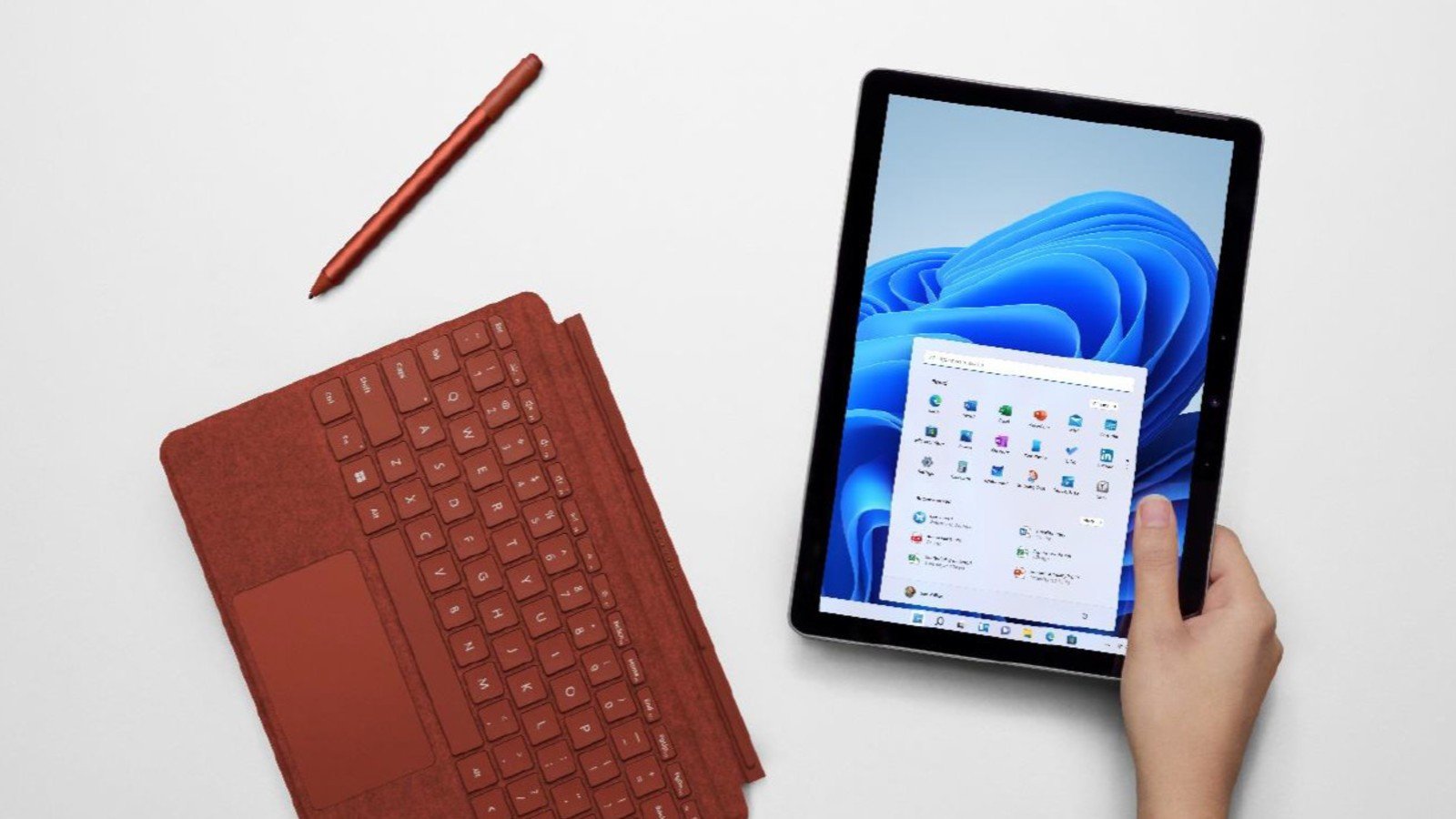
Frequently asked questions
Can a Windows tablet replace a laptop?
Some can, but the answer depends on the keyboard, screen size, and software workload. The Surface Pro 7+ and the QAZIPO 2-in-1 models are the most laptop-like here because they support or include keyboard arrangements. A tablet-only model can replace a laptop for browsing and light documents, but long typing sessions are less comfortable without physical keys.
Which Windows tablet has the largest display?
The Microsoft Surface Pro 7+ has a 12.3-inch display, while the Fusion5 Helios 12 has a 12-inch display. The Surface uses a taller 3:2 aspect ratio, and the Helios 12 uses a 16:10 panel with 2000 x 1200 resolution. Both provide more workspace than the 10.1-inch and 8-inch models.
Are these tablets suitable for Microsoft Office?
The QAZIPO models are explicitly configured for Office 365 and include one year of the suite, along with 1TB of OneDrive storage. The other Windows tablets can run compatible Office software, but the listing does not say that Office is included with them. A keyboard will make Word, Excel, and PowerPoint much easier to use.
Which model is best for rough environments?
The Fusion5 Rugged 512GB and Fusion5 Rugged 256GB are the clear choices for rough conditions. Both list shockproof and dustproof construction, covered ports, a strap, a stand mount, and protection for accidental damage. The 512GB model is better for users who need more local storage.
Can these tablets connect to an external monitor?
Several can. The Fusion5 Helios 12, Fusion5 FWIN232 Plus, Fusion5 FWIN232 Pro, both rugged Fusion5 models, and both QAZIPO models list Micro HDMI or HDMI-related display connectivity. The Surface Pro 7+ includes USB-C and USB-A, along with Surface connection options, so external display support depends on the compatible accessory or dock.
Is an 8-inch Windows tablet large enough for work?
The KBJPADS 8-inch Tablet can handle light office work, browsing, reading, and study tasks. Its 4GB of RAM, 64GB of storage, and 1280 x 800 display make it a poor fit for heavy multitasking or large professional applications. It is most useful when compact carrying matters more than desktop comfort.
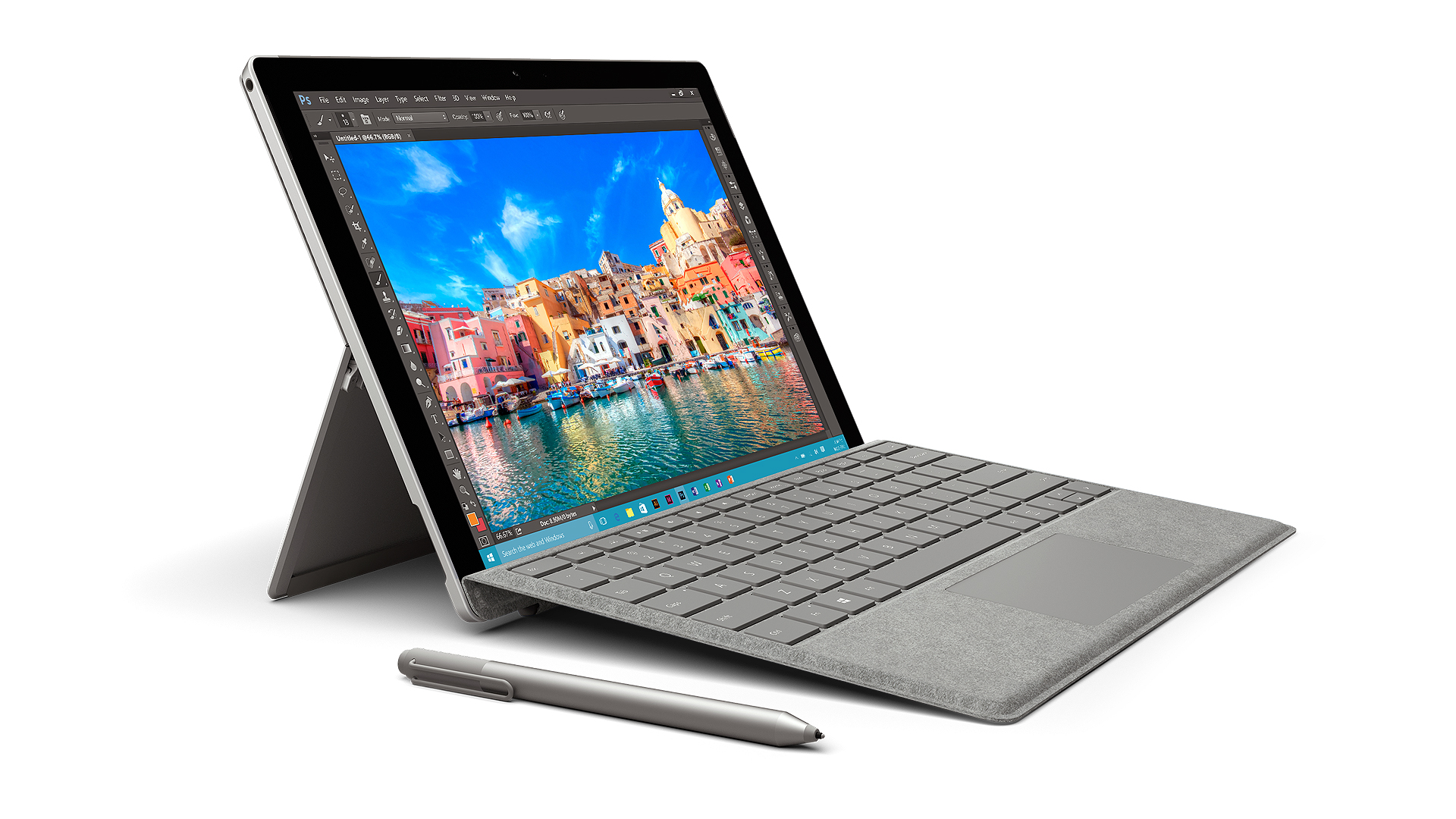
The bottom line
The Fusion5 Helios 12 is the best windows tablet in this group for most people who want a serious Windows device. Its 12-inch 2K display, 12GB of DDR5 RAM, 512GB SSD, stylus, active cooling, and broad port selection give it the strongest balance of desktop capability and tablet flexibility.
For demanding work environments, choose the Fusion5 Rugged 512GB. It trades sleekness for shock and dust protection, Windows 11 Professional, covered ports, and accidental damage coverage. The Microsoft Surface Pro 7+ is the better fit for buyers who prioritize a sharper productivity display and a mature 2-in-1 design, provided the renewed condition and keyboard contents suit the purchase.
If you are undecided, choose the Helios 12 for general use, the Rugged 512GB for field work, and the QAZIPO 10.1-inch 2-in-1 for a compact keyboard-first setup.
As an Amazon Associate we earn from qualifying purchases.