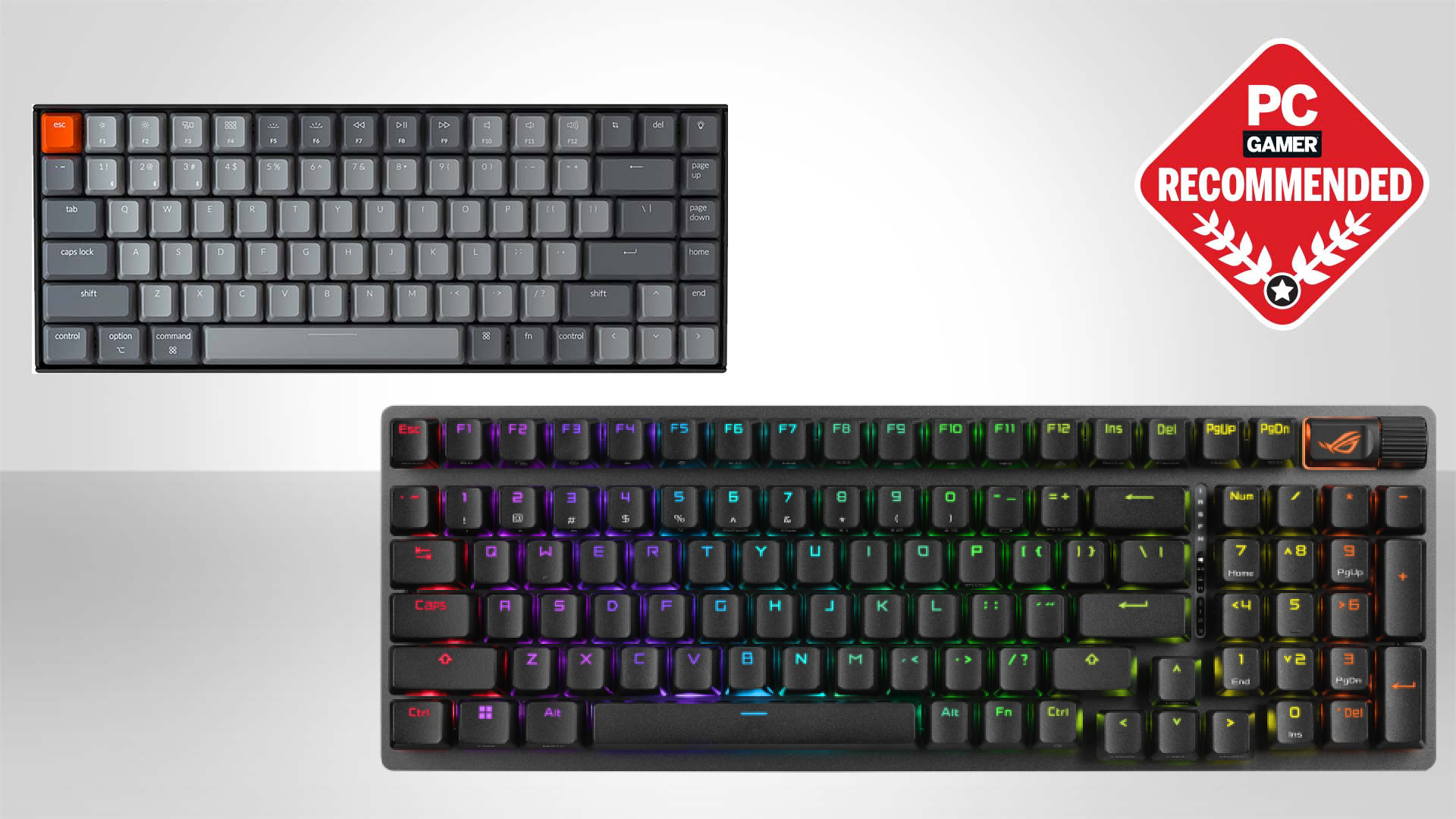

A wireless keyboard should remove cable clutter without making typing feel vague, laggy, or inconvenient. The hard part is finding one that gets the layout, switch feel, wireless modes, and battery behavior right at the same time. A compact board can reclaim valuable mouse space, but it may also remove the number pad you use every day.
Our top pick is the AULA F75 Pro, with the ASUS ROG Strix Scope II 96 close behind for gamers who need a number pad. This group spans compact 75% boards, 96% and full-size layouts, hot-swappable switches, low-profile typing, typewriter styling, and one membrane keyboard that does not belong in a mechanical roundup but is worth identifying clearly.
Comparison
| # | Product | Award | Layout | Connectivity | Key feature | Best for |
|---|---|---|---|---|---|---|
| 1 | AULA F75 Pro | Best overall | 75%, 81 keys | Bluetooth 5.0, 2.4GHz, USB-C | 4000mAh battery, hot-swap, knob | Compact customization |
| 2 | Logitech MX Mechanical | Best low-profile | Full-size | Bluetooth LE, Logi Bolt | Up to 15 days with backlight | Quiet office typing |
| 3 | Redragon K556 Pro | Best full-size gaming board | 104 keys | Bluetooth, 2.4GHz, USB-C | Aluminum frame, hot-swap | Traditional gaming setup |
| 4 | AULA F99 | Best compact numpad | 96%, 99 keys | Bluetooth 5.0, 2.4GHz, USB-C | 8000mAh battery, gasket mount | Work and gaming |
| 5 | Logitech Alto Keys K98M | Best productivity layout | 98 keys | Bluetooth LE, Logi Bolt | Gasket mount, white backlight | Desktop productivity |
| 6 | Redragon K710 Typewriter | Best typewriter style | 104 keys | Bluetooth, 2.4GHz, USB-C | Blue switches, metal panel | Clicky typing |
| 7 | Kisnt KN85 | Best compact sound | 75%, 85 keys | Bluetooth 5.0, 2.4GHz, USB-C | 5-layer dampening, hot-swap | Small desks |
| 8 | RK Royal Kludge S98 | Best display | 98% layout | Bluetooth 5.0, 2.4GHz, USB-C | Smart display and knob | Custom desk setups |
| 9 | AULA S99 | Best membrane alternative | 96%, 99 keys | Bluetooth 5.0, 2.4GHz, USB-C | Numpad, macro keys, knob | Quiet general use |
| 10 | ASUS ROG Strix Scope II 96 | Best gaming upgrade | 96% | Bluetooth, 2.4GHz, USB-C | 1500-hour 2.4GHz battery | Serious PC gaming |
1. AULA F75 Pro: Best Overall

Pros
- Compact 81-key layout keeps arrow keys and function row
- Tri-mode wireless can connect with up to five devices
- Hot-swappable 3-pin and 5-pin switch support
- Multi-function knob and programmable keys
- Five layers of sound-dampening material
Cons
- No number pad
- The side-printed keycaps may take adjustment
- Battery life is not specified in hours
Best for: anyone who wants a compact custom keyboard that is ready for gaming and everyday work.
The AULA F75 Pro is the board we would keep on the desk. Its 75% layout cuts away the number pad while retaining the arrow keys and function row, so it feels compact without forcing the compromises of a tiny 60% keyboard. The 81-key arrangement leaves more room for a mouse and still works naturally for writing, shortcuts, and games.
Its tri-mode connection is unusually flexible. Bluetooth 5.0, 2.4GHz wireless, and USB-C wired mode are all available, and AULA says it can connect to up to five devices. A 4000mAh battery handles wireless use, though the product information does not give a claimed runtime in hours. The side button and shortcut controls make switching more practical than reaching under the board.
Typing is helped by pre-lubricated Reaper switches, pre-lubricated stabilizers, and a construction that uses an integrated silicone pad, PCB single-key slotting, and five layers of filling material. Those layers are intended to reduce the hollow cavity sound created when switches hit the positioning plate. The result should suit someone who wants a softer, less empty mechanical sound rather than a sharp, bare-plastic clatter. The hot-swap sockets accept both 3-pin and 5-pin switches without soldering.
The knob is more useful than a decorative dial. In one mode it adjusts lighting and changes effects when pressed, while another mode uses it for volume and media control. RGB includes 16 preset effects, adjustable brightness and speed, and music-reactive modes through the driver. Compared with the Kisnt KN85, the F75 Pro offers a larger device connection count and a more distinctive control setup. The AULA F99 is the better fit if you need a number area.
The weakness is simple: this is not the keyboard for spreadsheet-heavy work unless you are happy with a separate numpad. Its side-printed keycaps also have a different visual and tactile character from conventional legends. For compact desk users, gamers, and first-time custom keyboard owners, the F75 Pro has the most complete feature mix in this group. It is the easiest recommendation in the Best wireless mechanical keyboard category.
2. Logitech MX Mechanical: Best Low-Profile

Pros
- Full-size layout with low-profile mechanical switches
- Tactile Quiet switches provide feedback without loud clicks
- Pairs with up to three devices
- Automatic proximity-based illumination
- Up to 15 days with backlighting enabled
Cons
- No hot-swap support is listed
- Full-size body takes more desk space
- Lighting-off battery claim is much longer than illuminated use
Best for: office users who want mechanical feedback in a restrained low-profile design.
The Logitech MX Mechanical is the least gamer-looking board here, and that is exactly its appeal. It uses a full-size layout, so the number pad stays in place, but its low-profile mechanical switches make the board feel closer to a refined laptop keyboard than a tall desktop gaming model. The tactile bump gives each press a clear point of feedback without the loud click associated with the Redragon K710 Typewriter.
The Tactile Quiet switch choice is the defining feature. You can feel the key reset and know when the press has registered, while the quieter operation is better suited to shared offices and rooms where a sharp click becomes distracting. The low-profile shape also reduces the amount of finger movement compared with taller keycaps. That does not make it universally more comfortable, but it is a sensible fit for people who already like laptop-style keyboards.
Wireless support centers on Bluetooth Low Energy and the included Logi Bolt receiver. The board can pair with up to three devices and switch between them, which makes it more useful for a desktop, laptop, and tablet workflow than a keyboard tied to one receiver. Logitech’s Logi Options+ software can customize function keys, illumination behavior, and Flow cross-computer controls.
The backlight turns on when your hands approach and adjusts to changing light, a small touch that makes the board feel polished. Logitech claims up to 15 days on a full charge with lighting enabled, or up to 10 months with the backlight turned off. Those are two very different usage patterns, so the illuminated figure is the one to keep in mind if you want the board’s signature feature active.
The MX Mechanical gives up the hot-swappable customization found on the AULA F75 Pro and ASUS ROG Strix Scope II 96. Its low-profile design also leaves less room for the deep switch experimentation that attracts mechanical keyboard enthusiasts. Still, for a full-size work keyboard with tactile feedback, automatic lighting, multi-device support, and a quieter presence, it is the cleanest office-oriented pick. Readers comparing broader layouts may also want to consider how a wireless board fits into a mixed work setup.
3. Redragon K556 Pro: Best Full-Size Gaming Board
Pros
- 104-key full-size layout
- Brushed aluminum construction
- Bluetooth, 2.4GHz, and USB-C modes
- Hot-swappable 3-pin and 5-pin switches
- 20 onboard RGB modes
Cons
- Larger footprint than the compact picks
- Quiet linear switches offer less tactile feedback
- Software is needed for deeper customization
Best for: gamers who want a traditional full-size board with wireless modes and switch flexibility.
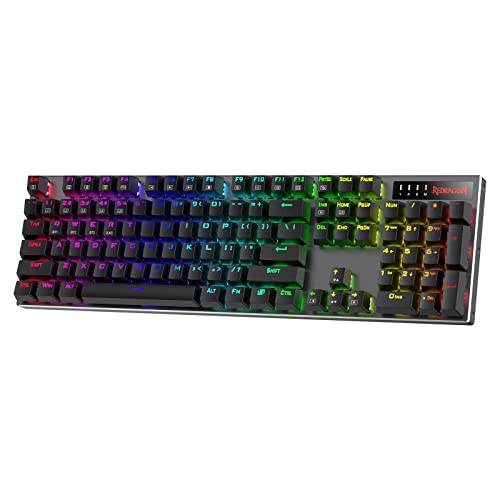
The Redragon K556 Pro keeps things familiar. Its 104-key layout includes the number pad, navigation cluster, function row, and standard spacing that makes moving from another full-size keyboard effortless. The brushed aluminum build is the main physical advantage: it is intended to keep the board steady rather than allowing the flex that can make a plastic keyboard feel unsettled during fast play.
It connects over USB-C, Bluetooth, or 2.4GHz wireless. That gives you a wired fallback, a convenient connection for general devices, and a low-latency wireless mode for a gaming desktop. The feature set is practical rather than unusually clever. There is no screen or multi-function knob, but the familiar layout avoids the learning curve that comes with compressed boards.
Redragon fits quiet linear switches and a socket that accepts almost any 3-pin or 5-pin replacement switch according to the product description. Linear switches move without a tactile bump, which works well for repeated game inputs and smooth typing, but people who want a pronounced actuation point may prefer the Logitech MX Mechanical or the clicky K710. Hot-swap support gives the K556 Pro an upgrade path that the MX Mechanical lacks.
RGB includes 20 preset modes, with adjustable brightness and flow speed. The companion software adds custom lighting and macro programming, so the board can be tuned beyond its onboard settings. That software dependence is not a deal breaker, but it means the strongest customization features are not all available directly from the keyboard.
The K556 Pro loses desk space to the AULA F75 Pro, and its quiet linear switches are less expressive than the AULA’s pre-lubricated setup. Its advantage is the full-size aluminum body and conventional 104-key arrangement. Choose it when the number pad matters, your desk can accommodate a 17.1-inch board, and you want a straightforward gaming keyboard that can change switches later.
4. AULA F99: Best Compact Numpad

Pros
- 99-key 96% layout retains a number area
- 8000mAh battery
- Gasket structure and five layers of dampening
- Hot-swappable 3-pin and 5-pin switches
- PBT keycaps and tri-mode connectivity
Cons
- Heavier and wider than a 75% keyboard
- No dedicated wireless runtime claim
- Compressed layout may take time to learn
Best for: users who need number-pad access without the footprint of a conventional 104-key board.
The AULA F99 solves the most common complaint about compact keyboards: losing the number pad. Its 99-key, 96% layout squeezes the navigation keys and numeric section into a smaller footprint than a traditional full-size board. It is still a substantial keyboard, but the arrangement makes better use of horizontal space than the Redragon K556 Pro.
The connection options are Bluetooth 5.0, 2.4GHz, and USB-C wired mode, with support for up to five connected devices. Its 8000mAh battery is the largest stated capacity in the AULA models here, although the listing does not provide a runtime in hours. For someone moving between work, gaming, and a tablet, the device switching is more useful than a board that only offers one wireless channel.
Typing uses pre-lubricated linear switches, PBT keycaps, and a gasket structure with an integrated silicone pad. AULA also describes PCB single-key slotting and five layers of filling material to reduce cavity noise. That combination points toward a smoother, softer sound than an untreated plate-mounted design. The linear switch feel will suit fast, uninterrupted presses, while hot-swap support lets you move to tactile or clicky switches without soldering.
RGB has 16 effects, adjustable colors, and music-reactive modes through the driver. Macro customization and N-key rollover add practical gaming features. The board is more than a number-pad solution, but its 3.3-pound listed weight and roughly 15.4-inch length mean it is not a travel-oriented compact keyboard.
Compared with the AULA F75 Pro, the F99 gives up some mouse clearance in exchange for dedicated numeric input and a larger battery. The ASUS ROG Strix Scope II 96 is the more gaming-focused alternative, with a stated 1500-hour 2.4GHz battery claim and a detachable wrist rest. The F99 is the better choice for someone whose work actually uses numbers and who still wants hot-swap customization.
5. Logitech Alto Keys K98M: Best Productivity Layout

Pros
- 98-key compact layout includes a numpad
- Gasket mount absorbs vibration
- Hot-swappable Marble switches
- Bluetooth and Logi Bolt support
- Up to 12 months of wireless use
Cons
- White backlight only, not RGB
- Clicky typing can be noisy in shared spaces
- Less gaming-focused customization than the ASUS
Best for: writers and office users who want a compact number pad with a more expressive mechanical feel.
The Logitech Alto Keys K98M takes a different route from the MX Mechanical. It has a 98-key, 1800-style layout with a number pad, but the keyboard is more compact than a standard 104-key model. The transparent top case and white backlight give it a distinctive appearance without the multicolor gaming aesthetic found on the AULA and Redragon boards.
Its UniCushion gasket mount is designed to absorb vibration as keys bottom out. The board uses hot-swappable Marble switches with concave keycaps, and Logitech describes the switch feel as clicky. That combination creates a more deliberate typing experience than the MX Mechanical’s Tactile Quiet switches. It is likely to be more satisfying for people who enjoy audible confirmation, but it is not the sensible pick for a quiet shared office.
The wireless system uses Bluetooth Low Energy or a Logi Bolt USB receiver and works with Windows and macOS. Logitech claims up to 12 months of wireless use, and USB-C recharging can continue while typing. Action Keys can be programmed in Logi Options+, including shortcuts for AI-enhanced features. The software emphasis makes the Alto more productivity-oriented than the Redragon K556 Pro, even though both retain a number pad.
The limitation is the lighting. This is a white-backlit keyboard, not an RGB keyboard, so it will not provide the per-key color effects or gaming-room customization offered by the RK Royal Kludge S98. The clicky switch choice is another boundary. It gives the board personality, but anyone sharing a room should think carefully about the sound.
The Alto Keys K98M is a stronger fit for office work than the AULA F99, especially if multi-device Logitech controls and a restrained design matter. The AULA offers more RGB and a larger battery capacity, while the Logitech provides a more established productivity workflow. If you are also considering low-profile boards, the trade-off between compact layouts and full typing access is especially relevant here.
6. Redragon K710 Typewriter: Best Typewriter Style

Pros
- Distinctive round typewriter-style keycaps
- Blue switches provide audible clicks and tactile feedback
- Full 104-key layout
- Metal panel keeps the board steady
- Tri-mode wireless connection
Cons
- Clicky switches are loud
- Large full-size footprint
- Retro key shape is not for every typist
Best for: people who want a visually distinctive full-size keyboard and enjoy a clear click with every press.
The Redragon K710 Typewriter is built around its appearance. Round keycaps and a vintage typewriter style make it stand apart from the squared-off gaming boards in this group. That design is not merely cosmetic, because the blue switches reinforce the same idea with medium resistance, tactile feedback, and an audible click.
This is a full 104-key board, so there is no adjustment period for users moving from a standard office keyboard. Anti-ghosting supports multiple simultaneous key presses, and the metal panel is intended to keep the board planted during play. The roughly 17.1-inch length is a reminder that the retro design does not save space.
Wireless options include USB-C wired mode, Bluetooth 3.0/5.0, and 2.4GHz wireless. The mode shortcuts use function-key combinations, and the board can also run RGB effects directly from the keyboard. There are up to 16 preset lighting modes, seven solid colors, and adjustable brightness and flow speed. Software expands the lighting and macro controls.
The big question is sound. Blue switches produce a crisp click that some typists find motivating and others find exhausting. The Logitech Alto Keys K98M also has a clicky character, but its 98-key layout is more compact and its gasket mount aims for a different kind of typing feel. The K710 is the more overtly retro choice, not the quieter one.
This board should be skipped by anyone who needs silent operation or a smaller footprint. It also has less switch flexibility than the hot-swappable AULA F75 Pro and Redragon K556 Pro. For a home office, writing desk, or gaming setup where the sound and look are part of the experience, the K710 is the most committed typewriter-style option here.
7. Kisnt KN85: Best Compact Sound

Pros
- Compact 85-key 75% layout
- Tri-mode connectivity with three Bluetooth channels
- 5-layer sound dampening
- Hot-swappable 3-pin and 5-pin switches
- 20 RGB lighting effects
Cons
- Not silent
- Windows-only driver support in wired or 2.4GHz mode
- No number pad
Best for: small desks and first-time custom keyboard owners who want a softer, deeper typing sound.
The Kisnt KN85 is a compact 75% keyboard with an 85-key layout. It keeps the F1 to F12 row, arrow keys, and common shortcuts while dropping the number pad. Its stated dimensions are 13.68 by 5.51 by 1.77 inches in the feature description, a useful indication of how much desk space it saves compared with the full-size boards.
Kisnt gives it three connection choices: USB-C, 2.4GHz, and Bluetooth 5.0 with three channels. The product description lists latency figures of 2ms over USB, 5ms over 2.4GHz, and 11ms over Bluetooth. Those figures make the wired and dongle modes more suitable for gaming, while Bluetooth remains useful for laptops, tablets, phones, and other general devices. A 4000mAh battery supports wireless use, and you can continue typing in wired mode while charging.
The Bsun linear switches are pre-lubricated and listed at 45 to 50gf actuation. That gives the board a smooth, relatively light press rather than the bump of a tactile switch or the click of a blue switch. The gasket-mounted design adds a base dampener, silicone pad, and five layers of sound-dampening foam. Kisnt is careful to say it is not silent, but the intended result is creamier and less clacky than a traditional mechanical board.
There are 20 preset RGB effects, adjustable color and brightness, and programming through a Windows driver in wired or 2.4GHz mode. The hot-swap PCB accepts 3-pin and 5-pin switches, so the KN85 is a practical starting point for experimenting with different feels. It also has a listed two-year warranty and support, details that matter when choosing a lesser-known keyboard brand.
The KN85 is smaller and lighter than the AULA F75 Pro, but the AULA has more device connections and a more versatile knob. The KN85’s sound treatment and explicit latency information make it the more focused choice for someone who cares about feel and desk space. Skip it if you use a numpad often, need Mac-side driver customization, or want a genuinely silent board.
8. RK Royal Kludge S98: Best Display

Pros
- Smart display shows useful keyboard information
- Multi-function knob
- 98% layout retains the number pad
- Hot-swappable 3-pin and 5-pin switches
- Double-shot PBT keycaps
Cons
- Display adds complexity without improving typing
- Larger than a 75% keyboard
- Battery capacity and runtime are not specified
Best for: custom keyboard fans who want a screen and number pad on the same board.
The RK Royal Kludge S98 is the most visually feature-rich keyboard in the roundup. Its smart display can show a custom GIF, date, connection mode, Windows or Mac layout, and battery status. That screen is not essential to typing, but it gives the keyboard a personality that the more conventional Redragon boards do not have.
The companion control is a knob that adjusts volume, connection mode, backlight brightness and speed, or RGB mode and color. The board supports Bluetooth 5.0, 2.4GHz, and USB-C wired operation. This is a useful control scheme for someone who changes lighting and media settings often, although it takes more familiarity than a simple volume wheel.
The 98% layout keeps a number pad while using a tighter arrangement than a full-size board. RK describes a top-mount design with a firm, consistent feel, along with an IXPE switch dampener, two layers of thicker sound-absorbing foam, and a silicone dampener pad. Those materials are intended to reduce noise and hollow resonance. Linear cream switches provide a smooth press, while the hot-swap PCB accepts 3-pin and 5-pin switches for later changes.
Double-shot PBT keycaps are another sensible choice for a board designed to be used heavily. The legends are molded into two layers rather than simply printed, and the product description says they are intended not to fade. The board is 16.14 inches long and weighs about 1.65 inches in listed height, so it is compact by 98% standards but still needs a proper desktop.
The S98’s display is its reason to exist, and its weakness. If you want the cleanest typing experience, the AULA F99 has a larger stated 8000mAh battery and a similar compact number-pad layout. If you want more gaming-specific controls and a detailed battery claim, the ASUS is stronger. Pick the S98 when the screen, knob, and custom aesthetic are features you will actively enjoy rather than decorations you will ignore.
9. AULA S99: Best Membrane Alternative

Pros
- 99-key 96% layout with number pad
- Bluetooth 5.0, 2.4GHz, and USB-C
- Rotary knob for volume and lighting
- Foldable two-stage stand
- Macro controls and broad device compatibility
Cons
- It is a membrane keyboard, not mechanical
- No hot-swapping
- Not intended for buyers seeking a mechanical switch feel
Best for: general typing and wireless number-pad use when mechanical switches are not essential.
The AULA S99 needs a clear label because the product title calls attention to wireless gaming use, while the detailed listing explicitly says it is a membrane keyboard. It does not use mechanical switches, does not support hot-swapping, and should not be treated as a peer to the other nine boards for switch feel. It is included because shoppers searching for a wireless mechanical keyboard may encounter it and deserve an accurate explanation.
Its 99-key, 96% layout includes a number pad while saving some space compared with a conventional full-size design. Bluetooth 5.0, 2.4GHz wireless, and USB-C wired connectivity cover the main connection types. The board also includes a dual-mode rotary knob for volume, audio, and lighting adjustments, plus M1, M2, and M3 controls for remapping or combining functions.
The foldable two-stage kickstand lets you change the typing angle. Compatibility is listed for Windows XP through Windows 10, Mac, Android, and iOS, with function shortcuts for switching among operating systems. That range makes the S99 a flexible general-purpose board, especially for someone who moves between a desktop, phone, and tablet.
RGB-style mechanical features are not the point here. The listing describes it as a purple membrane keyboard and notes that it lacks the mechanical switch and hot-swap behavior some buyers expect. AULA also says users with strict requirements for game response should choose a mechanical keyboard instead. That is the correct advice for competitive gaming or anyone specifically shopping for a mechanical actuation feel.
Compared with the AULA F99, the S99 gives up pre-lubricated linear switches, gasket construction, PBT keycaps, and the larger stated battery capacity. Its advantage is a simpler membrane action and a familiar number-pad layout. Choose it only if quieter, softer general typing matters more than mechanical feedback. For the actual Best wireless mechanical keyboard shortlist, it is the exception rather than a recommendation for switch enthusiasts.
10. ASUS ROG Strix Scope II 96: Best Gaming Upgrade

Pros
- 96% layout retains a number pad in a compact frame
- Tri-mode connectivity with Bluetooth for three devices
- Up to 1500 hours in 2.4GHz mode
- Hot-swappable pre-lubricated switches
- Detachable wrist rest and three tilt positions
Cons
- More gaming-focused than office-focused
- Larger and heavier than 75% boards
- ROG software and features may be unnecessary for simple typing
Best for: PC gamers who want a compact full-size layout and long 2.4GHz battery life.
The ASUS ROG Strix Scope II 96 is the most complete gaming keyboard here if you need a number pad. Its 96% layout keeps the essential full-size functions while making the board only about 1cm wider than a standard 80% keyboard, according to ASUS. That is a useful compromise for games, productivity, and streaming setups where a separate numeric area still matters.
Wireless support includes Bluetooth for up to three devices, low-latency 2.4GHz through ROG SpeedNova, and USB wired mode. The standout figure is the claimed battery life of up to 1500 hours in 2.4GHz wireless mode. That is a product claim tied to a particular connection mode, not a promise for every lighting or usage pattern, but it still makes this the clearest pick for people who dislike frequent charging.
The board comes with pre-lubricated ROG NX Snow linear switches, and the hot-swap design also supports ROG NX Storm clicky switches. That gives buyers a choice between smooth, thocky keystrokes and a crisper clicky feel. Sound-dampening foam and switch-dampening pads are built in to reduce pinging and echoes. PBT keycaps, per-key RGB, full macro programming, and a multi-function wheel complete the enthusiast feature set.
Comfort features are more developed than on most of the compact boards. There are three adjustable tilt positions and a detachable wrist rest. Pre-programmed F1 through F5 hotkeys control Xbox Game Bar and recording functions, which is useful for streamers and PC gamers but less relevant to a conventional office setup. The included receiver, USB extender, cable, and keycap and switch puller also make the package feel considered.
The ASUS is heavier and more specialized than the AULA F99, while the AULA offers a larger stated battery capacity and a softer custom-keyboard emphasis. The Logitech MX Mechanical is quieter and more restrained for office use. Choose the Scope II 96 when low-latency wireless gaming, a number pad, switch choice, and long 2.4GHz endurance all matter. For more context on the switch and layout decisions behind enthusiast boards, the practical differences between mechanical switch types are worth understanding before you buy.
How to choose best wireless mechanical keyboard
The right board comes down to the way you type, the devices you connect, and how much of the full-size layout you actually use.
Layout and desk space
A 75% keyboard such as the AULA F75 Pro or Kisnt KN85 keeps the function row and arrow keys while removing the number pad. A 96% or 98% board, including the AULA F99 and ASUS ROG Strix Scope II 96, retains numeric input in a tighter arrangement. Full-size boards provide the most familiar spacing but need more horizontal room.
If you use spreadsheets, enter codes, or work with figures daily, do not assume a compact board will feel liberating. The missing number pad can create more friction than the saved desk space is worth. For gaming and general writing, 75% is usually the more comfortable compromise.
Switch feel and noise
Linear switches press smoothly without a tactile bump. They suit fast repeated inputs and are common on the AULA F99, Kisnt KN85, RK S98, Redragon K556 Pro, and ASUS board. Tactile switches provide a noticeable bump without a loud click, as used by the Logitech MX Mechanical. Clicky switches add audible confirmation, which is the defining behavior of the Redragon K710 and Logitech Alto Keys K98M.
A hot-swappable keyboard lets you change the switch feel later, but it cannot make a loud switch quiet without changing that switch.
The AULA S99 is a membrane keyboard, so it belongs in a different feel category. Do not choose it expecting the crisp actuation or switch customization of the mechanical models.
Wireless modes
Bluetooth is convenient for tablets, phones, and multiple computers. A 2.4GHz receiver is generally the more relevant mode for low-latency gaming, while USB-C wired mode provides a dependable fallback and allows use while charging on several models. The AULA F75 Pro and F99 can connect to up to five devices, while Logitech’s boards support up to three through their respective systems.
Look for the actual connection modes rather than assuming every wireless keyboard behaves the same. The Kisnt KN85 provides three Bluetooth channels and lists separate latency figures for USB, 2.4GHz, and Bluetooth. The ASUS board is the clearest choice for long-duration 2.4GHz use because its claimed runtime is specifically stated for that mode.
Battery and charging
Battery capacity is not the same as battery life. The F75 Pro and KN85 list 4000mAh batteries, the F99 lists 8000mAh, and the ASUS claims up to 1500 hours in 2.4GHz mode. Logitech gives separate claims for illuminated and non-illuminated use, which is more useful than a single number without a lighting condition.
RGB lighting, animated effects, and heavy wireless use can change how often charging is needed. A board that supports wired typing while charging is less disruptive than one that must be put away. If the listing does not provide a runtime, treat capacity as a reference point rather than a guarantee.
Customization and construction
Hot-swap sockets let you replace compatible 3-pin or 5-pin switches without soldering. That is a major advantage for beginners and anyone still deciding between linear, tactile, and clicky typing. PBT keycaps are generally chosen for durability and a less slick surface, while gasket mounts, silicone pads, and foam are intended to soften the feel and reduce hollow resonance.
Knobs vary in usefulness. The AULA F75 Pro, ASUS Scope II 96, RK S98, Logitech Alto Keys K98M, and AULA S99 use rotary controls in different ways. A display, such as the RK S98’s smart screen, is a convenience feature rather than a typing improvement. Build should come first, then controls and lighting.
Frequently asked questions
Are all of these keyboards mechanical?
No. The AULA S99 is explicitly described as a membrane keyboard and does not support hot-swapping. The other products are presented as mechanical keyboards with mechanical switches or mechanical switch features.
Is a 75% keyboard large enough for everyday work?
For writing, browsing, programming, and most gaming, a 75% board keeps the important navigation keys and function row. It removes the number pad, so frequent numeric entry is a reason to choose a 96%, 98%, or full-size layout instead.
Which wireless mode is best for gaming?
2.4GHz wireless is the most gaming-focused option among these boards because it is designed for low-latency communication with a receiver. USB-C wired mode is another dependable choice. Bluetooth is convenient for general devices, but it is not the first mode we would choose for competitive play.
Can these keyboards use different switches?
The AULA F75 Pro, AULA F99, Redragon K556 Pro, Kisnt KN85, RK Royal Kludge S98, and ASUS ROG Strix Scope II 96 list hot-swappable support. Compatibility varies by board, but the listings identify support for 3-pin and 5-pin switches on several models. The Logitech MX Mechanical and AULA S99 do not list hot-swapping.
Which keyboard has a number pad without a full-size footprint?
The AULA F99, Logitech Alto Keys K98M, RK Royal Kludge S98, AULA S99, and ASUS ROG Strix Scope II 96 use compact layouts that retain a number area. The Redragon K556 Pro and K710 use traditional 104-key full-size layouts and occupy more horizontal space.
Are mechanical keyboards always loud?
No. Linear and tactile switches can be relatively restrained, especially when combined with foam, gasket structures, or dampening pads. Clicky switches such as those in the Redragon K710 and Logitech Alto Keys K98M are deliberately louder. The Kisnt KN85 is described as creamier and less clacky, but not silent.
The bottom line
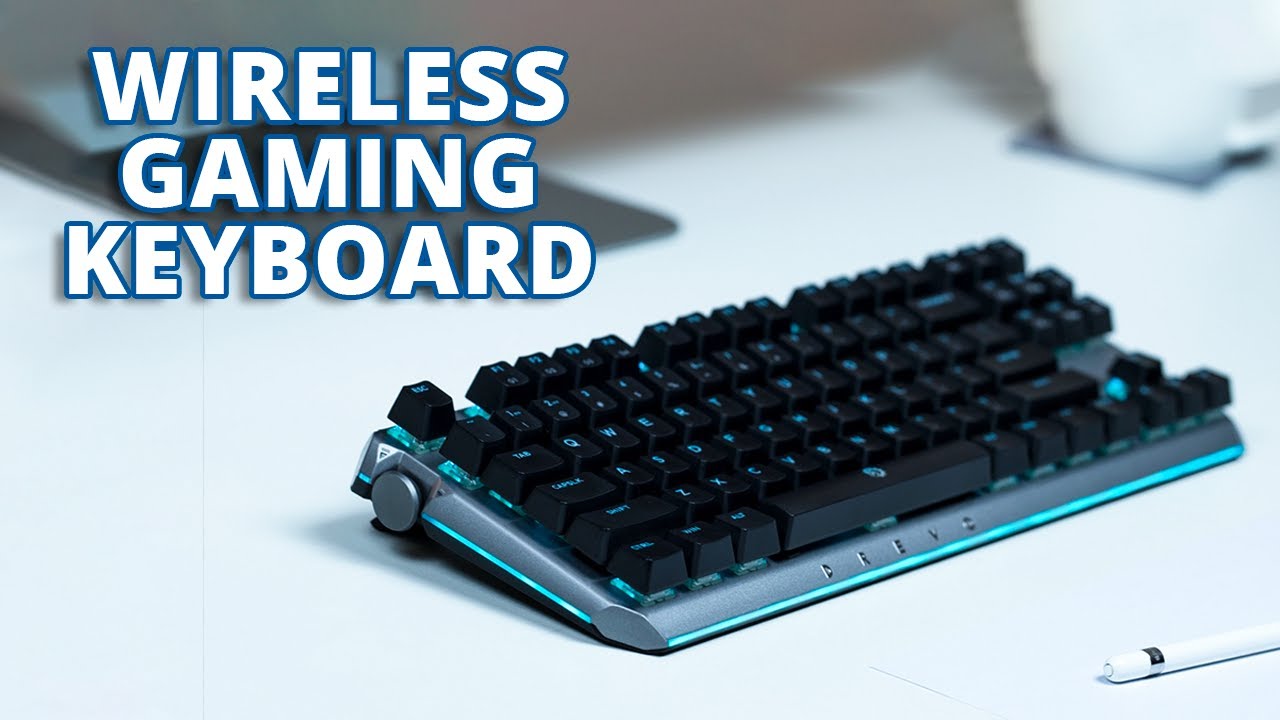
The AULA F75 Pro is the Best wireless mechanical keyboard for most people because it balances compact size, tri-mode connectivity, hot-swap support, a useful knob, PBT keycaps, and a sound-dampened construction. It is not the right answer for heavy number-pad work, but it gives the broadest mix of customization and everyday usability.
Choose the ASUS ROG Strix Scope II 96 for PC gaming with a number pad, long claimed 2.4GHz endurance, a wrist rest, and more developed gaming controls. The Logitech MX Mechanical remains the calmer office option, while the AULA F99 is the better compact choice when numeric input and a large battery matter more than maximum mouse space.
If you are undecided, choose the AULA F75 Pro unless you need a number pad every day.
As an Amazon Associate we earn from qualifying purchases.