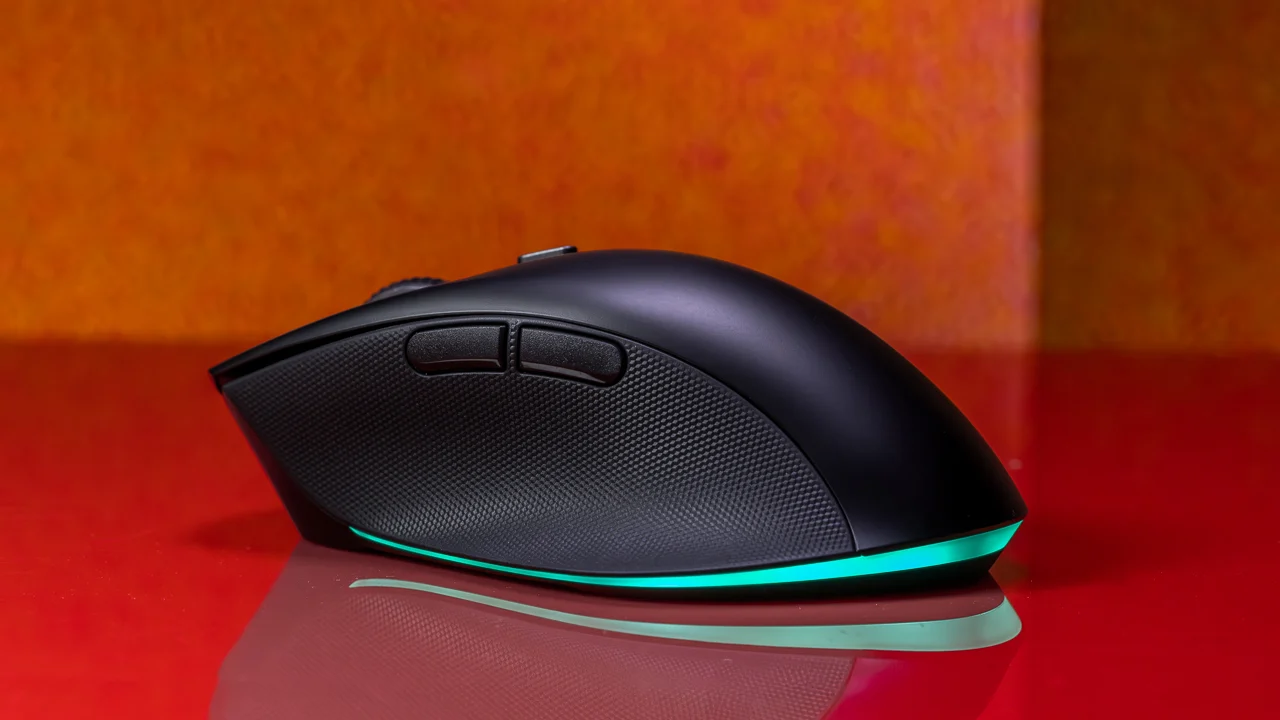

Picking a wireless mouse for your computer used to be simple: you grabbed whatever came in the box with the PC. But that little plastic puck is almost never the right shape for your hand, and its jerky optical sensor will drive you crazy the first time you try to drag-select a block of text. A good wireless mouse is one of the few peripherals that genuinely changes how fast you work and how comfortable you feel at the end of the day.
We looked at ten of the best wireless mice for computers available right now, from compact travel companions to full-size ergonomic workhorses and even a gaming mouse that pulls double duty in the office. The Logitech M720 Triathlon came out on top because it solves the one problem most mice ignore: switching between three devices without unplugging a receiver. But there are strong picks for every need, and we will walk through each one.
| # | Product | Award | DPI | Battery Life | Best for |
|---|---|---|---|---|---|
| 1 | Logitech M720 Triathlon | Best Overall | 1000 (fixed) | 24 months | Multi-device users, palm grip |
| 2 | Logitech G305 Lightspeed | Best Gaming | 200 to 12, 000 | 250 hours (gaming) / 9 months (endurance) | Gamers, portable high performance |
| 3 | Logitech M510 | Best Ergonomic | 1000 | 2 years | All-day comfort, programmable buttons |
| 4 | HP X3000 G3 | Best Battery Life | 1600 | 15 months | Travel, multi-surface use |
| 5 | TECKNET 4800 DPI | Best Silent | 800 to 4800 | 30 months | Quiet offices, libraries, dorms |
| 6 | Logitech M185 | Best Compact | 1000 | 12 months | Small hands, travel, laptop bags |
| 7 | Logitech M317 | Best for Chromebook | 1000 | 12 months | Chromebook users, ambidextrous |
| 8 | Acer 5-Level 4000 DPI | Best Adjustable DPI | 800 to 4000 | Long (smart sleep) | Design work, variable sensitivity |
| 9 | Acer 3-Level 1600 DPI | Best Basic | 800 to 1600 | Long (smart sleep) | Budget, medium to large hands |
| 10 | wegear 2.4GHz | Best Budget | 800 to 4000 | 24 months | Extreme budget, basic tasks |
1. Logitech M720 Triathlon: Best Overall

Pros
- Hyper-fast scroll wheel spins freely through long documents
- Switches between three devices with one button
- 24-month battery life on a single AA
- Rubber body and sculpted palm grip feel substantial
Cons
- Right-hand only design
- No adjustable DPI (fixed at 1000)
Best for: anyone who works across a desktop, laptop, and tablet and wants one mouse to rule them all.
The M720 is the mouse we keep on our own desks. Its killer feature is the device-switching button on top: you pair it via Bluetooth or the Unifying receiver with up to three computers (Windows, macOS, Chrome OS, Linux, or iPadOS), then tap to jump between them. Logitech FLOW even lets you drag files across screens as if they were one machine. That alone makes it the best wireless mouse for computers if you juggle multiple systems.
The scroll wheel is a joy. It has two modes: a notched click-to-click feel for precise line-by-line work, and a free-spin hyper-fast mode that lets you fly through a thousand-row spreadsheet with one flick. The wheel also tilts left and right for horizontal scrolling. The rubberized body fills a palm grip nicely, though lefties should look elsewhere because the sculpted shape is strictly right-handed.
Battery life is rated at 24 months on a single AA, which is class-leading among full-size mice. The M720 uses the same Unifying receiver as many Logitech keyboards, so you can free up a USB port. The only real miss is the fixed 1000 DPI sensor; it is fine for productivity but not adjustable if you want a faster cursor for a second monitor. If you need DPI control, the G305 or TECKNET are better options. But for pure multi-device productivity, nothing here beats the M720.
2. Logitech G305 Lightspeed: Best Gaming
Pros
- Hero sensor delivers 12, 000 DPI and 400 IPS tracking
- 1 ms report rate for lag-free gaming
- 250 hours continuous gameplay on one AA
- Lightweight at 3.4 ounces with receiver storage inside
Cons
- No Bluetooth, only LIGHTSPEED wireless (requires receiver)
- Compact shape may not suit large hands
Best for: gamers who want a true wireless mouse that also works great for everyday computing.
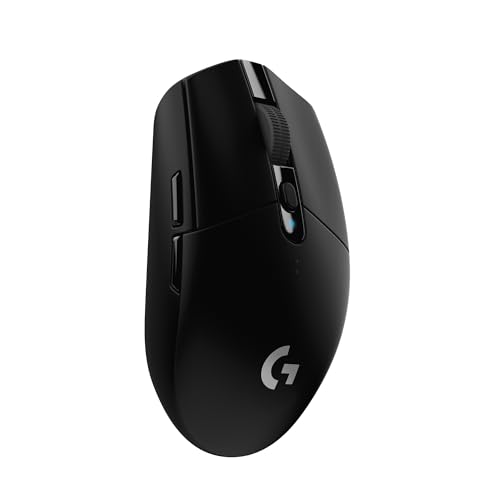
The G305 is a gaming mouse first, but it is so good at everything else that it earns a spot in any roundup of the best wireless mice for computers. Logitech G's Hero sensor is the star: it tracks from 200 to 12, 000 DPI with zero smoothing, acceleration, or filtering. In practice, that means pixel-perfect cursor movement whether you are sniping in a shooter or precisely selecting layers in Photoshop. The 1 ms wireless report rate matches wired mice; you will not feel any lag.
It weighs only 3.4 ounces with the AA battery installed, which is impressively light for a wireless mouse. The compact, ambidextrous shell works well for claw and fingertip grips, though palm grippers with large hands may find it short. The battery lasts 250 hours in gaming mode or up to 9 months in endurance mode (switchable via G HUB software). That is a huge range. The nano receiver stores inside the mouse for travel, making it a great companion for a gaming laptop.
The trade-off is connectivity: no Bluetooth, only the LIGHTSPEED wireless receiver. That is fine for a desktop but means you cannot pair it with a tablet or phone. The M720 is better for multi-device, but if you want one mouse that handles both fragging and spreadsheets, the G305 is the one.
3. Logitech M510: Best Ergonomic

Pros
- Full-size contoured shape with soft rubber grips
- Programmable back/forward and zoom buttons
- Two-year battery life
- Unifying receiver stays in your laptop
Cons
- No Bluetooth, only receiver
- Right-hand only
Best for: people who spend eight hours a day mousing and need a comfortable, customizable tool.
The M510 is the mouse for the desktop worker who never wants to think about their mouse. Its full-size, contoured body is wider and taller than the M720, with soft rubber grips on the sides and a broad palm area. Your hand relaxes into it rather than pinching. The sculpted shape is clearly right-handed, but it is one of the most comfortable mice we have used for all-day work.
Logitech's SetPoint software (Windows) or Logitech Control Center (Mac) lets you reprogram the three standard buttons plus back/forward and side-to-side scroll. You can assign shortcuts like undo, copy, or application switching. The side-to-side scrolling is handy for navigating timelines or wide spreadsheets. The two-year battery life is excellent, and the on/off switch plus smart sleep mode mean you rarely need to touch the battery tray.
The M510 lacks Bluetooth, so it relies on the Logitech Unifying receiver. That is fine for a stationary setup, but if you move between devices, the M720 is more flexible. The M510 also does not have hyper-fast scrolling; the scroll wheel is standard notched. Still, for pure ergonomic comfort with programmability, it is the best pick here.
4. HP X3000 G3: Best Battery Life

Pros
- 15-month battery life on one AA
- Blue LED works on almost any surface
- Side grips for control
- Nano receiver stores inside mouse
Cons
- No adjustable DPI (fixed 1600)
- No side buttons beyond basic forward/back
Best for: travelers and mobile workers who want a reliable mouse that lasts a year or more.
The HP X3000 G3 is a straightforward, no-nonsense wireless mouse that does one thing exceptionally well: it keeps working for a long time. HP claims 15 months on a single AA battery, and the smart sleep mode means you will likely forget the mouse even needs power. The blue LED optical sensor tracks on wood, fabric, granite, and even glossy surfaces without a mousepad, which is a genuine advantage for on-the-go use.
The contoured shape is comfortable for medium to large hands, with textured side grips that help you maintain control during fast movements. The 1600 DPI sensor is fine for general productivity and web browsing, but you cannot change it. If you need higher or lower sensitivity, look at the TECKNET or Acer 5-level. The scroll wheel is standard notched with a middle click, and there are forward/back buttons on the left side.
The nano receiver stores neatly in the battery compartment, so you will not lose it during travel. The X3000 works with Windows, Mac, and Chromebook out of the box. It is not as feature-rich as the M720, but for a durable, long-lasting travel mouse, it is hard to beat.
5. TECKNET 2.4G Wireless Mouse: Best Silent

Pros
- Silent clicks for left and right buttons
- 6-level adjustable DPI up to 4800
- 30-month battery life (2 AA batteries)
- Ergonomic shape with non-slip rubber sides
Cons
- Not ambidextrous (right-hand shape)
- Scroll wheel click is not silent
Best for: shared offices, libraries, and anyone who hates click noise.
The TECKNET mouse is the quietest in this roundup. Its left and right buttons produce a soft, muted thud instead of a sharp click, which makes a real difference in a quiet room. The scroll wheel click is still audible, but the main buttons are genuinely silent. That alone earns it a spot among the best wireless mice for computers if you work in a library, dorm, or open-plan office.
Beyond the quiet operation, the TECKNET offers six DPI levels from 800 to 4800, adjustable with a dedicated button on top. The 4800 maximum is higher than any other non-gaming mouse here, useful if you run a high-resolution display. The ergonomic shape has a pronounced palm rest and rubberized sides that prevent slipping. It is a full-size mouse that fills the hand well.
Battery life is rated at 30 months on two AA batteries, which is outstanding. The mouse also has an independent power switch to save juice when not in use. The only downside is the right-hand-only design, and the side buttons are forward/back only (not programmable without software, which is not included). But for silent productivity with high DPI range, it is a fantastic value.
6. Logitech M185: Best Compact

Pros
- Ambidextrous shape works for left or right hand
- Tiny nano receiver stays in laptop
- 1-year battery life with smart sleep
- Plug-and-play on Windows and Mac
Cons
- No side buttons
- Too small for palm grip with large hands
Best for: laptop users with small to medium hands who want a no-fuss travel mouse.
The M185 is the mouse that comes closest to "universal." It is compact, ambidextrous, and works with any computer that has a USB port. The shape is a gentle arch that suits both right and left hands, and the size is ideal for small to medium hands or for slipping into a laptop bag. It is not a full palm grip mouse; you will use a claw or fingertip hold, which is fine for short to medium sessions.
Logitech claims one year of battery life from the included AA, and the smart sleep mode extends that significantly. The nano receiver is small enough to leave plugged into your laptop without snagging. The optical tracking is smooth on most surfaces, and the line-by-line scroll wheel is precise. There are no side buttons, no DPI adjustment, and no Bluetooth, but that simplicity is exactly what makes it reliable.
The M185 has been a bestseller for years, and for good reason. It is the mouse you grab when you want something that just works. If you need more features, the M720 or M510 are better, but for a compact, ambidextrous travel mouse, the M185 is the one.
7. Logitech M317: Best for Chromebook

Pros
- Works With Chromebook certified
- Ambidextrous with soft rubber grips
- 1-year battery life
- Optical tracking on most surfaces
Cons
- No side buttons
- Compact size may not suit large hands
Best for: Chromebook users who want a certified, hassle-free wireless mouse.
The M317 is essentially a slightly upgraded M185. It has the same compact, ambidextrous shape but adds soft rubber grips on the sides for better control. The big differentiator is the "Works With Chromebook" certification, meaning it has been tested to work seamlessly with Chrome OS without extra software. If you use a Chromebook, this is the safest plug-and-play choice.
The sensor is the same reliable 1000 DPI optical found in the M185, and battery life is also one year. The nano receiver is tiny and can stay in the Chromebook's USB port. The scroll wheel is line-by-line and quiet. There are no side buttons, but for basic browsing and document work, you will not miss them.
The M317 is a bit more expensive than the M185, but the rubber grips and Chromebook certification justify the difference. If you use a Chromebook and want a mouse that is guaranteed to work without fiddling, this is it.
8. Acer 5-Level 4000 DPI: Best Adjustable DPI

Pros
- 5 DPI levels up to 4000 with visual indicator
- Forward/backward buttons for navigation
- Click-to-wake smart sleep
- Medium to large hand size
Cons
- Side buttons do not work on Mac
- No Bluetooth, only receiver
Best for: users who need variable sensitivity for design or productivity and want a clear DPI indicator.
This Acer mouse offers five DPI settings (800, 1200, 2400, 3200, 4000) selectable via a button behind the scroll wheel. A red LED flashes the number of times corresponding to the current level, so you always know where you are. That is a clever touch that makes switching sensitivity feel intentional rather than guesswork. The 4000 maximum is plenty for high-res displays.
The shape is designed for medium to large hands, with a gentle curve that works for palm or claw grip. The forward and backward buttons on the left side help with web browsing and file navigation, though they are not recognized on macOS. The smart sleep mode kicks in after 10 minutes and wakes with a couple of clicks, conserving battery. The USB receiver stores inside the mouse.
The build feels solid for the price, and the 10-million-click durability rating suggests it will last. The main downside is the lack of Bluetooth, so you are tied to the receiver. If you need Bluetooth, the M720 is better. But for a wired-free mouse with flexible DPI, this Acer is a strong choice.
9. Acer 3-Level 1600 DPI: Best Basic

Pros
- Three DPI levels (800, 1200, 1600)
- Forward/backward buttons
- Click-to-wake smart sleep
- Medium to large hand size
Cons
- Side buttons do not work on Mac
- No Bluetooth, only receiver
Best for: a straightforward, reliable wireless mouse for everyday computing without extra frills.
This is the simpler sibling of the Acer 5-level mouse. It has three DPI settings (800, 1200, 1600) indicated by flashing red LED, and the same forward/backward buttons and smart sleep features. The shape is identical, sized for medium to large hands. It is a no-frills mouse that does the basics well.
The 1600 maximum DPI is fine for typical use on a 1080p display, but you may want more for a 4K screen. The scroll wheel is notched and responsive. The USB receiver stores in the battery compartment. Battery life is good thanks to the sleep mode, though Acer does not give a specific month estimate.
This mouse is for someone who just needs a wireless mouse that works, with a couple of extra buttons and adjustable sensitivity. It is not exciting, but it is competent. If you want more DPI range, the 5-level version or the TECKNET are better.
10. wegear 2.4GHz Wireless Mouse: Best Budget

Pros
- 5 DPI levels up to 4000
- 6 buttons including forward/back
- 24-month battery life on one AA
- Ergonomic contoured shape
Cons
- Side buttons do not work on Mac
- Build feels less premium than Logitech options
Best for: the tightest budget where you still want adjustable DPI and side buttons.
The wegear mouse proves you do not have to spend much to get a usable wireless mouse. It offers five DPI levels up to 4000, six buttons (left, right, scroll wheel click, DPI switch, forward, backward), and a claimed 24-month battery life on a single AA. The shape is contoured for right-hand use with a palm rest.
The sensor tracks smoothly on most surfaces, and the scroll wheel has a nice tactile notch. The forward/back buttons are useful for browsing, though they do not work on Mac. The nano receiver stores in the bottom of the mouse. The build is plastic and lightweight, but it feels solid enough for daily use.
The main compromise is the lack of Bluetooth and the slightly less refined feel compared to the Logitech mice. But at this price point, you get a lot of features. If you need a basic wireless mouse and want to spend as little as possible, the wegear is a capable choice.
How to choose a wireless mouse for your computer
Grip style and hand size
The most important factor is how the mouse fits your hand. Palm grippers need a full-size mouse with a tall hump that supports the whole hand, like the Logitech M510 or M720. Claw grippers prefer a shorter mouse that lets the fingers arch, such as the G305 or M185. Fingertip grippers can use almost any compact mouse. Measure your hand from wrist to middle fingertip: under 7 inches is small, 7 to 7.5 is medium, over 7.5 is large. The Acer mice and HP X3000 suit medium to large hands; the Logitech M185 and M317 are better for small to medium.
DPI and sensor quality
DPI (dots per inch) determines how far the cursor moves per inch of physical movement. A higher DPI means less hand travel. For a single 1080p monitor, 1000 to 1600 DPI is fine. For a 4K display or multi-monitor setup, you will want 2400 or higher. The TECKNET and Acer 5-level offer the most range. Sensor quality matters too: optical sensors work on most surfaces, but blue LED sensors (like the HP X3000) handle glass and glossy desks better.
A mouse that forces you to lift and reposition constantly is not just annoying; it can lead to wrist strain over months of use. Getting the right DPI for your screen resolution is as important as the shape of the shell.
Connectivity and multi-device support
Most wireless mice use a 2.4 GHz USB receiver for a stable connection. Bluetooth is convenient for pairing with tablets or laptops without a free USB port. The Logitech M720 supports both Bluetooth and the Unifying receiver, plus it can switch between three devices. The G305 uses only its LIGHTSPEED receiver, which is fine for gaming but less flexible. If you often switch between a desktop and a laptop, consider how easy it is to move the receiver or whether Bluetooth is available.
Battery life and power management
Battery life varies from 12 months (M185, M317) to 30 months (TECKNET). All the mice here use AA batteries except the G305 (AA as well). Smart sleep modes are common, but some mice have an on/off switch for manual power saving. The HP X3000 and TECKNET stand out for exceptionally long battery life. If you hate changing batteries, choose one of those.
Frequently asked questions
What is the difference between a wireless mouse and a Bluetooth mouse?
A wireless mouse uses a small USB receiver that communicates via 2.4 GHz radio. A Bluetooth mouse connects directly to your computer's Bluetooth radio without needing a receiver. Many mice, like the Logitech M720, support both. Bluetooth is convenient for devices without USB-A ports (like some tablets), but 2.4 GHz is generally more responsive and less prone to interference.
Can I use a gaming mouse for work?
Absolutely. The Logitech G305 is a gaming mouse with a high-performance sensor, but it works perfectly for productivity. Its adjustable DPI and lightweight design make it great for both gaming and office work. The only downside is the lack of Bluetooth, so it is tied to its receiver.
How do I clean a wireless mouse?
Unplug the receiver and remove the battery. Use a slightly damp microfiber cloth to wipe the exterior. For the sensor, use a cotton swab lightly moistened with isopropyl alcohol. Do not use compressed air near the scroll wheel, as it can push debris deeper.
Why is my wireless mouse cursor jumping?
Low battery is the most common cause. Replace the battery and see if that fixes it. If not, the surface may be too reflective or glossy. Try a mousepad. Interference from other wireless devices can also cause jumping; move the receiver closer to the mouse.
What does the DPI button do?
It changes the sensitivity of the mouse. Pressing it cycles through preset DPI levels, making the cursor move faster or slower at the same physical hand speed. This is useful for switching between detailed work (low DPI) and fast screen navigation (high DPI).
Are wireless mice good for gaming?
Modern wireless gaming mice like the Logitech G305 have latency as low as 1 ms, which is indistinguishable from wired mice. They are perfectly fine for competitive gaming. The key is to choose a mouse with a dedicated gaming wireless protocol (like LIGHTSPEED) rather than standard Bluetooth.
How do I pair a wireless mouse with a new computer?
For a receiver-based mouse, plug the receiver into the USB port. The mouse should work immediately. For Bluetooth mice, put the mouse in pairing mode (usually a button on the bottom) and select it in your computer's Bluetooth settings. The Logitech M720 can pair with up to three devices and switch between them with a button.
The bottom line
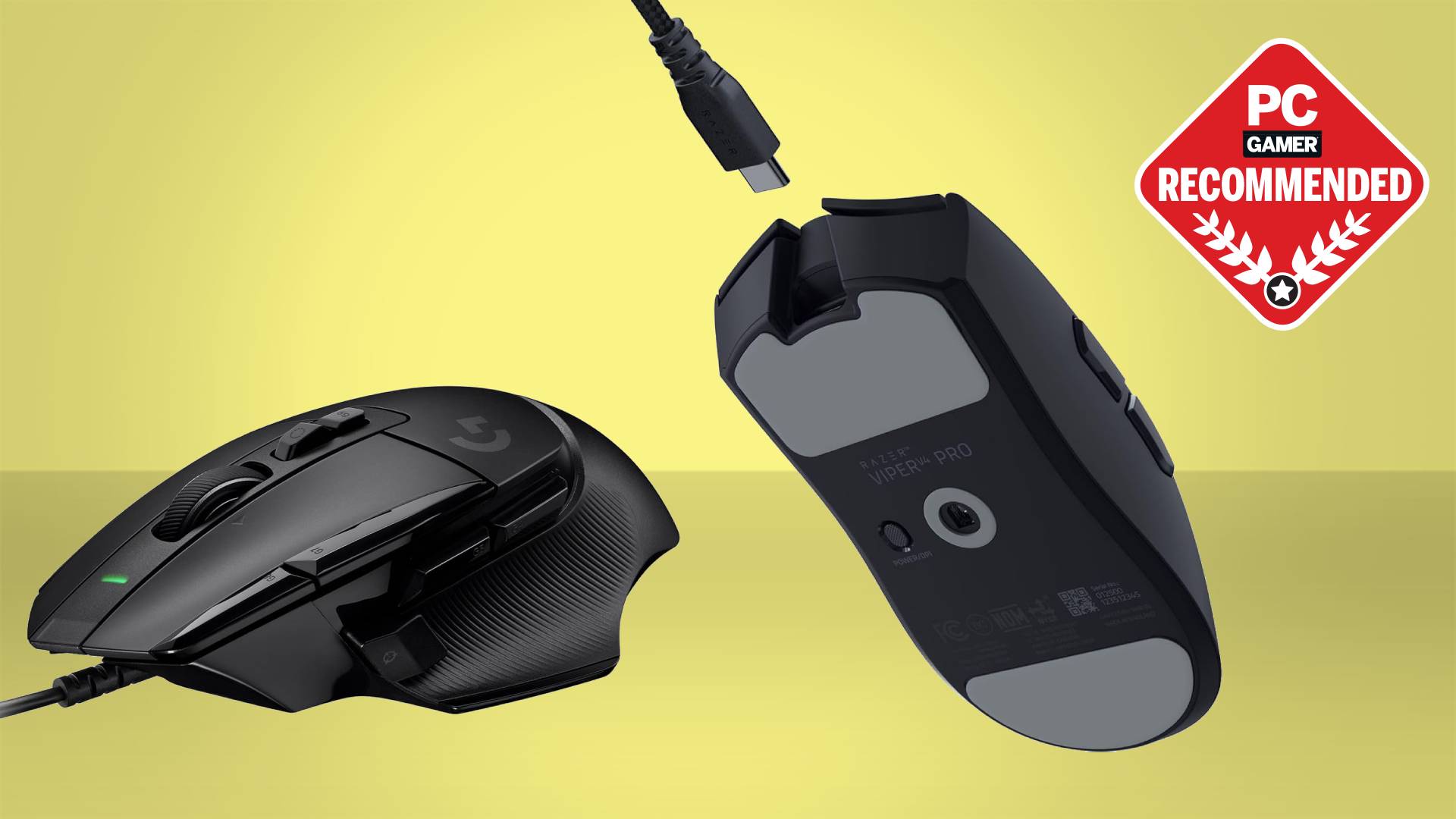
The Logitech M720 Triathlon is the best wireless mouse for computers overall because it handles the messiest part of a multi-device workflow: switching between machines. Its hyper-fast scroll wheel, long battery life, and comfortable shape make it a joy to use every day. If you do not need multi-device switching, the Logitech M510 offers even better ergonomics for all-day comfort, and the Logitech G305 is the top choice for gamers who also want a productivity mouse.
For a quiet office, the TECKNET's silent clicks and high DPI range are hard to beat. Travelers should look at the HP X3000 G3 for its 15-month battery and multi-surface sensor. And if you are on the tightest budget, the wegear mouse gives you adjustable DPI and side buttons for very little money.
Whichever you choose, a good wireless mouse will make your computer feel faster and more comfortable. The best wireless mouse for computers is the one that fits your hand, your workflow, and your desk. Start with the M720 and work down from there.
As an Amazon Associate we earn from qualifying purchases.