

A keyboard can have a perfectly good case and keycap set yet still feel wrong because the switches are too loud, too heavy, too soft, or simply scratchy. Swapping them is often the most direct way to change how a board sounds and responds.
The Best keyboard switches depend on the kind of feedback you want under each finger. This selection covers crisp clicky switches, rounded tactile options, quiet tactile switches, and smooth linears, with enough variety for a small repair or a complete custom build.
Our top pick is the Akko Creamy Blue Pro, while the six options range from compact replacement packs to larger sets for full-size keyboards.
Comparison table
| # | Product | Award | Type | Pins | Quantity | Best for |
|---|---|---|---|---|---|---|
| 1 | Akko Creamy Blue Pro | Best overall | Tactile | 5-pin | 45 | Smooth tactile typing |
| 2 | EPOMAKER Creamy Jade | Best linear | Linear | 5-pin | 100 | Full keyboard builds |
| 3 | Akko Penguin Silent | Best quiet tactile | Silent tactile | 5-pin | 45 | Shared workspaces |
| 4 | Gateron Milky Yellow Pro V2 | Best smooth linear | Linear | 5-pin | 72 | Gaming and fast typing |
| 5 | Deftomo Blue Switches | Best replacement kit | Clicky tactile | 3-pin | 50 | Repairs and clicky builds |
| 6 | BlingKingdom Blue Switches | Best small pack | Clicky | 3-pin | 10 | Testing a clicky feel |
1. Akko Creamy Blue Pro: Best Overall

Pros
- Smooth tactile bump with factory lubrication
- 5-pin housing adds stability
- 45gf operating force suits long typing sessions
- LED slot and SMD compatibility
- Standard MX stem accepts most keycaps
Cons
- Click-free feel will not satisfy users who want audible feedback
- Switch opener is not included
- 45 switches may not cover every larger layout
Best for: typists who want a polished tactile switch with a stable 5-pin fit.
The Akko Creamy Blue Pro is the easiest switch here to recommend when you want a noticeable bump without turning the keyboard into a noise machine. The tactile event is clear, but the factory lubrication on the rails keeps the press from feeling dry or gritty. It has a more composed character than the basic blue switches from Deftomo and BlingKingdom, both of which put their audible click much closer to the center of the experience.
Akko lists a 45gf force for this model, paired with an 18mm extension spring. That combination points to a switch that should not feel excessively heavy during long documents, coding sessions, or repeated game inputs. The POM, PC, and PA materials support the smooth feel, while the dustproof stem is intended to help keep the movement consistent. The switch uses a standard MX-style cross stem, so the majority of aftermarket keycaps should fit without needing a special set.
The 5-pin design matters if your hot-swap PCB has five matching holes. Two extra plastic pins help locate the switch and reduce movement compared with a basic 3-pin model, although a 5-pin switch can still be used on a compatible PCB after the extra legs are trimmed. The built-in LED slot and SMD compatibility make this a sensible choice for an illuminated custom board. Akko also gives it a laboratory-rated lifespan of approximately 60 million keystrokes.
Compared with the EPOMAKER Creamy Jade, this Akko has a tactile bump instead of a straight press. Compared with the Akko Penguin Silent, it offers more audible key movement but avoids the softer, muted sensation that some silent switches create. The weakness is simple: anyone specifically seeking a sharp click will find it too restrained, and anyone building a full-size layout may need more than the included 45 switches. It is also not the most convenient choice if you need an opener in the same package.
For a first switch change, this is the safest middle ground in the group. It gives a genuine tactile signal, keeps the press relatively smooth, supports common keycaps, and has enough stability for a serious custom build. Readers still choosing the keyboard around these switches can compare how switch feel changes a mechanical keyboard before committing to a board.
2. EPOMAKER Creamy Jade: Best Linear
Pros
- Smooth uninterrupted linear travel
- Factory lubrication reduces friction
- 100 switches suit full-size and larger builds
- 5-pin MX-compatible construction
- Clear force and travel specifications
Cons
- Linear feel offers no tactile confirmation
- More switches than a small repair requires
- Factory feel can still vary across a large batch
Best for: builders who want a large set of pre-lubed linear switches for a complete keyboard.
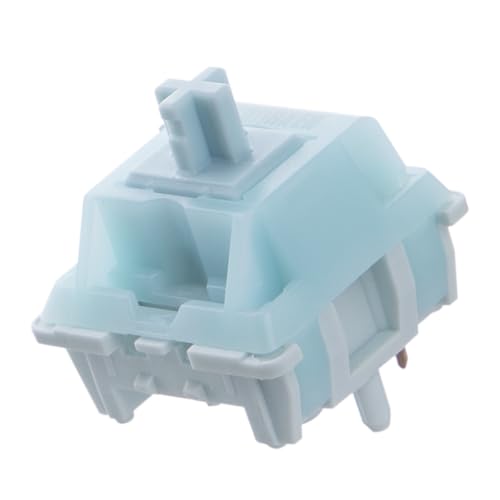
The EPOMAKER Creamy Jade is the practical full-build option in this roundup. Its appeal is not a dramatic click or a strong bump. Press the key and the stem travels straight down, which makes the switch feel quick and uncluttered for games, repeated shortcuts, and fast general typing. The factory lubrication is there to reduce friction before you open the package, so this is aimed at builders who want to install and start tuning the rest of the keyboard.
Its stated actuation force is 45±5gf, with a bottom-out force of 50±5gf. That gives it a moderate feel rather than an especially light or heavy one. The pre-travel is 2.0±0.4mm and total travel is 3.6±0.4mm, figures that describe how soon the keystroke registers and how far the switch moves before the press ends. The shorter total travel than the 4mm figure listed for the BlingKingdom blue switch helps the Creamy Jade feel more compact, though the two switches are not directly comparable because one is linear and the other is clicky.
EPOMAKER uses a POK stem, a PC upper housing, and a PA66 bottom housing. Those materials are intended to limit wobble and keep the travel consistent. The 5-pin format is suitable for most hot-swappable PCBs designed around MX switches, and the stem accepts MX-compatible keycaps. The stated lifespan is 50 million keystrokes. That is a useful durability claim, but the quality of a finished board will also depend on the PCB, plate, stabilizers, and keycap fit.
Against the Gateron Milky Yellow Pro V2, the Creamy Jade offers a larger 100-switch package and more explicit travel specifications. The Gateron has a slightly higher stated operating force at 50gf and comes in a 72-switch set, so it makes more sense when you want a proven-feeling linear option without having as many extras. The Creamy Jade is less suitable for someone who relies on a tactile bump to confirm every press, and its smooth linear character can expose rattle elsewhere in the keyboard.
Choose this switch when you are filling a complete board or want plenty of matching spares for future repairs. It is also a sensible foundation for a board whose sound and feel will be shaped by the plate and case rather than by loud switch mechanics. If the broader build matters as much as the switch, consider which manufacturers make dependable switch families before selecting the rest of the parts.
3. Akko Penguin Silent: Best Quiet Tactile

Pros
- Tactile feedback without a loud click
- Factory lubrication on the rails
- 5-pin construction improves positioning
- Standard MX stem works with common keycaps
- LED slot and SMD compatibility
Cons
- Silent mechanisms can feel softer than conventional tactiles
- The listing gives different force descriptions
- Switch opener is not included
Best for: shared offices, bedrooms, and quiet builds that still need a tactile bump.
The Akko Penguin Silent addresses the problem that many tactile-switch fans eventually encounter: a good bump is useful, but a loud board becomes tiring around other people. These switches are designed to keep the tactile response while reducing the noise produced at the top and bottom of the stroke. The result should be quieter than the Deftomo and BlingKingdom clicky models, without becoming as featureless as either linear option here.
Akko describes the Penguin as a 5-pin switch with a standard MX-style cross stem. The dustproof construction and extra pin support make it a good match for a custom hot-swap board with a five-hole PCB. The factory lubrication is concentrated in the rails, which is meant to improve the out-of-box glide. A built-in LED slot and SMD compatibility leave room for backlighting, so choosing a quiet switch does not mean giving up an illuminated build.
There is a force discrepancy in the supplied product information. The product title calls it a 50gf switch, while the feature description calls it a 43gf silent tactile switch. That makes it unwise to choose the Penguin solely on a precise force number. The more dependable takeaway is its quiet tactile design, its pre-lubed construction, and its 45-switch package. Akko gives it an approximate 50 million keystroke laboratory rating.
The silent design is also the reason to avoid this switch if you want a crisp, lively sound. Dampening can make the bottom-out feel less sharp, and the tactile event may seem less pronounced than the Creamy Blue Pro. Compared with that switch, the Penguin is the better neighbor but the less expressive one. Compared with the EPOMAKER Creamy Jade, it provides physical feedback instead of a straight linear press, which can make ordinary typing feel more deliberate.
The Penguin makes the most sense for someone who types near family, coworkers, or sleeping housemates and still dislikes the flatness of a linear switch. It will not make every keyboard silent, since keycaps, stabilizers, the case, and the desk all contribute to sound. For a complete low-noise setup, also consider what a gaming board needs during fast inputs rather than judging the switch in isolation.
4. Gateron Milky Yellow Pro V2: Best Smooth Linear

Pros
- Straight up-and-down linear travel
- Factory lubricated
- 72-switch set fits many full-size layouts
- 5-pin design offers broad compatibility
- Separately packed switches help protect pins
Cons
- No tactile bump or click
- 50gf force may feel heavier than lighter linears
- Product listing uses inconsistent brand presentation
Best for: users who want a familiar factory-lubed linear switch for gaming or everyday typing.
The Gateron Milky Yellow Pro V2 is a straightforward linear switch with the kind of uncomplicated press that suits both gaming and ordinary keyboard use. There is no bump to cross and no click jacket to announce the keypress. The stem goes down and returns, giving the board a clean rhythm that many users prefer for rapid repeats and smooth movement between keys.
Its listed operating force is 50gf, so it sits a little above the 45gf figure attached to the Akko Creamy Blue Pro and the EPOMAKER Creamy Jade. That difference is not huge, but it can make a board feel more planted and less prone to accidental presses. The switch is factory lubed, and the listing emphasizes a stable, smooth stem. It also uses upgraded gold contacts intended to improve resistance to oxidation and vulcanization.
The 5-pin format gives the Gateron a wide compatibility target, provided the PCB is designed for MX-style switches. Each switch is placed separately in a PVC box, which is a useful packaging detail because bent pins can turn an otherwise simple installation into a repair job. The package contains 72 switches, enough for many full-size boards with some spares left over. The stated minimum operating life is 50 million cycles.
The Gateron is less distinctive than the EPOMAKER Creamy Jade. The EPOMAKER gives you a larger set and publishes more detailed force and travel figures, while the Gateron leans on a familiar linear formula and a 50gf operating force. It is also a completely different experience from the Akko Penguin Silent, which adds tactile feedback and dampening. Skip the Gateron if you need a bump to guide your fingers or want the unmistakable sound of clicky switches.
This is the switch to choose when you want a smooth, no-surprises foundation and do not need a specialized sound profile. Its separately protected packaging is reassuring for a DIY project, and the 72-switch count suits more layouts than a small repair pack. The result will still depend heavily on the keyboard's plate and stabilizers, but this is a solid starting point for a clean linear build.
5. Deftomo Blue Switches: Best Replacement Kit

Pros
- Clear tactile bump and audible click
- 50-switch package
- Puller and cleaning brush included
- Transparent housing supports lighting
- POM stem and copper alloy spring
Cons
- 3-pin construction is less secure than 5-pin designs
- Clicky sound is unsuitable for quiet spaces
- No numeric lifespan claim is supplied
Best for: repairing a hot-swappable board or building around a classic clicky feel.
The Deftomo Blue Switches are the most complete small repair kit here. You get 50 clicky tactile switches, plus a switch puller and a cleaning brush, so the package is aimed at someone who wants to replace a section of a keyboard rather than assemble a switch collection from separate tools. The defining experience is the familiar blue-switch combination of a tactile bump and a crisp audible click.
These use a standard 3-pin MX design. That makes them compatible with many hot-swappable keyboards, but the fit is not as mechanically supported as the 5-pin Akko and EPOMAKER alternatives. The transparent housing is useful in a board with lighting, and the standard profile is intended to work with profile keycaps. The product description also calls the construction dustproof and waterproof, although it does not provide a numerical rating or a stated immersion standard.
Inside, Deftomo specifies a POM stem and copper alloy spring. Those materials are presented as the basis for consistent keystrokes, while the clear housing lets backlighting show through. The listing describes a two-stage driving force and a strong tactile response, language that fits the switch's more pronounced character. It does not provide a specific lifespan figure, so buyers should not compare its longevity claim directly with the 50 million and 60 million cycle figures listed for several other products here.
The Deftomo is more useful than the BlingKingdom if you need to replace a row or build most of a compact keyboard, since its 50-switch count leaves room for spares. The BlingKingdom has the more explicit travel details, including 4mm total travel and 2.2±0.6mm working travel, but it is packaged as a 10-switch set. Both are 3-pin clicky designs, so neither is the right pick for an office where every keystroke needs to stay unobtrusive.
The main question is whether you genuinely want the sound. Clicky switches can make typing feel more deliberate and satisfying, but they are difficult to ignore in a shared room. Choose Deftomo when you need a practical replacement bundle, an included puller, and a strong old-school click. Skip it in favor of the Penguin if reducing noise matters more than audible feedback.
6. BlingKingdom Blue Switches: Best Small Pack

Pros
- Classic clicky tactile response
- Transparent housing works with LED lighting
- 4mm total travel is clearly specified
- POM stem and high-quality spring
- Individual replacement quantity for targeted repairs
Cons
- Only 10 switches are included
- 3-pin design offers less PCB support
- Pins may need straightening after shipping
Best for: replacing a handful of failed switches or sampling a classic blue-switch sound.
The BlingKingdom Blue Switches are not trying to be a complete keyboard-building set. Their purpose is narrower: replace a few damaged switches, experiment with a clicky feel, or keep a small number of spares on hand. The transparent housing supports LED backlighting, and the switch combines a tactile break with the sharp click associated with conventional blue designs.
The specifications make the travel easy to understand. Total travel is listed as 4mm, while working travel is 2.2±0.6mm. In practical terms, the key registers partway through its movement and continues down to the full travel point. The product uses a POM stem, a copper component, and a high-quality spring, with a stated approximate lifespan of 50 million keystrokes. Those details put it closer to a conventional full-travel clicky switch than to a short-travel gaming design.
This is another 3-pin MX-style option, so confirm that the PCB accepts three-pin switches or that the board can accommodate the format. The listing notes that pins may bend during shipping and can be corrected. That is not a deal breaker, but it means the installation deserves a careful inspection before pressing each switch into the board. A bent pin is easier to fix before insertion than after it disappears into the socket.
Compared with Deftomo, BlingKingdom offers far fewer switches and does not include a puller or brush. Its advantage is the clearly stated travel behavior and the convenience of buying a small replacement quantity. Compared with the Akko Creamy Blue Pro, it is louder and uses three pins rather than five. It is a poor fit for quiet workspaces, full keyboard builds, or users who have not checked whether their board supports 3-pin switches.
Choose it for a targeted repair or a low-commitment trial of clicky switches. The ten-switch pack keeps the project focused, but it is not the sensible starting point for replacing every switch in a large keyboard. If you are still deciding between a switch swap and a new board, think about the sizes that fit different keyboard layouts before ordering a larger quantity.

How to choose best keyboard switches
Switch selection comes down to the interaction between feel, noise, force, PCB fit, and the number of keys you plan to replace.
Switch feel
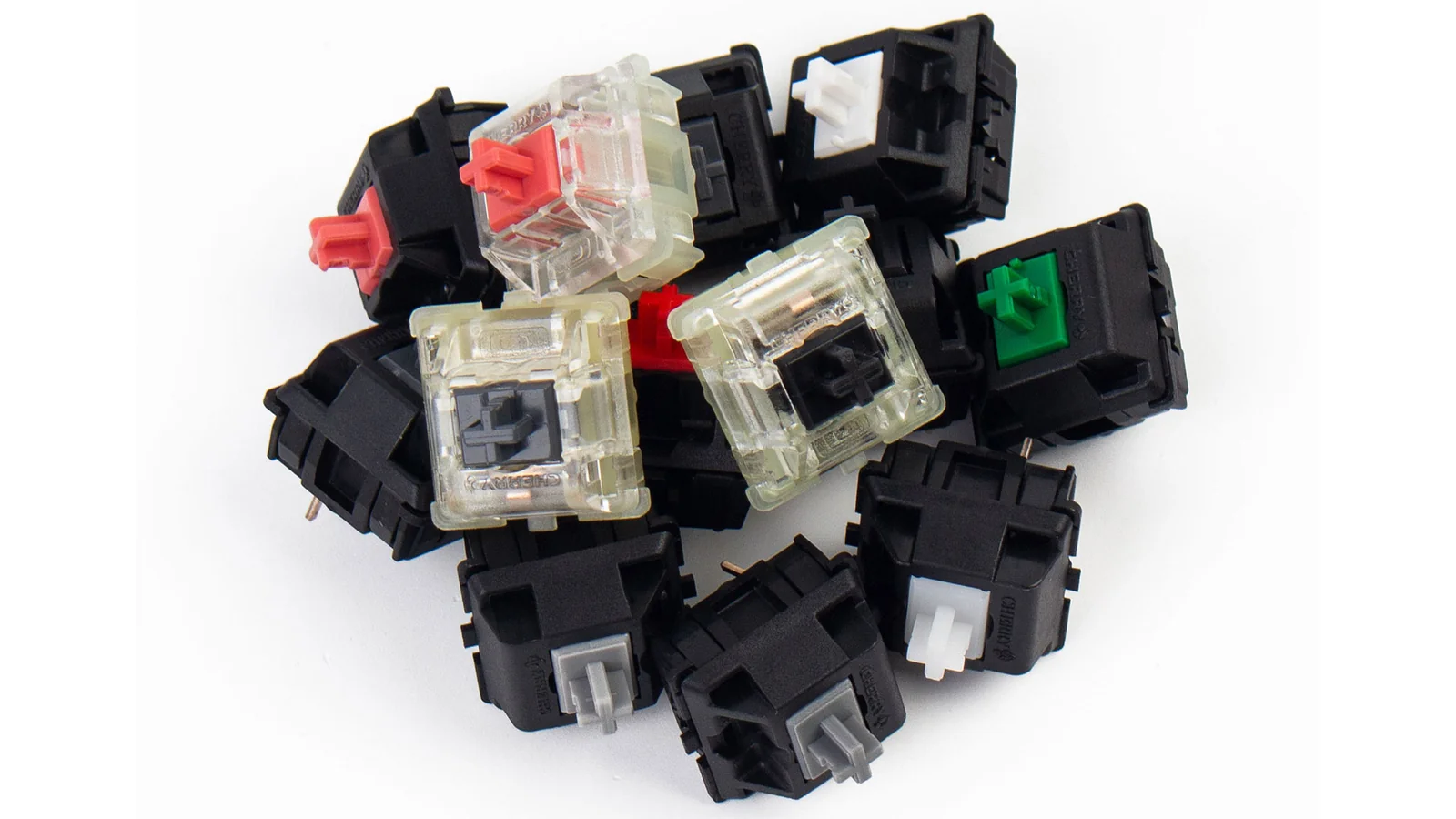
Mechanical switches generally fall into clicky, tactile, and linear groups. Clicky switches such as the Deftomo and BlingKingdom provide a deliberate bump and an audible click. Tactile switches such as the Akko Creamy Blue Pro and Akko Penguin provide a bump without the same click mechanism, while the EPOMAKER and Gateron switches move in a straight line.
A tactile switch is a good starting point for general typing because the bump signals that the key is actuating. Linears are often preferred for fast repeated inputs because nothing interrupts the travel. Clickies are the most characterful, but their sound can be a problem around other people.
Operating force
Operating force describes how much pressure is needed for the switch to actuate. The EPOMAKER Creamy Jade lists 45±5gf actuation force and 50±5gf bottom-out force. The Gateron Milky Yellow Pro V2 lists 50gf, while the Akko Creamy Blue Pro lists 45gf.
Numbers are useful for comparison, but they do not tell the whole story. Lubrication, spring behavior, tactile shape, and the point where the bump occurs all change how heavy a switch feels. If your fingers tire during long sessions, a moderate force with a smooth travel is usually easier to live with than a stiff or scratchy switch.
Noise and dampening
The click mechanism is only one part of keyboard noise. Bottom-out impact, the return stroke, keycap material, plate, case, and stabilizers also matter. Deftomo and BlingKingdom are the loudest choices by design, while the Akko Penguin is specifically intended to reduce noise without removing tactile feedback.
A quiet switch can lower the switch noise, but it cannot make a rattly stabilizer disappear.
Silent tactile switches usually feel softer at the end of travel because dampening material absorbs some impact. That is a reasonable trade for an office or shared room, but users who like a sharp, energetic bottom-out may prefer the Creamy Blue Pro.
Pin count and PCB fit
Three-pin and five-pin switches are not interchangeable in every keyboard. A 3-pin switch has two metal contacts and one central plastic locating pin. A 5-pin switch adds two plastic support legs, which can make the switch sit more securely in a compatible PCB.
Check the hot-swap PCB before ordering. Many boards designed for five-pin switches can accept three-pin models, but the reverse may require trimming the extra plastic legs. The standard MX-style stem used by these products is about keycap compatibility, not PCB compatibility.
Travel and package size
Travel affects the physical rhythm of a keystroke. BlingKingdom lists 4mm total travel, while EPOMAKER lists 3.6±0.4mm total travel and 2.0±0.4mm pre-travel. Those figures should be read alongside the switch type rather than treated as a simple speed ranking.
Also count the switches needed for the layout. The BlingKingdom pack contains 10, Deftomo contains 50, Akko's two packs contain 45 each, Gateron contains 72, and EPOMAKER contains 100. A small pack is useful for repairs, but a full-size keyboard may require more than the nominal number of letter keys once modifiers and navigation keys are included.
Frequently asked questions
Are these switches compatible with any mechanical keyboard?
No. Compatibility depends on the PCB, socket format, pin count, and keycap stem. The products use MX-style stems, but you still need a hot-swappable PCB or a board that can be desoldered and resoldered.
What is the difference between clicky, tactile, and linear switches?
Clicky switches add an audible click to the tactile bump. Tactile switches provide a physical bump without the same click mechanism, while linear switches move straight down with no intentional bump.
Are 5-pin switches better than 3-pin switches?
Five-pin switches offer two additional plastic support legs, which can improve alignment and stability on a compatible PCB. Three-pin switches can still be perfectly usable, especially for repairs, but the board must support that format.
Which switch is quietest in this roundup?
The Akko Penguin Silent is the purpose-built quiet option. It is designed to reduce noise while retaining tactile feedback, although the final keyboard volume will also depend on the keycaps, case, plate, stabilizers, and desk.
Do factory-lubed switches need more lubrication?
Not necessarily. The EPOMAKER Creamy Jade, Akko Creamy Blue Pro, Akko Penguin, and Gateron Milky Yellow Pro V2 are described as factory lubed. Some builders may still tune individual switches, but adding lubricant without experience can cause sluggish movement or interfere with the tactile feel.
How many switches do I need for a full keyboard?
That depends on the layout. A compact board uses fewer switches than a full-size board, and it is sensible to keep several spares for future repairs. The 72-switch Gateron and 100-switch EPOMAKER sets are better suited to larger builds than the 10-switch BlingKingdom pack.
The bottom line
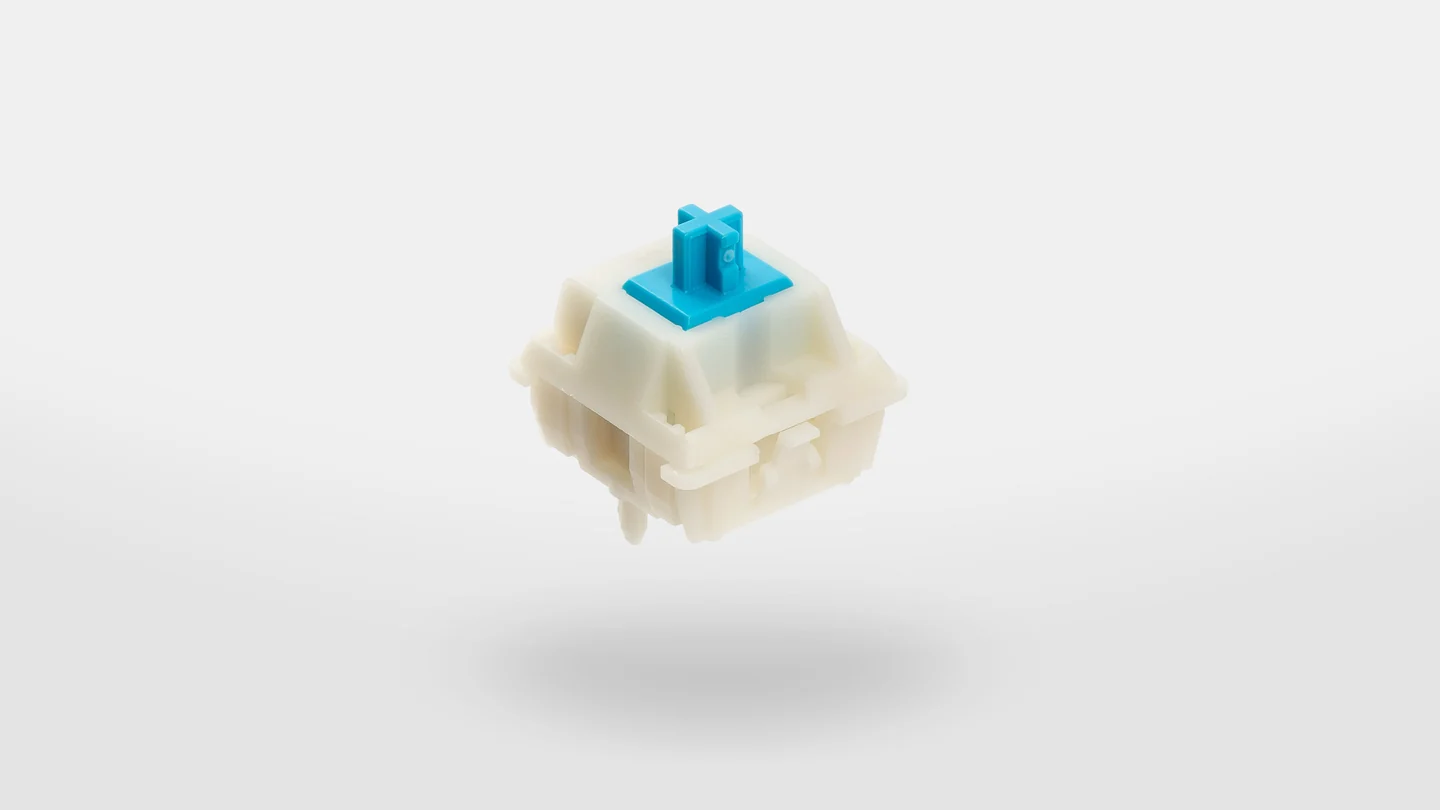
The Best keyboard switches in this group are the Akko Creamy Blue Pro for balanced tactile typing and the EPOMAKER Creamy Jade for a smooth linear full-board build. The Akko is more versatile for everyday typing, while the EPOMAKER makes more sense when you want a large matching set and a straight, factory-lubed press.
Choose the Akko Penguin Silent when noise is the deciding factor. Pick the Gateron Milky Yellow Pro V2 for a moderate-force linear feel, or choose Deftomo and BlingKingdom when you specifically want a clicky repair or a small experiment.
If you are undecided, start with the switch type you want to hear and feel every day, then confirm the pin format before ordering.
As an Amazon Associate we earn from qualifying purchases.