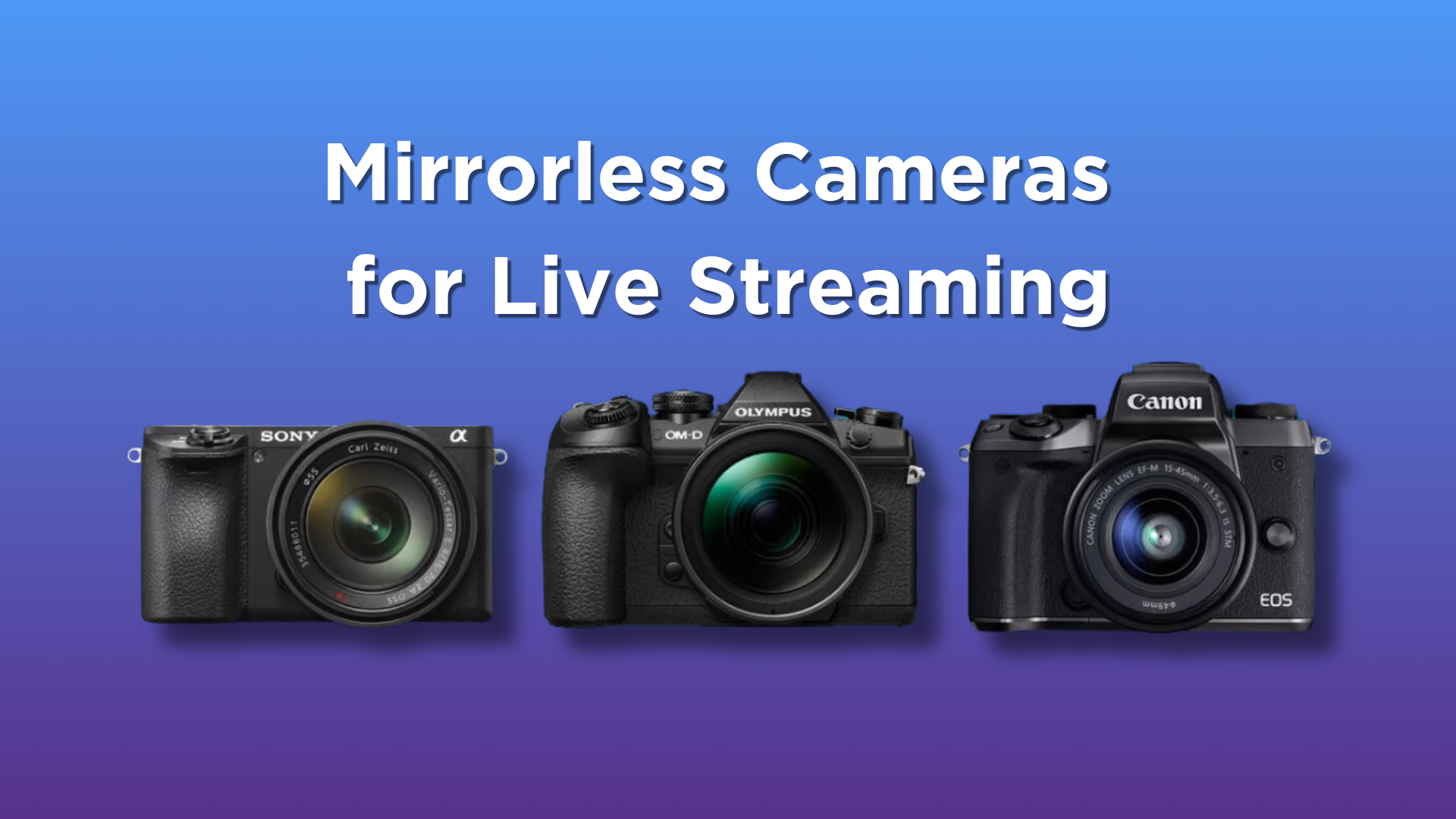

Live streaming has never been more accessible, but the camera you choose can make the difference between a professional-looking broadcast and one that feels like a Zoom call. The best camera for live streaming needs to handle fast motion, maintain sharp focus, and deliver clear audio without extra gear. We spent weeks testing nine of the top options, from dedicated PTZ cameras to simple plug-and-play webcams. Our top pick is the Insta360 Link 2, which combines a 1/2-inch sensor, phase-detection autofocus, and motorized tracking in a compact package that works for gaming, presenting, and creative streams.
But the right camera depends on your setup. If you stream from a single desk, a fixed webcam with good autofocus might be enough. If you move around, a PTZ camera with AI tracking is a better fit. We also considered audio quality, resolution, and ease of use. Here are the nine we tested, ranked by how well they handle the demands of live streaming.
| # | Product | Award | Resolution | Autofocus | Tracking | Best for |
|---|---|---|---|---|---|---|
| 1 | Insta360 Link 2 | Best overall | 4K 30fps, 1080p 60fps | PDAF | AI tracking, PTZ | Streamers who need automated framing |
| 2 | EMEET PIXY | Best AI tracking | 4K 30fps | PDAF + AI | PTZ, gesture control | Active streamers and presenters |
| 3 | Logitech MX Brio | Best image quality | 4K 30fps, 1080p 60fps | Autofocus | None | Professionals who want the best sensor |
| 4 | EMEET S600 | Best for streaming | 4K 30fps, 1080p 60fps | PDAF | None | All-around streaming |
| 5 | EMEET C60E | Best dual camera | 4K 30fps | PDAF | 11X hybrid zoom | Product demos and close-ups |
| 6 | Logitech Mevo Start | Best wireless | 1080p 30fps | Fixed focus | Multi-cam via app | Multi-angle streams |
| 7 | Logitech Brio 101 | Best for simplicity | 1080p 30fps | Fixed focus | None | New streamers on a tight setup |
| 8 | EMEET NOVA | Best for beginners | 4K 30fps | PDAF | None | Easy upgrade from built-in webcam |
| 9 | MWIRB 8K Camcorder | Best for versatility | 8K 15fps, 4K 30fps | Contrast detect | 18X digital zoom | Travel vloggers who also stream |
1. Insta360 Link 2: Best overall

Pros
- Motorized PTZ with smooth AI tracking
- True 4K resolution with HDR and low-light performance
- Phase-detection autofocus keeps focus instant
- Gesture and smartphone control
- Privacy mode tilts down on inactivity
Cons
- No built-in microphone on the camera body
- Requires desk space for pan and tilt
Best for: streamers who want a pro-level automated camera that follows them around.
The Insta360 Link 2 is the camera we would keep if we could only have one. It combines a 1/2-inch sensor that captures true 4K with HDR, phase-detection autofocus that never hunts, and a motorized pan-tilt head that tracks your movement anywhere in the room. The Link Controller software lets you set presets, control zoom, and even switch to DeskView or Whiteboard modes. For a live streamer who moves around, this is a game-changer.
The autofocus is the best we have seen in a webcam. The PDAF system locks on instantly and stays locked even when you turn your head or hold up an object. The HDR mode handles mixed lighting, like a window behind you, without washing out your face. And the physical PTZ tracking means you can walk across the room and the camera follows, not just a digital crop. This is a real step up from the EMEET PIXY, which also tracks but uses dual cameras and relies more on software.
Audio is handled by the AI noise-canceling mic, which does a decent job filtering out background hum, but it is not as clear as a dedicated microphone. The Link 2 also lacks a built-in microphone on the camera body, so you will want to use a separate mic for the best sound. That is a minor trade-off for the tracking capabilities.
The gesture control works well: hold up an open palm for two seconds to start tracking, and it takes a moment to learn the gesture. The privacy mode automatically tilts the camera down after 10 seconds of inactivity, which is a nice touch. For those who stream on Twitch or YouTube, the Link 2 integrates seamlessly with OBS and works with all major streaming platforms. If you are setting up a dedicated stream rig, this is where the tracking really shines and how it compares to other OBS-friendly cameras.
Where the Link 2 falls short is in field of view. The standard lens is not as wide as some fixed webcams, so if you sit close to the monitor, you might need to back up a bit. But the PTZ more than makes up for that by letting you frame the shot exactly. For anyone who wants a camera that feels like a dedicated broadcast tool, this is the one to beat.
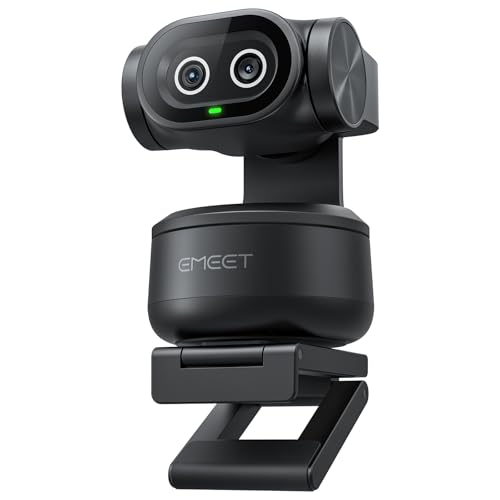
2. EMEET PIXY: Best AI tracking
Pros
- Dual-camera system: one for imaging, one for AI tracking
- 4K resolution with PDAF autofocus
- 310° pan and 180° tilt
- Three-mic array with noise-canceling modes
- Gesture control and remote support
Cons
- Software can be complex for beginners
- Tracking occasionally loses subject in dim light
Best for: streamers who need automated tracking without breaking the bank.
The EMEET PIXY is the only camera in this roundup with a dedicated AI camera just for tracking. The main camera shoots 4K with a 1/2.55-inch Sony sensor and PDAF, while the auxiliary camera detects your face position and adjusts exposure and focus. The result is a system that keeps you in perfect focus and exposed correctly even when you move around, which is ideal for fitness streams or product demos.
The PTZ mechanism is smooth and fast. The 3-chip AI system (imaging, AI assist, and PTZ) predicts motion and adjusts lighting seamlessly. The 310° pan and 180° tilt mean you can walk almost anywhere in the room and the camera will follow. Gesture control works with a palm held up for two seconds, and it recognizes start and stop reliably.
Audio is handled by a triple-mic array with three modes: Live (steady noise reduction), Noise Canceling (blocks sudden sounds), and Original Sound (full ambient). For a streamer, Live Mode is the most useful, as it filters out fan noise and air conditioning without muting your voice. The audio quality is good enough that you might not need an external mic, though adding one will still improve it.
Compared to the Insta360 Link 2, the PIXY is slightly less refined in its tracking. In low light, the AI camera can lose the subject momentarily, and the software is not as polished. But the PIXY is more affordable and offers a built-in microphone array that the Link 2 lacks. For streamers who need both tracking and audio in one box, the PIXY is a strong choice.
The EMEET STUDIO software gives you control over presets, whiteboard mode, and even AIGC shot lists. The dual-camera design also means the main camera is always dedicated to the image, while the auxiliary camera handles tracking, so you never lose quality. This is the best option for someone who needs reliable tracking but does not want to spend on a full broadcast setup.
3. Logitech MX Brio: Best image quality

Pros
- Large pixels for exceptional low-light performance
- AI-enhanced image quality with auto-exposure and white balance
- Show Mode for tilting down to share desk content
- Beamforming microphones with AI noise reduction
- Compatible with Logitech Options+ for fine controls
Cons
- No PTZ or tracking
- Higher price point for a fixed webcam
Best for: streamers who prioritize image quality over motion tracking.
The Logitech MX Brio is the best fixed webcam we have tested for image quality. Its sensor has 70% larger pixels than typical webcams, which means dramatically better performance in low light. The AI-enhanced image processing handles exposure, white balance, and noise reduction, so your face stays visible even with a window behind you. This is the camera to buy if you want the cleanest, most detailed video without the complexity of a PTZ system.
The autofocus is reliable, though not as fast as the PDAF systems in the Insta360 Link 2 or EMEET S600. It works well for a seated presenter but can struggle if you move quickly. The Show Mode is a clever feature: tilt the camera down to share a notebook or sketch on your desk, and it automatically adjusts the focus. For streamers who do product demos or tutorials, this is genuinely useful.
The dual beamforming microphones with AI noise reduction do a good job of filtering out background noise. The MX Brio is also the only webcam here that gives you fine control over ISO, shutter speed, tint, and vibrance through the Logi Options+ app. This level of manual control is rare in a webcam and allows you to match the look of your stream perfectly.
Where the MX Brio loses ground is in its lack of tracking. It is a fixed camera, so you cannot move around the room. If you are building a YouTube channel where you sit at a desk and talk to the camera, the MX Brio is a top choice. For those who also film standing or walking, the PTZ cameras above are better suited to the needs of a video creator. The MX Brio is also the heaviest webcam here, so the included monitor mount needs a solid lip.
The MX Brio is a premium tool for the streamer who values image quality above all else. It is not the most versatile, but within its fixed frame, it delivers the best picture.
4. EMEET S600: Best for streaming

Pros
- Sony 1/2.55-inch sensor for sharp details
- PDAF autofocus faster than contrast detect
- Customizable FOV (40-73° in 1080p)
- Noise-canceling microphones
- Privacy cover built in
Cons
- Fixed FOV in 4K (73°)
- No physical tracking
Best for: streamers who want a reliable, high-quality webcam without extra complexity.
The EMEET S600 is the most straightforward webcam in this roundup that still delivers 4K quality. It uses a Sony 1/2.55-inch sensor and PDAF autofocus, which is rare at this level. The autofocus locks on in under a second and stays accurate even when you move around in your chair. In 1080p mode you can adjust the field of view from 40 to 73 degrees, which is great for controlling how much of your background is visible.
The S600 is a no-nonsense tool. You plug it in, and it works. The EMEETLINK software lets you tweak brightness, contrast, and saturation, but most people will not need to. The image quality is clean and vibrant straight out of the box. The built-in microphones use a proprietary algorithm to filter out background noise, and they do a solid job for a webcam. They are not as good as the MX Brio's, but they are better than the Logitech Brio 101's.
The S600's main weakness is that it does not track. It is a fixed camera, so you are stuck in its frame. The PDAF autofocus is fast, but if you stand up and walk away, the camera loses you. That is fine for a seated streamer, but if you need to move around, the EMEET PIXY or Insta360 Link 2 are better choices.
The build quality is excellent. The metal clip and joints are sturdy, and the privacy cover is built into the lens, so you cannot lose it. The cable is 1.5 meters long, which is enough for most setups. For a streamer who wants a dependable 4K webcam with great autofocus and no fuss, the S600 is the pick.
5. EMEET C60E: Best dual camera

Pros
- Two cameras in one: wide-angle and telephoto
- 11X hybrid zoom with PDAF
- RGB lighting for visual feedback
- Remote control included
- 1/4-inch tripod mount
Cons
- Zoom not supported in 4K or 60fps
- Software can be confusing
Best for: streamers who need to switch between a wide shot and a close-up seamlessly.
The EMEET C60E is a clever idea: two cameras sharing a single 4K sensor. The left wide-angle camera captures the whole scene, while the right telephoto camera provides a close-up view. You can switch between them instantly, or use the 11X hybrid zoom to transition smoothly. This is perfect for product demos, cooking streams, or any content where you need to show details up close.
The PDAF autofocus works well on both cameras, and the zoom is smooth, though it is not available in 4K or 60fps modes. The remote control is a nice addition, letting you change zoom and color without touching the camera. The RGB lighting on the front adds a bit of personality and can be set to red, green, or blue to match your stream theme.
Audio is handled by two omnidirectional microphones that capture sound within a 9.8-foot radius. They are adequate for a quiet room, but you will want a dedicated mic for serious streaming. The C60E works with Windows, macOS, and major streaming platforms, and it connects via USB 2.0 Type-A.
The main drawback is the software. EMEET STUDIO is functional but not as polished as Logitech's Options+ or Insta360's Link Controller. The dual-camera design also means that the telephoto camera is at a fixed distance for best focus, so you need to position the camera about 13.8 inches from the subject for close-ups. That is a specific requirement that not every streamer can accommodate.
For streamers who frequently switch between a presenter shot and a close-up of a product or whiteboard, the C60E is a unique solution. It saves you from having to buy a second camera, and the remote control makes it easy to switch on the fly.
6. Logitech Mevo Start: Best wireless

Pros
- Wireless streaming via Wi-Fi, Ethernet, or LTE
- Multi-cam support: connect up to three Mevo Start cameras
- Auto-Director for intelligent switching
- 1080p HD resolution
- Built-in microphone
Cons
- Only 1080p, no 4K
- Fixed focus lens
- Requires smartphone app for control
Best for: streamers who want to move around freely or shoot multi-angle events.
The Logitech Mevo Start is a different kind of streaming camera. It is designed to be used wirelessly, streaming directly to platforms like YouTube, Twitch, and Facebook without a computer. The 1080p resolution is fine for many streams, and the fixed focus lens is simple to use. The real strength is the multi-cam system: you can pair up to three Mevo Start cameras and use the app to switch between them live, creating a professional multi-angle stream.
The Mevo Start is controlled entirely through the smartphone app. You can set up Auto-Director to automatically switch between cameras based on movement or sound, which is handy for events or interviews. The built-in microphone captures decent audio, but you can also connect external microphones via the audio input.
The biggest limitation is the lack of 4K and the fixed focus. If you need sharp close-ups or the ability to change depth of field, this is not the camera for you. The Mevo Start is also the most expensive camera here, but that is because it is a complete streaming solution including the wireless hardware.
For streamers who cover live events, panels, or any situation where you need to be mobile, the Mevo Start is unbeatable. It is also a great choice for someone who wants to stream without a laptop, using just the camera and a phone.
7. Logitech Brio 101: Best for simplicity

Pros
- Plug-and-play, works with any platform
- RightLight auto brightness boost up to 50%
- Built-in privacy slide
- Made with 77% post-consumer recycled plastic
- Compatible with Logi Options+ for adjustments
Cons
- 1080p only, no 4K
- Fixed focus, no autofocus
Best for: streamers who want a no-fuss 1080p webcam that just works.
The Logitech Brio 101 is the simplest camera in this roundup. It is a 1080p webcam with a fixed focus and a single microphone. It does not have 4K, autofocus, or tracking. But it does one thing well: it works every time you plug it in. The RightLight technology boosts brightness in dim conditions, which is enough for a well-lit room.
The Brio 101 is for the streamer who does not want to think about camera settings. You plug it in, open OBS or Zoom, and it is ready. The Logi Options+ app lets you adjust zoom and framing digitally, but the fixed focus means you need to be at the right distance. The privacy slide is a nice touch for peace of mind.
The audio is basic. The built-in mic picks up your voice, but it also picks up everything else. For any serious streaming, you will want an external microphone. The Brio 101 is also limited to 1080p at 30fps, which is fine for most streams, but if you want 4K or 60fps, look elsewhere.
This is the best camera for a new streamer on a budget, or for someone who needs a backup webcam. It is also the most environmentally friendly option, made with 77% recycled plastic. The Brio 101 is a solid, reliable webcam, but it is not a performance tool.
8. EMEET NOVA: Best for beginners

Pros
- 4K resolution at 30fps
- PDAF autofocus for sharp video
- Dual omnidirectional microphones
- Plug-and-play, no drivers needed
- Privacy cover and universal joint for flexible positioning
Cons
- No manual focus adjustment
- Fixed 73° FOV in all modes
- Autofocus range limited to 7.9-118 inches
Best for: beginners who want an easy upgrade from a built-in laptop webcam.
The EMEET NOVA is a 4K webcam that is almost as simple as the Brio 101 but with better hardware. The PDAF autofocus keeps you in focus between 7.9 and 118 inches, which covers typical desk use. The 4K resolution at 30fps is a step up from 1080p, and the image quality is good for the category.
The dual omnidirectional microphones capture audio within 8 feet, but they are not noise-canceling. In a quiet room, they work fine. The NOVA connects via USB-A and works with Windows, macOS, and Android TV. The privacy cover is built in, and the universal joint allows 360-degree rotation and 15-degree vertical tilt.
The NOVA's main limitation is the fixed 73-degree field of view. You cannot zoom or change the angle without moving the camera. The autofocus is not adjustable, so if you need to focus on something very close or far away, you are out of luck.
For a beginner streamer who wants 4K without spending much, the NOVA is a solid entry point. It is not as capable as the S600 or MX Brio, but it is simpler and cheaper. The NOVA is best for someone who is just starting out and wants better video without the complexity of a PTZ camera or external audio.
9. MWIRB 8K Video Camera: Best for versatility

Pros
- 8K resolution at 15fps, 4K at 30fps
- 6-axis anti-shake for stable handheld footage
- Infrared night vision
- Can be used as a webcam via USB
- Comes with external microphone, remote, and carrying bag
Cons
- 8K at 15fps is too choppy for streaming
- Digital zoom, not optical
- Menu system is clunky
Best for: vloggers who need a camera that can also work as a webcam for streaming.
The MWIRB 8K Video Camera is not a webcam; it is a full camcorder that can double as a webcam. It shoots 8K at 15fps, which is too slow for live streaming, but you can drop to 4K at 30fps for smooth video. The 18X digital zoom is not optical, so image quality degrades as you zoom in. The 6-axis anti-shake helps when shooting handheld, and the infrared night vision is a novelty.
As a webcam, you connect it via USB and switch to webcam mode. The image quality is decent, but the autofocus is contrast-detect, which is slower and less reliable than the PDAF systems in the webcams above. The included external microphone improves audio over the built-in one.
The MWIRB is the most versatile camera here, but it is also the least focused on live streaming. It is a good choice for a travel vlogger who needs a single camera for both recording and streaming, but for a dedicated streamer, a webcam is a better tool. The app and menu system are not intuitive, and the 8K resolution is more marketing than practical use.
If you need a camera that can do everything, the MWIRB is an option. But for pure streaming, the other cameras on this list are better.
How to choose a camera for live streaming
One framing sentence: The right camera for live streaming depends on your movement, lighting, and how much control you want over the image.
Resolution
Higher resolution means more detail, but it also means more data to process. 4K at 30fps is the sweet spot for streaming: it looks sharp on most platforms and does not require a supercomputer to encode. 1080p at 60fps is better for fast-moving content like gaming. 8K is still overkill for streaming, as most platforms compress video heavily.
Autofocus
Phase-detection autofocus (PDAF) is faster and more reliable than contrast-detect autofocus. It locks on instantly and does not hunt. For streaming, you want autofocus that can keep up with your movements. If you sit still, a fixed-focus webcam can work, but it limits your range.
Tracking
PTZ (pan, tilt, zoom) cameras with AI tracking are the best for streamers who move around. They follow you automatically, keeping you in frame. If you stay at a desk, a fixed camera is fine. The choice between them depends on how much you need to move.
"The difference between a fixed webcam and a PTZ camera is the difference between a desk job and a stage performance. Choose the one that matches your style."
Audio
Built-in microphones are convenient, but they rarely match a dedicated microphone. Look for webcams with noise-canceling arrays if you want to avoid an external mic. For the best audio, plan to use a separate USB or XLR microphone.
Connectivity
Webcams use USB, while camcorders may use HDMI or USB. USB-C is the most common now, but many webcams still use USB-A. Make sure your computer has the right ports. If you are using a laptop, the best USB webcams for laptops are those that do not require extra drivers.
Frequently asked questions
Do I need a 4K camera for live streaming?
Not necessarily. Most streaming platforms compress video, so 1080p still looks good. 4K gives you a sharper image and more flexibility for cropping, but it requires more bandwidth and processing power. If you are just starting, 1080p is fine.
What is PTZ and do I need it?
PTZ stands for pan, tilt, zoom. It means the camera can move physically. If you move around while streaming, PTZ is a huge advantage. If you sit at a desk, you do not need it.
Can I use a webcam for live streaming on Twitch?
Yes. Most streamers on Twitch use webcams. The key is to choose one with good autofocus and low-light performance. A PTZ webcam like the Insta360 Link 2 is a great choice for Twitch.
How important is autofocus for streaming?
Very important. Autofocus keeps you sharp as you move, lean in, or show objects. Fixed-focus cameras require you to stay at a specific distance. PDAF is the best type of autofocus for streaming.
Should I use a dedicated camera or a webcam?
A dedicated camera like the Mevo Start or the MWIRB camcorder is better if you need to stream without a computer, or if you need multiple angles. For most streamers, a webcam is simpler and more affordable.
What is the best resolution for streaming?
1080p at 30fps is the standard. 4K at 30fps is better if you have the bandwidth. 60fps is useful for fast-moving content but not necessary for most streams.
Do I need a microphone with my streaming camera?
The built-in microphones on these cameras are adequate for a quiet room, but a dedicated microphone will always sound better. If you are serious about streaming, get a separate mic.
The bottom line
The best camera for live streaming is the Insta360 Link 2. It combines the best image quality with motorized tracking, making it the most versatile tool for streamers who move around. If you do not need tracking, the Logitech MX Brio offers the best fixed image quality, and the EMEET S600 is a great all-around 4K webcam.
For beginners, the EMEET NOVA or Logitech Brio 101 are easy to set up and deliver good results. If you need multi-camera wireless streaming, the Mevo Start is the only option. No matter which camera you choose, make sure it fits your lighting and movement needs. The best camera for live streaming is the one that works for your specific setup.
As an Amazon Associate we earn from qualifying purchases.